
Our readers keep the lights on and the weekend projects moving. As an Amazon Associate, I earn from qualifying purchases.
Landing a crisp 4K UHD panel used to mean draining your savings, but the landscape has shifted. The current crop of budget-friendly monitors finally delivers the pixel density and color performance that creative and productivity work demands, without forcing you to compromise on refresh rate or build quality. The trick is knowing which specs actually matter at this price tier and which features are just marketing noise.
I’m Rikta — the co-founder and writer behind FitlyFast. I’ve spent dozens of hours analyzing panel technologies, refresh rate protocols, and real-world user feedback across the most compelling entry-level to premium 4K monitors available today.
This guide cuts through the jargon to help you identify the true value in a 4k cheap monitor, focusing on the measurable specs that actually define your daily viewing experience.
How To Choose The Best 4K Cheap Monitor
A budget-friendly 4K monitor can deliver an exceptional experience, but only if you prioritize the right technical foundations. Ignoring panel technology or refresh rate capabilities can leave you with a blurry, washed-out display that defeats the purpose of upgrading to UHD.
Panel Technology: IPS vs. VA
In this price range, you will mostly encounter IPS (In-Plane Switching) and VA (Vertical Alignment) panels. IPS panels offer superior color accuracy and wide 178-degree viewing angles, making them ideal for photo editing, design work, and any scenario where consistent color is critical. VA panels typically provide higher native contrast ratios, resulting in deeper blacks, but often sacrifice viewing angle stability and color vibrancy at the edges.
Refresh Rate and Adaptive Sync
A standard 60Hz refresh rate is perfectly fine for office work and media consumption. However, many monitors in this tier now feature 120Hz or 144Hz panels, which drastically improve perceived smoothness for cursor movement, scrolling, and gaming. Pair this with AMD FreeSync or NVIDIA G-Sync compatibility to eliminate screen tearing without the performance hit of V-Sync.
Color Gamut and HDR Support
Look for monitors advertising 95% DCI-P3 or 100% sRGB coverage. These figures directly correlate to how vibrant and accurate colors appear. HDR support is often basic at this price tier, but VESA DisplayHDR 400 certification ensures a meaningful improvement in brightness and dynamic range, whereas simple HDR10 compatibility may not deliver noticeable visual gains.
Quick Comparison
On smaller screens, swipe sideways to see the full table.
| Model | Category | Best For | Key Spec | Amazon |
|---|---|---|---|---|
| LG 27UP650K-W | Premium | Color-critical work & office | 95% DCI-P3, DisplayHDR 400 | Amazon |
| Acer Nitro VG270K | Gaming | High-refresh gaming & media | 160Hz (DFR to 320Hz FHD) | Amazon |
| Dell S2725QS Plus | Premium | All-day productivity & comfort | 1500:1 contrast, 120Hz | Amazon |
| KTC U27T6 | Gaming | Fast-paced gaming & desk use | 160Hz, Fast IPS, ΔE<2 | Amazon |
| ASUS ROG Strix XG27UCG | High-End | Competitive gaming & creation | Dual Mode 4K 160Hz / FHD 320Hz | Amazon |
| Samsung ViewFinity S8 S80D | Creative | Design & office multitasking | USB Hub, Height/Pivot stand | Amazon |
| Z-Edge U28I4K | Value | Budget dual-monitor setups | 28″ IPS, 144Hz | Amazon |
| LG 32UR500K-B | Value | Large screen for media | 32″ VA, FreeSync | Amazon |
| Gawfolk 32-inch 4K | Entry-Level | Casual gaming on a budget | 32″ VA, 144Hz, 1ms | Amazon |
In‑Depth Reviews
1. LG 27UP650K-W 27-inch Ultrafine 4K Monitor

The LG 27UP650K-W hits the sweet spot of premium features without breaking the mid-range barrier. It pairs a 27-inch IPS panel with 4K UHD resolution, 95% DCI-P3 coverage, and VESA DisplayHDR 400 certification — a rare combination at this price point. The extra brightness headroom from HDR 400 makes a noticeable difference in dynamic range compared to basic HDR10 screens, and the 1200:1 static contrast ratio helps blacks look deeper than typical IPS panels.
The ergonomic stand is a standout for productivity users, offering full height, tilt, swivel, and pivot adjustments. The matte anti-glare coating reduces reflections effectively, and the 60Hz refresh rate, while not gaming-focused, provides silky smooth desktop navigation. The OnScreen Control app allows for split-screen layouts, which is useful for multitasking, though the monitor lacks a USB hub and built-in speakers are absent.
User feedback highlights the crisp text and vibrant colors right out of the box, with many noting the easy assembly and sturdy build quality. The joystick-based menu navigation is intuitive, and the Black Stabilizer feature improves visibility in dark game scenes. Some users mentioned the lack of a USB-C port as a minor inconvenience for modern laptops.
Why it’s great
- Outstanding 95% DCI-P3 color gamut and DisplayHDR 400
- Fully adjustable ergonomic stand (height, pivot, tilt, swivel)
- Anti-glare matte finish with excellent text clarity
Good to know
- Limited to 60Hz refresh rate (no high-refresh gaming)
- No built-in speakers or USB hub
2. Acer Nitro VG270K 27-inch 4K Gaming Monitor

The Acer Nitro VG270K is a unique hybrid that addresses a long-standing compromise for 4K gaming monitors. It features a Dual-Frequency (DFR) technology that lets you toggle between native 4K UHD at 160Hz and a blazing 1080p Full HD at 320Hz, all on the same IPS panel. This means you get crisp pixel density for desktop use and an ultra-high refresh rate for competitive shooters without buying two separate monitors.
The display covers 90% DCI-P3 and supports HDR10, delivering vibrant colors with good saturation. The near-bezel-less ZeroFrame design is excellent for multi-monitor setups, and the included HDMI 2.1 ports allow full 4K 160Hz bandwidth from modern consoles and GPUs. The 0.5ms GTG response time ensures minimal ghosting, though the built-in speakers are weak and the stand only offers tilt adjustment.
Early adopters praise the smooth gameplay and vibrant image quality, with many calling it an incredible value for the feature set. Some reported quality control issues with HDMI ports, and the lack of height adjustment is a notable omission for ergonomic setups. Overall, this monitor delivers exceptional gaming performance at a price that undercuts most dedicated 4K high-refresh panels.
Why it’s great
- Dual Mode: 4K 160Hz or FHD 320Hz for competitive edge
- Two HDMI 2.1 ports for full-bandwidth console gaming
- Fast 0.5ms response time with FreeSync Premium
Good to know
- Stand only offers tilt adjustment (no height or pivot)
- Built-in speakers are weak; external speakers recommended
3. Dell 27 Plus 4K Monitor S2725QS

The Dell S2725QS is engineered for marathon work sessions. It combines a 27-inch IPS panel with 4K resolution and a smooth 120Hz refresh rate, upgrading the standard 60Hz desktop experience into a fluid, tear-free environment. The 1500:1 contrast ratio is higher than typical IPS panels, delivering deeper blacks and better shadow detail, while the 99% sRGB coverage ensures consistent color accuracy.
Dell’s ComfortView Plus technology reduces blue light emissions to ≤35% without washing out colors, a rare achievement among budget-friendly monitors. The stand is fully articulated — offering height, tilt, swivel, and pivot adjustments — and the ash white finish with ultra-thin bezels fits a modern workspace aesthetic. Integrated speakers with improved frequency range eliminate the need for desktop speakers for basic use.
Reviews highlight the bright, sharp image and the excellent value proposition, especially for productivity users who want the smoothness of 120Hz without paying gaming premiums. A few users noted a yellow tint out of the box that required calibration, and the HDR implementation is basic. The monitor is G-Sync compatible, making it versatile for light gaming.
Why it’s great
- 120Hz refresh rate with FreeSync Premium and G-Sync compatibility
- 1500:1 contrast ratio for deeper blacks than standard IPS
- ComfortView Plus reduces blue light without color shift
Good to know
- HDR performance is basic; no VESA DisplayHDR certification
- Some units may require color calibration out of the box
4. KTC 27 Inch 4K Gaming Monitor U27T6
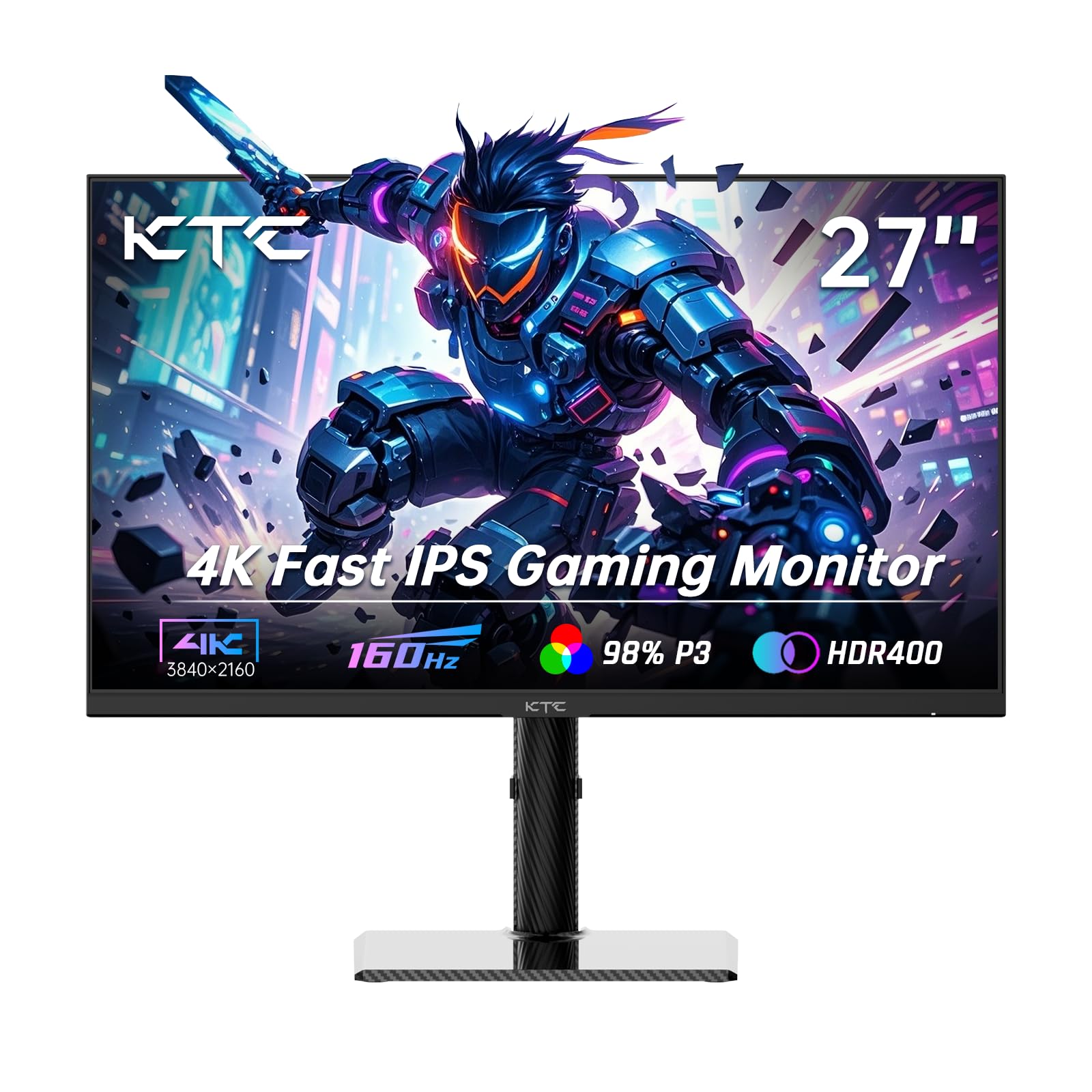
The KTC U27T6 is a compelling option for users who demand both high refresh rates and professional-grade color accuracy. It uses a Fast IPS panel that supports 160Hz at 4K UHD, with a color gamut reaching 140% sRGB and a Delta E of less than 2, which is factory-calibrated accuracy suitable for photo and video editing. The HDR400 certification provides meaningful brightness boosts for HDR content, and the 1.07 billion color support reduces banding in gradients.
Ergonomics are a strong point here: the stand offers height, tilt, swivel, and pivot adjustments, and the carbon fiber backplate keeps the monitor lightweight yet sturdy. Connectivity includes two HDMI 2.1 ports and two DisplayPort 1.4 ports, plus a USB 2.0 port primarily for firmware updates. The low blue light mode is effective for late-night use.
User feedback is overwhelmingly positive, with many praising the clear picture quality and smooth performance for both gaming and general use. Some users report that the monitor sometimes disables its settings after waking from sleep mode, and the included cables are basic. For the price, the combination of high refresh rate, color accuracy, and ergonomic flexibility is hard to beat.
Why it’s great
- Factory-calibrated ΔE<2 color accuracy for creative work
- Full ergonomic stand with height, pivot, swivel, and tilt
- Dual HDMI 2.1 and DisplayPort 1.4 for maximum bandwidth
Good to know
- Only includes a DisplayPort cable; HDMI cable not included
- Settings may reset after monitor wakes from sleep mode
5. ASUS ROG Strix 27” 4K Gaming Monitor XG27UCG

The ASUS ROG Strix XG27UCG is a premium offering that pushes the boundaries of what a 4K gaming monitor can do. Its headline feature is the Dual Mode functionality, allowing seamless switching between 4K at 160Hz and FHD at 320Hz, which is ideal for competitive gamers who want high pixel density for desktop use and extreme refresh rates for fast-paced shooters. The Fast IPS panel delivers a 1ms GTG response time, and the ELMB Sync technology eliminates ghosting while keeping variable refresh rate active.
The monitor covers 95% DCI-P3 and features advanced gray-scale tracking for smooth color gradation. The fully adjustable stand — height, tilt, swivel, and pivot — provides excellent ergonomic flexibility, and the RGB ROG logo adds a subtle aesthetic touch. Connectivity includes HDMI 2.1, DisplayPort 1.4, and a USB-C port with DP Alt Mode, making it compatible with modern laptops and consoles.
Reviews emphasize the sharp 4K image and the impressive 160Hz performance, with many users noting the lack of input lag or artifacts. The dual mode works flawlessly for switching between productivity and gaming. Some users found the 1080p 320Hz mode slightly soft on a 27-inch screen, and the price is higher than other options in this guide, but the performance justifies the investment for serious gamers.
Why it’s great
- Dual Mode: 4K 160Hz and FHD 320Hz for ultimate flexibility
- ELMB Sync eliminates ghosting with variable refresh rate
- USB-C with DP Alt Mode for single-cable laptop connection
Good to know
- FHD 320Hz mode can appear soft on 27-inch screen
- Premium price point; better for dedicated gaming setups
6. Samsung 27” ViewFinity S8 S80D 4K Monitor

The Samsung ViewFinity S8 S80D is built for professional workspaces where connectivity and flexibility matter as much as image quality. It features a 27-inch 4K UHD (3840×2160) IPS panel with HDR10 support and a 350 cd/m² brightness, delivering sharp text and realistic contrast. The 99% sRGB coverage ensures accurate colors for design and office work, and the anti-glare matte coating reduces reflections in brightly lit rooms.
The stand is a highlight — tool-free assembly with full height, tilt, swivel, and 90-degree pivot adjustment for reading long documents in portrait mode. The built-in USB hub (with USB-A and USB-B ports) simplifies peripheral management, and the Eye Saver Mode is TÜV-certified for flicker-free viewing with reduced blue light. The monitor lacks built-in speakers, but includes HDMI, DisplayPort, and a USB-C cable in the box.
Users consistently praise the sharp, clear display and the high-quality stand, with many calling it a perfect companion for Mac Mini and MacBook setups. The quick assembly process is a frequent compliment. Some users noted that the menu buttons on the back are initially frustrating to use, and the monitor sits slightly high for some desk configurations.
Why it’s great
- Includes a USB hub (USB-A/USB-B) for peripheral connectivity
- Full ergonomic stand with tool-free assembly and portrait mode
- TÜV-certified flicker-free and blue light reduction
Good to know
- No built-in speakers or headphone jack
- Menu buttons located on the back can be awkward to access
7. Z-Edge 28 Inch IPS 4K Monitor U28I4K

The Z-Edge U28I4K is a value-focused option that sacrifices some premium touches to deliver a solid 4K experience at a lower cost. It utilizes a 28-inch IPS panel with 3840×2160 resolution and a 144Hz refresh rate, offering a smooth desktop and gaming experience. The 99% sRGB color gamut provides adequate color saturation, and the 300 cd/m² brightness is sufficient for indoor use, though HDR support is basic HDR10 without VESA certification.
Connectivity is straightforward with two HDMI and two DisplayPort inputs, all capable of 4K at 144Hz, and the ultra-thin bezel design makes it a strong candidate for dual-monitor configurations. The stand offers tilt adjustment only, but the 100x100mm VESA mount allows for aftermarket arm setups. The 1ms MPRT response time helps reduce motion blur, though it is not as sharp as proper 1ms GTG panels.
User feedback highlights the crisp picture and excellent price-to-performance ratio, especially for those building multi-monitor workstations. Many verified buyers confirm the 4K 120Hz performance works reliably. Some units have been reported with a single dead pixel, and the absence of height or swivel adjustment on the stand is a notable limitation.
Why it’s great
- Large 28-inch IPS panel with 144Hz refresh rate
- Dual HDMI and dual DisplayPort for versatile connections
- Ultra-thin bezel ideal for dual or triple monitor setups
Good to know
- Stand only offers tilt adjustment; no height or swivel
- Basic HDR10 support without VESA certification
8. LG 32UR500K-B 32-inch Ultrafine 4K Monitor

The LG 32UR500K-B brings a large 32-inch screen to the 4K budget market, using a VA panel that offers deeper black levels than comparable IPS screens. The 3840×2160 resolution on this size results in a pixel density of 138 PPI, which yields crisp text without requiring scaling adjustments. The panel covers 90% DCI-P3 and supports HDR10, but the brightness is limited to 250 cd/m², meaning HDR performance is subtle rather than transformative.
Built-in stereo speakers with Waves MaxxAudio deliver acceptable sound for casual video watching, which is a rarity among budget monitors. The borderless design and easy tilt-adjustable stand make it a clean, minimal addition to any desk. Connectivity includes two HDMI ports and one DisplayPort, with AMD FreeSync support to reduce tearing during gaming.
User reviews emphasize the excellent value for the screen size, with many appreciating the clear image and out-of-box color accuracy. The fast assembly process and sturdy build are frequently mentioned positives. The 60Hz refresh rate limits its appeal for gaming enthusiasts, and the 250-nit peak brightness is noticeably dimmer than mid-range panels.
Why it’s great
- Large 32-inch VA panel with deep blacks and high contrast
- Built-in speakers with MaxxAudio for media consumption
- Excellent value for the screen real estate
Good to know
- 250 cd/m² brightness limits HDR effectiveness
- Limited to 60Hz refresh rate (not suitable for high-refresh gaming)
9. Gawfolk 32-inch 4K UHD 144Hz Gaming Monitor
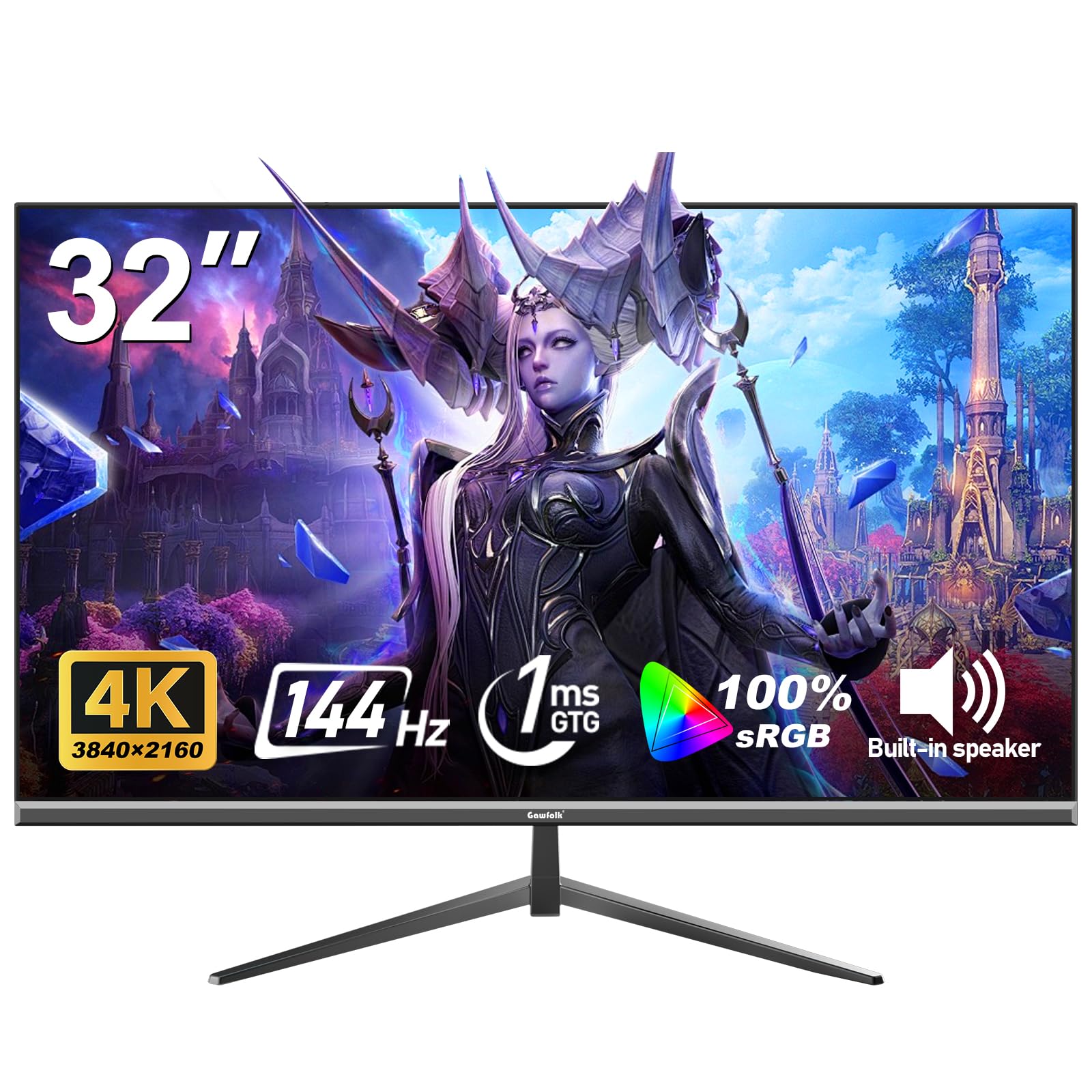
The Gawfolk 32-inch gaming monitor is the entry-level champion for those who want a massive 4K screen and high refresh rate at the lowest possible cost. It uses a VA panel at 32-inches with 3840×2160 resolution, a 144Hz refresh rate, and a 1ms response time. The 100% sRGB coverage and 16.7 million colors deliver decent saturation, and the 320 cd/m² brightness is respectable for its price tier.
Adaptive Sync support (FreeSync and G-Sync compatible) reduces screen tearing, and the eye-care technology with low blue light and flicker-free operation helps reduce strain during long sessions. The frameless design and 100x100mm VESA mount add to its versatility, though the stand only offers tilt adjustment. Connectivity includes HDMI 2.1 and DisplayPort inputs capable of delivering the full 144Hz at 4K.
User sentiment is largely positive, with many praising the crisp picture quality and smooth gaming experience for the price. Verified buyers highlight the great value and good color reproduction. However, some critical reviews report units failing after a few months, suggesting quality control can be inconsistent. The monitor is best viewed as a high-risk, high-reward option for those on a very tight budget.
Why it’s great
- Large 32-inch screen with 144Hz refresh rate at budget price
- 100% sRGB coverage and 320 cd/m² brightness
- Supports both FreeSync and G-Sync for versatile use
Good to know
- Quality control reports of units failing after a few months
- Stand offers only tilt adjustment; no height or swivel
FAQ
Can a budget 4K monitor run at 144Hz?
Is HDR on a cheap 4K monitor worth using?
Final Thoughts: The Verdict
For most users, the 4k cheap monitor winner is the LG 27UP650K-W because it combines professional-grade color accuracy (95% DCI-P3), VESA DisplayHDR 400, and a full ergonomic stand at a price that doesn’t force trade-offs. If you want a high-refresh screen for mixed productivity and gaming, grab the Acer Nitro VG270K. And for an all-day comfortable workstation experience with smooth 120Hz desktop navigation, nothing beats the Dell S2725QS.