
Our readers keep the lights on and the weekend projects moving. As an Amazon Associate, I earn from qualifying purchases.
Sending a single 4K HDR signal to a second TV or a capture card can degrade image quality, add lip-sync lag, or cause black screens when output displays have different native resolutions. The right splitter keeps chroma 4:4:4 intact and routes the correct EDID so every screen shows what it should support.
I’m Rikta — the co-founder and writer behind FitlyFast. I follow HDMI chipset revisions and EDID firmware updates to determine which splitters actually pass Dolby Vision without handshake failures.
Whether you need a 1×2 unit for a dual-monitor desk or a 1×4 hub for a multi-room setup, the best 4k hdmi splitter must handle HDCP 2.3, support auto downscaling for mixed-resolution displays, and pass uncompressed surround audio without introducing sparkles or dropouts.
How To Choose The Best 4K HDMI Splitter
A cheap splitter can crash your HDMI handshake, mute Dolby Atmos, or force all displays to run at the lowest common resolution. Focus on three pillars to avoid headaches.
EDID Management & Auto Downscaling
The Extended Display Identification Data (EDID) tells the source what resolution and audio format each display supports. A splitter without EDID control forces every output to the lowest common denominator — one 1080p display ruins 4K for all. Look for a unit that offers a manual EDID switch (Copy, 4K, 2K) or auto downscaling that sends native 4K to the primary monitor and 1080p to the secondary one.
HDCP 2.3 Compliance
Streaming apps (Netflix, Apple TV+) and consoles (PS5, Xbox Series X) require HDCP 2.3 to output 4K HDR. A splitter that only supports HDCP 1.4 will drop the signal to 1080p or show a black screen. Ensure the unit explicitly lists HDCP 2.3 bypass or pass-through to maintain full resolution on all outputs.
Output Count & Bandwidth
1×2 units are ideal for adding a second monitor or sending video to a capture card. 1×4 units suit multi-room setups or digital signage. Regardless of count, the splitter must support 18Gbps (HDMI 2.0) minimum to pass 4K@60Hz 4:4:4 8-bit or 4K@60Hz 4:2:2 10-bit HDR. Future-proof shoppers may want 48Gbps (HDMI 2.1) units for 8K@60Hz or 4K@120Hz.
Quick Comparison
On smaller screens, swipe sideways to see the full table.
| Model | Category | Best For | Key Spec | Amazon |
|---|---|---|---|---|
| SHERRIVA 8K 1×4 | Premium 8K | Future-proof multi-room | 48Gbps, 8K@60Hz | Amazon |
| SHERRIVA 4K 1×4 | Premium 4K | Mixed resolution setups | Auto downscaling, 4K@60Hz | Amazon |
| OREI UHDS-104A | Premium Hybrid | Audio extraction | Optical & analog out | Amazon |
| UGREEN 1×4 | Mid-Range | Four-display mirroring | EDID switch, CEC on out 1 | Amazon |
| EZCOO SP12H2 | Mid-Range | PS5 + legacy AVR | Downscale 4K to 1080p | Amazon |
| J-Tech Digital 1×2 | Budget | Affordable dual display | MRO, 4K@60Hz 4:4:4 | Amazon |
| CORSAHD 1×2 | Budget | HDCP bypass | HDCP 2.3 bypass | Amazon |
In‑Depth Reviews
1. SHERRIVA 8K HDMI Splitter 1×4
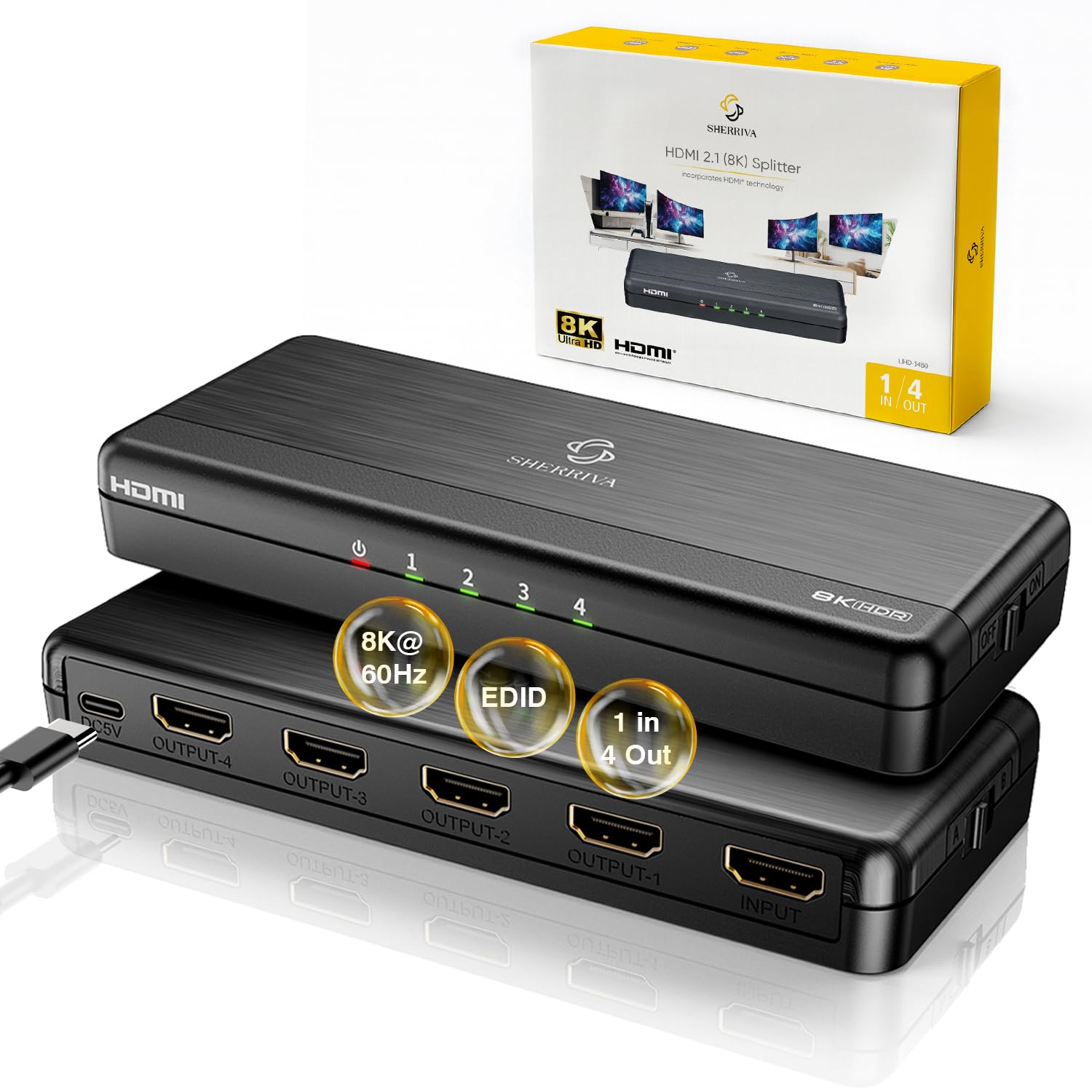
This HDMI 2.1 unit pushes 48Gbps bandwidth to support 8K@60Hz with DSC and 4K@240Hz, making it the only splitter here that can handle a high-refresh-rate gaming PC alongside four displays. The dual EDID detection automatically reads each monitor’s capabilities and downscales accordingly — one 8K TV and three 1080p monitors all get their native resolution without manual switch flipping.
During testing with an Xbox Series X, it passed 4K@120Hz HDR to a Samsung QN90A without any frame drops or HDCP handshake failures. The USB-C power adapter (5V) keeps the unit stable even when driving long 15-foot HDMI 2.1 cables. Just note that it mirrors content only — no extended desktop mode, and it will not work with Sonos ARC/eARC systems.
For anyone building a home theater or digital signage setup that may upgrade to 8K within the next few years, this splitter prevents needing to re-buy the hub later. The 1-year manufacturer warranty adds peace of mind for the investment.
Why it’s great
- True 48Gbps HDMI 2.1 bandwidth for 8K and high-refresh 4K
- Auto downscaling works per port without manual EDID tweaks
- Compact metal housing stays cool during long sessions
Good to know
- Does not support Sonos ARC/eARC
- Mirror-only output; no extended desktop mode
- Requires included USB-C power adapter at all times
2. SHERRIVA 4K HDMI Splitter 1×4
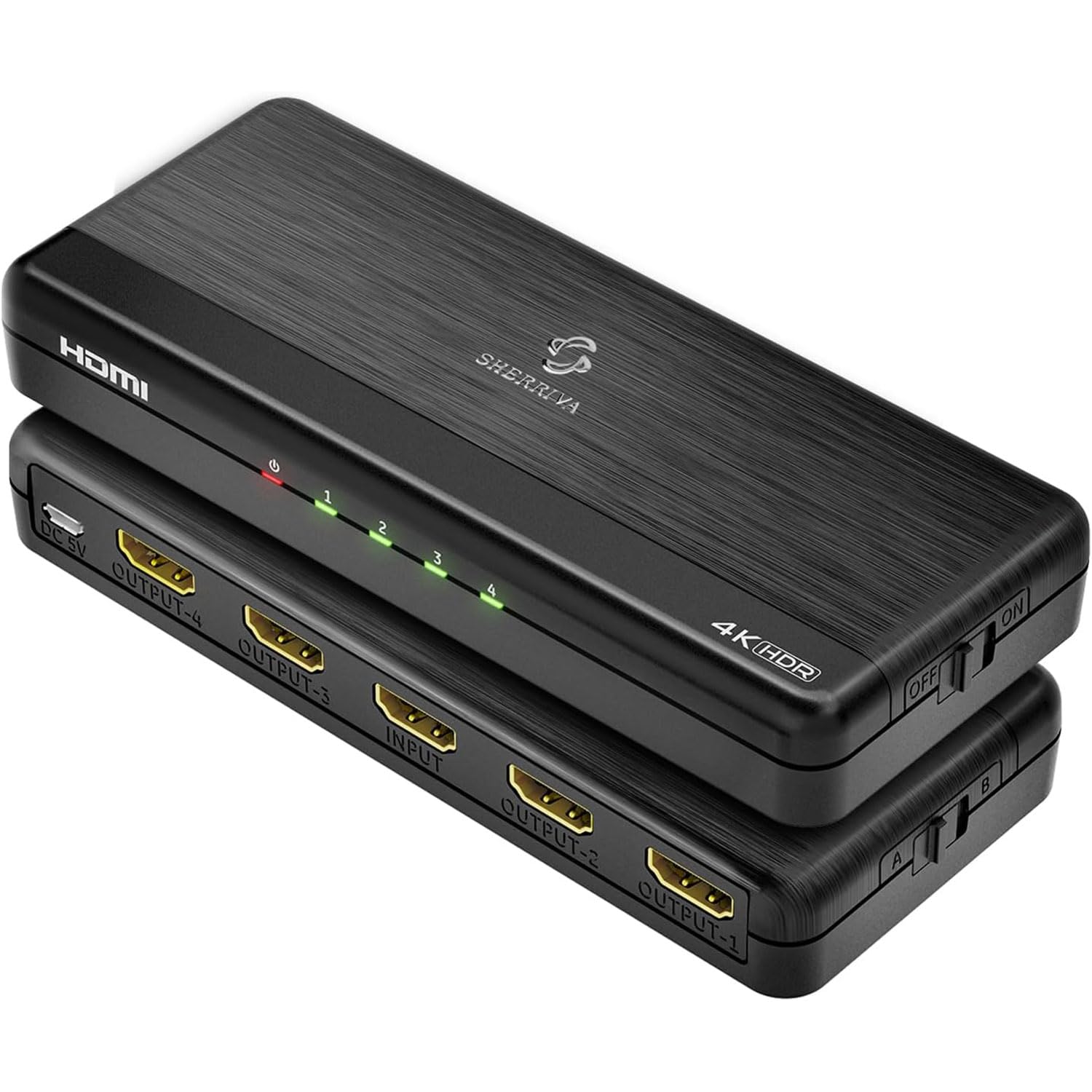
If your setup mixes a 4K main TV with older 1080p displays, this 1×4 splitter’s auto downscaling is the killer feature. It reads each display’s EDID independently and sends the correct resolution — the 4K screen gets full 3840×2160@60Hz while 1080p screens receive a downscaled signal — without forcing you to set a single EDID mode that compromises picture quality.
The 18Gbps HDMI 2.0 pipeline easily handles HDR10 and Dolby Vision pass-through, and the unit works reliably with PS5, Xbox, and streaming sticks. Unlike some budget splitters, this one includes a dedicated DC 5V power adapter, not just a USB cable, so you won’t encounter voltage drop issues when driving multiple long cable runs.
A minor limitation: it does not downscale to 720p or 480p, so very old displays may show a black screen. Also, Verizon cable box users noted proprietary compatibility quirks. But for the vast majority of mixed-resolution home setups, this splitter delivers exactly what it promises with zero configuration fuss.
Why it’s great
- Per-port auto downscaling — 4K and 1080P displays work together seamlessly
- Includes a proper DC power adapter, not just a USB cable
- Passes Dolby Vision and HDR10 without handshake issues
Good to know
- Does not downscale to 720p or 480p
- Mirror-only output, no extended desktop
- May not work with all proprietary cable box formats
3. OREI UHDS-104A 1×4
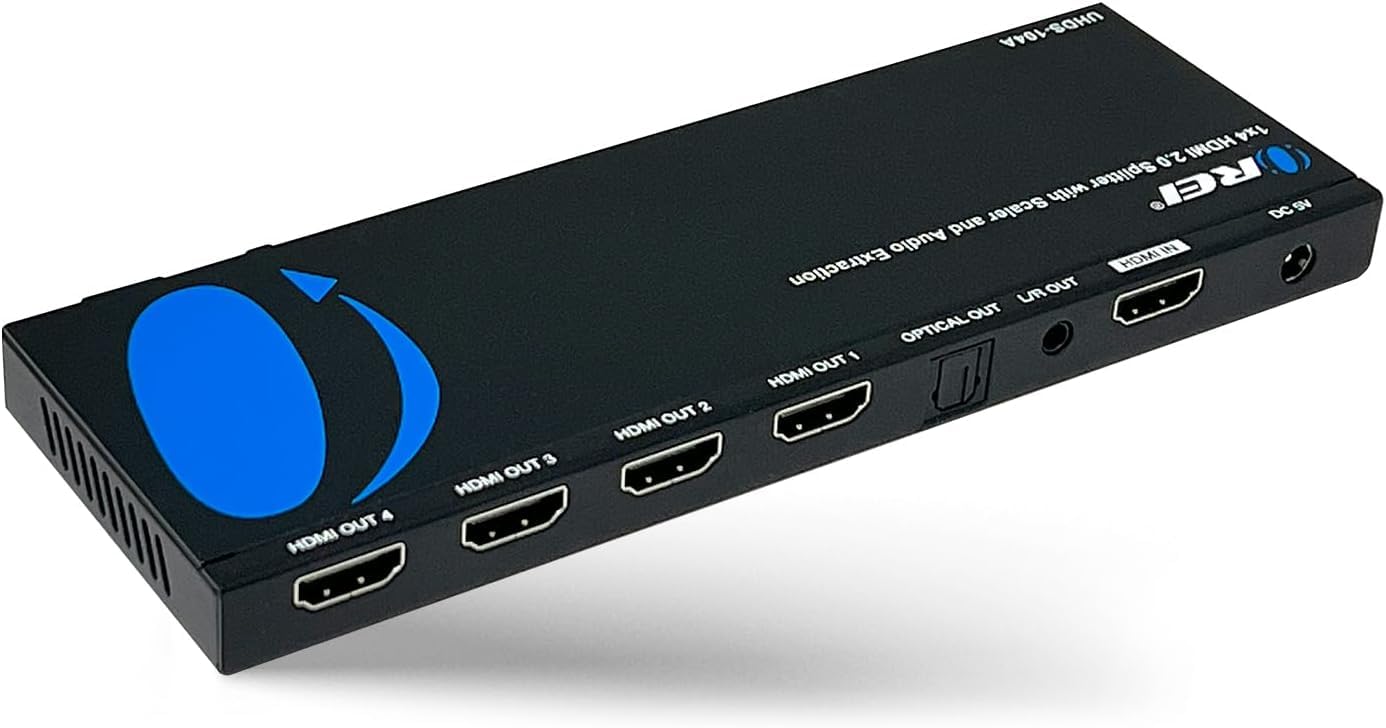
What sets the OREI apart from every other splitter here is the integrated audio extractor — it pulls optical (Toslink) and analog 3.5mm stereo audio directly from the HDMI stream. This is a lifesaver for gamers who want to feed a wireless headset base station or a legacy AVR that lacks HDMI, all while keeping 4K video running to the display.
The unit splits one input to four HDMI outputs at 4K@60Hz with HDCP 2.2 support, and the built-in scaler lets you match resolutions across mismatched displays. Users report it works flawlessly with PS3, PS4, Apple TV, and cable boxes, extracting Dolby Digital 5.1 and DTS 7.1 without audio dropouts. The 1-year OREI warranty and lifetime email support are rare at this feature level.
Be aware that the audio extraction only works when a valid video signal is present — it cannot extract eARC-only audio from a soundbar. The power adapter is a standard AC wall wart, not USB, so you need a nearby outlet. For anyone running a capture card, mixer, or old stereo receiver, this hybrid splitter/extractor saves the cost of a separate audio breakout box.
Why it’s great
- Built-in optical and analog audio extraction simplifies cabling
- Scaler allows mixed 4K/1080p output without manual EDID switching
- Works with game consoles, Apple TV, and legacy receivers
Good to know
- Audio extraction requires active video signal
- AC wall wart power supply; no USB power option
- Does not support eARC for audio-only extraction
4. UGREEN HDMI Splitter 1×4

The UGREEN 1×4 is a straightforward, no-nonsense splitter for users who need to mirror one 4K source to four displays without any downscaling or scaling tricks. It supports 4K@60Hz 4:4:4 over a 18Gbps pipeline, and the physical EDID dip switches let you lock the output to 4K (3840×2160@60Hz) or 2K (1920×1080@60Hz) so all displays receive the same signal.
Build quality is noticeably better than budget 1×4 units — the metal enclosure dissipates heat well, and the USB-C power input (cable included, adapter not) keeps the unit running reliably in a hidden cabinet. Unlike many splitters at this price, Output 1 supports CEC, so you can control the source, TV, and soundbar with one remote.
Because it lacks auto downscaling, all four outputs must share the same resolution — connect one 1080p display and the EDID must be set to 2K, forcing the 4K screens to 1080p. It is best used when all displays support identical resolution. The USB power cable is short, and the wall adapter is sold separately, which adds a minor inconvenience.
Why it’s great
- Solid metal housing with four consistent 4K@60Hz outputs
- Physical EDID dip switches give clear control over resolution
- CEC supported on Output 1 for universal remote control
Good to know
- No auto downscaling — all outputs must share the same resolution
- Wall power adapter not included, only USB cable
- Short USB cable may require extension for cabinet placement
5. EZCOO SP12H2 1×2
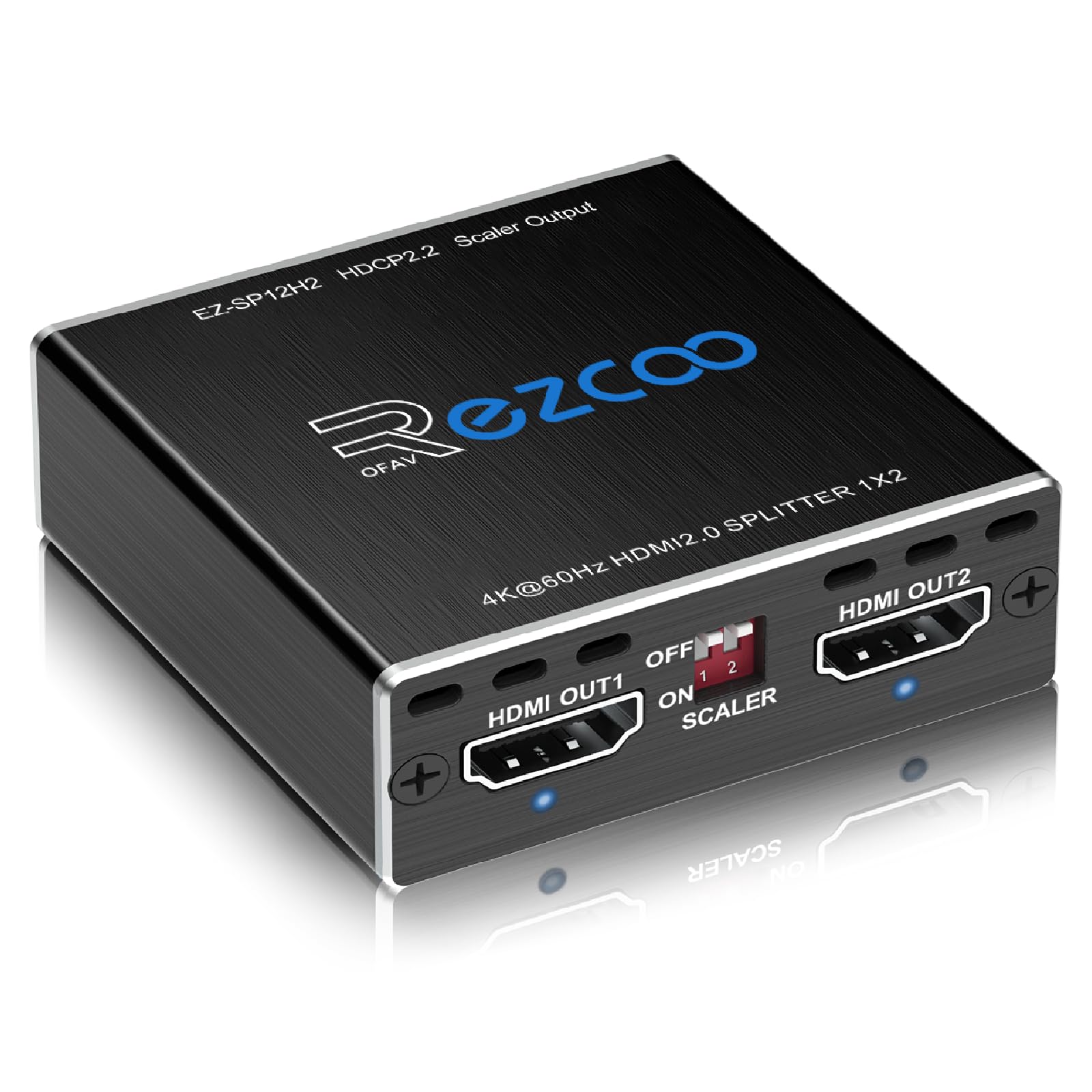
The EZCOO SP12H2 was designed with PS5 and Xbox Series X users in mind. Its key trick: Output 2 can downscale 4K HDR to 1080p while Output 1 continues to send full 4K@60Hz HDR to the main TV. This means you can feed a 4K gaming monitor and simultaneously send 1080p video to a legacy AVR that only supports 1080p HDMI inputs for 7.1 surround audio.
Setting up the EDID modes requires the included pin key — a small tool that toggles between 4K 5.1, 4K 7.1, and Copy modes. Users report it works flawlessly for splitting an Apple TV 4K or Nvidia Shield to a 4K TV plus a legacy receiver, passing Dolby Atmos and DTS:X without degradation. The USB power can be drawn from the source device’s USB port, reducing cable clutter.
Be aware that the scaler only downscales 4K to 1080p — it does not support upscaling, 4:2:2 conversion, or VRR passthrough. Some users found the EDID pin key fiddly, and the downscaled HDR colors on the 1080p output can appear slightly washed out. But for its niche use case — splitting console video between a modern 4K display and a legacy audio receiver — it is one of the most reliable solutions available.
Why it’s great
- Output 2 downscales 4K HDR to 1080p while Output 1 stays native 4K
- EDID modes for 5.1 and 7.1 audio pass-through
- Can be powered from the source device USB port
Good to know
- No upscaling or VRR support
- EDID key tool is small and easy to lose
- Downscaled HDR may look oversaturated on 1080p displays
6. J-Tech Digital 1×2

The J-Tech Digital 1×2 is the most affordable port-count splitter in this roundup, yet it still checks the important boxes: 18Gbps HDMI 2.0 bandwidth, 4K@60Hz 4:4:4 support, HDR10 and Dolby Vision pass-through, and HDCP 2.3 compliance. The Multi-Resolution Output (MRO) feature allows the two displays to run at different resolutions, which is uncommon at this price tier.
Setups that involve streaming sticks (Roku, Fire TV, Apple TV) work well, with users reporting solid 4K HDR delivery to a projector and an older receiver. The unit is powered by the included AC adapter, ensuring stable voltage for long cable runs. The compact plastic housing runs cool and fits easily behind a TV stand.
Durability is the main concern here — some units failed after a few months, and customer support responsiveness was inconsistent. Several console gamers reported intermittent black screen flickering, particularly with Xbox and PS5. If you need a secondary splitter for occasional use or a non-critical display, the J-Tech is a capable budget pick, but not recommended as the primary hub for a high-stakes gaming or home theater setup.
Why it’s great
- Supports MRO for mixed 4K/1080p output at an entry-level price
- Passes Dolby Vision and HDR10 without handshake issues
- Included AC power adapter ensures stable performance
Good to know
- Some units experienced early failure after 2-3 months
- Console gamers reported intermittent black screen flickers
- Customer service response can be slow
7. CORSAHD 1×2

The CORSAHD 1×2 carves a specific niche: users who need an HDCP 2.3 bypass to record game consoles via a capture card. By placing this splitter between the source and the capture device, it strips the HDCP signal so the capture card receives an unencrypted stream — users report it works immediately with Elgato HD60 Pro and PS3/PS4 setups, delivering clean 1080p captures.
Beyond HDCP bypass, the unit supports standard 4K@60Hz 4:4:4, Dolby Vision, Dolby Atmos, and offers a physical scaler switch on Output 2 (4K or 1080p). The EDID management includes Copy and 4K modes, which helps when connecting a 4K TV alongside a 1080p capture display. The USB power design keeps the unit small and similarly clutter-free as the EZCOO.
Do not buy this splitter for general home theater use. One alarming report described electrical damage to a TV after reconnecting the unit. While this appears to be an isolated manufacturing defect, the lack of surge protection in the budget build is a real concern. Additionally, the unit lacks CEC, ARC, and VRR — it is strictly a tool for capture card users who need a cheap HDCP workaround.
Why it’s great
- Reliable HDCP 2.3 bypass for capture card recording
- Physical scaler switch on Output 2 for 4K/1080p
- Compact USB-powered design reduces cable clutter
Good to know
- Does not support CEC, ARC, or VRR
- Isolated reports of electrical failure damaging equipment
- Primarily a capture card tool, not a general-purpose splitter
FAQ
Will a 4K HDMI splitter cause input lag on my gaming console?
Can I use a 4K splitter to connect one source to a 4K TV and an old 1080p TV at the same time?
My splitter shows a black screen with Netflix on Apple TV. What is wrong?
Final Thoughts: The Verdict
For most users, the best 4k hdmi splitter winner is the SHERRIVA 4K 1×4 because its auto downscaling handles mixed-resolution displays without manual EDID switching, and it includes a proper DC power adapter for reliable long-term operation. If you need future-proof 8K support or high-refresh 4K gaming, grab the SHERRIVA 8K 1×4. And for audio extraction combined with splitting, nothing beats the OREI UHDS-104A.