
Our readers keep the lights on and the weekend projects moving. As an Amazon Associate, I earn from qualifying purchases.
That single, lonely HDMI port on your TV is the choke point of your entire entertainment setup, forcing you to crawl behind the panel to swap cables every time you switch from a PS5 session to a movie on Apple TV. A 4K HDMI switch removes that friction, turning one input into a command center for multiple devices, but the challenge is finding a model that actually delivers the full HDMI 2.1 bandwidth—48Gbps—without introducing artifacts, signal dropouts, or locked-in 30Hz caps.
I’m Rikta — the co-founder and writer behind FitlyFast. I’ve spent years tracking home theater component specs, decoding HDMI certification data from the HDMI Licensing Administrator, and cross-referencing real-world user reports to separate the switches that handle proper VRR and 4K@120Hz from those that only claim to.
This guide breaks down the seven top contenders, from budget-friendly port expanders to premium multi-view units, so you can confidently pick best 4k hdmi switch for your gaming rig, streaming hub, or conference room without wasting time on units that skimp on bandwidth or HDCP compliance.
How To Choose The Best 4K HDMI Switch
Not all switches labeled “4K” actually pass through a full 4K@60Hz signal with HDR metadata intact. The cheap models often cap color depth at 8-bit or lock the refresh rate to 30Hz, especially once you add long cables. You need to match the switch’s bandwidth and HDCP version to your source devices and display.
Bandwidth and HDMI Version
An HDMI 2.0 switch tops out at 18Gbps, which handles 4K@60Hz with 8-bit color but leaves no room for VRR, ALLM, or 4K@120Hz. An HDMI 2.1 switch rated for 48Gbps unlocks 4K@120Hz with 10-bit or 12-bit depth, plus variable refresh rate and auto low latency mode for modern consoles and high-refresh PC monitors. Always check the listed bandwidth—if a product page omits this number, assume it is a legacy HDMI 2.0 chipset.
HDCP Compliance
HDCP 2.3 is mandatory for streaming 4K content from services like Netflix, Apple TV+, and Disney+. A switch that only supports HDCP 1.4 or 2.2 will either downscale the image to 1080p or produce a black screen. Verify the switch’s HDCP version in the technical specifications section—most reputable manufacturers list it clearly.
Switching Method
Manual remote control offers consistent, instant port selection and works with every device. Automatic switching detects when a source device powers on and routes to that port, but many devices (PS5, Apple TV, Fire TV, Roku) emit a constant standby voltage, confusing the auto-sensing chip and causing random jumps or failure to switch. If you value predictable behavior, prioritize manual remote switching or a physical button.
Cable Length Limits
To maintain 4K@60Hz or 8K@60Hz signal integrity, most high-bandwidth switches require the total combined length of input and output HDMI cables to stay under 10 feet (3 meters). Exceeding that threshold introduces signal degradation, sparkles, or complete signal loss. Use short, certified Ultra High Speed HDMI 2.1 cables for the input side and keep the output cable as short as practical.
Quick Comparison
On smaller screens, swipe sideways to see the full table.
| Model | Category | Best For | Key Spec | Amazon |
|---|---|---|---|---|
| UGREEN 8K 5-in-1 | Premium Switch | High-refresh gaming (240Hz) | HDMI 2.1, 48Gbps, HDR10+, VRR | Amazon |
| ROOFULL 4-Port 8K | Premium Switch | Certified HDMI 2.1 passthrough | HDMI 2.1, 48Gbps, HDCP 2.3, CEC | Amazon |
| Kinivo 8K 4-in-1 | Premium Switch | Auto-scan + lossless audio | HDMI 2.1, 48Gbps, HDR10+, Dolby Vision | Amazon |
| JCHICI 8K 5-in-1 | Premium Switch | Full HDMI 2.1 feature set | HDMI 2.1, 48Gbps, VRR + ALLM + QFT | Amazon |
| OREI HDMI 2.1 3×1 | Mid-Range Switch | 4K@120Hz gaming on a budget | HDMI 2.1, 48Gbps, VRR, ALLM, CEC | Amazon |
| Acer 5-in-1 | Mid-Range Switch | Multi-device home theater | HDMI 2.0, 18Gbps, 4K@60Hz, HDCP 2.3 | Amazon |
| OREI Multi Viewer 4×1 | Specialty | Quad-screen PiP / security camera | HDMI 2.0, 1080p, VGA output, PiP modes | Amazon |
In‑Depth Reviews
1. UGREEN 8K 5-in-1 HDMI Switch

The UGREEN 8K switch delivers the full HDMI 2.1 suite—48Gbps bandwidth, HDR10+, Dolby Atmos, and support for VRR—making it the most future-proof pick for gamers running a PS5, Xbox Series X, and a high-refresh monitor simultaneously. Its aluminum alloy chassis dissipates heat efficiently, and the included power adapter ensures stable signal locking without the flicker that plagues unpowered budget switches.
Five input ports let you connect a gaming console, a PC, a Fire Stick, a Blu-ray player, and a Nintendo Switch 2 without needing to prioritize. The IR remote works up to 33 feet and responds instantly, which is critical when you are mid-game and need to swap sources without delay. Note that it does not support automatic switching—you must use the remote or the physical button, but that also means no accidental source jumps from standby voltage.
Customer reports confirm reliable 4K@120Hz passthrough with HDR and VRR green-checked on Xbox Series X. The only catch: input HDMI cables must be kept under 1 meter and output under 2 meters to maintain 8K@60Hz stability, and ARC passthrough is absent. For pure, uncompromised HDMI 2.1 switching at this port count, it leads the pack.
Why it’s great
- Full 48Gbps bandwidth with VRR, HDR10+, Dolby Vision/Atmos
- Aluminum body with excellent heat dissipation
- 5 inputs handle a complete gaming and streaming arsenal
- Remote control with 33-foot range, zero accidental auto-switches
Good to know
- No automatic switching—manual remote or button only
- ARC passthrough not supported
- Short cable length limit for 8K (input ≤1m, output ≤2m)
2. ROOFULL 4-Port 8K HDMI Switch

The ROOFULL uses an officially certified HDMI 2.1 chipset, which is a meaningful distinction—off-brand switches sometimes route an uncertified 40Gbps controller and call it 48Gbps. This unit delivers honest 48Gbps bandwidth, supporting 4K@120Hz at 16-bit color depth and 8K@60Hz at 10-bit, with HDR10+, Dolby Vision, and Dolby Atmos passing cleanly from source to display.
Where it particularly shines is CEC compliance—the switch passes CEC commands faithfully, so your TV remote can still control volume and power on connected devices without a separate IR blaster. The auto-switching function works consistently with most sources but, as the manufacturer warns, may fail with PS5 and Apple TV because those devices leak standby voltage. A physical button and IR remote provide failover.
Real-world testing on LG C5 OLED panels shows green checkmarks for VRR and HDR10 across Xbox Series X and PS5 Pro. One reviewer noted the switch solved an audio issue with a Denon AVR that lacked ARC, allowing raw HDMI output for conversion. The two-year warranty and responsive customer service add confidence for a mid-premium investment.
Why it’s great
- Certified HDMI 2.1, true 48Gbps throughput
- CEC passthrough preserves TV remote control
- Supports 4K@120Hz 16-bit and 8K@60Hz 10-bit
- Two-year warranty and reliable customer support
Good to know
- Auto-switching fails with PS5 and Apple TV due to standby voltage
- Requires 48Gbps HDMI 2.1 cables for full bandwidth
- Total cable length must stay under 10 feet
3. Kinivo 8K 4-in-1 HDMI Switch

Kinivo’s 840BN packs a 24K gold-plated connector array and a brushed aluminum alloy shell into one of the most compact footprints in the premium tier, making it ideal for wall-mounted TV cabinets where space is tight. It handles 48Gbps pass-through with HDR10+, Dolby Vision, and Ultra HD 3D content, verified by multiple reviewers who compared it against Anker, UGREEN, and Insignia units that failed to push full 4K@120Hz without signal loss.
The auto-scan feature sequentially checks each port for an active signal and locks onto it, which works reliably for most devices. That said, the manual notes that Apple TV, Fire TV, Xbox One, PS5, and Roku do not support auto-switching—so if your setup is heavy on those devices, you will rely on the included IR remote. The remote is simple, with direct port buttons, and the switch itself is powered via USB-C (adapter included), keeping the profile low.
Audio performance is a standout here: the switch passes Dolby Atmos, DTS-HD Master Audio, and LPCM 7.1 losslessly without introducing lip-sync delay. One user verified it works perfectly with a MacBook Pro, Apple TV, iPad Pro, and KRK studio monitors via the headphone jack on their monitor. Kinivo backs it with a two-year warranty and lifetime US-based support, a strong safety net.
Why it’s great
- 24K gold-plated connectors and aluminum housing
- Lossless audio passthrough (Dolby Atmos, DTS-HD, LPCM 7.1)
- Compact footprint for tight AV cabinet spaces
- Two-year warranty with lifetime US support
Good to know
- Auto-switch not supported by Apple TV, PS5, Fire TV, Xbox One
- Only 4 input ports—fewer than some competitors
- Occasional display hang when switching to a just-powered device
4. JCHICI 8K 5-in-1 HDMI Switch
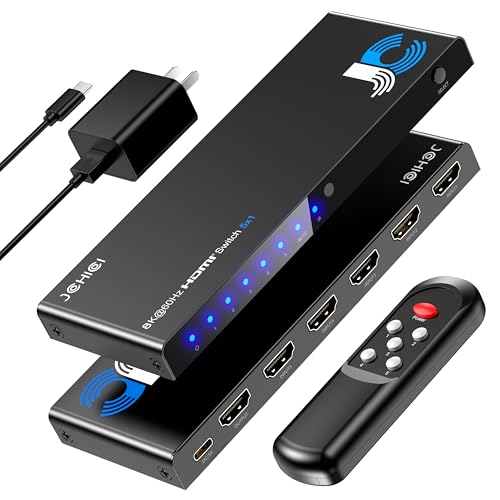
The JCHICI switch aggressively markets the full HDMI 2.1 feature stack—48Gbps, VRR, ALLM, QFT, HDR10+, Dolby Vision, and HDCP 2.3—and real-world testing on an LG B5 OLED confirms it delivers all of them simultaneously. Users report green checkmarks for Xbox Series X and PS5 at 4K@120Hz with HDR and VRR active, and the auto-switching feature reliably routes to the most recently powered-on device.
Its physical construction includes a slim 0.6-inch profile and an anti-slip mat, which helps prevent the switch from sliding around on a glass entertainment center. The IR remote has a 26-foot range, and the unit includes both a power adapter and a USB cable for flexibility. The manual mode toggle lets you lock a specific input, preventing the switch from jumping to another port during an esports match or presentation—a thoughtful inclusion that most competitors omit.
The primary weakness reported is the remote’s reliability: some units experience intermittent signal loss from the remote, forcing manual switching via the physical button. Auto-switching also occasionally triggers randomly, although this behavior depends heavily on the standby voltage signature of your connected devices. At this price point and port count, the feature list is unmatched, but the remote quality is a variable.
Why it’s great
- Full HDMI 2.1 feature set: VRR, ALLM, QFT all verified
- 5 inputs with manual lock mode for stable gaming sessions
- Slim 0.6-inch profile with anti-slip mat
- 24-month warranty with lifetime technical support
Good to know
- Remote switching can be unreliable on some units
- Auto-switch may trigger randomly with certain devices
- AAA batteries for remote not included
5. OREI HDMI 2.1 Switch 3×1
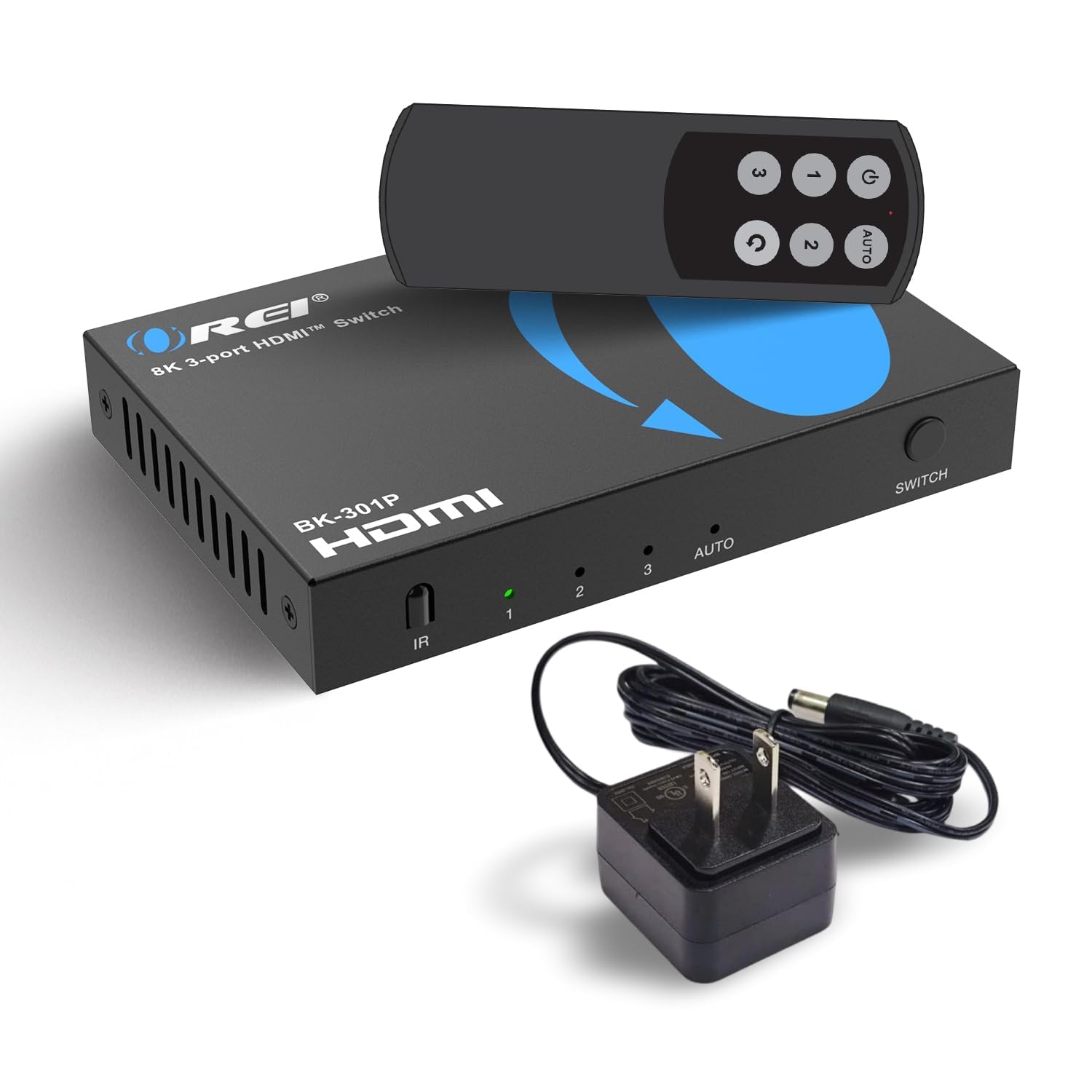
OREI’s 3×1 switch proves you do not need to spend premium money to get real HDMI 2.1 features. It runs 48Gbps bandwidth, supports 4K@120Hz and 8K@60Hz, and includes VRR, ALLM, and QFT for next-gen console gaming. The CEC passthrough works reliably, meaning your TV remote can still control source devices without a separate universal remote.
The unit is compact and lightweight, with a physical button on the chassis and an IR remote for switching. It includes a power adapter in the box—an important differentiator from many budget switches that force you to supply your own. Audio support extends to LPCM, Dolby TrueHD, and DTS-HD Master Audio, so you can push lossless multichannel audio to a soundbar or AVR without the switch becoming a bottleneck.
Customer reviews confirm flawless 4K@120Hz with PS5 and Xbox Series X, with seamless switching via the remote. One reviewer noted occasional manual resets when switching between an Xbox One and a Nintendo Switch, but that is common across many HDMI 2.1 switches. The main limitation is three inputs—if you need four or more ports, this is not the switch for you.
Why it’s great
- True HDMI 2.1 at a budget-friendly price point
- Includes power adapter in the box
- Supports VRR, ALLM, and QFT for gaming
- CEC passthrough preserves TV remote functionality
Good to know
- Only 3 input ports—limited for large setups
- May need occasional manual reset with older consoles
- Automatic detection not seamless across mixed generations
6. Acer 5-in-1 HDMI Switch
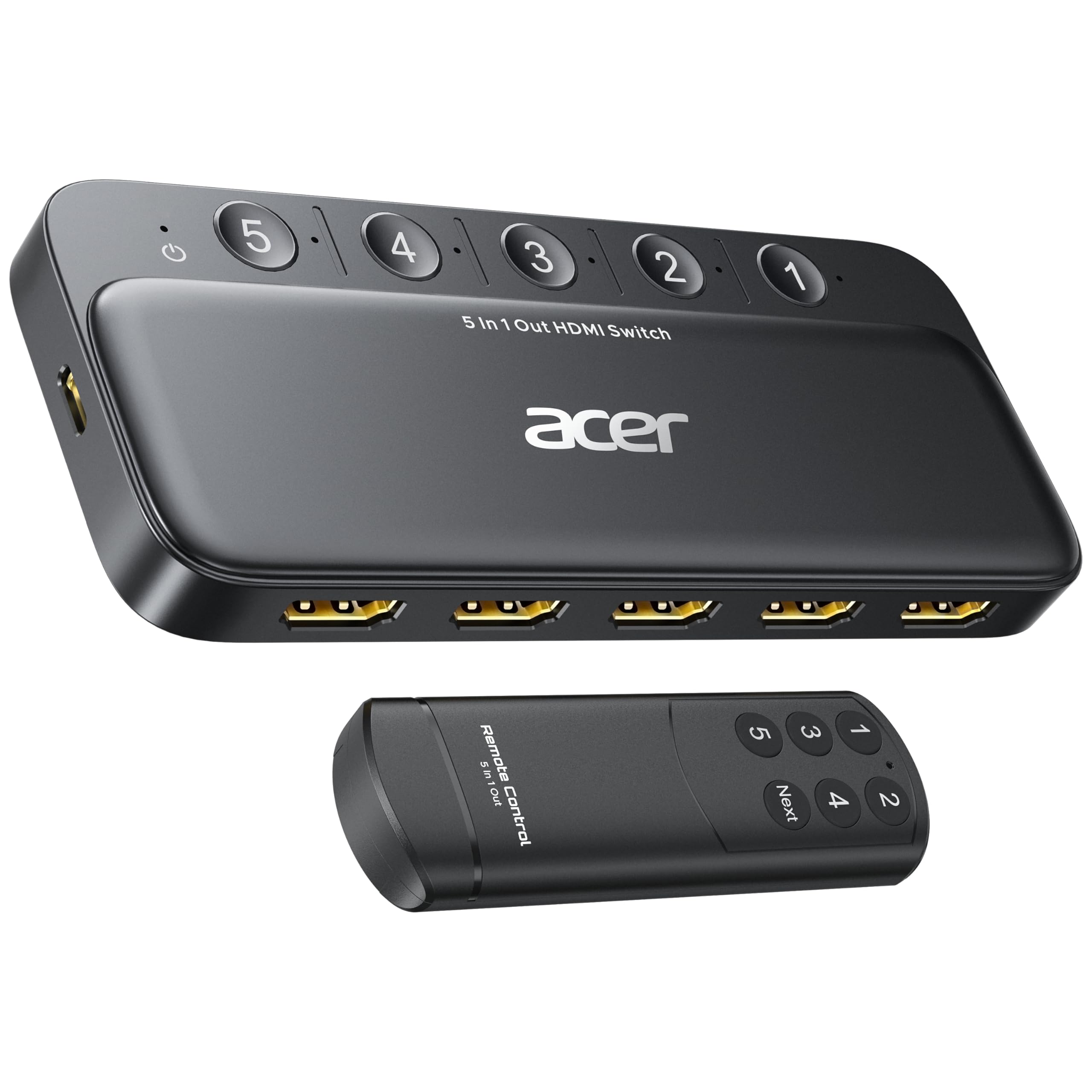
The Acer 5-in-1 fills the role of a reliable HDMI 2.0 switch, handling 4K@60Hz with HDR and HDCP 2.3 for about the price of a dinner out. Its metallic-like body and gold-plated HDMI ports resist corrosion, and the bottom heat dissipation vents keep the chipset cool during extended use. The IR remote includes numeric buttons for direct port selection rather than just a “next” button, which speeds up source changes.
Five LED indicators clearly show which port is active, and the switch auto-selects the active input when it detects a signal. That said, Acer explicitly notes that automatic switching is not supported—odd phrasing that likely means the auto-sensing only works with devices that fully cut power when off, excluding PS5, Xbox, and most streaming boxes. You will primarily use the remote or the physical button.
The big caveat: you must supply your own power adapter (5V/1A USB-A wall plug), remote battery (CR2032), and HDMI cables. The switch requires power to function properly—running it unpowered can cause flickering or failure to lock the signal. Several customers report defective units out of the box, suggesting quality control is inconsistent. For the price and port count, it works well when functional, but check it immediately upon arrival.
Why it’s great
- 5 input ports at an budget-friendly price point
- Gold-plated HDMI ports resist corrosion and preserve signal quality
- Remote with numeric buttons for direct port selection
- Supports 4K@60Hz HDR with HDCP 2.3
Good to know
- Power adapter, battery, and HDMI cables not included
- No true automatic switching—manual remote or button required
- Inconsistent quality control; some units arrive defective
- Total cable length must stay under 10 feet for 4K@60Hz
7. OREI Multi Viewer 4×1 HDMI Switch

The OREI HD-401MV is not a standard switch—it is a quad multi-viewer that lets you display up to four HDMI sources simultaneously on one screen in various PiP layouts, or output a single source in full-screen mode. This makes it the only unit in this lineup that solves a completely different problem: watching multiple sports games at once, monitoring four security cameras, or running a multi-source trading station.
Resolution tops out at 1080p (or 2K@60Hz) via HDMI, and it also includes a VGA output for legacy monitors or projectors. Audio is limited to PCM 2.0 stereo via HDMI or the 3.5mm jack—no Dolby Atmos or multichannel passthrough, which is a hard compromise for home theater use. The five display modes (full, PiP, quad, side-by-side, three-window) are selected via the IR remote or front panel buttons.
Setup is plug-and-play with most home TVs and game consoles, but some portable 1920×1080 monitors fail to detect a signal due to EDID handshake issues. The unit ships with a universal power adapter with interchangeable plugs for international use. For the niche use case of multi-source viewing on a single display, it is essentially in a category of one at this price.
Why it’s great
- Quad-view and PiP modes display up to 4 sources simultaneously
- Includes VGA output for older projectors and monitors
- Universal power adapter with international plug set
- Five display modes controlled via remote or front buttons
Good to know
- Max resolution is 1080p—no 4K passthrough
- Audio limited to stereo PCM 2.0 only
- EDID handshake issues with some portable monitors
- Longer load time when processing multi-view layout
FAQ
Do I need an HDMI 2.1 switch for a PS5 or Xbox Series X?
Why does my HDMI switch sometimes show a black screen?
Can I use a 4K HDMI switch with a monitor instead of a TV?
Final Thoughts: The Verdict
For most users, the best 4k hdmi switch winner is the UGREEN 8K 5-in-1 because it delivers uncompromised 48Gbps bandwidth, five ports, and a reliable manual remote that avoids the auto-switching headaches common with PS5 and Apple TV. If you want certified HDMI 2.1 with CEC passthrough and a two-year warranty, grab the ROOFULL 4-Port. And for the budget gamer who needs HDMI 2.1 features without overspending, nothing beats the OREI 3×1—just be honest about whether three ports are enough for your setup.