
Our readers keep the lights on and the weekend projects moving. As an Amazon Associate, I earn from qualifying purchases.
Moving from a 1080p or 1440p panel to a proper 4K IPS monitor isn’t just a resolution bump — it’s a shift in how you perceive depth, read fine text in sprawling RPGs, and spot distant movement in competitive shooters. The real challenge isn’t deciding whether to upgrade; it’s filtering through marketing claims about refresh rates, color gamuts, and HDR certifications to find a monitor that genuinely delivers on its promises without forcing you to re-calibrate your entire desk setup.
I’m Rikta — the co-founder and writer behind FitlyFast. I’ve spent countless hours dissecting panel technologies, response-time specifications, and real-world HDR performance to separate the monitors that define the 4K IPS category from those that simply check boxes on a spec sheet.
This buying guide evaluates eleven of the most compelling options available right now, giving you the clarity needed to choose the best 4k ips gaming monitor for your specific library, GPU, and room lighting.
How To Choose The Best 4K IPS Gaming Monitor
Choosing a 4K IPS gaming monitor requires balancing resolution, speed, color fidelity, and connectivity against your GPU’s capabilities. A perfect spec on paper can feel sluggish if your hardware can’t drive it or if the panel’s HDR implementation falls short.
Refresh Rate and Response Time
A 60Hz 4K monitor is fine for slow-paced strategy games, but for immersive action or competitive play, look for at least 144Hz. At 4K, every millisecond of latency matters. IPS panels with a 1ms GtG response time are the baseline for blur-free motion. Some premium Fast IPS panels achieve 0.5ms GtG, which noticeably reduces ghosting during rapid camera movements.
Color Performance and HDR
DCI-P3 coverage of 90% or higher ensures vibrant, accurate colors in modern games and HDR content. sRGB coverage matters for desktop work, but DCI-P3 is the standard for HDR gaming. VESA DisplayHDR 400 certification is the entry point for decent HDR; DisplayHDR 600 or True Black 400/500 delivers far more impactful highlights and deeper blacks, especially in darker scenes.
Connectivity and Ergonomics
HDMI 2.1 is essential for full 4K at 120Hz or higher on consoles, while DisplayPort 1.4 with DSC handles high refresh rates on PC. A fully adjustable stand (height, tilt, swivel, pivot) and VESA mount compatibility are non-negotiable for long sessions. USB-C with power delivery is a growing advantage for clean laptop setups.
Quick Comparison
On smaller screens, swipe sideways to see the full table.
| Model | Category | Best For | Key Spec | Amazon |
|---|---|---|---|---|
| LG 32UN650-W | Mid-Range IPS | Photo editing & casual gaming | 95% DCI-P3, 60Hz | Amazon |
| ASUS ROG Strix XG27UCG | Fast IPS | Competitive dual-mode gaming | 4K 160Hz / FHD 320Hz | Amazon |
| Samsung Odyssey G7 G70D | Smart IPS | Built-in streaming & gaming hub | 4K 144Hz, Smart TV apps | Amazon |
| MSI MAG 322URDF E16 | Rapid IPS | High-refresh dual-mode gameplay | 4K 320Hz / FHD, 0.5ms | Amazon |
| Alienware AW2725QF | Dual-Resolution IPS | Flexible 4K & high-FPS gaming | 4K 180Hz / FHD 360Hz | Amazon |
| KTC H32P22P | Value Fast IPS | Budget-friendly 4K gaming | 4K 165Hz, 3000:1 contrast | Amazon |
| Samsung Odyssey G7 G70F | Fast IPS Dual-Mode | High-refresh FPS & 4K visuals | 4K 180Hz / FHD 360Hz | Amazon |
| LG UltraGear 32GX850A-B | Glossy OLED | Deep blacks & vibrant HDR | OLED, 4K 165Hz, 0.03ms | Amazon |
| MSI MAG 321UPX | QD-OLED | Best-in-class color & contrast | QD-OLED, 4K 240Hz, 0.03ms | Amazon |
| ASUS ROG Swift PG32UCDMR | Premium QD-OLED | Ultimate HDR & Pro Gaming | QD-OLED, 240Hz, DP 2.1 | Amazon |
| Samsung Odyssey OLED G8 G80SH | Flagship QD-OLED | Top-tier OLED gaming & work | QD-OLED, 4K 240Hz, DP 2.1 | Amazon |
In‑Depth Reviews
1. ASUS ROG Strix 27” 4K HDR USB-C Gaming Monitor (XG27UCG)

The ASUS ROG Strix XG27UCG strikes an exceptional balance between price, performance, and future-proof connectivity. Its Fast IPS panel delivers a 1ms GtG response time, and the dual-mode flexibility — 4K at 160Hz or FHD at 320Hz — lets you optimize for visual fidelity or competitive frame rates without buying a second monitor. The 95% DCI-P3 color gamut ensures games look vibrant and accurate right out of the box, and ASUS Advanced Gray-Scale Tracking maintains smooth color gradients in demanding scenes.
Build quality is robust, with a fully adjustable stand that offers height, tilt, swivel, and pivot adjustments. The inclusion of Extreme Low Motion Blur Sync (ELMB SYNC) eliminates ghosting and tearing simultaneously, a feature rarely found at this level. Connectivity is strong with HDMI, DisplayPort, and USB-C, making it compatible with modern GPUs and laptops alike.
Customer reviews consistently praise the sharp 4K picture, no-input-lag gaming experience, and sturdy construction. The only minor trade-off is that hitting 160Hz requires a DisplayPort connection with DSC enabled, but this is standard for high-bandwidth 4K panels. For a mid-range investment, the XG27UCG delivers elite-tier motion clarity and color accuracy.
Why it’s great
- Dual-mode (4K 160Hz / FHD 320Hz) covers both eye candy and competitive play.
- ELMB SYNC eliminates ghosting and tearing simultaneously at high refresh rates.
- Fully adjustable stand with sturdy metal base.
Good to know
- Requires DisplayPort DSC for full 4K 160Hz.
- Hefty build demands ample desk space.
2. Samsung 27” Odyssey G7 (G70D) 4K UHD IPS 144Hz

The Samsung Odyssey G7 G70D brings a Fast IPS panel with a 144Hz refresh rate and 1ms GtG response time, delivering smooth, tear-free gameplay when paired with G-Sync or AMD FreeSync Premium. The 4K UHD resolution provides sharp details, and the HDR10 support with DisplayHDR 400 enhances contrast in supported titles. Its 99% sRGB coverage ensures vibrant colors for both gaming and content consumption.
What sets this monitor apart is the built-in Samsung Gaming Hub and Smart TV apps, enabling instant access to streaming services without a connected PC or console. The AI upscaling via the NQM processor improves lower-resolution content, making it more usable for non-gaming tasks. The Dynamic Black Equalizer adjusts shadow detail automatically, a useful feature for spotting enemies in dark game scenes.
Reviews highlight the monitor’s excellent responsiveness and solid build, though some users note the Smart Hub interface can feel intrusive with ads. The lack of a USB-C port is a downside for modern laptop users. Still, for a mid-range price, the G70D offers an all-in-one entertainment plus gaming experience.
Why it’s great
- Built-in Samsung Gaming Hub for streaming without a PC.
- AI upscaling improves lower-resolution content effectively.
- Ergonomic stand with full adjustability.
Good to know
- Smart TV interface includes advertisements.
- No USB-C port for modern laptop connectivity.
3. MSI MAG 322URDF E16 32-inch 4K UHD Gaming Monitor
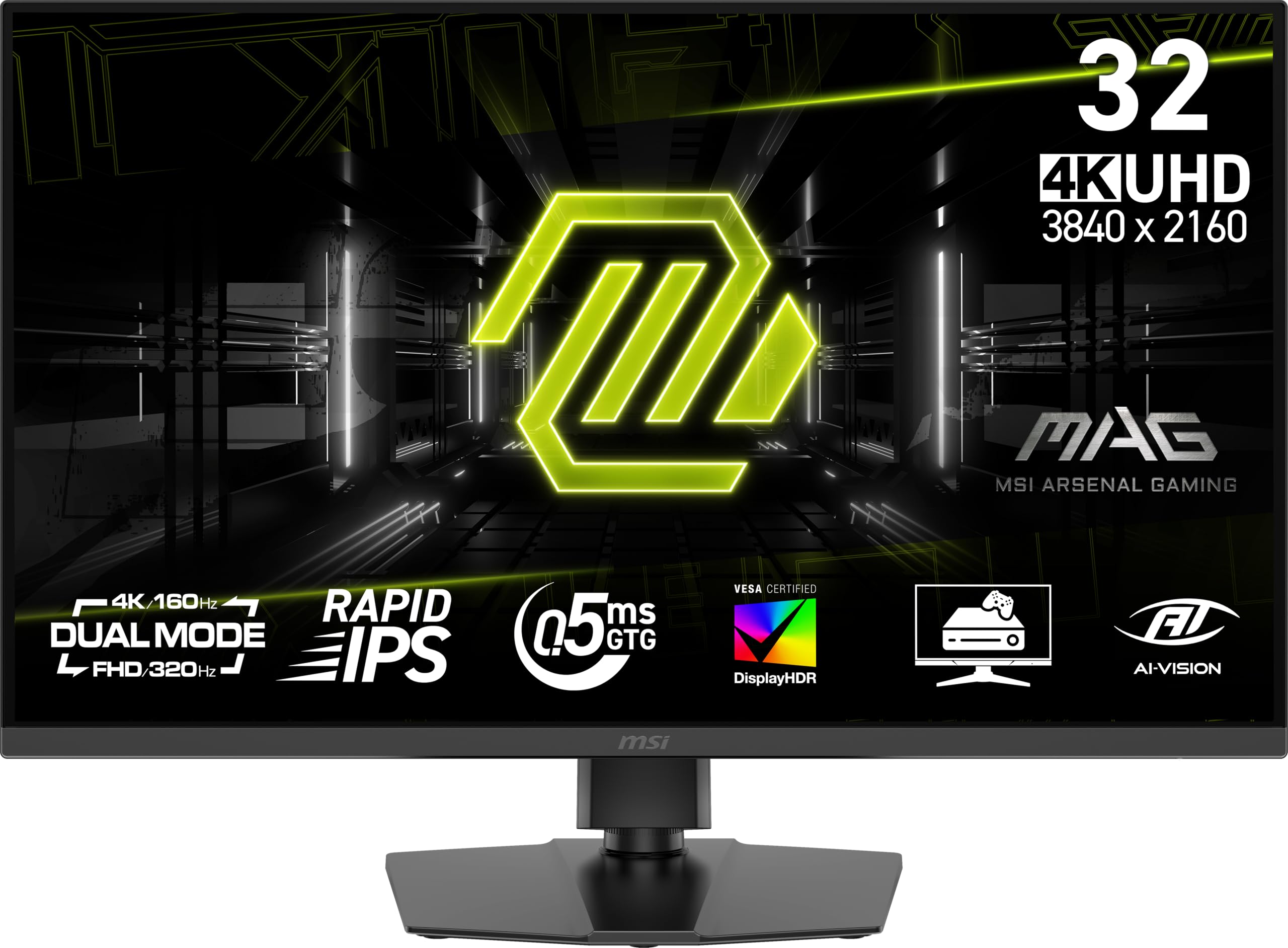
The MSI MAG 322URDF E16 is built for gamers who want the highest possible refresh rate in 4K without jumping to an OLED panel. Its Rapid IPS technology achieves a blistering 320Hz at 4K in dual mode, with a 0.5ms GtG response time that virtually eliminates motion blur. The VESA DisplayHDR 400 certification ensures decent HDR performance, delivering brighter highlights than standard 4K IPS panels.
Console gamers will appreciate the dedicated Console Mode, which optimizes the monitor for PS5 and Xbox Series X at 4K 120Hz. The 32-inch size offers an immersive viewing experience without feeling overwhelming on a standard desk. Build quality is solid with a height-adjustable stand and VESA mount support for custom setups.
Customer feedback is largely positive, praising the excellent resolution and color, though a few users reported issues with light bloom in dark corners and the occasional rainbow screen problem on initial setup. The dual-mode refresh rate is a standout feature for those who play both story-driven and competitive titles, offering flexibility most monitors at this level cannot match.
Why it’s great
- Exceptionally high 320Hz refresh rate at 4K for competitive edge.
- Console Mode optimized for PS5 and Xbox Series X.
- Rapid IPS panel with near-instant 0.5ms response.
Good to know
- Some units exhibit light bleed or black uniformity issues.
- Initial setup may require a power cycle for optimal performance.
4. Alienware 27 4K Dual-Resolution Gaming Monitor AW2725QF

The Alienware AW2725QF is a versatile dual-resolution monitor that natively supports both 4K at 180Hz and Full HD at 360Hz, giving you the option to prioritize visual detail in single-player games or extreme smoothness in competitive esports. It uses an IPS panel with VESA DisplayHDR 600 and Dolby Vision certification, ensuring excellent contrast and bright, dynamic highlights in supported HDR content.
Color performance is strong with 95% DCI-P3 coverage and factory-calibrated Delta E < 2 accuracy, making it suitable for content creation alongside gaming. NVIDIA G-SYNC Compatible and VESA AdaptiveSync certification keep gameplay tear-free and smooth at both resolution modes. The build is premium, with an anti-glare screen and a solid stand, though the stand offers tilt adjustment only.
Customer experiences are mixed: many praise the sharp 4K picture and seamless resolution switching, but a notable number report persistent screen flickering and black-screen issues that suggest a hardware defect in some units. The dual-resolution concept is excellent on paper, but potential buyers should be aware of the quality control concerns raised in reviews.
Why it’s great
- Dolby Vision and DisplayHDR 600 provide excellent HDR performance.
- Dual-native resolution covers both 4K and high-FPS FHD needs.
- Factory-calibrated Delta E < 2 color accuracy.
Good to know
- Multiple reports of flicker and black-screen issues.
- Stand is limited to tilt adjustment only.
5. LG 32UN650-W 32″ UHD IPS Ultrafine Display

The LG 32UN650-W is a compelling option for users who prioritize color accuracy and 4K clarity over high refresh rates. Its 32-inch 4K IPS panel covers 95% of the DCI-P3 color gamut, making it ideal for photo and video editing where color consistency matters more than reaction time. The HDR10 compatibility adds depth to movies and supported games, although the 350 nits brightness limits HDR impact compared to higher-tier panels.
The 60Hz refresh rate and 5ms response time mean this monitor is not suitable for competitive gaming, but it handles casual titles, strategy games, and MOBAs perfectly fine. The virtually borderless design looks clean on any desk, and the height-adjustable stand offers solid ergonomics. AMD FreeSync support helps reduce tearing in supported titles.
Customer reviews consistently praise the exceptional picture quality, stating the panel competes with monitors costing significantly more. The simple stand and lack of USB ports are the main compromises, but for a mid-range price, the 32UN650-W delivers outstanding IPS color fidelity and build quality.
Why it’s great
- Excellent 95% DCI-P3 color coverage for creative work.
- Sharp 4K resolution on a large 32-inch screen.
- Virtually borderless design and height-adjustable stand.
Good to know
- 60Hz refresh rate limits competitive gaming performance.
- Missing USB ports; basic stand with limited adjustment.
6. KTC 32 Inch 4K Gaming Monitor H32P22P

The KTC H32P22P delivers exceptional value by combining a 32-inch 4K Fast IPS panel with a 165Hz refresh rate and 1ms MPRT response at a budget-friendly price point. The 3000:1 contrast ratio is unusually high for an IPS panel, providing deeper blacks and better shadow detail than typical 1000:1 IPS monitors. With 121% sRGB color gamut coverage, colors appear vivid and saturated, though HDR performance is limited by the 300 nits brightness.
Connectivity includes HDMI 2.1 and DisplayPort 1.4 ports, supporting next-gen consoles at 4K 120Hz and PCs at full 165Hz via DisplayPort. The stand offers tilt and height adjustment, and the monitor is VESA mount compatible for custom setups. The nearly borderless design gives it a modern aesthetic that belies its price.
User reviews highlight the monitor’s sharp 4K picture, impressive brightness, and good build quality for the price. Some users note the color temperature runs slightly cool out of the box, requiring calibration for optimal accuracy. The external power brick is a minor inconvenience. For budget-conscious gamers seeking high refresh 4K, the KTC H32P22P is a standout.
Why it’s great
- Excellent 3000:1 contrast ratio for an IPS panel.
- 165Hz refresh rate with Adaptive Sync support.
- HDMI 2.1 for full 4K 120Hz on consoles.
Good to know
- Color temperature leans cool out of the box.
- External power brick adds clutter.
7. Samsung 27” Odyssey G7 G70F Fast IPS Dual Mode

The Samsung Odyssey G7 G70F brings competent dual-mode functionality to the Fast IPS segment, offering 4K at 180Hz or Full HD at 360Hz with a 1ms GtG response time. This flexibility makes it suitable for both graphically demanding single-player adventures and fast-paced competitive shooters. The HDR10 support adds depth to bright and dark scenes, though it lacks a full HDR certification.
The ergonomic stand is a highlight, allowing height, tilt, swivel, and pivot adjustments for comfortable extended sessions. Auto Source Switch+ intelligently toggles between connected devices, reducing cable shuffling. G-Sync compatibility and AMD FreeSync Premium work together to eliminate screen tearing and stutter.
Customer feedback is generally positive, with many praising the vibrant colors, sharp text, and sturdy stand. Some users note the lack of built-in speakers and a slow wake-from-sleep time. Reviews also mention that while the picture quality is excellent, the monitor is a Smart TV without streaming remote integration, which may be a minor annoyance for some.
Why it’s great
- Dual-mode with 4K 180Hz and FHD 360Hz for versatile gaming.
- Fully ergonomic stand with height, tilt, swivel, and pivot.
- G-Sync and FreeSync Premium support for tear-free gameplay.
Good to know
- No built-in speakers; slow wake from sleep mode.
- Lacks a streaming remote for Smart TV functionality.
8. LG 32GX850A-B 32″ UltraGear Glossy OLED Gaming Monitor

The LG 32GX850A-B marks a significant leap into OLED territory with its glossy WOLED display, delivering true black levels, a 1.5M:1 contrast ratio, and vibrant HDR via VESA DisplayHDR True Black 400. The dual-mode capability offers 4K at 165Hz or Full HD at 330Hz, with a near-instant 0.03ms GtG response time that makes motion blur a ghost of the past. The Micro Lens Array+ technology pushes typical brightness to 275 nits, a noticeable improvement over older OLED panels.
Color performance is excellent with up to 98.5% DCI-P3 coverage, making it suitable for both gaming and creative work. The monitor is UL-certified for anti-glare, flicker-free, and low blue light, reducing eye strain during long sessions. The ergonomic stand offers full adjustability including height, tilt, swivel, and pivot, accommodating any desk setup.
Customer reviews are overwhelmingly positive, highlighting the transformative picture quality, deep blacks, and effective glossy finish that reduces reflection. Some users note text clarity can be slightly less sharp than high-end LCDs due to the OLED subpixel layout, and the 165Hz refresh rate is sufficient but not class-leading. The glossy screen can be reflective in bright rooms.
Why it’s great
- Perfect blacks with 1.5M:1 contrast ratio for stunning HDR.
- Glossy WOLED finish enhances color vibrancy.
- Fully ergonomic stand with comprehensive adjustments.
Good to know
- Text clarity may appear less sharp than high-end LCD panels.
- Glossy surface can be reflective in brightly lit rooms.
9. MSI MAG 321UPX QD-OLED 32″ 4K Gaming Monitor

The MSI MAG 321UPX represents the QD-OLED generation of gaming monitors, combining quantum dot color enhancement with OLED’s perfect blacks. The 4K resolution at 240Hz with a 0.03ms GtG response time delivers fluid, tear-free motion with exceptional color vibrancy. VESA DisplayHDR True Black 400 ensures deep, rich HDR highlights and shadows.
Color accuracy is a standout feature, with Delta E ≤ 2 factory calibration and 99% DCI-P3 coverage, making it a dual-purpose monitor for both gaming and professional creative work. The MSI OLED Care 2.0 reduces burn-in risk through pixel refresh routines and AI vision-based protection. HDMI 2.1 ports support full 48Gbps bandwidth for 4K at 240Hz on compatible consoles and GPUs.
User reviews are highly positive, with many calling it the best monitor they’ve ever owned for its stunning contrast and color. Some users report that the mandatory OLED Care messages can interrupt gameplay, requiring a brief break. The glossy panel offers excellent anti-glare performance in typical room lighting but struggles under direct sunlight.
Why it’s great
- QD-OLED delivers breathtaking color volume and perfect blacks.
- 240Hz refresh rate with 0.03ms response for elite motion clarity.
- Factory-calibrated Delta E ≤ 2 for professional color work.
Good to know
- OLED Care pixel refresh notifications can interrupt gameplay.
- Peak brightness lower than some Mini-LED competition.
10. ASUS ROG Swift 32” 4K OLED Gaming Monitor PG32UCDMR

The ASUS ROG Swift PG32UCDMR is the definition of a premium 4K gaming monitor, featuring a QD-OLED panel with 240Hz refresh rate, 0.03ms response time, and VESA DisplayHDR 400 True Black compliance. Its 99% DCI-P3 color gamut and true 10-bit color depth provide HDR imagery that rivals professional reference monitors. The DisplayPort 2.1 connectivity delivers full 80Gbps bandwidth, enabling 4K at 240Hz without display stream compression.
ASUS OLED Care Pro employs a Neo Proximity Sensor that detects when the user leaves and automatically switches to a black screen, significantly reducing burn-in risk. The adjustable stand offers height, tilt, swivel, and pivot adjustments, and the gaming-focused features include DisplayWidget Center for easy mouse-controlled settings. USB-C with 90W Power Delivery allows single-cable laptop connectivity.
Customer feedback is glowing, with users describing the upgrade from 1440p as transformative. The perfect blacks, no bloom, and vibrant colors make every game feel new. Some users note the menu system can be finicky, and the large stand footprint requires substantial desk space. The burn-in coverage warranty provides peace of mind for long-term OLED ownership.
Why it’s great
- DisplayPort 2.1 for full-bandwidth 4K 240Hz without DSC.
- Proximity-based OLED Care Pro for burn-in prevention.
- USB-C with 90W Power Delivery for laptop setups.
Good to know
- Large stand footprint uses significant desk space.
- Menu system can be less intuitive than competitors.
11. Samsung 32″ Odyssey OLED G8 G80SH QD-OLED Gaming Monitor
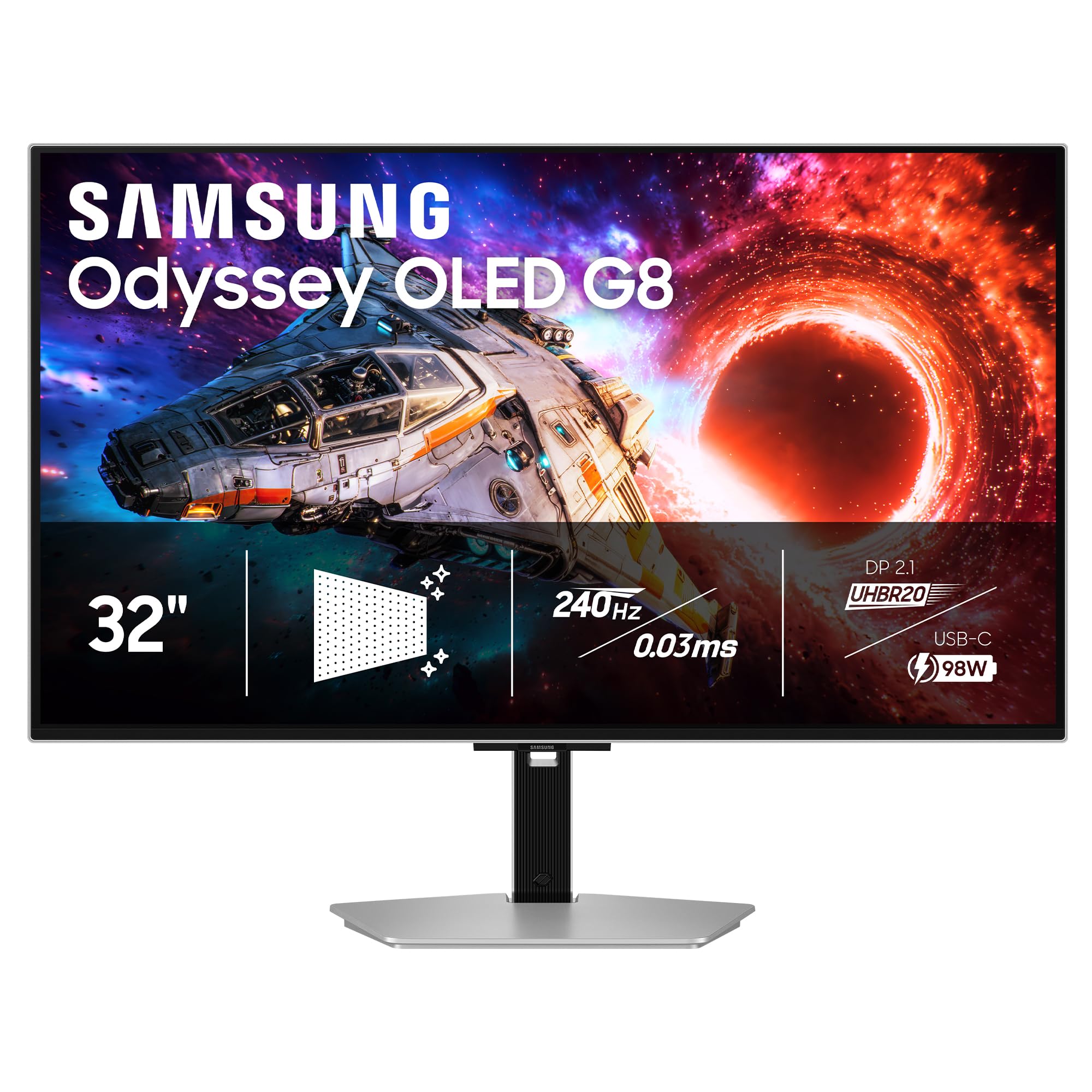
The Samsung Odyssey OLED G8 G80SH is the pinnacle of the company’s gaming monitor lineup, featuring a 32-inch QD-OLED panel with 4K resolution, 240Hz refresh rate, and a 0.03ms GtG response time. Its VESA DisplayHDR True Black 500 certification ensures 100-nit peak brightness with ultra-deep blacks, while Pantone Validation guarantees precise color reproduction for professional work. The 140 PPI pixel density makes text and fine details incredibly sharp.
Connectivity is best-in-class with DisplayPort 2.1 delivering 80Gbps bandwidth and USB-C with up to 96W Power Delivery, allowing a single-cable solution for high-end laptops. The OLED Safeguard+ technology actively prevents burn-in through dynamic cooling system and pixel refresh routines. The ergonomic stand offers height, tilt, swivel, and pivot adjustments, and the glare-free coating keeps reflections manageable in most rooms.
Customer reviews praise the stunning OLED picture, light build, and comprehensive port selection. Some users note the out-of-box color accuracy requires calibration for optimal results, and the anti-glare coating adds a slight graininess to text. The lack of built-in speakers is a drawback for those seeking all-in-one convenience. For those seeking a future-proof 4K OLED monitor with premium build, the G80SH is a top contender.
Why it’s great
- DisplayHDR True Black 500 with 100-nit peak brightness.
- DP 2.1 and USB-C 96W PD for cutting-edge connectivity.
- Pantone Validated color reproduction for professional accuracy.
Good to know
- Requires color calibration out of the box for best results.
- Anti-glare coating can introduce slight graininess on text.
FAQ
Is a 4K IPS monitor worth it for competitive FPS gaming?
Do I need HDMI 2.1 for a 4K gaming monitor?
How important is HDR certification on a 4K IPS monitor?
Can a 4K IPS monitor double as a professional photo editing display?
Final Thoughts: The Verdict
For most users, the best 4k ips gaming monitor winner is the ASUS ROG Strix XG27UCG because it offers a near-perfect balance of high refresh rate, vibrant Fast IPS colors, dual-mode flexibility, and rock-solid build quality at a very compelling price. If you want true blacks and OLED-level contrast without the premium price of the latest QD-OLED panels, grab the LG UltraGear 32GX850A-B for its excellent glossy WOLED experience and 165Hz dual-mode. And for those seeking the absolute best-in-class HDR and color performance with future-proof connectivity, nothing beats the ASUS ROG Swift PG32UCDMR with its DisplayPort 2.1 and 240Hz QD-OLED panel.