
Our readers keep the lights on and the weekend projects moving. As an Amazon Associate, I earn from qualifying purchases.
Specs are compiled from manufacturer listings and verified buyer reviews and can change over time — please confirm the key details on the product page before buying.
The difference between a great live event stream and a dead one is often hiding in the encoder — the box that takes your camera feed and pushes it to the internet. For events where every second matters, a 4K SRT encoder with low latency keeps your stream tight and your viewers engaged, instead of losing them to a spinning buffer. This guide walks you through the best 4K SRT encoders built for live events, from portable all-in-one switchers to rack-ready boxes, so you can match the right tool to your production.
I’m Rikta — the founder and writer behind FitlyFast. This guide is built by comparing the manufacturers’ published specifications and the patterns across verified customer reviews, so you get each pick’s real strengths and trade-offs instead of marketing spin.
We break down the top-rated 4K SRT encoder low latency for live events options, explaining real specs like latency, inputs, and streaming protocols so you can pick the right one for your setup.
Our Picks at a Glance


How To Choose The Best 4K SRT Encoder Low Latency For Live Events
Picking the right encoder is about more than just ticking a 4K box. You need to think about your camera setup, your network, and how much control you want at the event itself. Here are the three decisions that matter most.
Inputs: How Many Cameras Are You Really Running?
A single-camera encoder is small, cheap, and dead simple — perfect for a solo shooter broadcasting a lecture or a concert from one locked-off angle. But the moment you want to switch between a wide shot, a close-up, and a podium camera, you need multiple HDMI or SDI inputs on the encoder itself. Some units offer four or more inputs so you can mix live without a separate switcher sitting between your cameras and your stream.
Latency: The Gap Between Reality and Your Viewer’s Screen
For live events, latency is the time between something happening on stage and your viewer seeing it. High latency makes interviews awkward and sports replays confusing. A low-latency encoder keeps that delay to under a second so your stream feels immediate. The SRT protocol helps here — it is built to recover from packet loss on flaky networks while keeping that delay short, something older protocols struggle with.
Output: 4K In Does Not Mean 4K Out
Many encoders accept a 4K signal from your camera but encode and stream it at 1080p. That is fine for most live events — your viewers likely watch on phones and laptops anyway. What matters is that your encoder accepts the 4K signal cleanly and lets you choose your output resolution. If you truly need 4K delivery to your platform, check that the encoder streams at 2160p, not just records or loops it out.
Quick Comparison
| Model | Best For | Max Input | Stream Output | Key Protocol | Amazon |
|---|---|---|---|---|---|
| YoloBox Ultra★ Best Overall | All-in-one mobile productions | 4K (4x HDMI + USB) | Up to 5 platforms | SRT, NDI HX3, RTMPS | Amazon |
| DDMALL HEV-10Best Value | Compact USB-powered streaming | 4K@60Hz | 1080P@30Hz | SRT, RTMP, RTSP, HLS | Amazon |
| ORIVISION EH1304Multi-Feed | Multi-channel IPTV broadcast | 4Kp30 (2CH) + 1080P60 (2CH) | Up to 16 feeds | SRT, RTMP, RTSP, UDP | Amazon |
| URayCoder UHE265-4 | Multi-platform HD streaming | 4K UHD | 4 simultaneous streams | SRT, RTMPS, WebRTC | Amazon |
| URayCoder USE265-1 | SDI camera streaming | 4K SDI | 4 simultaneous streams | SRT, RTMP, HLS, Multicast | Amazon |
| iseevy ISV-4HE4 | Multi-cam with watermarking | 4K30 (2CH) + 1080P (2CH) | 4 channels | SRT, RTMPS, RTSP, HTTP | Amazon |
| Tenveo PC500 | PTZ camera control + switching | 4K60FPS (2x HDMI) | 1080P60FPS | SRT, RTMP, NDI, RTSP | Amazon |
| Osee GoStream Duet 8 | 8-channel ISO recording | 4K (4x HDMI + 4x SDI) | 1080p + triple stream | SRT, RTMP, NDI HX | Amazon |
In-depth Reviews
1. YoloBox Ultra
Our pick — over 4★ from 200+ verified ratings; the strongest balance of quality and price.
A full live studio in a 1 kg box — switcher, encoder, recorder, and monitor combined.
The YoloBox Ultra is the complete package for event streams on the move. It pulls together a 4K encoder, a multi-camera switcher, an 8″ touchscreen monitor, and an ISO recorder in one device, so you can go live without a laptop or capture card. Owners rave about streaming to five platforms at once — YouTube, Twitch, and Facebook in horizontal, plus Instagram and TikTok in vertical — which is a huge time-saver for events that need broad reach.
You can juggle 10+ sources at once with one-tap switching, picture-in-picture, overlays, scoreboards, and instant replay, thanks to 4 HDMI inputs plus USB-C and USB-A across ten ports. To keep your stream stable, network bonding combines up to 5 connections (2x USB modems, 1x 4G LTE, 1x Wi-Fi, 1x Ethernet), so a drop on one link won’t kill your broadcast. SRT (a reliable streaming protocol) plus NDI HX3 (a low-latency video-over-IP format) enables remote production with minimal delay — though additional charges apply for some of that functionality.
The crowd favorite — a 4.3-star unit across 200+ owners — keeps impressing with its 9-hour battery, Snapdragon 865 processor, and a bright 650-nit screen viewable outdoors. Buyers call it the best streaming hub they have tried, and many note it replaced their Blackmagic ATEM setup entirely. The catch is the price: this is a serious investment aimed at production teams, not first-time streamers. A few owners also mention the audio input is not studio-grade, fine for normal use but not for critical sound work.
all-in-one live studio
- Portable all-in-one — switcher, encoder, recorder, monitor in a 1 kg body
- Multi-stream to 5 platforms (horizontal & vertical) simultaneously
- Network bonding + SRT/NDI for low-latency remote production
- ISO recording captures each input separately for post-production
heavy for field use
- Premium investment aimed at professional teams, not hobbyists
- Built-in audio input is basic for critical sound work
- Some features like NDI/SRT remote production carry extra charges
studio anchor: if you run multi-camera church, sports, or creator events and want one box that does everything, this is the ultimate grab-and-go studio.
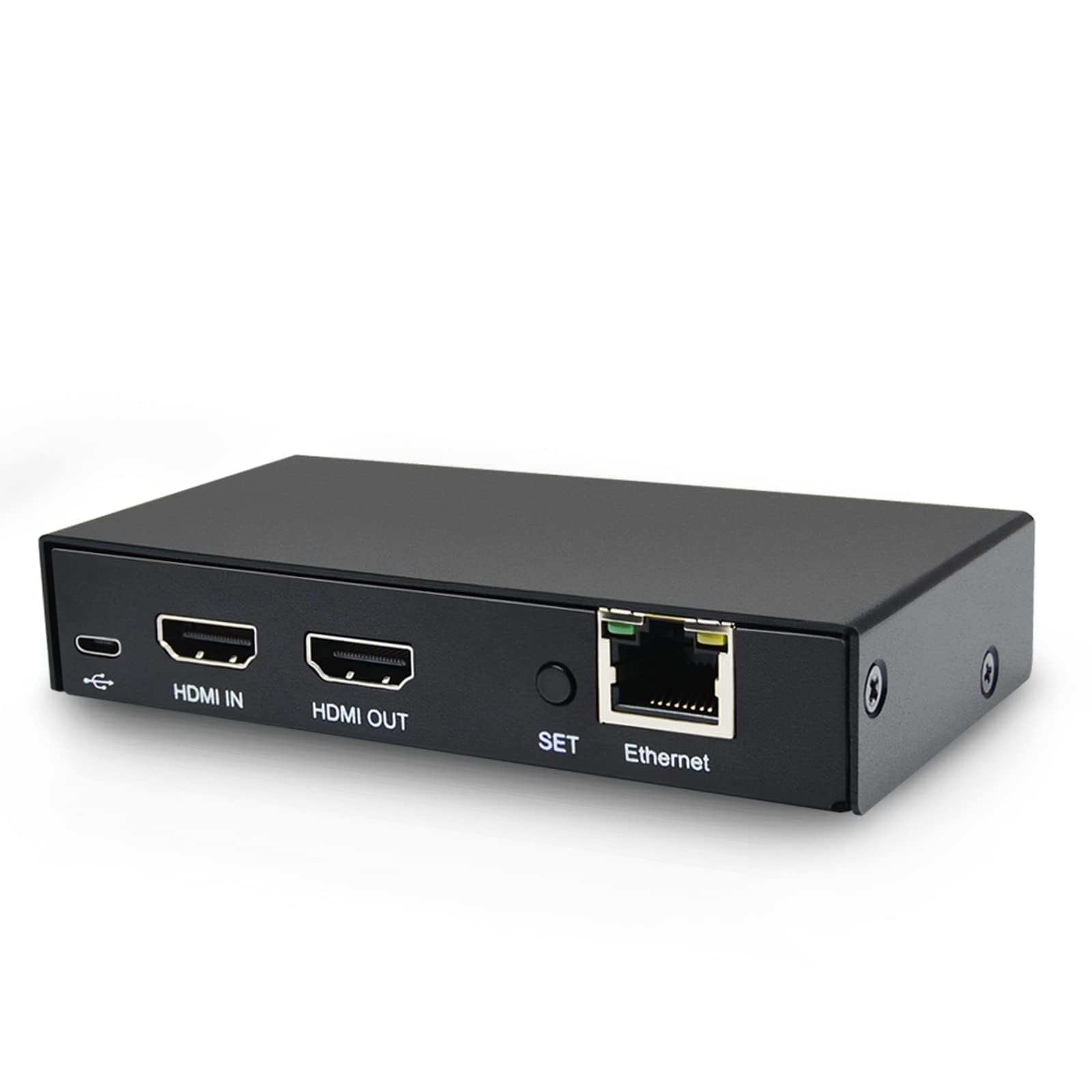
2. DDMALL HDMI Video Encoder (HEV-10)
Tiny, USB-powered, and reliable enough for years of Sunday-morning streaming duty.
For a quick, single-camera live event where portability beats features, the DDMALL HEV-10 is the budget hero — a compact metal box that sips just 3.4W of power, so you can run it straight off a laptop USB port or a phone power bank without an extra wall adapter. It accepts up to 4K@60Hz input and gives you a zero-latency local HDMI loop-out, so you can monitor on a 4K screen while streaming at 1080P@30Hz. That means you get a crisp 4K preview with no delay, while your audience sees a smooth 1080P stream.
This is the lightest unit here — 0.18 kg, which is roughly the weight of a smartphone — and its 4 ports keep things simple. One press of the setting button starts or stops streaming to up to 4 platforms at once, and it speaks SRT, HLS, RTMP, RTMPS, RTSP, RTP, TCP, and UDP. Buyers report flawless transmission to YouTube for over 2 years in a church setting, calling it a dependable second unit for backup. The setup is reasonably simple if you have a bit of technical background.
A few honest caveats: there is no Wi-Fi, so you need a wired network or a USB tether, and the device does not accept an audio input — you are relying on the HDMI audio. One owner noted it “seems to drop frames” under load, and the loop-out only mirrors what you feed it; it cannot downscale for a lower-resolution monitor. If your event needs a tiny, dependable, single-camera streamer that does not break the bank, this is the one to reach for.
compact HDMI bridge
- USB-powered — no wall adapter needed, runs off any power bank
- Featherlight at 0.18 kg, ideal for backpack streaming kits
- Zero-latency 4K local loop-out for real-time monitoring
- Streams to 4 platforms simultaneously
no built-in screen
- No Wi-Fi and no audio input — wired network + HDMI audio only
- Loop-out cannot downscale to lower resolutions
- Occasional frame drops reported under demanding conditions
pocket encoder: ideal for a solo shooter or a church needing a set-and-forget single-camera streamer that is nearly weightless.
screen needed: you give up multi-camera switching and flexible audio — this is pure single-source encoding.
3. ORIVISION ZY-EH1304
A 4-channel encoder built to feed a whole IPTV network, not just one stream.
If your live event is really a multi-room broadcast — a church campus, a hotel IPTV system, or a convention center — the ORIVISION EH1304 is built for that scale. It packs 4 HDMI inputs and 4 external audio jacks, and each channel can push to up to 4 platforms with different protocols, for a maximum of 16 simultaneous feeds. The built-in LCD screen shows working status in real time, and the box supports H.265, H.264, and MJPEG encoding.
Resolution flexibility is the standout here: it handles up to 2 channels of real 4Kp30 input plus 2 channels of 1080P60 input and output, so you can mix a 4K main camera with 1080p auxiliary cams. The protocol list is deep — HTTP, RTSP, RTMP, RTMPS, SRT, RTP, UDP multicast, unicast, FLV, and HLS — plus Onvif compatibility for security-camera integration. Owners using it with Apple TVs found it “just works” after initial setup, and it comes with a 1-year warranty and 7×24 continuous-operation support.
The honest trade-off: this is not a hands-on switcher with a fancy control panel. It is an encoder you configure and let run, which is exactly why some buyers love it and others find it limiting. One owner had to reboot weekly with HLS stuttering, though the manufacturer offers direct engineering support for exactly that issue. If you need to distribute one event to many screens and platforms simultaneously, this encoder earns its keep.
four-channel budget grab
- Up to 16 simultaneous output feeds across 4 channels
- Supports 2CH 4Kp30 + 2CH 1080P60 input
- Deep protocol support: SRT, RTMP, RTSP, UDP, HLS, FLV
- LCD status screen for at-a-glance monitoring
setup complexity
- More of a headless encoder than a live-switching console
- HLS stutter reported by some; may need reboots
- Firmware update responsiveness has been questioned
multi-cam value: an IPTV distribution workhorse for venues that send one event to many rooms and platforms at once.
4. URayCoder UHE265-4-4K
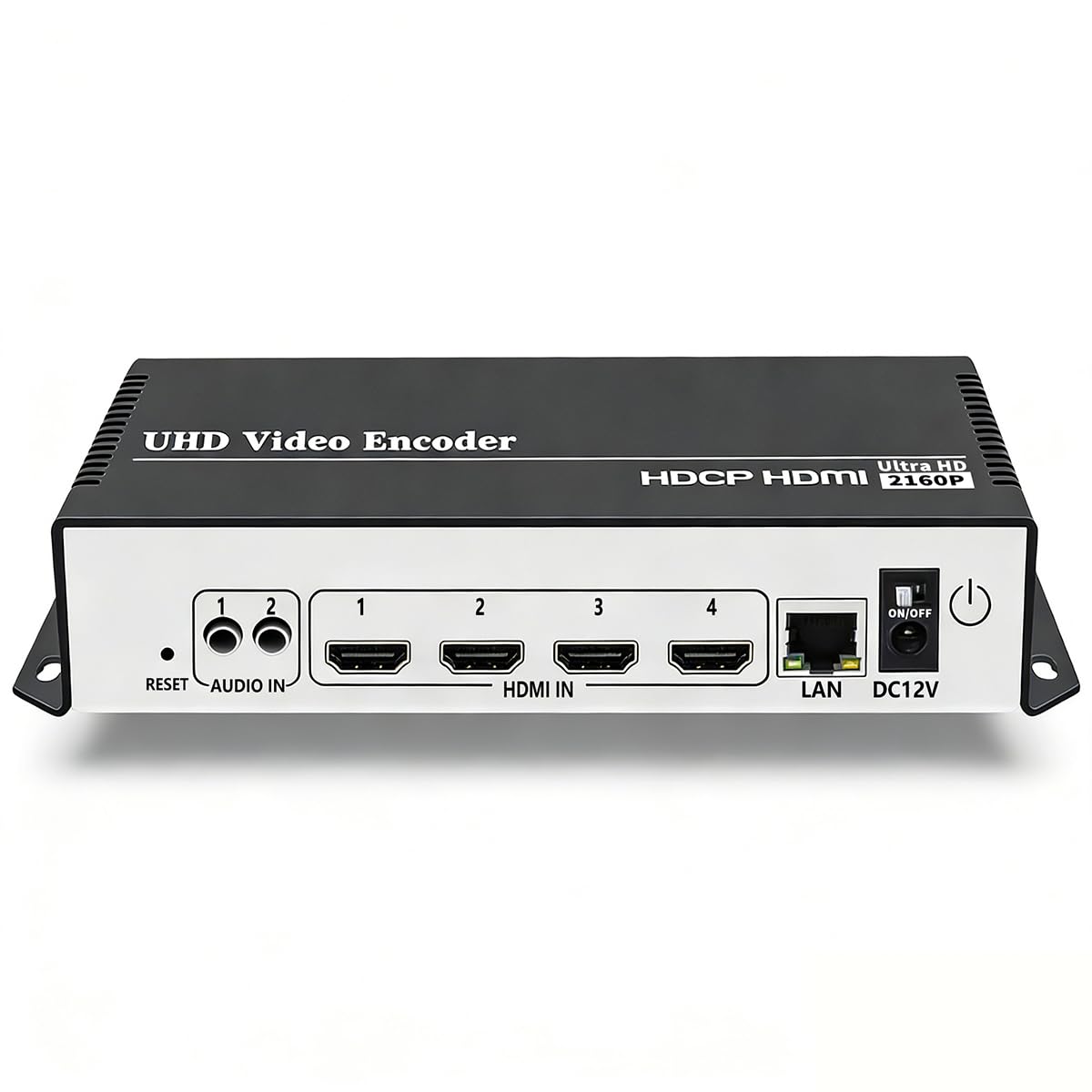
A 4K-capable streaming box with a feature list that outruns its price tag.
The URayCoder UHE265-4-4K is for the event producer who wants serious streaming muscle without a broadcast-grade budget. Its H.265/H.264 dual chip handles 4K UHD (3840×2160) input and output with up to 30fps at 4K, and it cranks to 120fps at 2K and lower resolutions for smooth detail capture. It supports HDCP 1.4 decryption, so protected sources decode cleanly — a real headache-saver for event content.
What earns this unit its “top performer” tag is the protocol lineup: HTTP, RTSP, RTMP(S), SRT, HLS, MP4, Multicast, ONVIF, FLV, WebRTC, and TRTC. That means it can output 4 different video streams with different protocols, pushing to YouTube, Facebook, Twitch, and Vimeo in one click. Owners confirm it “performs perfectly with SRT & RTMP streaming” and highlight the build quality — a matte aluminum shell that feels solid on a cart or desk.
The trade-offs are real for live events. Setup demands some networking knowledge — DHCP is off by default, which frustrates less technical users, and the manual is poorly translated. One buyer warns it is “good for some just not for live events that change on the fly,” since the only way to stop a stream is to unplug the unit. For a 24/7/365 installation like a house-of-worship feed, that is fine; for on-location productions you might want more dynamic control. The lifetime warranty and responsive support (Linda and Allen get named repeatedly) soften the learning curve.
4K UHD throughput
- 4 simultaneous streams with different protocols to different platforms
- WebRTC support for ultra-low-latency browser playback
- 4K UHD at 30fps, plus 120fps at 2K and below
- Lifetime free warranty and responsive tech support
power draw high
- Setup is technical — DHCP off by default, poor manual translation
- No way to stop a stream remotely; requires unplugging
- Built for fixed installations more than on-the-fly events
4K workhorse: a feature-rich, multi-stream encoder that shines in permanent installations or planned live productions.
power hog: anyone needing to re-configure streams quickly between segments during a live event.
5. URayCoder USE265-1
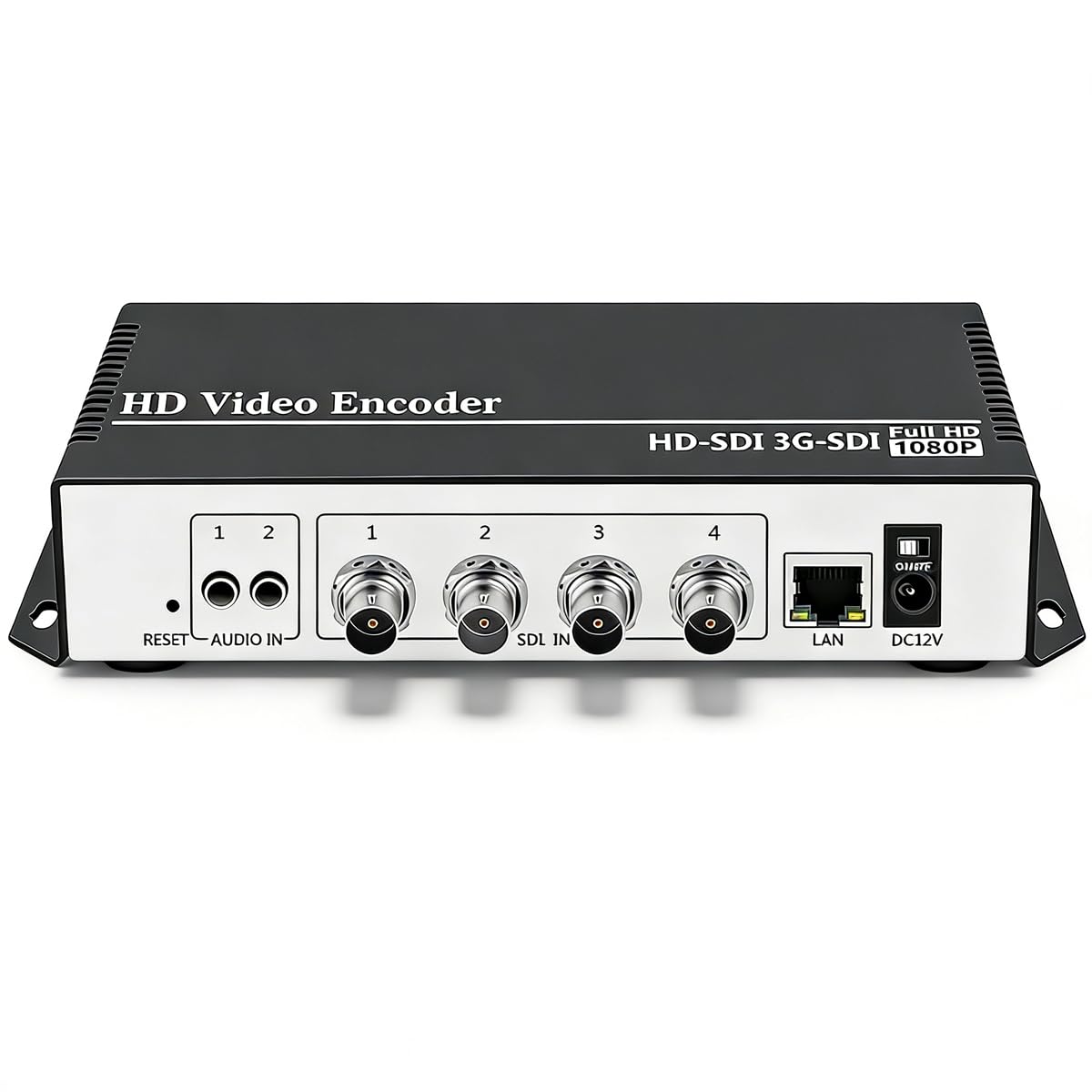
The SDI-side sibling that replaces dedicated encoders for a fraction of the cost.
When your cameras speak SDI — the broadcast-standard connection used by professional camcorders — the URayCoder USE265-1 is the matching encoder. It accepts 4K SD-HD-3G-6G SDI input and streams it out over IP to 4 destinations with different protocols, including SRT, RTMP, HLS, and Multicast. Owners have made this their 5th unit, dumping Teradek encoders for this box, which says a lot about the value per dollar.
Set up is genuinely praised here as easy, and owners mention there are no audio/video sync issues — a critical detail for live events where a lagging soundtrack ruins the experience. It handles multi-streaming to YouTube, Facebook, and Twitch, takes analog audio, and can run off Sony batteries in the field. The built-in Wi-Fi adds mobility for church and outdoor events, and the free lifetime warranty is consistent with the URayCoder brand promise.
There is a learning curve worth naming: the manual is a rough translation and you will need to know your IP and stream key basics. The default audio from the start needs adjusting for music, and there is no power switch on some models, so you unplug to power down. For the buyer running professional SDI cameras who wants a stable, affordable, multi-stream encoder, this unit has proven itself across many productions.
single-channel efficiency
- 4K SDI input for professional broadcast cameras
- Multi-stream to 4 platforms with SRT, RTMP, HLS
- No audio/video sync issues — a recurring owner compliment
- Runs on Sony batteries for untethered field use
limited inputs
- Setup requires IP knowledge; manual is poorly translated
- Default audio quality needs adjustment for music
- No power switch on some models
single cam aid: ideal for broadcast-style productions with SDI cameras that need a dependable, multi-platform streamer without the Teradek price.
6. iseevy ISV-4HE4

A no-frills multi-channel encoder that adds branded watermarks to every feed.
If you need to protect and brand your content, the iseevy ISV-4HE4 lets you drop up to 4 logos, text, or flying text watermarks on each channel — perfect for a house-of-worship that wants its name on every output, or a venue running sponsor branding across multiple screens. It takes 4 channels of 1080P or 2 channels of 4K30 HDMI input, so you can cover multiple cameras. The H.265/H.264 codecs (video compression standards) keep bandwidth in check, so you won’t need a massive internet connection.
On the protocol side, it covers the essentials: RTMP, RTMPS, SRT, RTSP, UDP, RTP, HTTP, HLS, FLV, and TS. That SRT support is what puts it on this low-latency list, giving you reliable delivery over flaky networks. AAC and MP3 audio compression keep the sound tight alongside the video. It is a straightforward, utilitarian box — 4 ports, 0.72 kg, and a black metal chassis designed to sit in a rack and work.
The reviews here are short and sweet: “works as it should” is the recurring owner verdict. There is no deep feature set to learn, no fancy screen, and no complex menus. That simplicity is the appeal — and also the limit. If you need dynamic live switching, multi-view monitoring, or instant replay, this is not the tool. But if you need a reliable, multi-channel encoder with strong watermarking for a fixed installation, the iseevy delivers exactly what it promises.
quad HDMI reliability
- Up to 4 text/image/logo watermarks per channel
- 2CH 4K30 input or 4CH 1080P input
- SRT support for reliable low-latency streaming
- Simple, dependable operation owners describe as “just works”
bulky chassis
- No built-in switching or multi-view monitoring
- Limited to 2 channels of 4K input (4K and 1080p mix)
- No on-device display for status at a glance
reliable quad: a straightforward, branded multi-channel encoder for venues that want watermarking without broadcast-grade complexity.
7. Tenveo PC500
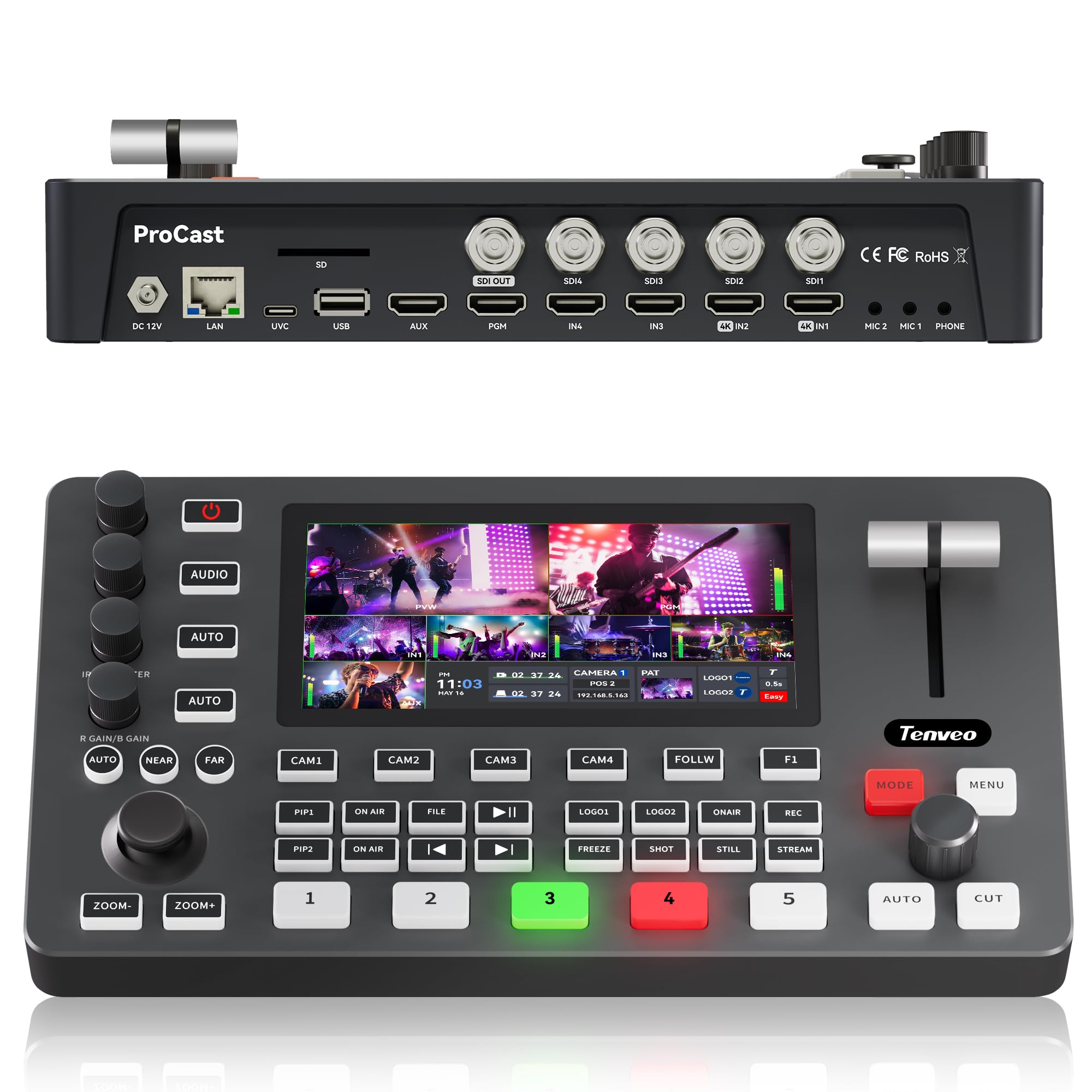
A video switcher that also runs your PTZ cameras — a one-box production control room.
The Tenveo PC500 is the choice for live events where robotic cameras do the heavy lifting — think churches, classrooms, and conference stages with a PTZ camera on every corner. It integrates switching, encoding, and PTZ control into one unit, so you can pan, tilt, zoom, and switch cameras without a separate controller. You get 4 HDMI inputs (2 running 4K60FPS) plus 4 SDI inputs, a USB input, and a 5.5″ FHD touchscreen for monitoring.
Streaming is handled via SRT, RTMP, RTSP, and NDI over Ethernet, with support for 2 live platforms simultaneously plus UVC streaming over USB3.0 for a webcam-style feed into software like OBS or vMix. The PTZ workflow is deep: save 10 preset positions per camera, trigger AI tracking, and recall 5 cruise tracks. Audio gets professional attention too — 4 HDMI and 4 SDI sources, 2 independent 3.5mm mic inputs, and a headphone monitor, with independent volume, mix, and delay control per channel.
The 4.5-star average comes with honest caveats. Several owners found the NDI feature “not working” despite the NDI Certified claim, and internal graphics import is buggy with corrupted files on some units. A church buyer reported bad, tinny audio on livestreams. The 3-year warranty and lifetime technical support help, and the response is that Tenveo will work through issues. For the buyer who wants PTZ camera control bundled with switching and streaming, this is a unique all-in-one — just verify your NDI needs before committing.
PTZ camera control
- Built-in PTZ camera control — presets, AI tracking, cruise tracks
- 4K60FPS HDMI inputs with 1080P60FPS output
- Dual-channel streaming via SRT, RTMP, RTSP, NDI
- 30 professional transition effects and PiP layers
software dependency
- NDI reportedly not working for some owners — verify before relying on it
- Internal graphics import bugs reported
- Audio quality flagged as thin by one church buyer
PTZ commander: a house of worship or school running multiple PTZ cameras that wants one box to control, switch, and stream.
software reliance: if your workflow depends on NDI, confirm the current firmware supports it before purchase.
8. Osee GoStream Duet 8 ISO

Eight independent recordings and three simultaneous streams — built for serious post-production.
The Osee GoStream Duet 8 ISO is the workflow tool for productions that need clean, isolated recordings of every camera, not just the main program. It takes 4x 4K-HDMI and 4x SDI inputs and records all 8 channels independently to an external SSD or SD card, so your editor gets a separate file from every angle. That is a massive time-saver for events where you need replays, highlights, or multi-cam edits after the fact.
The streaming side is just as strong: triple streaming over SRT, RTMP, and NDI HX via the Ethernet port, plus 2x USB outputs, 2x SDI, and 1x HDMI physical video outputs for multi-destination production. Audio is a highlight with 2 balanced XLR inputs for professional microphones and 2x 3.5mm jacks, giving you real mic-level control. The onboard menu runs through an external monitor, so no computer is needed — and Stream Deck integration adds customizable physical macro buttons.
Owners call it “a great alternative to Blackmagic ATEM switchers,” praising the feature set and portability. But reliability gets a mixed verdict — one buyer reports streams dropping after 25-30 minutes, and another had recording stops and audio delays within 10 days. The 1080P30 output is called superb, but pushing all 8 inputs at 1080P60 can drop frames. For a budget-conscious production house that wants ISO recording (individual camera feeds) and sturdy streaming, this is a compelling option — just update firmware first and test your full load before show day.
ISO recording flexibility
- 8-channel simultaneous ISO recording to SSD/SD — every angle saved
- Triple streaming with SRT, RTMP, NDI HX over Ethernet
- Professional 2x XLR audio inputs with phantom power
- Stream Deck compatible and PC-free operation
learning curve steep
- Mixed reliability — streams dropping after 25-30 min reported
- 1080P60 at 8 inputs can drop frames; 1080P30 is the balance
- Some units experience random recording stops and audio delays
ISO switcher: for multi-cam productions that need isolated recordings and triple-platform streaming without Blackmagic’s investment.
novice hurdle: budget for firmware updates and a full-load test before your critical event.
Understanding the Specs
SRT Protocol
SRT, or Secure Reliable Transport, is a streaming protocol designed to deliver high-quality video over unpredictable networks. Unlike older protocols that choke on packet loss, SRT recovers lost data and keeps latency low, usually under a second. For live events, that means your stream stays stable even on a shaky internet connection, and your viewers stay close to real-time.
Input vs. Output Resolution
An encoder can “support 4K” by accepting a 4K signal from your camera, but then stream out at 1080p to keep bandwidth manageable. This is normal and fine for most events. What matters is that the encoder handles the 4K input cleanly and gives you control over your output resolution, so you can balance quality against your internet upload speed.
Multi-Channel Input
Encoders with multiple HDMI or SDI inputs let you switch between cameras without a separate switcher box. This is essential for events with more than one angle — a wide shot, a close-up, a podium cam. Each input needs its own hardware channel, which is why 4-input encoders cost more than single-input boxes.
ISO Recording
ISO, or “isolated,” recording captures each video input as a separate file instead of just the final program feed. This gives your editor clean, individual camera angles for post-production — a huge advantage for events where you want highlight reels, replays, or multi-cam edits after the live stream ends.
NDI and WebRTC
NDI is a network protocol that sends video over standard Ethernet, letting you route camera feeds between devices without HDMI cables. WebRTC is a browser-based streaming standard with very low latency, ideal for interactive sessions. Both add flexibility but can be finicky in real-world setups, so check current firmware support before relying on them.
Network Bonding
Network bonding combines multiple internet connections — like 4G LTE, Wi-Fi, and Ethernet — into one virtual pipe. If one connection drops or slows, the encoder shifts traffic to the others, keeping your stream alive. For events in venues with weak or unpredictable internet, bonding is the difference between a clean stream and a dead one.
FAQ
What is the real-world latency of an SRT encoder for live events?
Will a 4K input encoder actually stream in 4K?
Can I stream to multiple platforms at once with one encoder?
What is the difference between SRT and RTMP for live streaming?
How many cameras can I connect to a single encoder?
Do I need a laptop to run an encoder?
Can an encoder record my event while streaming at the same time?
How does network bonding help my live stream?
Final Thoughts: The Verdict
For most people, the 4k srt encoder low latency for live events winner is the YoloBox Ultra because it is the only unit that combines a full switcher, encoder, recorder, and monitor in one 1 kg portable box that streams to five platforms with SRT reliability. If you want professional SDI camera support with a proven track record replacing encoders, grab the URayCoder USE265-1. And for a budget-friendly single-camera streamer that runs off any USB port, the DDMALL HEV-10 is the one to reach for.
How We Picked
We do not accept paid placement. Every pick is matched to a real buyer and a real use-case; we do not hands-on test units.
Sources & Methodology
Specifications: manufacturer listings and product documentation. Review insights: verified customer reviews, as of August 2026. Pricing: not shown on this page (it changes often); check the current price via the retailer link.
As an Amazon Associate, FitlyFast earns from qualifying purchases. This does not affect which products we feature.