
Our readers keep the lights on and the weekend projects moving. As an Amazon Associate, I earn from qualifying purchases.
Finding a 4K television with genuine HDR support, a smooth smart interface, and a screen size that doesn’t feel cramped—all while staying under a strict spending limit—requires separating marketing claims from measurable performance. The budget 4K space is crowded with panels that trade contrast for brightness, and interfaces that prioritize ads over responsiveness. The real challenge is identifying which models deliver a satisfying everyday viewing experience without forcing compromises that ruin movies, sports, or gaming.
I’m Rikta — the co-founder and writer behind FitlyFast. I’ve spent hundreds of hours analyzing panel technologies, processor capabilities, and real user feedback across the latest budget 4K televisions to pinpoint the models that earn their place in a living room, not just a price bracket.
This guide walks through the essential specs—from QLED versus standard LED to HDMI 2.1 features and smart platform performance—so you can confidently choose the best 4k tv under $300 for your home setup.
How To Choose The Best 4K TV Under $300
Within a $300 budget, you cannot have every premium feature, so prioritizing the specs that directly impact your daily viewing is the difference between a great purchase and a regret. Focus on panel type, HDR compatibility, smart platform usability, and connectivity that matches your devices before screen size. A 50-inch QLED with Dolby Vision will always outperform a generic 55-inch LED that can’t handle high dynamic range content.
Panel Technology: QLED vs. Standard LED
A quantum dot layer (QLED) boosts color gamut and peak brightness significantly compared to a standard LED panel at the same price. In this price tier, a QLED TV produces punchier highlights, more saturated reds and greens, and better overall contrast in a bright room. Standard LED panels often look washed out with HDR content because they lack the brightness headroom to make highlights pop. If you watch a lot of HDR movies or HDR gaming, the extra cost for QLED is the single most impactful upgrade you can make.
HDR Format Support: Dolby Vision and HDR10+
Dolby Vision and HDR10+ are dynamic HDR formats that adjust brightness and color on a scene-by-scene basis. Many budget TVs only support HDR10, which is static and less effective. A TV that supports Dolby Vision or HDR10+ will display a visibly superior image with streaming services like Netflix, Disney+, and Prime Video that master content in these formats. Check the specs: Dolby Vision is more common in streaming, while HDR10+ appears more frequently on Amazon and some 4K Blu-rays. Getting one or both is a major win at this budget.
Smart Platform: Fire TV vs. Roku vs. Tizen
The smart TV operating system dictates how you interact with the TV every single day. Fire TV (Amazon) is feature-rich with Alexa built in, but the home screen is ad-heavy and can feel sluggish on budget hardware without a dedicated processor. Roku OS is the gold standard for simplicity, speed, and a clean interface with zero bloatware, and it includes a lost remote finder. Samsung’s Tizen is polished and integrates well with other Samsung devices, but some recent iterations hide HDMI inputs behind a menu. Choose the platform that matches your streaming habits and tolerance for on-screen advertisements.
HDMI Ports and Gaming Features
For gaming, look for HDMI ports that support Variable Refresh Rate (VRR) and Auto Low Latency Mode (ALLM) to reduce screen tearing and input lag. A 60Hz panel is standard at this price, and that is fine for most console gaming, but VRR makes a noticeable difference in smoothness. Also confirm at least one HDMI port is eARC if you plan to connect a soundbar, as it transmits higher-quality audio formats like Dolby Atmos without extra cables.
Quick Comparison
On smaller screens, swipe sideways to see the full table.
| Model | Category | Best For | Key Spec | Amazon |
|---|---|---|---|---|
| Roku 55″ Plus Series | Mini-LED QLED | Best Overall Picture | Mini-LED backlight + Dolby Vision | Amazon |
| Samsung 55″ M70H | Mini-LED | Gaming & Sports | DLG 120Hz + Gaming Hub | Amazon |
| Roku 55″ Select Series | QLED | Easiest Smart OS | Roku OS + Bluetooth Headphone | Amazon |
| Hisense 50″ E6QF | Hi-QLED | Mid-size Value QLED | QLED + Dolby Vision/Atmos | Amazon |
| Samsung 50″ U8000H | Crystal UHD | Samsung Ecosystem | Crystal Processor + Motion Xcelerator | Amazon |
| Amazon 43″ Omni QLED | QLED | Compact & Smart | QLED + Dolby Vision IQ + Alexa | Amazon |
| VIZIO 50″ V Series | LED | WiFi 6 & Gaming | WiFi 6 + VRR + Dolby Vision | Amazon |
| Hisense 43″ E6QF | Hi-QLED | Smallest QLED | 43″ QLED + Dolby Vision/Atmos | Amazon |
| Toshiba 50″ C350 | LED | Best Budget Fire TV | REGZA Engine + Dolby Vision | Amazon |
In‑Depth Reviews
1. Roku 55-Inch Plus Series Mini-LED QLED TV

The Roku Plus Series stands at the top of this list because it brings Mini-LED backlighting and a QLED panel together in a single package that outclasses every other sub-$300 option in contrast and color volume. Mini-LED technology uses hundreds of tiny LEDs behind the screen to produce deep, ink-like blacks alongside bright, punchy highlights—a feature almost unheard of in this price bracket. The Dolby Vision HDR support is genuine, not a token checkmark, and the 4K image quality makes streaming movies and gaming look far closer to a mid-range television than a budget model.
Roku OS is the fastest and cleanest smart platform on the market, and the Plus Series includes the enhanced voice remote with a lost remote finder, which is a practical lifesaver. The built-in subwoofer and Dolby Atmos support deliver sound with actual bass presence, reducing the immediate need for a separate soundbar. Bluetooth Headphone Mode lets you listen privately without disturbing others, and the wireless connection is stable.
The omission of a standard USB port in favor of USB-C is a minor inconvenience for some users who have older media drives. The 60Hz panel is standard for the price, but the inclusion of VRR over HDMI helps keep console gameplay smooth. For anyone prioritizing picture quality above all else at this budget, this is the definitive choice.
Why it’s great
- Mini-LED backlight delivers class-leading contrast and black levels.
- Dolby Vision + Dolby Atmos with built-in subwoofer for immersive audio.
- Roku OS is snappy, intuitive, and free of ad clutter.
Good to know
- USB-C port instead of standard USB-A may require an adapter for older drives.
- 60Hz refresh rate limits high-fps PC gaming potential.
2. Samsung 55-Inch Mini LED M70H Series

Samsung’s M70H series brings Mini-LED technology and a dedicated Gaming Hub to the sub-$300 tier, making it the strongest option for console and cloud gamers who want smooth motion and deep contrast. The Mini-LED backlight, combined with Supreme Mini LED Dimming, creates bright highlights and true blacks that surpass standard LED and even many QLED panels in HDR scenes. The Pure Spectrum Color technology reproduces over a billion colors, giving HDR games and movies a vibrancy that feels premium.
The Motion Xcelerator with DLG 120Hz support is the standout gaming feature here, allowing the 60Hz panel to accept a 120Hz signal for compatible titles, reducing perceived blur in fast-paced shooters and sports games. The Gaming Hub centralizes Xbox, NVIDIA GeForce NOW, and other cloud services into a single interface. Samsung Tizen OS provides a smooth overall experience, and the built-in Samsung TV Plus gives access to hundreds of free channels without any subscription.
The remote has been a point of frustration for some users because it lacks dedicated volume and input buttons, relying heavily on the SmartThings app for full control. The initial setup can feel cumbersome, and the smart interface sometimes forgets the last-used HDMI input, defaulting to the Samsung TV Plus channel. These are software quirks, not hardware flaws, but they affect daily usability.
Why it’s great
- Mini-LED backlighting delivers excellent contrast and HDR brightness.
- DLG 120Hz support enhances motion clarity for gaming.
- Samsung Gaming Hub integrates multiple cloud and console services.
Good to know
- Remote lacks volume and input buttons, requiring app control.
- Interface may not remember last HDMI input, defaulting to live TV.
3. Roku 55-Inch Select Series QLED TV
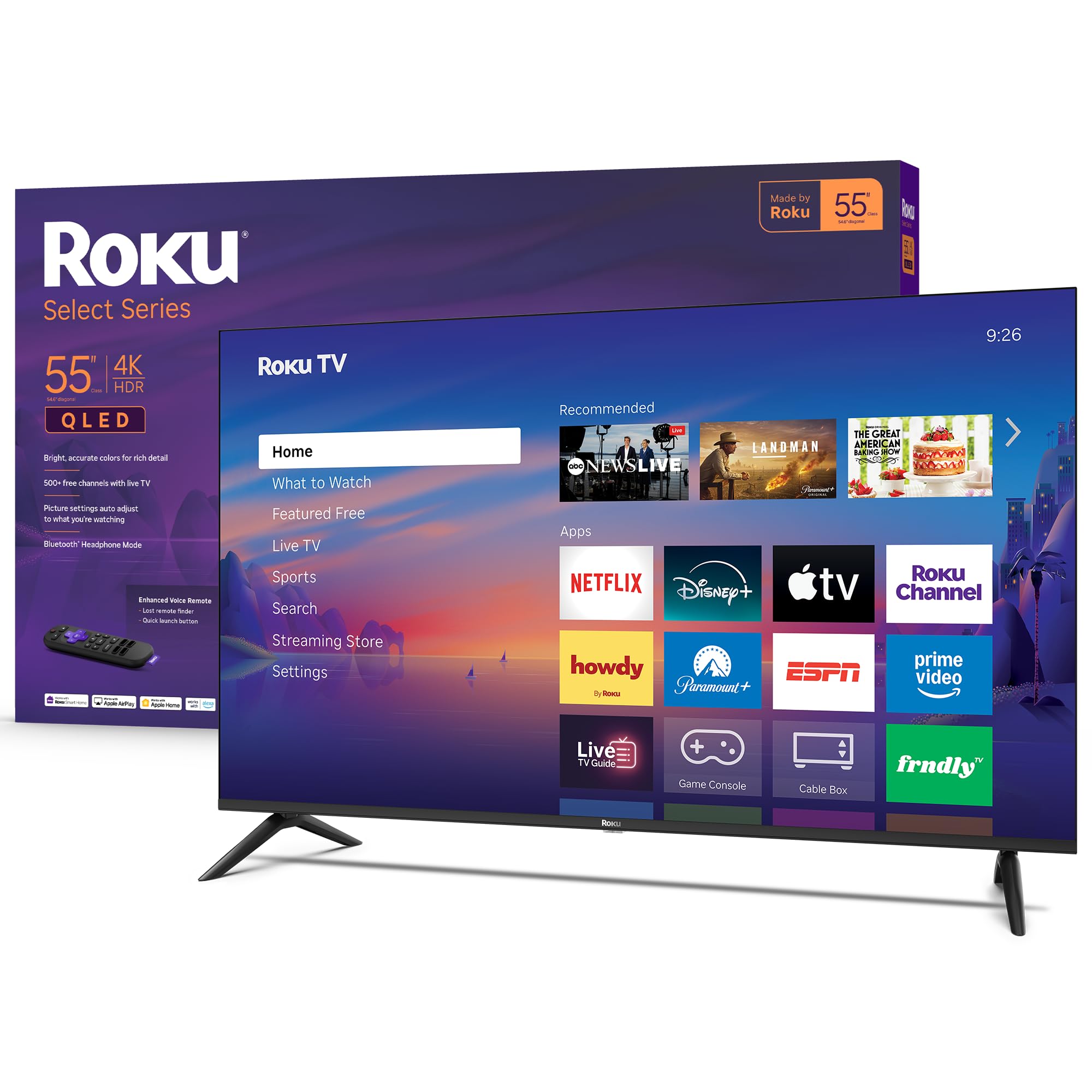
The Roku Select Series is the perfect balance of screen size, panel quality, and smart platform performance at a price that undercuts most competitors. The 55-inch QLED panel delivers sharp, vibrant colors that make streaming content in 4K HDR look far more expensive than the price tag suggests. Roku’s Smart Picture technology automatically optimizes the incoming signal for brightness and color accuracy, so you do not need to fiddle with complex calibration menus.
The enhanced voice remote includes a lost remote finder, which is a genuinely useful feature that only Roku offers in this price range. Bluetooth Headphone Mode lets you watch TV privately without waking the rest of the house, and the audio processing is tuned for clear speech—important for dialogue-heavy shows. The frameless design looks clean and modern on any stand or wall mount, and the HDR10 support ensures compatible content looks punchy and detailed.
The 60Hz refresh rate is standard for the category, and the lack of Dolby Vision means you miss out on the scene-by-scene HDR optimization that Dolby Vision content provides. However, at this aggressive price point for a 55-inch QLED, the trade-off is reasonable, especially if you primarily watch live TV, YouTube, and sports rather than high-end Dolby Vision movies.
Why it’s great
- 55-inch QLED with excellent color and brightness at a compelling price.
- Roku OS is the fastest and most user-friendly smart platform.
- Bluetooth Headphone Mode and lost remote finder are standout extras.
Good to know
- Lacks Dolby Vision HDR support, only HDR10.
- 60Hz refresh rate limits fast-motion clarity for competitive gaming.
4. Hisense 50-Inch E6 Cinema Series Hi-QLED
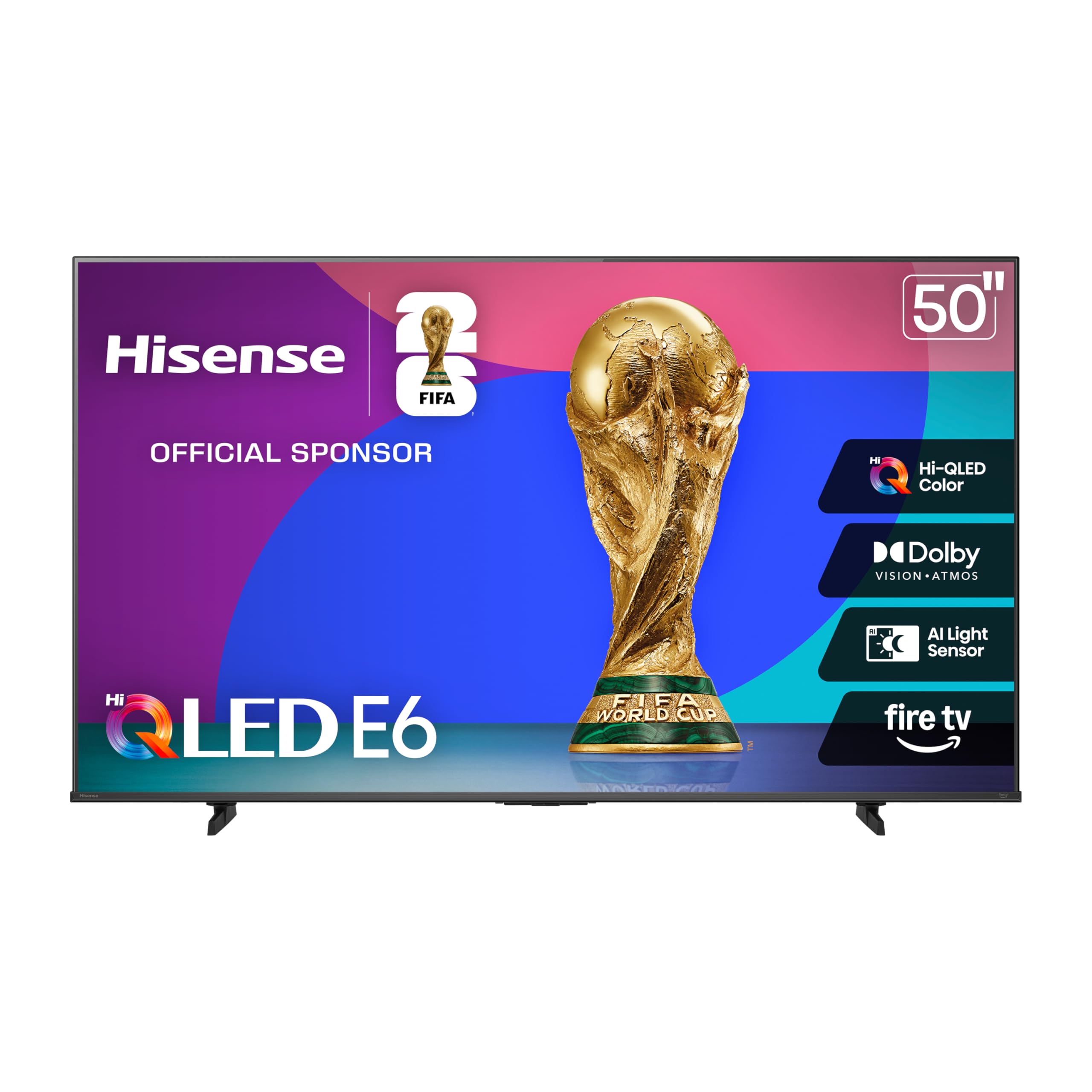
The Hisense 50-inch E6QF is a strong mid-range option that packs Hi-QLED color technology and full Dolby Vision and Dolby Atmos support into a 50-inch frame at a very accessible price. The quantum dot panel produces rich, saturated colors that are particularly impressive with animated films and nature documentaries, where the extended color gamut really shines. The Total HDR Solution includes Dolby Vision, HDR10+ Adaptive, HDR10, and HLG, making it one of the most format-compatible panels in this price tier.
The Fire TV operating system is fully integrated, giving you hands-free Alexa voice control via the remote, plus access to the full Amazon ecosystem of apps. The AI Light Sensor automatically adjusts picture brightness based on the ambient light in the room, which is a thoughtful feature that reduces eye strain during nighttime viewing. Game Mode Plus includes ALLM and VRR, ensuring console gaming feels responsive and tear-free.
Some users report occasional app loading delays and a preference for the Roku interface over Fire TV’s ad-laden home screen. The sound quality is adequate for a bedroom or small living room, but the lack of an analog audio output means you will need an HDMI ARC soundbar connection for better audio. For the price, the picture quality and HDR flexibility are hard to beat.
Why it’s great
- Hi-QLED panel delivers vivid, accurate colors.
- Supports Dolby Vision, HDR10+, HDR10, and HLG for wide HDR compatibility.
- AI Light Sensor automatically adjusts brightness to room conditions.
Good to know
- Fire TV interface can feel sluggish and ad-heavy.
- No analog audio output; requires HDMI ARC for external sound.
5. Samsung 50-Inch Crystal UHD U8000H

Samsung’s Crystal UHD U8000H series is the entry point into the Samsung ecosystem, offering a polished smart experience with the Crystal Processor 4K that upscales lower-resolution content to near-4K clarity. The 50-inch panel delivers a clean, sharp image with Samsung’s Color Booster enhancing the vibrancy of reds, blues, and greens without oversaturating skin tones. The Motion Xcelerator technology smooths out fast-moving sports and action sequences, reducing the judder that plagues budget panels.
The Samsung Tizen OS is refined and reliable, with seamless integration if you already own Samsung soundbars or other smart appliances. The remote is simple and minimal, but some users find the lack of dedicated input and volume buttons frustrating, requiring the SmartThings app for full control. Samsung TV Plus offers a massive library of free ad-supported channels, which is a nice bonus for cord-cutters looking to minimize subscription costs.
The panel is standard LED, not QLED or Mini-LED, so the contrast and black levels are not as strong as the top picks in this guide. HDR performance is adequate but does not deliver the punchy highlights that Dolby Vision or higher-end panels produce. For someone who values brand consistency and wants a simple, reliable TV for everyday cable and streaming, this is a solid choice.
Why it’s great
- Polished Tizen smart platform with deep Samsung ecosystem integration.
- 4K upscaling effectively sharpens HD content.
- Motion Xcelerator reduces blur during fast-paced sports.
Good to know
- Standard LED panel cannot match QLED or Mini-LED contrast.
- Minimalist remote may require app for input switching.
6. Amazon Fire TV 43-Inch Omni QLED Series

The Amazon Fire TV Omni QLED Series is the best option for smaller spaces, combining a 43-inch QLED panel with Dolby Vision IQ and a built-in ambient light sensor that automatically adjusts brightness. The quantum dot technology produces vibrant, lifelike colors that make streaming content in 4K look rich and detailed. Dolby Vision IQ takes HDR a step further by factoring in the room’s ambient light to optimize the picture in real time, reducing the need to manually switch between picture modes.
The hands-free Alexa integration with built-in microphones is a genuine convenience—you can turn on the TV, launch apps, and control playback without touching the remote. The Fire TV Ambient Experience turns the screen into a digital art frame when idle, displaying thousands of works of art or your personal photos. The 4 HDMI inputs, including one with eARC, give you plenty of ports for a soundbar, gaming console, and streaming devices.
The Fire TV interface is slower and more ad-focused than Roku OS, and some users report app installation glitches and occasional lag during navigation. The 43-inch screen size is ideal for a bedroom or a small apartment living room, but it feels small in a larger open-concept space. The built-in speakers are adequate for casual viewing but lack the low-end punch for an immersive movie experience without a soundbar.
Why it’s great
- Dolby Vision IQ actively adjusts HDR based on room lighting.
- Hands-free Alexa built into the TV with far-field microphones.
- Ambient Experience turns the TV into an art display when idle.
Good to know
- Fire TV interface can be sluggish and cluttered with ads.
- 43-inch size is limiting for larger living rooms.
7. VIZIO 50-Inch V Series 4K LED TV
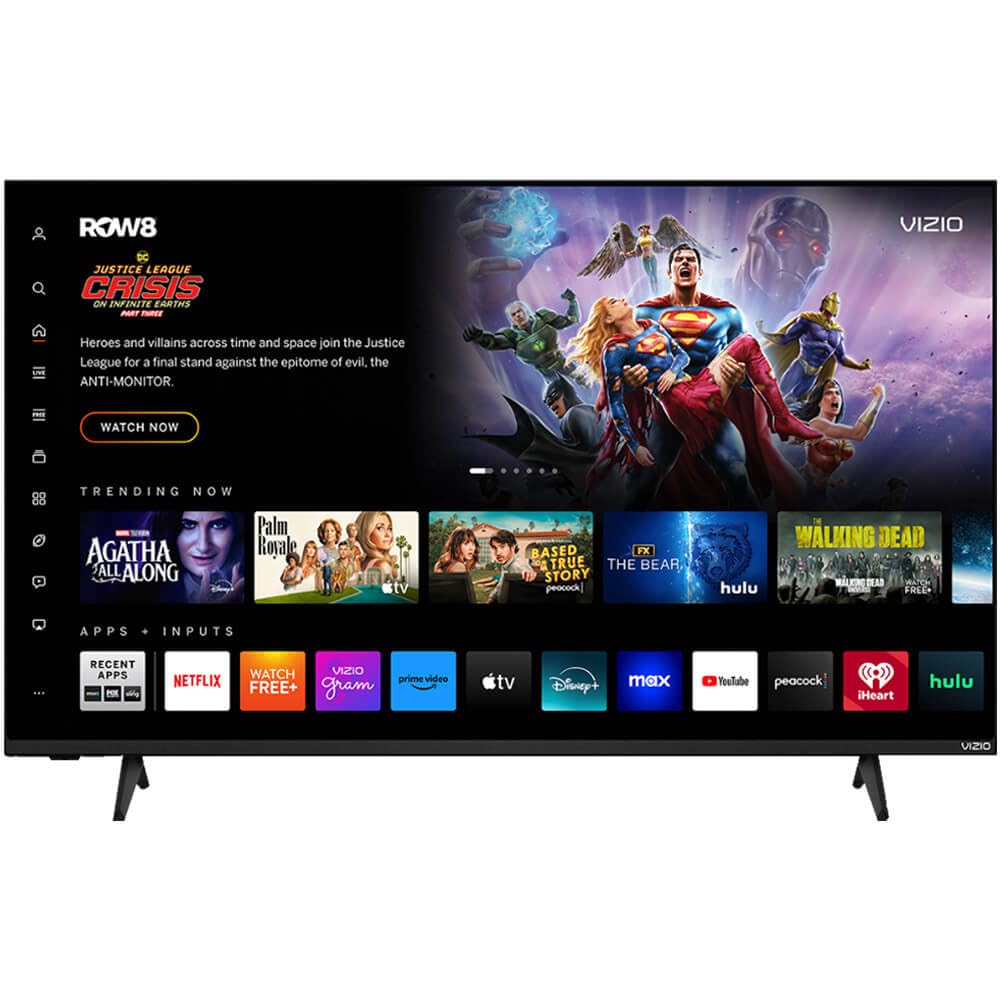
VIZIO’s V Series is the most connectivity-forward option in this roundup, integrating WiFi 6 dual-band technology that ensures stable, fast streaming even on congested networks. The 50-inch 4K UHD LED panel supports Dolby Vision HDR and HDR10+, delivering solid contrast and color for the price. DTS Virtual X audio processing creates a wider, more immersive soundstage from the built-in speakers without requiring a soundbar upgrade.
For gamers, the inclusion of HDMI VRR and Auto Low Latency Mode means less screen tearing and lower input lag when playing on PlayStation 5 or Xbox Series X. Bluetooth compatibility lets you pair wireless headphones for private listening. The direct LED backlighting provides uniform brightness across the screen, which is a common weakness in cheaper edge-lit panels.
The LED panel lacks the color volume and peak brightness of a QLED, so HDR highlights are less impactful. Some users report that the smart interface can be sluggish, and the built-in ads on the home screen are annoying. There have also been occasional reports of defective units or remote omissions, so purchasing from a retailer with a good return policy is advised.
Why it’s great
- WiFi 6 dual-band ensures smooth streaming even on busy networks.
- VRR and ALLM for reduced input lag during gaming.
- DTS Virtual X provides surprisingly wide sound from built-in speakers.
Good to know
- Standard LED panel cannot match QLED color brightness.
- Smart interface can feel sluggish and ad-heavy.
8. Hisense 43-Inch E6 Cinema Series Hi-QLED

The 43-inch version of the Hisense E6 Cinema Series brings the same Hi-QLED color technology and Dolby Vision/Atmos support at a smaller size for those with limited space or a tighter budget. The quantum dot panel produces the same rich, vibrant colors as its larger sibling, making streaming services like Netflix and Disney+ in 4K HDR look excellent. The Total HDR Solution covers Dolby Vision, HDR10+ Adaptive, HDR10, and HLG, making it one of the most HDR-versatile panels in the compact category.
The Fire TV integration with Alexa voice remote provides quick access to the full app ecosystem, and the Game Mode Plus with ALLM and VRR ensures responsive gameplay on a 43-inch screen that works well for a desk or bedroom gaming setup. The AI Light Sensor adjusts picture brightness to the room, which is a thoughtful addition for reducing eye strain.
The 43-inch size is limiting for a primary living room TV, and the Fire TV interface is not as clean or responsive as Roku OS. Some users report occasional app loading delays and setup quirks related to Amazon account management. The sound quality is adequate for a small room, but a soundbar is recommended for a fuller experience.
Why it’s great
- Hi-QLED panel delivers excellent color at a compact size.
- Broad HDR format support includes Dolby Vision and HDR10+.
- Game Mode Plus with ALLM and VRR for responsive console gaming.
Good to know
- 43-inch screen is best for bedrooms or desks, not main living rooms.
- Fire TV interface can feel slower than Roku OS.
9. Toshiba 50-Inch C350 Series LED 4K Fire TV

The Toshiba C350 Series is the entry-level champion of this list, offering a 50-inch 4K panel with Dolby Vision and Dolby Atmos support at the lowest price point, making it the most accessible route to a large-screen HDR experience. The REGZA Engine ZR uses analyzing technology to push the picture quality toward true 4K resolution, and the AI 4K Upscaler intelligently fills in pixels to improve the clarity of HD content. The Super Contrast Booster emphasizes picture depth, helping standard dynamic range content look more dimensional.
Fire TV is fully integrated, giving you a centralized home screen for all your streaming apps plus Alexa voice control through the remote. Ultimate Motion reduces blur in fast-moving scenes, and the dedicated Sports Mode optimizes the picture for live games. The inclusion of ALLM, VRR, and eARC through Game Mode makes this a surprisingly capable gaming display for the price.
The standard LED panel lacks the color vibrancy and peak brightness of QLED models, so HDR content does not pop as much. Some users report a slight delay in the remote when navigating live TV streaming apps. The pre-set color temperature may need adjustment out of the box to remove a slight yellow tint. For the price, however, this is a fantastic entry point into 4K HDR viewing.
Why it’s great
- Lowest price for a 50-inch 4K TV with Dolby Vision support.
- REGZA Engine and AI Upscaler improve HD content significantly.
- Game Mode includes ALLM, VRR, and eARC for budget gaming.
Good to know
- Standard LED panel cannot match QLED color or brightness.
- Out-of-box color may need calibration to remove yellow cast.
FAQ
Is a 60Hz refresh rate good enough for sports and gaming on a budget 4K TV?
Does Roku OS have fewer ads than Fire TV?
Final Thoughts: The Verdict
For most users, the best 4k tv under $300 winner is the Roku 55-Inch Plus Series because its Mini-LED backlight and Dolby Vision support deliver picture quality that rivals televisions costing significantly more. If you want the best smart platform and fastest interface, grab the Roku 55-Inch Select Series. And for the absolute best value and gaming features, nothing beats the Samsung 55-Inch M70H.