
Our readers keep the lights on and the weekend projects moving. As an Amazon Associate, I earn from qualifying purchases.
A dedicated 4×6 photo printer transforms fleeting camera roll moments into physical keepsakes you can frame, gift, or scrapbook — without the trip to a drugstore kiosk. The catch? Most home printers handle documents fine but produce washed-out, slow, or ink-bleeding photo prints that miss the mark entirely.
I’m Rikta — the co-founder and writer behind FitlyFast. I’ve spent weeks dissecting thermal dye-sublimation engines, inkjet photo-optimized print heads, and home-use paper handling systems to separate the true photo champs from the office multipurpose pretenders.
This guide walks through the top contenders for turning digital snapshots into borderless 4×6 prints at home, covering print speed, color gamut, and long-term media costs. Use this research to find the best 4×6 photo printer for home that matches your volume and quality expectations.
How To Choose The Best 4×6 Photo Printer For Home
Home photo printing requires a different set of priorities than office document printing. Color accuracy, borderless output, and media cost dominate the decision. Understanding the core printing technology and paper path design will prevent frustration after the first ink cartridge runs dry.
Dye-Sublimation vs. Inkjet for Photos
Dye-sub printers heat solid dye into a gas that bonds with the paper’s polymer coating, creating continuous-tone prints that resist smudging and water damage. Inkjet printers spray liquid droplets onto the paper, which works well for text but can leave visible dot patterns in large color areas. For glossy 4×6 photo prints, dye-sub technology consistently delivers smoother gradations and longer-lasting results.
Understanding Print Resolution
Dye-sub printers typically spec at 300 x 300 DPI but produce true continuous tones per color channel, making the effective resolution higher than the number suggests. Inkjet photo printers often advertise high DPI numbers (4800 x 1200), but this represents droplet placement, not color depth. Look for color gradation specifications — 256 levels per color ensures smooth sky gradients and skin tones without banding.
Media Cost and Bundled Supplies
Many photo printers ship with trial ink cartridges or sample paper packs that cover only a few prints. Check the per-print cost of replacement media before committing. Bundles that include 100+ sheets and multiple ink ribbons or cartridges stretch the initial investment and reveal the true operating cost. Dye-sub printers use a consumable pack where ribbon and paper are matched, so third-party savings are limited.
Quick Comparison
On smaller screens, swipe sideways to see the full table.
| Model | Category | Best For | Key Spec | Amazon |
|---|---|---|---|---|
| Canon SELPHY CP1500 Bundle | Dye-Sub | Archival quality prints | 300 DPI / 256 gradation | Amazon |
| Epson XP-980 | Inkjet | Wide-format photo printing | 6-color Claria ink system | Amazon |
| HP Envy Photo 7975 | Inkjet AI | All-in-one document + photo | Auto duplex / photo tray | Amazon |
| Liene M100 Bundle | Dye-Sub | High-volume home printing | 180 sheets + 5 ink cartridges | Amazon |
| Epson ET-2980 | Supertank | Lowest cost per print | Supertank refillable system | Amazon |
| HP Sprocket Studio Plus | Dye-Sub | Smartphone-first casual prints | Smudge-proof dye-sub output | Amazon |
| HPRT CP4100 | Dye-Sub | Budget dye-sub starter kit | 108 sheets + 2 ribbons included | Amazon |
| YOTON Photo Printer | Dye-Sub | Portable AR video prints | Built-in Wi-Fi hotspot | Amazon |
| Canon PIXMA TS7720 | Inkjet AIO | Budget all-in-one home use | 2-cartridge ink system | Amazon |
In‑Depth Reviews
1. Canon SELPHY CP1500 Bundle

This bundle pairs the SELPHY CP1500 with two KP-108IN ink and paper sets, providing 216 prints right out of the box. The dye-sub engine prints at true continuous-tone 300 DPI with 256 gradation levels per color, delivering skin tones and sky gradients that inkjets struggle to match without banding. The 3.5-inch LCD and onboard SD card slot mean you can print directly from a camera card without a phone or computer.
Print speed averages under a minute per 4×6 sheet, and the finish options include gloss, semi-gloss, and satin — a versatility rare in compact dye-sub units. The companion SELPHY Layout app offers crop, resize, and layout tools for ID photos and collages. At roughly ten cents per print on this bundle, the ongoing cost is competitive with drugstore prints.
The trade-off is simplex-only printing and no scanner or copy functions. If your goal is dedicated photo output that resists fading and smudging, the CP1500 bundle delivers the highest quality-to-effort ratio in the list.
Why it’s great
- Includes 216 sheets and 2 ink sets for immediate high-volume use
- True continuous-tone dye-sub with selectable finish sheen
- SD card and USB direct printing without a phone
Good to know
- Print-only device — no scanning or copying
- Requires Canon-brand consumable packs for consistent quality
2. Epson Expression Photo XP-980

The XP-980 uses a six-color Claria Photo HD ink system — adding light cyan and light magenta to the standard CMYK setup — to produce smoother highlight transitions and reduced grain in portrait prints. Its 5760 x 1440 DPI resolution and separate paper trays for plain and photo stock make it a flexible all-in-one for households that need both documents and gallery-grade prints up to 11×17 inches.
Fast 4×6 borderless prints in about 11 seconds set a speed benchmark unmatched by dye-sub rivals in this round. The 4.3-inch color touchscreen, Wi-Fi Direct, and Ethernet connectivity provide robust workflow options. The flatbed scanner copies and digitizes at high resolution, though some users report the auto-correction setting can darken scans unexpectedly.
Ink head drying remains a concern if the printer sits unused for weeks — the cleaning cycle consumes a noticeable fraction of each cartridge. This printer suits homes that print photos at least weekly and value speed plus wide-format capability over the absolute print longevity of dye-sub output.
Why it’s great
- Six-color ink system reduces visible grain in highlight areas
- Blazing 11-second 4×6 borderless prints
- Prints up to 11×17 inches for larger framing projects
Good to know
- Ink head cleaning can waste ink during idle periods
- Photo tray feed can be finicky with some paper stocks
3. HP Envy Photo 7975

HP’s Envy Photo 7975 combines a dedicated photo tray with AI-assisted web and document printing that removes unwanted ads and blank pages automatically. The print head delivers 10 color pages per minute, and the 2.7-inch touchscreen provides intuitive navigation through photo settings, borderless options, and scan-to-cloud workflows.
The included three-month Instant Ink trial offers a buffer against early cartridge costs, and the 64-series ink system is widely available at competitive prices. Users report crisp text on plain paper and vibrant borderless 4×6 prints through the HP Smart app, with color consistency that leans slightly warm out of the box — easily tweaked in the app’s color adjustment sliders.
A minority of units have exhibited paper feed issues and firmware-related out-of-paper errors, suggesting some batch variability. For a family that prints a mix of homework, photos, and craft projects, the 7975 delivers the most balanced feature set in the all-in-one category.
Why it’s great
- Dedicated photo tray reduces media switching hassle
- AI web printing removes clutter from online content
- Automatic duplex printing saves paper on documents
Good to know
- Some units experience paper feed sensor errors
- Wi-Fi connection can require re-authentication after firmware updates
4. Liene M100 Bundle

The Liene M100 bundle ships with 180 sheets of 4×6 photo paper and five ink cartridges, making it the highest consumable value of any printer reviewed here. The dye-sub engine produces prints with a protective topcoat that resists water, scratches, and UV fading — ideal for handing out at family gatherings or mounting in albums.
Setup uses the printer’s own built-in Wi-Fi hotspot, bypassing home network complications. Up to five devices can queue print jobs simultaneously. Print speed hovers around one minute per sheet, and the companion app guides users through color calibration and troubleshooting steps. The integrated crop margin on the paper edges keeps fingerprints off the printable area.
The bundle is well-suited for moderate-volume home printing — think one to two dozen prints per week. Running more than twenty consecutive prints risks overheating and reduced color consistency. For users who plan lots of bulk printing, a short cooldown period between batches maintains quality.
Why it’s great
- Generous 180-sheet paper supply included in box
- Protective topcoat ensures long-lasting, smudge-proof prints
- Built-in Wi-Fi hotspot simplifies device connection
Good to know
- Print speed is about one minute per sheet
- Extended batches over 20 prints may cause overheating
5. Epson EcoTank ET-2980

The ET-2980 refillable supertank system ships with enough bottled ink to print up to 6,600 black and 5,500 color pages — effectively three years of output for a typical home. EcoFit bottle nozzles lock into the tank ports to prevent spills during refilling, removing the mess that plagues cartridge-based printers. Print quality on plain paper is sharp, and borderless 4×6 photos look good at default settings, though not at the archival level of dedicated dye-sub units.
Setup is straightforward through the Epson Smart Panel app, though some Windows users report needing multiple driver attempts to establish a stable Wi-Fi connection. The 2.4-inch color display is functional but has a narrow viewing angle. Automatic duplex printing works well for documents, and the output tray retracts cleanly. There is no ADF, so multi-page scanning requires manual page feeding.
The per-print ink cost is the lowest in this guide, making the ET-2980 the smart choice for households that print a regular mix of school projects and casual photos without wanting to obsess over cartridge replacements.
Why it’s great
- Ultra-low per-page ink cost with refillable tanks
- Includes enough ink for thousands of pages immediately
- No-mess ink refill system with EcoFit bottles
Good to know
- Photo print quality is adequate but not archival grade
- No automatic document feeder for scanning
6. HP Sprocket Studio Plus
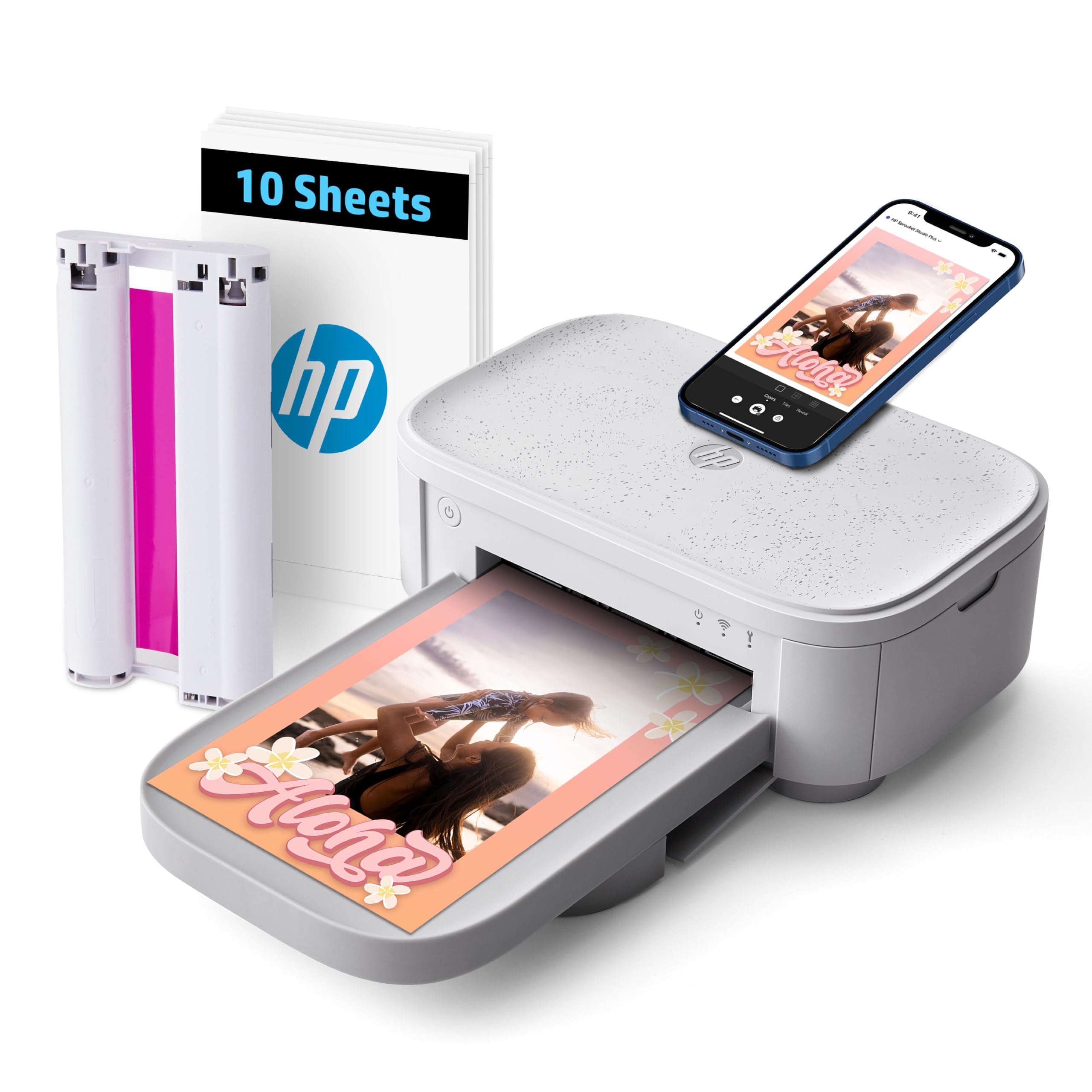
The Sprocket Studio Plus is HP’s dedicated smartphone companion for 4×6 dye-sub printing. Tear-resistant, smudge-proof, and waterproof paper makes the output durable enough for sharing at parties or inclusion in travel journals. The HP Sprocket app includes collage, photo booth, and ID photo modes that automate common printing tasks.
Wireless setup via the app is generally smooth, though some users report intermittent disconnection requiring a printer reboot. Print quality is good for casual snapshots — colors are vibrant and skin tones are acceptable, but fine detail can appear slightly softened compared to the Canon CP1500. The single-cartridge system simplifies replacement, and each cartridge yields about 80 prints based on user reports.
The lack of a dedicated photo tray and the app-only workflow limit its appeal for power users. For families who primarily print from phones and prefer a compact, hassle-free unit that lives on a desk, the Sprocket Studio Plus delivers convenience-focused dye-sub output.
Why it’s great
- Smudge-proof, water-resistant, tear-resistant photo paper
- App includes collage, photobooth, and ID templates
- Compact footprint ideal for a bookshelf desk setup
Good to know
- App-only operation — no direct SD or USB printing
- Wi-Fi connection stability can be inconsistent
7. HPRT CP4100
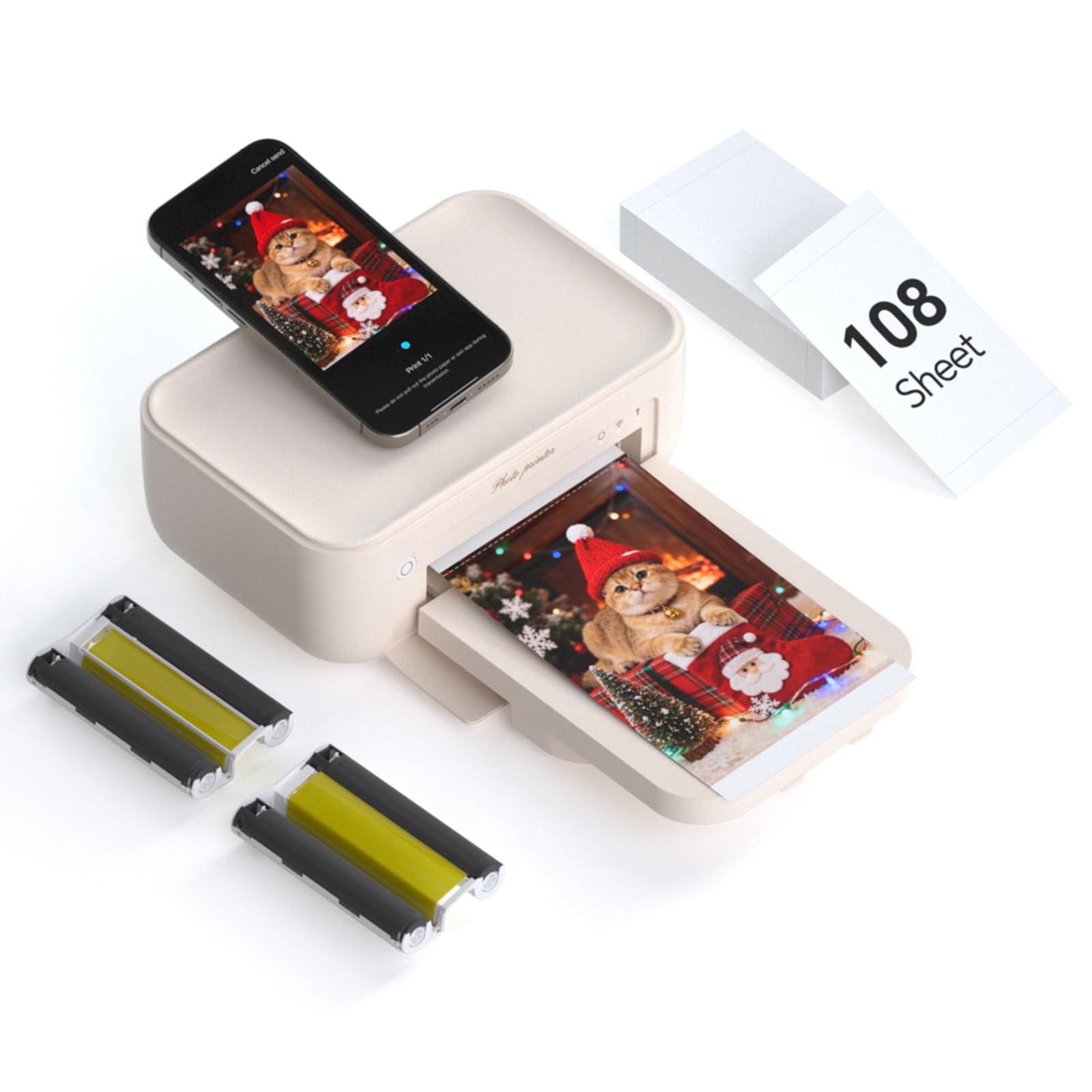
The HPRT CP4100 brings dye-sublimation printing to a more accessible price point while including 108 sheets and two ribbons in the box — enough to produce over a hundred prints before buying additional media. The 300 DPI thermal dye transfer engine delivers vivid colors with the same smudge-proof, water-resistant protective coating as pricier dye-sub units.
The Heyphoto app introduces an AR video feature that embeds a 15-second video loop onto the printed photo. Scanning the print with the app plays back the moment, making it a fun addition for kids’ artwork or event favor stations. The app also offers flexible sizing options from 1×1 up to 6×8 inches, plus filter and border overlays.
Print speed is slower than the Canon CP1500 — expect roughly one minute per 4×6. The printer is a dedicated print-only unit with no battery option, so it requires a power outlet nearby. For users who want to dip into dye-sub printing without a large upfront media investment, the CP4100 bundle offers a low-risk entry point.
Why it’s great
- Includes 108 sheets and 2 ink ribbons for immediate use
- AR video printing adds interactive element to physical photos
- Wide sizing options in the app from 1×1 to 6×8 inches
Good to know
- Slower print speed compared to premium dye-sub units
- No battery — requires constant AC power connection
8. YOTON Photo Printer

YOTON’s printer leverages its own built-in Wi-Fi hotspot so you can connect directly without relying on home network infrastructure — useful for printing at outdoor events or in locations without internet. The dye-sublimation engine produces durable, smudge-proof 4×6 prints with vivid color saturation. The package includes 54 sheets and one ink ribbon, providing a modest starter supply.
The AR video printing feature functions similarly to the HPRT CP4100, capturing up to 15 seconds of motion that replays through the app. The compact body measures just over 7 inches wide and weighs under a kilogram, making it the most travel-friendly option among the dedicated dye-sub printers here.
Setup can be finicky — the app requires location permissions and users report that connecting via USB sometimes fails. Print quality, when the connection holds, is impressive for the size, rivaling that of bulkier desktop units. The printer is a solid choice for travelers and event photographers who prioritize portability and are comfortable troubleshooting a somewhat demanding initial setup.
Why it’s great
- Portable 7-inch wide design with built-in Wi-Fi hotspot
- AR video playback adds interactive dimension to prints
- Smudge-proof and water-resistant dye-sub output
Good to know
- Initial connection can be challenging across devices
- Only 54 sheets included in the box
9. Canon PIXMA TS7720

The PIXMA TS7720 is a budget-friendly all-in-one that prints, copies, scans, and supports automatic duplexing. Its two-cartridge system — one black pigment-based, one tri-color dye-based — simplifies replacement but limits color vibrancy compared to five or six-color photo printers. The 2.7-inch LCD touchscreen provides straightforward navigation for wireless printing from smartphones and tablets via the Canon PRINT app.
Print speeds of 15 pages per minute in black and 10 in color are respectable for mixed document and occasional photo use. Photo output on 4×6 borderless paper is decent for casual snapshots, though color saturation appears muted next to dedicated dye-sub prints — partly due to the included trial cartridges. Users who upgrade to the PG-285XL/CL-286XL high-yield cartridges see noticeably better density and lower per-page costs.
The auto-off default setting frustrates some users, but it can be disabled through the printer preferences menu. For small households that need a low-cost multipurpose printer and consider 4×6 photos a secondary feature, the TS7720 covers the basics without the higher consumable burden of photo-specialist models.
Why it’s great
- Affordable all-in-one with print, copy, scan capabilities
- Compact footprint fits small home desks
- Automatic duplex printing saves paper on documents
Good to know
- Photo color saturation is lower than dedicated photo printers
- Trial ink cartridges run out quickly under normal use
FAQ
How long do dye-sublimation prints last compared to inkjet photos?
Can a 4×6 photo printer print on sticker paper or cardstock?
Why do my 4×6 prints look darker or different than what I see on my phone screen?
Do portable 4×6 printers require an internet connection to operate?
Final Thoughts: The Verdict
For most users, the best 4×6 photo printer for home winner is the Canon SELPHY CP1500 Bundle because it combines true dye-sublimation print quality with an unbeatable starter media bundle and versatile SD card printing. If you want the lowest per-print cost over the long term, grab the Epson EcoTank ET-2980 and its refillable ink system that prints thousands of pages. And for printing oversized 11×17 inch photos at professional speed, nothing beats the Epson Expression Photo XP-980 with its six-color Claria system.