
Our readers keep the lights on and the weekend projects moving. As an Amazon Associate, I earn from qualifying purchases.
The jump to a 65-inch screen is the single biggest upgrade you can make to your home viewing experience, but navigating the sub-$800 market means choosing between panels that punch well above their weight and models that cut corners you’ll notice every night. The difference between a Mini-LED backlight with deep contrast and a basic edge-lit LED panel is the difference between a movie night that feels cinematic and one that feels like watching on a glorified monitor. Game mode latency, refresh rate, and HDR format support separate the true value champions from the also-rans, and this guide exists to draw that line.
I’m Rikta — the co-founder and writer behind FitlyFast. I’ve spent hundreds of hours analyzing panel specs, refresh rate architectures, color volume standards, and real-world customer performance data to separate the genuine long-term investments from the short-term deals in the 65-inch budget space.
After combing through the latest 2025 and 2026 model lineups, one conclusion is clear: the best 65 inch tv under $800 isn’t the one with the flashiest marketing — it’s the one that delivers the deepest blacks, the smoothest motion, and the most accurate color within a price bracket where every spec sheet hides at least one compromise.
How To Choose The Best 65 Inch TV Under $800
At this price point, every dollar you allocate toward panel technology is a dollar you’re taking away from smart platform bells or physical design. Knowing which battles to win — backlight zones over OS responsiveness, native refresh rate over contrast ratio — defines whether you walk away with a TV that feels premium or one that reminds you of its cost every time you press play. Here are the four non-negotiable specs to evaluate before you buy.
Backlight Technology: Mini-LED vs. Standard LED
The backlight is the single most impactful component in any sub-$800 65-inch TV. Standard direct-LED sets use a handful of zones or no zones at all, resulting in gray-looking blacks and halos around bright objects in dark scenes. Mini-LED backlighting uses hundreds of tiny LEDs that can dim independently, delivering contrast that approaches OLED territory without the burn-in risk or the premium price. Within this price tier, a Mini-LED panel is the clearest signal that the manufacturer prioritized picture quality over margin. If you watch movies in a dim room or play dark-themed games, Mini-LED is worth prioritizing above almost every other feature.
Native Refresh Rate and Motion Handling
Manufacturers love to advertise “Motion Rate 240” or “Effective 120Hz,” but those numbers often rely on black-frame insertion or frame doubling — techniques that introduce flicker or fail under fast camera pans. What matters is the panel’s native refresh rate: 60Hz or 120Hz. A native 120Hz panel delivers genuinely smoother motion for sports and games, with noticeable improvements in football broadcasts, racing games, and action films. In the sub-$800 category, true native 120Hz panels are rare, but models that offer native 120Hz or higher (like the 144Hz options) are the clear winners for anyone who games or watches fast-moving content regularly.
HDR Format Compatibility and Color Volume
HDR10 is table stakes. The real differentiator is support for Dolby Vision and HDR10+ — dynamic HDR formats that adjust brightness and color scene-by-scene rather than applying one static map to the entire movie. On a budget QLED panel, Dolby Vision can transform a backlit living-room scene from washed-out to punchy by raising highlights in real time. Also look for a DCI-P3 color gamut coverage above 90%, which indicates that the TV can actually show the expanded color palette HDR content demands. A TV that checks both the dynamic HDR format box and the color volume box will look drastically richer than a basic HDR10-only set, even if both have similar peak brightness numbers.
Smart Platform and Gaming Features
Your smart TV platform is the software you’ll interact with daily for years — choose poorly and you’ll fight with laggy menus and limited app support. Roku remains the gold standard for responsiveness and simplicity, while Fire TV offers deeper Alexa integration but can feel ad-heavy and sluggish on lower-end hardware. Google TV sits in the middle, offering a clean interface with strong recommendation algorithms. For gamers, check for HDMI 2.1 ports (needed for 4K at 120Hz), Auto Low Latency Mode (ALLM), and Variable Refresh Rate (VRR) support. A TV that has a native 120Hz panel but lacks HDMI 2.1 can’t actually accept a 4K 120Hz signal — a frustrating and common trap in this price bracket.
Quick Comparison
On smaller screens, swipe sideways to see the full table.
| Model | Category | Best For | Key Spec | Amazon |
|---|---|---|---|---|
| Hisense 65″ U6 Pro | Mini-LED ULED | Best Overall / Cinematic Viewing | Native 144Hz / Mini-LED 600+ Zones | Amazon |
| TCL 65″ T7 Series | QLED / Google TV | Gaming & High-Motion Content | Native 144Hz / 4K 120Hz PC | Amazon |
| Samsung 65″ M70H | Mini-LED | Bright Room / Samsung Ecosystem | Mini-LED / Pure Color Spectrum | Amazon |
| Roku 65″ Plus Series | Mini-LED QLED | Roku OS Fans / Easy Use | Mini-LED / Dolby Vision | Amazon |
| Sony BRAVIA 2 II 65″ | LED / Google TV | PS5 Owners / Upscalling | 4K Processor X1 / PS5 Features | Amazon |
| Hisense 65″ E6 Cinema | Hi-QLED / Fire TV | QLED Color / Budget Cinema | Dolby Vision·Atmos / Motion Rate 120 | Amazon |
| Amazon Ember 65″ QLED | QLED / Fire TV | Alexa Integration / Fast Ecosystem | Dolby Vision / Full-Array Local Dimming | Amazon |
| Panasonic 65″ W70 | LED / Fire TV | Brand Reliability / HDMI 2.1 | HDR Bright Panel / MEMC | Amazon |
| VIZIO 65″ V-Series | LED / SmartCast | Budget Buy / Simple Streaming | IQ Active Processor / V-Gaming Engine | Amazon |
| Roku 65″ Select Series | QLED / Roku TV | Simple Setup / Good QLED Entry | 4K QLED / HDR10 | Amazon |
| Samsung 65″ U8000H | LED / Tizen | Lowest Price / Samsung Brand | Crystal Processor 4K / Motion Xcelerator | Amazon |
In-Depth Reviews
1. Hisense 65″ U6 Pro Series Mini-LED ULED (65U6SF Pro)
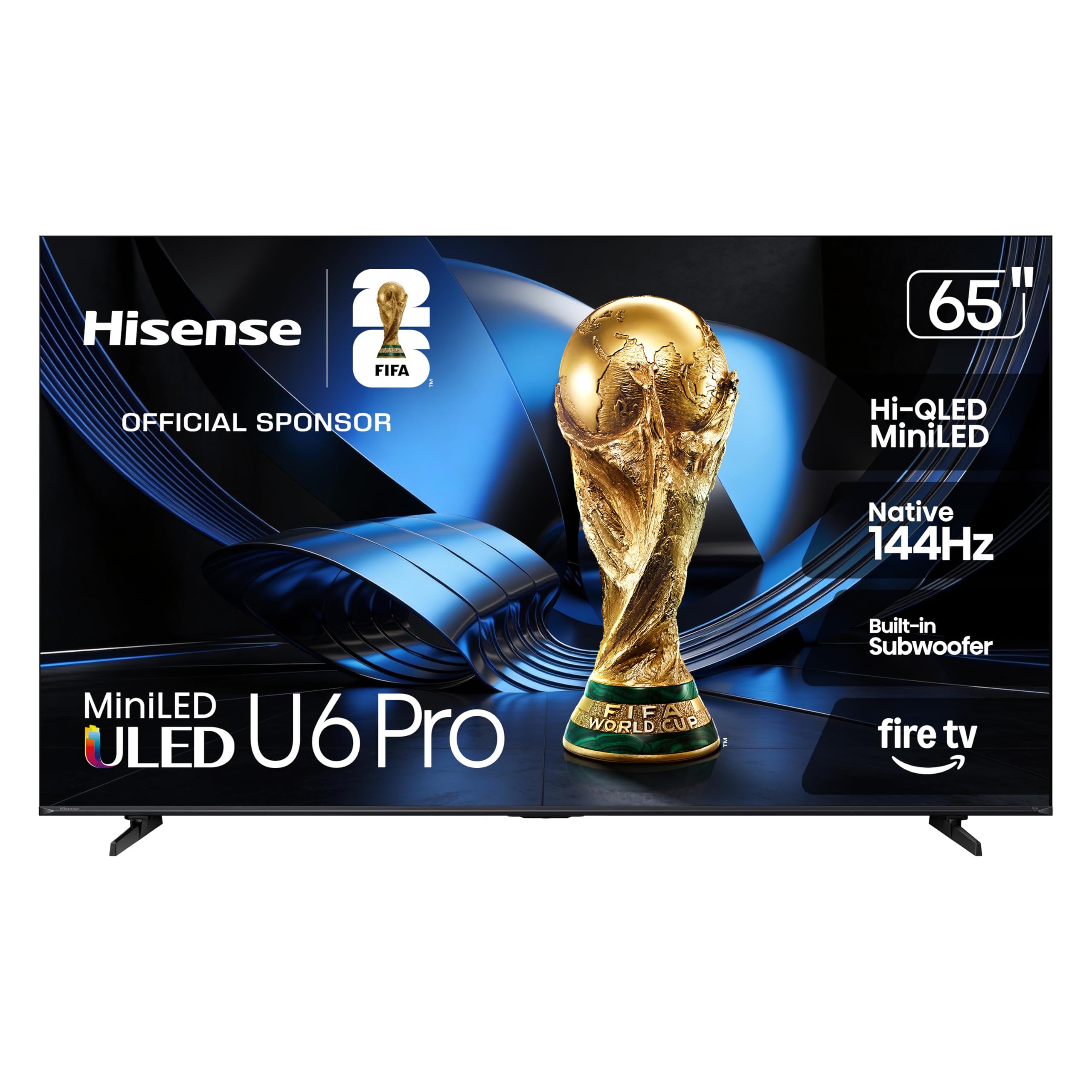
This is the panel that redefines what’s possible in the sub-$800 category. The U6 Pro combines a Mini-LED backlight with hundreds of independent dimming zones and a native 144Hz refresh rate — a spec combination that was simply unavailable at this price point even a year ago. The Hi-QLED color layer covers roughly 95% of the DCI-P3 gamut, and Pantone validation ensures that skin tones, grass textures, and cinematic colors look natural rather than artificially boosted. In dark-room movie viewing, the contrast approaches entry-level OLED territory, with inky blacks and zero visible blooming around bright subtitles or stars.
Gamers get serious treatment here: native 144Hz means smooth 4K 60fps performance with headroom for 120Hz output from consoles, and HDMI 2.1 ports with ALLM ensure the TV drops into low-latency mode automatically. The built-in subwoofer adds genuine bass presence without needing an external soundbar for action movies and music, though purists will still want a dedicated audio system. The anti-reflection coating is a sleeper hit — in brightly lit rooms, it kills glare effectively enough that you can watch daytime sports without closing curtains.
Fire TV is the platform, and while it’s fast and responsive on the Hi-View AI Engine processor, the home screen does push Amazon content. Setup is straightforward, but you’ll need an Amazon account to get past the initial activation screen. The remote feels slightly cheap given the premium panel underneath, and low-bitrate streaming content (below 720p) can look soft because the upscaling engine is tuned for higher-quality sources. For anyone prioritizing picture quality over all else, this is the set to beat.
Why it’s great
- Mini-LED backlight delivers OLED-like blacks and contrast
- Native 144Hz panel for fluid gaming and sports
- Excellent anti-glare coating for bright rooms
- Built-in subwoofer adds real bass depth
Good to know
- Fire TV interface pushes Amazon content heavily
- Low-bitrate upscaling is mediocre
- Included remote feels cheap
2. TCL 65″ T7 Series QLED Google TV (65T7)

The TCL T7 is built for gamers who need a 65-inch canvas that can keep up with fast frame rates. The native 144Hz panel is paired with HDMI 2.1 inputs that accept 4K at 120Hz from consoles and up to 144Hz from a PC at 1080p, and the MEMC frame insertion technology cleans up motion blur in fast camera pans significantly better than the 60Hz panels in this price range. QLED quantum dot coverage hits roughly 95% of DCI-P3, producing vibrant reds and greens that make game worlds and nature documentaries pop. The AIPQ Pro processor handles 4K upscaling competently, bringing 1080p content closer to native 4K than most budget TVs manage.
The bezel-less FullView design with metal frame gives the set a premium aesthetic that looks more expensive than it is, and the width-adjustable feet make it easier to fit on furniture with a soundbar. Google TV provides a clean interface that aggregates streaming content from multiple services without the ad density of Fire TV, and the voice remote works well with both Google Assistant and Alexa. The built-in speakers are adequate for casual viewing but lack the bass presence to fill a large room — a soundbar is a near-necessity for movie nights.
One quirk: the TV requires internet and a Google account setup before it will let you access HDMI inputs, which can be annoying if you just want to plug in a console and play. The power-save mode can also cause wake-from-sleep issues when connected to a PC via HDMI, occasionally requiring an HDMI cable reseat. For console and PC gamers who want the highest refresh rate available under $800, these trade-offs are easy to accept.
Why it’s great
- True native 144Hz panel with HDMI 2.1 support
- Excellent QLED color coverage for HDR gaming
- Premium bezel-less metal design
- Google TV interface is clean and responsive
Good to know
- Requires internet setup before using HDMI inputs
- PC wake-from-sleep issues via HDMI
- Built-in speakers lack bass; soundbar recommended
3. Samsung 65″ M70H Mini LED Smart TV (65M70H)

Samsung’s Mini-LED implementation in the M70H series delivers the highest sustained brightness of any set in this roundup, making it the go-to choice for living rooms with large windows or afternoon sun. The Pure Color Spectrum technology uses Mini-LED precision to deliver one billion color shades, and the Supreme Mini-LED Dimming creates meaningful contrast between bright and dark areas even in challenging lighting conditions. The Motion Xcelerator with DLG 120Hz uses frame analysis to simulate smoother motion on the 60Hz native panel, which works well for sports but doesn’t match the true fluidity of a native 120Hz panel for gaming.
Samsung’s Tizen operating system gets a refresh in the 2026 model, offering a cleaner interface than previous years with faster app loading. The Gaming Hub aggregates cloud gaming services and console inputs into a single dashboard, and Soccer Mode optimizes color and motion specifically for football broadcasts — a nice touch if that’s your primary viewing content. Bluetooth 5.3 support ensures solid wireless headphone connectivity for late-night viewing.
The remote is the weak link. The minimalist design lacks a dedicated input button and doesn’t remember which input it was last on, forcing you to use the SmartThings app or scroll through the home screen to switch sources. The interface also defaults to Samsung TV Plus on startup, which adds an extra click to reach your streaming apps. For a bright-room primary TV where absolute contrast isn’t critical, the M70H’s brightness advantage is worth these interface compromises.
Why it’s great
- Highest sustained brightness for bright-room viewing
- Mini-LED dimming provides good contrast in sunlit rooms
- Extensive free content via Samsung TV Plus
- Excellent Bluetooth 5.3 headphone support
Good to know
- Native 60Hz panel with simulated 120Hz
- Remote is frustrating with no input memory
- Interface defaults to Samsung TV Plus on startup
4. Roku 65″ Plus Series Mini-LED QLED

The Roku Plus Series proves that the Roku platform can compete on hardware, not just software. This set pairs a Mini-LED backlight with QLED quantum dots and Dolby Vision support, delivering vibrant colors and genuine contrast that rivals the premium-tier options in this guide. The Mini-LED zoning creates deep blacks with minimal blooming, and the Dolby Vision implementation is particularly strong — shadow detail in dark scenes remains visible without washing out the highlights. The AI-powered Roku Smart Picture Max automatically adjusts picture settings based on content type, and in practice, it produces accurate out-of-box color that most users won’t feel the need to calibrate.
The built-in audio system includes a dedicated subwoofer that gives Dolby Atmos content legitimate body — explosions have weight, and music tracks have bass presence. It’s not a replacement for a proper soundbar setup, but it’s the best built-in audio in this roundup. The Roku OS remains the gold standard for simplicity: the home screen is clean, app loading is snappy, and the Enhanced Voice Remote includes a lost remote finder and programmable shortcut buttons.
The main trade-off is the lack of advanced gaming features. There’s no HDMI 2.1 port for 4K 120Hz, and the panel is natively 60Hz. The VRR support helps reduce screen tearing, but competitive gamers will want to look at the TCL or Hisense options for higher refresh rates. For movie and TV viewers who prioritize an easy, reliable smart TV experience, the Plus Series delivers exceptional value.
Why it’s great
- Mini-LED + QLED delivers excellent contrast and color
- Best built-in audio with dedicated subwoofer
- Roku OS is the most user-friendly smart platform
- Excellent Dolby Vision implementation
Good to know
- No HDMI 2.1 for 4K 120Hz gaming
- Native 60Hz panel limits motion clarity for gamers
5. Sony BRAVIA 2 II 65″ 4K LED (K-65S20M2)

Sony’s BRAVIA 2 II brings the processing power that makes its more expensive siblings famous, but wraps it in a standard LED panel to hit the sub-$800 price. The 4K Processor X1 delivers exceptional upscaling — 720p and 1080p content look noticeably sharper and cleaner than on any other TV in this guide, making it the best choice if your viewing diet includes a lot of older cable, YouTube, or DVD-quality content. The Motionflow XR processing cleans up motion without the soap-opera effect that plagues cheaper implementations, and fast-action sports maintain clarity during quick pans.
For PlayStation 5 owners, the exclusive features are a genuine value-add. Auto HDR Tone Mapping optimizes the HDR signal from the PS5 to match the TV’s capabilities, and Auto Genre Picture Mode switches to Game picture mode automatically when a game starts. The Game Menu consolidates all gaming picture settings and assist features in one overlay, making it easy to tweak without leaving the game. Google TV provides access to Sony Pictures Core for free movies with purchase, and the Eco Dashboard keeps energy consumption visible and controllable.
The LED panel is the obvious compromise. It lacks local dimming zones, so black levels in dark scenes are a grayish wash rather than the deep blacks of the Mini-LED competitors. HDR brightness is adequate but not stunning — highlights don’t pop the way they do on QLED or Mini-LED sets. If you watch mostly in a dark room and crave true contrast, the Hisense or TCL options will deliver a more cinematic picture. For mixed-content households with a PS5 and lots of standard-definition streaming, the upscaling and PlayStation integration make this a compelling choice.
Why it’s great
- Best-in-class upscaling for lower-resolution content
- Exclusive PS5 features (Auto HDR, Auto Genre Mode)
- Excellent motion handling for sports
- Clean Google TV interface
Good to know
- Standard LED panel with no local dimming
- Mediocre black levels in dark room viewing
- HDR brightness is just adequate
6. Hisense 65″ E6 Cinema Series Hi-QLED (65E6QF)
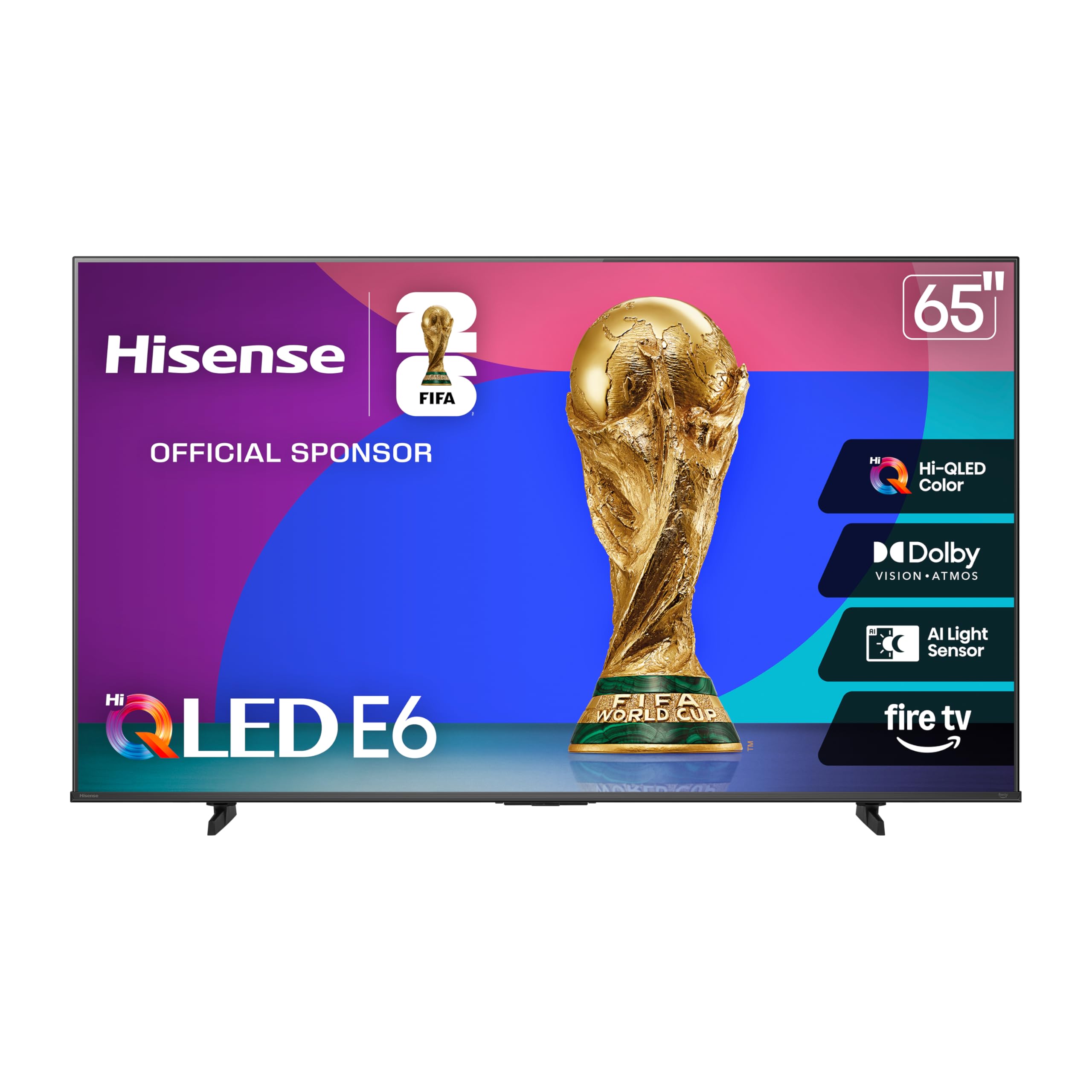
The E6 Cinema Series brings Hisense’s Hi-QLED color technology and Dolby Vision support to a more accessible price point than the U6 Pro. The Total HDR Solution means it handles Dolby Vision, HDR10+ Adaptive, HDR10, and HLG — every major HDR format — and the AI Light Sensor adjusts brightness based on room conditions, keeping picture quality consistent from daytime sports to nighttime movies. Color saturation is punchy and vibrant out of the box, with the QLED layer producing noticeably richer reds and greens than standard LED sets at this price.
Fire TV integration gives you Alexa voice control and access to the full app ecosystem, though the OS can feel sluggish during boot and app switching. The bezel is thicker than the premium options, and the stand, while solid, doesn’t offer any cable management. Motion Rate 120 is interpolation-based rather than native, so fast-moving content can show artifacts during complex transitions, but for general streaming and casual gaming, it’s perfectly competent.
Customer reports note occasional software instability — crashes during the first week and random app closures — which typically resolve with firmware updates but are worth monitoring. The port selection is adequate with HDMI 2.0 and USB, but there’s no HDMI 2.1 for high-bandwidth gaming. For viewers who want QLED-level color and Dolby Vision without spending for Mini-LED, the E6 Cinema delivers strong visual performance with minor software friction.
Why it’s great
- Hi-QLED color is vibrant and punchy out of box
- Supports all major HDR formats (DV, HDR10+, HLG)
- AI Light Sensor maintains consistent picture in varying light
Good to know
- Fire TV OS can feel sluggish at boot
- No HDMI 2.1 for 4K 120Hz gaming
- Occasional software instability reported
7. Amazon Ember 65″ QLED Series with Fire TV

Amazon’s own Ember QLED Series is designed for deep Alexa integration, and it delivers a QLED picture with Dolby Vision and HDR10+ Adaptive support that looks vibrant and smooth for streaming content. The full-array local dimming helps black levels stay respectable in moderately lit rooms, and the quad-core processor with Wi-Fi 6 makes app loading snappy when the network cooperates. The Omnisense technology wakes the display when you enter the room with motion detection, which is a nice convenience feature for high-traffic living spaces.
The new Alexa+ experience on Fire TV is the headline feature — talking naturally to find shows, control smart home devices, or ask questions works well, and the hands-free voice control even operates when the screen is off. Amazon Luna and Xbox Game Pass streaming are integrated for cloud gaming without a console, though performance depends heavily on your internet connection. The four HDMI inputs cover most setups, and AirPlay support keeps Apple users in the ecosystem.
The interface is the trade-off. Fire TV displays ads on the home screen and locks HDMI input labeling behind additional menus, which makes switching sources more cumbersome than on Roku or Google TV. Some users report occasional audio desync during Prime Video playback and a home screen that can feel cluttered. If you’re deeply invested in the Amazon ecosystem and want a TV that acts as a smart home hub, the integration is worth the interface compromises. For pure picture quality at this price, the Mini-LED options are stronger.
Why it’s great
- Deep Alexa+ integration with hands-free voice control
- QLED + Dolby Vision delivers vibrant HDR picture
- Wi-Fi 6 and quad-core processor for fast streaming
- Omnisense motion wake for convenience
Good to know
- Fire TV interface shows ads in the home screen
- HDMI input switching is more complicated than rivals
- Occasional audio desync reported on Prime Video
8. Panasonic 65″ W70 Series Fire TV (65W70BP)

Panasonic brings its brand reliability to the Fire TV ecosystem with the W70 Series, featuring an HDR Bright Panel powered by the 4K Studio Color Engine and MEMC motion smoothing. The panel produces a bright, punchy image that handles HDR10+ and HLG content well, with the MEMC technology effectively cleaning up motion in fast-action scenes without the aggressive soap-opera effect. The design is understated but solid, with metal stands that provide stable support.
Connectivity is a standout feature here: four HDMI ports including one HDMI 2.1 port, plus Bluetooth 5.0 for wireless headphone pairing. The HDMI 2.1 port supports 4K at 60Hz with ALLM, making it a viable option for console gaming. Press and Ask Alexa via the voice remote works seamlessly for finding content across streaming services, and Apple AirPlay support rounds out the casting options.
The Fire TV software is the biggest variable. Several customer reports describe sluggish app switching and occasional freezing, and the boot time from cold start is longer than the Roku equivalents. Some units have shipped with software instability that required factory resets. The smart platform performance is adequate for patient users, but anyone who values snappy interface response should consider the Roku options first. When the software works, the picture quality is competitive with sets costing more.
Why it’s great
- Bright HDR panel with solid color accuracy
- HDMI 2.1 port for console gaming with ALLM
- Sturdy metal stand construction
- Apple AirPlay and Alexa voice control
Good to know
- Fire TV software can be sluggish and buggy
- Long cold boot time
- Interface feels dated compared to Roku OS
9. VIZIO 65″ V-Series 4K Smart TV

The VIZIO V-Series serves as the entry-level benchmark for 65-inch smart TVs, offering a basic 4K LED panel with HDR10 support and the IQ Active processor for upscaling and picture processing. The Active Pixel Tuning adjusts brightness at the pixel level to improve contrast, and the V-Gaming Engine automatically engages Game Mode and reduces input lag when a console is detected. For casual streaming and light gaming, the picture is adequate — colors are decent in well-lit scenes, but black levels suffer noticeably in dim rooms with no local dimming to control blooming.
The SmartCast platform provides access to major streaming apps and includes free ad-supported channels via WatchFree+, but the interface is slower than Roku and the app store is more limited. Chromecast and Apple AirPlay are built-in, making it easy to cast from phones and tablets. The remote is functional but basic compared to competitors’ voice remotes.
The main compromise is the audio. The built-in speakers are thin and lack bass, with customers consistently reporting that a soundbar is essential for enjoyable dialogue clarity and volume. LED panel quality control is also less consistent than the premium brands — some units arrive with backlight uniformity issues or dead pixels. For strict budget builds or secondary rooms where picture quality isn’t the priority, the V-Series hits the size and price targets, but it doesn’t offer the visual experience of the QLED or Mini-LED options.
Why it’s great
- Lowest entry price for a 65-inch 4K TV
- Auto Game Mode for reduced input lag
- Chromecast and AirPlay built in
Good to know
- Poor black levels and no local dimming
- Built-in audio is thin and weak
- Less consistent panel quality control
10. Roku 65″ Select Series QLED
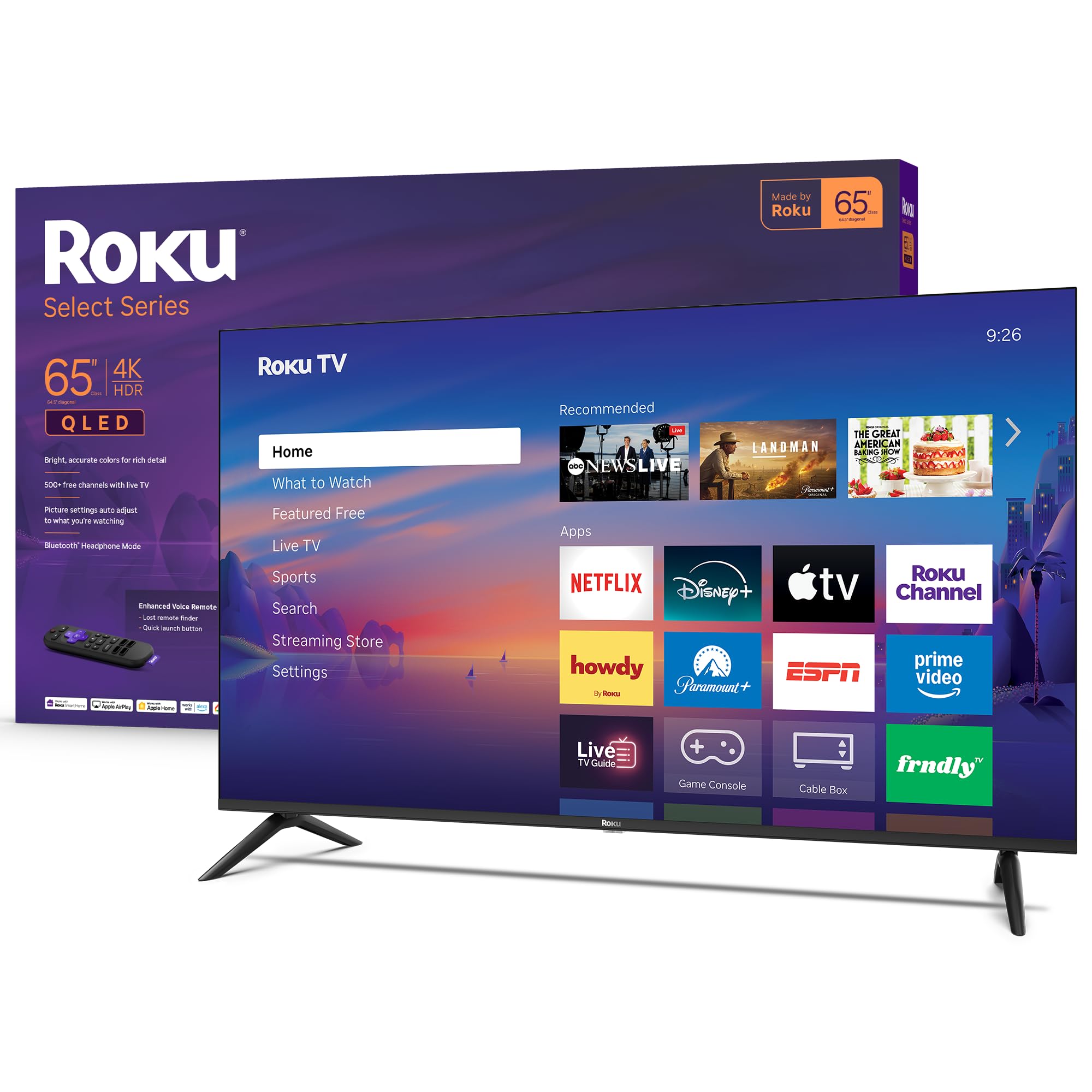
The Roku Select Series brings the simplicity of the Roku OS to a QLED panel at an accessible price point. The 4K QLED screen with HDR10 produces bright, accurate colors in well-lit rooms, and the Roku Smart Picture system auto-adjusts settings based on the content and ambient light. The setup process is genuinely painless — plug in, connect to Wi-Fi, and you’re streaming within five minutes with minimal account creation friction. The Enhanced Voice Remote includes a lost remote finder, programmable shortcut buttons, and standard voice search across apps.
Bluetooth Headphone Mode is a practical inclusion for late-night viewers, allowing private listening through wireless headphones without needing a separate transmitter. The direct LED backlight provides even illumination across the screen, with reasonably good uniformity for a panel in this price tier. The slim bezel design keeps the focus on the picture, and the stand is simple but stable.
The QLED panel here is entry-level — color volume doesn’t match the Plus Series or the competition from TCL and Hisense, and the lack of Dolby Vision means HDR content defaults to the less dynamic HDR10 standard. The 60Hz panel is fine for streaming and broadcast television but won’t satisfy gamers looking for high refresh rates. For a straightforward, user-friendly TV for a bedroom or casual living room, the Select Series delivers a stress-free Roku experience without the complexity of higher-end models.
Why it’s great
- Fast, simple Roku OS setup and navigation
- Bluetooth Headphone Mode for private listening
- Voice remote with lost remote finder
- Clean, slim design with good build quality
Good to know
- No Dolby Vision HDR support
- Entry-level QLED color volume
- 60Hz panel limits gaming and sports motion
11. Samsung 65″ Crystal UHD U8000H (65U8000H)

The Samsung U8000H is the entry point into Samsung’s 65-inch lineup, and it delivers a solid 4K picture using the Crystal Processor 4K for upscaling and Color Booster for enhanced saturation. The 4K upscaling is effective with 1080p content, bringing noticeable sharpness improvement over standard HD panels, and the 60Hz panel with Motion Xcelerator keeps sports and general streaming looking smooth at the basic frame rate. Samsung TV Plus provides access to 2,700+ free streaming channels without any subscription, which is a genuine value-add for cord-cutters.
Connectivity is standard but adequate: three HDMI ports, Bluetooth 5.3, and built-in Wi-Fi. Bluetooth 5.3 is a nice upgrade for wireless speaker and headphone pairing, offering better range and stability than the Bluetooth 5.0 found in many competitors at this tier. The stand is straightforward to assemble, and the 31.8-pound weight makes wall mounting manageable with a standard VESA bracket.
The compromises are clear: this is a basic LED panel without quantum dots or Mini-LED backlighting, so HDR performance is limited and black levels appear gray in dark scenes. The interface on Tizen is functional but can feel cluttered, and the small minimalist remote lacks a number pad and intuitive input switching. Some users find the remote frustrating for older adults who prefer tactile buttons. For a guest room, office, or budget primary setup where the brand name and smooth upscaling justify the purchase, the U8000H is a reliable choice, but the picture quality gap to the Mini-LED and QLED options is significant.
Why it’s great
- Solid 4K upscaling for 1080p content
- Bluetooth 5.3 for improved wireless audio
- 2,700+ free channels via Samsung TV Plus
- Lightweight design at 31.8 lbs for easy mounting
Good to know
- Basic LED panel with poor black levels
- No local dimming or quantum dot color
- Minimalist remote is difficult to use
- HDR performance is limited to basic HDR10
FAQ
Is Mini-LED worth the extra cost over standard LED in a 65-inch TV under $800?
Do I need HDMI 2.1 for gaming on a sub-$800 65-inch TV?
Which smart TV platform is best: Roku, Fire TV, or Google TV?
Can I get Dolby Vision on a 65-inch TV under $800?
How much does mounting hardware matter for a 65-inch TV under $800?
Final Thoughts: The Verdict
For most users, the best 65 inch tv under $800 winner is the Hisense 65″ U6 Pro Series because it delivers Mini-LED deep blacks, a native 144Hz panel, and excellent color volume at a price that outperforms everything else in this guide on raw picture quality. If you want the highest refresh rate for competitive gaming, grab the TCL 65″ T7 Series for its true native 144Hz experience and QLED vibrancy. And for a simple, family-friendly smart TV experience that just works out of the box, nothing beats the Roku 65″ Plus Series with its Mini-LED picture and best-in-class operating system.