
Our readers keep the lights on and the weekend projects moving. As an Amazon Associate, I earn from qualifying purchases.
An accounting calculator is less about crunching numbers and more about building a paper trail you can actually trust. Whether you’re balancing ledgers, preparing tax returns, or verifying invoices, the right machine delivers a printed record that never misplaces a decimal—something a smartphone app simply cannot guarantee. But with options ranging from compact thermal units to heavy-duty commercial workhorses, choosing the wrong one means wasted desk space, slow print speeds, or missing a critical function like cost/sell/margin keys.
I’m Rikta — the co-founder and writer behind FitlyFast. After analyzing more than 50 hours of technical specifications, customer reviews, and real-world performance data across seven of the most popular models in this category, I’ve broken down exactly what separates a budget-friendly printing calculator from a premium accounting machine that will last a decade.
This guide focuses on the core metrics that matter most to accounting professionals: print speed in lines per second, two-color printing for positive and negative values, check-and-correct memory capacity, and the availability of dedicated tax and margin keys. Use these criteria to confidently choose your best accounting calculator without wasting time on models that don’t fit your workflow.
How To Choose The Best Accounting Calculator
Selecting the right accounting calculator depends on more than just a big screen and a paper roll. You need to match the machine to your daily volume, your workspace, and the specific business functions you rely on most. Here are the three factors that will narrow your search immediately.
Print Speed and Ink Type
Print speed is measured in lines per second (LPS). Standard ribbon-based models print between 2.1 and 4.6 LPS, while newer thermal units can hit 8.0 LPS—roughly three to five times faster. If you run high-volume payroll or batch invoice processing, thermal printing eliminates ink cartridge replacements and speeds through tapes quickly. For lower-volume tax season work, a ribbon printer at 2.5 LPS with two-color output (black for positives, red for negatives) offers clear visual separation that thermal models often lack.
Check & Correct Memory Capacity
This feature stores the last 150 to 300 calculation steps in memory and lets you review, edit, and reprint entries before committing them to paper. It directly reduces wasted tape and prevents errors from reaching your ledger. If you frequently catch typos mid-sequence or need to verify an entire column of numbers, prioritize models with a dedicated check-and-correct button and a large step buffer. Budget models often omit this entirely, forcing you to restart the calculation from scratch.
Dedicated Business Function Keys
The most useful accounting calculators include a row of dedicated keys for cost, sell, margin, markup, tax-rate programming, and currency conversion. These one-touch functions eliminate manual intermediate calculations and reduce the chance of arithmetic slip-ups on markups and tax adjustments. Without them, you’ll waste time reaching for a separate device or performing mental math that introduces error. Look for models that label these keys clearly and allow you to store a fixed tax rate permanently.
Quick Comparison
On smaller screens, swipe sideways to see the full table.
| Model | Category | Best For | Key Spec | Amazon |
|---|---|---|---|---|
| Victor 1460-4 | Heavy Duty | High-volume commercial use | 4.6 LPS, 17mm display digits | Amazon |
| Sharp EL-1801V | Premium Ink | Professional bookkeeping | 2.5 LPS, Two-color ribbin | Amazon |
| CATIGA SP-2401 | Thermal | Quiet, fast, ink-free | 8.0 LPS, VFD display | Amazon |
| Sharp QS-2130 | Desktop | Portable dual-power | Solar & battery, no print | Amazon |
| Canon P23-DHV-3 | Mid-Range ink | Durable office staple | Tax, currency, double check | Amazon |
| Casio HR-170RC | Value Ink | Small business tax work | 150-step check & correct | Amazon |
| Casio HR-10RC | Compact Ink | Portable, basic use | 150-step check & correct | Amazon |
In‑Depth Reviews
1. Victor 1460-4 12 Digit Extra Heavy Duty Commercial Printing Calculator
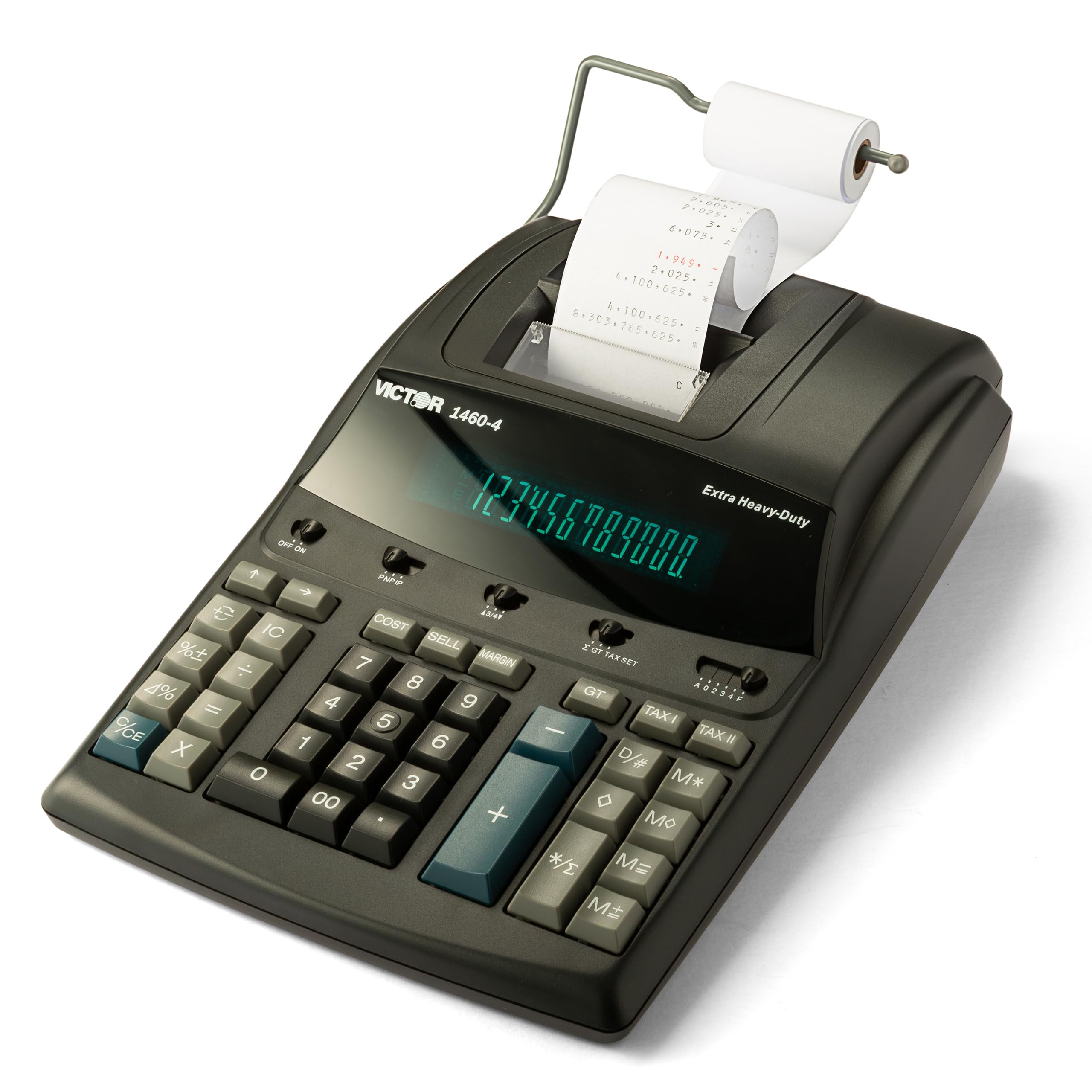
The Victor 1460-4 is the most physically robust printer calculator in this lineup, and it earns the top spot for any accounting professional who processes long columns of numbers daily. Its 4.6 lines-per-second two-color printer is fast enough to keep up with high-volume batch work, and the 17mm-tall fluorescent digits are the largest in this comparison—ideal for users who need to read totals from across a desk without squinting. The extra-heavy-duty construction uses 45% recycled plastic without feeling cheap, and the metal-reinforced chassis resists flex under aggressive keying.
The full-sized 10-key layout is spaced exactly like a traditional adding machine, so touch-typists can transition without re-learning key positions. Dedicated cost/sell/margin keys handle markup calculations instantly, and the AC power supply eliminates battery anxiety during extended sessions. The replaceable Victor 7010 ink ribbon is a standard size that is easy to source and swap, keeping long-term maintenance simple and predictable.
Buyers consistently report this model lasting well past the ten-year mark, with many upgrading only because their original unit finally wore out after decades of use. The only real consideration is its footprint—this is a full-width desktop machine that demands dedicated space, and there is no battery option for portability. For a permanent desk fixture in an accounting office, however, it remains the gold standard for durability and speed.
Why it’s great
- Fastest ribbon printer at 4.6 LPS saves time on high-volume work
- Massive 17mm display digits reduce eye strain during long shifts
- Heavy-duty metal-reinforced chassis built to last a decade or more
Good to know
- AC-only power; no battery backup for power outages
- Large footprint requires a permanent dedicated desk space
2. Sharp EL-1801V Ink Printing Calculator

The Sharp EL-1801V is the classic ink-ribbon workhorse that bookkeepers have trusted for decades, and its 2.5 LPS two-color printing in black and red remains the industry benchmark for clarity. Red ink marks negative values and subtotals instantly, so scanning a long tape for errors takes seconds rather than minutes. The smooth, well-spaced keys provide just enough resistance to prevent double-presses without causing finger fatigue, and the ergonomic key shapes follow natural finger motion for faster touch-typing accuracy.
The 12-digit fluorescent display is bright and readable from any angle, which is surprisingly rare among office calculators. Dedicated one-touch change calculation and cost/sell/margin keys let you handle common business adjustments without navigating menus. The AC-powered design means you never worry about charging batteries, and the metal-and-plastic enclosure feels premium without being excessively heavy. The removable power cord is a welcome update over older models with captive cords.
One reviewer noted that the newer version feels lighter than previous iterations, and the green backlit screen differs from older models. Some users find the print mechanism slightly louder than thermal alternatives. That said, for professional bookkeeping where tape clarity and tactile feedback matter more than raw speed, the EL-1801V remains a top-tier choice that holds its value and performance over years of daily use.
Why it’s great
- Two-color printing separates positive and negative values clearly
- Ergonomic key design reduces finger fatigue during extended use
- Fluorescent display visible from wide angles without glare
Good to know
- Newer build uses lighter materials than previous generation units
- Print mechanism produces moderate noise compared to thermal models
3. CATIGA 12 Digit Thermal Printing Calculator SP-2401
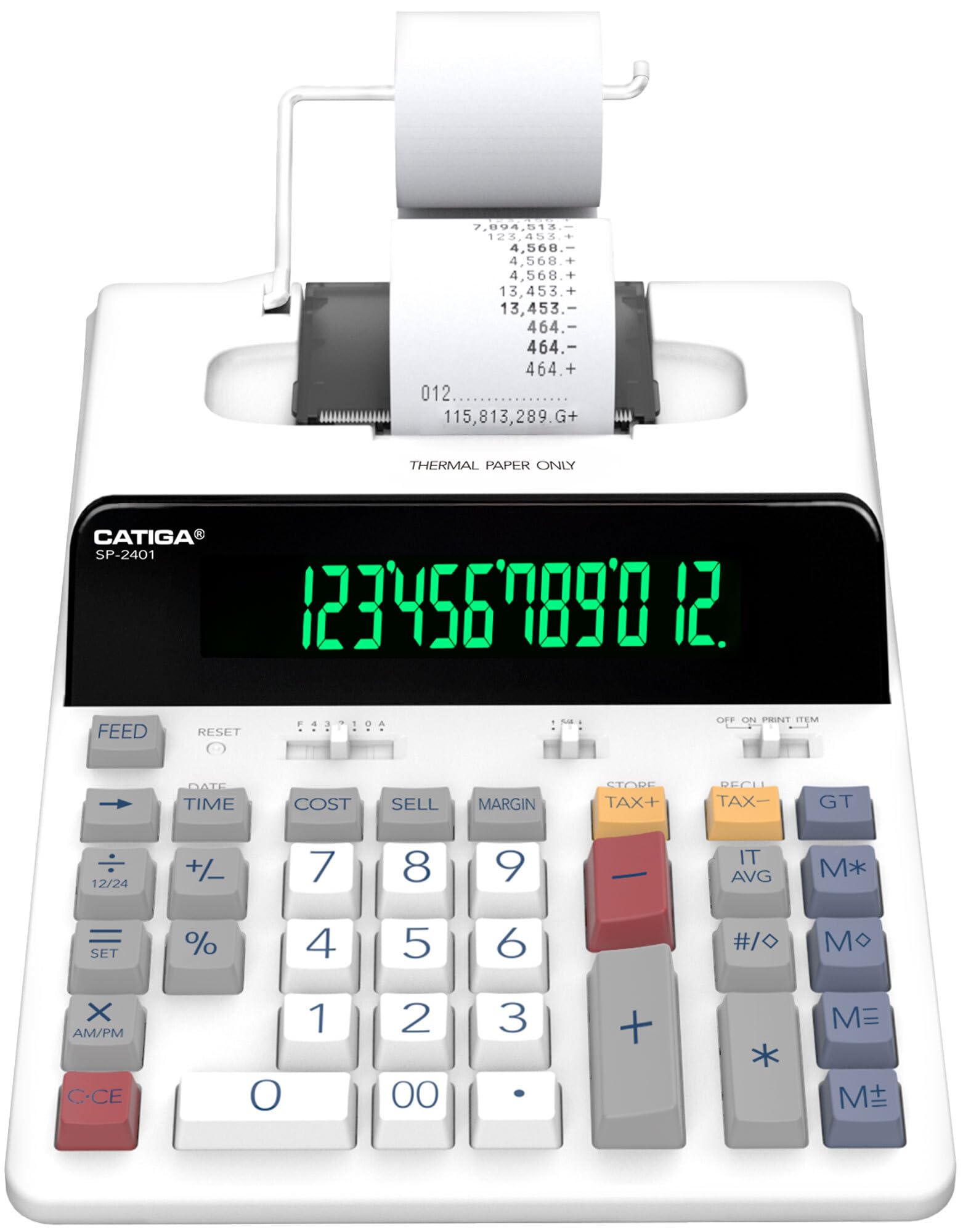
The CATIGA SP-2401 is the first thermal printing calculator in this guide, and it delivers a fundamentally different experience from traditional ribbon machines. There are no ink cartridges to replace—no smudged fingers, no dried-out ribbons, no ordering consumables. The thermal mechanism prints at 8.0 LPS, which is roughly three to five times faster than most ribbon printers, making it the best option for high-speed batch runs. The extra-large 12-digit Vacuum Fluorescent Display (VFD) offers high contrast in any lighting, and the larger font size genuinely reduces eye strain during extended data entry sessions.
The full-sized tactile keyboard follows a classic 10-key layout with generous key spacing that minimizes jamming errors. Dedicated tax calculation keys and a built-in clock and calendar add convenience for daily accounting tasks. The ink-free design is especially appealing for shared office environments where maintaining ink stock is an ongoing annoyance. The quiet operation is another major advantage—the thermal mechanism produces less audible noise than a ribbon printer striking paper, making it more tolerable in open-plan offices.
A small number of customers report that the paper tear mechanism can occasionally jam, requiring you to open the cover and adjust the roll manually. One long-term review noted that the plastic cover broke after several months, worsening the paper feed issue. For occasional use these incidents appear rare, but high-volume users should verify the paper path is clear before committing to this as their sole daily driver.
Why it’s great
- 8.0 LPS thermal printing is 3-5x faster than standard ribbon models
- No ink cartridges or ribbons to replace—zero consumable maintenance
- Extra-large fluorescent display with bigger font reduces eye fatigue
Good to know
- Paper tear mechanism can jam, requiring manual adjustment
- Plastic cover durability questioned in long-term reviews
4. Sharp Commercial Desktop Calculator QS-2130
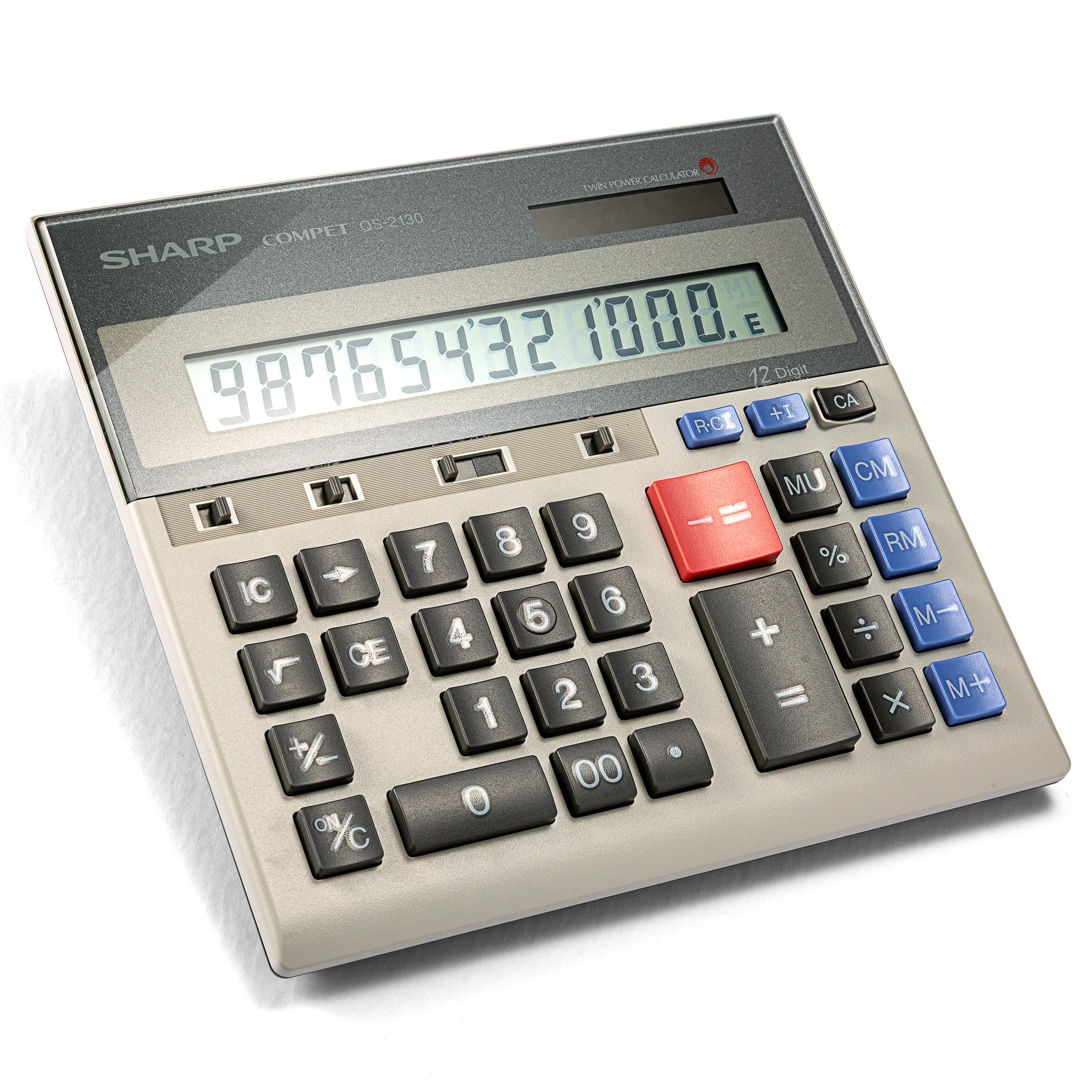
The Sharp QS-2130 takes a different approach than the printing calculators above: it is a desktop display-only machine with no paper tape, making it the lightest and most portable option for accountants who move between desks, meetings, or client sites. The dual solar-and-battery power system means it works reliably in any lighting condition, and the included carrying pouch protects the unit in transit. The 12-digit full-size keypad mirrors the spacing of a traditional ten-key adding machine, so touch-typists can maintain their speed without adjusting to cramped keys.
Large, well-spaced keys reduce the likelihood of adjacent-key errors that plague budget calculators. Dedicated business function keys include memory, markup, and cost/sell/margin operations that cover the majority of daily accounting needs. At just over 9 ounces with a slim profile, it slides easily into a laptop bag without adding noticeable weight. Multiple long-term owners report these units lasting 25 to 30 years with no functional degradation—a testament to Sharp’s assembly quality.
The obvious trade-off is the lack of a built-in printer. Without a paper tape, you cannot create a physical record of calculations for filing or review. This makes it a poor choice for tax preparation or any scenario where a printed audit trail is required. But for accountants who need a reliable secondary calculator for field work or quick check-totals, the QS-2130 offers the best balance of build quality, portability, and price.
Why it’s great
- Solar and battery dual-power works reliably in varying light conditions
- Full-size 10-key spacing matches traditional adding machine layout
- Exceptional longevity with multiple owners reporting 25+ year lifespans
Good to know
- No paper printer means no printed audit trail for tax records
- Not suitable as a primary calculator for high-volume tape-heavy workflows
5. Canon P23-DHV-3 Printing Calculator

The Canon P23-DHV-3 is the kind of mid-range printing calculator that offices buy in bulk and forget about for ten years. This is the third generation of a long-running design, and it shows in the refinements: the paper slot has been moved higher to eliminate the finger-jamming struggle of older models, and the key feel is consistent and satisfying without being mushy. The 12-digit LCD display is crisp, and the two-color printing keeps positive and negative numbers visually distinct on the tape.
The double-check function is the standout feature here—it displays the subtotal in a separate window so you can confirm it matches the printed total before finalizing. Built-in tax calculation and currency conversion keys handle the two most common business adjustments without requiring programming. The clock and calendar print the time and date on the tape, creating a timestamped audit record that is useful for expense tracking and tax documentation.
One experienced user noted that the newer version removed the dedicated HOURS WORKED key that earlier models included, so if you rely heavily on time-sheet calculations, you will need to do a manual division. The overall build quality remains excellent, with ribbons that are easy to source and replace. For an accountant looking for a dependable daily driver without the premium price of heavy-duty commercial units, the P23-DHV-3 strikes a nearly perfect balance between features and longevity.
Why it’s great
- Double-check window verifies subtotal before committing to print
- Easy side-loading paper slot eliminates jamming frustrations
- Timestamped tape printing creates valuable audit records for taxes
Good to know
- Newer model removed the dedicated hours-worked calculation key
- No check-and-correct buffer for editing entries before printing
6. Casio HR-170RC Printing Calculator

The Casio HR-170RC packs professional-grade features into a compact body that won’t dominate your desk. The 150-step check-and-correct memory is the headline feature here—you can scroll backwards through your last 150 entries, fix any errors, and re-print the corrected sequence without starting over. This alone justifies its position for accountants who value accuracy over raw speed. The two-color printing mechanism outputs in black and red, providing clear visual separation between profit and loss, credits and debits.
Built-in cost/sell/margin keys streamline the most common business calculations, and the clock and calendar print the current date and time on every tape for traceable record-keeping. The well-spaced plastic keys offer a crisp, positive feedback that makes touch-typing comfortable over long sessions. The AC adapter powers the unit without batteries when plugged in, and the included batteries serve as backup for short portable sessions.
Some customers describe the printing mechanism as “clunky” and note that the rough sound can be concerning—it audibly sounds like it might fail sooner than it actually does. The instructions for setting the time and date are poorly explained, and one reviewer noted the unit defaults to PM with no simple AM override until midnight passes. For most office use these are minor annoyances, but if a quiet, low-maintenance printing experience is important, the mechanical noise may become a distraction.
Why it’s great
- 150-step check-and-correct memory significantly reduces paper waste
- Two-color printing provides clear visual separation of negatives
- AC-powered with battery backup for flexible desk or portable use
Good to know
- Print mechanism produces a loud, clunky sound during operation
- Time/date setup is frustratingly non-intuitive with poor documentation
7. Casio HR-10RC Mini Desktop Printing Calculator

The Casio HR-10RC is the budget-friendly entry point for small business owners or freelancers who need a printed record but work in tight quarters. Its mini desktop footprint saves significant desk space compared to full-width models, and the rubberized keys provide a comfortable typing surface even during extended use. The 12-digit LCD is large enough for quick verification, and the one-color black printing includes automatic date and time stamps for basic record-keeping.
The check-and-correct function allows review of up to 150 steps before printing, which is identical to the feature found in the larger HR-170RC. This means you still get the paper-saving error-correction benefit without paying a premium. Built-in cost/sell/margin keys plus tax and currency exchange functions cover the essential business operations. The unit weighs just over 12 ounces, making it genuinely portable between home office and client workspaces.
The single-color print is the main limitation—without red ink for negatives, you lose the instant visual scanning advantage that two-color machines provide. Several customers mentioned the instructions are overly technical and recommend watching a setup video for loading paper correctly. For basic tax work, bookkeeping, and personal accounting where speed is not critical, the HR-10RC delivers reliable performance in the smallest possible package.
Why it’s great
- Compact mini desktop size saves valuable workspace for tight setups
- 150-step check-and-correct feature matches premium model capabilities
- Rubberized keys offer comfortable tactile feedback during long sessions
Good to know
- One-color black print lacks red ink for instant negative-value scanning
- Setup documentation is overly technical; a video tutorial is recommended
FAQ
Is a two-color printer worth the extra cost for accounting work?
What does the check-and-correct feature do on an accounting calculator?
Can I use a standard thermal calculator for accounting as a replacement for a ribbon model?
Final Thoughts: The Verdict
For most users, the best accounting calculator winner is the Victor 1460-4 because its 4.6 LPS print speed, massive 17mm display, and heavy-duty commercial construction handle high-volume daily use without compromise. If you want the proven two-color reliability and ergonomic key feel of a classic ribbon machine, grab the Sharp EL-1801V. And for quiet, ink-free thermal printing that runs three to five times faster than standard models, nothing beats the CATIGA SP-2401.