
Our readers keep the lights on and the weekend projects moving. As an Amazon Associate, I earn from qualifying purchases.
Connecting a modern GPU with a DisplayPort output to an HDMI monitor or TV used to be a coin flip. Passive adapters often fail to drive high resolutions, forcing your screen into a blurry 30 Hz mode that makes even cursor movement feel sluggish. The fix is an active adapter with its own chipset to handle the signal conversion.
I’m Rikta — the co-founder and writer behind FitlyFast. My research focuses on the technical nuances of display connectivity, specifically the active chipset implementations that separate a reliable 4K@60Hz experience from a flickering mess.
After analyzing bandwidth specs, customer reports, and compatibility lists across seven different adapters and cables, I’ve pinpointed the strongest options to help you find the best active displayport to hdmi adapter for your specific setup.
How To Choose The Best Active DisplayPort To HDMI Adapter
Selecting the right adapter depends on your target resolution and refresh rate. An office monitor running at 1080p 60Hz does not need the same hardware as a gaming rig pushing 4K at 120Hz. The key is matching the adapter’s bandwidth and chipset capability to your GPU and display.
Resolution and Refresh Rate Target
Determine the maximum resolution and refresh rate your monitor supports. For 4K@60Hz, a DisplayPort 1.2 to HDMI 2.0 adapter with 18 Gbps bandwidth is sufficient. For 4K@120Hz or 8K@60Hz, you need a DisplayPort 1.4 active adapter with HBR3 bandwidth (32.4 Gbps) and DSC support. Always confirm your GPU can output the required signal at that refresh rate.
Active Chipset vs. Passive Adapters
A passive adapter simply rewires the pins and only works when your DisplayPort source can output a native HDMI signal (DP++). Most modern GPUs require an active adapter to negotiate the signal conversion. Active adapters have a dedicated chip that handles the translation, ensuring stable handshakes at high resolutions and over longer cable runs.
Build Quality and Shielding
An aluminum or braided nylon housing with gold-plated connectors provides better heat dissipation and signal integrity. This is especially important when the adapter sits behind a desk or near a high-power GPU where electromagnetic interference can degrade the signal. Look for EMI shielding in the product specs.
Quick Comparison
On smaller screens, swipe sideways to see the full table.
| Model | Category | Best For | Key Spec | Amazon |
|---|---|---|---|---|
| IVANKY 8K@60Hz Adapter | Adapter | 8K home theater | 32 Gbps bandwidth | Amazon |
| Cable Matters 8K Cable | Cable | High-refresh gaming | 32.4 Gbps, 6 ft | Amazon |
| ZIXIAMZ 8K Cable | Cable | 8K@60Hz, premium build | 32.4 Gbps, 6 ft | Amazon |
| AGFINEST 8K Adapter | Adapter | 4K@120Hz gaming | 32.4 Gbps HBR3 | Amazon |
| CableCreation DP to HDMI | Adapter | Eyefinity multi-display | 18 Gbps, HDR | Amazon |
| StarTech.com DP2HD4K60S | Adapter | KVM compatibility | 4K@60Hz, latching DP | Amazon |
| UGREEN 2-Pack Adapter | Adapter 2-Pack | Budget dual setup | 18 Gbps, 2-pack | Amazon |
In‑Depth Reviews
1. IVANKY 8K@60Hz Active DisplayPort to HDMI Adapter
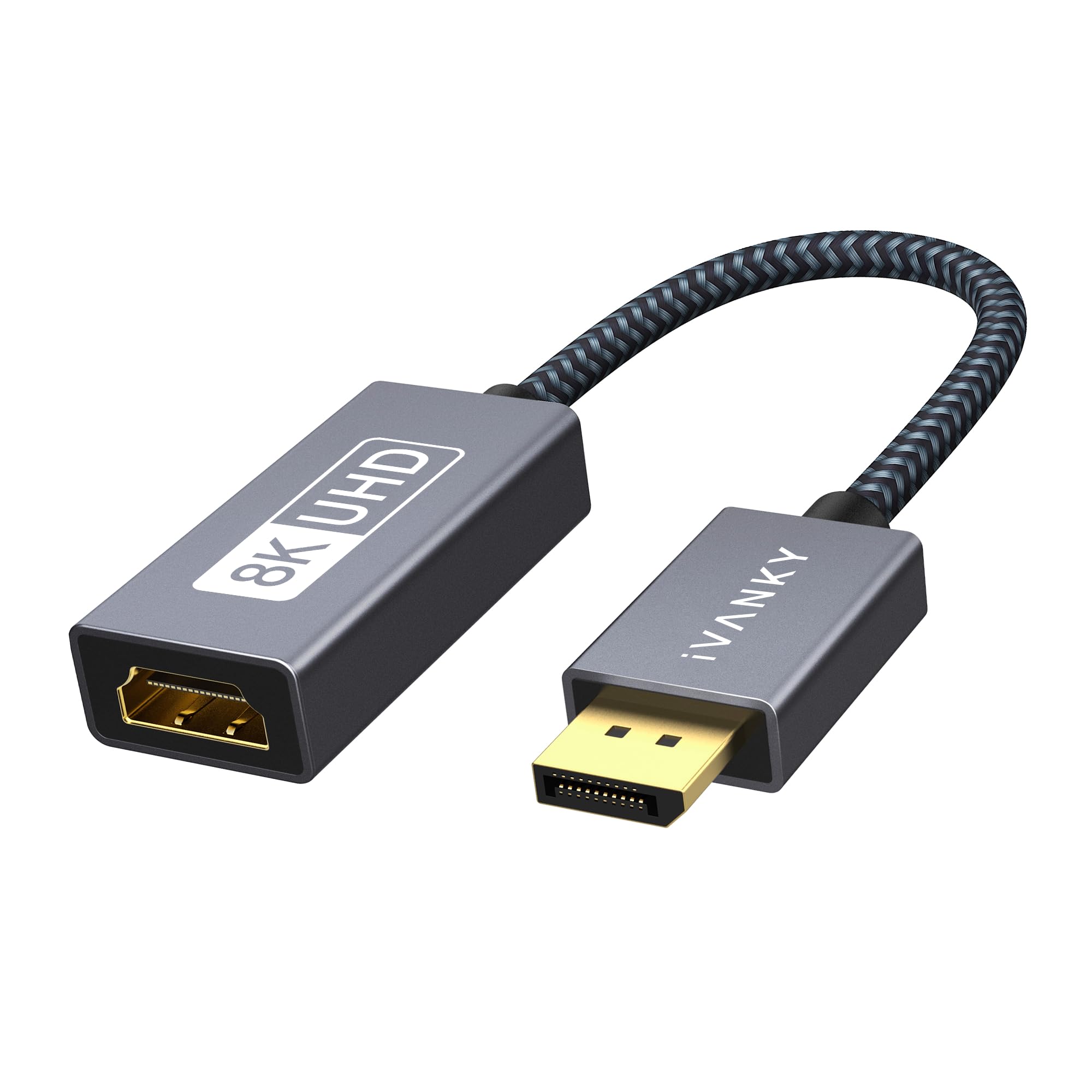
The IVANKY adapter is a future-proof powerhouse built around an advanced active chipset that pushes 32 Gbps bandwidth. It supports 8K (7680×4320) at 60Hz, as well as 4K@120Hz through DisplayPort 1.4 and HDMI 2.1. The reinforced aluminum shell and braided nylon cable provide excellent shielding against interference, while the 24K gold-plated connector resists corrosion over years of use.
This is a unidirectional adapter (DP source to HDMI display only) and is plug-and-play with no driver installation required. It had broad compatibility across NVIDIA and AMD GPUs, as well as laptops like the HP ProBook and Lenovo ThinkPad. The 20-centimeter cable length keeps it compact enough for portable use but may require careful routing in tight desk setups.
Customer feedback highlights rock-solid 4K@60Hz performance and stable audio sync, with multiple users confirming it works through KVM switches where passive adapters had failed. Some reviewers noted it holds the signal over long cable runs without distortion, making it a reliable choice for both gaming and home theater configurations.
Why it’s great
- Full 8K@60Hz with DSC support via DisplayPort 1.4
- Premium aluminum and braided construction for durability
- Consistent signal integrity through KVM switches
Good to know
- Short 20cm cable length may limit placement in some setups
- Does not support HDMI to DP reverse
2. Cable Matters 8K DisplayPort to HDMI 2.1 Cable

The Cable Matters cable is an active DP 1.4 to HDMI 2.1 solution in a convenient 6-foot male-to-male form factor. It delivers 32.4 Gbps bandwidth, enabling 4K@240Hz or 8K@60Hz when your GPU and display both support DSC. The braided jacket and molded strain relief with a secure DP latch make it durable enough for permanent desktop installations.
It requires a DisplayPort 1.4 GPU with DSC to achieve the highest refresh rates. It has no VRR, G-Sync, or FreeSync support, which is a critical consideration for gamers who rely on variable refresh rate technology. Compatibility includes NVIDIA RTX 4070/4080/4090 and AMD RX 7900/6900 series, with popular HDMI 2.1 displays like the Dell Alienware AW3225QF and Samsung Odyssey Neo G8.
User reviews are mixed on 4K@120Hz reliability — some achieved it with specific GPU combos, while others experienced dropouts. It consistently performed well for 4K@60Hz and 8K@60Hz HDR. One reviewer noted the cable solved their docking station display problem with a KVM switch, delivering zero flicker during screen transitions.
Why it’s great
- Supports 4K@240Hz with DSC for competitive gaming
- Premium braided jacket with reliable DP latch
- Excellent signal integrity for long-distance runs
Good to know
- No VRR, G-Sync, or FreeSync support
- Requires DSC for 4K@120Hz or higher
3. ZIXIAMZ 8K Active DisplayPort 1.4 to HDMI 2.1 Cable
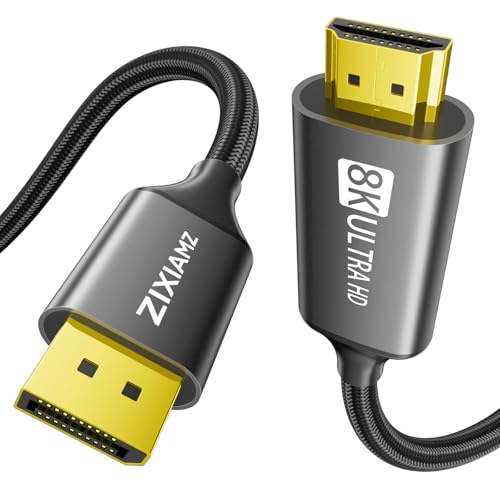
The ZIXIAMZ cable combines an active chipset with premium materials to deliver up to 8K@60Hz and 4K@120Hz. It uses gold-plated connectors, an aluminum alloy housing for heat dissipation, and a steel gray braided nylon jacket that resists tangling. The cable supports Dynamic HDR, DSC 1.2, and HDCP 2.3 for full compliance with modern streaming services and content protection.
It is compatible with a wide range of devices from NVIDIA RTX 5070/5080/5090 and AMD RX 7900/6900 series GPUs to HDMI 2.1 displays like the LG UltraGear and Samsung Odyssey series. The cable is unidirectional from DP source to HDMI display, and directly connecting the source to the display without hubs or docks is recommended for best performance.
Reviewers consistently praise its pixel-perfect image quality with zero tearing or artifacting, even at 8K resolution. One user described it as a “flawlessly performing cable” with exceptional color accuracy and no signal degradation. The main feedback is that achieving the full 8K@60Hz or 4K@120Hz requires both the host device and monitor to support those specs.
Why it’s great
- Aluminum alloy housing for superior heat management
- HDCP 2.3 compliant for streaming compatibility
- Braided jacket with strong strain relief at both ends
Good to know
- Must connect directly from GPU to display, not through hubs
- Requires DSC for 4K@120Hz or 8K output
4. AGFINEST Active DisplayPort to HDMI Adapter
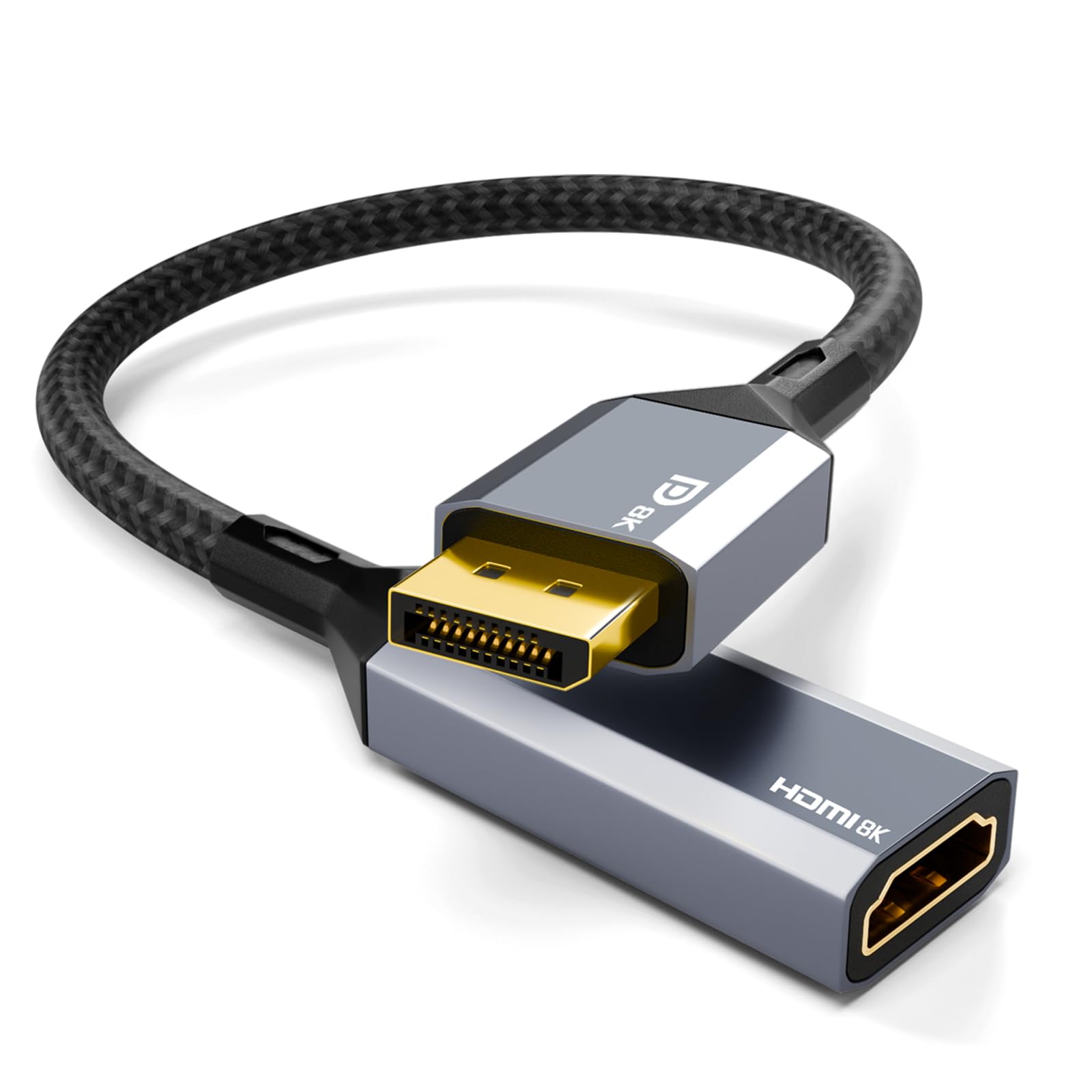
The AGFINEST adapter uses an active chipset with HBR3 bandwidth supporting 8K@60Hz and 4K@120Hz via DSC 1.2a compression. It supports high-fidelity audio pass-through up to 32 channels, including Dolby 7.1, making it a solid pick for home theater setups. The aluminum alloy housing and gold-plated connectors provide stable heat dissipation and signal shielding.
It is unidirectional from DisplayPort output to HDMI input and explicitly does not support VRR or reverse connections. It works with NVIDIA RTX/GTX and AMD Radeon GPUs, but note that the GPU must have a native DisplayPort 1.4 output. The compact design measures 7.87 inches long, which adds some cable length compared to a short dongle.
Customer reviews highlight its performance for 4K@120Hz after testing multiple adapters, with one gamer calling it “the one for 4K 120Hz” after extended trial and error. A small number of users reported insufficient bandwidth for full HDR at 4K@120Hz, so confirming your GPU’s DSC support before purchase is advisable.
Why it’s great
- 32-channel audio with Dolby 7.1 pass-through
- Aluminum housing reduces interference effectively
- Smooth 4K@120Hz on DSC-compatible GPUs
Good to know
- No VRR support for adaptive sync displays
- Inconsistent HDR performance at 4K@120Hz reported by some
5. CableCreation Active DP to HDMI Adapter

The CableCreation adapter is built around an 18 Gbps active chipset supporting 4K@60Hz with HDR and resolutions up to 2K@144Hz. Its aluminum case and braided jacket provide reliable shielding, and the gold-plated connector ensures corrosion resistance. This adapter specifically supports AMD Eyefinity multi-display technology and SLS mode, allowing up to six screens from a single GPU.
It is unidirectional from DisplayPort to HDMI and requires an HDMI cable (sold separately). Compatibility includes standard DP/DP++ ports on PCs and laptops, connecting to HDMI monitors, HDTVs, and projectors. For best results, CableCreation recommends using an HDMI 2.0 cable to reach the full 4K@60Hz output.
Users report solid performance replacing passive adapters that failed to wake monitors or maintain handshakes. One reviewer with an Nvidia RTX 4090 confirmed it works at 4K@60Hz for an external display. However, some users experienced intermittent signal loss with very long HDMI cables, and a minority found it caused other monitors to drop offline in multi-monitor setups.
Why it’s great
- Supports AMD Eyefinity for up to 6 displays
- Braided jacket with aluminum body for durability
- HDR support for enhanced contrast and color
Good to know
- Occasional signal drops with long HDMI cables
- Limited to 18 Gbps, no 8K support
6. StarTech.com DP2HD4K60S DisplayPort to HDMI Adapter

The StarTech.com DP2HD4K60S is an active DisplayPort 1.4 to HDMI 2.0 adapter with a unique latching DisplayPort connector that locks into place, preventing accidental disconnection. It supports 4K@60Hz (3840×2160) with 7.1-channel audio pass-through and HDCP 2.2 compliance. The compact dongle with a 4.2-inch attached cable includes EMI shielding to protect against line noise and distortion.
It has been tested with HDMI cables up to 23 feet long and works with DP/DP++ sources including workstations, desktops with AMD Radeon Pro or Nvidia RTX/Quadro graphics, and docking stations. It supports any operating system including macOS, Windows, and Ubuntu without drivers. The adapter is backward compatible with 1080p displays.
Customer reviews repeatedly highlight its outstanding compatibility with KVM switches, where other adapters failed. One user noted it was the only adapter that worked through a UGREEN KVM switch after trying several others. Another reviewer successfully used it with an Intel HD 4000 system for triple 1080p monitors in a flight simulator setup. The main critique is the price, though users agree it is justified for the reliability.
Why it’s great
- Latching DP connector for secure, permanent connections
- Excellent KVM switch compatibility, tested up to 23 ft HDMI
- EMI shielding for clean signal in high-interference environments
Good to know
- No 8K support, limited to 4K@60Hz
- Premium price point for enterprise-grade reliability
7. UGREEN 2 Pack Active DisplayPort to HDMI Adapter
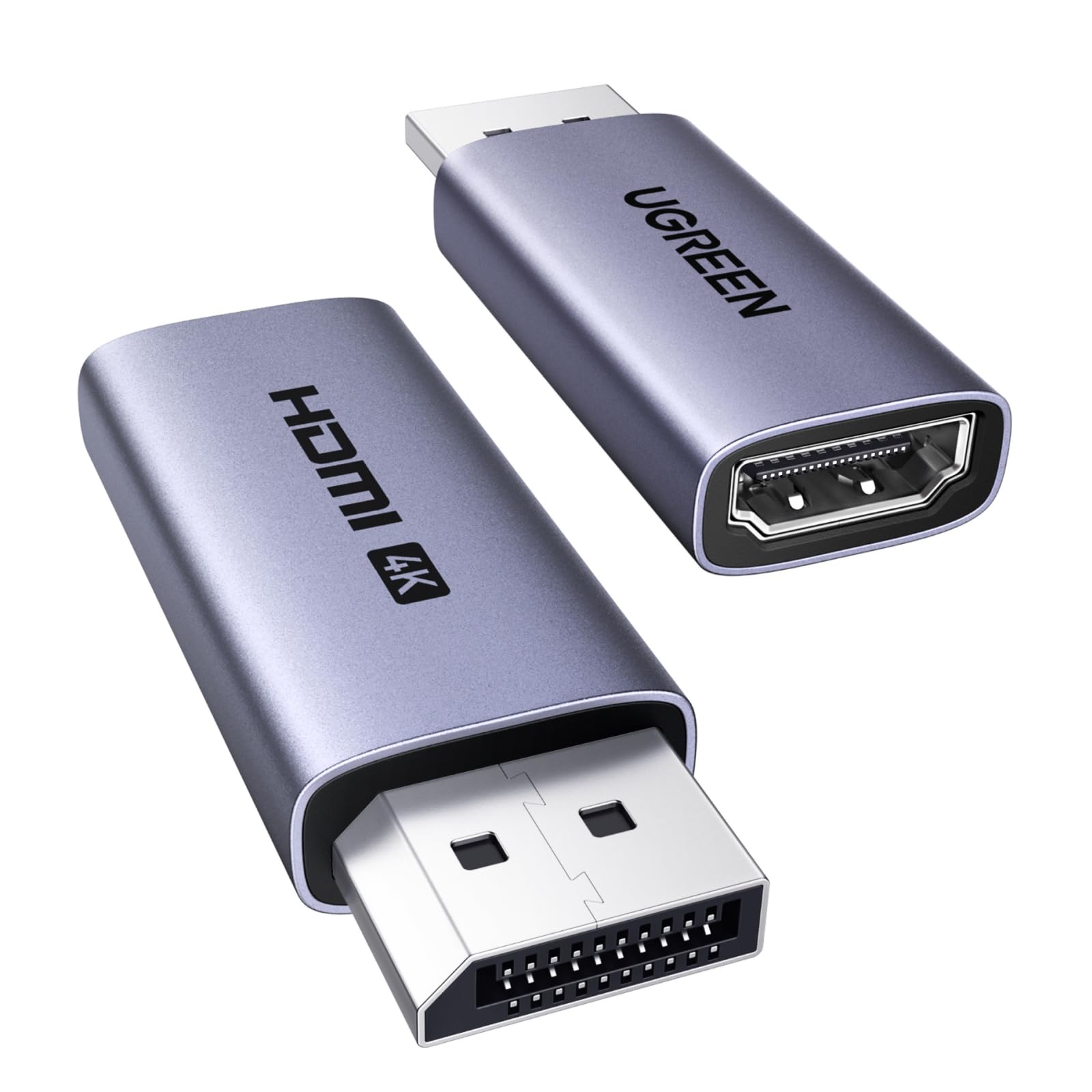
The UGREEN 2-pack delivers two active adapters with a DisplayPort 1.2 to HDMI 2.0 chipset, supporting 4K@60Hz and 2K@144Hz with 18 Gbps bandwidth. Each adapter has a slim aluminum case measuring just 2.05 inches, making them ideal for tight spaces behind desks or wall-mounted TVs. The gold-plated connectors and corrosion-resistant shell ensure long-term durability.
These are unidirectional adapters (DP to HDMI only) and work with standard DP and DP++ ports from AMD, NVIDIA, and most laptops like the ThinkPad T14 Gen 4. They are not compatible with HDMI sources such as PS5, Xbox, or MacBooks. The active chipset supports HDCP 2.2 and HDR10+ for vivid, true-to-life visuals.
Customer reviews praise the compact design and plug-and-play functionality, with one user noting it worked perfectly for a 24-inch HDMI input monitor through a KVM. Another reviewer confirmed stable 4K@60Hz with no lag or flickering. Some users found the adapter slightly thick for very tight spaces, but overall it is considered great value for dual monitor setups on a budget.
Why it’s great
- Two adapters included for dual monitor setups
- Compact aluminum housing, just over 2 inches
- Stable 4K@60Hz with audio sync
Good to know
- Limited to 18 Gbps, no 8K support
- Not compatible with MacBooks or game consoles
FAQ
Can I use an active DisplayPort to HDMI adapter with a PS5 or Xbox?
Do I need an active adapter if my GPU has a DP++ port?
Why is my display stuck at 30Hz with a new DP to HDMI adapter?
Will an active adapter work through a docking station or KVM switch?
Final Thoughts: The Verdict
For most users, the best active displayport to hdmi adapter winner is the IVANKY 8K@60Hz Adapter because it balances future-proof 8K support, premium build quality, and consistent signal integrity at a mid-range price point. If you need a cable solution for high-refresh 4K@240Hz gaming, grab the Cable Matters 8K Cable. And for a reliable multi-monitor office setup on a budget, nothing beats the UGREEN 2-Pack Adapters.