
Our readers keep the lights on and the weekend projects moving. As an Amazon Associate, I earn from qualifying purchases.
Printing address labels on a standard inkjet or laser printer is a headache you don’t need. You burn through expensive ink cartridges, fight with peeling sticker sheets, and waste time lining up templates. A dedicated thermal printer changes everything — it uses heat instead of ink to produce crisp, smudge-proof labels instantly, with zero setup fuss.
I’m Rikta — the founder and writer behind FitlyFast. I’ve spent years analyzing the hardware specifications, connectivity options, and real-world reliability of thermal printers to help small businesses and home offices make a confident, long-term buying decision.
Whether you ship a few packages a week or run a high-volume e-commerce operation, the right tool saves both time and money. This guide breaks down the top contenders to help you find the absolute best address label printer for your specific workflow and workspace.
How To Choose The Best Address Label Printer
Thermal printers vary significantly in connectivity, speed, and the range of label sizes they accept. The right choice depends on whether you need wireless printing from a phone, commercial-grade reliability for thousands of labels, or a simple USB connection for a single desktop setup.
Connectivity: Wired, Wireless, or Both
A USB-only printer is perfectly fine for a fixed workstation. If you need to print from a laptop, tablet, or phone anywhere in your workspace, look for Bluetooth 5.0. Ethernet or Wi-Fi is crucial for shared office environments where multiple computers access the same printer.
Label Size and Print Width
The standard shipping label size is 4×6 inches. However, many address label printers handle wider widths — from 1.57 inches up to 4.25 inches — for barcodes, return labels, and smaller stickers. Check the maximum print width and if the printer accommodates both roll and fan-fold labels.
Print Speed and Resolution
Speed matters in high-volume workflows. Look for printers rated at 150mm/s or faster for 4×6 labels. Resolution is typically 203 DPI, which is sharp enough for barcodes and text. For ultra-fine text or small fonts on narrow labels, a 300 DPI model provides noticeably crisper output.
Quick Comparison
On smaller screens, swipe sideways to see the full table.
| Model | Category | Best For | Key Spec | Amazon |
|---|---|---|---|---|
| ASprink Bluetooth Shipping Label Printer | Mid-Range | Compact wireless workspace | Bluetooth 5.0, 127 ppm | Amazon |
| MUNBYN RW403B | Mid-Range | High-volume durability | 970k label lifespan, 150 ppm | Amazon |
| Westinghouse WHTP203e | Mid-Range | Commercial-grade wired setup | ZPL support, Ethernet, 6 ips | Amazon |
| Rollo USB Shipping Label Printer | Premium | Reliable all-purpose shipping | 1 label/sec, 203 DPI | Amazon |
| Brother QL-1100 | Premium | Wide-format address labels | 300 DPI, auto-cutter | Amazon |
| Brother QL-820NWB | Premium | Multi-device networked office | Wi-Fi/BT/Ethernet, 110 labels/min | Amazon |
| iDPRT SP310 | Budget | Entry-level address printing | 1-3.35″ width, 102 mm/s | Amazon |
In‑Depth Reviews
1. ASprink Bluetooth Shipping Label Printer
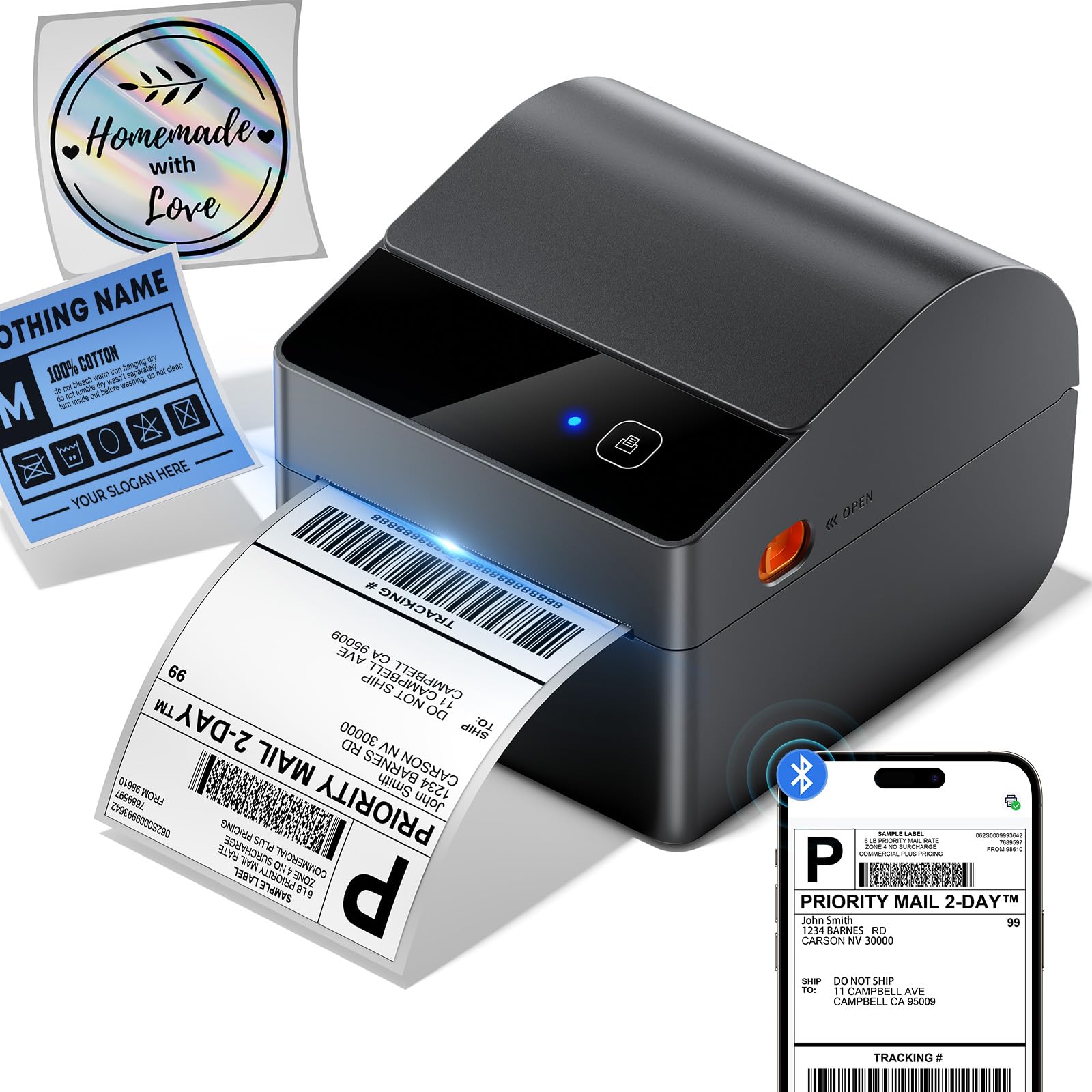
The ASprink A64M stands out with its integrated label bin that holds up to 250 4×6 roll labels, saving significant desk space compared to external holders. This direct thermal printer measures just 7.2 x 6.3 x 5.3 inches, reducing its footprint by roughly 50% versus traditional models. Bluetooth 5.0 enables wireless printing from computers (Windows/macOS) and mobile devices (iOS/Android), with USB connectivity remaining available for fixed setups.
Print speed reaches an impressive 127 labels per minute, and the 203 DPI print head with DAC chip delivers sharp, readable text and barcodes. Auto-calibration prevents misalignment, and the printer handles label widths from 1 to 4.6 inches — making it suitable for shipping, address, barcode, retail pricing, and inventory tasks. Compatible platforms include USPS, UPS, FedEx, Amazon, Shopify, Etsy, eBay, and 30 others.
Real users report instant setup with no failures even after 500+ prints, and the wireless Bluetooth operation is consistently praised for convenience. The compact design and built-in bin make this an excellent choice for small businesses with limited desk space who need wireless flexibility.
Why it’s great
- Space-saving built-in label bin holds 250 labels.
- Bluetooth 5.0 works with phones, tablets, and computers.
- Fast print speed at 127 labels per minute.
Good to know
- 203 DPI is standard but not as sharp as 300 DPI models.
- No Ethernet port for wired network sharing.
2. MUNBYN RW403B

The MUNBYN RW403B is engineered for longevity, with a rated lifespan of 970,000 labels — roughly six times longer than typical budget thermal printers. It features a 4-inch DAC chip that auto-calibrates to eliminate 99.8% of label misalignment, ensuring professional-grade output every time. The near-zero jam rate (<0.01%) means minimal workflow interruptions, which is critical for busy shipping desks.
Connectivity is wireless via Bluetooth for mobile and computer printing, plus USB for non-Bluetooth desktops. It handles label widths from 1.57 to 4.25 inches, making it versatile for shipping labels, return slips, inventory tags, and organization stickers. The free Munbyn Print app provides 3,500+ design elements and 2,000+ templates, along with OCR and voice recognition features.
Users consistently note the easy setup and compact design, with several mentioning that the printer works flawlessly across Windows, Mac, Chromebook, iOS, and Android. A minor caveat is that alignment may need slight horizontal/vertical adjustments in the app when switching label sizes, but once set, prints are consistently crisp and correctly positioned.
Why it’s great
- Exceptional 970,000-label lifespan and near-zero jam rate.
- DAC chip ensures precise alignment and sharp 0.1 mm font legibility.
- Extensive app template library with 3,500+ elements.
Good to know
- Bluetooth indicator behavior can be confusing during setup.
- Works best with labels 1.57 inches wide and larger.
3. Westinghouse WHTP203e

The Westinghouse WHTP203e is a commercial-grade thermal printer built for reliability in high-volume e-commerce and warehouse environments. It prints at 6 inches per second with 203 DPI resolution, producing sharp text and graphics suitable for shipping labels, barcodes, and product tags. The printer supports media widths from 0.78 to 4.6 inches and accepts both fan-fold and roll labels.
Connectivity includes USB and Ethernet, making it easy to hardwire into an office network for shared access across multiple computers. It also supports ZPL software, which is critical for businesses that need custom label formatting or integration with legacy systems. The printer works with Windows, macOS, and Linux, covering virtually any desktop environment.
Buyers highlight the straightforward setup and crisp print quality, with one noting a 28-minute total configuration time including network setup. The straight paper path reduces jams, and the commercial build feels robust for daily use. Just note that this model lacks Bluetooth, so it’s best suited for a fixed wired workstation rather than a mobile printing setup.
Why it’s great
- Ethernet port enables shared network printing.
- ZPL support for advanced label customization.
- Commercial-grade build handles high daily volumes.
Good to know
- No Bluetooth — limited to wired USB and Ethernet connections.
- Ethernet cable and USB-C adapter sold separately.
4. Rollo USB Shipping Label Printer

The Rollo USB is a long-standing favorite in the small business community for its rock-solid reliability and straightforward operation. It prints one 4×6 label per second (150mm/s) using direct thermal technology, eliminating ink and toner costs entirely. The 203 DPI print head delivers consistent clarity for text, barcodes, and QR codes across labels from 1.57 to 4.1 inches wide.
Setup is famously simple — connect via USB, download the driver, and print. Rollo’s complimentary shipping app, Rollo Ship, integrates with major e-commerce platforms and provides access to exclusive carrier rates. The printer works with FedEx, UPS, USPS, Amazon, Shopify, Etsy, eBay, and shipping services like ShipStation, ShippingEasy, and Shippo.
Users consistently report being up and running in under 30 minutes, with crisp prints and no jams even after thousands of labels. The durable build and reliable performance make it the go-to recommendation for small and medium-sized businesses. A common sentiment is that this printer pays for itself quickly compared to ink-based alternatives.
Why it’s great
- Proven reliability with thousands of positive user reviews.
- Prints one 4×6 label per second with no jams.
- Works with virtually all major shipping platforms.
Good to know
- USB only — no Bluetooth or Ethernet for wireless printing.
- Label density and speed adjustments require manual settings tweaks.
5. Brother QL-1100

The Brother QL-1100 is a professional monochrome label printer that prints on wide-format labels up to 4 inches wide — ideal for address labels, postage, barcodes, and name badges. Its 300 DPI resolution produces noticeably sharper text and finer barcode lines than the standard 203 DPI found on most competing models. The auto-cutter trims labels cleanly after each print, saving time during batch runs.
Connectivity is USB-based, with a USB host interface that allows use with peripheral devices like a barcode scanner. Brother provides free software development kits (SDKs) for Windows and Android, enabling custom integration. The printer is also compatible with generic label brands like BETCKEY, giving users flexibility to reduce supply costs.
Users appreciate the fast printing speed and the convenience of automatic cutting for multi-label shipping tasks. The 300 DPI output is consistently praised for being dark, clear, and easily scannable. However, some users report that the cutter can fail after roughly 10,000 labels, which is a consideration for very high-volume operations.
Why it’s great
- 300 DPI resolution for superior clarity on small text and barcodes.
- Auto-cutter saves time during batch label printing.
- SDK available for custom software integration.
Good to know
- Cutter may wear out after approximately 10,000 labels.
- Label must feed under the right sensor — not purely plug-and-play.
6. Brother QL-820NWB

The Brother QL-820NWB is the most connectivity-rich model on this list, offering Bluetooth, Wi-Fi (802.11b/g/n), Ethernet, and USB — making it the clear choice for networked offices. It prints up to 110 standard address labels per minute at 300 DPI, and its monochrome LCD screen allows standalone operation without a computer. A standout feature is the ability to print in black and red using the DK-2251 label roll.
The printer supports a wide range of Brother DK label sizes, from small address stickers to continuous tape. The P-touch Editor software allows for custom label design, and the printer can be controlled via a mobile app on iOS and Android. Its compact footprint fits easily on a packing station or desk.
Business users value the flexible connectivity — Bluetooth for quick mobile printing, Wi-Fi for shared access, and Ethernet for stable wired connections. Setup can be slightly complex, particularly for network configuration, but once running, the printer is reliable across multiple computers and devices. The dual-color printing is a unique bonus for highlighting important information on labels.
Why it’s great
- Four connectivity options: Bluetooth, Wi-Fi, Ethernet, USB.
- 300 DPI print quality and black/red ink capability.
- Standalone operation via onboard LCD screen.
Good to know
- Network setup requires some technical knowledge (static IP configuration).
- P-touch software may need driver downloads from Brother’s site.
7. iDPRT SP310

The iDPRT SP310 is a thermal label printer designed for addresses, barcodes, and filing labels up to 3.35 inches wide. It uses an intelligent label recognition module to detect labels automatically and print precisely without manual alignment. The 203 DPI print head delivers solid quality for text and barcodes at a print speed of 102 mm/s — roughly 50% faster than many common label printers.
Setup requires downloading drivers from the iDPRT website, and the printer connects via USB. It works with Windows, Mac, and Linux systems, though it is not compatible with beta versions of Windows 11. Free Label Designer software is available for Windows (with a web version for Mac) to customize and create labels.
Users who successfully set up the printer praise its consistent operation and clear output. Some have found the initial driver installation requires a bit of technical patience, and a few customers have reported difficulty reaching customer support. The printer’s quick-release print head design allows for easy replacement in under a minute, which adds to long-term maintainability.
Why it’s great
- Auto label detection ensures precise printing without manual adjustments.
- Print head can be swapped in less than a minute.
- Compatible with Windows, Mac, and Linux.
Good to know
- Does not support 4×6 shipping labels — limited to 3.35-inch width.
- Customer support availability has been inconsistent for some users.
FAQ
Do thermal label printers need ink or toner?
Can I use generic brands of labels with these printers?
What label width do I need for standard shipping labels?
Final Thoughts: The Verdict
For most users, the best address label printer overall is the Rollo USB because it combines proven reliability, fast print speed, and compatibility with all major shipping platforms at a mid-range price. If you need wireless Bluetooth printing and a space-saving design, grab the ASprink A64M. And for a high-resolution, wide-format networked office, nothing beats the Brother QL-1100.