
Our readers keep the lights on and the weekend projects moving. As an Amazon Associate, I earn from qualifying purchases.
A sedentary workday puts continuous pressure on your lower spine and hips, and the wrong desk surface can amplify the problem rather than fix it. An electric standing desk is the single most effective ergonomic upgrade you can make, but not all frames handle the load of a triple-monitor setup without swaying at standing height.
I’m Rikta — the founder and writer behind FitlyFast. Over the last 15 years, I’ve analyzed motor torque specs, steel column thickness, and weight-capacity figures across hundreds of electric standing desk models to separate genuinely stable frames from marketing fluff.
The difference between a wobble-free workstation and a frustrating one boils down to the frame’s structural integrity and motor quality. This guide breaks down the top models so you can confidently select the right adjustable standing desk for your home or office setup.
How To Choose The Best Adjustable Standing Desk
Standing desks vary wildly in frame robustness, motor design, and desktop quality. Before you buy, focus on three pillars that determine long-term satisfaction: stability under load, adjustment range, and warranty coverage.
Frame Construction and Motor Configuration
The frame is the skeleton of the desk. Dual-motor setups lift evenly from both sides, reducing torsional flex that single-motor designs often produce at maximum extension. Look for reinforced steel columns with a minimum diameter of 50 mm and T-shaped or C-shaped leg structures — T-frames tend to be more stable under heavy loads. Higher weight capacities (220 lbs or more) indicate a sturdier internal build.
Height Range and Ergonomic Fit
A desk should accommodate your seated and standing elbow heights without forcing you to hunch or reach. Look for a range that reaches down to at least 28 inches or lower (for shorter users) and up to 48 inches or higher (for tall users). Keyboards and monitors should sit at the same relative height whether you are sitting or standing, which is why memory presets matter — they let you dial in exact positions for different tasks throughout the day.
Desktop Material and Surface Durability
Particle board laminates are common at entry-level prices, but they chip over time when clamps are repeatedly removed. Solid bamboo or high-quality engineered wood tops offer better scratch resistance and a premium feel. For monitor-arm users, verify that the desktop thickness and internal structure allow clamp mounting without cracking the core.
Quick Comparison
On smaller screens, swipe sideways to see the full table.
| Model | Category | Best For | Key Spec | Amazon |
|---|---|---|---|---|
| Desktronic HomePro 60×30 | Premium | Heavy dual-monitor setups | 352.7 lb capacity / 25.4″-51.2″ range | Amazon |
| Vari ComfortEdge 72×30 | Premium | Large office workstations | 180 lb capacity / 25″-50.5″ range | Amazon |
| Vari Ergo 54×26 | Mid-Range | Ergonomic typing comfort | 200 lb capacity / 25″-50.5″ range | Amazon |
| VIVO 83×30 Dual Motor | Mid-Range | Extra-wide worksurfaces | 220 lb capacity / 24.5″-50.3″ range | Amazon |
| FlexiSpot E6 Bamboo 55×28 | Mid-Range | Eco-friendly materials | 220 lb capacity / 23.6″-48.8″ range | Amazon |
| VIVO 60×24 Dual Motor | Mid-Range | Compact home offices | 220 lb capacity / 24.6″-50.4″ range | Amazon |
| HUANUO 71×30 | Mid-Range | Spacious desktop budget pick | 220 lb capacity / 28.3″-46.5″ range | Amazon |
| OffiGo 71 Executive | Entry-Level | Integrated power and cable management | 154 lb capacity / 29.1″-48″ range | Amazon |
| OffiGo 63 L-Shaped | Budget | Corner workstation setups | 63″ width / 27.9″-46.1″ range | Amazon |
In‑Depth Reviews
1. Desktronic HomePro 60×30
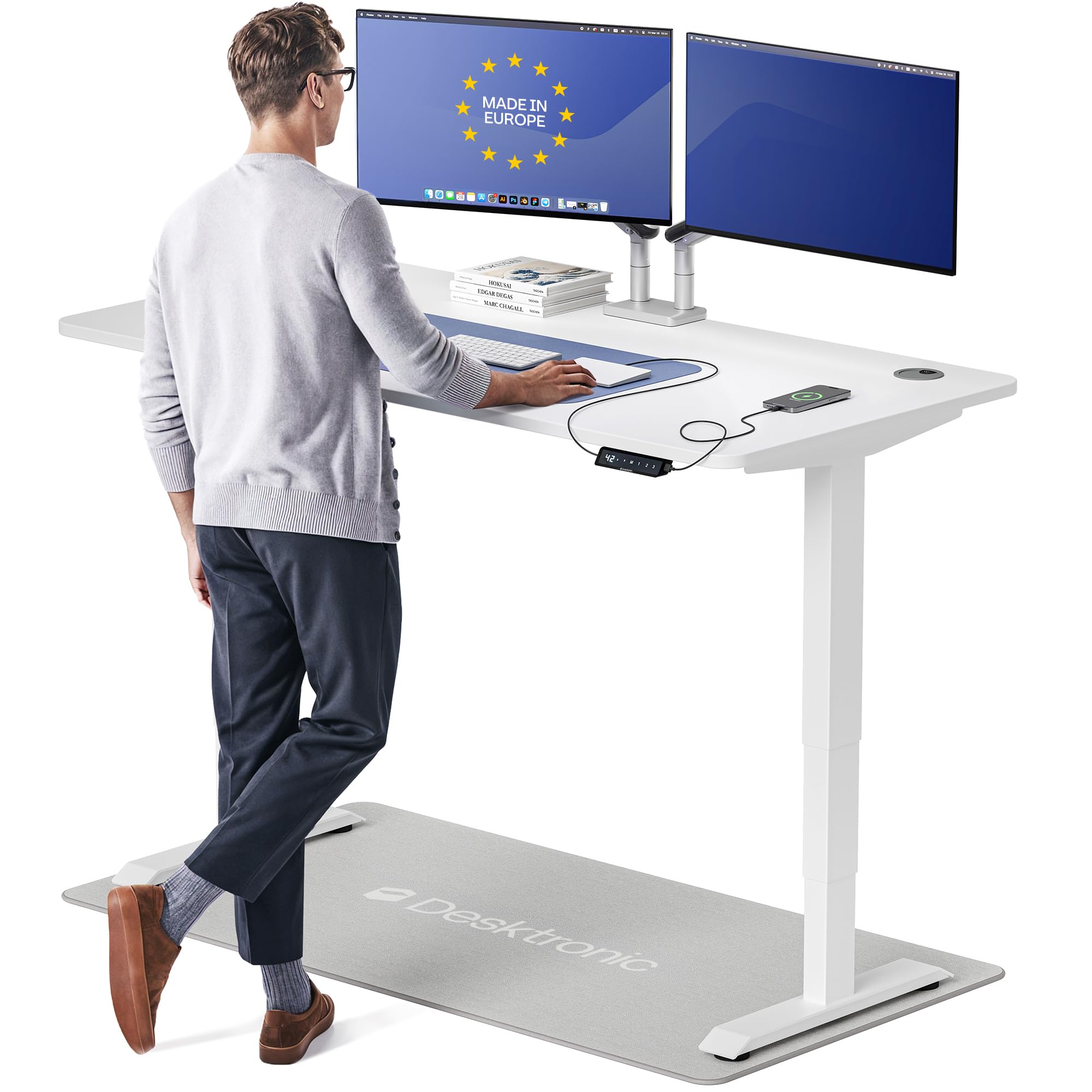
The HomePro’s dual synchronized motors lift at 2 inches per second and handle 352.7 lbs without any frame drift — that is nearly double the capacity of most desks in this class. The one-piece 60×30 inch lacquered desktop provides a seamless, rounded-edge surface that fits triple monitors and a docking station without flex. Its height range of 25.4 to 51.2 inches accommodates users from 5’0″ to 6’8″, making it one of the most inclusive designs on the market.
The touchscreen controller stores three memory presets and integrates USB-A and USB-C fast-charging ports directly into the frame. An anti-collision sensor automatically reverses the desk when it detects an obstruction, a critical safety feature for households with pets or children. Assembly takes under 30 minutes with all hardware and a step-by-step guide included, and the frame ships in two separate boxes to prevent transit damage.
Customer reviews highlight the rock-solid stability at max height — even with heavy monitor arms clamped to the rear edge, the desk shows zero lateral wobble during typing. Some users noted that the cable management tray can pop loose under heavy cord bundles, but the overall build quality and silent motor operation earn consistent praise. This is the desk to choose if you want premium European engineering and do not want to compromise on lift capacity.
Why it’s great
- Highest weight capacity (352.7 lbs) in this roundup for heavy multi-monitor rigs
- Touchscreen controller with integrated USB-C fast charging saves desk space
- Zero wobble at maximum 51.2″ height even with dual heavy monitors
Good to know
- Cable management tray can detach if overloaded with thick power bricks
- Premium price point reflects European sourcing and higher-grade steel frame
2. Vari ComfortEdge 72×30
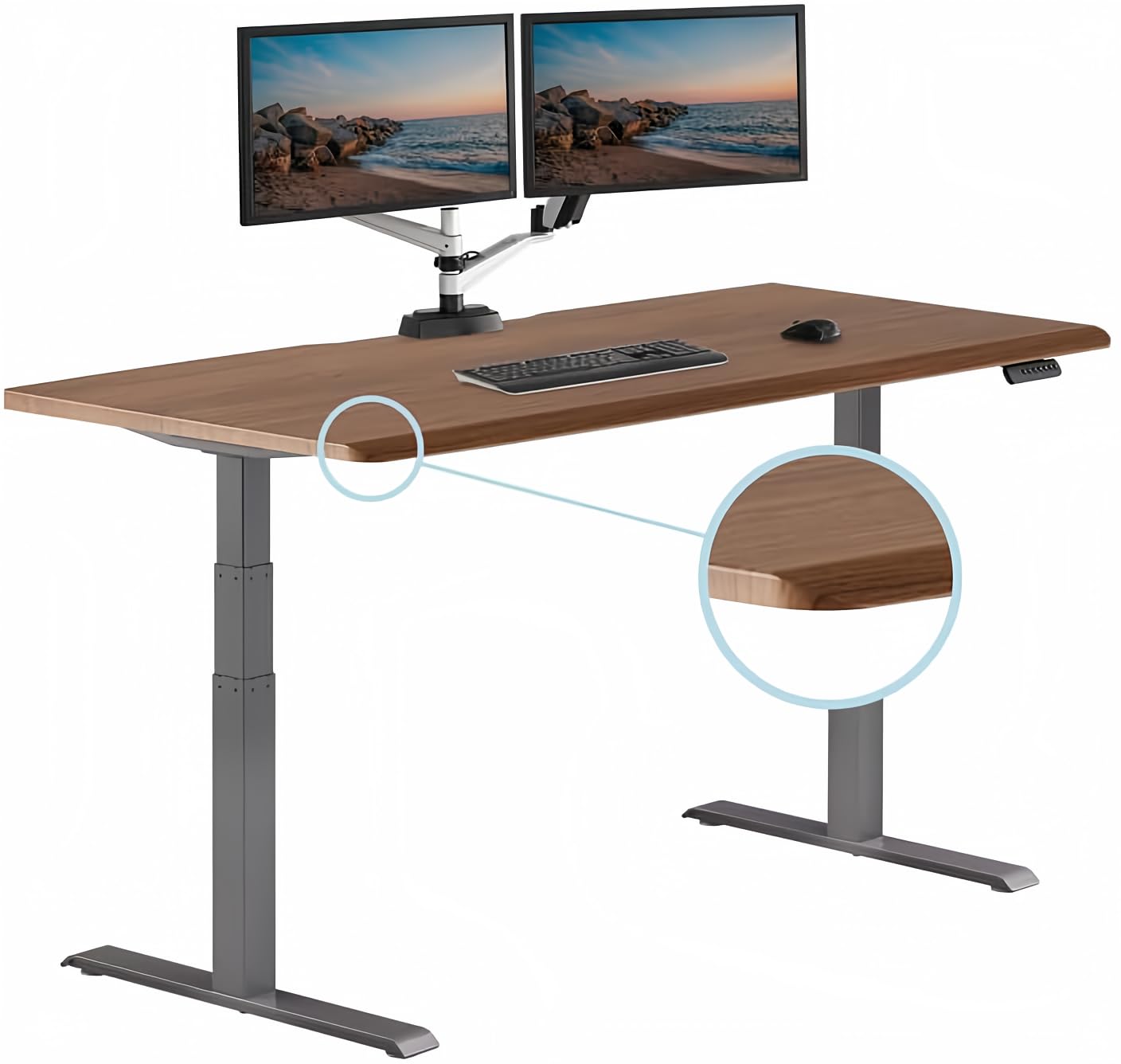
The ComfortEdge 72×30 earns its name through a sloped front edge that reduces pressure on the wrists and forearms during long typing sessions — a design borrowed from professional medical workstations. The 1.25-inch thick scratch-resistant laminate top resists stains and daily wear, while the T-style steel legs provide a stable base even when the desk is raised to its full 50.5-inch height. The 180 lb weight capacity suits standard dual-monitor and laptop setups.
Assembly is the quickest in this lineup thanks to Vari’s patented slide-lock leg mechanism: you snap the legs into the pre-installed frame without any tools, and the remaining hardware installs in under 30 minutes. The desk ships in two boxes (desktop and legs separately) to keep individual packages manageable. Four memory presets on the programmable controller allow seamless transitions between sitting, standing, and creative work heights.
Users consistently mention the silky-smooth lift motion and the premium feel of the laminate surface, which mimics real walnut grain without the maintenance of solid wood. A few taller users wished the 50.5-inch max height extended a couple more inches, but most find the range sufficient. A lifetime warranty on the frame backs the purchase, providing long-term peace of mind that mid-range options rarely offer.
Why it’s great
- Sloped ComfortEdge relieves wrist pressure during extended typing sessions
- Tool-free slide-lock legs enable under 30-minute assembly
- Lifetime warranty on frame provides exceptional long-term value
Good to know
- 180 lb weight capacity limits very heavy triple-monitor or server setups
- Max height of 50.5″ may feel tight for users over 6’5″
3. Vari Ergo 54×26

The Vari Ergo 54×26 focuses on ergonomic refinement with a curved waterfall front edge that eliminates sharp corners and reduces forearm strain during all-day use. The 1.25-inch thick laminate top supports up to 200 lbs — slightly higher than the larger ComfortEdge — and the T-style steel frame keeps the surface stable at the full 50.5-inch extension. At 54 inches wide by 26 inches deep, it fits comfortably in smaller home offices without sacrificing dual-monitor capacity.
The electric lift system operates at a low decibel level, and four programmable memory settings let you quickly switch between personalized standing and sitting heights. Dual grommets in the desktop provide clean cable routing, and the 39.5-inch leg span adds lateral rigidity. Assembly uses Vari’s two-step quick-attach system with included tools, keeping setup time under 15 minutes according to verified buyer reports.
Reviewers repeatedly mention the rock-solid stability at standing height — no front-to-back wobble even with monitor arms extended — and the comfortable typing edge that reduces wrist fatigue. The main drawback is the leg span design: bottom edges are squared off rather than tapered, which some users find less friendly when bumping into the desk side-on. Overall, it is a thoughtfull engineered desk for users who prioritize ergonomic edge geometry and quick assembly over maximum desktop square footage.
Why it’s great
- Curved waterfall edge design reduces forearm contact pressure
- 200 lb capacity in a compact 54×26 footprint for space-saving setups
- Two-step assembly with included tools, ready in under 15 minutes
Good to know
- Square bottom leg edges can feel sharp against bare feet or shins
- 54-inch width limits workspace for large drawing tablets or three monitors
4. VIVO 83×30 Dual Motor
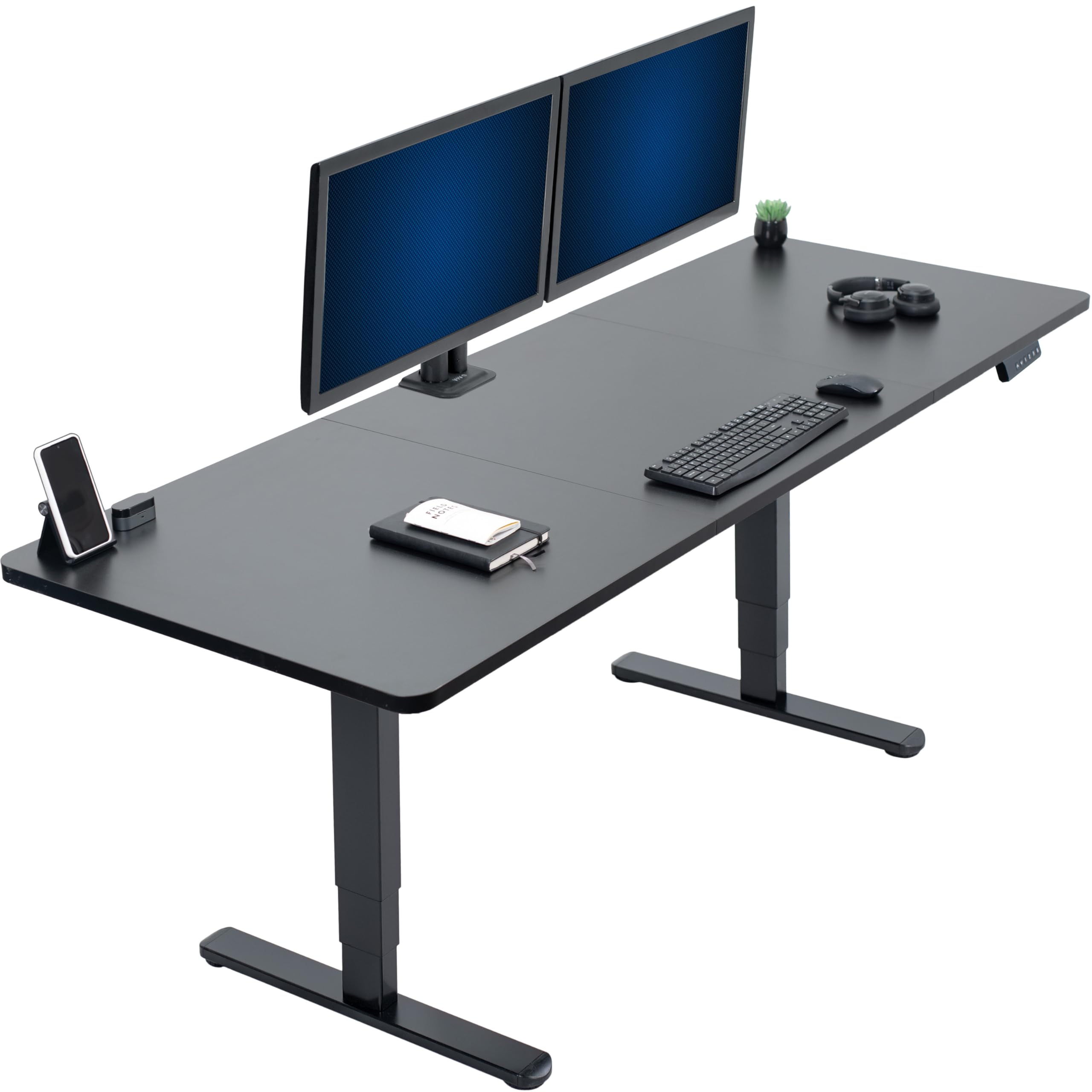
The VIVO 83×30 is built for users who need serious desktop real estate — nearly seven feet of continuous work surface. The three-piece particle board top is reinforced with steel braces and dowels to create a seamless span, while the dual-motor frame lifts 220 lbs from 24.5 to 50.3 inches. The all-steel T-frame construction uses vibration-dampening pads at contact points to minimize motor noise during height transitions.
Three memory presets on the push-button controller handle the most common sitting and standing positions, though the controller lacks a digital height display. Assembly takes about one to two hours depending on experience, with most of the time spent aligning the three desktop panels. Pre-installed grommets and included cable management straps help keep cords organized across such a wide surface.
Buyers consistently praise the smooth, quiet lift operation and the absence of wobble even with three monitors and a desktop PC tower on the surface. The primary complaint involves the instruction manual — it relies on picture-based steps that can be ambiguous during frame assembly, and the pre-drilled holes for the control panel sometimes require slight adjustment. For the price, however, few desks deliver this combination of width, capacity, and stability.
Why it’s great
- Massive 82.7×29.5 inch surface fits triple monitors plus a full tower PC
- Vibration-dampening pads keep motor noise minimal during height changes
- 220 lb capacity supports heavy professional workstations without buckling
Good to know
- Three-piece desktop assembly adds complexity — plan for two people
- Picture-based instructions can be confusing for first-time standing desk buyers
5. FlexiSpot E6 Bamboo 55×28

The FlexiSpot E6 Bamboo replaces standard particle board with an FSC-certified one-piece bamboo top that offers natural tensile strength comparable to steel. The whisper-quiet dual motors operate below 45 dB — quiet enough to use in a bedroom without disturbing a sleeping child — and lift 220 lbs across a height range of 23.6 to 48.8 inches. The lower starting height makes it one of the few desks suitable for users who prefer a keyboard tray or need a very low sitting position.
The lateral compression manufacturing process retains the natural bamboo grain while creating a smooth, easy-to-clean surface that resists scratches better than laminate. A 5-year warranty covers the frame and motors, while the electronics enjoy 2-year protection. Assembly takes about 45 minutes with clear written instructions, though the pre-drilled middle holes on the frame are not used in many configurations — several buyers recommend skipping them during setup to avoid confusion.
User feedback emphasizes the complete lack of wobble at any height, even with heavy monitor arms, and the elegant appearance of the bamboo grain. The controller lacks a lock function to prevent accidental bumps from kids or pets, and the touch-sensitive buttons respond to very light contact. Overall, the E6 Bamboo is an excellent choice for eco-conscious buyers who want a silent, stable desk with a low minimum height.
Why it’s great
- FSC-certified one-piece bamboo top is stronger and more scratch-resistant than laminate
- Dual motors run below 45 dB for whisper-quiet operation in shared spaces
- Low minimum height of 23.6″ accommodates shorter users and keyboard tray setups
Good to know
- No controller lock function — children or pets can bump the buttons accidentally
- Some assembly steps reference unused pre-drilled holes, causing initial confusion
6. VIVO 60×24 Dual Motor
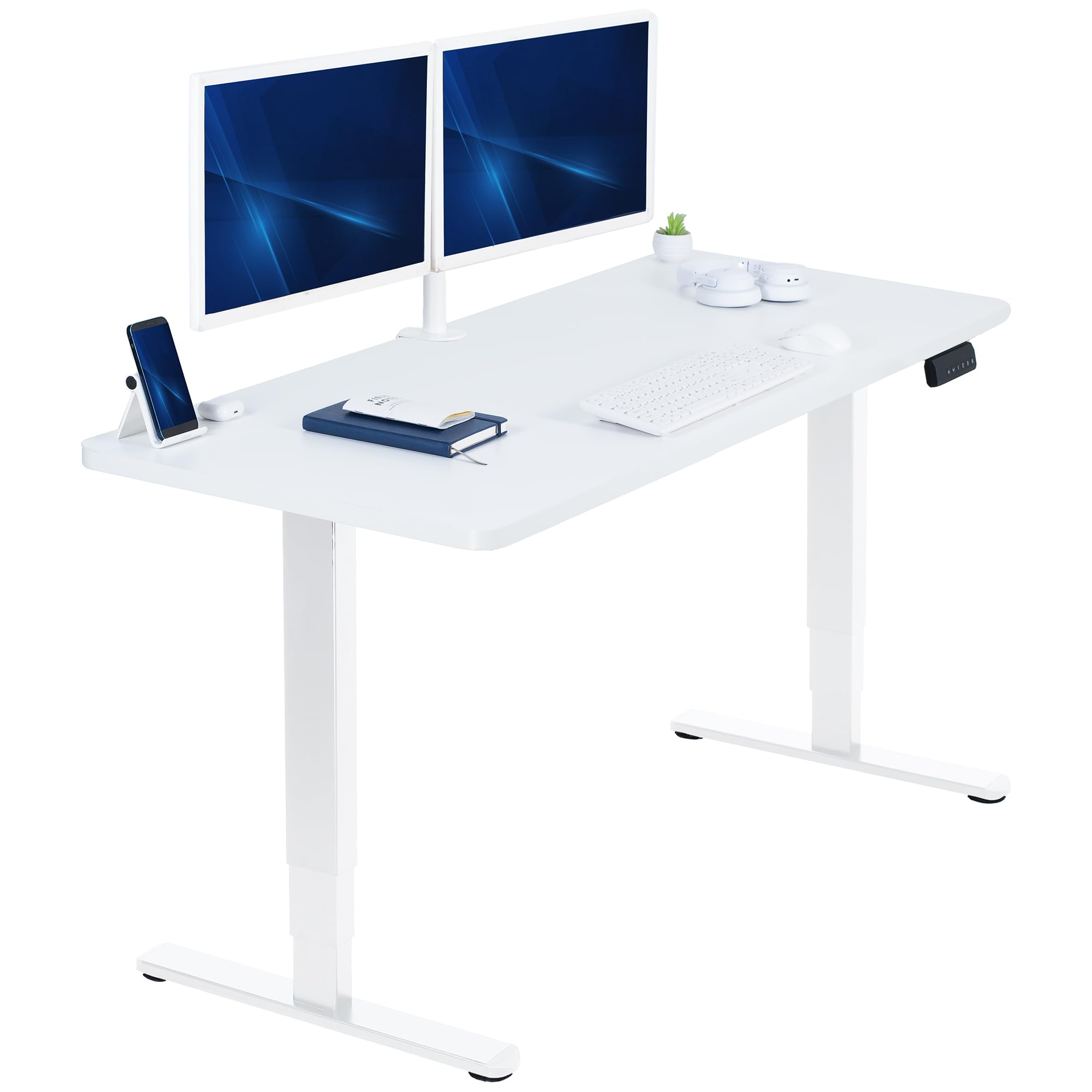
The VIVO 60×24 combines a seamless one-piece 59-inch wide particle board top with a dual-motor frame that lifts 220 lbs from 24.6 to 50.4 inches. The one-piece construction eliminates the seam gaps common in multi-panel designs, creating a smooth surface for writing or mouse work. The scratch-resistant laminate finish holds up well against daily use, and the white frame option pairs cleanly with modern home decor.
Assembly takes about 90 minutes, with the legs arriving pre-assembled to cut down on bolt work. The push-button controller stores three memory presets, though the interface relies on small button icons that can be hard to read in low light. Cable management is handled by two rear grommets and included zip ties, but the frame lacks a dedicated cable tray — you may want to add one separately for a fully clean look.
Verified buyers report that the dual motors provide fast, smooth transitions even when the desk is fully loaded, and the stability on thick carpet is surprisingly good. A few users noted that the pre-drilled holes for the control panel did not align perfectly with the bracket, requiring minor drilling adjustments. At this price point with dual-motor power and a solid one-piece top, the VIVO 60×24 delivers strong value for compact home offices.
Why it’s great
- One-piece 59-inch desktop avoids the seam alignment issues of multi-panel designs
- Dual-motor frame lifts 220 lbs smoothly even when fully loaded with gear
- Compact 24-inch depth fits standard home office footprints without crowding
Good to know
- Control panel mounting holes may require slight realignment during installation
- No built-in cable management tray — consider adding an aftermarket solution
7. HUANUO 71×30
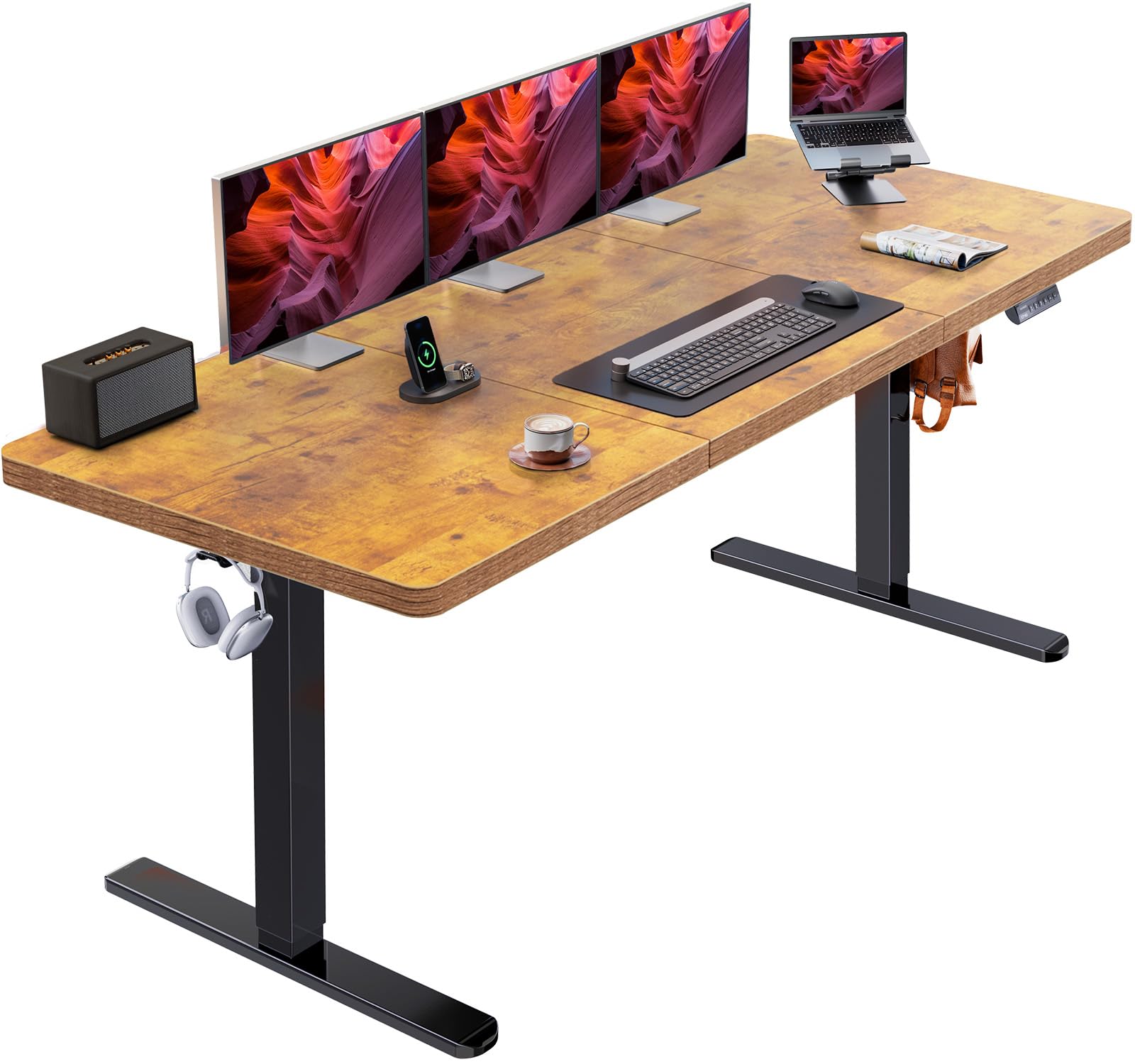
The HUANUO 71×30 stands out for its frame geometry — the carbon steel columns are 25% thicker and the feet are 30% wider than typical budget frames, creating a stable platform rated for 220 lbs. The brushless single motor lifts faster than many dual-motor competitors (75% faster than HUANUO’s own previous-gen models) while keeping noise below 55 dB. The height range runs from 28.3 to 46.5 inches, which suits average-height users well.
The 71×30 inch desktop provides ample room for multiple monitors and peripherals, and a cable management tray attaches underneath to hide power strips and cord bundles. Two side hooks offer convenient storage for headphones or bags. Four memory presets on the control pad let you store distinct positions for sitting, standing, and leaning-back tasks. Assembly is straightforward with clearly labeled hardware and a step-by-step manual.
Positive reviews highlight the excellent packaging — thick foam and corner protectors prevent shipping damage — and the premium feel of the poly-coated top. Some users noted that the desktop surface shows smudges easily (though it cleans quickly with a damp cloth), and the desktop panels are joined rather than one solid piece, creating a faint seam. At this price, the HUANUO offers the best balance of wide surface area and reinforced frame stability.
Why it’s great
- 25% thicker steel columns and 30% wider feet for exceptional lateral stability
- Brushless motor lifts 75% faster than previous models with low noise output
- Cable management tray and side hooks keep the workspace organized and tidy
Good to know
- Desktop surface shows fingerprints and smudges easily throughout the day
- Max height of 46.5″ may feel too low for users over 6’2″
8. OffiGo 71 Executive
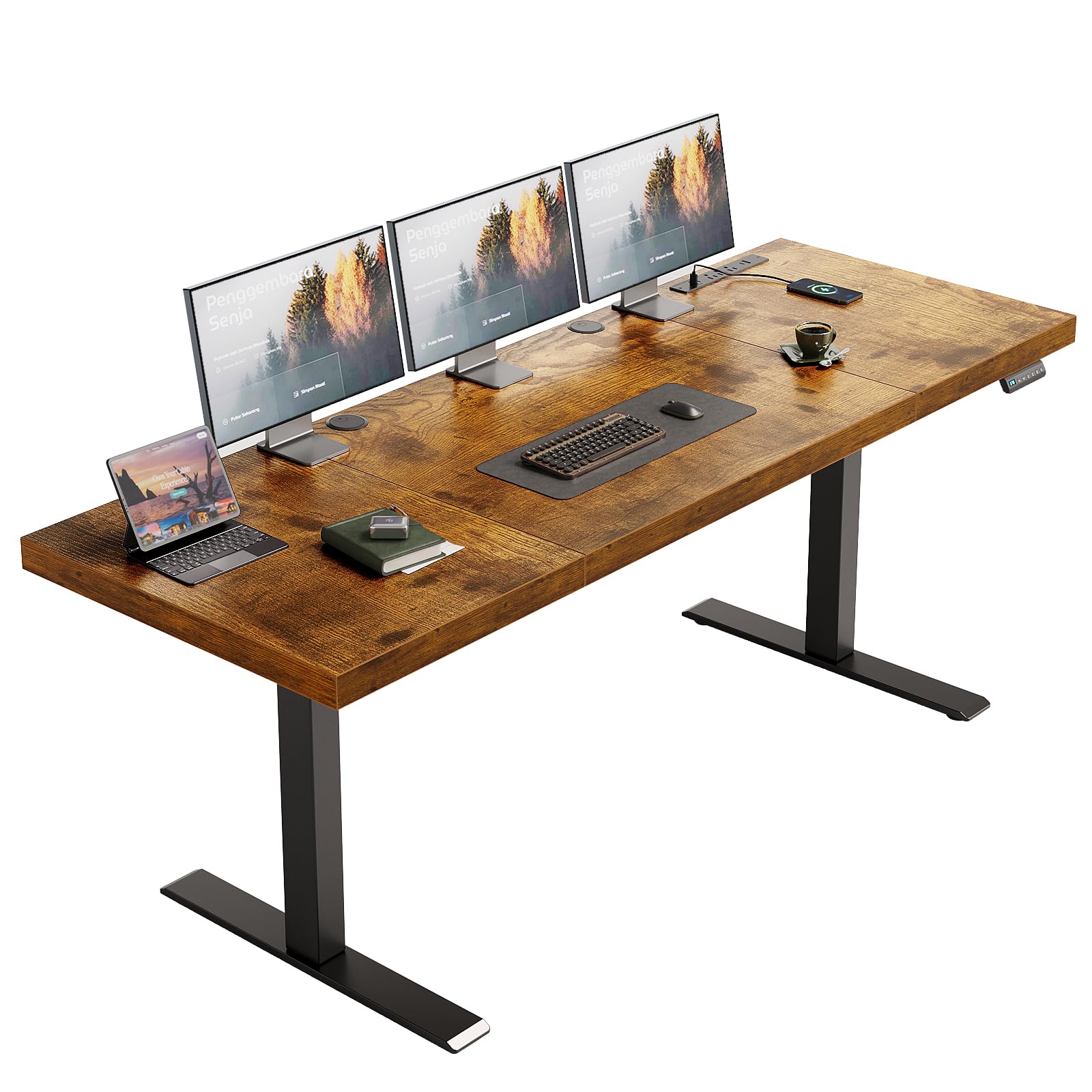
The OffiGo 71 Executive packs a 1.38-inch thick 71-inch wide three-piece desktop with built-in power delivery: three AC outlets, two USB-A ports, and two USB-C ports (5V/2A) right in the frame. The dual-beam structure and 80×50 mm reinforced steel legs support up to 154 lbs, and the electric lift spans 29.1 to 48 inches. Three memory presets allow quick transitions between preferred sitting and standing heights.
Two cable management grommets and a side hook keep wires and accessories off the desktop surface. Assembly requires about 45 minutes with clearly labeled parts and an installation video. The rustic brown wood finish resists scratches well, though the desktop is particle board rather than solid wood — monitor arm clamps should be tightened carefully to avoid crushing the core material.
Customers consistently praise the quiet motor operation and the convenience of having outlets and USB ports integrated into the frame. The main trade-off is the 154 lb weight capacity, which limits this desk to standard home office gear rather than heavy multi-monitor or PC tower setups. A few buyers noted that the center panel’s wood grain runs horizontally while the side panels are vertical, which may bother symmetry-minded users.
Why it’s great
- Built-in 3 AC outlets plus USB-A and USB-C charging eliminates power strip clutter
- 1.38-inch thick desktop feels substantial and dampens vibrations during typing
- Dual-beam reinforced steel frame provides smooth, quiet lifting motion
Good to know
- 154 lb weight capacity limits heavy gaming or multiple monitor arm setups
- Desktop grain direction differs between center and side panels, visible up close
9. OffiGo 63 L-Shaped
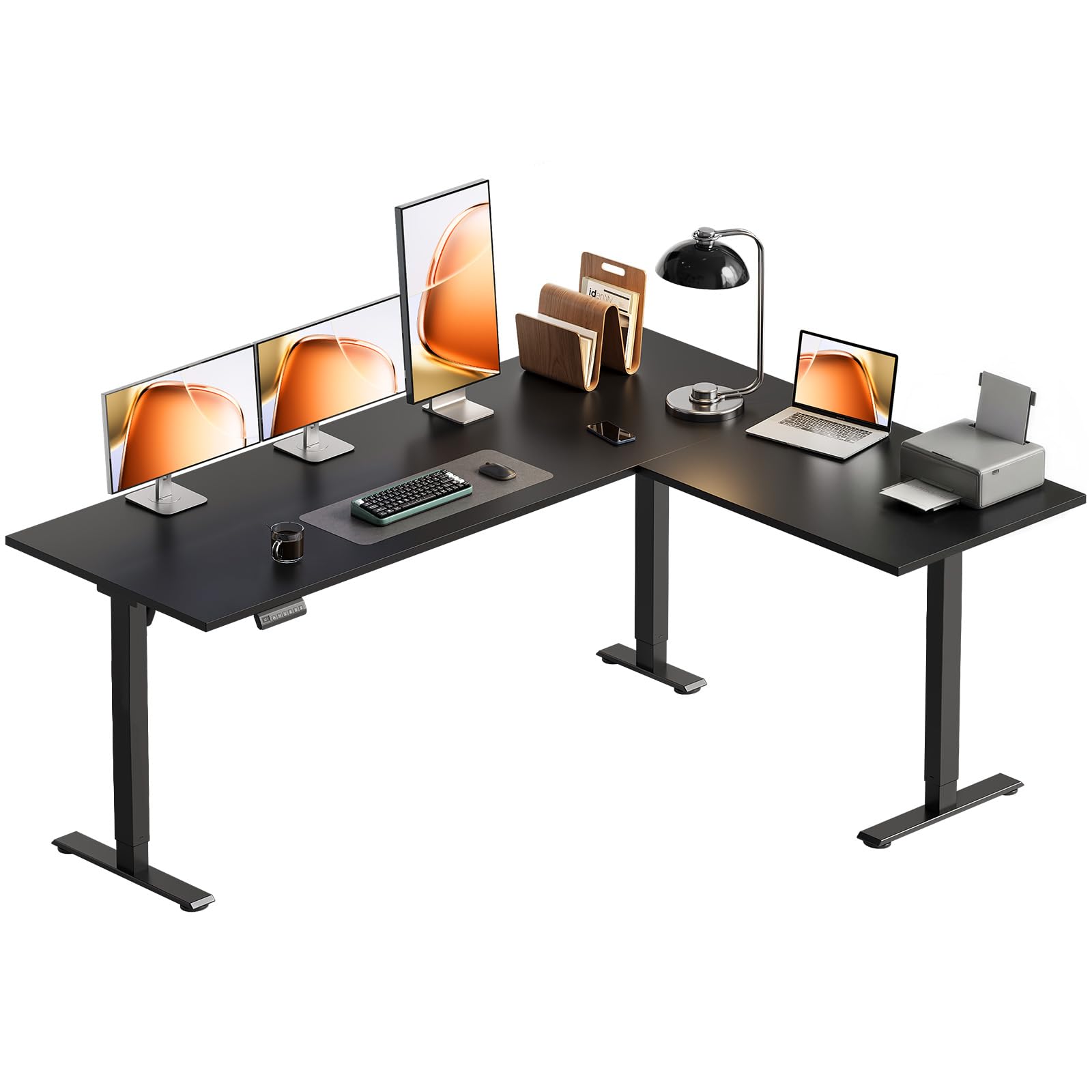
The OffiGo 63 L-Shaped desk brings electric height adjustment to corner layouts — a rarity at this price point. The reversible sub-desktop can be installed on the left or right side to match your room’s layout, and the three-piece board construction with reinforced legs provides adequate stability for a full gaming or home office setup. The height range of 27.9 to 46.1 inches covers most average-height users, and three programmable memory presets save your go-to positions.
The L-shaped workspace effectively segments your environment — one side for monitors and the other for writing, drawing, or a secondary laptop. Two side hooks add storage for bags or headphones. Assembly takes about an hour with well-labeled parts and an installation video, though the L-shape requires a more involved process than standard rectangular desks. Note that only the back section of the desk raises, not the entire surface.
Verified buyers appreciate the spacious 63-inch width and the reversible layout flexibility, with several users reporting a solid hold for 29-inch monitors and a gaming PC. Some noted minor wobble at maximum height when applying lateral pressure, and the drawer assembly (included on some configurations) is more fiddly than the main desk build. For corner desk buyers on a budget who want electric height adjustment, this is the most accessible entry point.
Why it’s great
- Reversible L-shaped layout adapts to left or right corner configurations
- Electric height adjustment in a corner desk form factor at an entry-level price
- Spacious 63-inch surface comfortably fits dual monitors plus desktop PC
Good to know
- Only the back section of the desk raises — the front leg extension is fixed
- Some lateral wobble reported at maximum height during aggressive mouse movements
FAQ
How much wobble is normal for a standing desk at max height?
Can I use a monitor arm on a standing desk desktop?
Do I need a dual-motor desk for a single monitor setup?
Final Thoughts: The Verdict
For most users, the adjustable standing desk winner is the Desktronic HomePro 60×30 because its 352.7 lb capacity, touchscreen controller, and zero-wobble dual motors handle any home office load with room to spare. If you want a premium ergonomic edge without the ultra-wide footprint, grab the Vari Ergo 54×26 for its comfortable waterfall front edge and tool-free assembly. And for eco-conscious buyers who value silent operation and a low minimum height, nothing beats the FlexiSpot E6 Bamboo 55×28.