
Our readers keep the lights on and the weekend projects moving. As an Amazon Associate, I earn from qualifying purchases.
Finding a Bluetooth mouse that delivers reliable performance without straining your wallet often feels like a compromise between build quality, battery life, and comfort. You need a peripheral that pairs instantly, tracks smoothly across surfaces, and doesn’t demand constant charging or battery swaps—all while staying firmly in the budget tier.
I’m Rikta — the co-founder and writer behind FitlyFast. I’ve spent countless hours analyzing the technical specifications, customer feedback, and real-world performance metrics of the latest affordable Bluetooth mice to separate the genuine value options from the frustrating ones.
This guide breaks down the top models that prove you don’t need to spend a premium for a responsive, quiet, and durable daily driver. Whether you prioritize silent clicks, ergonomic wrist support, or multi-device switching, this roundup of the best affordable bluetooth mouse choices will help you make a confident decision.
How To Choose The Best Affordable Bluetooth Mouse
An affordable Bluetooth mouse is a simple tool, but a few key specifications separate a daily workhorse from an annoying desk ornament. Prioritizing the wrong spec—like raw DPI over battery type—is the most common mistake buyers make in this price range.
Battery Type: Rechargeable vs. Disposable
Rechargeable mice (like the TECKNET and Kovess) eliminate the recurring cost and waste of AA/AAA batteries, but they need a charging routine every few weeks. Disposable-battery mice (like the Logitech M240) typically last over a year on one set, making them truly set-and-forget—ideal for users who hate cable management.
Connectivity: Bluetooth-Only vs. Dual-Mode
Bluetooth-only mice pair instantly without a dongle, freeing a USB port. Dual-mode mice (Bluetooth + 2.4 GHz) give you a backup option if your device’s Bluetooth driver glitches, and often include a tiny receiver stored inside the mouse for travel. For multi-device users, a model that toggles between three paired devices saves constant re-pairing.
Silent Click vs. Tactile Feedback
Silent switches use dampened mechanisms that reduce click noise by up to 90 percent, a huge win for shared offices or late-night work. The trade-off is a slightly mushier feel compared to traditional clicky buttons. Read reviews carefully: some “silent” mice still produce a noticeable scroll-wheel rattle.
Quick Comparison
On smaller screens, swipe sideways to see the full table.
| Model | Category | Best For | Key Spec | Amazon |
|---|---|---|---|---|
| TECKNET Bluetooth Wireless Mouse | Mid-Range | Multi-device productivity | 4800 DPI, 6 levels | Amazon |
| Logitech M240 Silent | Mid-Range | Ultra-long battery life | 18-month battery (AAA) | Amazon |
| Kovess Dual-Mode | Premium | Jiggler mode & USB-C receiver | 800mAh rechargeable | Amazon |
| KYSONA Vertical Mouse | Premium | Wrist-pain relief | 57° vertical angle | Amazon |
| TECKNET Vertical Ergonomic | Mid-Range | Ultra-light vertical grip | 60g weight, 6-level DPI | Amazon |
| Lenovo 350 | Mid-Range | Set-and-forget reliability | 36-month battery (AA) | Amazon |
| seenda MOU001 | Budget | Stylish compact travel | 14-day rechargeable | Amazon |
In‑Depth Reviews
1. TECKNET Bluetooth Wireless Mouse
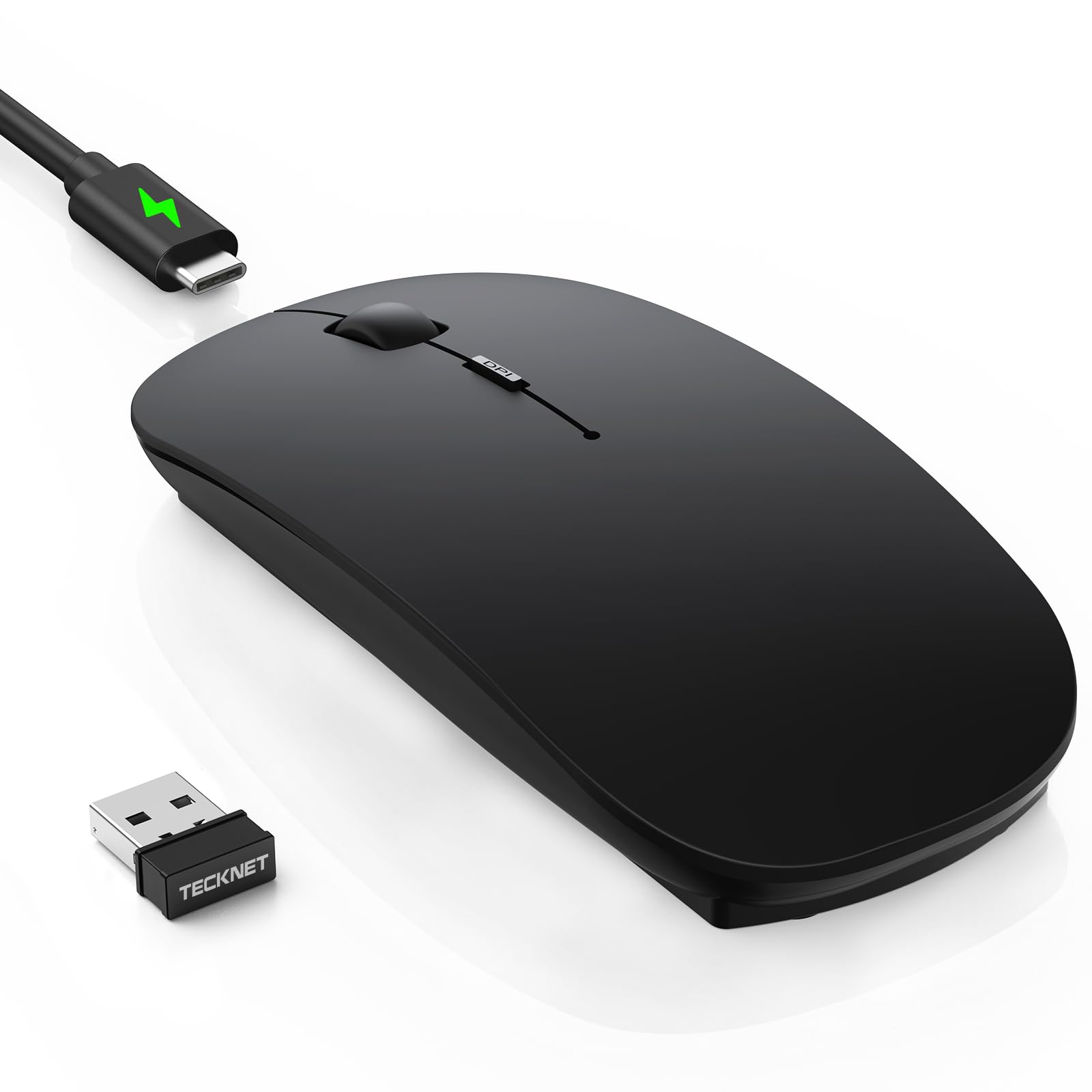
The TECKNET strikes a near-perfect balance between features and price. It supports three-device connectivity (two Bluetooth channels plus a 2.4 GHz dongle) and packs six adjustable DPI levels from 800 to 4800, giving you pinpoint cursor control for both spreadsheet work and casual gaming.
The ultra-thin profile (under one inch tall) and 90 percent noise-reduced clicks make it a strong candidate for shared workspaces and travelers. The rechargeable battery delivers roughly 60 days of typical use from a 2.5-hour USB-C charge, and the 30-minute auto-sleep prevents unnecessary drain.
Some early units reported a brief “hunting” or laggy cursor period during the first day or two of use, which resolved on its own. The black matte finish also attracts fingerprints and may show wear with sweaty hands.
Why it’s great
- True 4800 DPI with 6 levels for versatility
- USB-C fast charging with exceptional standby life
- Works with Windows, macOS, Android, and iOS
Good to know
- Occasional initial cursor lag reported by some users
- Matte black finish shows fingerprints quickly
2. Logitech M240 Silent Bluetooth Mouse

The Logitech M240 is the gold standard for pure simplicity. It pairs via Bluetooth in seconds without any dongle, and its single AAA battery is rated for up to 18 months of normal use thanks to an energy-efficient auto-sleep feature. The ambidextrous design guides your hand into a natural position without forcing a right-hand-only grip.
Click noise is reduced by 90 percent, but the scroll wheel produces a noticeable sound when turned quickly—a common point in user feedback. The compact size slips easily into a bag, making it a top pick for mobile professionals who prioritize reliability over flashy features.
Plastic parts include certified post-consumer recycled material, and the M240 runs on Windows, macOS, Linux, ChromeOS, and iPadOS. It also carries a Works with Chromebook certification for education or enterprise environments.
Why it’s great
- Exceptional 18-month battery life on a single AAA
- Bluetooth-only pairing—no dongle required
- Solid build with recycled materials
Good to know
- Scroll wheel is not silent; audible when scrolling
- Only three buttons—no forward/back navigation
3. Kovess Bluetooth Wireless Mouse

The Kovess mouse packs an unusually deep feature set for its price, including a hardware jiggler mode that randomly moves the cursor to prevent the computer from sleeping—ideal for remote workers, file downloads, or online classes. It also includes a dual-port 2-in-1 receiver that works with both USB-A and USB-C ports, eliminating dongle anxiety.
The 800 mAh rechargeable battery provides roughly three to four weeks of daily use (eight hours per day) from a two-to-four-hour charge. Three adjustable DPI levels (800, 1200, 1600) cover standard office needs, and the silent clicks keep noise low in shared environments.
The glossy finish looks sleek but shows smudges easily. Users with larger hands have noted the compact shell can feel cramped during extended sessions.
Why it’s great
- Built-in jiggler mode—rare at this level
- Dual-port receiver works with USB-C and USB-A
- Rechargeable with fast charge and auto-sleep
Good to know
- Small size—not suitable for larger hands
- Glossy exterior shows fingerprints and smudges
4. KYSONA Ergonomic Vertical Mouse

The KYSONA vertical mouse is engineered specifically for users experiencing wrist strain or carpal tunnel discomfort. Its 57-degree vertical orientation promotes a natural “handshake” posture, reducing pressure on the median nerve during long work sessions. Five DPI settings (800 to 4000) offer flexibility for both precision tasks and faster navigation.
The dual-mode connectivity (Bluetooth 3.0/5.0 and 2.4 GHz) ensures stable pairing across devices. The smart auto-sleep technology extends battery life to roughly 12 months on two AAA batteries (not included). Silent switches keep clicking discreet, and the textured plastic shell provides a secure grip.
This mouse is designed for small to medium hands only, measuring just 10.7 x 7.4 x 7.1 cm. Large-handed users have reported discomfort over time. The forward/back side buttons are not programmable on macOS.
Why it’s great
- True ergonomic 57° angle relieves wrist pressure
- Five DPI levels from 800 to 4000
- Dual-mode Bluetooth and 2.4 GHz connection
Good to know
- Only fits small to medium hands
- Side buttons not programmable on Mac
5. TECKNET Ergonomic Vertical Mouse
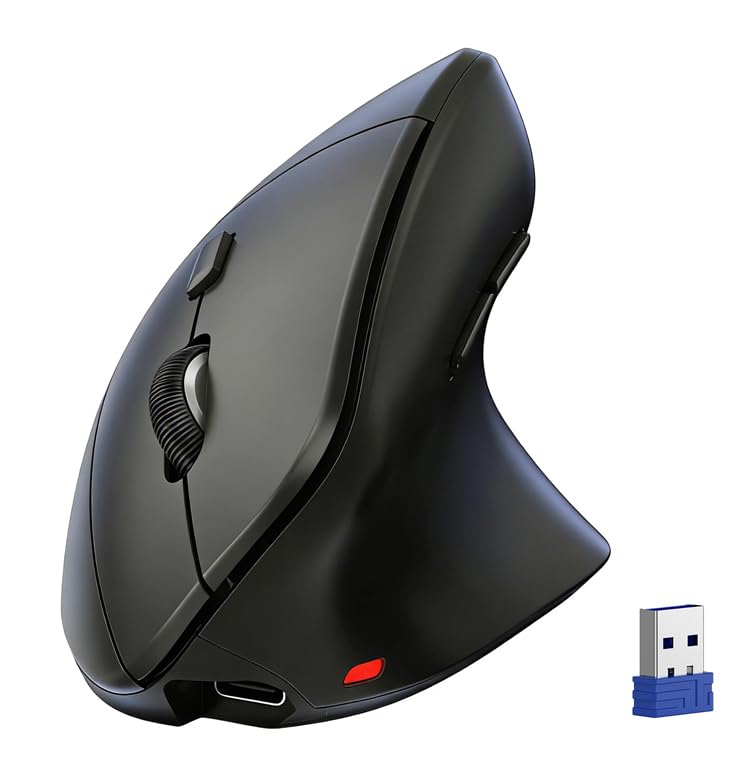
From the same brand as our top pick comes a vertical ergonomic variant that weighs only 60 grams—remarkably light for a vertical mouse. It pairs with up to three devices simultaneously via Bluetooth 5.0/3.0 and a 2.4 GHz receiver, allowing seamless switching between a laptop, desktop, and tablet with a single button press.
The six-level adjustable DPI (800 to 4800) gives you granular cursor speed control, and the rechargeable battery provides one to two months of heavy use with USB-C charging. Silent left and right buttons keep the noise level office-friendly, and the textured plastic shell provides a confident grip.
Some users noted the forward and back buttons are not compatible with macOS. The ultra-light construction may feel insubstantial to those who prefer a heftier mouse.
Why it’s great
- Extremely lightweight 60g vertical design
- Three-device connectivity with easy switch
- Six-level DPI up to 4800 for precise tracking
Good to know
- Forward/back buttons not supported on macOS
- Very light feel may not suit all users
6. Lenovo 350 Wireless Bluetooth Mouse
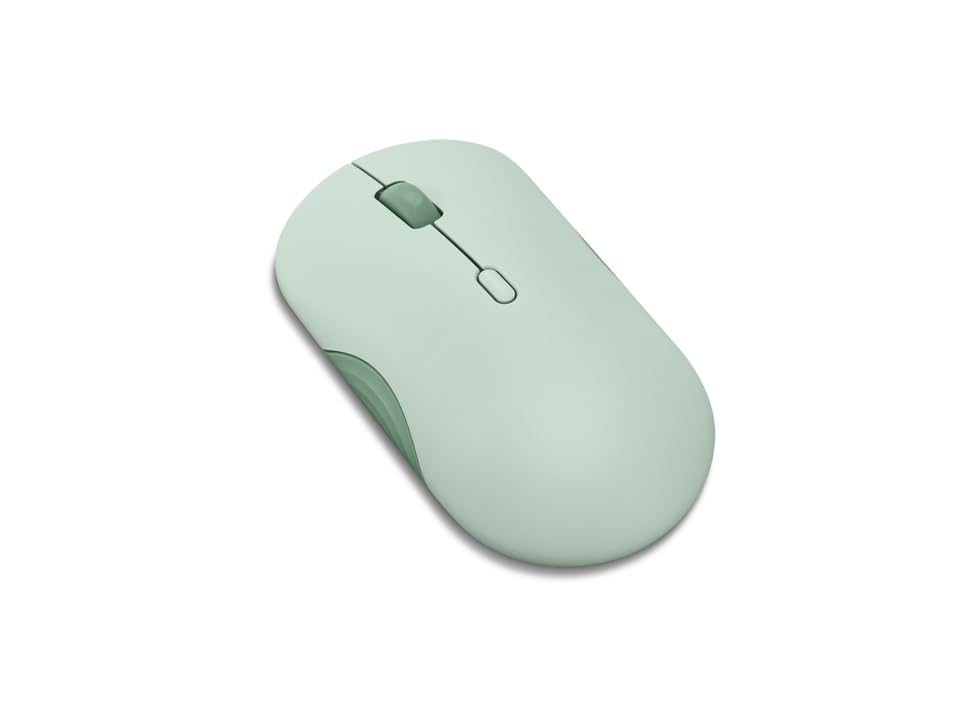
The Lenovo 350 redefines low-maintenance ownership with a staggering 36-month battery life from a single AA battery. Bluetooth 5.3 ensures a strong, secure connection that stays paired across Windows, macOS, ChromeOS, and Android devices without interruption. The silent click mechanism is rated for up to 5 million clicks per button.
Three DPI levels (1000, 1600, 2400) cover standard office tasks, and the ambidextrous shape accommodates both left- and right-handed users. Available in a distinctive “Breeze Moss” green as well as other muted colors, it adds a subtle personality to any desk setup.
The mouse has a relatively flat profile, which users with medium to large hands have described as slightly cumbersome during extended grip. It also lacks a dedicated forward/back button for browser navigation.
Why it’s great
- Industry-leading 36-month battery life on one AA
- Silent clicks with 5-million-click button durability
- Bluetooth 5.3 for reliable, low-latency pairing
Good to know
- Flat shape may not suit medium-to-large hands
- No side buttons for back/forward navigation
7. seenda MOU001 Bluetooth Wireless Mouse
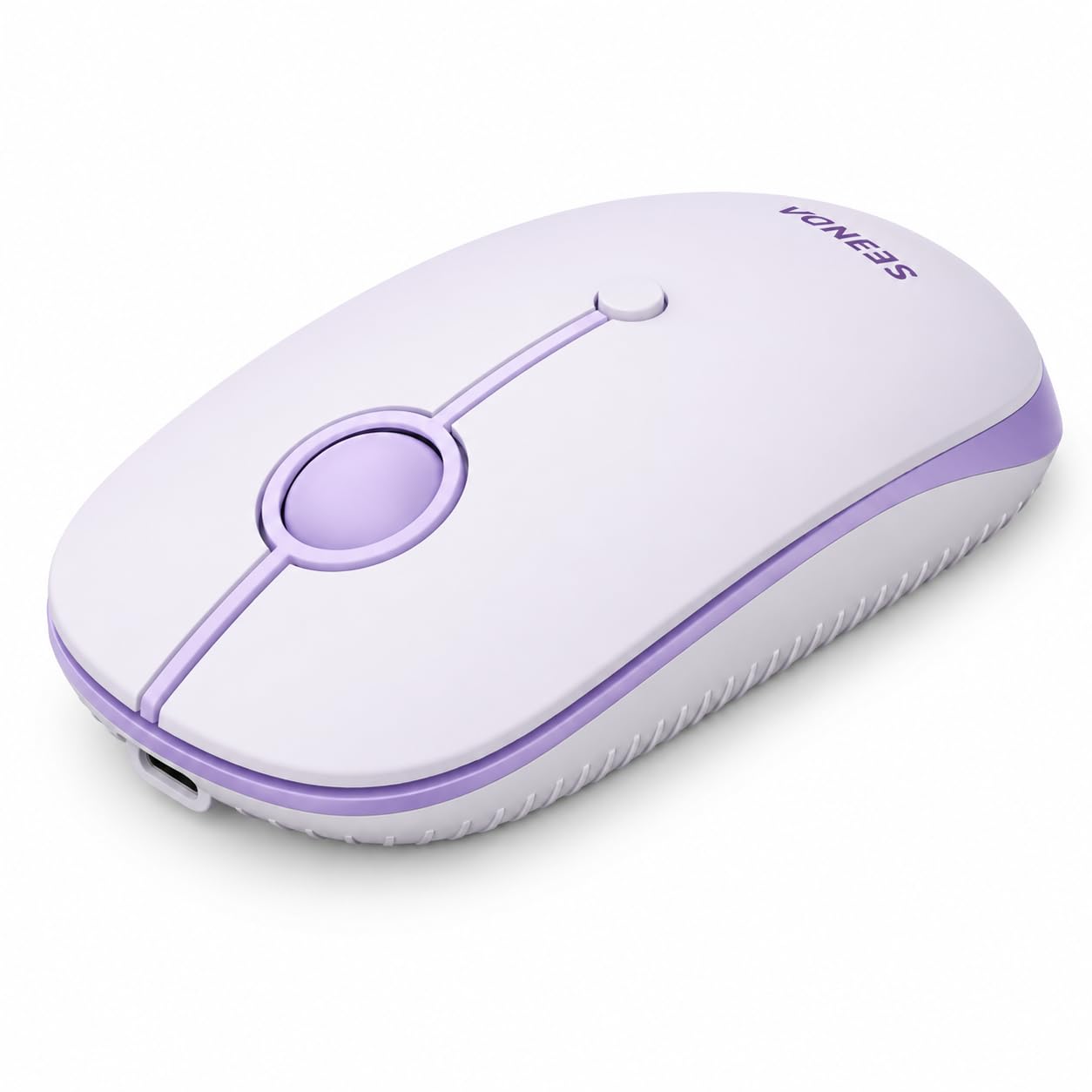
The seenda MOU001 prioritizes portability and aesthetic appeal. Measuring just 4.33 x 2.36 x 1.18 inches and weighing 75 grams, it slips easily into a laptop sleeve or work pouch. Three-device connectivity (two Bluetooth channels plus a 2.4 GHz dongle) makes it practical for multitaskers who bounce between a laptop, tablet, and desktop.
The rechargeable battery delivers about 14 workdays of use from a one-to-two-hour charge via the included cable. Three adjustable DPI levels (1000, 1600, 2400) are sufficient for everyday productivity. The slim, ergonomic curve reduces wrist strain during all-day use, and silent clicks keep noise low in shared spaces.
Scroll direction defaults to “natural” (reversed) on macOS and iPadOS, requiring a manual setting change. The compact footprint may feel cramped for users with larger hands, and the battery life is shorter than AAA-powered alternatives.
Why it’s great
- Ultra-portable size for travel and small bags
- Three-device switching via Bluetooth and dongle
- Uses USB-C for easy recharging
Good to know
- Scroll direction reversed on Mac—needs manual fix
- 14-day battery life is shorter than battery-powered mice
FAQ
Does DPI really matter for everyday office work?
Why do some affordable Bluetooth mice have a jiggler mode?
Can I use a dual-mode mouse without the USB dongle?
Why does the scroll direction on my Mac feel wrong with a PC mouse?
Final Thoughts: The Verdict
For most users, the best affordable bluetooth mouse winner is the TECKNET Bluetooth Wireless Mouse because it combines multi-device switching, 4800 DPI precision, a rechargeable battery, and silent clicks at a price that undercuts most competitors. If you want true set-and-forget endurance, grab the Logitech M240 Silent Bluetooth Mouse. And for wrist-pain relief without breaking your budget, nothing beats the KYSONA Ergonomic Vertical Mouse.