
Our readers keep the lights on and the weekend projects moving. As an Amazon Associate, I earn from qualifying purchases.
A reliable computer shouldn’t drain your savings, but the used and budget market is littered with underpowered office rejects that struggle with more than three browser tabs. Finding a machine with genuine processing muscle, a modern solid-state drive, and enough memory to actually multitask requires sorting through confusing refurbished listings and outdated hardware traps. This guide cuts past the noise to find the real performers.
I’m Rikta — the co-founder and writer behind FitlyFast. After analyzing hundreds of spec sheets, customer review patterns, and real-world failure points across affordable desktop computers, I’ve identified the models that deliver tangible performance per dollar rather than just a low price tag.
Whether you need a home office workhorse, a student research station, or a compact family media hub, this guide to choosing the best affordable computer focuses on the processors, memory configurations, and build quality that actually matter.
How To Choose The Best Affordable Computer
Buying an affordable computer means navigating a market flooded with decade-old hardware that sellers repackage as “renewed.” The key is identifying components that still hold up today rather than chasing raw core counts or outdated brand names.
Processor Generation Is Everything
An Intel Core i7 from 2013 runs significantly slower than a modern Core i3 from the 14th generation. For an affordable computer, aim for at least an 8th Gen Intel Core i5 or i7 (or AMD Ryzen 3000-series equivalent). These processors handle Windows 11, streaming, and office apps without bottlenecking. Anything older introduces performance limits that extra RAM and SSDs cannot fix.
RAM Capacity vs. Storage Speed
16GB of DDR4 RAM is the practical minimum for smooth multitasking in 2024 and beyond. Do not compromise on RAM to afford a larger hard drive. For storage, an NVMe solid-state drive is non-negotiable—it makes booting and loading applications feel instant. SATA SSDs are still acceptable, but avoid machines with spinning hard drives unless you plan to replace the drive immediately.
Refurbished vs. New: The Real Trade-Off
Renewed business desktops (Dell Optiplex, HP EliteDesk) offer excellent value because they were built to enterprise reliability standards. The downsides include older components, cosmetic wear, and the occasional missing driver or failing power supply. New budget desktops often include modern CPUs but cut corners on motherboard quality and included peripherals. Decide which trade-off fits your comfort level.
Quick Comparison
On smaller screens, swipe sideways to see the full table.
| Model | Category | Best For | Key Spec | Amazon |
|---|---|---|---|---|
| Dell Optiplex 7060 SFF | Renewed Business | Multitasking & Dual Monitors | 8th Gen i7, 32GB DDR4, 512GB NVMe | Amazon |
| Dell OptiPlex 5050 with 24″ Monitor | All-in-One Bundle | Turnkey Family Setup | i7-6700, 32GB DDR4, 512GB NVMe, WiFi 6 | Amazon |
| STGAubron Gaming Desktop | Budget Gaming | 1080p Gaming on a Budget | i7-4xxx, RX 580 8GB, 16GB RAM | Amazon |
| HP EliteDesk 800 G2 | Renewed Business | Heavy RAM Needs | i7-6700, 32GB DDR4, 1TB SSD | Amazon |
| Dell Pro Tower (14th Gen) | New Business | Small Business & Warranty | 14th Gen i3, 8GB DDR5, 256GB PCIe SSD | Amazon |
| YAWYORE Gaming PC (AMD) | Modern Budget Build | Upgrade-Friendly Gaming | Ryzen 5 5600GT, 16GB DDR4, 1TB NVMe | Amazon |
| Dell Slim Desktop ECS1250 | New Slim Desktop | Space-Saving Office | 14th Gen i3, 8GB DDR5, 512GB SSD | Amazon |
| abytespark Prebuilt Gaming PC | Budget Gaming | Entry-Level VR & Gaming | i7-4770, RX 590 8GB, 16GB RAM | Amazon |
| suevery Core i7 Desktop | Value Tower | RGB Aesthetics & Basic Tasks | i7-xxxx, 16GB RAM, 256GB NVMe | Amazon |
| HP Windows 11 Desktop (Renewed) | Complete Bundle | All-in-One Home Starter | 8th Gen i5, 16GB RAM, 500GB SSD, 24″ Monitor | Amazon |
| Dell Optiplex SFF (Quad Core i5) | Budget Bundle | Child’s First PC | Quad Core i5, 16GB DDR3, 512GB SSD | Amazon |
In‑Depth Reviews
1. Dell Optiplex 7060 SFF Desktop Computer

The Dell Optiplex 7060 strikes the best balance in the affordable desktop segment by pairing an 8th Gen Intel i7-8700 (6 cores, 4.6 GHz boost) with a full 32GB of DDR4 RAM. That combination handles heavy multitasking—dozens of browser tabs, large spreadsheets, and video calls simultaneously—without hesitation. The 512GB NVMe M.2 SSD delivers boot times under 15 seconds, and the small form factor case fits neatly on a desk without dominating the workspace.
Port selection is generous with 5 USB 3.0 ports and dual DisplayPort outputs for dual-monitor setups. The included wireless keyboard and mouse are functional but feel cheap, and the system lacks an HDMI port natively. Buyers should budget for an additional DisplayPort-to-HDMI adapter if using HDMI-only monitors. The renewed unit from this seller typically arrives in near-mint condition with zero bloatware on the Windows 11 Pro install.
Customer experiences show that the majority of units work flawlessly out of the box, though a small number of users report initial SSD mismatches (SATA instead of NVMe) which the seller corrects quickly. The 1-year warranty via third-party protection plans adds peace of mind for a refurbished purchase. For pure productivity performance at this price point, the 7060 is the most future-proof option available.
Why it’s great
- 8th Gen i7 hexa-core processor handles heavy multitasking with ease
- 32GB DDR4 RAM ensures years of usable memory headroom
- Compact SFF design fits in tight spaces
Good to know
- No HDMI ports; requires adapters for HDMI monitors
- Included keyboard and mouse are low-quality
2. Dell OptiPlex 5050 Desktop with 24″ Monitor

This package delivers the most complete out-of-box experience in the category. It includes a renewed Dell OptiPlex 5050 (i7-6700, 32GB DDR4, 512GB M.2 NVMe SSD) alongside a brand-new 24-inch Koorui FHD monitor, keyboard, mouse, and speakers. The 32GB of RAM is overkill for basic web browsing but leaves immense headroom for running virtual machines, large datasets, or keeping 40+ browser tabs open without slowdowns.
The built-in Intel AX200 WiFi 6 card provides fast, reliable wireless connectivity with data transfer rates up to 3 Gbps. The i7-6700 is a 6th Gen processor, which shows its age compared to newer chips, but the generous RAM and NVMe storage compensate for most real-world tasks. A small number of users report a black screen flicker that occurs periodically, which is often fixable by refreshing the graphics driver with a keyboard shortcut.
Customer support from this seller receives consistent praise for resolving issues quickly, including sending replacement media when Windows 11 install files are corrupted. The monitor speakers are basic but functional, and the Kensington lock slot adds physical security for office environments. Boots Windows 11 Pro in roughly 15 seconds. This bundle eliminates the need to source peripherals separately, making it ideal for non-technical users.
Why it’s great
- Complete setup with new 24″ FHD monitor included
- 32GB DDR4 RAM provides exceptional multitasking capacity
- WiFi 6 built-in for fast wireless networking
Good to know
- 6th Gen i7 is older technology, slower than 8th Gen or newer
- Some units experience intermittent screen blackouts
3. STGAubron Gaming PC Desktop
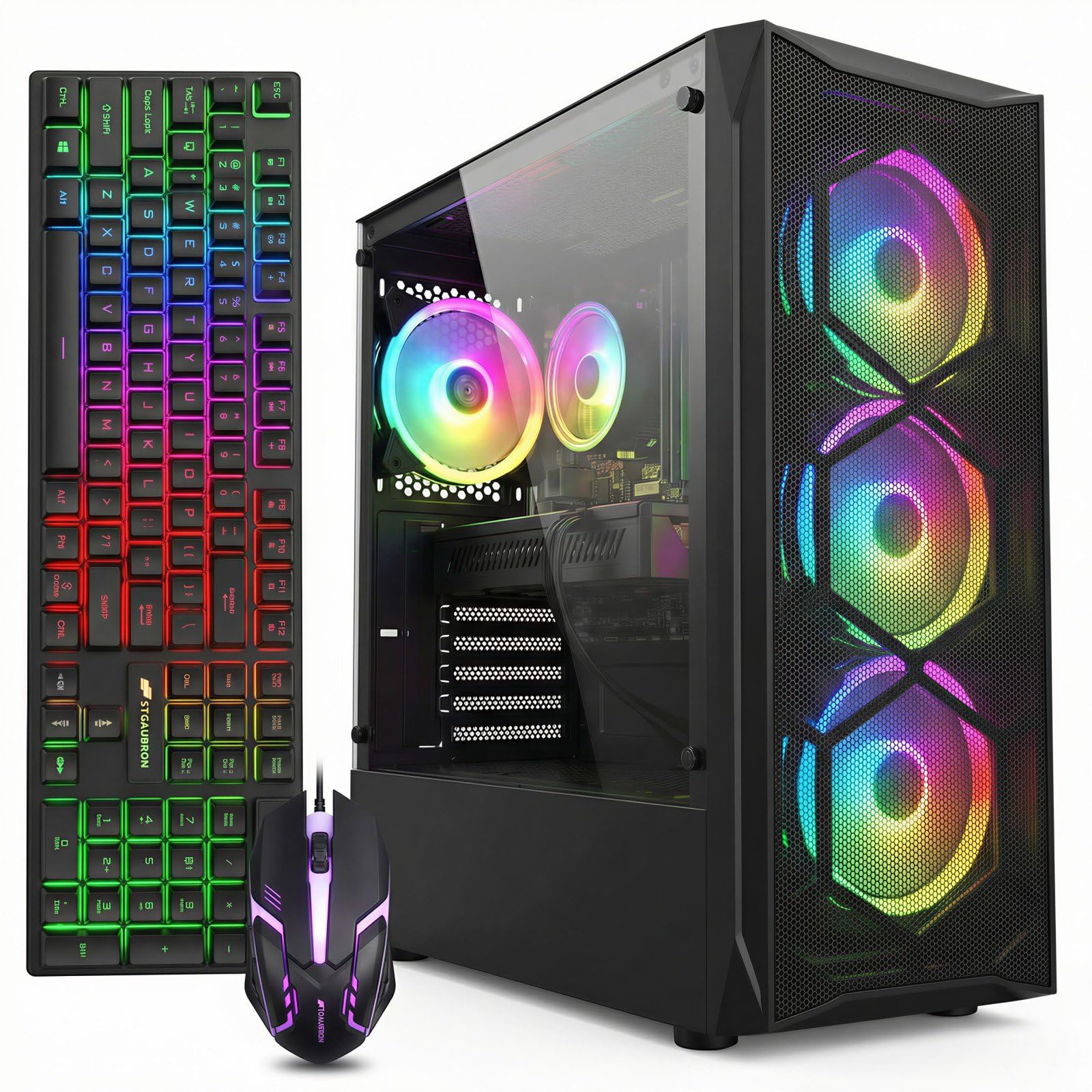
The STGAubron gaming desktop makes the list because it bundles a dedicated AMD Radeon RX 580 with 8GB of GDDR5 VRAM at a price point where most affordable computers rely on integrated graphics. That dedicated GPU unlocks 1080p gaming at medium-to-high settings for titles like Fortnite, GTA V, and Call of Duty, delivering frame rates around 60 FPS. The Intel Core i7 4th Gen processor is old—this is a Haswell-era chip—but the RX 580 remains a capable entry-level card.
The system includes WiFi 6, Bluetooth 5.0, and four RGB fans for showy aesthetics. The 512GB SSD fills up quickly with modern games, so plan on adding a secondary drive. The included RGB keyboard and mouse look flashy but feel cheap and the keyboard lettering may wear off within months. The soundbar included in the bundle has a tendency to shut down randomly according to several user reports.
This is a “buyer beware” product regarding Windows 11 compliance: the 4th Gen i7 lacks TPM 2.0 and Secure Boot support, meaning Microsoft could block future Windows 11 updates. Some users report RAM usage errors in Windows 10 where the system reserves 8GB. For Linux users or those comfortable with potential operating system restrictions, the RX 580 hardware still provides genuine gaming value. Check the return policy carefully.
Why it’s great
- RX 580 8GB GPU enables 1080p gaming at medium settings
- WiFi 6 and Bluetooth 5.0 included
- RGB lighting and fan package provides visual appeal
Good to know
- 4th Gen i7 lacks TPM 2.0 for full Windows 11 support
- 512GB SSD is small for modern game libraries
- Included keyboard and mouse have durability concerns
4. HP EliteDesk 800 G2 Business Desktop

The HP EliteDesk 800 G2 stands out for its massive 1TB solid-state drive paired with 32GB of DDR4 RAM. This configuration is rare at the affordable tier and makes the system ideal for users who store large media libraries, project files, or multiple virtual machine images locally. The Intel Core i7-6700 (6th Gen) provides adequate processing power for everyday productivity and streamed 4K video playback.
Fresh Windows 11 Pro is installed with zero bloatware, and a COA sticker is attached to the chassis for licensing verification. The system supports dual 4K displays via its integrated graphics, which is a genuine productivity boost for spreadsheet work or data dashboards. A USB WiFi adapter is included, but users report better reliability by purchasing a dedicated PCIe WiFi card for -20.
Some buyers note that this is fundamentally a 9-to-10 year old machine that has been refurbished to run Windows 11. The EliteDesk series was built to enterprise specifications with higher-quality capacitors and stronger thermal management than consumer-grade machines, which improves longevity. However, the front cover tab is fragile, and one DisplayPort output has been known to fail after 30 days in rare cases. Adding a cheap GPU or sound card is straightforward thanks to the standard form factor.
Why it’s great
- 1TB SSD provides exceptional local storage capacity
- 32GB DDR4 RAM handles heavy workloads easily
- Enterprise-grade build quality with zero bloatware
Good to know
- 6th Gen i7 is a decade-old architecture
- USB WiFi adapter is included but a PCIe card is better
5. Dell Pro Tower Desktop (14th Gen)
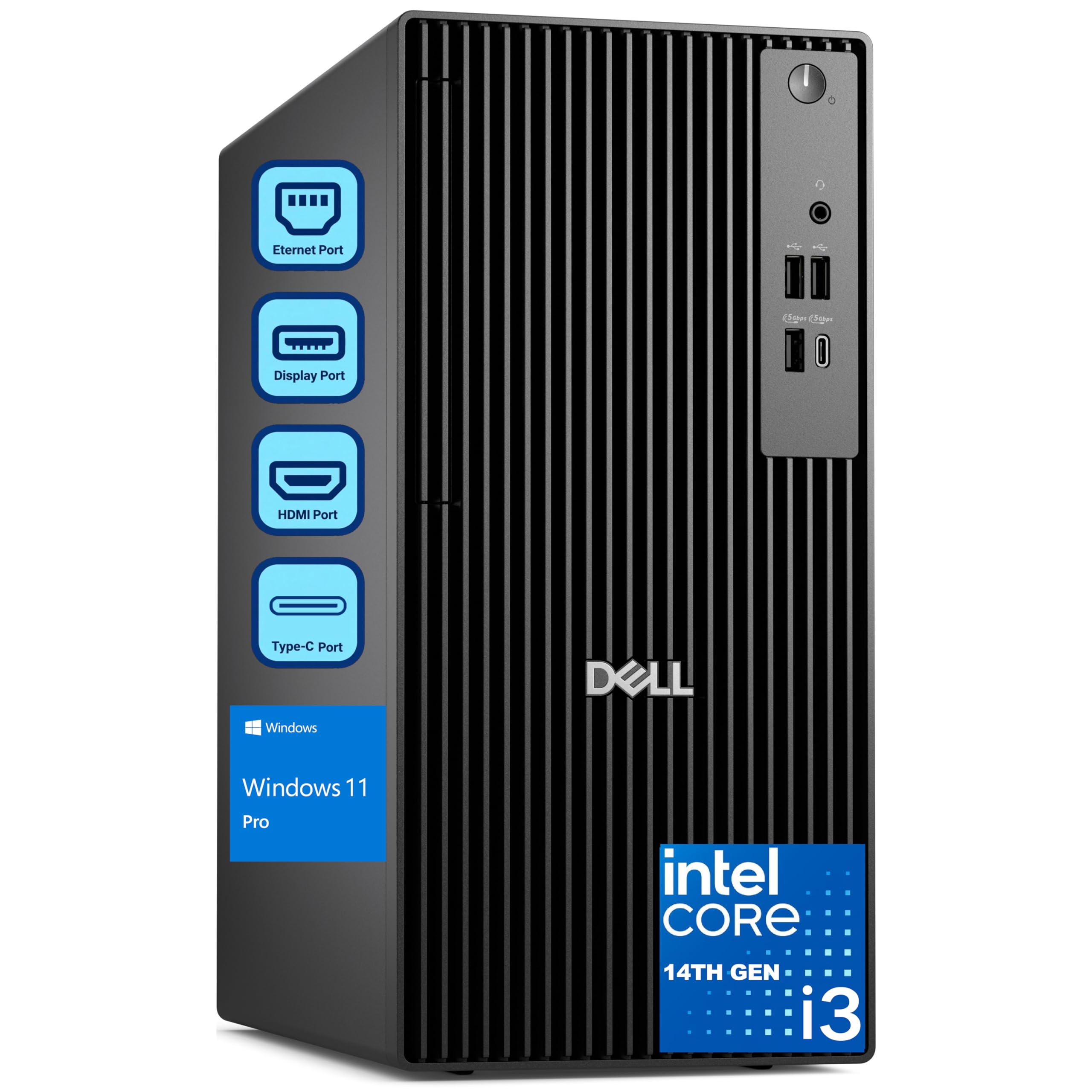
This Dell Pro Tower is the only brand-new machine in the list, featuring a 14th Gen Intel Core i3-14100 with 4 cores and DDR5 RAM. While the i3 nameplate sounds entry-level, the 14th Gen architecture delivers single-core performance that outpaces 7th Gen i7 chips from a few years ago. For office applications, web browsing, and video conferencing, this system feels snappier than any refurbished machine running older i7 silicon.
The 8GB of DDR5 RAM is the system’s weakest point—it is sufficient for basic tasks but will feel constrained with more than 10 browser tabs or moderate spreadsheet work. Upgrading to 16GB is recommended and straightforward thanks to the tool-less access panel. The 256GB PCIe SSD provides fast boot times but limited storage; external drives or cloud storage become necessary quickly. Windows 11 Pro with BitLocker and domain join features makes this a strong contender for small business environments.
Dell includes 1-year onsite service, meaning a technician will come to your home or office if hardware issues arise. This warranty alone justifies the premium over refurbished alternatives for users who cannot afford downtime. The expandable tower chassis supports future upgrades to memory, storage, and even a low-profile graphics card. A reliable, zero-hassle choice for non-technical users.
Why it’s great
- Brand-new 14th Gen processor with modern DDR5 RAM
- 1-year onsite warranty provides peace of mind
- Tool-less chassis for easy upgrades
Good to know
- Only 8GB RAM standard, upgrade needed for multitasking
- 256GB SSD is small; external storage recommended
6. YAWYORE Gaming PC Desktop (AMD)

The YAWYORE desktop uses an AMD Ryzen 5 5600GT, a modern 6-core, 12-thread processor with integrated Radeon Vega graphics. The Vega iGPU is surprisingly capable for an integrated solution, running 1080p games like Fortnite at around 30 FPS on low settings without a dedicated graphics card. The real value, however, is the upgrade path: the system includes a 550W 80PLUS Bronze power supply and an MSI A520M motherboard, making it easy to drop in a used RX 580 or GTX 1070 Ti for a massive gaming performance jump.
Storage is a generous 1TB NVMe PCIe SSD, providing space for a solid game library right out of the box. The 16GB of DDR4 3200MHz RAM is the modern sweet spot for gaming and multitasking. The cooling setup includes 5 ARGB fans with a remote control for lighting effects, and the system runs notably quieter than comparable budget gaming towers. Windows 11 Home comes preinstalled and fully compliant with TPM 2.0 requirements.
Users who added a dedicated GPU report the system handles the upgrade without issues, with the power cabling already routed near the PSU. The motherboard supports easy component swaps. This is the strongest platform for someone who wants a functional computer today but plans to turn it into a proper gaming machine later. The only caveat is that the Vega iGPU alone won’t satisfy gamers expecting high frame rates from the box.
Why it’s great
- Modern Ryzen 5 5600GT with strong upgrade path
- 1TB NVMe SSD provides ample storage
- 550W 80PLUS PSU supports future GPU upgrades
Good to know
- Integrated Vega graphics is entry-level for gaming
- No dedicated GPU included
7. Dell Slim Desktop ECS1250

The Dell Slim Desktop ECS1250 prioritizes aesthetic design and space efficiency. Its ultra-slim chassis takes up minimal desk real estate while supporting up to four FHD monitors through DisplayPort 1.4a daisy chaining—a rare feature at this price tier. The 14th Gen Intel Core i3-14100 with DDR5 RAM delivers modern responsiveness for office work, and the 512GB PCIe SSD offers double the storage of the comparable Pro Tower model.
The tool-less entry and removable side panel make upgrades convenient for adding more RAM or swapping the storage drive. The hardware TPM security chip meets business security standards, and the inclusion of a Kensington lock slot and padlock loop provides physical theft deterrence. Dell’s 1-year onsite service is included, matching the Pro Tower’s warranty coverage. Users who need only one audio jack should note that it is located on the front panel only.
This system works exceptionally well as a dedicated networking appliance—one reviewer specifically recommends it for pfSense routing with 3Gbps PPPoE, highlighting the three expansion slots for network cards. For standard office use, the 8GB DDR5 RAM is again the bottleneck; budgeting for a 16GB upgrade immediately after purchase is wise. The sleek design made from recycled materials appeals to environmentally conscious buyers.
Why it’s great
- Ultra-slim chassis with tool-less upgrade access
- Supports up to four FHD monitors via DisplayPort daisy chaining
- 1-year onsite service included
Good to know
- 8GB DDR5 RAM is minimal for multitasking
- Only front audio jack; no rear audio ports
8. abytespark Prebuilt Gaming PC

The abytespark gaming PC pairs a 4th Gen Intel Core i7-4770 with a Radeon RX 590 8GB GPU. The RX 590 is a significant step above the RX 580 found in the STGAubron machine, offering higher clock speeds and slightly better performance in 1080p gaming. The processor is a limitation—the i7-4770 is from 2013—but the dedicated GPU handles most modern titles at medium settings, with users reporting smooth VR performance in BONEWORKS.
The sea-view tempered glass case includes four RGB fans, and the system comes with a gaming keyboard, mouse, and mouse pad. Windows 11 Home is preinstalled, but like the STGAubron unit, this machine lacks TPM 2.0 and Secure Boot support, meaning it technically falls outside Microsoft’s hardware requirements for Windows 11. Buyer beware: one user claims the listing was removed for product misrepresentation related to these compliance gaps.
Reliability reports are mixed—some users report the system works flawlessly for months, while others experienced random power-offs and hard drive failures within three months. The power supply quality is unknown, which adds risk for sustained gaming loads. For buyers willing to accept the possibility of early failure and plan for component swaps, the RX 590 hardware remains compelling for the price. Not recommended for users who need guaranteed long-term reliability.
Why it’s great
- RX 590 8GB GPU outperforms most budget gaming cards
- RGB chassis and fans with included gaming peripherals
- Handles VR titles like BONEWORKS at entry level
Good to know
- 4th Gen i7 lacks Windows 11 TPM 2.0 support
- Mixed reliability reports with potential hardware failures
9. suevery Core i7 Desktop

The suevery desktop draws attention with five RGB fans behind a tempered glass panel, but the internal hardware tells a more conservative story. The Intel Core i7 processor and 16GB of RAM handle basic office tasks and web browsing smoothly, and the 256GB NVMe SSD ensures quick boot times. The compact tower form factor fits under a desk or in a tight corner without dominating the room.
Connectivity includes built-in WiFi and HDMI output for 4K displays. LED lighting is controlled through a case button rather than software, simplifying customization. The micro-ATX motherboard makes future expansion tight—adding a 2.5-inch SATA SSD required one reviewer to work around the GPU bracket due to cramped interior space. Cable management is mildly frustrating but manageable for a one-time build.
Performance holds up well for business software and casual use, with one reviewer running production apps across three monitors without complaint. The system is explicitly not designed for high-end gaming. Reliability data shows one user experiencing a hard drive failure within three months, while others report flawless operation. The lack of a brand-name PSU and motherboard makes long-term durability uncertain. Best for users who prioritize aesthetics and basic functionality over expansion flexibility.
Why it’s great
- Eye-catching RGB lighting with five fans and tempered glass
- 16GB RAM and NVMe SSD provide responsive daily performance
- Compact tower size fits easily in small spaces
Good to know
- Micro-ATX board makes storage upgrades difficult
- 256GB SSD fills up quickly; no brand-name components
10. HP Windows 11 Desktop Computer (Renewed)

The HP Windows 11 Desktop is a complete family-ready bundle that includes a renewed HP ProDesk SFF, a Grade-A 24-inch LCD monitor, RGB keyboard and mouse, stereo speakers, and a 2K webcam. The 8th Gen Intel Core i5 hexa-core processor with 16GB of DDR4 RAM and a 500GB SSD provides dependable performance for schoolwork, streaming, and home office tasks. This is the most fully-featured starter package available at this price tier.
The small form factor chassis takes up minimal desk space while still offering enough ports for standard peripherals. Windows 11 Pro comes pre-installed, and the built-in WiFi 6 and Bluetooth ensure modern wireless connectivity. The RGB peripherals add a touch of personality that younger users appreciate, and the included webcam saves an extra purchase for video calls. The monitor model and brand may vary, but all units are Grade-A refurbished with minimal cosmetic wear.
Customer experiences highlight the convenience of the all-in-one packaging—setup takes under 30 minutes out of the box. The main risk is the refurbished nature of the computer: a small number of buyers receive units with missing drivers, non-functional WiFi (requiring a USB adapter), or more serious defects that require returns. The overall sentiment is positive for the price, but the lack of a warranty extension plan places the burden on the buyer. A practical choice for families who want a single-box solution and accept the refurbished risk.
Why it’s great
- Complete bundle with monitor, peripherals, speakers, and webcam
- 8th Gen i5 hexa-core processor with 16GB RAM
- Compact SFF design with WiFi 6 built-in
Good to know
- Refurbished condition; risk of missing drivers or defects
- Monitor brand may vary; no warranty extension included
11. Dell Optiplex Small Desktop (Renewed Bundle)

This Dell Optiplex bundle targets the absolute entry-level buyer, offering a renewed system with a quad-core Intel i5, 16GB of DDR3 RAM, a 512GB SSD, a 24-inch monitor, and RGB keyboard, mouse, and headset. The use of DDR3 RAM and a quad-core i5 indicates this machine contains hardware from about 2014-2016, making it suitable only for the lightest workloads: web browsing, email, document editing, and children’s educational games like Minecraft.
The bundle includes every peripheral needed to get started, including a headset for online classes or calls. RGB lighting on the keyboard, mouse, and case adds visual appeal for younger users. Initial setup takes about 15 minutes according to parent reviews. The 512GB SSD provides acceptable responsiveness for basic tasks, though the DDR3 memory bandwidth noticeably limits multitasking capability compared to DDR4 systems.
Reliability is the greatest concern here—one reviewer reported the power supply failing with a loud pop after four days, and another noted monitor flickering issues after the 90-day exchange window. The included peripherals are the lowest tier available, with one user reporting a faulty shift key on the keyboard. This unit is best suited as a child’s first computer where performance expectations are minimal and the buyer accepts that it may need replacement within a year. The low-cost bundle convenience is the primary appeal.
Why it’s great
- Lowest entry price with complete bundle (monitor, keyboard, headset)
- RGB peripherals appeal to children and young users
- Easy 15-minute setup out of the box
Good to know
- DDR3 RAM and older quad-core i5 limit performance
- Significant reliability risk; PSU and monitor issues reported
FAQ
Is a renewed business desktop better than a new budget computer?
How much RAM do I really need in an affordable computer?
Can an affordable gaming PC run modern titles?
What should I check before buying a refurbished computer?
Does Windows 11 compatibility matter for a used computer?
Final Thoughts: The Verdict
For most users, the affordable computer winner is the Dell Optiplex 7060 SFF because its 8th Gen i7, 32GB of DDR4 RAM, and NVMe storage provide genuine multitasking power at a price that undercuts everything comparable. If you want a complete turnkey setup with a monitor and peripherals, grab the Dell OptiPlex 5050 bundle for the convenience of one-box simplicity. And for a modern platform you can upgrade into a capable gaming machine, nothing beats the YAWYORE AMD Ryzen desktop with its 1TB NVMe drive and 550W power supply.