
Our readers keep the lights on and the weekend projects moving. As an Amazon Associate, I earn from qualifying purchases.
Getting color-accurate prints and edits without spending a month’s rent on a monitor is the real challenge in photo editing. A screen that shifts hues or clips shadows forces endless guesswork, turning a creative workflow into a frustrating loop of proofing and re-proofing.
I’m Rikta — the co-founder and writer behind FitlyFast. I have spent dozens of hours dissecting 4K resolution specs, IPS panel variations, factory calibration reports, and color gamut coverage figures to find monitors that deliver professional-grade color without the professional-grade price.
Whether you are working with sRGB for web output or DCI-P3 for print matching, this guide zeroes in on the panels that offer true Delta E performance and wide gamut support at entry-level and mid-range price tiers. You are reading the definitive research for choosing the best affordable monitor for photo editing in 2025 based on specs that actually matter.
How To Choose The Best Affordable Monitor For Photo Editing
Choosing a monitor for photo editing on a budget requires focusing on panel technology and color performance rather than flashy extras. An IPS panel is non-negotiable for consistent color from wide viewing angles, and factory-calibrated Delta E values under 2 ensure your screen matches your prints. Don’t sacrifice gamut coverage — look for at least 99% sRGB as a baseline, and ideally 95% DCI-P3 for broader color space support.
The Delta E Truth: Accuracy Over Resolution
Many shoppers fixate on 4K resolution, but a high-resolution panel with poor color accuracy is useless for editing. Delta E measures the difference between a displayed color and the intended color — a value under 2 is considered excellent and indistinguishable to the human eye. A 1440p monitor with a Delta E of 1 will serve your edits better than a 4K monitor with a Delta E of 5. Always prioritize calibration reports and color gamut percentages.
Connectivity and Workflow
For photo editors, a single USB-C cable that powers your laptop and transmits video is a desk-clearing feature. Look for USB-C power delivery of at least 60W to keep your machine charged during long editing sessions. The ability to daisy-chain multiple displays via DisplayPort can also streamline a multi-monitor setup for comparing before-and-after edits without window-juggling.
Quick Comparison
On smaller screens, swipe sideways to see the full table.
| Model | Category | Best For | Key Spec | Amazon |
|---|---|---|---|---|
| ASUS ProArt PA279CV | 4K HDR | Video & Photo Editing | Delta E < 2, 100% sRGB/Rec.709 | Amazon |
| BenQ MA270U | 4K Mac | MacBook Color Matching | P3 Gamut, 90W USB-C PD | Amazon |
| LG 27UP850K-W | 4K HDR | High Dynamic Range Edits | 95% DCI-P3, DisplayHDR 400 | Amazon |
| LG 27UP850-W | 4K HDR | USB-C 96W Workflow | 95% DCI-P3, 96W PD | Amazon |
| ViewSonic VP2756-4K | 4K ColorPro | Pantone-Tested Accuracy | 100% sRGB, Pantone Validated | Amazon |
| INNOCN 27C1U-D | 4K USB-C | Plug-and-Play macOS | Delta E < 2, 400 nits | Amazon |
| Dell S2725QS | 4K 120Hz | Hybrid Editing & Casual Gaming | 99% sRGB, 1500:1 Contrast | Amazon |
| ASUS ProArt PA278CV | QHD | Budget Color-Critical Work | Delta E < 2, 100% sRGB | Amazon |
| Gawfolk 27-inch 4K | Budget 4K | Entry-Level 4K Editing | 100% DCI-P3, 400 nits | Amazon |
In‑Depth Reviews
1. ASUS ProArt Display PA279CV

The ASUS ProArt PA279CV bridges the gap between pro-level color accuracy and a mid-range budget. With a factory-calibrated Delta E under 2 and Calman Verification, this monitor delivers 100% sRGB and Rec. 709 coverage straight out of the box — you won’t need to rent a colorimeter to get usable results. The 27-inch 4K IPS panel provides sharp detail for retouching, and the 65W power delivery over USB-C keeps a connected laptop charged during long sessions.
Connectivity is generous: USB-C, DisplayPort, HDMI, and a 4-port USB 3.1 hub make cable management simple. The ergonomic stand supports height, tilt, swivel, and pivot adjustments, allowing rotation into portrait mode for vertical image editing. The 3-month Adobe Creative Cloud subscription included with purchase adds tangible value for editors building their toolkit.
Some users report a slight green tint out of the box that resolves with a small tint adjustment. The max brightness at 350 nits is adequate for indoor use but not ideal for HDR content grading. Nonetheless, for color-critical work at this price tier, the PA279CV stands as the most complete package.
Why it’s great
- Calman Verified Delta E < 2 ensures factory color accuracy
- 100% sRGB and Rec. 709 coverage for photo and video matching
- 65W USB-C power delivery declutters the desk
Good to know
- Brightness caps at 350 nits, not suited for HDR work
- Some units may need minor tint calibration out of box
2. BenQ MA270U

The BenQ MA270U is designed from the ground up for MacBook users who need color parity between their laptop screen and external monitor. BenQ’s exclusive color tuning matches the P3 wide color gamut of MacBook Pro and Air displays, so your edits look consistent when you unplug. The 27-inch 4K IPS panel offers a 2000:1 contrast ratio — significantly higher than the typical 1000:1 — giving shadows deeper depth for photo grading.
Connectivity is Mac-first: dual USB-C ports deliver 90W to your laptop and 15W to charge an iPad or iPhone, all over a single cable. Integrated controls let you adjust brightness and volume directly from the MacBook keyboard, removing the need for physical buttons. The stand provides full ergonomic range including height, tilt, swivel, and pivot.
Reports of early failure in some units are a concern, though BenQ support is described as responsive. The built-in speakers are underwhelming, so external audio is recommended. However, for Mac-centric photographic workflows, the MA270U offers the closest color-matching experience this side of a Studio Display.
Why it’s great
- Mac color matching with P3 wide gamut for seamless workflow
- 90W USB-C power delivery on a single cable
- 2000:1 contrast ratio improves shadow depth in photos
Good to know
- Some units report early failure, though support is responsive
- Built-in speakers are poor; external speakers needed
3. LG 27UP850K-W

The LG 27UP850K-W brings VESA DisplayHDR 400 certification and 95% DCI-P3 color gamut coverage to a mid-range price point, making it a strong candidate for editors who work with high dynamic range images. The 4K IPS panel delivers 400 nits of brightness, which is enough to give HDR content visual punch without blooming artifacts often seen in edge-lit displays. The 1200:1 contrast ratio is slightly above the IPS standard, providing better differentiation in dark tonal ranges.
USB-C connectivity with 90W power delivery simplifies laptop integration, and the ergonomic stand includes height, tilt, and pivot adjustments. The built-in stereo speakers with Waves MaxxAudio are notably better than most monitor speakers, suitable for quick review sessions without external speakers.
The 60Hz refresh rate is sufficient for photo editing and casual gaming but won’t satisfy competitive players. Some users note quirks with macOS wake-from-sleep behavior, though these are typically resolved with cable reseating. For the price, the 27UP850K-W delivers the strongest HDR performance in this bracket.
Why it’s great
- DisplayHDR 400 certified for genuine HDR photo editing
- 95% DCI-P3 gamut covers wide print and display spaces
- 90W USB-C PD and robust built-in speakers
Good to know
- 60Hz refresh rate limits fast gaming usage
- Minor macOS wake-from-sleep issues reported
4. LG 27UP850-W

The LG 27UP850-W shares the same core 4K IPS panel as the later 27UP850K-W but distinguishes itself with a higher 96W USB-C power delivery — enough to charge a 15-inch MacBook Pro at full speed during intensive editing. The DCI-P3 95% color gamut and DisplayHDR 400 support remain, delivering vibrant, accurate colors for print and web work. The 3-side virtually borderless design makes it an excellent candidate for multi-monitor setups.
The ergonomic stand covers height, tilt, swivel, and full 90-degree pivot for portrait-mode editing. USB-C connectivity with integrated power delivery means a single cable handles video, data, and charging. The OnScreen Control software allows quick switching between color modes (sRGB, DCI-P3, HDR) without diving into the OSD menu.
The USB-A ports are limited to 1 amp output, insufficient for fast-charging larger tablets or Qi chargers. Some users encountered HDR functionality issues that required a replacement unit, suggesting occasional quality control variance. Still, for workflow where maximum USB-C charging is critical, this LG is a capable choice.
Why it’s great
- 96W USB-C power delivery charges full-size laptops quickly
- DCI-P3 95% gamut and DisplayHDR 400 for vivid color work
- Borderless design ideal for multi-monitor photo editing
Good to know
- USB-A ports limited to 1A output for peripherals
- Occasional HDR function defects in some units
5. ViewSonic VP2756-4K

The ViewSonic VP2756-4K is Pantone Validated, meaning its color reproduction has been tested and certified to match Pantone’s standards — a serious credential for photographers who need confidence that their proofs translate to print. The 27-inch 4K IPS panel covers 100% sRGB, EBU, and SMPTE-C color spaces, and factory calibration targets Delta E under 2. The USB-C port delivers 60W power delivery while also functioning as a KVM switch, letting you toggle between a laptop and desktop with one shared keyboard and mouse.
The stand offers full ergonomic adjustment: height, tilt, swivel, and pivot. The built-in blue light filter and flicker-free technology reduce eye strain during extended editing marathons. The 60Hz refresh rate is standard for this class, and the slim 8mm bezels keep the focus on your work.
The main limitation is that the 90-degree rotation (pivot) does not function correctly when connected to a Mac — a notable omission for macOS users who need portrait mode. The on-screen display buttons feel dated compared to software-based controls. But for Windows-based photo editors, this is among the most accurate displays available at the price.
Why it’s great
- Pantone Validated for predictable print color translation
- Built-in KVM switch for seamless desktop/laptop sharing
- 100% sRGB, EBU, SMPTE-C coverage
Good to know
- Pivot rotation not supported on macOS
- OSD navigation is clunky compared to software alternatives
6. INNOCN 27C1U-D

The INNOCN 27C1U-D is a surprisingly capable entry-point for photo editors on a strict budget. This 27-inch 4K IPS monitor offers a 10-bit (8-bit + FRC) panel capable of displaying 1.07 billion colors, with Delta E under 2 for factory-calibrated accuracy. The 400-nit brightness and 1000:1 contrast ratio are standard for the price, but the color gamut is limited compared to pricier competitors — it covers sRGB adequately but does not advertise DCI-P3 coverage.
Connectivity includes USB-C, DisplayPort, and HDMI, allowing plug-and-play compatibility with M-series MacBooks and most laptops. The stand supports height, tilt, swivel, and pivot adjustments, offering the same ergonomic range as monitors costing twice as much. The built-in speakers are usable for system sounds but not for critical audio review.
The most common issue is intermittent wake-from-sleep behavior with MacBooks, sometimes requiring the USB-C cable to be reconnected. The 60Hz refresh rate is fine for photo work. For editors who need 4K resolution and respectable color accuracy but cannot stretch the budget further, the INNOCN 27C1U-D is a solid foundation.
Why it’s great
- 10-bit panel (8+FRC) for smooth 1.07B color transitions
- Factory calibrated to Delta E < 2 at a very low price
- Full ergonomic stand with pivot and height adjustment
Good to know
- Mac wake-from-sleep disconnection requires cable reseating
- Do not advertise wide DCI-P3 or Adobe RGB coverage
7. Dell S2725QS

Dell’s S2725QS pushes beyond the standard photo editing formula with a 120Hz refresh rate and AMD FreeSync Premium, making it the best hybrid monitor for editors who also enjoy casual gaming. The 27-inch 4K IPS panel covers 99% sRGB and features a 1500:1 contrast ratio — 50% higher than typical IPS monitors — which gives photos noticeably deeper blacks and better shadow detail. ComfortView Plus reduces blue light exposure below 35% without the yellow tint common on other blue-light filters.
The included adjustable stand covers tilt, swivel, pivot, and height adjustments. Built-in speakers have been upgraded from the previous generation with greater output power and frequency response. The 2.1 HDMI cable included in the box supports the full 4K 120Hz bandwidth.
For professional photo editing, the sRGB-only gamut means it cannot reproduce the wider P3 or Adobe RGB spaces used by high-end printing workflows. Some users report a persistent yellow tint that color adjustments cannot fully correct. The 120Hz refresh rate is a bonus, not a necessity, for photo work. If your editing stays within sRGB and you occasionally game, this Dell is a versatile choice.
Why it’s great
- 1500:1 contrast ratio delivers deeper blacks than typical IPS
- 120Hz refresh rate smooths scrolling and casual gaming
- ComfortView Plus filters blue light without color shift
Good to know
- Color gamut limited to 99% sRGB, no DCI-P3 coverage
- Some units have yellow tint issues that persist after adjustment
8. ASUS ProArt Display PA278CV

The ASUS ProArt PA278CV proves that color accuracy does not require 4K resolution. This 27-inch QHD (2560 x 1440) IPS monitor is Calman Verified with Delta E under 2 and covers 100% sRGB and 100% Rec. 709 — making it a near-perfect match for web-first photographers and video editors whose output will never exceed HD resolution. The lower pixel count means sharper text scaling on macOS compared to 4K monitors that require HiDPI mode.
USB-C with 65W power delivery handles laptop charging and video over a single cable. The stand includes full height, tilt, swivel, and 90-degree pivot adjustments. DisplayPort daisy-chaining lets you connect up to four monitors without additional docks — useful for multi-display editing rigs. The 75Hz refresh rate and Adaptive-Sync provide smoother scrolling and tear-free video playback.
The QHD resolution means less on-screen workspace for large-format photo editing and limited future-proofing as 4K content becomes standard. The 350-nit brightness is adequate but not HDR-capable. For editors on the tightest budget who prioritize color fidelity over pixel count, this is the most accurate panel available at the entry level.
Why it’s great
- Calman Verified Delta E < 2 for professional color work
- 100% sRGB and Rec. 709 coverage at a budget price
- DisplayPort daisy-chaining supports multi-monitor setups
Good to know
- QHD resolution less workspace than native 4K panels
- 350-nit brightness insufficient for HDR content
9. Gawfolk 27-inch 4K UHD
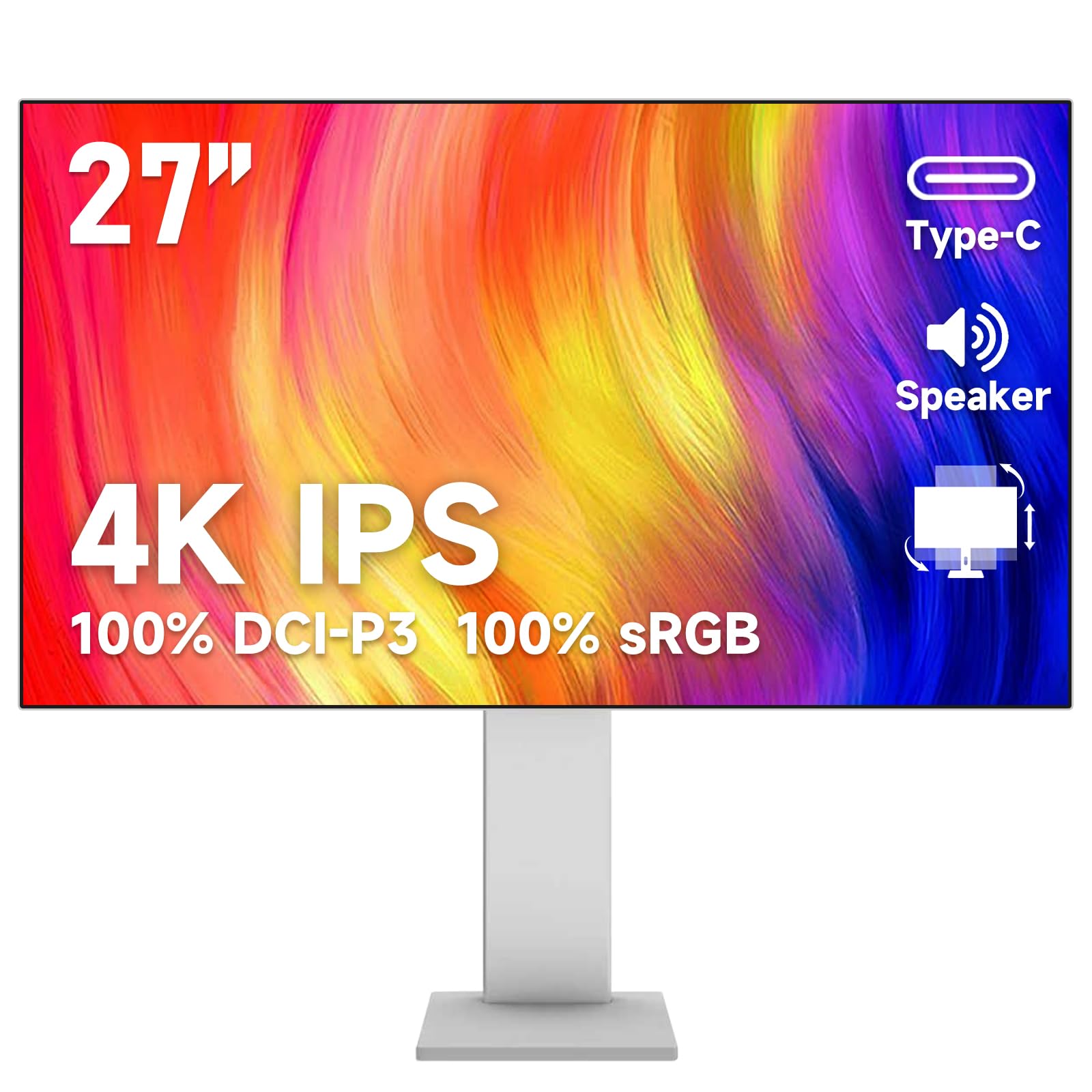
The Gawfolk 27-inch 4K monitor makes a bold claim for the budget tier: 100% DCI-P3 and 100% sRGB coverage, backed by a 10.7 billion color display (10-bit panel) that targets professional-grade color. With 400-nit brightness and an IPS panel delivering 178-degree viewing angles, the specs rival monitors costing significantly more on paper. The color gamut claims are particularly impressive for the price, potentially serving editors who work with wide gamut color spaces.
Connectivity is comprehensive with HDMI, DisplayPort, Type-C, USB-B, and dual USB-A ports, supporting multi-device connections. The stand offers height adjustment and rotation, though build quality feels less robust than pricier competitors. Built-in speakers are included for basic audio output.
The risks are reliability — multiple verified reviews report failures within 3 to 5 months of purchase, suggesting quality control is inconsistent. Some units require specific cable combinations (USB-C to DisplayPort) to hit full resolution and refresh rate. For risk-tolerant editors on the tightest budget who need wide color gamut support, it is worth a try, but the reliability concerns make it hard to recommend as a primary work monitor.
Why it’s great
- Claims 100% DCI-P3 and sRGB coverage at entry-level pricing
- 10-bit panel (1.07B colors) for smooth gradients
- Full feature set including USB hub and height adjustment
Good to know
- Multiple reports of failure within 3-5 months of use
- Color claims not independently verified at this price
FAQ
Is 4K resolution necessary for photo editing, or is 1440p enough?
What does Delta E under 2 mean for my actual prints?
Should I use a hardware calibrator even with a factory-calibrated monitor?
Final Thoughts: The Verdict
For most users, the best affordable monitor for photo editing winner is the ASUS ProArt PA279CV because it combines Calman Verified Delta E < 2 accuracy, 4K resolution, and 65W USB-C power delivery at a mid-range price that does not force compromises. If you want a near-perfect Mac color match with premium build, grab the BenQ MA270U. And for budget-conscious editors who need sRGB accuracy first and higher resolution second, nothing beats the value of the ASUS ProArt PA278CV.