
Our readers keep the lights on and the weekend projects moving. As an Amazon Associate, I earn from qualifying purchases.
Weak WiFi in the back bedroom, constant buffering on the porch, or a video call that drops every time you walk into the kitchen — these are the daily frustrations that push you toward a signal booster. An affordable WiFi extender can fix these dead zones without forcing you to upgrade your whole router.
I’m Rikta — the co-founder and writer behind FitlyFast. I’ve spent countless hours analyzing extender specifications, reading real user experiences, and comparing dual-band speeds, coverage claims, and setup processes to separate the plug-and-play winners from the frustrating duds. This guide focuses purely on value — no overpriced units that perform no better than their budget counterparts.
After combing through dozens of models and hundreds of customer reports, I’ve narrowed the market down to the seven extenders that actually deliver on their promises. Here is my definitive guide to the best affordable wifi extender for your home.
How To Choose The Best Affordable WiFi Extender
Not all extenders are created equal. Many cheap models claim huge coverage but collapse under the weight of multiple devices. Here are the three factors that actually determine whether an extender will fix your dead zone or just collect dust on a shelf.
Coverage vs. Real-World Walls
A model rated for 10,000 square feet in a perfect lab will struggle to cover 2,000 square feet in a home with plaster walls, brick, or metal studs. Cross-reference the manufacturer’s “up to” number with your own home layout: wood-frame drywall allows decent penetration, but anything denser requires an extender with at least two external antennas and beamforming technology. For a typical 1,500- to 2,500-square-foot home, a unit with a real-world range of about 1,500 to 2,100 square feet is usually sufficient.
WiFi Generation and Speed Ratings
An AC1200 extender (combining 300 Mbps on 2.4 GHz and 867 Mbps on 5 GHz) is the baseline for reliable HD streaming and video calls. A newer AX1800 (WiFi 6) unit adds better handling of multiple simultaneous devices and slightly lower latency. The speed rating is a theoretical maximum under ideal conditions — your actual throughput will be roughly half that in real-world use. For most homes with internet plans under 500 Mbps, an AC1200 or AX1800 extender is more than enough.
Setup and Management
The single biggest pain point for budget extenders is a confusing setup process. Look for units with a dedicated app (TP-Link Tether, eero, or Netgear Nighthawk) or a simple WPS push-button pairing. Units that force you to navigate a browser-based setup page are riskier — if the default IP address conflicts with your router, you’ll waste an evening troubleshooting. An extender that takes less than ten minutes to configure and offers a signal-finder LED is worth the slight premium.
Quick Comparison
On smaller screens, swipe sideways to see the full table.
| Model | Category | Best For | Key Spec | Amazon |
|---|---|---|---|---|
| TP-Link Deco S4 (3-Pack) | Mesh System | Whole-home mesh with seamless roaming | AC1900, up to 5,500 sq. ft., 100 devices | Amazon |
| TP-Link RE615X | WiFi 6 Extender | Future-proof performance for streaming and gaming | AX1800, up to 2,100 sq. ft., 64 devices | Amazon |
| Amazon eero 6 | Mesh Router | Simple mesh with built-in smart hub | WiFi 6, up to 1,500 sq. ft., 75+ devices | Amazon |
| Netgear EXS25 | WiFi 7 Extender | Bleeding-edge speed with multi-gig Ethernet | BE4500, up to 1,500 sq. ft., 45 devices | Amazon |
| Cyseed 2026 Extender | Long-Range Booster | Budget-friendly option for large, open floor plans | AC1200, up to 10,000 sq. ft., 65+ devices | Amazon |
| ROQRL M-97D | Dual-Band Booster | Value pick for small to medium homes | AC1200, up to 10,000 sq. ft., Ethernet port | Amazon |
| AERVY 2026 Extender | Compact Repeater | Entry-level fix for a single dead room | AC1200, up to 10,000 sq. ft., Ethernet port | Amazon |
In‑Depth Reviews
1. TP-Link Deco S4 (3-Pack)

The TP-Link Deco S4 is a three-unit mesh system that replaces both your router and extenders, creating one seamless network with a single SSID. With AC1900 speeds and coverage rated up to 5,500 square feet, it handles two-story homes and brick-walled layouts without dead zones. Users report speeds of 450-550 Mbps near a node and reliable 4K streaming across multiple floors — a level of consistency few single extenders match.
Setup is app-based and takes under 15 minutes. The Deco app includes robust parental controls for time limits and content filtering per device, and each unit has two Gigabit Ethernet ports for wired backhaul or connecting a game console or PC. The system supports up to 100 devices simultaneously, making it future-proof for a growing smart home.
Three units for under is exceptional value for a true mesh system. The only notable absence is a dedicated wireless backhaul band, which means performance can drop slightly between distant nodes. But for homes under 5,000 square feet, the Deco S4 delivers consistent whole-home coverage that outclasses every traditional extender at this price.
Why it’s great
- True mesh networking with single SSID and seamless roaming
- Coverage up to 5,500 sq. ft. across three units
- App-based parental controls and guest network
Good to know
- No dedicated wireless backhaul band
- Ethernet ports limited to 1 Gbps each
- Firmware updates are occasionally slow to arrive
2. TP-Link RE615X AX1800

The RE615X brings genuine WiFi 6 performance (AX1800) to the extender category without jumping into mesh-system pricing. With 1.8 Gbps total bandwidth — 1,201 Mbps on 5 GHz and 574 Mbps on 2.4 GHz — it handles 4K streaming, video calls, and online gaming on multiple devices simultaneously. Two high-gain directional antennas with beamforming push reliable coverage up to 2,100 square feet, and the extender supports up to 64 connected devices.
Setup is quick via the TP-Link Tether app, which includes a signal-finder LED to help you place the extender for optimal performance. The Gigabit Ethernet port supports AP Mode, turning a wired connection into a WiFi hotspot — useful for a detached garage or workshop. The RE615X is also EasyMesh-compatible, so it can integrate with a compatible router for a cohesive whole-home network later.
The extender is physically larger than most competitors, with two swiveling external antennas. Some users found the initial setup finicky if an Ethernet cable was plugged in during configuration. Once running, however, the RE615X delivers the speed and stability you expect from a brand that ships more routers than anyone else on the market.
Why it’s great
- WiFi 6 speeds with up to 1.8 Gbps total bandwidth
- EasyMesh compatible for future whole-home expansion
- Intelligent signal indicator simplifies placement
Good to know
- Larger than many wall-plug extenders
- Ethernet port does not support wired backhaul
- Setup requires wireless connection before Ethernet can be used
3. Amazon eero 6

The eero 6 is a single-unit mesh router, not a traditional extender, but it solves the same problem — dead zones — by replacing your main router entirely. It covers up to 1,500 square feet with WiFi 6 speeds up to 900 Mbps and supports over 75 connected devices. TrueMesh technology intelligently routes traffic to reduce buffering, and the free eero app guides you through setup in under three minutes.
A standout feature is the built-in Zigbee smart home hub, which lets you control compatible smart lights, locks, and sensors without an extra dongle. The eero 6 also receives automatic security updates, keeping your network protected against new threats without any action on your part. Users consistently report eliminating all dead zones in homes up to 1,500 square feet with a single unit, and you can add additional eero nodes later if you need more coverage.
The trade-off is that this is a router, not an add-on extender — you must replace your existing router to use it. If you’re happy with your current router’s management features but just need more range, a traditional extender might be simpler. But for the price, the eero 6 gives you a modern WiFi 6 router with mesh capabilities and a built-in smart hub that pays for itself by eliminating monthly rental fees from your ISP.
Why it’s great
- Built-in Zigbee smart home hub eliminates extra hardware
- Automatic security updates keep network safe
- TrueMesh intelligently routes traffic to prevent buffering
Good to know
- Replaces your router — not a plug-and-play add-on
- Coverage limited to 1,500 sq. ft. per unit
- Single Ethernet port only for incoming connection
4. Netgear EXS25
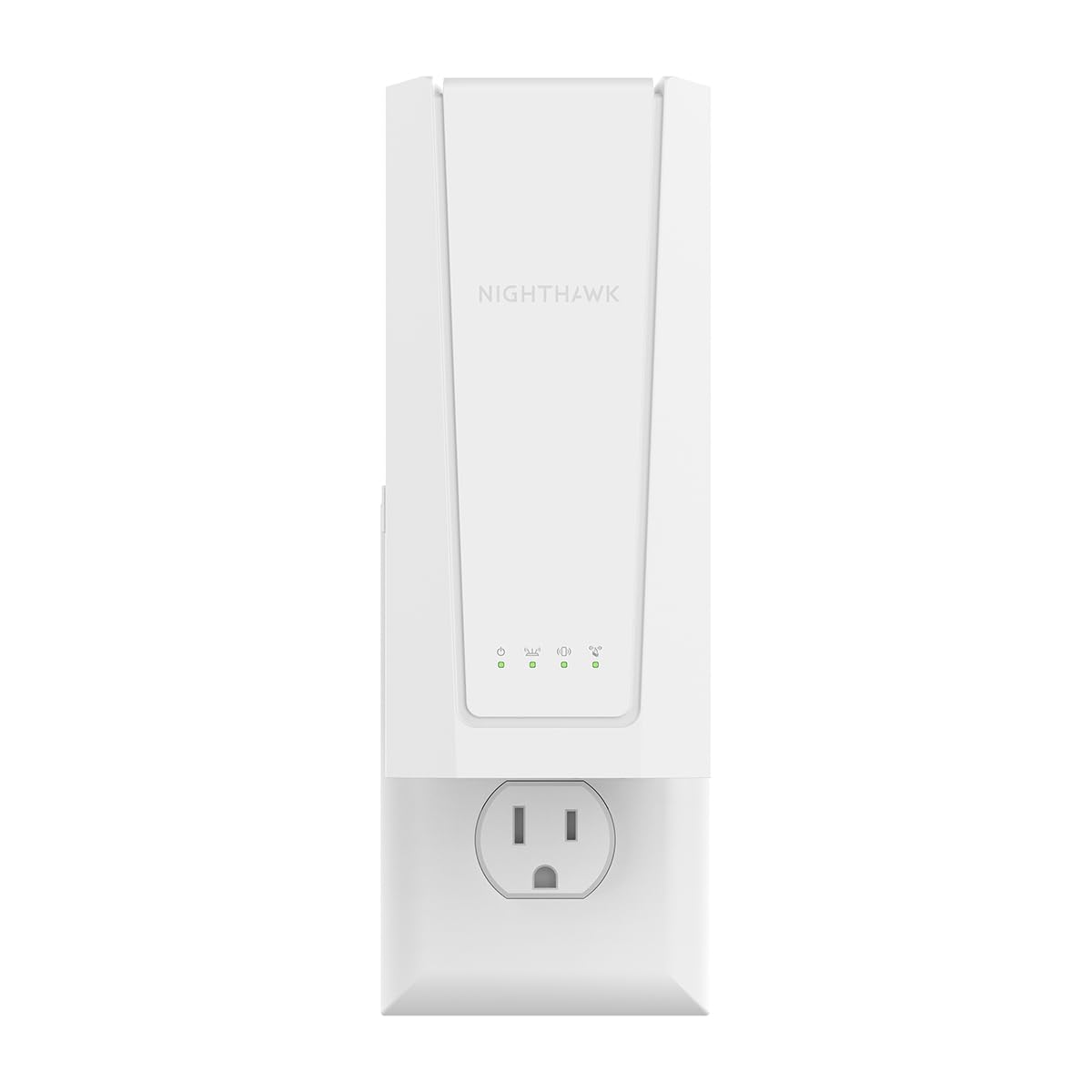
The EXS25 is one of the first affordable WiFi 7 extenders to hit the market, offering BE4500 speeds (up to 4.5 Gbps) with support for the 6 GHz band. This is overkill for most current internet plans, but it future-proofs your network for next-generation routers and devices. It covers up to 1,500 square feet and connects up to 45 devices, making it a strong choice for a smaller home with high-bandwidth needs.
The 2.5 Gigabit Ethernet port is a genuine differentiator — it supports wired connections faster than any other extender in this price range, ideal for a gaming PC or NAS drive that needs multi-gig speeds. Smart Roaming keeps you connected to the strongest signal as you move through your home, and WPA3 security adds the latest encryption standard. Setup is straightforward via WPS or the Nighthawk app.
Some users experienced occasional connectivity drops, and the Netgear app requires a subscription for advanced features, which feels out of place in a premium extender. The EXS25 is also expensive compared to WiFi 6 alternatives. But if you already have a WiFi 7 router or plan to upgrade within two years, this extender will keep your whole network generationally consistent.
Why it’s great
- WiFi 7 speeds with 2.5 Gbps wired port
- Smart Roaming for seamless signal handoff
- WPA3 security encryption
Good to know
- Expensive relative to WiFi 6 alternatives
- App requires subscription for full features
- Some users report occasional connectivity drops
5. Cyseed 2026 WiFi Extender
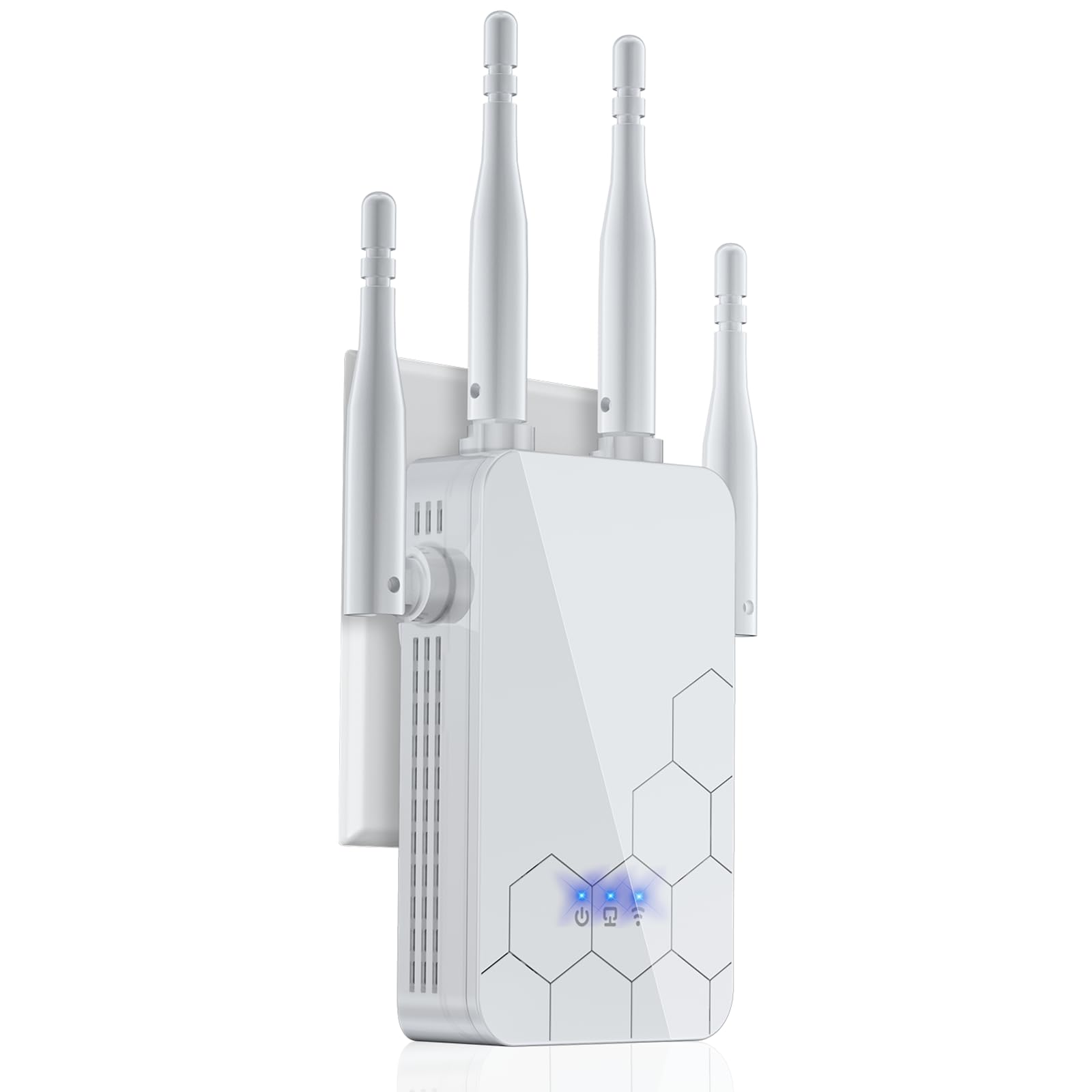
The Cyseed extender leans into the long-range promise with four external antennas and a coverage claim of up to 10,000 square feet. In real-world use, it reliably pushes a strong 2.4 GHz signal through walls, with users reporting solid connections for cameras, printers, and streaming devices at distances of 300 feet from the router. The 5 GHz band is less penetrating but still adequate for HD video within one or two rooms.
Setup is refreshingly simple: a 1-tap WPS button or QR code scan gets you connected in seconds. The extender offers five operation modes — Repeater, Client, AP, Bridge, and Router — giving you flexibility for different network layouts. An 18-month warranty adds peace of mind that is unusual at this price tier.
The Cyseed matches the claims on the box, but the AC1200 speed rating means you won’t max out a gigabit internet plan. For households with moderate usage — streaming, browsing, video calls — this extender does exactly what it promises without complications. The “work horse” label from multiple long-term users says it all.
Why it’s great
- Four external antennas for strong wall penetration
- Five operation modes for flexible network design
- 18-month warranty at a very competitive price
Good to know
- AC1200 speeds limited for gigabit plans
- Larger physical footprint may block second outlet
- 5 GHz range significantly shorter than 2.4 GHz
6. ROQRL M-97D

The ROQRL M-97D offers AC1200 dual-band performance with four high-performance antennas, claiming coverage up to 10,000 square feet. In practice, users report it reliably fills a 2,000-square-foot home with strong signal, eliminating a one-bar situation downstairs to full bars. The extender supports three modes — Repeater, AP, and Ethernet — giving you flexibility for different setups.
Setup is straightforward for most users, though a handful noted that the QR code in the manual leads to a product page rather than the setup guide; a quick YouTube video resolved the confusion. Once connected, the extender holds a stable connection even when placed in a garage hundreds of feet from the router. The Ethernet port works cleanly for a wired device like a smart TV or desktop PC.
The M-97D is one of the lowest-priced reliable extenders on the market. It lacks WiFi 6 and advanced features like mesh compatibility, but it delivers exactly what most homes need: dead zone elimination for basic streaming, browsing, and smart devices. If you need to cover a large floor plan on a tight budget, this is the extender to beat.
Why it’s great
- Four antennas deliver strong coverage through walls
- Three operation modes for flexible deployment
- Extremely budget-friendly for the performance
Good to know
- Setup QR code leads to product page, not instructions
- No WiFi 6 or mesh support
- Speed degrades noticeably with physical obstructions
7. AERVY 2026 WiFi Extender

The AERVY extender is a compact wall-plug unit that punches above its size. It supports AC1200 dual-band speeds and claims coverage up to 10,000 square feet, though real-world testing shows it performs best when covering a single dead zone room or extending signal through 100 feet of wood and block walls. Setup is notably simple: the auto-configuration page appears immediately upon connection, and the included QR code links to a video walkthrough.
Users praise the extender for eliminating lag in back rooms for streaming and music, and for restoring control of outdoor smart lights across a 110-foot distance. The single Ethernet port works for connecting a media player or desktop. The unit is small enough to sit flush against a wall outlet without obstructing the second socket.
There is a significant red flag: at least one verified purchaser reported receiving a fake gift card in the box alongside instructions to leave a 5-star review. This scam-like behavior undermines trust in the product’s ratings. If you can look past that questionable practice, the extender itself works as advertised for basic coverage needs. But the dishonesty makes it hard to recommend without a caveat.
Why it’s great
- Compact, unobtrusive plug design
- Auto-configuration page for quick setup
- Effective through wood and block walls at 110+ feet
Good to know
- Verified report of fake gift card scam to solicit reviews
- No WiFi 6 support
- Best suited for single-room extension, not whole home
FAQ
Do I need a WiFi 6 or WiFi 7 extender for my current router?
What is the difference between a mesh system and a range extender?
Can I plug an extender directly into my router?
Why does my extender reduce my internet speed?
Final Thoughts: The Verdict
For most users, the best affordable wifi extender winner is the TP-Link Deco S4 because it completely eliminates dead zones with true mesh networking at a price lower than most single high-end extenders. If you want the fastest raw speeds for a specific dead room without replacing your router, grab the TP-Link RE615X. And for the tightest budget where a single dead zone needs a quick fix, nothing beats the value of the ROQRL M-97D.