
Our readers keep the lights on and the weekend projects moving. As an Amazon Associate, I earn from qualifying purchases.
Specs are compiled from manufacturer listings and verified buyer reviews and can change over time — please confirm the key details on the product page before buying.
If you are shopping for serious AI horsepower, the real question is not which CPU is fastest — it is where your data lives and how much model you can actually run. These are not ordinary desktops; they are deskside systems built to train, fine-tune, and run large language models locally, without sending your work to the cloud. This guide breaks down the four strongest AI workstation options, ranked by what the specs and owner experiences actually deliver for real workloads.
I’m Rikta — the founder and writer behind FitlyFast. This guide is built by comparing the manufacturers’ published specifications and the patterns across verified customer reviews, so you get each pick’s real strengths and trade-offs instead of marketing spin.
One honest note before we start: this list uses flexible, human-like matching for the core AI workstation requirements — a dedicated NVIDIA or AMD GPU with at least 8GB VRAM, at least 32GB RAM, and at least 1TB SSD storage — so not every pick is the exact same size, watt, or spec tier; the nearest same-type configuration serves the same purpose. Tell yourself this upfront so you are never misled. Here are the best ai workstation options worth your money in 2026.
Our Picks at a Glance
How To Choose The Best AI Workstation
Match the hardware to your specific workload, not just the word “AI.” A system that crushes 4K video rendering may choke on a 70-billion-parameter language model, and vice versa. You have to match the hardware to the specific workload, not just to the word “AI.”
Match the GPU memory (VRAM) to your model size
VRAM (video RAM, the memory built into the graphics card) is what holds your model while it runs. Bigger models need more VRAM — a 12GB card runs smaller models comfortably, while a 128GB unified-memory system can fine-tune models up to 200 billion parameters. If you plan to run large models locally, your budget should follow the VRAM number first, not the core count.
Decide if you need professional certification
A consumer gaming GPU is great for experimentation. A professional-grade card with certified drivers is built for stability in software like AutoCAD, SolidWorks, or Blender — meaning fewer crashes when your render or simulation has been running for hours. If your income depends on a deadline, certified drivers are worth the premium.
Quick Comparison
| Model | Best For | GPU Memory | Max CPU Speed | Total RAM | Amazon |
|---|---|---|---|---|---|
| iBUYPOWER Element★ Best Overall | Gaming plus entry-level AI | 12 GB | 5.4 GHz | 32 GB | Amazon |
| ACEMAGIC G3A | Pro creative and engineering work | 16 GB | 5.6 GHz | 32 GB | Amazon |
| ASUS Ascent GX10 | Agentic AI development | 128 GB | 4 GHz | 128 GB | Amazon |
| NVIDIA DGX Spark | Local LLM research and fine-tuning | 128 GB | 4 GHz | 128 GB | Amazon |
In‑Depth Reviews
1. iBUYPOWER Element Gaming PC Desktop
Our pick — over 4★ from 2,500+ verified ratings; the strongest balance of quality and price.
The fastest practical start in AI — a ready-to-run tower that balances gaming and machine learning.
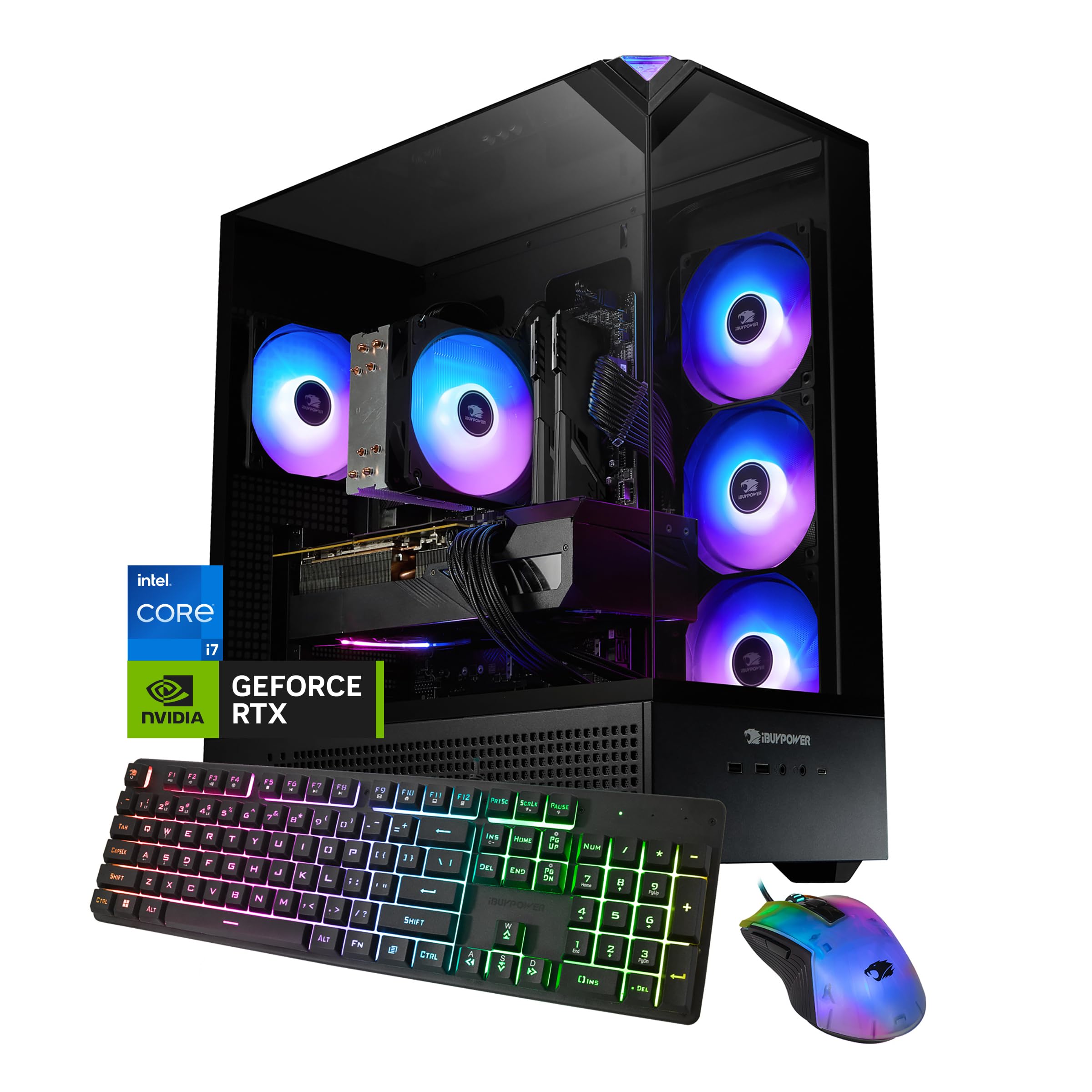
This is the crowd favorite in the lineup, and its 4.3-star average across thousands of owners makes it the sensible first step into AI work without jumping to a four-figure mini supercomputer. The heart of it is the NVIDIA GeForce RTX 5070 with 12GB of GDDR7 memory (the newest type of graphics memory, built for speed) and an Intel Core i7 14700F CPU that boosts to 5.4 GHz. That 12GB VRAM means you can run a 13-billion-parameter model locally with room to spare, and the 32GB of DDR5 RAM keeps multiple applications flowing at once.
What wins people over is the sheer convenience — buyers report it is “Quiet, powerful, fast” and praise the three Display Ports plus two HDMI connections that let you run a multi-screen setup straight from the start. The included wired keyboard and RGB mouse save you a trip to the accessory aisle. It also ships with no bloatware (trial software that clutters the system), so the first boot feels clean and fast.
The honest trade-off is the storage and RAM configuration: the single 1TB NVMe SSD fills quickly with large model files, and some owners recommend adding a second drive and extra memory down the road. The 12GB VRAM also means it is not the machine for fine-tuning a 70-billion-parameter model — that job belongs to the picks below. But for mixing gaming, streaming, and entry-level AI inference, this is the most complete package for the money.
Why buyers love it
- Performance is the top praise — 316 owners single it out for smooth, powerful running
- Value for money is the second most-mentioned positive, with 231 owners calling it a bargain
- Multiple display ports make a multi-monitor AI workspace simple
The real caveats
- Storage capacity is the most-flagged negative — the 1TB SSD fills fast with models
- RAM capacity gets mixed feedback, with some owners upgrading from the base 32GB
- Reliability is a mixed bag across the 300 owners who mentioned it — occasional issues reported
Your starting point: If you want a single machine that games hard and dips into local AI while staying affordable, this is it.
Think twice if: Your work is professional-grade rendering or large-model fine-tuning — those need the bigger VRAM of the pro picks below.
2. ACEMAGIC G3A AI Workstation Mini PC
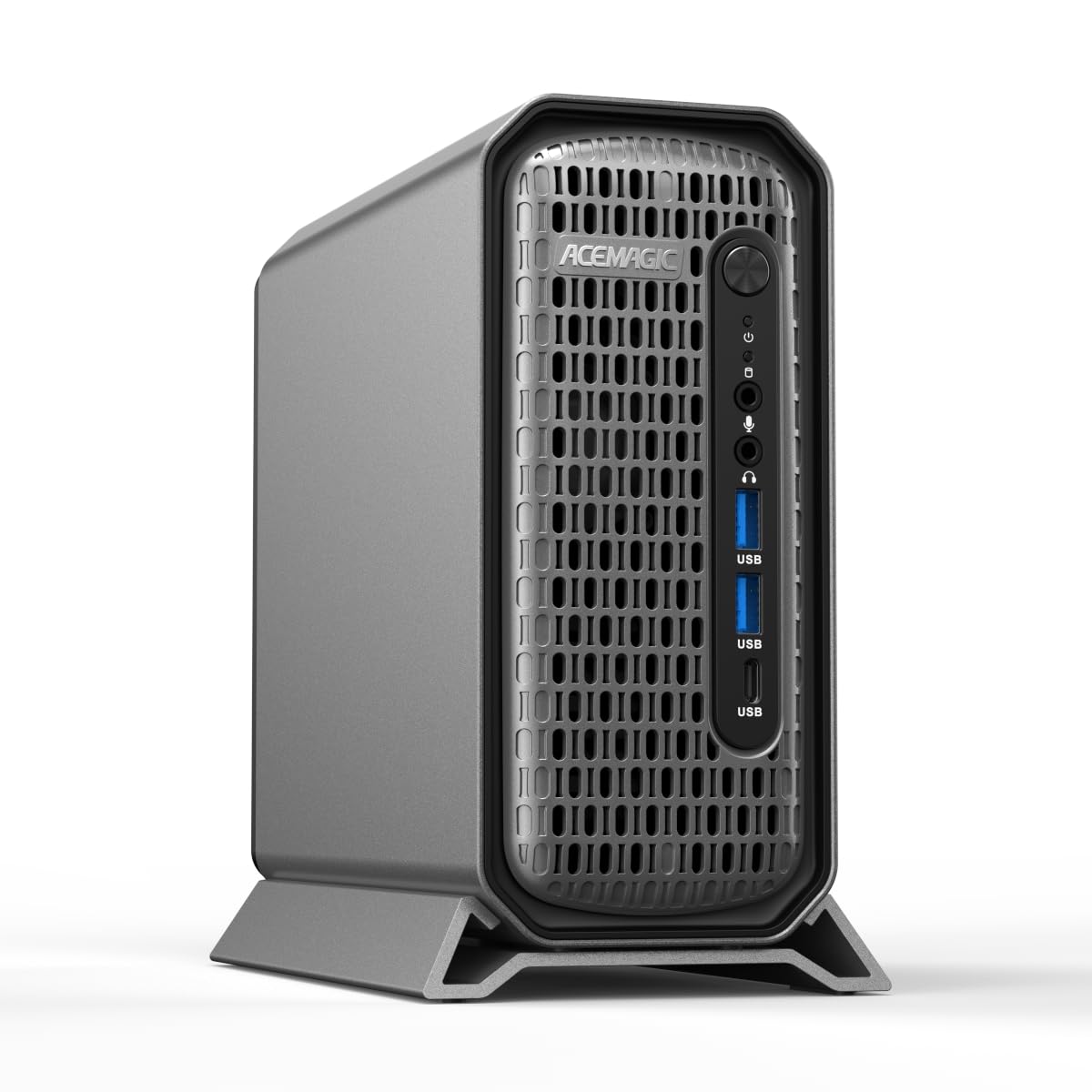
A 3.5-liter deskside powerhouse built for engineers, 3D artists, and video editors.
This one flips the script on the whole category — it packs an Intel Core i9-13900F (24 cores, 32 threads, boosting to 5.6 GHz) into a compact 3.5L chassis that sits quietly on your desk. That 5.6 GHz top speed beats the iBUYPOWER’s 5.4 GHz, and the 16GB of VRAM on the RTX 2000 Ada gives you 16GB versus the 12GB card above for handling bigger models and scenes. It is not just bigger — it is built for stability, with certified drivers tuned for AutoCAD, SolidWorks, Adobe Creative Cloud, and Blender.
The defining feature here is the professional RTX 2000 Ada Generation card, which supports four independent 4K displays through four Mini DP 1.4a ports. For anyone running a multi-monitor engineering or creative workspace, That quad-display support lets you keep your CAD model, render, and code editor visible simultaneously.. Connectivity is future-proof too: dual LAN ports (2.5Gbps + 1Gbps), WiFi 6E, and a USB 3.2 Gen 2 Type-C port running at 10Gbps.
Storage is expandable in two ways — an extra M.2 slot plus a 2.5-inch SATA slot — so you can grow your media library without swapping the boot drive. The RAM is 32GB of DDR5 5600MHz, upgradeable to 96GB. The cooling system uses front intake and rear exhaust to keep the i9 stable under sustained 65W TDP loads, addressing the thermal throttling that plagues smaller PCs. Owners mention it is a reliable choice for serious professional workloads.
The professional’s choice: This is the workstation for people whose software demands certified drivers and whose deadlines do not tolerate crashes. The 4K quad-display support alone justifies the premium.
The catch: Do not buy this for gaming — the RTX 2000 Ada is tuned for compute and stability, not raw gaming frames.
3. ASUS Ascent GX10 AI Supercomputer

A deskside supercomputer that fine-tunes 200-billion-parameter models without touching the cloud.
This is where the category leaves “PC” behind entirely. The ASUS Ascent GX10 is powered by the NVIDIA GB10 Grace Blackwell Superchip, delivering 1 petaFLOP of AI performance — that is one quadrillion floating-point operations per second — with 128GB of LPDDR5x memory. In plain terms, that memory pool is large enough to fine-tune models up to 200 billion parameters entirely on your desk. The processor is a GB10 with a 4 GHz max speed, and the whole thing runs Ubuntu Linux from the start.
It is built specifically for AI developers running long, secure agentic workflows (automated AI agents that operate over time). It supports frameworks like OpenClaw and NemoClaw, and the NVIDIA NVLink-C2C interconnect gives ultra-fast CPU-to-GPU memory communication. You can even stack two GX10 systems together using the NVIDIA ConnectX-7 networking for double the scale. Owners who run it hard — hosting three models simultaneously with container tools like Docker — report it is stable and reliable.
But the reviews carry a real caution: performance feedback is mixed. Some owners find it very fast, while others — particularly those using it for small-scale inference — find it slower than a conventional RTX 3090 due to memory bandwidth limits. It also runs hot during long sessions, so it needs a cool room and good airflow. The hardware quality itself gets the most praise from owners — it is a solidly built, MIL-STD 810H certified machine — but it demands a certain technical comfort level to set up and maintain.
Built for researchers: If you are prototyping Blackwell architecture or running heavy agentic workloads, the GX10 is a serious tool.
Proceed with caution: For simple local inference, the memory bandwidth may disappoint — and the 4.1-star average reflects that mixed experience.
4. NVIDIA DGX Spark

The gold-standard personal AI supercomputer for local LLM research and private inference.
If the ASUS GX10 is the engineer’s playground, the NVIDIA DGX Spark is the researcher’s workhorse. It runs the same GB10 Grace Blackwell Superchip with up to 1 petaFLOP of FP4 AI performance (a precision format that lets models run faster) and 128GB of coherent unified memory. That memory is enough to run models up to 200 billion parameters at FP4 directly on your desktop. It is the only pick here with a 4TB NVMe M.2 drive with self-encryption, so your model weights and datasets stay secure and local.
Owners consistently praise its speed and functionality — the two most-mentioned positives. It loads large models flawlessly and produces fast responses comparable to cloud services, but entirely private. That is the key appeal: you can run a 27-billion-parameter model on an ITAR-codebase (classified government work) without any data leaving your office. The ARM Cortex-X925 and Cortex-A725 processor handles the compute, and the integrated GB10 design keeps power draw small and the footprint tiny.
The important caveat is reliability — the most-discussed issue by count — with some owners reporting overheating and random crashes. One owner described it as “very fast” but returned it after severe heat problems. It also runs silently with no power LED, which makes it hard to tell if it is on (a minor but real quirk fans mention). And because it is ARM-based, mainstream PyTorch lacks native support — you will need NGC Docker containers or manual compilation to get GPU acceleration running.
Why researchers choose it
- Functionality is praised most — 8 owners call it excellent for local LLM work
- Speed is the second positive — 7 customers note fast responses near cloud-level
- 4TB of encrypted storage keeps large model libraries and datasets local
What to know before buying
- Reliability is the most-discussed aspect — 13 owners flag overheating and crash concerns
- ARM-based PyTorch support requires extra setup — not a plug-and-play bare-metal machine
- No power LED makes silent operation feel too quiet for some
Reach for this if: Your priority is private, local LLM research with the largest possible model capacity — and you are comfortable with Linux and container tooling.
Look elsewhere if: You want a simple, set-and-forget machine, or your work depends on absolute stability — the mixed reliability reports argue for the ACEMAGIC instead.
Understanding the Specs
VRAM and Model Size
VRAM, or video memory, is the dedicated storage on your graphics card that holds a model while it runs. Think of it as the desk space for your AI — a bigger desk lets you spread out larger models. A 12GB card runs smaller models smoothly, while 128GB of unified memory (found in the ASUS and NVIDIA picks) handles models up to 200 billion parameters. Always match the VRAM to the largest model you plan to run.
TFLOPS and Tensor Performance
TFLOPS measures how many trillion floating-point operations your machine can do per second — a rough gauge of raw AI compute. The ACEMAGIC G3A, for example, delivers 191.9 TFLOPS of Tensor performance (Tensor cores are specialized processors for AI math). Higher numbers mean faster training and inference, but they matter most when combined with enough memory bandwidth to feed the compute.
FAQ
Can a gaming PC serve as an AI workstation?
What is the difference between 12GB and 128GB of memory for AI?
Do I need certified drivers for AI work?
Can I stack two mini AI workstations together?
How much storage do I need for local AI models?
What operating system is best for an AI workstation?
Is a mini PC enough for serious AI work?
Will these work for both gaming and AI?
Final Thoughts: The Verdict
The smartest ai workstation for most buyers is the iBUYPOWER Element because it delivers a massive 4.3-star crowd approval across thousands of owners, pairing a 12GB RTX 5070 with a 5.4 GHz i7 for a fraction of the pro-tier cost. If your work is engineering or creative software needing certified drivers, the ACEMAGIC G3A is the pick. And for pure local model research with the largest capacity, the NVIDIA DGX Spark leads on raw memory — its 4.3-star average across 77 owners holds its own against the pricier ASUS GX10 at 4.1 stars, making the Spark the smarter premium buy.
How We Picked
We do not accept paid placement. Every pick is matched to a real buyer and a real use-case; we do not hands-on test units.
Sources & Methodology
Specifications: manufacturer listings and product documentation. Review insights: verified customer reviews, as of August 2026. Pricing: not shown on this page (it changes often); check the current price via the retailer link.
As an Amazon Associate, FitlyFast earns from qualifying purchases. This does not affect which products we feature.