
A standard digital alarm clock, with its tiny, dim numbers and a confusing menu of buttons, can be a daily source of stress for a senior. The simple act of waking up, knowing the day, or remembering a medication can turn into a frustrating puzzle. This guide cuts through the noise to find the clocks that solve real problems: poor vision, memory decline, and the need for an utterly dependable wake-up call.
I’m Rikta — the co-founder and writer behind FitlyFast. My deep market research focuses on analyzing hardware specifications and user feedback to identify products that genuinely improve quality of life for aging populations.
Whether you need a giant display, a voice that announces the time, or a simple tool to reorient a loved one after a nap, we’ve found the most reliable and senior-friendly options. This is our carefully curated list of the best alarm clock for seniors.
How To Choose The Best Alarm Clock For Seniors
Buying a clock for an older adult is different than picking one for a teenager. You need to prioritize legibility, simplicity, and features that compensate for cognitive and visual decline. Here is what to look for.
Prioritize Display Size and Clarity
This is the absolute king spec. A standard 3-inch display is useless for many seniors. Look for a 7-inch screen as the baseline, and consider an 8-inch or 10-inch model if the user has significant vision loss. The display should use a high-resolution IPS panel for wide viewing angles, ensuring the time is readable from across the room without glare or distortion.
Look for Orientation Helpers
Confusion about whether it’s morning or night is a common issue. The best clocks solve this with “Time of Day” indicators—phrases like “Morning,” “Afternoon,” or “Evening” displayed on the screen. A clock that clearly spells out the full month, date, and day of the week (using words, not abbreviations like “MON”) provides critical reorientation after sleeping.
Don’t Overlook Alarm Volume and Reminders
While seniors often face hearing loss, the primary need here isn’t always a 115dB siren. The alarm needs to be loud enough, but the real value is in multiple alarm and reminder capabilities. A clock with 3+ dedicated medication reminder alarms with distinct icons (pill, water, shower) is far more practical than a single, loud wake-up call.
Quick Comparison
On smaller screens, swipe sideways to see the full table.
| Model | Category | Best For | Key Spec | Amazon |
|---|---|---|---|---|
| CAZOKASI 8inch Clock | Mid-Range | Optimal Screen Size & Clarity | 8″ IPS Screen, 15 Alarms | Amazon |
| Raynic 10.1″ Clock | Premium | Maximum Info & Large Font | 10.1″ Display, Temp/Humidity | Amazon |
| Pastigio 7″ Black Clock | Mid-Range | Time of Day Orientation | 7″ IPS, 6 Alarms, 10 Reminders | Amazon |
| Mitoart 7″ Voice Clock | Mid-Range | Voice Announcement Feature | 7″ Display, 9 Languages Voice | Amazon |
| Generic 7″ Display Clock | Value | Best Overall Value & Features | 7″ IPS, 12 Alarms, 8 Languages | Amazon |
| Acedeck Loud Alarm Clock | Value | Extra Loud Wake-Up Call | 115dB Max, Dual Alarms | Amazon |
| Pastigio 7″ White Clock | Value | Simple & Reliable Reminders | 7″ IPS, 6 Alarms, 12 Reminders | Amazon |
In‑Depth Reviews
1. CAZOKASI 8inch Extra Large Impaired Vision Digital Alarm Clock

This clock strikes the perfect balance between screen size and practical footprint. While many competitors stick to the standard 7-inch display, this model uses a 16:9 8-inch IPS screen that makes the text noticeably larger and easier to read from a distance. It includes 15 total alarms, 3 of which are specifically designed as medication reminders with distinct morning, noon, and evening slots.
The auto-dimming feature is well-implemented, with a default “Bright” mode from 7 AM to 8 PM and a “Dim” mode that prevents light pollution at night. Users also appreciate the power-outage memory, meaning the clock retains its settings after a blackout. The display offers 4 different themes, including one that uses icons to visually indicate the time of day (morning/afternoon/evening).
Some users note the mandatory AM/PM indicator is always present, which is fine for orientation but cannot be removed. The buttons are simple enough for most seniors to master, and the included remote control makes it easy to adjust settings from across the room. It is an exceptionally well-rounded package for the price.
Why it’s great
- The 8-inch screen provides the best clarity-to-size ratio for most seniors.
- Includes a dedicated 3-part medication reminder system with visual icons.
- Automatic DST update and power outage memory ensure it stays accurate without hassle.
Good to know
- The AM/PM indicator is always on, which may be redundant for some users.
- No battery backup; it must be plugged into an outlet to function.
2. Raynic Digital Clock, 10.1 Inch Large Display Calendar Clock
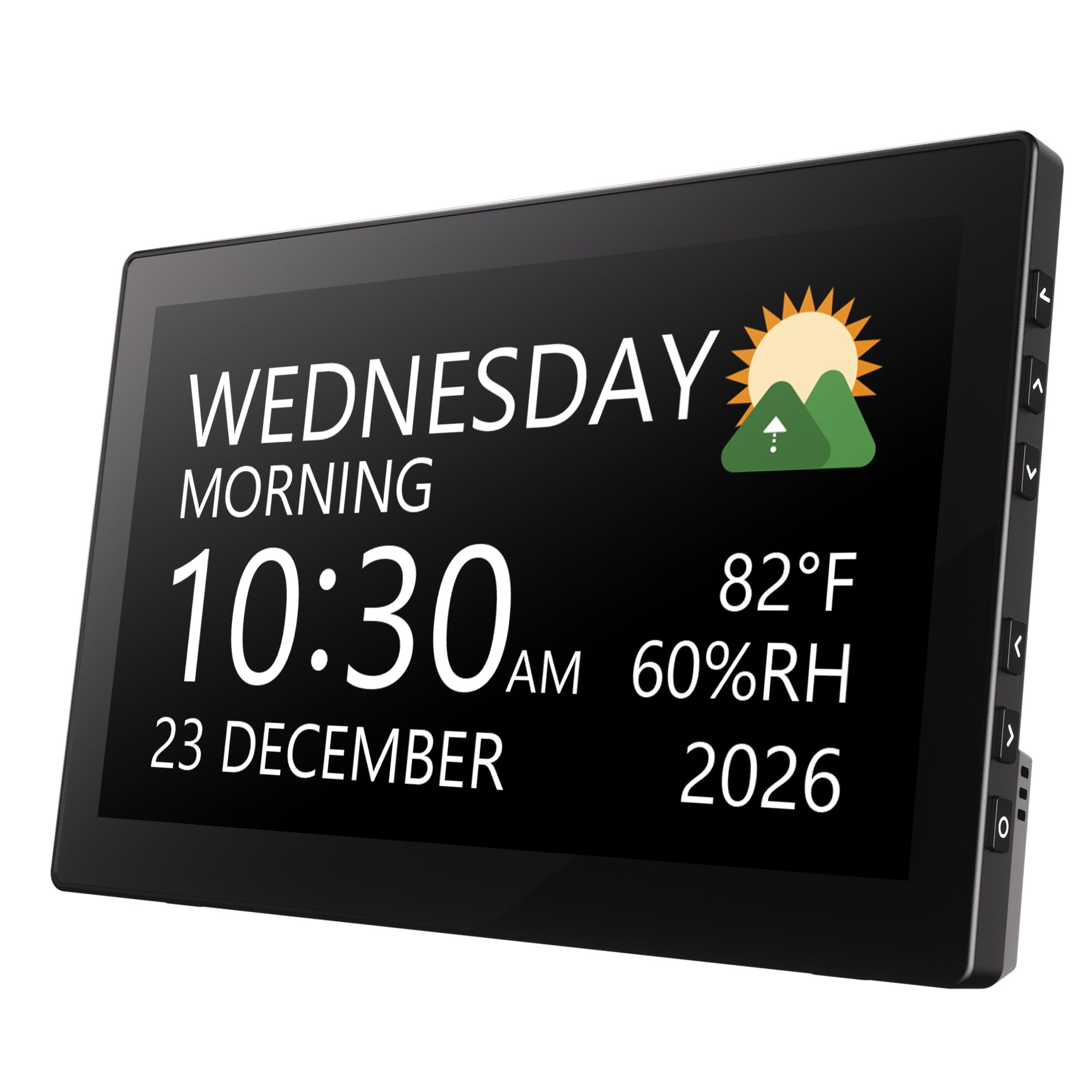
If display size is the absolute priority, this is the clock to beat. The 10.1-inch screen is massive, making the day, date, and time legible from across a large room, even for someone with severe vision impairment. It packs 12 different themes, 20 alarms, and 20 reminders, which is more than enough for any scheduling or medication prompt.
Beyond the basics, it also displays indoor temperature and humidity, which is a useful bonus for seniors managing health conditions that are sensitive to room climate. The auto-dimming function works well, and the ability to set the brightness for specific time periods adds a layer of customization that light-sensitive users will appreciate.
The 12 display themes offer a surprising amount of variety, from classic white-on-black to color-coded text fields. One buyer noted that the 7-inch model was too small for wall viewing, but this 10.1-inch version solved the problem completely. It is a premium choice for those who need the most information at a glance.
Why it’s great
- The largest display on our list at 10.1 inches, ideal for severe vision issues.
- Provides indoor temperature and humidity data, a useful health monitoring feature.
- 12 themes and 20 alarms/reminders offer maximum customization and scheduling capacity.
Good to know
- The temperature display shows indoor, not outdoor, which can confuse some buyers.
- The larger footprint means it takes up more desk or nightstand space.
3. Pastigio 7” Digital Clock With Date And Time, 10 Reminders
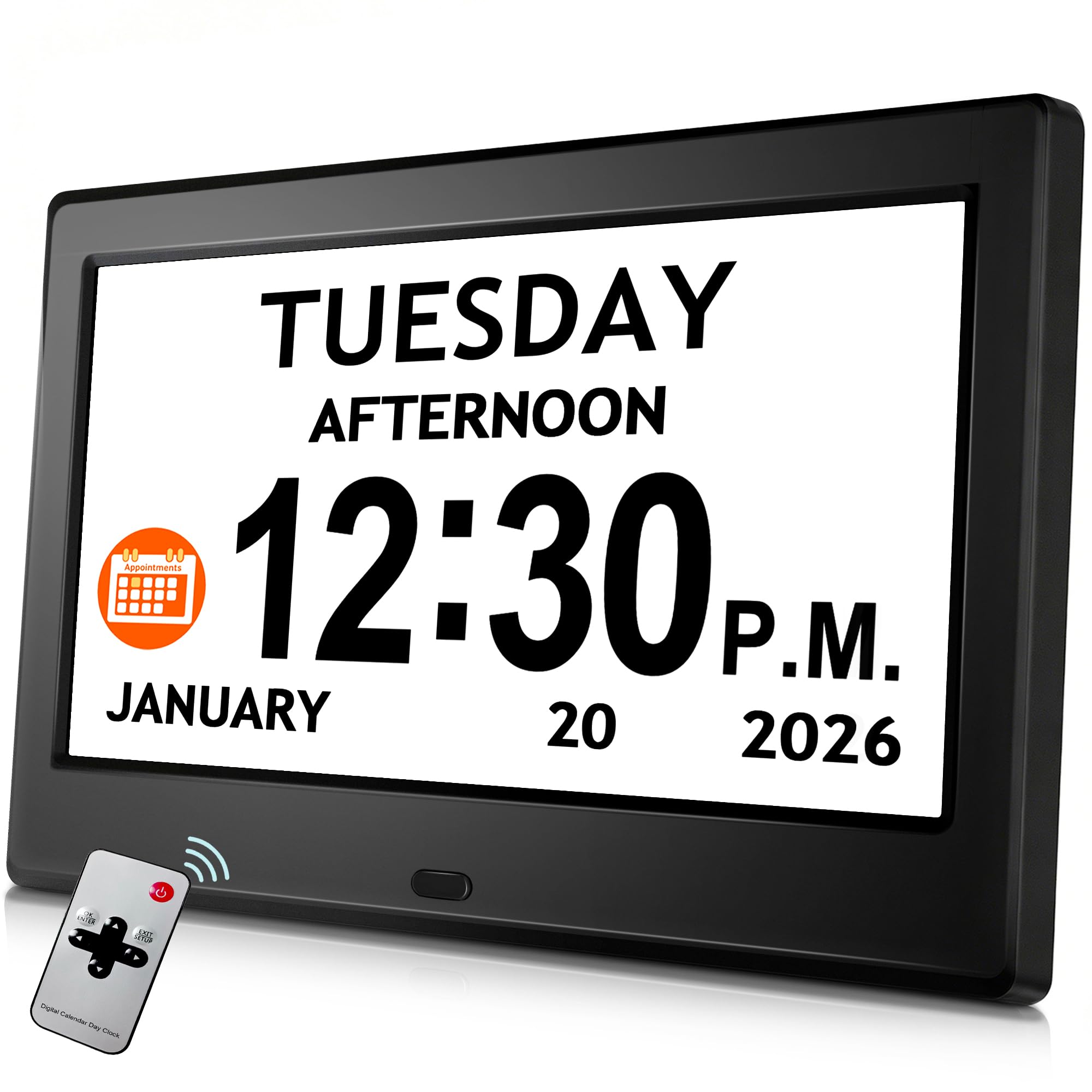
This model from Pastigio stands out because of its unique “Time of Day” orientation feature. It divides the day into five clear phases (“Before Dawn,” “Morning,” “Afternoon,” “Evening,” “Night”) and displays the current phase on the screen. For individuals with dementia or Alzheimer’s who wake up disoriented, this single feature can answer the immediate, confusing question of “Is it day or night?”
It also features a crisp 7-inch IPS display with a high 1024×600 resolution, making text sharp and readable. The setup includes 6 custom alarms and 10 daily reminders, all with adjustable volume levels and 5 different tones. The visual icons for reminders (pill, water, sleep) are helpful for non-verbal cues.
Users report that the remote control is excellent for wall-mounted applications, allowing adjustments without reaching a high shelf. A few early buyers reported a unit failing after a short period, but the majority of feedback praises its value and the clarity of its display. The auto-brightness feature adjusts smoothly to room lighting.
Why it’s great
- The “Time of Day” phase display (Morning/Afternoon/Night) is a powerful orientation tool for memory loss.
- High-resolution 1024×600 IPS screen ensures sharp text from any angle.
- Offers a versatile 5-phase day divider with visual icons for reminders.
Good to know
- A small number of users reported the unit failing after a few months of use.
- Must stay plugged in; no battery backup is available for this model.
4. Mitoart Digital Alarm Clock with Date and Day, Voice Announcement
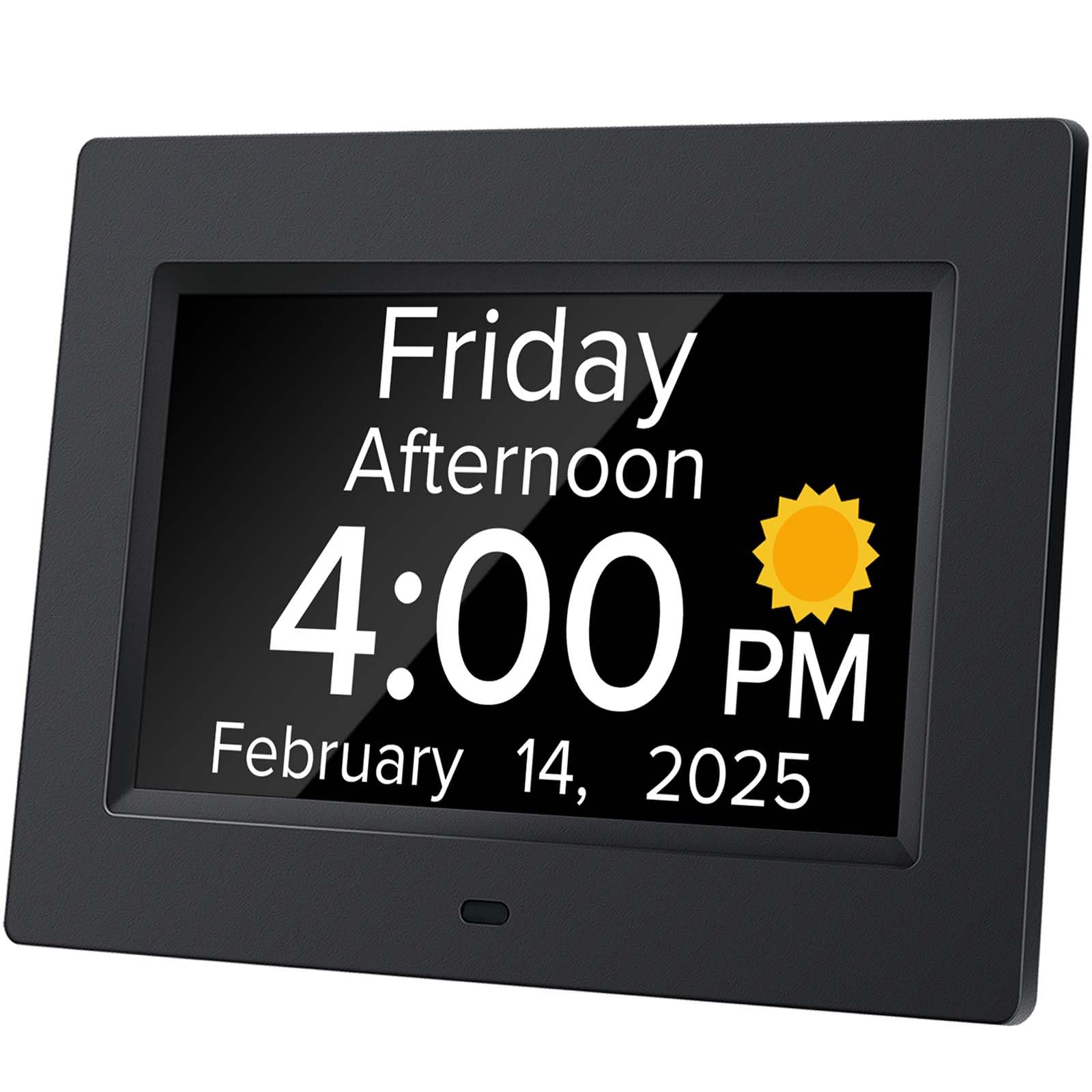
For seniors whose vision is severely compromised—even a large 7-inch display can be hard to read—this clock offers a crucial alternative: a voice announcement function. By pressing a button on the back or the remote control, the clock speaks the current time and date aloud. It supports 9 languages, making it a versatile option for multilingual households.
The display itself is still clear and bold, featuring a 7-inch screen that shows the week, month, and date in large, non-abbreviated text. The auto-dimming feature is well-tuned, dimming to 50 cd/m² at night to avoid disturbing sleep and brightening to 250 cd/m² during the day for optimal readability. It also includes multiple alarm sets for medication and schedule reminders.
Caregivers have reported that the voice feature is a “lifesaver” for parents who struggle to read even large fonts. The setup is described as intuitive, with a simple interface that doesn’t require complex menu navigation. It is a niche but incredibly valuable tool for those with significant visual impairment.
Why it’s great
- The voice announcement feature is ideal for seniors who cannot read even large displays.
- Offers a well-calibrated auto-dimming system (50 cd/m² night, 250 cd/m² day).
- Supports 9 languages, accommodating diverse linguistic needs effectively.
Good to know
- The voice function requires pressing a button; it does not speak automatically.
- The build quality is mostly plastic, with a functional rather than premium aesthetic.
5. 7‘’ Digital Alarm Clock for Elderly Large Display
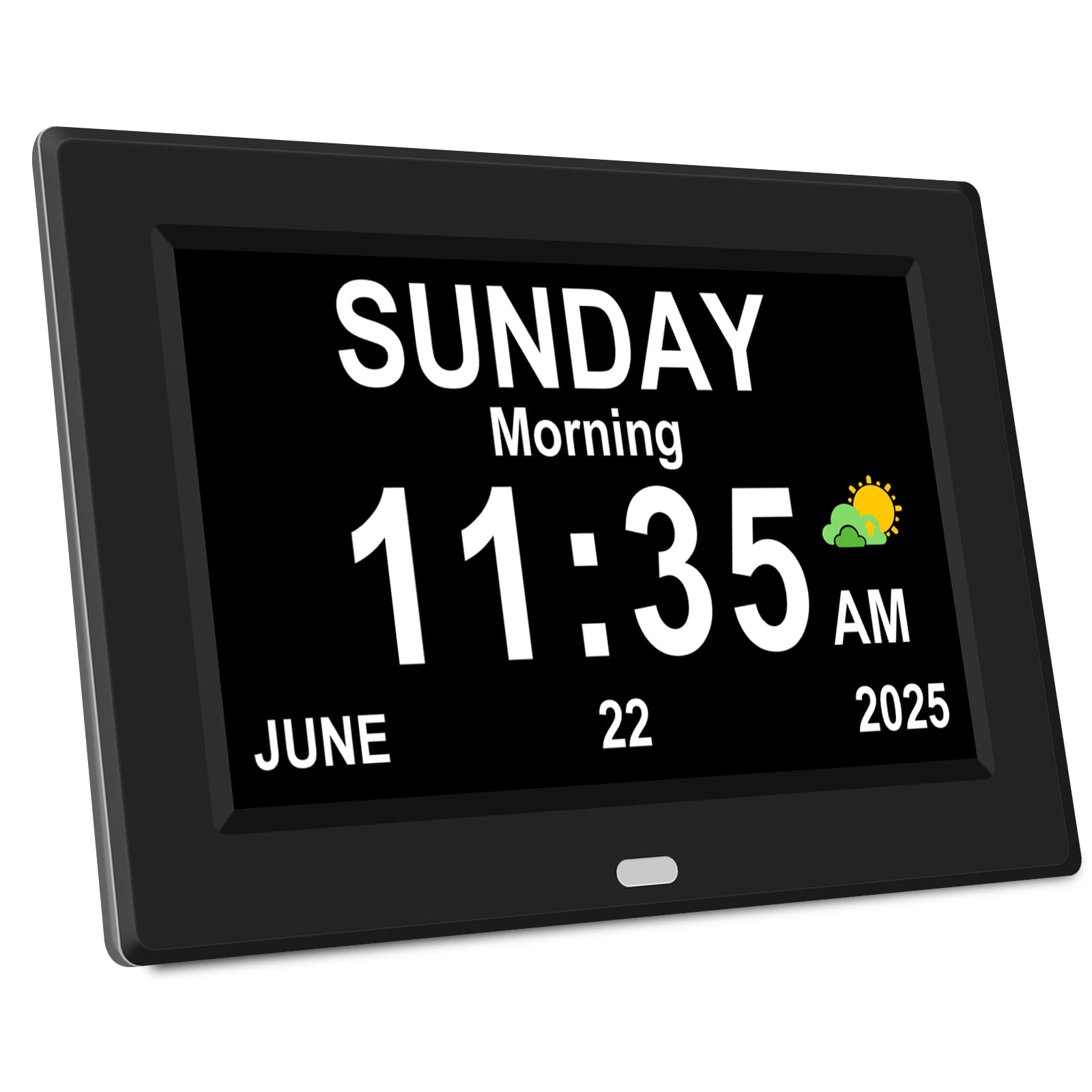
This clock is the definition of high value, packing an impressive list of features into a budget-friendly package. The 7-inch HD IPS display is bright and offers a 175-degree viewing angle, so the time is legible even when the clock is placed off to the side. It supports 8 languages and an astonishing 12 alarm settings, with 3 specifically dedicated to medication reminders.
The “Time Memory” function is a standout feature: after a power outage, the clock automatically updates to the current time and date, eliminating the need for frustrating manual resets. It also displays cartoon pictures for different reminders, which can be helpful for seniors with memory decline who respond better to visual cues. The auto-dimming schedule (brighter at 7 AM, dimmer at 7 PM) is simple and effective.
Buyers consistently praise the “Easy to Read” nature of the text and the peace of mind its medication reminders provide. One user called it “the best investment for my father with dementia,” noting he could finally tell the day and date on his own. For the price, it delivers a remarkable array of senior-specific features.
Why it’s great
- Offers 12 total alarms including a dedicated 3-part medication reminder system.
- The auto-updating time after power failure saves significant frustration.
- Cartoon picture cues for reminders are a unique aid for memory-impaired users.
Good to know
- It is a generic brand, so customer support options are limited.
- The plastic frame feels less durable than some mid-range competitors.
6. Acedeck Super Loud Alarm Clock for Heavy Sleepers
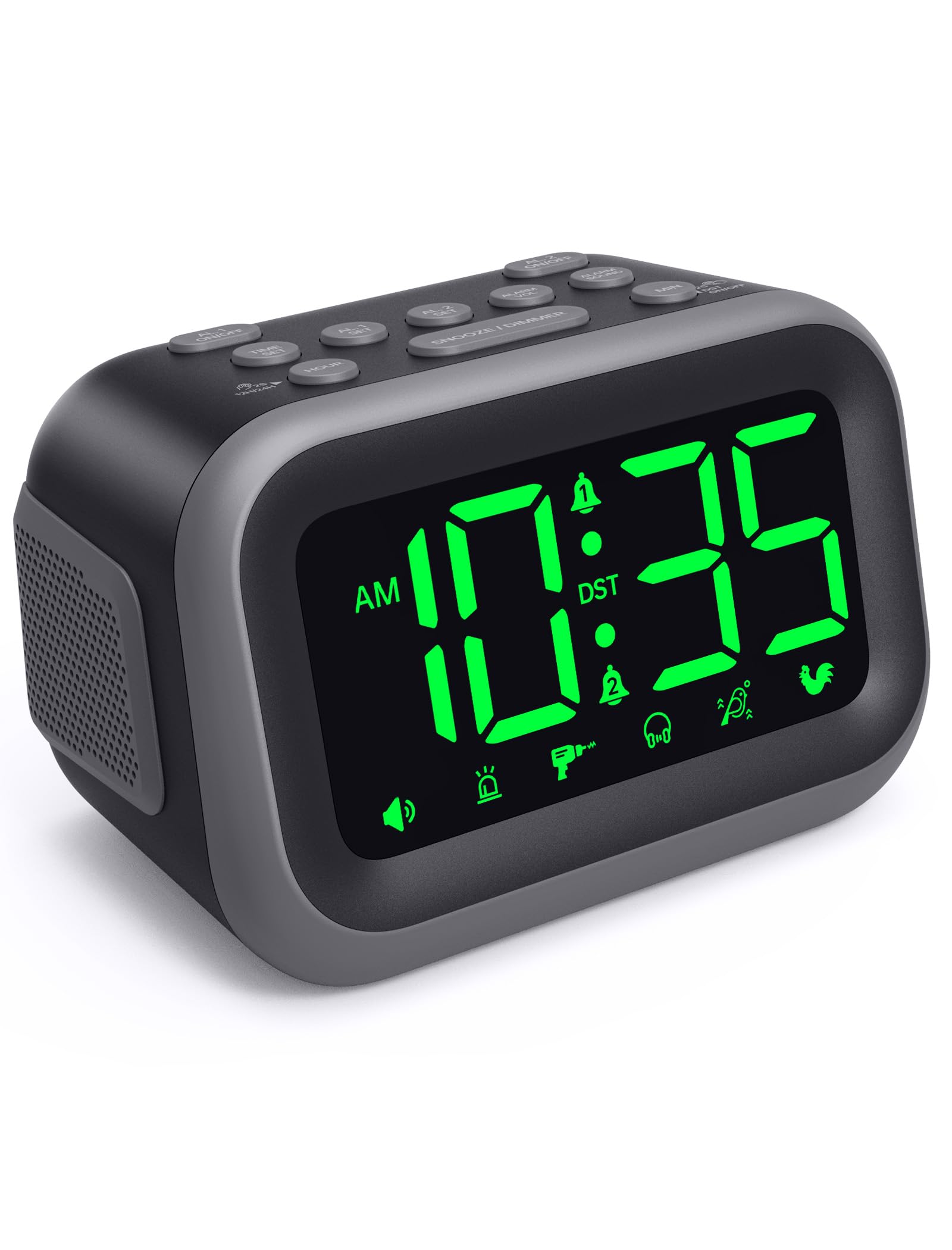
Most “senior” clocks prioritize vision over sound, but this model from Acedeck is different. Its primary function is to wake the user, and it does so with a staggering 115dB maximum volume. This is significantly louder than a standard alarm and is essential for seniors with significant hearing loss or those who take heavy medications that make deep sleep a challenge.
It features a 4.2-inch LED display with 5 dimmer levels, which is smaller than the 7-inch models on this list, but the green digits are clear and bright. The dual alarm feature is useful for couples with different schedules, and the alarm memory system retains settings even during a power outage using a backup AAA battery (not included). It also includes a USB charging port for a phone or tablet.
Users confirm the sound is “heard from three rooms away” and that it “wakes a heavy sleeper on strong meds.” The gradual volume increase prevents the shock of a sudden siren. It is a specialized tool for a specific need—waking the hard-of-hearing or sound-sleeping senior—rather than a general-purpose orientation clock.
Why it’s great
- The 115dB maximum volume is loud enough to wake even the deepest sleepers with hearing loss.
- Alarm memory setting uses a backup battery to retain schedule during power outages.
- Includes a built-in USB port for charging a phone or tablet overnight.
Good to know
- The 4.2-inch display is much smaller; it is not designed for reading the day or date across a room.
- The backup battery is not included in the box, which is an additional purchase.
7. Pastigio 2025 NEW Digital Clocks, 7” Dementia Clock
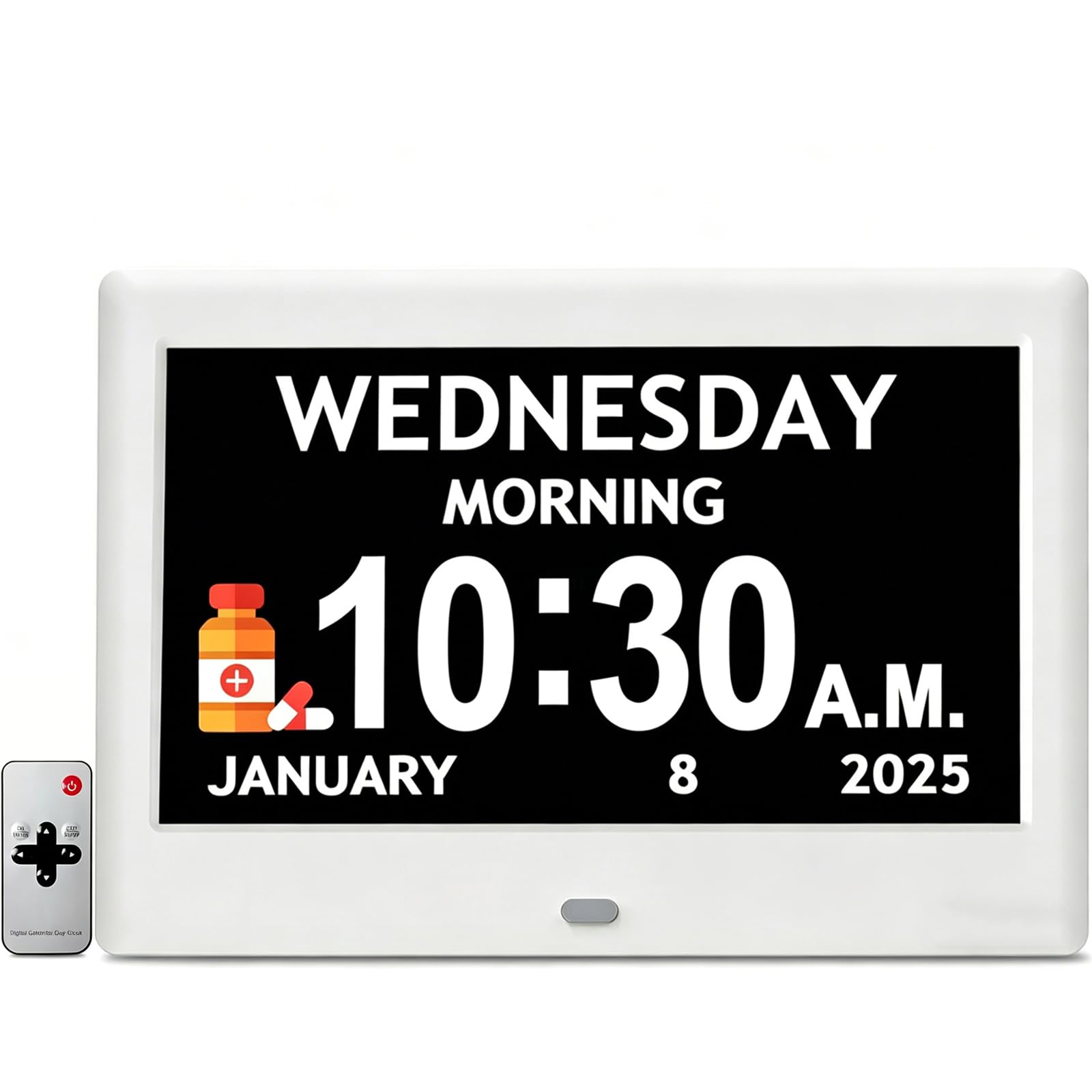
This Pastigio model is a close sibling to the one reviewed earlier, but it focuses slightly more on a clean, simple interface with excellent customization. The 7-inch IPS display has a high resolution (1024×600) and offers 4 distinct clock interface styles and 5 font colors, allowing a caregiver to pick the combination that is most legible for the user’s specific vision needs.
It comes with 12 customized reminders, each with a built-in icon (take medicine, drink water, take a shower), which is incredibly useful for Alzheimer’s and dementia patients who rely on routine and visual prompts. The 6 alarms have 5 different sounds and 5 volume levels, from a gentle chirp to a much louder tone. The remote control is included, making it easy to operate even when mounted on a wall.
Users find it “very easy to set up” and appreciate that it “just works” out of the box. The auto-brightness adjustment ensures it is readable day and night without being harsh. For a family looking for a straightforward, reliable clock that helps manage daily tasks without fuss, this is an excellent choice.
Why it’s great
- Offers 4 different clock faces and 5 font colors for personalized visual clarity.
- 12 reminders come with built-in icons (pill, water, shower) for non-verbal cues.
- Easy setup with a remote control; “plug and play” out of the box.
Good to know
- Some users reported that the remote control can interfere with other electronic devices.
- Like most in this category, it is a plug-in model with no battery backup.
FAQ
What size display is best for a senior with poor vision?
Do these clocks automatically adjust for Daylight Saving Time?
Can these clocks help with medication reminders?
Final Thoughts: The Verdict
For most users, the best alarm clock for seniors winner is the CAZOKASI 8inch Clock because it offers the best combination of a larger-than-average screen, a dedicated 3-part medication reminder, and automatic DST for maximum simplicity. If you need the absolute largest display and bonus info like temperature and humidity, grab the Raynic 10.1″ Clock. And for a senior who struggles with orientation after sleep, nothing beats the “Time of Day” feature of the Pastigio 7″ Clock with Day Phase.