
Our readers keep the lights on and the weekend projects moving. As an Amazon Associate, I earn from qualifying purchases.
The constant dread of a blinking low-ink light, the scramble for expensive cartridges at the worst possible moment — that’s the reality an ink tank printer eliminates. These refillable powerhouses swap the disposable cartridge trap for simple, cost-per-page efficiency, letting you print hundreds of pages before a refill is even on your mind. The choice now is which tank system delivers the right balance of speed, print quality, and smart features for your home or office workflow.
I’m Rikta — the co-founder and writer behind FitlyFast. I’ve spent dozens of hours analyzing the latest refillable tank technology, comparing pigment versus dye ink chemistry, page yield claims, and connectivity reliability across the major brands to separate marketing talk from real-world daily use.
This guide cuts through the confusion to recommend the best models for your specific printing needs. Whether you prioritize ultra-low running costs for heavy volume, photo-quality color for creative projects, or a compact all-in-one for a small desk, you’ll find a clear pick right here. My goal is to help you confidently choose the best all in one ink tank printer for your home or office without the decision fatigue.
How To Choose The Best All In One Ink Tank Printer
Moving from a cartridge printer to an ink tank model is a shift in both hardware and mindset. The most important factor is no longer the cost of a single cartridge, but the total cost of ownership over years of use. You need to match a printer’s capabilities to the specific mix of document types, volume, and environments you deal with daily.
Print Volume & Page Yield
This is the single most important metric for an ink tank printer. Manufacturers often advertise that a set of ink bottles can print thousands of pages (e.g., 6,000 black and 8,000 color). Estimate your own monthly or annual page load — a home office printing 200 pages a month has very different needs than a small business pushing 1,000 pages. Choose a model whose included ink supply covers your expected usage for at least a year. Also, check the yield of replacement bottles to understand your long-term running costs.
Print Speed & Performance
Speed is measured in ISO pages per minute (ppm), typically listed for both black and color. A model printing 15 ppm black and 9 ppm color is adequate for most home and small office tasks. If you regularly print multi-page reports or presentations, look for faster speeds closer to 20-25 ppm. First-page-out time is also critical — a printer with zero warmup time will get your first document in your hands much faster than one that needs to prime its ink system.
Connectivity & Portability
A truly all-in-one printer needs flexible connectivity. Most modern models offer dual-band Wi-Fi for reliable wireless printing from laptops and smartphones. Some include Ethernet for a stable wired connection in an office, while USB 2.0 remains a solid fallback for a direct PC link. The quality of the companion mobile app is also vital — look for apps that allow easy scanning, printing from cloud services, and remote printer management.
Key Features for Daily Use
Automatic duplex printing (printing on both sides) is a near-essential feature for saving paper and reducing bulk. An automatic document feeder (ADF) is invaluable if you frequently scan or copy multi-page documents. A color touchscreen display makes navigating settings and previewing scans far more intuitive than a basic text LCD. Also consider paper capacity — a 150-sheet tray is fine for light use, but a 250-sheet tray (or dual trays) is better for a busy office.
Quick Comparison
On smaller screens, swipe sideways to see the full table.
| Model | Category | Best For | Key Spec | Amazon |
|---|---|---|---|---|
| Brother Tank 580 | Mid-Range Tank | Home office value | Up to 3 yrs ink in-box | Amazon |
| Epson ET-4950 | Premium Supertank | High volume & speed | 18 ppm black / 9 ppm color | Amazon |
| HP Smart Tank 7001 | Mid-Range Tank | Mess-free ink refill | 6,000 black pages included | Amazon |
| Canon MegaTank G3290 | Mid-Range Tank | Vivid color printing | 7,700 color pages yield | Amazon |
| Canon MAXIFY GX2020 | Business Tank | Office with ADF & fax | 35-sheet ADF | Amazon |
| Epson ET-2980 | Entry-Level Tank | Budget home printing | 15 ppm black / 8 ppm color | Amazon |
| Brother MFC-J1365DW | Budget Inkvestment | Low-cost entry point | 1,200-page black cartridge | Amazon |
| HP OfficeJet Pro 9135 | High-Performance | Fast office workflows | 25 ppm black / 20 ppm color | Amazon |
| Epson ET-5800 Pro | Business Pro | Crisp text & high volume | 25 ppm black / 12 ppm color | Amazon |
In‑Depth Reviews
1. Brother INKvestment Tank 580 (MFC-T580DW)
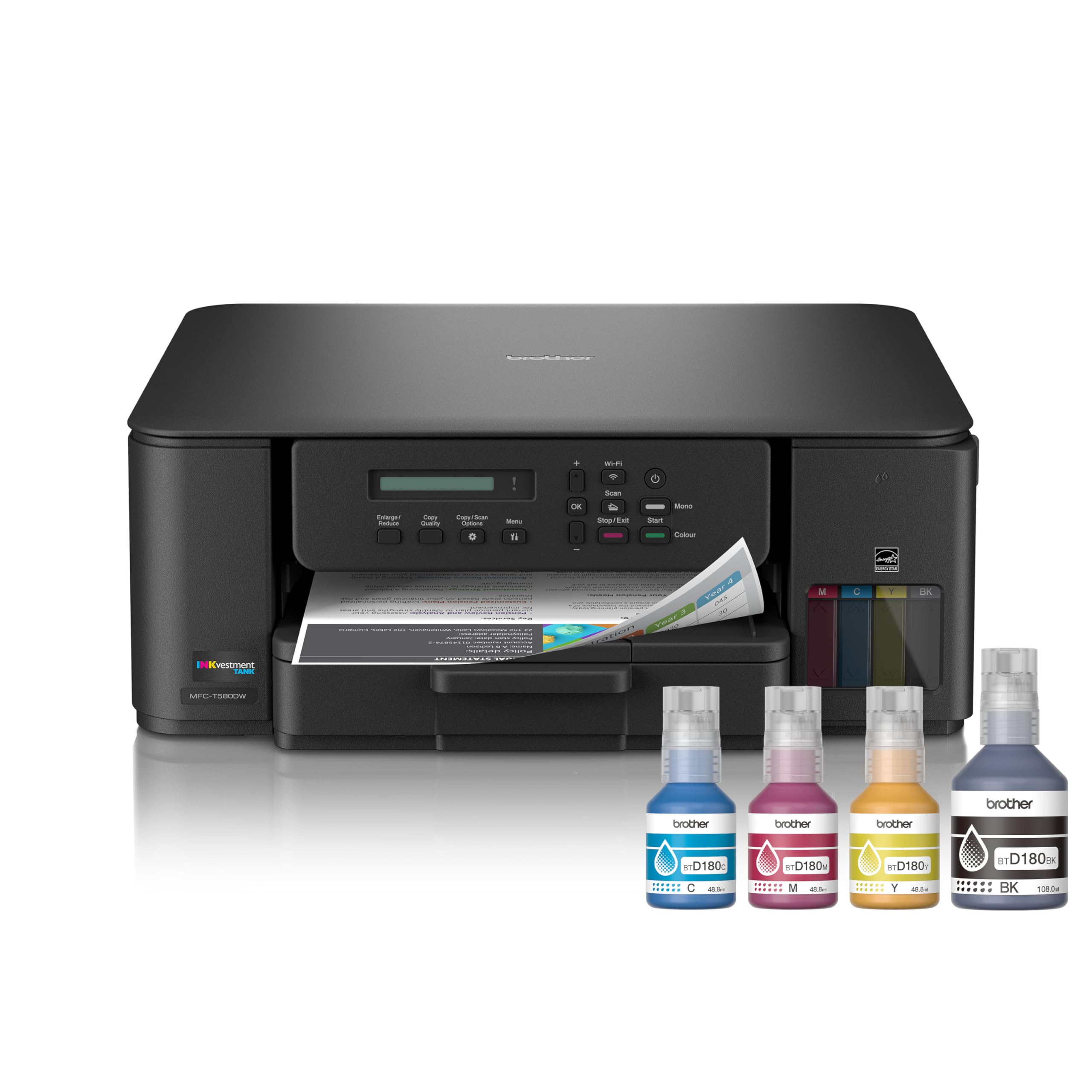
The Brother MFC-T580DW strikes the rare balance of value, features, and reliability. It includes enough ink in the box for up to three years, with a convenient no-spill bottle system that refills the tank in about 30 seconds for color and 65 seconds for black. Print speeds of 16 ppm black and 9 ppm color are perfectly adequate for a home office, and automatic duplex printing keeps paper waste to a minimum.
A key consideration here is the display. The single-line LCD is small and not backlit, making it difficult to read in low light. Users report that the Brother Mobile Connect app effectively compensates for this, allowing you to handle most printer management tasks from your phone. The printer also includes a 150-sheet paper tray and offers print, copy, and scan functions.
Build quality feels sturdy, and the bottom-loading paper tray keeps the footprint compact. Some users found the initial setup to be somewhat involved, but once connected to Wi-Fi, the printer is reliable. For a low-cost, high-volume solution that doesn’t demand premium dollars, the Brother Tank 580 is the clear winner for most home offices.
Why it’s great
- Up to 3 years of ink included in the box
- Fast, no-spill ink bottle refill system
- Solid build quality with auto duplex printing
Good to know
- The single-line LCD is small and unlit
- Initial Wi-Fi setup can be tricky
- Print quality is good, not exceptional for photos
2. Epson EcoTank Pro ET-5800

The Epson EcoTank Pro ET-5800 is built for the demanding user who needs speed, capacity, and professional-grade text output. Powered by Epson’s PrecisionCore Heat-Free technology, it delivers up to 25 ISO ppm in black — significantly faster than most competitors. Its pigment-based DURABrite inks produce crisp, water-resistant prints that are instant-dry, making it ideal for professional documents and client presentations.
Paper handling is where the ET-5800 truly shines. It features a massive 500-sheet paper capacity with two front trays plus a rear specialty feed, so you can load different paper types and sizes simultaneously. The 35-sheet ADF supports single-pass duplex scanning, and a large tilting color touchscreen makes navigation simple. The included ink set yields up to 7,500 black and 6,000 color pages, which is exceptionally generous.
Some users note the error handling can be overly sensitive, occasionally throwing false error messages that require troubleshooting. The printer’s depth is also roughly 19 inches, so measure your desk space carefully. However, for a home office or small business that prints high volumes of sharp documents, the ET-5800’s speed and low running costs are unmatched in its class.
Why it’s great
- Fast 25 ppm black print speed with zero warmup
- Crisp, pigment-based ink for professional documents
- Generous 500-sheet paper capacity
Good to know
- Expensive entry point compared to other tank models
- Error handling can be overly sensitive
- Takes up significant desk depth
3. HP Smart Tank 7001

HP’s Smart Tank 7001 makes the ink refill experience as painless as possible. Instead of squeezing bottles, you simply plug the specially designed ink bottles into the corresponding tank ports — the bottle drains itself without mess or spills. The printer comes with up to two years of ink in the box (6,000 black or 8,000 color pages), significantly lowering the initial cost of ownership.
Print quality is sharp and reliable, with text that is noticeably crisp for an inkjet. The printer also features HP’s AI-powered smart formatting for web pages and emails, automatically removing unwanted content. Speeds of 15 ppm black and 9 ppm color are solid for a mid-range tank printer. The HP Smart app guides you through setup and allows for easy mobile printing and scanning.
Some users have reported that the scanner’s LED blinks constantly, which can be distracting in a quiet room. The control panel is also fairly basic, lacking a full color touchscreen found on pricier models. For those who prioritize a clean, mess-free refill process and solid all-around performance, the HP Smart Tank 7001 is a compelling choice.
Why it’s great
- Innovative mess-free ink bottle design
- 2 years of ink included in the box
- Crisp text output with AI formatting
Good to know
- Scanner LED blinks constantly during operation
- Basic control panel without a color touchscreen
- Some users report tricky Wi-Fi setup
4. Canon MegaTank G3290

The Canon MegaTank G3290 is a fantastic choice if color quality tops your priority list. With GI-21 ink bottles, it achieves a remarkable page yield of up to 6,000 black and 7,700 color pages from one set. The 2.7-inch color LCD touchscreen makes navigating settings and previewing scans a breeze — a significant upgrade from basic text displays on competing models at this tier.
Setup is straightforward on Windows, macOS, and iOS, and the printer supports automatic duplex printing. Print speed is rated at 11 ppm black and 6 ppm color, which is slightly slower than some alternatives but still adequate for daily use. Many users praise the print quality, describing it as excellent for crafts and documents alike, with vibrant colors that pop without being over-saturated.
A few users have reported that black print quality can have a slightly reddish or brownish hue on certain paper types, particularly in draft mode. The printer also tends to make some clicking and priming sounds as it maintains the ink system. For anyone who prints a lot of colorful reports, marketing materials, or craft projects, the Canon G3290 delivers exceptional value.
Why it’s great
- Excellent color print quality for crafts and documents
- Large 2.7-inch color touchscreen display
- Very high page yield (7,700 color pages)
Good to know
- Slower print speeds than some competitors
- Black output can have a hue on some papers
- Regular maintenance cycles can be audible
5. Canon MAXIFY GX2020

The Canon Maxify GX2020 is built for the small office that needs serious productivity features. It includes a 35-sheet Automatic Document Feeder, a fax machine, and automatic duplex printing. The 2.7-inch color touchscreen is responsive, and the GI-25 pigment-based ink system produces sharp, smudge-resistant text that rivals laser printers — perfect for business correspondence.
Print speed is 15 ppm black and 10 ppm color, with a first page out in just seconds thanks to zero warm-up time. The 250-sheet paper tray is generous, and the compact desktop design doesn’t dominate your workspace. Users consistently praise the low running costs, easy Wi-Fi setup, and reliable performance with no paper jams over months of use.
Some users report that the printer struggles with heavy cardstock, producing curled prints with streaks on high-quality settings. A few also note the printer can be a bit loud during operation. For a professional-grade all-in-one that handles scanning, faxing, and crisp document printing with aplomb, the Canon GX2020 justifies its premium price point.
Why it’s great
- 35-sheet ADF for multi-page scanning and copying
- Sharp, laser-like text with pigment ink
- Includes fax function for office use
Good to know
- Can produce curled prints on cardstock
- Operates a bit louder than some alternatives
- No photo-optimized ink for glossy prints
6. Epson EcoTank ET-2980

The Epson EcoTank ET-2980 is the seventh generation of the brand that defined the supertank category. It includes up to three years of ink in the box, enough for 6,600 black or 5,500 color pages. The EcoFit bottle system makes refilling mess-free, and the 2.7-inch color touchscreen provides intuitive control. Print speeds of 15 ppm black and 8 ppm color are competitive for the entry-level tier.
Users consistently report that prints dry fast with no smearing, and the Wi-Fi connectivity is stable once properly set up. The Epson Smart Panel app is well-regarded for its ease of use on both iOS and Android. Automatic duplex printing is included, though some users note the duplex print speed is slower than single-sided output.
A notable omission is the lack of an ADF, which can be a dealbreaker if you frequently scan or copy multi-page documents. Some users also report the print quality is great for everyday text but not top-tier for high-resolution photos. For a budget-conscious buyer who wants Epson’s proven supertank reliability and very low running costs, the ET-2980 is a strong entry-level pick.
Why it’s great
- 3 years of ink included in the box
- Proven EcoTank supertank reliability
- Fast-drying prints with no smearing
Good to know
- No Automatic Document Feeder (ADF)
- Photo print quality is not top-tier
- Duplex printing is slower than single-sided
7. Brother INKvestment 1365 (MFC-J1365DW)

The Brother MFC-J1365DW uses the INKvestment cartridge system, which offers a lower entry price than full bottle-based tanks while still delivering very low running costs. It includes one 1,200-page black cartridge and 500-page color cartridges out of the box. Its compact design fits easily on a small desk, and the 1.8-inch color display assists with navigation. Print speeds are a respectable 16 ppm black and 9 ppm color.
Connectivity is flexible with wireless, USB, and Wi-Fi Direct for printing without a network. A 150-sheet paper tray and a 20-page ADF are useful additions. Many users find the print quality to be very good for both text and graphics, with some describing the output as nearly matching laser quality. The Brother Mobile Connect app also enables easy scanning and printing from a phone.
Some users report excessive ink consumption, calling it an ink black hole, though this may vary based on usage and settings. The setup process can be involved, and the ink subscription prompt can be annoying. For a compact, budget-friendly all-in-one with automatic duplex and a small footprint, the Brother J1365DW is a smart starting point.
Why it’s great
- Compact design with compact footprint
- Includes 20-page ADF for multi-page jobs
- Good print speed and quality for its class
Good to know
- Some users report high ink consumption
- Setup can be complicated with subscription prompts
- Cartridge-based, not a full bottle tank system
8. HP OfficeJet Pro 9135
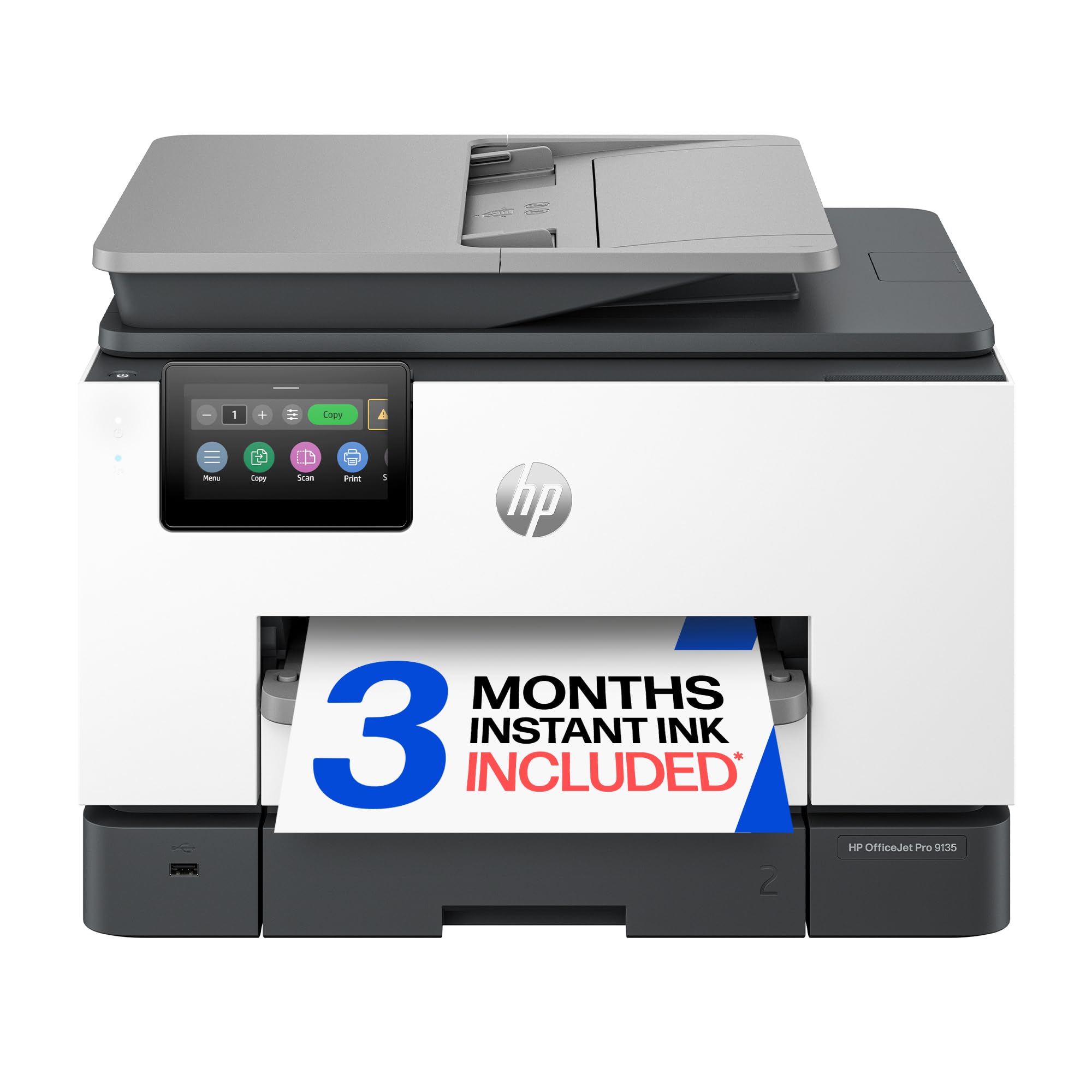
The HP OfficeJet Pro 9135 is a premium inkjet designed for busy offices. Its standout feature is raw speed — 25 ppm black and 20 ppm color — making it one of the fastest in its class. The 4.3-inch color touchscreen is intuitive, and the two 250-sheet input trays provide a total 500-sheet paper capacity, minimizing paper refills. The single-pass ADF handles duplex scanning efficiently.
Connectivity is top-notch with dual-band Wi-Fi that automatically detects and resolves issues, plus Ethernet and USB options. HP’s Wolf Pro Security adds a layer of network protection, and the HP AI smart formatting helps avoid wasted pages when printing from the web. Print quality is excellent for documents, with near-laser text and vibrant color graphics.
A significant drawback is the reliance on conventional cartridges, which means higher long-term running costs compared to bottle-based tank systems. The printer can also be noisy during operation, which some users find distracting. For a fast, feature-rich office printer that delivers professional-grade results, the OfficeJet Pro 9135 is a powerhouse, but only if your volume justifies the cartridge cost.
Why it’s great
- Exceptional 25/20 ppm print speeds
- Intuitive 4.3-inch color touchscreen
- Two 250-sheet trays for high capacity
Good to know
- Cartridge-based, higher running costs than tanks
- Noticeably noisy during operation
- Setup can be lengthy with app registration
9. Epson EcoTank ET-4950

The Epson EcoTank ET-4950 packs advanced features into a compact white chassis. It includes a 2.4-inch color touchscreen, an ADF for multi-page scanning, and a fax machine. Print speeds are 18 ppm black and 9 ppm color, and it comes with up to three years of ink in the box (6,600 black/5,500 color pages). The EcoFit bottle system is practically spill-proof, with uniquely keyed bottles that prevent mix-ups.
Connectivity is reliable with dual-band Wi-Fi, Ethernet, and USB options. The ET-4950 includes a 250-sheet paper tray, and its auto-duplex feature works for both printing and scanning. Users consistently praise the low running costs and easy setup, with many completing installation in under 10 minutes via the smartphone app. Print quality for documents is crisp and consistent.
Some users note that the build quality feels a bit flimsy, with plastic panels that can snap when pressed. The printer can also print pages in reverse order by default, which requires a setting tweak. For a home office that needs the full suite of features — including ADF and fax — without paying for a business-grade model, the ET-4950 is a very capable choice.
Why it’s great
- Includes ADF and fax for versatile office tasks
- Fast 18 ppm black print speed
- Spill-proof ink bottle design
Good to know
- Build quality feels a bit cheap
- Prints pages in reverse order by default
- Some users report a slow duplex print speed
FAQ
How often do I need to refill the ink tanks in an all-in-one ink tank printer?
Can I use third-party ink bottles in my ink tank printer without voiding the warranty?
Final Thoughts: The Verdict
For most users, the all in one ink tank printer winner is the Brother INKvestment Tank 580 because it combines a high-value ink-in-box bundle with a fast, no-spill refill system and essential features like auto duplex for the home office. If you want the fastest print speeds for high-volume document output, grab the Epson ET-5800 Pro. And for vivid color quality with a large touchscreen and exceptional page yield, nothing beats the Canon MegaTank G3290.