
Our readers keep the lights on and the weekend projects moving. As an Amazon Associate, I earn from qualifying purchases.
Feeding a sheet of 100lb cardstock through a standard home printer is a gamble where the house always wins. The paper path bends too tight, the rollers lack the grip, and you end up wrestling a crumpled sheet or a jammed machine. For crafters, small business owners, and anyone who prints invitations, tags, or packaging, finding a printer that treats cardstock like a primary duty is the real challenge.
I’m Rikta — the co-founder and writer behind FitlyFast. I’ve spent years analyzing printer hardware, comparing paper path designs, and testing how different feed mechanisms handle rigid and coated substrates across hundreds of models.
This guide breaks down the top machines that can handle heavy media, from the rear-feed specialists to the duplex-capable workhorses, helping you find the right all-in-one printer for cardstock that actually delivers on its promise.
How To Choose The Best All-In-One Printer For Cardstock
Not all printers that say “handles cardstock” actually do it well. The difference comes down to how the paper is moved from tray to output. Here are the three factors that separate a reliable cardstock machine from a frustrating paper jam generator.
Straight vs. Curved Paper Path
Cardstock is rigid. A standard printer that bends the paper through a tight U-turn before printing will struggle with heavy sheets. Machines with a rear paper feed slot that sends the paper straight through the printer — from back to front — are vastly superior. This straight path eliminates the stress that causes jams on thick media. If you plan to regularly use cardstock heavier than 80lb cover, a straight-through rear feed is non-negotiable.
Weight Rating and Real-World Margin
Printer specifications list a maximum media weight, but this is often an optimistic number tested with perfectly flat, brand-new cardstock from a specific brand. A machine rated for 68lb cover may choke on slightly textured 65lb stock. Look for a spec sheet that lists a weight rating at least 10–20lb above your preferred cardstock thickness. This buffer accounts for the real-world variance in paper stiffness and coating.
Roller Material and Tray Design
Standard rubber rollers can slip on glossy or coated cardstock. Printers designed with specialized friction rollers or wider pinch wheels provide the grip needed to pull thick sheets without misalignment or double feeding. Also, note the tray lip design — a shallow tray lip can cause the leading edge of a stiff sheet to catch and buckle before it reaches the rollers. A deeper, adjustable tray lip helps guide the front of the cardstock cleanly into the feed mechanism.
Quick Comparison
On smaller screens, swipe sideways to see the full table.
| Model | Category | Best For | Key Spec | Amazon |
|---|---|---|---|---|
| Epson EcoTank ET-5800 | Inkjet Supertank | 100lb cardstock handling | Straight rear feed path | Amazon |
| Epson EcoTank ET-3950 | Inkjet Supertank | High volume home office | Auto Document Feeder | Amazon |
| HP LaserJet Pro MFP 3101fdw | Monochrome Laser | High-speed B&W office | 35 PPM B&W | Amazon |
| Brother MFC-L2900DW | Monochrome Laser | Small business duplex | 36 PPM, 3.5″ touchscreen | Amazon |
| Epson EcoTank ET-2980 | Inkjet Supertank | Low-cost per page | 6,600 B&W page yield | Amazon |
| Brother HLL3280CDW | Color Laser | Color document printing | 27 PPM color | Amazon |
| HP LaserJet Pro MFP 3101sdw | Monochrome Laser | Small team B&W | 40 PPM B&W | Amazon |
| Canon Megatank G3290 | Inkjet Supertank | Long-lasting ink supply | 6,000 B&W page yield | Amazon |
| Canon PIXMA TS7720 | Inkjet Cartridge | Compact budget printing | 15 PPM B&W | Amazon |
In‑Depth Reviews
1. Epson EcoTank Pro ET-5800

The Epson EcoTank Pro ET-5800 is the high-volume answer for users who need to regularly run 100lb cardstock without fuss. It features a dedicated rear paper feed slot that creates a straight paper path, meaning the stiffest sheets glide through without bending or buckling. The pigmented DURABrite inks produce crisp, instant-dry prints on coated cardstock, which is critical for businesses printing business cards or product tags.
Powered by PrecisionCore Heat-Free Technology, this machine prints up to 25 ISO ppm black, and the motorized output tray adds a premium feel to each job. It comes with two full sets of 542 ink bottles in the box, providing a massive yield of up to 7,500 black pages. The 500-sheet capacity (two front trays plus rear feed) makes it easy to switch between standard paper and cardstock without tray reconfiguration.
The one downside is the depth — at 19 inches, it requires significant desk space. Also, the LCD screen is an LED display, not a full color touchscreen, but the interface is straightforward enough for most office environments. For serious cardstock printing, this model’s rear feed path and robust build quality make it a clear front-runner.
Why it’s great
- Straight rear feed handles 100lb cardstock reliably
- Pigment inks dry instantly on coated media
- Low running cost with high-yield ink bottles
Good to know
- Large footprint; needs deep desk space
- LED display is functional but not touchscreen
- Photo quality is decent, not specialty-grade
2. Epson EcoTank ET-3950
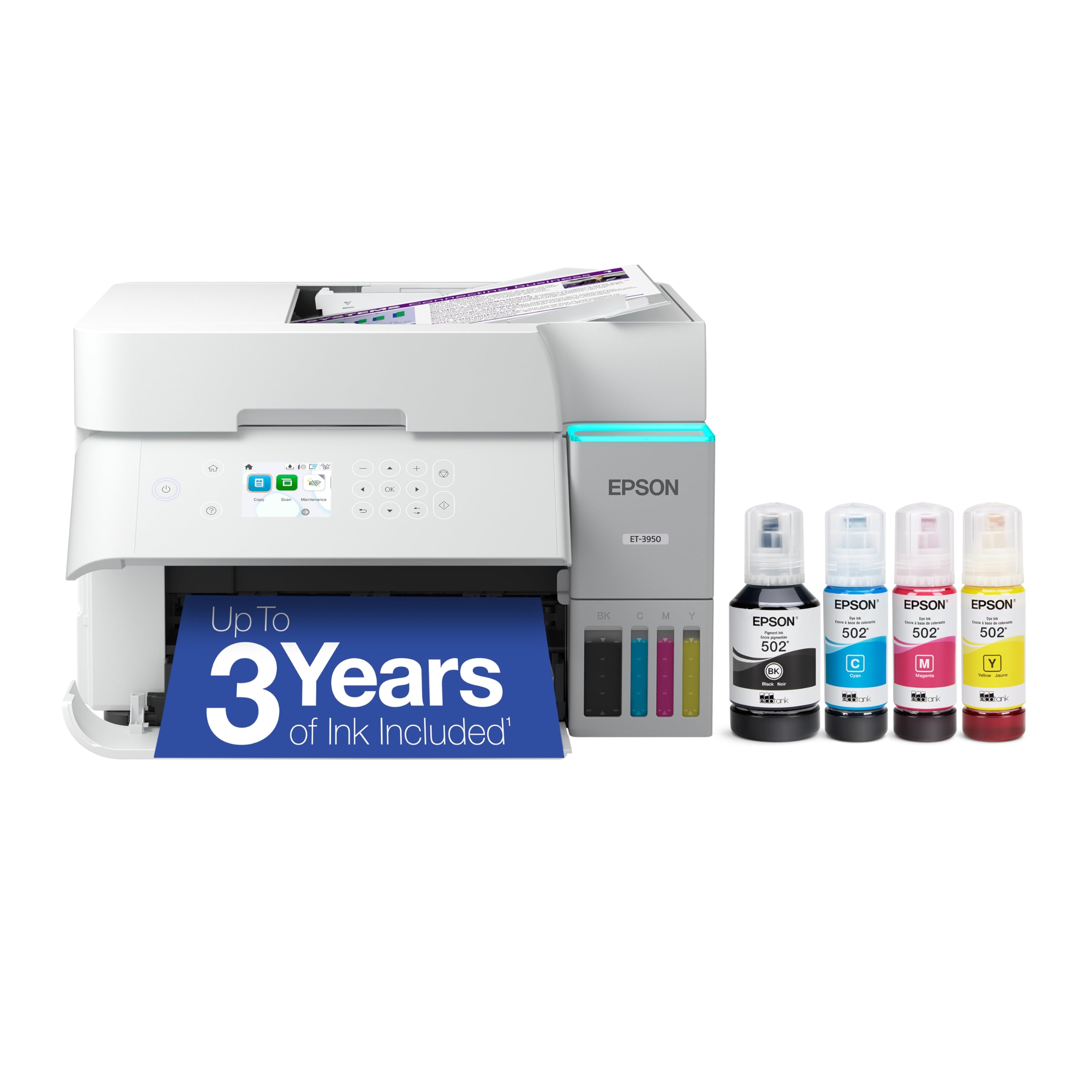
The Epson EcoTank ET-3950 brings the Supertank convenience to a slightly more compact chassis while still offering a solid rear feed for cardstock. The 4800 x 1200 dpi maximum resolution means fine details on textured cardstock remain sharp, and the 18 ppm black speed keeps production moving for home office users and crafters. The Auto Document Feeder (ADF) adds scanning versatility missing from budget models.
This model uses Epson 502 ink bottles, with yields of 8,500 black pages and 6,500 color pages from the included set. Wi-Fi 5 connectivity works well for mobile printing, and the 2.4-inch color touchscreen handles most navigation tasks. The flatbed scanner is reliable for digitizing cardstock samples or templates.
Some users report tricky initial setup, particularly with network configuration, and the ink tank labels can be confusing during the first refill. The plastic chassis feels slightly less robust than the higher-tier ET-5800, but for the price, the cardstock handling capability and ink cost efficiency represent strong value.
Why it’s great
- Rear feed handles cardstock straight through
- High print resolution for detailed media
- ADF for multi-page scanning
Good to know
- Setup can be time-consuming
- Plastic body feels less premium
- Duplex printing may be slow on thick paper
3. HP LaserJet Pro MFP 3101fdw

The HP LaserJet Pro MFP 3101fdw is a monochrome laser machine designed for speed and reliability in busy office environments. It prints up to 35 pages per minute black, with a first page out in as fast as 7 seconds. For cardstock, the straight-through rear feed slot is essential — this model has it, making it a solid choice for printing heavy letterhead, report covers, or one-sided cardstock forms.
The 50-sheet auto document feeder supports two-sided scanning and copying, which is a significant productivity boost. HP Wolf Pro Security adds a layer of protection for sensitive documents. The LCD touchscreen is intuitive for navigating scan-to-email or cloud services. Connectivity options include Ethernet, Wi-Fi, and Bluetooth, ensuring it fits into any office network.
The key limitation is that this is a monochrome machine — it prints only black and white. Also, the cardstock feeder can handle moderate volumes, but is not designed for 100lb cover on a daily diet. HP also locks out non-HP toner through firmware updates, so plan to use genuine cartridges to avoid issues.
Why it’s great
- Fast 35 ppm monochrome printing
- Straight rear feed for cardstock
- Robust security and network features
Good to know
- No color printing capability
- Firmware updates block third-party toner
- Not built for daily high-volume cardstock
4. Brother MFC-L2900DW

The Brother MFC-L2900DW is a monochrome laser all-in-one that balances speed, reliability, and smart features for small business owners. With output of 36 pages per minute black and a 50-page ADF capability for scanning, it handles heavy document loads. Its rear feed slot accepts cardstock, and Brother’s roller design provides consistent grip on textured or coated media.
The 3.5-inch color touchscreen is a standout feature, making it easy to access scan-to-email, scan-to-cloud (Google Drive, Dropbox), and scan-to-PDF without a connected computer. The energy-efficient fuser reduces electricity consumption by 22% compared to previous models. The starter toner yields about 700 pages, but high-capacity TN830XL cartridges are available for up to 3,000 pages.
Duplex printing is automatic and works with standard paper, but cardstock users should be aware that automatic two-sided printing on heavy media can cause jams — it’s better to use the rear feed for single-sided cardstock jobs. The black-and-white-only limitation is the main tradeoff for those needing color cardstock prints.
Why it’s great
- Fast 36 ppm monochrome output
- Large touchscreen interface
- Energy-efficient design
Good to know
- Monochrome only; no color option
- Automatic duplex not reliable with cardstock
- Starter toner cartridge is small
5. Epson EcoTank ET-2980

The Epson EcoTank ET-2980 is the entry-level Supertank model that still allows you to print on cardstock without breaking the bank. The refillable ink system comes with enough ink for up to 6,600 black pages and 5,500 color pages, removing the agony of cartridge replacements. It handles thick media through its rear feed slot, making it suitable for occasional cardstock jobs like greeting cards or flyers.
Print speeds are 15 ppm black and 8 ppm color. The color touchscreen is functional but small and has a narrow viewing angle, so you’ll need to stand directly in front of it. The no-mess ink refill bottles are a welcome feature, and the EcoTank brand is the world’s #1 selling Supertank lineup for good reason — the running costs are dramatically lower than cartridge-based inkjets.
However, this model lacks an ADF, so scanning multi-page documents requires manual page-by-page feeding. The tray management is also more basic, with a shallow lip that can cause stiff cardstock to catch on the leading edge. It’s a competent all-rounder for light cardstock use, but not the best choice for high-volume or heavy-weight media.
Why it’s great
- Extremely low cost per page with included ink
- Handles occasional cardstock via rear feed
- No-mess refill system
Good to know
- No auto document feeder
- Small LCD with narrow viewing angle
- Basic tray can struggle with stiff cardstock
6. Brother HLL3280CDW

The Brother HLL3280CDW is a compact color laser printer that delivers sharp color documents at 27 pages per minute for both black and color. Its straight-through paper path from the rear feed accepts thicker stock, but the machine does not have a dedicated flatbed scanner — it is print-only. For users needing color cardstock prints for marketing materials or presentations, this is a capable unit.
The 2.7-inch color touchscreen gives you access to cloud-based apps like Google Drive and Dropbox for direct printing. Connectivity is versatile with dual-band Wi-Fi, Wi-Fi Direct, Ethernet, and USB. The Brother Mobile Connect app allows remote printing and toner monitoring. Toner cartridges include the TN229 series, with standard and high-yield options.
The most critical feedback for cardstock users is that double-sided printing on heavy media is prone to jams, and single-sided prints on cardstock can suffer from curling due to the fuser heat. One user explicitly noted cardstock jams when duplexing. This printer is best reserved for one-sided color cardstock jobs where you don’t need automatic double-sided printing.
Why it’s great
- Fast color laser output
- Good connectivity and cloud support
- Straight rear feed for thicker paper
Good to know
- Print-only; no scanner or copier
- Cardstock jams in duplex mode
- Single-sided cardstock may curl
7. HP LaserJet Pro MFP 3101sdw

The HP LaserJet Pro MFP 3101sdw is designed for small teams that need high-speed monochrome printing with minimal downtime. At 40 pages per minute black, it is one of the fastest in its class, and the 250-sheet input tray combined with a 50-sheet ADF keeps workflows moving. The rear feed slot accepts cardstock for occasional use, making it suitable for printing professional cover pages or heavy report inserts.
Set-up is straightforward with the HP Smart app, and the wireless connectivity includes Intelligent Wi-Fi that seeks the best connection. The 3101sdw lacks the fax function of its fdw sibling, but keeps the core print, scan, and copy functionality. Duplex printing is automatic and works reliably with standard paper.
HP’s toner strategy can be a pain point — the printer is designed to work only with cartridges using HP chips, and firmware updates are aimed at blocking third-party alternatives. Users report that declining firmware updates keeps the option for non-HP toner alive. The cardstock handling is adequate for light use, but heavy daily cardstock jobs should be directed to a dedicated machine.
Why it’s great
- Extremely fast 40 ppm monochrome output
- Auto duplex and ADF included
- Reliable wireless connectivity
Good to know
- Firmware blocks non-HP toner
- Not designed for high cardstock volume
- No color printing available
8. Canon Megatank G3290

The Canon Megatank G3290 is an inkjet Supertank that offers an impressive print yield — up to 6,000 black and 7,700 color pages from the included ink bottles. The tank system is designed to be easy to refill, and the 2.7-inch color touchscreen provides a modern interface. For cardstock, the rear feed slot provides the straight path needed for heavy media up to about 300 gsm.
The duplex function works well for standard documents, and users report that draft mode on this printer produces clean, line-free prints that are great for craft layouts. Wi-Fi connectivity is reliable through thick walls, and the Canon print app fixes many software compatibility issues that older models had. The print heads are user-replaceable, extending the printer’s lifespan.
Some users have complained about muddy black prints on certain paper types, which is likely due to the dye-based color inks mixing with the pigment black in some media conditions. For cardstock, color tuning may be necessary to achieve accurate results. The printer is also noisy during cleaning cycles, which it runs after every few prints.
Why it’s great
- High page yield from included ink
- User-replaceable print heads
- Reliable rear feed for cardstock
Good to know
- Color accuracy may require tuning on cardstock
- Noisy during cleaning cycles
- Some reports of muddy black prints
9. Canon PIXMA TS7720

The Canon PIXMA TS7720 is a compact and budget-friendly all-in-one that fits into tight spaces. It prints at 15 ppm black and 10 ppm color, with a 2.7-inch LCD touchscreen for navigation. The straight paper path through the rear feed allows it to handle some cardstock, but the maximum weight rating is lower than the Supertank models, so keep to lighter cardstock — think 60lb cover or less — to avoid jams.
Setup is streamlined and takes only a few minutes. The printer uses two ink cartridges (PG-285 black and CL-286 color), which keeps replacement simple but the cost per page is higher compared to Supertank systems. Auto duplex is built in for standard paper, making it easy to create double-sided documents. The flatbed scanner has no ADF, so multi-page scanning requires manual effort.
This printer is best suited for someone who only occasionally needs to print on cardstock for small craft projects or greeting cards. The default auto-off feature (after 4 hours of inactivity) can be annoying, but is adjustable in the settings. For frequent or heavy cardstock work, the limited weight tolerance and higher ink cost make it a less economical choice.
Why it’s great
- Very compact and easy to set up
- Rear feed accepts lighter cardstock
- Intuitive touchscreen interface
Good to know
- Limited cardstock weight tolerance
- Higher cost per page with cartridges
- No auto document feeder
FAQ
What is the difference between a straight paper path and a curved paper path for cardstock?
Can I use automatic duplex printing on cardstock?
Why does my cardstock print come out curled from a laser printer?
Final Thoughts: The Verdict
For most users, the all-in-one printer for cardstock winner is the Epson EcoTank Pro ET-5800 because its dedicated straight rear feed path handles 100lb cardstock reliably, and the pigmented ink dries instantly on coated media. If you want a more affordable option with lower running costs and need color, grab the Epson EcoTank ET-2980. And for high-speed monochrome office environments where cardstock is an occasional need, nothing beats the HP LaserJet Pro MFP 3101fdw.