
Our readers keep the lights on and the weekend projects moving. As an Amazon Associate, I earn from qualifying purchases.
Getting a photo to look exactly like it did on your screen takes more than just a regular printer. The difference between a washed-out family snapshot and a print you’d proudly frame comes down to the color engine inside the machine — how many ink colors it uses, the print head resolution, and whether it uses dye or pigment-based technology. For anyone serious about printing images at home, the all-in-one printer for photos must balance vivid output with the practical functions of scanning and copying.
I’m Rikta — the founder and writer behind FitlyFast. I’ve spent years analyzing the specifications that separate a true photo-capable all-in-one printer from a standard document machine, studying ink formulations, color depth specs, and paper path designs specific to this narrow category.
This guide walks through the top options on the market so you can confidently choose the best all-in-one printer for photos that matches your workflow and image quality expectations.
How To Choose The Best All-In-One Printer For Photos
Not every multifunction printer handles photo paper the same way. Some are optimized for text documents and treat photo printing as an afterthought, while others use dedicated color systems built specifically for image reproduction. Understanding a few core specifications will keep you from buying a machine that leaves your photos looking flat.
Ink Architecture: Cartridge, Tank, Or Sublimation
The most important decision is whether you want a cartridge-based system, a refillable ink tank, or a dye-sublimation unit. Cartridge printers like the HP Envy Photo 7975 offer convenience and a wide color gamut but can be expensive per print. Ink tank models such as the Canon MegaTank G3290 dramatically lower per-page costs and work well for high-volume photo printing. Dye-sublimation printers like the Kodak Dock Plus produce water-resistant, smear-proof prints by layering dye into the paper coating, though they are typically print-only devices without scanning or copying functions.
Color Count And Print Resolution
A standard four-color printer (CMYK) can produce decent photos, but adding light cyan and light magenta — as seen in the Epson Expression Photo XP-980’s six-color Claria system — noticeably improves gradient smoothness and reduces visible dots in skin tones and blue skies. Print resolution matters too: 4800 x 2400 dpi or higher lets you see detail in fine textures like hair and fabric. For glossy paper, a printer with a dedicated photo tray that supports borderless prints up to 8×10 inches or larger is a practical advantage.
Paper Path And Media Flexibility
Thick photo paper (above 250 gsm) often requires a straight paper path to avoid curling or jamming. Look for a rear specialty feed slot in addition to the main paper tray. The Epson XP-980 offers a separate photo paper tray and a rear feed for heavier media, while smaller units may only accept standard copy paper through a curved path. If you print on matte fine-art paper or cardstock regularly, a straight-through path is a must.
Quick Comparison
On smaller screens, swipe sideways to see the full table.
| Model | Category | Best For | Key Spec | Amazon |
|---|---|---|---|---|
| Epson XP-980 | Premium All-In-One | Large borderless prints up to 11″x17″ | 6-color Claria ink system | Amazon |
| Canon MegaTank G3290 | Ink Tank All-In-One | High-volume, low-cost color printing | 6000 black / 7700 color page yield | Amazon |
| HP Envy Photo 7975 | Mid-Range All-In-One | AI-enhanced document and photo printing | Separate photo tray + auto document feeder | Amazon |
| Epson EcoTank ET-4950 | Supertank All-In-One | Business/home with fax and ADF | 18 ppm black / 9 ppm color | Amazon |
| Canon PIXMA TS7720 | Compact All-In-One | Everyday home use with auto duplex | 2.7″ touchscreen, 15/10 ppm | Amazon |
| Kodak Dock Plus | Dye-Sublimation Station | Instant 4×6 prints with lamination | 4PASS dye sub, protective coating | Amazon |
| HPRT CP4100 | Portable Dye-Sublimation | Scrapbooking and travel photo printing | 108 sheets + 2 ribbons included | Amazon |
| Liene Pearl N200 Pro | Portable Sticker Printer | AI-enhanced mini prints and stickers | 2×3″ prints, built-in CCD camera filter | Amazon |
| Liene PixCut S1 | Sticker Printer & Cutter | DIY stickers with auto die-cutting | 300 dpi + AI auto-cut | Amazon |
In‑Depth Reviews
1. Epson Expression Photo XP-980

The Epson XP-980 is the only all-in-one on this list built around a six-color ink system (CMYK plus light cyan and light magenta), which directly eliminates the banding and dot patterns you often see in large 11×17 prints from four-color machines. The Claria Photo HD inks deliver rich blacks and smooth gradients, and the 5760 x 1440 dpi resolution captures fiber detail in fabric and skin texture that lower-end printers miss. The separate trays for plain paper and photo paper mean you never have to empty one to load the other.
In real-world use, the XP-980 produces a borderless 4×6 print in about 11 seconds — genuinely fast enough to print a dozen shots at a gathering. The 4.3-inch color touchscreen makes it easy to navigate copy and scan settings without digging into a computer. For users printing anything larger than 8×10, the wide-format capability alone justifies the investment.
The main tradeoff is the ongoing cost of the six individual cartridges, which run out at different rates, and the printer’s physical footprint — it is 19 pounds and occupies significant desk space. Some users report that ink dries on the print head if the printer sits unused for weeks, requiring cleaning cycles that use a noticeable amount of ink.
Why it’s great
- Six-color system produces professional-grade photo smoothness missing from 4-color printers
- Dual paper trays allow fast switching between document and photo media
- 11×17 borderless output is rare in an all-in-one photo printer under
Good to know
- Six ink cartridges create higher per-print consumable costs than tank-based systems
- Print head clogs can occur if the printer sits idle for extended periods
- 19-pound weight makes it a permanent fixture, not a portable unit
2. Canon MegaTank G3290

The Canon MegaTank G3290 flips the cost model of photo printing by shipping with ink bottles good for up to 6000 black pages and 7700 color pages — enough ink to print hundreds of 4×6 photos without buying a single cartridge. The GI-21 pigment-based black ink produces sharp text for documents, while the dye-based color inks deliver saturated, glossy photo prints that rival cartridge-based machines at a fraction of the per-page cost.
The all-in-one functions are solid: auto duplex printing, a tilting 2.7-inch color touchscreen, and reliable Wi-Fi connectivity via the Canon PRINT app. Users consistently note that the ink tanks last months even with regular color printing, and the lack of paper jams makes it a low-frustration experience for families printing school projects alongside photo sheets.
The tradeoff is that the G3290 uses a four-color system, so gradients in skies or portraits won’t look as smooth as a six-color printer. The top-load paper feed requires clearance above the printer, and color tuning is often necessary to match what you see on a calibrated monitor. For photo purists who need exhibition-quality output, this is not the right machine, but for volume printing at home it is remarkably cost-effective.
Why it’s great
- Bundled ink bottles eliminate cartridge costs for months of heavy photo printing
- Auto duplex and touchscreen make daily operation seamless
- Reliable media handling with minimal paper jams reported
Good to know
- Four-color ink system produces less gradient smoothness than six-color alternatives
- Top-load paper path requires clearance above the printer
- Color calibration out of box may need adjustment to match monitor
3. HP Envy Photo 7975

HP designed the Envy Photo 7975 for households that want a single machine for homework, office documents, and photo printing without sacrificing quality in any area. The separate photo tray keeps glossy 5×7 and 4×6 paper loaded independently from the main 100-sheet plain paper tray, so you don’t have to swap media mid-project. The AI-powered print feature automatically removes unwanted content from web pages and emails, which saves paper and avoids awkward layouts.
Print speeds hit 15 pages per minute black and 10 color, and the auto document feeder makes multi-page scanning and copying genuinely useful. The color touchscreen is responsive, and setup through the HP Smart app typically takes under ten minutes. Users report crisp borderless photos with vibrant color that looks true to the original image file.
Reliability is the main concern: a small but vocal segment of users experiences scanning failures or connectivity drops that require a replacement unit. The Instant Ink subscription is optional but recommended to keep running costs predictable, and without it, standard HP 64 cartridges are expensive per print. For users who print photos weekly and documents daily, the convenience features outweigh the risks, but it is not the most robust option for heavy commercial use.
Why it’s great
- Separate photo tray eliminates media swapping for mixed document and photo jobs
- AI-powered web page cleaning saves ink and paper when printing online content
- Auto document feeder makes multi-page scanning efficient
Good to know
- Some units have reliability issues requiring replacement within weeks
- Without Instant Ink subscription, cartridge costs are high per print
- Text document quality is good but not exceptional for a photo-focused printer
4. Epson EcoTank ET-4950

The Epson EcoTank ET-4950 is a supertank all-in-one that prioritizes volume and productivity without abandoning photo quality. The refillable ink tanks come with enough ink for up to 6600 black and 5500 color pages, and each replacement bottle set equals roughly 80 cartridges. For a home office printing client brochures, catalogs, or product photos alongside standard documents, the ET-4950 eliminates the constant cartridge swapping that slows down workflow.
The 2.4-inch color touchscreen and auto document feeder with duplex scanning make it easy to digitize large photo collections or run batch copies. Print speeds of 18 pages per minute black and 9 color are competitive for a supertank machine, and borderless photo output looks clean on Epson’s standard glossy paper. Users note that the printer is quiet during operation and the visible ink levels remove the guesswork from refilling.
The ET-4950 uses a four-color ink system, so photos lack the subtlety of six-color models, and the plastic chassis feels less sturdy than premium business-class machines. Setup took some users up to 45 minutes due to ink charging and connectivity steps. For a home office that needs high-volume printing with decent photo capabilities, this is a strong choice, but fine-art photographers will want the six-color Epson XP-980 instead.
Why it’s great
- High-volume ink tanks dramatically lower per-print costs for frequent photo output
- Auto document feeder with duplex scanning streamlines batch photo digitization
- Fast print speeds with zero warmup make it ideal for office environments
Good to know
- Four-color system limits gradient smoothness compared to six-color alternatives
- Initial setup including ink charging can take close to an hour
- Plastic components feel less durable than more expensive business-grade printers
5. Canon PIXMA TS7720

The Canon PIXMA TS7720 is a compact all-in-one that fits on a small desk while still delivering auto duplex printing, a 2.7-inch LCD touchscreen, and wireless setup. For users who need occasional photo prints in 4×6 and 5×7 sizes alongside everyday document tasks, the TS7720 offers a balanced feature set at an entry-level price point. Print speeds of 15 pages per minute black and 10 color are adequate for home use.
The two-cartridge system (PG-285 black and CL-286 color) keeps replacement simple, and the bottom paper tray pulls out manually when needed. Users who own this printer consistently praise its reliability out of the box — it does not develop connectivity issues or paper feed problems that plague some budget printers. Photo quality is decent for the price, with crisp text and colorful images that satisfy casual framing and gift-giving needs.
The main limitation is the lack of an auto document feeder, which means multi-page scanning requires manual feeding. Colors are also less vivid than printers with more ink colors or dedicated photo ink, and the 8×10 output is acceptable but not suitable for archival or professional use. The default auto-off setting (four hours) can be annoying if you forget to manually wake the printer before a job.
Why it’s great
- Compact footprint with auto duplex and touchscreen fits small home workspaces
- Simple two-cartridge system is easy to replace and inexpensive
- Consistently reliable wireless connection after initial setup
Good to know
- No auto document feeder limits scanning productivity for multi-page jobs
- Photo colors are less saturated than dedicated photo printers
- Default auto-off timer requires manual power-on for timed jobs
6. Kodak Dock Plus

The Kodak Dock Plus is a dedicated 4×6 photo printer that uses 4PASS dye-sublimation technology to produce prints with a protective lamination layer, making them water-resistant and fade-resistant. The integrated phone dock charges your device while printing, and Bluetooth connectivity means you can print directly from the Kodak Photo Printer App without a computer. Each print takes about 55 seconds and emerges dry to the touch — no smudging even immediately after production.
Color saturation is strong and consistent, with users noting the prints look comparable to drugstore lab quality. The dock design keeps the printer stable during operation, and the compact size makes it suitable for a living room shelf or desktop. The bundled 50 sheets and starter ribbon get you printing immediately, and refill packs include both paper and ink ribbon so you never run out of one without the other.
The Dock Plus is a print-only device — it cannot scan or copy, so it is not a true all-in-one replacement. The app, while functional, must stay open during printing, and batch size is limited to five prints at a time. Some users report the setup instructions are minimal and the Bluetooth pairing can be buggy on certain Android devices. For pure photo output, however, it delivers consistent quality that outpaces most inkjet all-in-ones in this price tier.
Why it’s great
- Dye-sublimation lamination makes prints waterproof and smudge-proof
- Integrated phone dock charges device while printing
- Consistent lab-quality photo output without color calibration hassle
Good to know
- Print-only device — no scanning, copying, or document printing
- Bluetooth pairing can be inconsistent on some Android phone models
- Limited to 4×6 prints, cannot output letter-sized or larger photos
7. HPRT CP4100
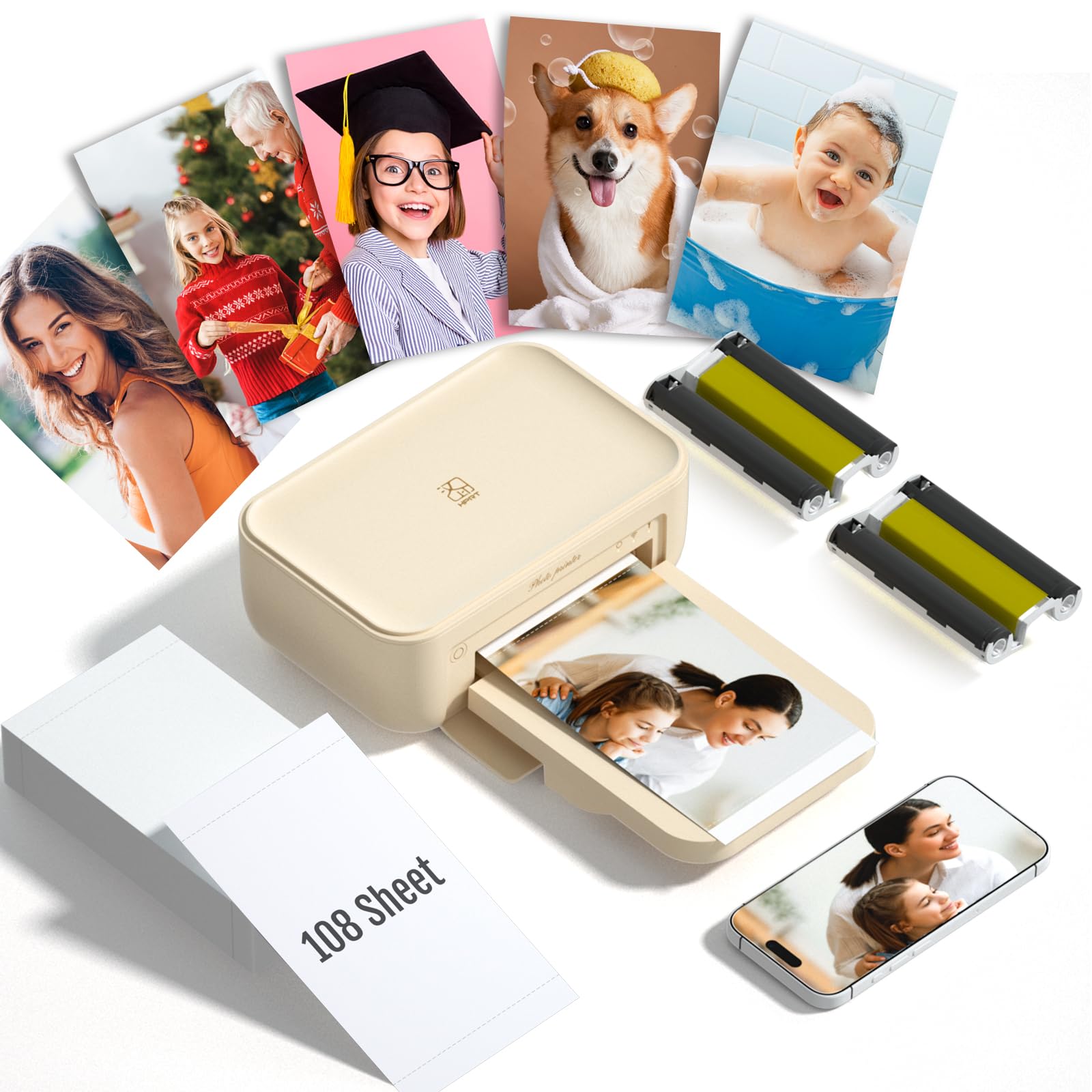
The HPRT CP4100 is a portable 4×6 dye-sublimation printer designed for scrapbookers and DIY album makers who want vivid, long-lasting prints without the complexity of an inkjet workflow. The bundle includes 108 sheets of photo paper and two ribbons — enough for 180 total prints — which removes the immediate need to order consumables. The Heyphoto app offers AR printing (embedding video into a static print), multiple border styles, and variable print sizes down to 1 inch.
Print quality is excellent for a portable unit, with saturated colors and sharp detail that users consistently rate as 10/10. The laminating layer applied during the dye-sub process makes prints scratch-resistant and water-resistant, so they hold up well in albums that get frequent handling. Setup is straightforward: connect via Wi-Fi to your phone, select a photo in the app, and the print emerges dry in under a minute.
The CP4100 is print-only and limited to 4×6 paper, so it won’t replace a document printer. Some users note prints come out slightly darker than the original image on screen, requiring a brightness adjustment in the app. The printer consumes a ribbon for every print job regardless of image complexity, so cost per print is fixed rather than proportional to ink coverage.
Why it’s great
- Generous bundle includes 108 sheets and two ribbons for immediate use
- Dye-sublimation lamination produces durable, water-resistant prints for albums
- AR printing feature adds video playback to physical photos through the app
Good to know
- Print-only device — no scanning, copying, or document printing
- Prints tend to come out slightly darker than the original image
- Fixed per-print cost regardless of ink coverage, unlike inkjet printers
8. Liene Pearl N200 Pro

The Liene Pearl N200 Pro is a portable mini printer that uses thermal dye-sublimation to produce 2×3-inch prints and stickers. What sets it apart is the AI features built into the Liene Photo App: you can upload a photo, select an artistic style, and have the AI generate a reimagined portrait while keeping your facial features intact. The InstaPic mode turns the printer into a shoot-and-print camera with built-in CCD filters, bypassing the need to edit on your phone.
Print quality among portable mini printers is widely considered the best in this form factor, matching photo center quality for small prints. The adhesive-backed paper works as a sticker or a standard photo without tearing, and the fast Bluetooth pairing supports group printing from multiple phones at gatherings. Each full charge powers about 27 sticker prints, which is enough for a party session.
The downsides are that cartridge yield is lower than advertised — around 5 prints per cartridge instead of 10 — making per-print costs higher than expected. The app can be finicky with connection drops, and there is no desktop software, so all editing and printing must happen on a phone. For spontaneous sticker making and AI-enhanced portraits, the N200 Pro is impressive, but it is not designed for high-volume or all-in-one document needs.
Why it’s great
- Best-in-class print quality among portable mini sticker printers
- AI image generation creates unique portrait styles not available elsewhere
- InstaPic shoot-and-print mode works well for parties and events
Good to know
- Cartridge yields only about 5 prints instead of the advertised 10
- App connection can be unreliable and requires phone-only operation
- Small 2×3 format limits usefulness for standard framing or albums
9. Liene PixCut S1

The Liene PixCut S1 combines a thermal dye-sublimation printer with an auto-cutting system, all in one device. You design a sticker in the Liene app, hit print, and the machine prints and cuts around your design in a single operation — no separate cutting mat or manual die-cutting required. The AI extraction feature automatically recognizes the subject of a photo and cuts around it with precision, making it easy to turn regular images into custom stickers.
Print quality at 300 dpi with 16.7 million colors produces vibrant, true-to-life stickers that are waterproof and scratch-resistant thanks to the four-layer lamination. The bundled starter pack includes 18 sheets of photo sticker paper and a pre-installed blade, so you can start creating immediately. Users with a year of ownership report the machine remains reliable with consistent cut accuracy and no decline in print quality.
The main frustrations are the proprietary consumable costs — sticker paper and ink cartridges are expensive compared to generic alternatives — and the app, which requires a Chinese-based account login that raises data privacy concerns for some users. The cutting mechanism is not precise enough for selling professional-grade stickers, and the USB-C port on some units does not function. For casual crafters and hobbyists who want an all-in-one sticker making solution, the PixCut S1 is a time-saver, but it is not a business-grade tool.
Why it’s great
- Prints and cuts in one step, eliminating separate die-cutting machines
- AI subject extraction enables quick sticker creation from any photo
- Durable four-layer lamination makes stickers waterproof and scratch-resistant
Good to know
- Proprietary consumables are expensive compared to standard sticker paper
- App requires Chinese-based account creation, which concerns some users
- Precision is not sufficient for professional or commercial sticker production
FAQ
What is the minimum number of ink colors needed for good photo prints?
Can an ink tank printer produce photo quality as good as a cartridge-based model?
What does the DPI number mean for photo printing?
Why do some photo prints fade faster than others?
Do I need a separate photo tray for frequent photo printing?
Final Thoughts: The Verdict
For most users, the best all-in-one printer for photos winner is the Epson Expression Photo XP-980 because it combines a true six-color ink system with the ability to print borderless up to 11×17 inches, all while retaining full scan and copy functions. If you want drastically lower per-print costs and print hundreds of photos a year, grab the Canon MegaTank G3290. And for a compact all-in-one that handles daily family tasks with respectable photo quality, nothing beats the Canon PIXMA TS7720.