
Our readers keep the lights on and the weekend projects moving. As an Amazon Associate, I earn from qualifying purchases.
An Android E Ink tablet is a specific tool—a paper-like digital notebook that also runs Android apps—designed to replace both your paper notepad and a secondary reading device. Unlike conventional tablets with LCD or OLED screens, these E Ink devices eliminate backlight glare and eye strain for hours of focused writing and reading.
I’m Rikta — the co-founder and writer behind FitlyFast. This guide is the result of many hours of research into processor speeds, display contrast ratios, stylus latency, battery life, and Android app compatibility across the current E Ink landscape.
If you want a distraction-free device with a screen that feels like paper, the right android e ink tablet delivers a genuinely better experience for note-taking, reading, and reducing screen fatigue.
How To Choose The Best Android E Ink Tablet
Finding the right Android E Ink tablet means understanding a few key design trade-offs. Unlike a regular tablet, these devices prioritize eye comfort, battery life, and writing feel over raw processing power. Here’s what to look for.
Screen Technology: Kaleido 3 vs HD ePaper vs Carta
The display is the heart of any E Ink tablet. The most common color technology is E Ink Kaleido 3, which delivers 300 ppi in black and white and 150 ppi in color—color is inherently more muted and a bit grayer than an LCD screen. For black-and-white-only devices, Carta 1200 or HD ePaper screens offer higher contrast and a whiter background, which is ideal for pure reading and writing. Front lights with warm/cold temperature adjustment are critical for comfortable use in dim environments.
Pen Technology: EMR vs Active Stylus
Most premium Android E Ink tablets use electromagnetic resonance (EMR) stylus technology, which requires no charging and offers near-zero latency with 4,096 levels of pressure sensitivity. Some budget models use an active stylus (InkSense or Musnap Pencil) that requires a battery or charging. EMR pens are generally preferred for their reliability and the ability to use fine nibs that replicate a ballpoint or fountain pen feel.
Android Version and Google Play Certification
A true Android E Ink tablet should allow you to install apps from the Google Play Store—Kindle, Kobo, Moon+ Reader, Notion, and note-taking apps. However, not all devices are Play Protect certified or come with a full app store pre-installed. Some manufacturers use a heavily modified Android skin that can block sideloading or limit app compatibility. Always check whether the device runs a recent Android version (12 or newer) and whether the Google Play Store is fully functional out of the box.
Quick Comparison
On smaller screens, swipe sideways to see the full table.
| Model | Category | Best For | Key Spec | Amazon |
|---|---|---|---|---|
| BOOX Go 10.3 Gen II Lumi | Premium B&W | Large-screen reading & note-taking | 10.3″, 300 ppi, 4GB/64GB | Amazon |
| BOOX Note Air 4 C | Premium Color | Color note-taking & reading | 10.3″ Kaleido 3, 6GB RAM | Amazon |
| Penstar eNote 2 | B&W Pen-Only | Focus-first writing without touch | 10.3″, 300 ppi, 128GB | Amazon |
| Penstar eNote Pro | Color Premium | Professional note-taking with color | 10.3″ Kaleido 3, 128GB | Amazon |
| PocketBook InkPad Eo | Color E-Reader | Color reading with note-taking | 10.3″ Kaleido 3, 16GB | Amazon |
| iFLYTEK AINOTE Air 2 | AI Note-Taking | Voice-to-text & meeting notes | 8.2″, 2600mAh, 4,096 pressure | Amazon |
| iFLYTEK AINOTE 2 | Premium AI Notebook | AI transcription & large notebook | 10.65″, 4.2mm thin | Amazon |
| BOOX Go Color 7 Gen II | Color Compact | Compact color reading & notes | 7″ Kaleido 3, 4GB RAM | Amazon |
| VIWOODS AiPaper Mini | Portable B&W | Ultra-portable note-taking | 8.2″, 292 ppi, 128GB | Amazon |
| Musnap Ocean 64GB | Value E-Reader | Budget-friendly reading & notes | 7″, 4GB/64GB | Amazon |
| TCL NXTPAPER 11 Plus | Hybrid Tablet | LCD with paper-like screen modes | 11.5″ 120Hz LCD, 256GB | Amazon |
In‑Depth Reviews
1. BOOX Go 10.3 Gen II Lumi
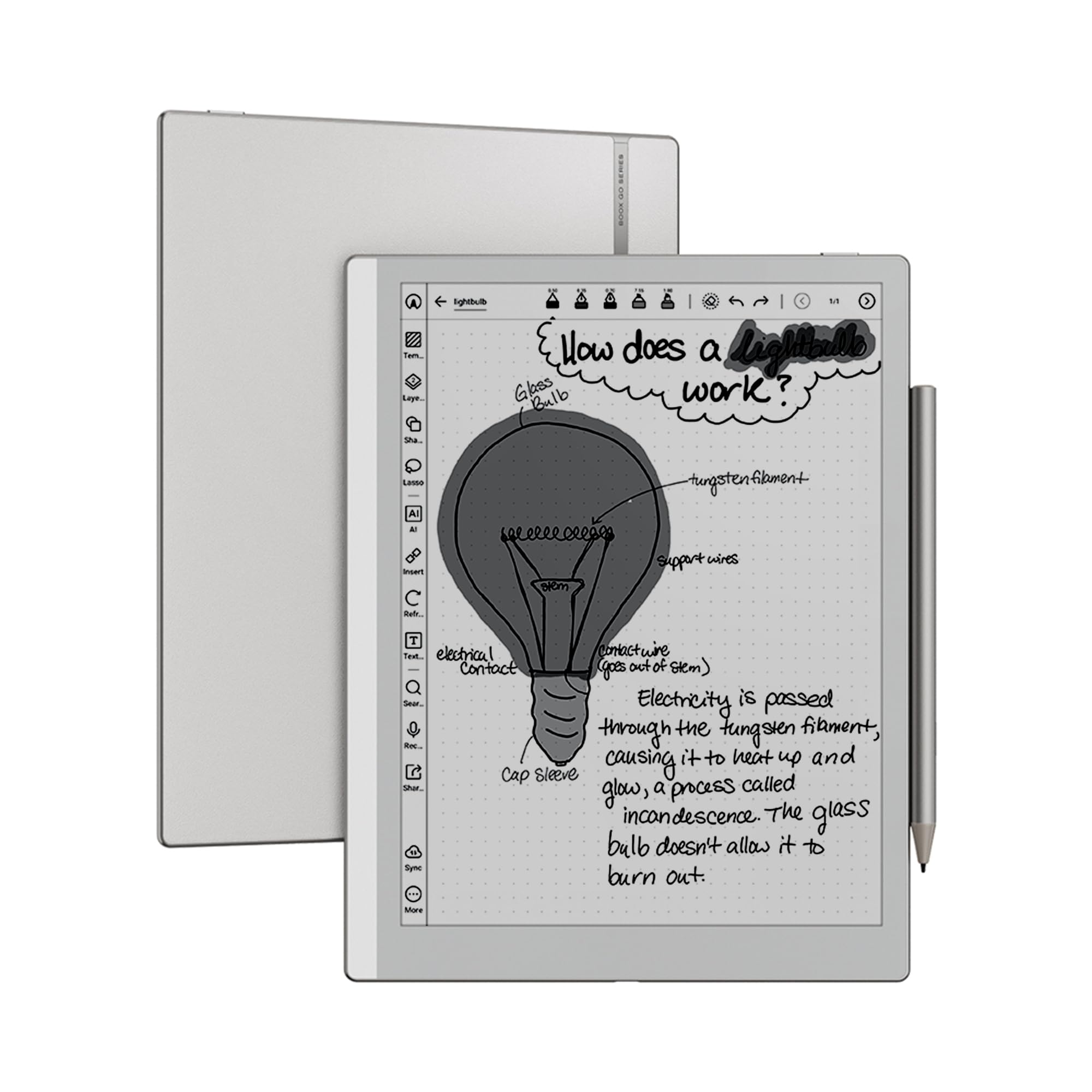
The BOOX Go 10.3 Gen II Lumi is the current benchmark for a large-screen black-and-white Android E Ink tablet. Its 10.3-inch HD ePaper display at 300 ppi delivers excellent contrast and a bright white background, making it a joy for reading PDFs, articles, and novels. The octa-core processor keeps the Android 15 interface snappy, and the 4GB of RAM handles multitasking across reading and note-taking apps without stutter.
With a slim 4.8mm profile and weighing only 364 grams, it is remarkably portable for a 10.3-inch device. The included BOOX InkSense Plus stylus offers 4,096 levels of pressure sensitivity, and the dual speakers with a built-in microphone make it functional for audio books and voice memos. The front light with warm and cold temperature adjustment ensures comfortable reading in any lighting condition.
Battery life is a strong point—the 3,700mAh battery lasts several days of moderate use, and the device supports fast charging via USB-C. The main consideration is that the pen’s magnetic attachment is not the strongest, so a case is recommended. Also, as this is a black-and-white display, it is not suited for color comics or magazines.
Why it’s great
- Exceptional 300 ppi black-and-white contrast for reading
- Lightweight and ultra-slim aluminum design
- Android 15 with full Google Play Store access
- Excellent front light with warm/cold adjustment
Good to know
- Pen magnetic attachment is weak; a case is needed
- No color display, so comics and color PDFs appear grayscale
- Some users report slow wake from sleep compared to Kindle Scribe
2. BOOX Note Air 4 C
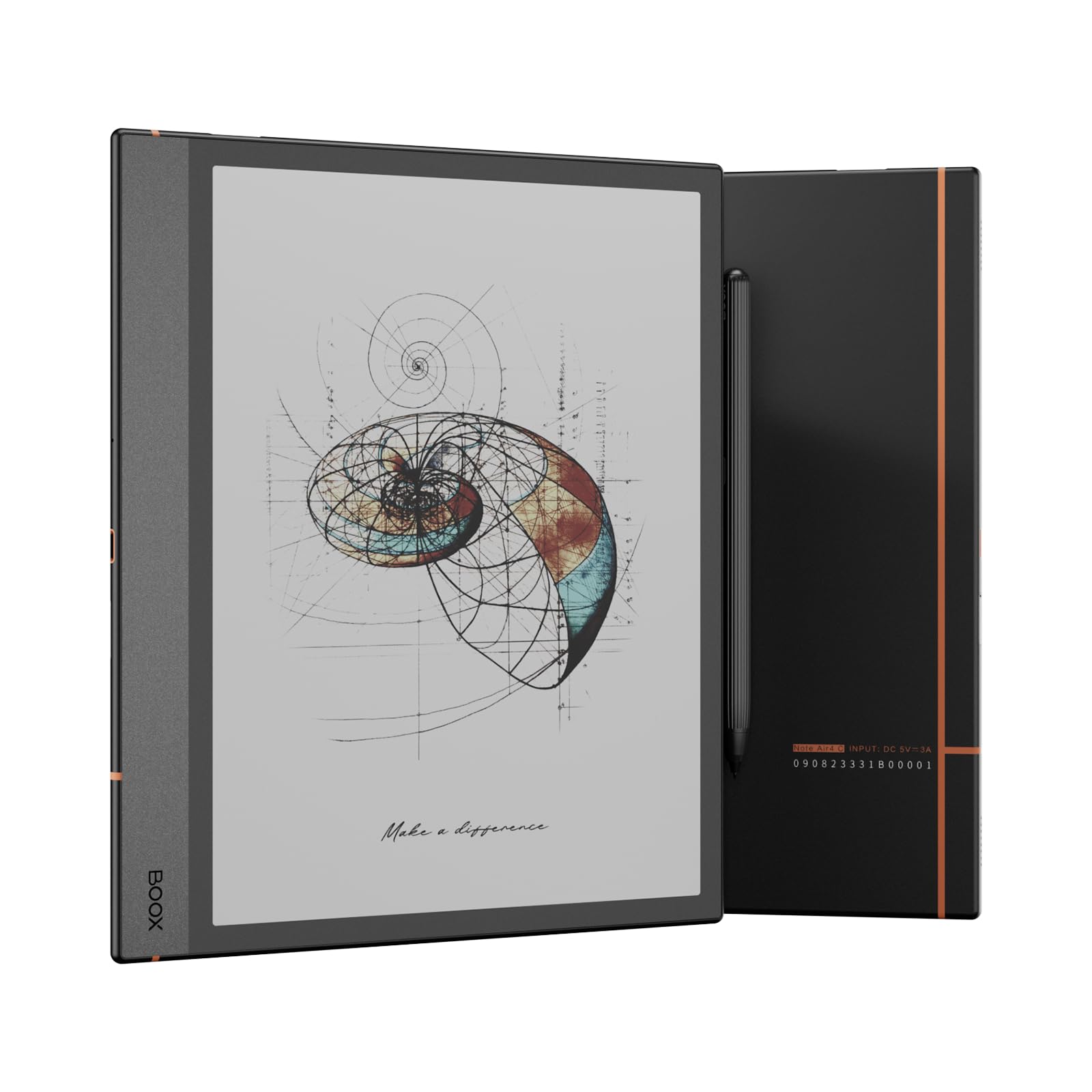
The BOOX Note Air 4 C brings color to the BOOX lineup with a 10.3-inch Kaleido 3 display capable of 4,096 colors. While the color resolution drops to 150 ppi, it is still sufficient for viewing charts, maps, and annotated documents with color highlights. The Carta 1200 base layer provides solid black-and-white performance at 300 ppi, so text remains crisp for regular reading.
Where the Note Air 4 C really shines is in its hardware package: 6GB of RAM and an octa-core processor with BSR (Boox Super Refresh) technology make for fluid page turns and app navigation. The fingerprint reader on the power button is a nice security addition, and the microSD card slot allows for storage expansion beyond the built-in 64GB. The stylus support is excellent, with 4,096 levels of pressure sensitivity and a near-paper-like feel.
Battery life is strong at 3,700mAh, easily lasting through a work week of daily note-taking and reading. The user interface, however, has a steeper learning curve than some competitors, and the writing feel is slightly smoother than actual paper, which some users may not prefer. Overall, this is the best color Android E Ink tablet for those who need both color and a large screen.
Why it’s great
- 6GB RAM provides smooth multitasking
- Fingerprint scanner for secure unlock
- microSD card slot for expandable storage
- Good balance of black-and-white and color performance
Good to know
- Color resolution is limited to 150 ppi
- User interface has a learning curve
- Writing feel is slightly slick, not fully paper-like
3. Penstar eNote 2

The Penstar eNote 2 is a fascinating device for the writing purist. It uses a 10.3-inch, 300 ppi pen-only E Ink display—no touch input—which eliminates accidental palm touches and creates a completely distraction-free writing experience. The screen is also front-light-free, meaning it reflects ambient light like real paper, making it ideal for use in well-lit environments.
Powered by MyScript OCR, handwriting-to-text conversion is fast and accurate, even with messy handwriting. The 128GB of built-in storage is generous, and the nine physical shortcut keys can be reprogrammed to your most-used tools. The bundle includes two B5 stylus pens with a total of 18 spare nibs, a magnetic folio cover, and a USB-C cable—everything you need out of the box.
Battery life is rated at two weeks of typical use. The main trade-off is the lack of touch navigation—you have to use the buttons or the stylus to interact with the interface. Additionally, the device is not a full Android tablet with an open app store; it is more of a focused digital notebook. For professionals, academics, and anyone who wants a pure writing tool, this is an excellent option.
Why it’s great
- Pen-only screen prevents accidental touches
- Accurate MyScript handwriting conversion
- 128GB storage and two pens included
- Excellent battery life—up to two weeks
Good to know
- No front light, so not usable in dark rooms
- Limited app store—not a full Android tablet
- Very thin build; requires a sturdy case for protection
4. Penstar eNote Pro
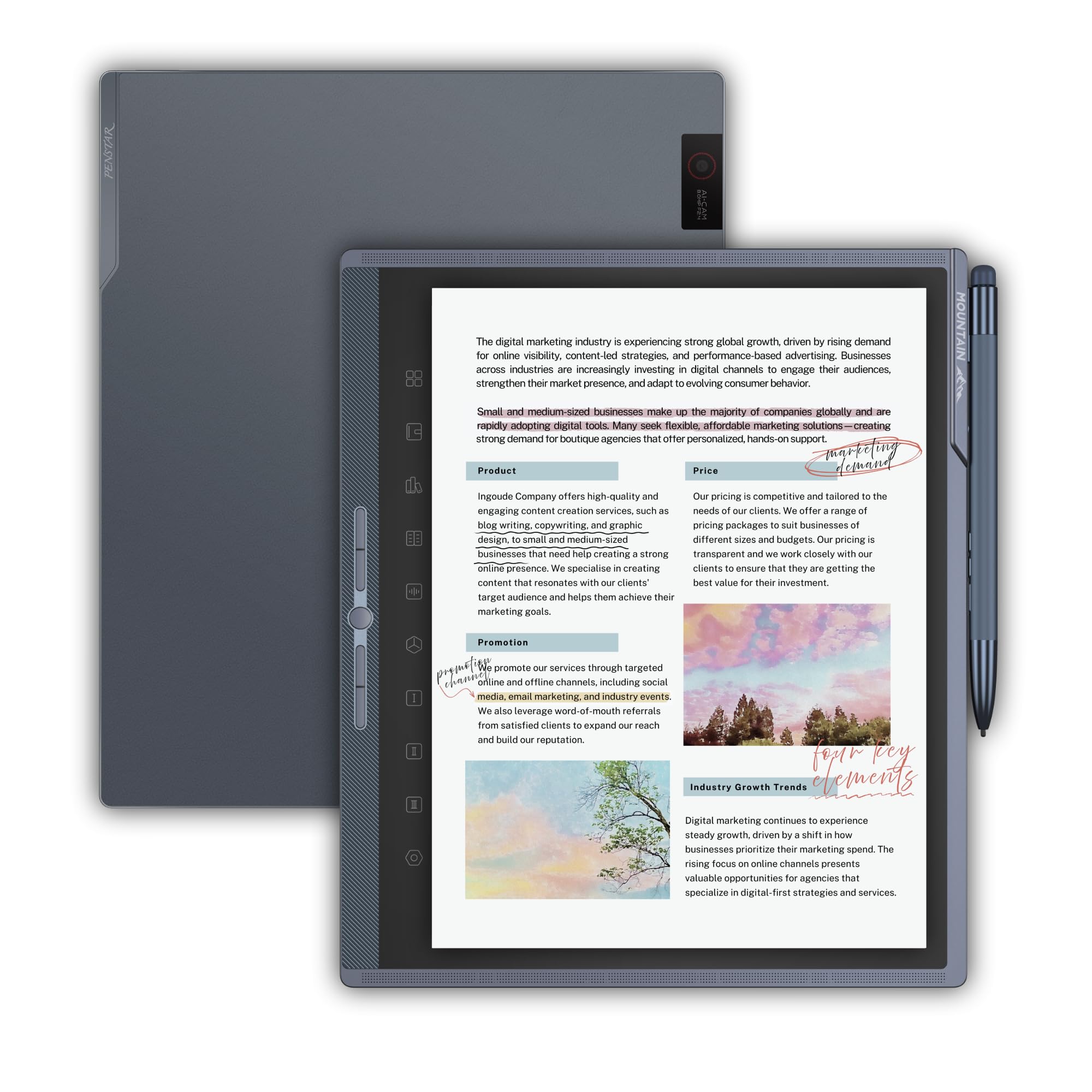
The Penstar eNote Pro is Penstar’s first color E Ink tablet, using a 10.3-inch Kaleido 3 display that delivers 300 ppi in black-and-white and 150 ppi in color. This device is built for professionals who need to review and annotate color documents, charts, and slides without the eye strain of a traditional LCD. The aluminum-alloy build and 5 physical shortcut buttons give it a premium feel.
It runs Android 14 with a pen-only sidebar, which keeps the interface clean and touch-free when you’re writing. The included B6 metal stylus is an EMR pen that does not require charging, and the MyScript handwriting conversion is as accurate as on the eNote 2. The 128GB of storage is generous, and the 6,500mAh battery offers a solid two weeks of mixed use.
The main drawbacks are the lack of Google Play certification, which means some apps may not install or work correctly, and the writing feel is slightly slick compared to the eNote 2’s more paper-like surface. Also, there is no microSD card slot or fingerprint reader. For a color note-taking device that focuses on writing quality, this is a strong mid-range option.
Why it’s great
- High-quality Kaleido 3 color display with good contrast
- Premium aluminum build with 5 programmable buttons
- EMR stylus included, no charging required
- Excellent battery life for a color device
Good to know
- Google Play not certified; app compatibility issues
- Writing feel is slightly slick, not fully paper-like
- No fingerprint scanner or SD card slot
5. PocketBook InkPad Eo
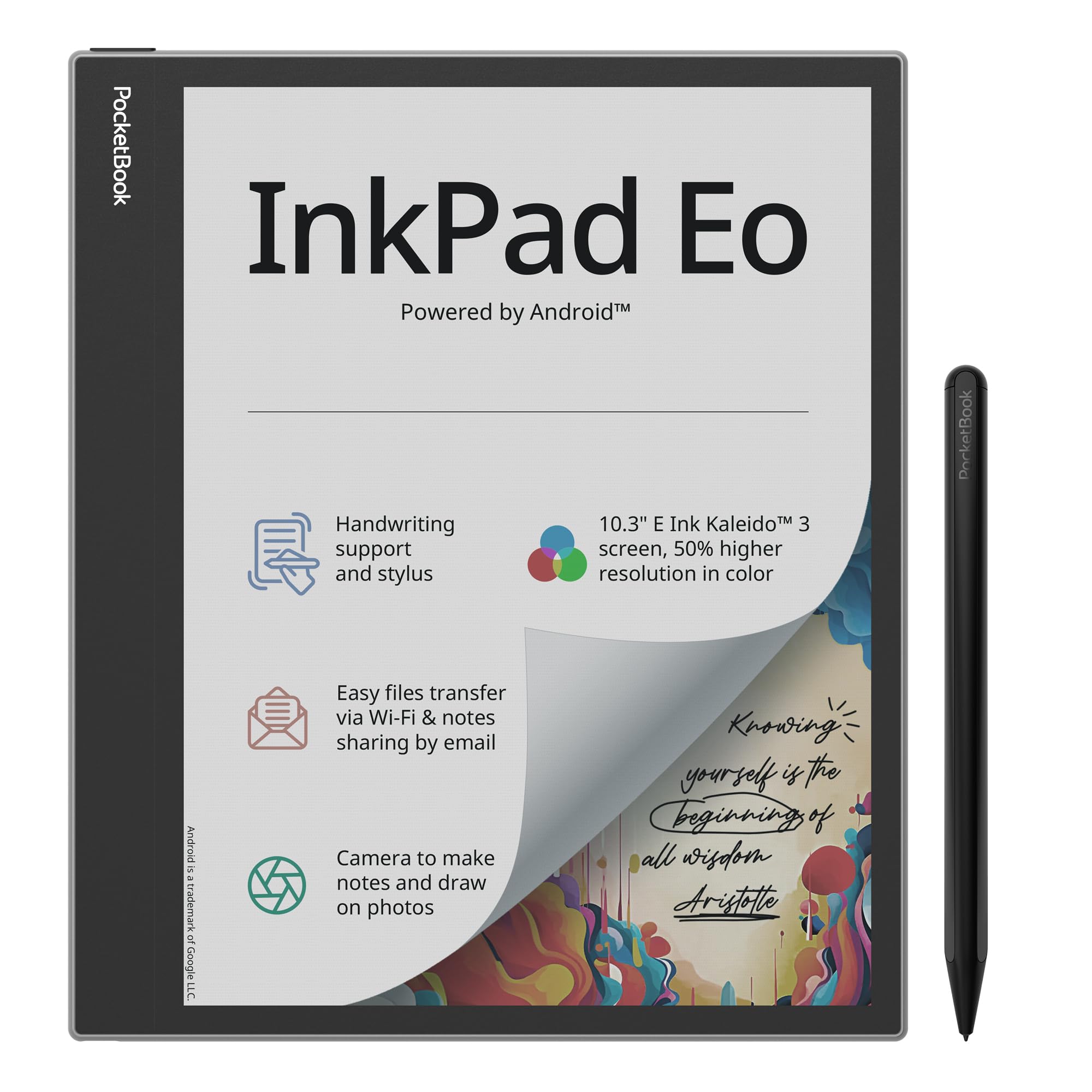
The PocketBook InkPad Eo is a 10.3-inch color E Ink tablet that leans heavily into the reader experience. The Kaleido 3 display offers 50% better color resolution than previous PocketBook color models, and the included stylus makes note-taking and annotation perfectly functional. The SMARTlight allows for adjustable brightness and color temperature, which is great for reading in bed.
Android 11 is pre-installed, which gives you access to the Google Play Store for apps like Kindle, Libby, and various third-party note-taking apps. The integrated camera allows you to take notes on photos—a unique feature for capturing whiteboards or document pages. Stereo speakers and Bluetooth 5.0 support audiobooks and wireless headphones.
The main downsides are the aging Android 11 operating system, which may not receive updates, and the washed-out color quality typical of Kaleido 3 screens. Battery life is decent at 2,300mAh, but heavy use with Wi-Fi and high brightness drains it faster. The user interface is also not as polished as the BOOX or Penstar offerings. This is a good device for someone who primarily reads and occasionally takes notes.
Why it’s great
- Glare-free color E Ink display with SMARTlight
- Included stylus for note-taking and annotation
- Integrated camera for note-on-photo capture
- Stereo speakers and Bluetooth 5.0
Good to know
- Aging Android 11 OS with uncertain update support
- Color quality is washed out compared to LCD
- Battery drains faster with Wi-Fi and high brightness
- UI is not as refined as competitors
6. iFLYTEK AINOTE Air 2

The iFLYTEK AINOTE Air 2 is a productivity-focused Android E Ink tablet that stands out for its voice-to-text and AI meeting summary features. The 8.2-inch screen is compact and lightweight, making it easy to carry to meetings or lectures. The real-time transcription supports 17 languages, and the AI can generate structured meeting summaries from your spoken conversations.
The writing experience is exceptional, with 4,096 levels of pressure sensitivity and four different pen shapes that replicate the feel of a ballpoint, fountain pen, and others. Handwriting-to-text conversion works in 83 languages, and the device can automatically create to-do items from your handwritten stars, triangles, and circles. The battery life is rated at an impressive five weeks of standby, though actual usage will vary.
Where this device falters is its locked-down Android 11 operating system. Google Play Store access is patched in but not fully certified, and some users report that core permissions are hidden and app installation can be finicky. The device is also not a full Android tablet—it is a note-taking tool first, with reading as a secondary function. For professionals who prioritize transcription and writing over app flexibility, this is a top-tier choice.
Why it’s great
- Excellent real-time voice-to-text with AI meeting summaries
- Natural paper-like writing with 4,096 pressure levels
- Long battery life—up to five weeks standby
- Lightweight and portable design
Good to know
- Locked-down Android 11 with limited app flexibility
- Google Play Store not fully certified
- Not a full Android tablet; note-taking focused
7. iFLYTEK AINOTE 2
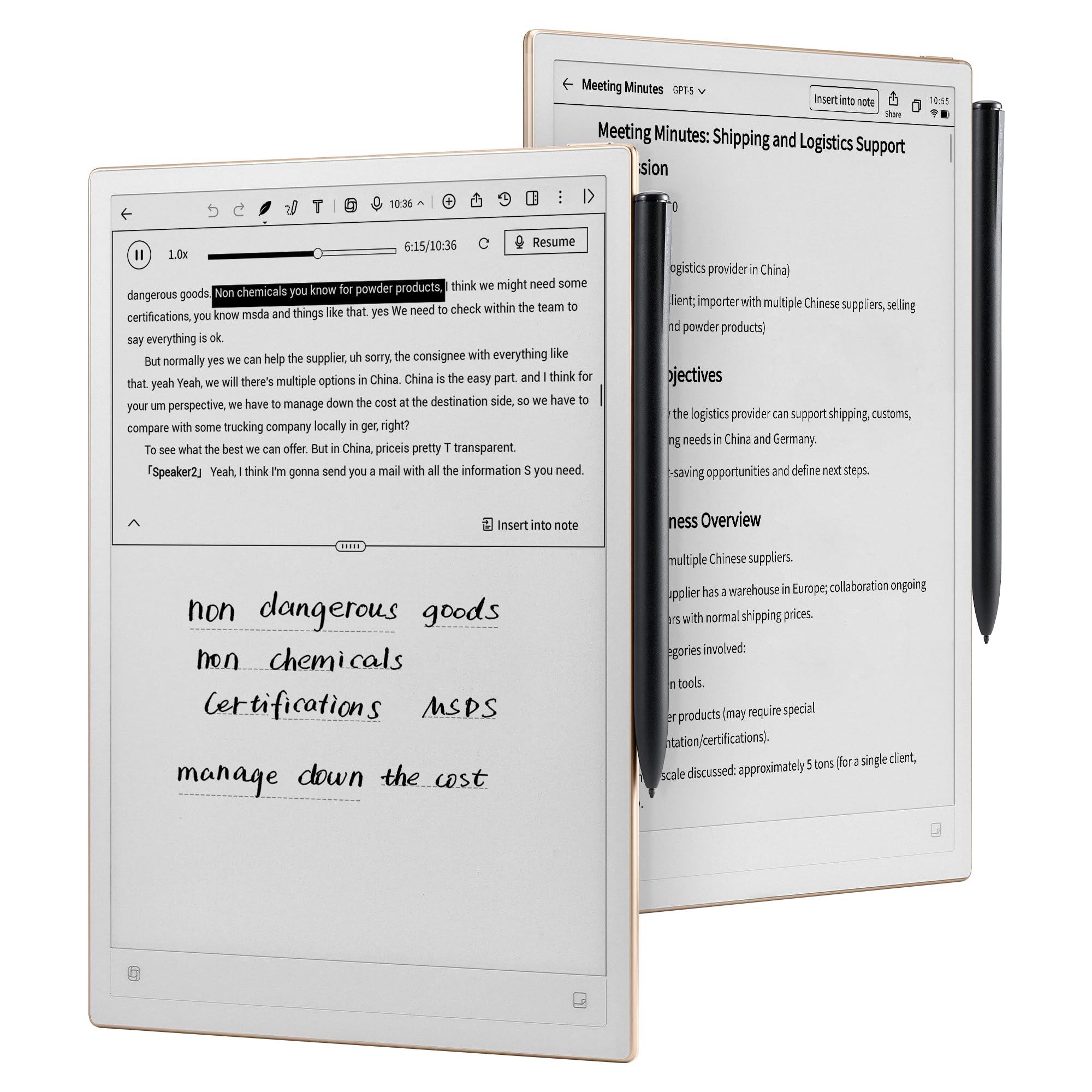
The iFLYTEK AINOTE 2 is the larger sibling of the Air 2, with a 10.65-inch E Ink screen that is only 4.2mm thick. This is one of the thinnest and lightest large E Ink tablets available, making it extremely portable for a device this size. The frontlight-free display is ideal for outdoor use, and the Wacom stylus provides a paper-like writing experience with 8 brush styles.
Its key strength is AI-powered note-taking: it supports 16-language transcription, intelligent task generation from handwritten marks, and ChatGPT-5 integration for brainstorming and summarizing. The battery life is rated at up to 14 days with standard use, and the 4,000mAh battery supports extended sessions. The device also syncs with Google Calendar for schedule management.
However, the AINOTE 2 is not a full Android tablet. The Google Play Store is not pre-installed, and app sideloading is limited. The software can feel sluggish at times, and the lack of a front light means you cannot use it in the dark. Security concerns around the locked screen displaying handwritten signatures have also been raised. For users who want a dedicated AI notebook with top-tier voice transcription, this is a premium choice, but power Android users may be frustrated.
Why it’s great
- Ultra-thin 4.2mm design is highly portable
- Excellent AI voice-to-text and meeting transcription
- Wacom stylus provides natural writing feel
- Long battery life for a large E Ink device
Good to know
- No front light; not usable in dark environments
- Limited app store—not a full Android tablet
- Software can feel sluggish at times
- Some security concerns around lock screen behavior
8. BOOX Go Color 7 Gen II

The BOOX Go Color 7 Gen II is a 7-inch color E Ink tablet that uses Kaleido 3 technology, delivering 300 ppi in black-and-white and 150 ppi in color. This compact device is designed for reading novels, comics, and magazines, with physical page-turn buttons that make it feel like a traditional e-reader. The octa-core processor and 4GB of RAM keep Android 13 running smoothly.
The form factor is one of its best features—at only 6.9 ounces and 6.4mm thick, it is lighter than many 6-inch e-readers. The front light with warm and cold temperature adjustment is excellent, and the G-sensor for auto rotation makes it convenient for one-handed use. The microSD card slot supports up to 1TB of expansion, which is rare in a 7-inch device.
The stylus support uses the active InkSense stylus (sold separately), which is a different ecosystem from the EMR pens found on larger BOOX tablets. The writing experience is decent but not as natural as EMR-based devices. The color screen is also inherently darker and grayer than a monochrome E Ink display, so reading in dim light may require the front light. This is a great color e-reader for those who want portability and app access, but serious note-takers should look at the Note Air 4 C instead.
Why it’s great
- Compact and lightweight 7-inch design with page-turn buttons
- Color Kaleido 3 display for comics and magazines
- MicroSD card slot for up to 1TB storage
- Android 13 with Google Play pre-installed
Good to know
- Active stylus (InkSense) sold separately; EMR not supported
- Color screen is darker and grayer than monochrome E Ink
- Pen not included in the box
- Battery life is shorter than monochrome competitors
9. VIWOODS AiPaper Mini
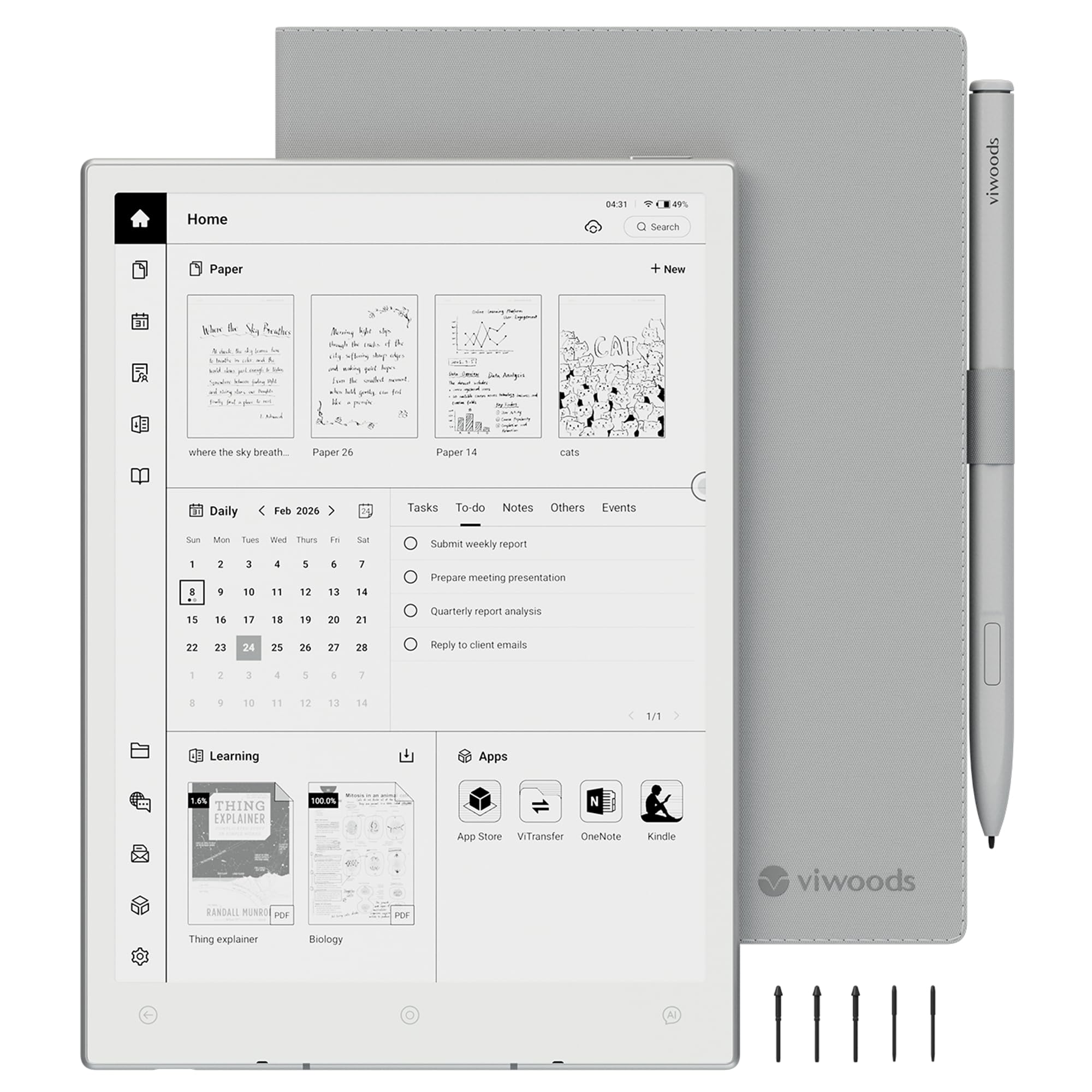
The VIWOODS AiPaper Mini is a compact 8.2-inch E Ink tablet designed for portability and daily note-taking. With a 292 ppi display and a Carta 1000 panel, the text is crisp and the background is bright white—comparable to a Kindle Paperwhite in terms of contrast. The included W2 Stylus Pro pen provides a natural writing feel, and the 128GB of storage is generous for a device this size.
Android 13 is pre-installed, and the device supports Wi-Fi, Bluetooth, and USB for file transfer and app installation. The front light has 20 adjustable warm light levels, making it comfortable to use in various lighting conditions. The device also includes AI chat functionality with multiple models (GPT-4o, Gemini, Deepseek), which is a unique bonus for brainstorming and research.
The main drawbacks are the lack of built-in speakers (Bluetooth earbuds are required for audio), and some users have reported Google Play Store authentication issues. The transfer speed via USB-C can also be slow for large files. For users who want a lightweight, portable note-taking device that can also read Kindle and Kobo books, this is a good mid-range option, but the app compatibility issues may frustrate some Android users.
Why it’s great
- Compact 8.2-inch form factor is very portable at 230g
- High-contrast Carta 1000 display with warm front light
- 128GB storage and included stylus with spare nibs
- AI chat integration with multiple popular models
Good to know
- No built-in speaker; requires Bluetooth earbuds
- Some Google Play Store compatibility issues reported
- USB-C file transfer is slow for large batches
- Not a fully open Android environment for all apps
10. Musnap Ocean 64GB
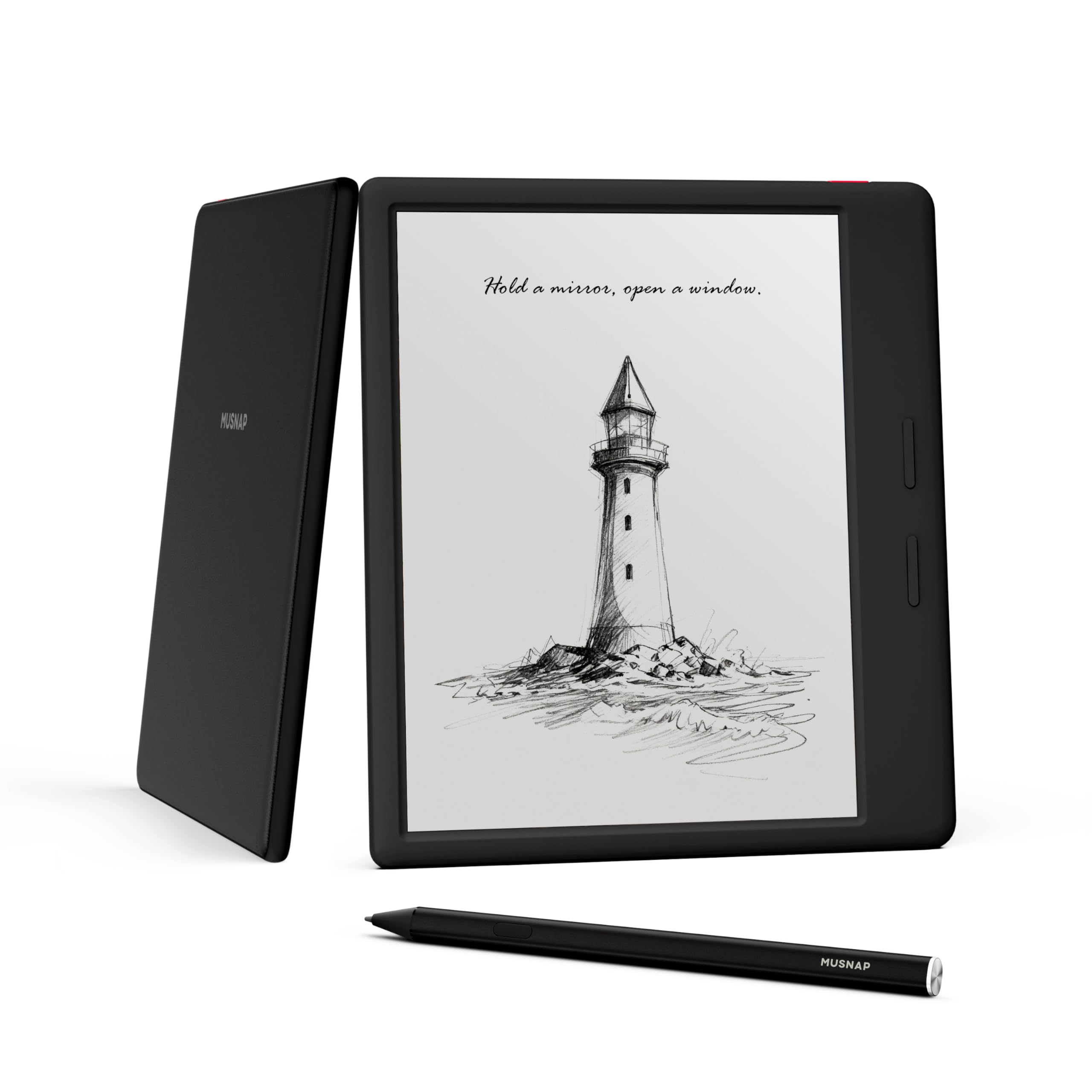
The Musnap Ocean is a budget-friendly 7-inch E Ink tablet that punches above its price point. With an octa-core 2.2GHz processor, 4GB of RAM, and 64GB of storage, it offers surprisingly snappy performance for the money. The display supports 3,072 colors, brightness and color temperature adjustment, and works well for reading books, comics, and magazines.
It runs a custom Android build that includes a toggle for Google services, so you can install apps like Kindle, Moon Reader, and KOReader. The device features physical page-turn buttons, a premium faux leather back, and a lightweight 14.9-ounce build. The battery life is excellent, especially with Google services turned off, making it a great travel companion.
The main compromise is the stylus support—the Musnap Pencil (active stylus) is sold separately and does not have a magnet to attach to the device. The color screen is also less clear than black-and-white E Ink, often needing the front light to look its best. There is no microSD card slot, so storage is limited to 64GB. For a budget-friendly entry into the world of Android E Ink tablets, this is a solid value with excellent performance.
Why it’s great
- Fast octa-core processor with 4GB RAM for smooth operation
- Physical page-turn buttons and comfortable leatherette grip
- Excellent battery life with Google services toggle
- Good value compared to established brands
Good to know
- Pen not included and lacks magnet for attachment
- No microSD card slot for storage expansion
- Color screen requires front light for best readability
- Simplified settings compared to BOOX/Bigme devices
11. TCL NXTPAPER 11 Plus

The TCL NXTPAPER 11 Plus is not a pure E Ink tablet—it is an LCD tablet with polarizing NXTPAPER 4.0 technology that simulates a paper-like viewing experience. The 11.5-inch, 120Hz, 2.2K display has an anti-glare coating, DC dimming, and TÜV-certified low blue light, which makes it significantly more comfortable for long reading sessions than a standard LCD tablet.
It comes with a T-PEN stylus with 4,096 pressure levels and an adjustable flip case. The device runs Android 15 with 8GB + 8GB RAM expansion and 256GB of storage, powered by a MediaTek Helio G100 processor. The 8,000mAh battery supports 33W PD fast charging and reverse charging for other devices.
While the NXTPAPER technology is impressive, the display is still an LCD panel, so it does not offer the true reflective, no-glare experience of E Ink. The screen is also not as comfortable for reading in direct sunlight as an E Ink display. For users who want a hybrid device that can function as a regular tablet for streaming and browsing, with a reading-optimized mode for books and notes, this is a versatile and affordable option. But for pure E Ink enthusiasts, it does not replace a true E Ink tablet.
Why it’s great
- NXTPAPER 4.0 is excellent for reducing eye strain on an LCD
- Large 11.5-inch screen with 120Hz refresh rate
- Included stylus with 4,096 pressure levels and flip case
- Powerful processor with 256GB storage and 8GB RAM
Good to know
- It is an LCD tablet, not a true E Ink display
- Not as paper-like or glare-free as real E Ink
- Battery life is shorter than E Ink alternatives (6-8 hours)
- No microSD card slot for storage expansion
FAQ
Can I install the Google Play Store on any Android E Ink tablet?
How long do E Ink tablet batteries typically last?
Is Kaleido 3 color good enough for reading comics?
Final Thoughts: The Verdict
For most users, the android e ink tablet winner is the BOOX Go 10.3 Gen II Lumi because it offers the best balance of excellent contrast, full Android 15 app access, lightweight design, and a generous front light. If you need color for annotating charts and documents, grab the BOOX Note Air 4 C. And for a distraction-free, pen-only writing experience with premium build quality, nothing beats the Penstar eNote 2.