
Our readers keep the lights on and the weekend projects moving. As an Amazon Associate, I earn from qualifying purchases.
Walking into the world of Android handheld game consoles means choosing between a machine that struggles with PlayStation 2 ports and one that renders them at 4K. The gap between a entry-level device and a powerhouse isn’t just about frame rates — it defines whether you spend your evenings tweaking configuration files or actually playing your favorite titles.
I’m Rikta — the co-founder and writer behind FitlyFast. I’ve spent the last decade analyzing hardware specs and compiling market data on portable emulation devices to help buyers separate marketing hype from real-world performance.
After reviewing dozens of models, I built this guide to help you find the best android handheld game console for your specific library and budget.
How To Choose The Best Android Handheld Game Console
Not all Android handhelds are built the same. A device that costs often lacks the GPU power and cooling system needed for PlayStation 2 or GameCube emulation, while a premium unit can run Switch titles and modern Android games at high frame rates. Below are the critical factors that define your experience.
Processor and GPU Tiers
The chipset determines which emulators run smoothly. Entry-level chips like the A133plus handle Atari through some PSP. Mid-range Unisoc T820 processors unlock PS2 and GameCube at playable speeds. Premium Snapdragon 8 Gen 2 and Dimensity 8300 chips push into Switch emulation and 4K upscaling. Always check community benchmarks for your specific emulator before buying.
Screen Quality and Resolution
An OLED panel with deep blacks and high contrast transforms retro games, especially titles with dark areas and pixel art. Resolution matters too — a 4:3 ratio screen fits older console games without black bars, while a 16:9 widescreen display is better for PSP and modern Android titles. Touch support is essential for navigating Android menus and DS/3DS dual-screen setups.
Battery Life and Cooling
Heavy emulation drains batteries in under 4 hours. Look for 5000mAh or larger cells. Active cooling systems with internal fans prevent thermal throttling during demanding PS2 sessions. Passive cooling (no fan) is quieter but limits sustained performance.
Quick Comparison
On smaller screens, swipe sideways to see the full table.
| Model | Category | Best For | Key Spec | Amazon |
|---|---|---|---|---|
| AYN Odin 2 Portal Pro | Premium | Peak emulation & PC streaming | Snapdragon 8 Gen 2 / 12GB RAM | Amazon |
| Retroid Pocket 5 | Premium | PS2/GameCube on the go | Snapdragon 865 / 8GB RAM | Amazon |
| Anbernic RG557 | Premium | High-end Android & emulation | Dimensity 8300 / 8GB RAM | Amazon |
| Anbernic RG556 | Mid-Range | PS2 emulation with AMOLED | Unisoc T820 / 8GB RAM | Amazon |
| RG406V | Mid-Range | Comfortable PS2 daily driver | Unisoc T820 / 5500mAh battery | Amazon |
| RG476H | Mid-Range | Budget PS2/GameCube performance | Unisoc T820 / 120Hz LTPS screen | Amazon |
| Retroid Pocket Classic | Mid-Range | OLED retro gaming (PS1 and below) | 3.92″ OLED / 128GB storage | Amazon |
| RG353V | Budget | Dual OS retro emulation | RK3566 / 3.5″ IPS touchscreen | Amazon |
| Trimui Smart Pro | Budget | Entry-level retro gaming | A133plus / 5000mAh battery | Amazon |
In‑Depth Reviews
1. AYN Odin 2 Portal Pro
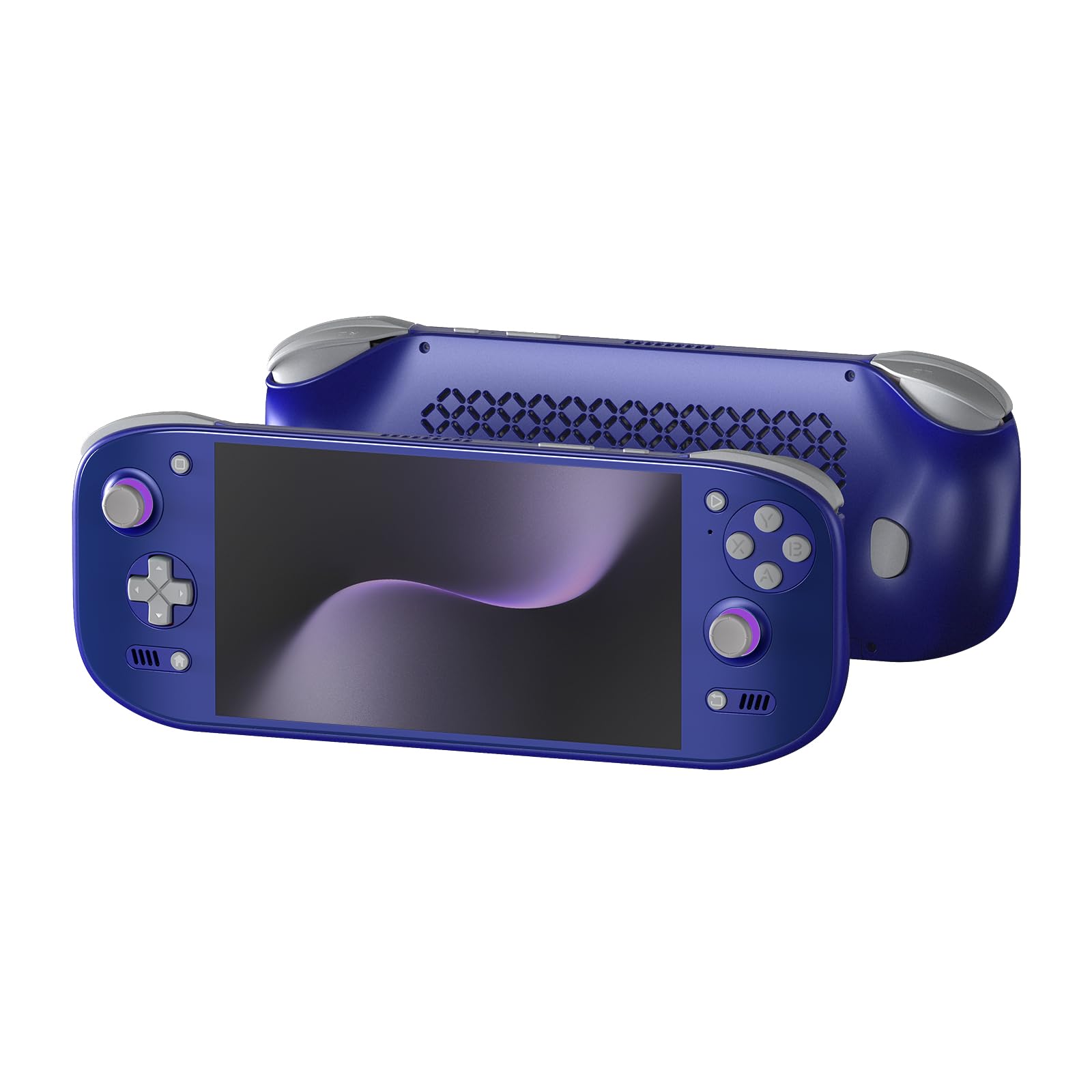
The AYN Odin 2 Portal Pro sits at the absolute top tier of Android handhelds. Its Snapdragon 8 Gen 2 processor with Adreno 740 GPU handles PS2 emulation at 4K resolution and most games at 120 frames per second on its 7-inch OLED display. The 12GB of RAM and 512GB of UFS storage mean you never have to worry about multitasking or game library space.
The active cooling system with a larger airflow design prevents thermal throttling during demanding Switch emulation sessions. The 8000mAh battery delivers 10 to 15 hours for lighter GBA games and 4 to 5 hours for intense native Android titles. The Xbox-style button layout and ergonomic grips make extended play comfortable despite the larger chassis.
Setup is straightforward thanks to full Google Play Store support. Many users note that buying a separate grip improves comfort further. The 12GB RAM may become a bottleneck for future high-end emulation, but for 2025 standards this device is the ceiling of portable emulation performance.
Why it’s great
- Snapdragon 8 Gen 2 handles 4K PS2 emulation
- 7-inch 120Hz OLED screen with stunning colors
- 8000mAh battery delivers marathon sessions
- Active cooling prevents throttling
Good to know
- No preloaded games require manual setup
- Optional grip recommended for larger hands
- 12GB RAM may limit future high-end emulation
2. Retroid Pocket 5

The Retroid Pocket 5 strikes the most practical balance between power and portability. Its Snapdragon 865 processor handles PS2, GameCube, and even some Switch titles at playable frame rates. The 5.5-inch touchscreen display with 1080p resolution gives you crisp visuals without the bulk of larger 7-inch devices.
Hall-effect joysticks and a 5000mAh battery make this a reliable daily companion. Users report the battery lasts days on low-power settings and nearly a full day during heavy emulation. The device supports Xbox Remote Play, Steam Moonlight streaming, and Gamehub for modern gaming beyond retro emulation.
Setup requires following a YouTube guide, but the community support is strong. Large hands may experience cramping during long sessions — a grip case is a worthwhile addition. The 8GB RAM is sufficient for current generation emulation, though the Snapdragon 865 is showing its age against newer chips.
Why it’s great
- Snapdragon 865 handles PS2/GameCube/Switch
- Excellent battery life with 5000mAh cell
- Hall-effect sticks prevent drift over time
- Supports Xbox Remote Play and Moonlight
Good to know
- No preloaded games require manual setup
- Grip case recommended for large hands
- Snapdragon 865 is a generation old
3. Anbernic RG557

The Anbernic RG557 takes everything good about the RG556 and pushes it further. Its Dimensity 8300 processor built on a 4nm process delivers a massive performance jump over the Unisoc T820, making PS2 and GameCube emulation feel effortless. The Android 14 operating system provides the latest software foundation with full Play Store access.
The 5.48-inch AMOLED screen at 1920×1080 resolution produces pixel-perfect output for retro consoles, with support for native 480p/480i integer scaling. The 5500mAh battery delivers around 8 hours of gameplay. WiFi 6E and Bluetooth 5.3 ensure low-latency online multiplayer and controller connections.
Build quality is solid with a transparent purple shell that shows off the internal components. The RG557 does not include preloaded games or a game SD card — you must source your own ROMs and BIOS files. A few early units experienced screen failures, so check for warranty coverage.
Why it’s great
- Dimensity 8300 crushes PS2/GameCube emulation
- 5.48-inch AMOLED with 1080p resolution
- 8-hour battery life with 5500mAh cell
- WiFi 6E and Bluetooth 5.3 connectivity
Good to know
- No preloaded games or SD card included
- Early units reported screen glitching issues
- Requires manual emulator configuration
4. Anbernic RG556
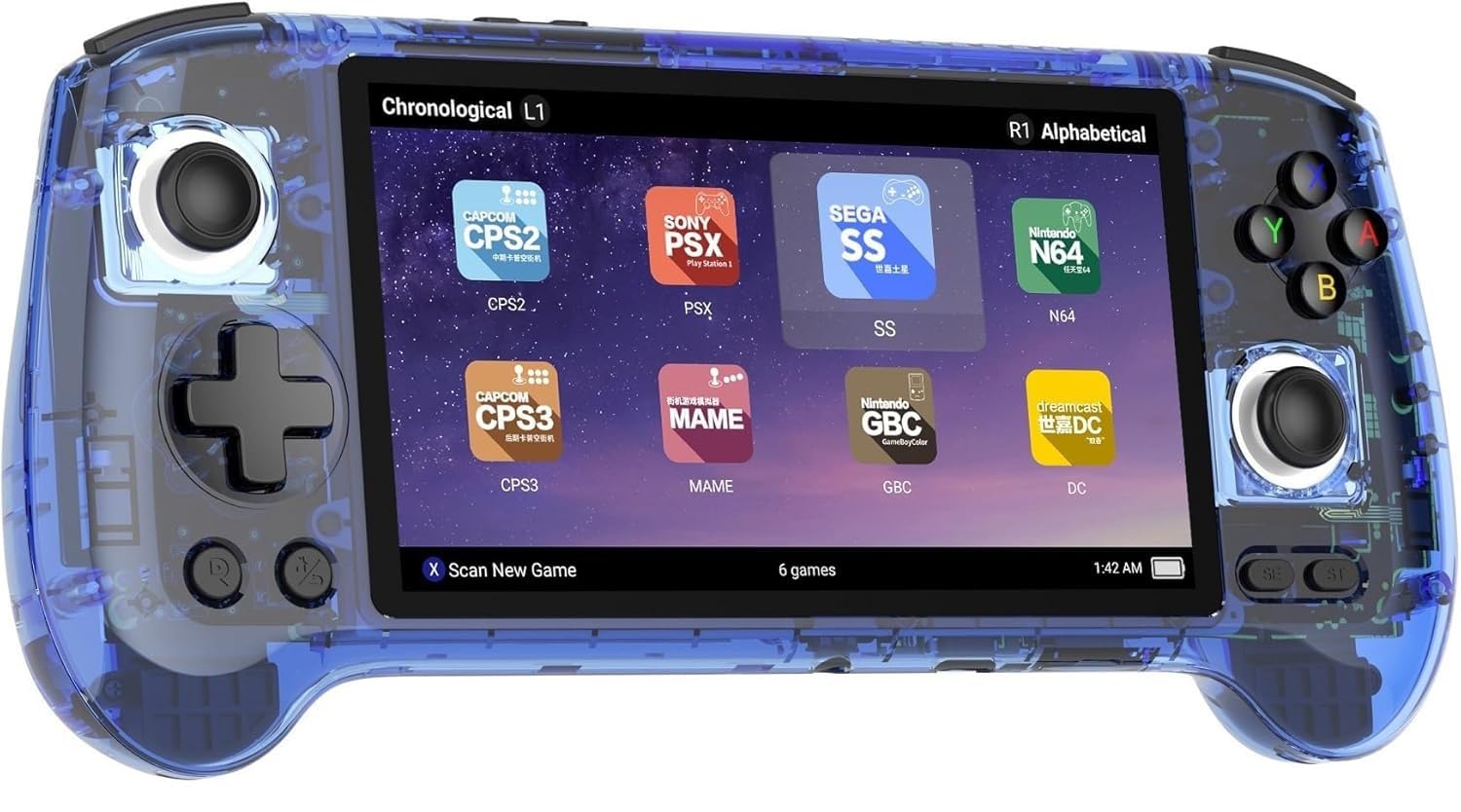
The Anbernic RG556 represents the sweet spot in mid-range Android handhelds. Its Unisoc T820 processor, built on a 6nm process, delivers smooth performance for PS2 and GameCube titles at playable frame rates. The 5.48-inch AMOLED screen at 1920×1080 produces rich colors and deep blacks that make retro games look better than they ever did on original hardware.
The 5500mAh battery is the standout feature here — you can play PS2 games for up to 5 hours and lighter titles for up to 12 hours. The active cooling system with an internal fan runs quietly and prevents the device from throttling during long sessions. The transparent blue shell is visually striking.
Setup requires downloading emulators and games yourself since no preloaded content is included. The RG556 supports Moonlight streaming for PC games and 5G WiFi for online multiplayer. A few users experienced screen failure after a few months, so check return policies before committing.
Why it’s great
- Unisoc T820 runs PS2/GameCube well
- 5.48-inch AMOLED with 1080p resolution
- 5500mAh battery lasts 5-12 hours
- Active fan cooling prevents throttling
Good to know
- No preloaded games or SD card included
- Screen failure reported in some units
- Requires manual emulator configuration
5. RG406V
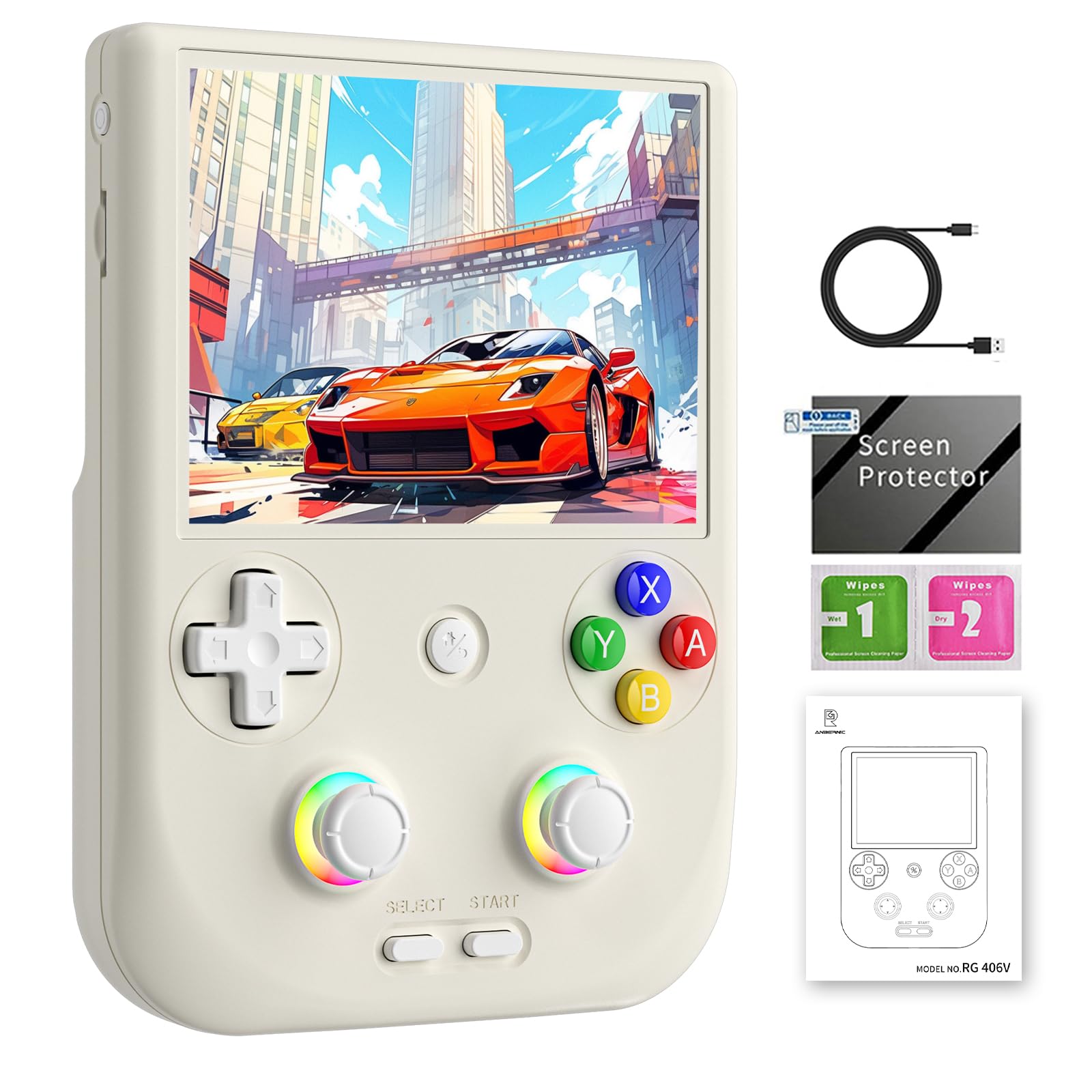
The RG406V trades screen size for ergonomic comfort and battery endurance. Its 4-inch IPS display at 960×720 resolution is smaller than the RG556 but offers OCA full lamination for a responsive touch experience. The Unisoc T820 processor handles PS2 and GameCube emulation without major issues.
The 5500mAh polymer lithium battery is the star here — users report over 8 hours of gameplay on a single charge. The vertical form factor with a 3D hall joystick and 16 million color RGB lighting feels comfortable for long sessions. Wireless screen casting lets you play on a TV with a Bluetooth controller.
Setup has a steep learning curve for non-tech users. Some units arrived with missing joystick caps or experienced screen flickering after months of use. The build quality is generally good, but the ergonomics and battery make this a compelling choice for those who prioritize comfort over the largest screen.
Why it’s great
- 8+ hour battery life with 5500mAh cell
- Unisoc T820 runs PS2/GameCube smoothly
- Ergonomic design with 3D hall joystick
- Wireless screen casting to TV
Good to know
- Steep learning curve for emulator setup
- Some units missing joystick caps
- Screen flickering reported in early units
6. RG476H
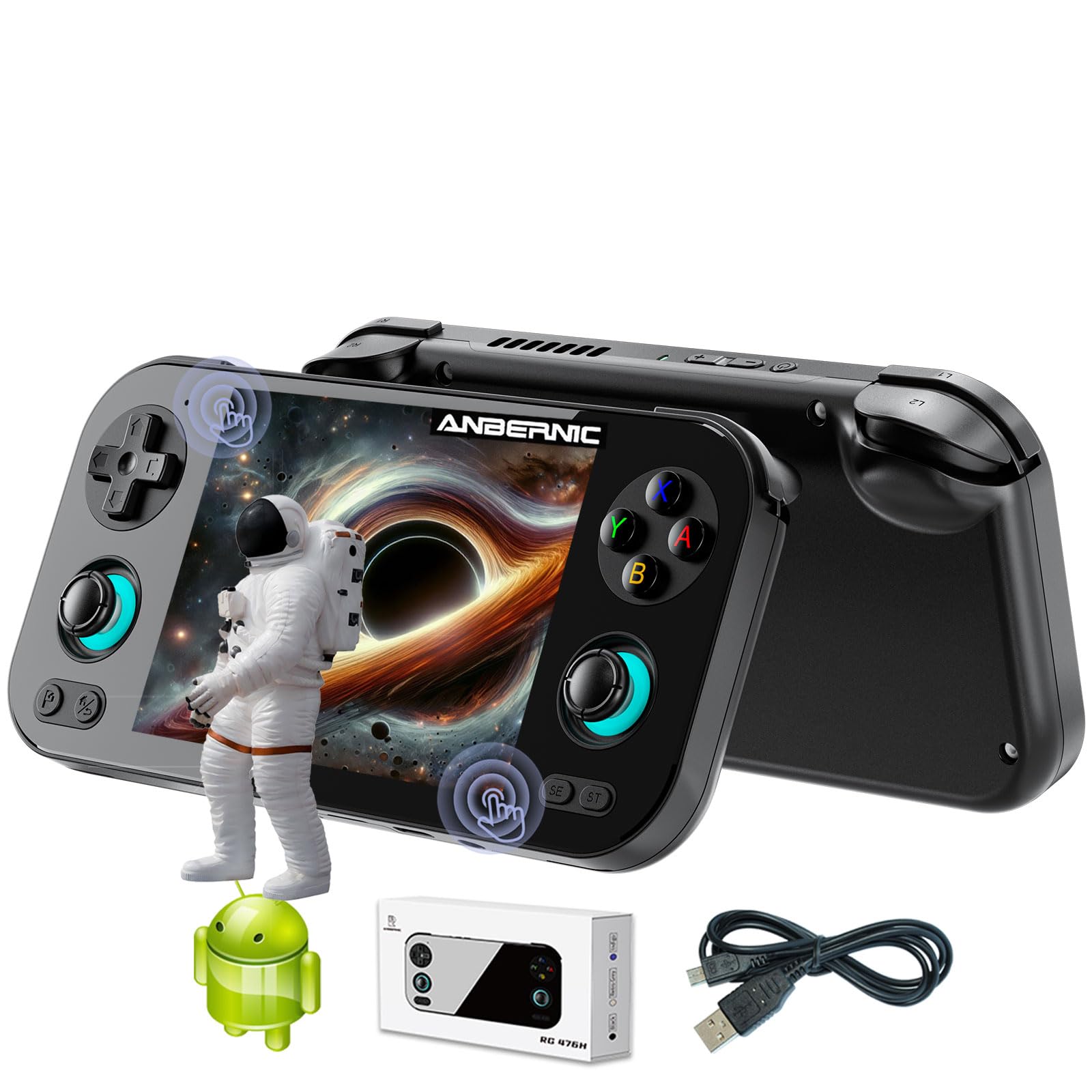
The RG476H packs the same Unisoc T820 processor found in more expensive models into a more compact package. Its 4.7-inch LTPS display with 1280×960 resolution and 120Hz refresh rate provides smooth visuals for both retro and modern Android games. The 1200:1 contrast ratio and OCA full lamination make the screen feel responsive.
This is one of the few mid-range devices with a 6-axis gyroscope sensor and hall triggers, making it suitable for racing and motion-controlled games. The 5000mAh battery delivers around 6 hours of gameplay. The internal fan and heat pipe cooling system prevent the T820 from throttling during intense PS2 sessions.
The RG476H supports 1080p DisplayPort output via USB-C for NDS and 3DS dual-screen setups. Some users found the A/B/X/Y buttons to have a small circumference, causing missed presses. The black shell shows fingerprints easily. Setup requires manually downloading emulators and games.
Why it’s great
- Unisoc T820 at a competitive price point
- 120Hz LTPS display for smooth gaming
- 6-axis gyroscope and hall triggers
- 1080p DisplayPort output for dual-screen
Good to know
- Small ABXY buttons may cause missed presses
- Black shell shows fingerprints easily
- No preloaded games included
7. Retroid Pocket Classic
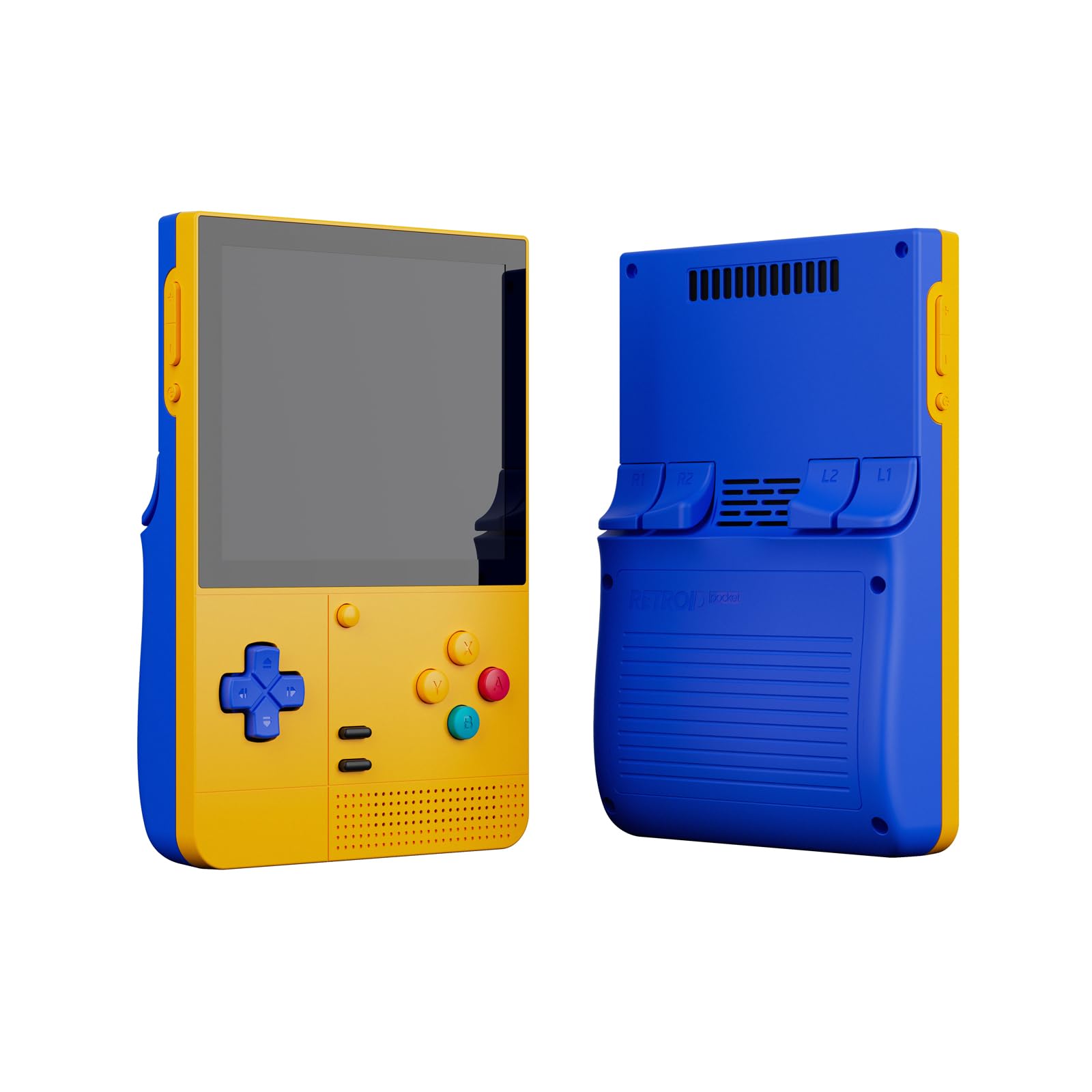
The Retroid Pocket Classic is purpose-built for retro enthusiasts who prioritize screen quality above all else. Its 3.92-inch AMOLED panel at 1240×1080 resolution delivers impossibly deep blacks and vibrant colors that make Game Boy, PICO-8, and PS1 games look stunning. The 128GB internal storage provides plenty of space for ROMs without needing an SD card.
The device runs Android 14 with full Google Play Store support, making app installation straightforward. Build quality is excellent with tactile buttons and precise D-pad controls. The 5000mAh battery ensures you can play for hours without reaching for a charger. The lightweight design at 7.86 ounces makes it pocketable.
There is no preloaded content or BIOS files included — you must provide your own games. PS1 emulation with stacked shaders can cause performance drops. The device lacks TV output, so it is strictly a handheld experience. The purple and teal color options are visually appealing.
Why it’s great
- Stunning 3.92-inch AMOLED display
- 128GB internal storage for ROMs
- Android 14 with Play Store support
- Lightweight and pocketable design
Good to know
- No preloaded games or BIOS included
- PS1 struggles with stacked shaders
- No TV output capability
8. RG353V

The RG353V offers a unique dual-boot system with Android 11 and Linux, giving you the flexibility to use either OS depending on your gaming needs. The RK3566 quad-core processor handles retro consoles up to Dreamcast and N64 smoothly. The 3.5-inch IPS touchscreen at 640×480 resolution is ideal for 4:3 retro content.
Moonlight streaming lets you play PC games remotely, and the 5G WiFi ensures low-latency online play. Bluetooth 4.2 supports external controllers and headsets. The 3200mAh battery provides 5 to 6 hours of gameplay. The compact form factor at 4.9 x 3.2 x 0.8 inches fits easily in a pocket.
Many units ship with misleading SD card configurations — some received 32GB cards instead of the advertised 64GB. The preloaded game library often contains obscure titles and foreign ROMs. Customer support for this model is limited, and some units stopped working after a few days.
Why it’s great
- Dual boot Android 11 and Linux
- Compact 4:3 screen for retro gaming
- Moonlight streaming support
- 5G WiFi and Bluetooth 4.2
Good to know
- SD card capacity may not match listing
- Limited customer support availability
- Some units stop working after days
9. Trimui Smart Pro
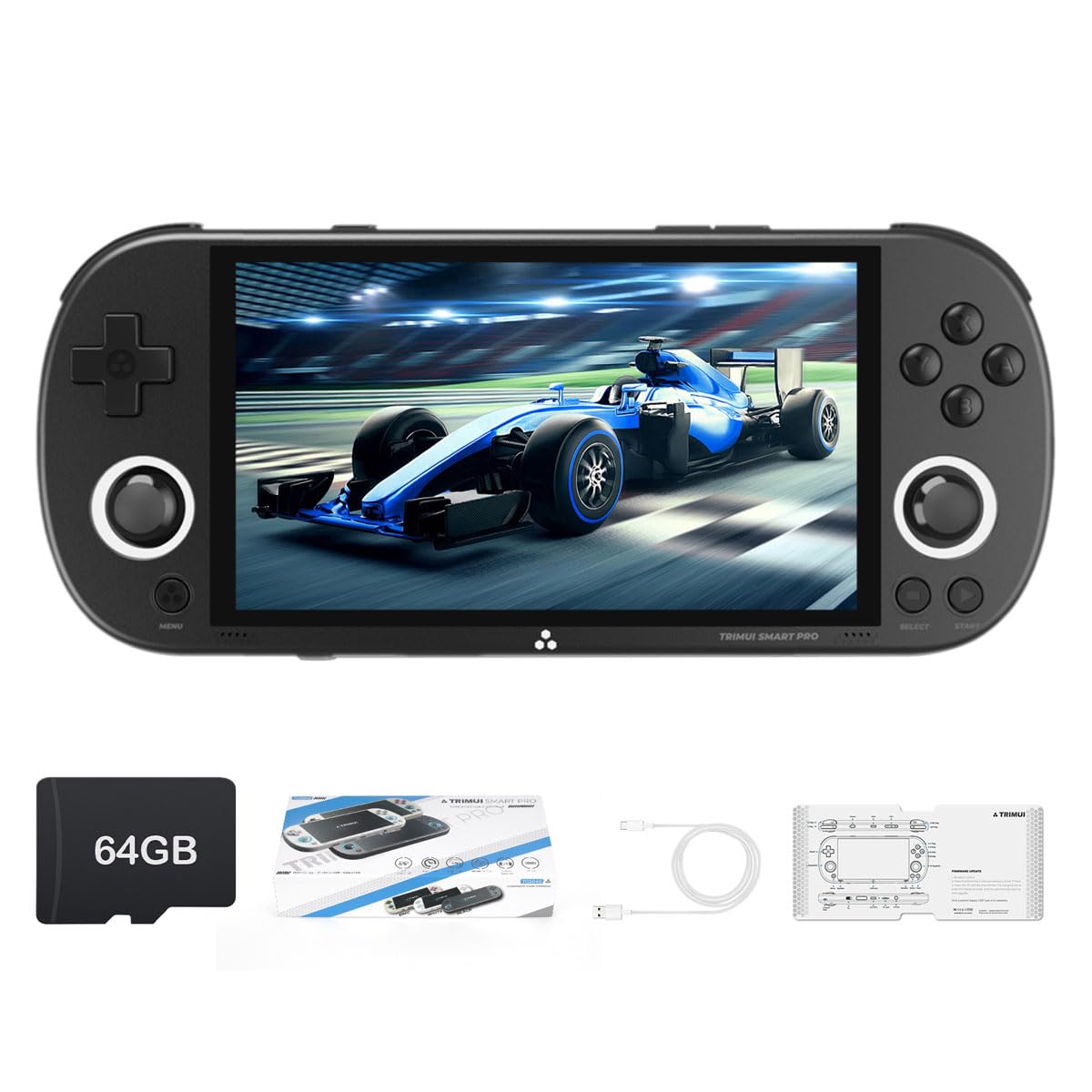
The Trimui Smart Pro is the ideal entry point for anyone curious about retro handhelds without a large investment. Its A133plus Cortex-A53 quad-core chip handles games from Atari 2600 through some PSP titles. The 4.96-inch IPS display at 720×1280 resolution is bright and sharp with no backlight bleed.
The 5000mAh battery provides 6 hours of gameplay, matching devices at twice the price. The Linux-based Trimui UI is straightforward and supports custom firmware like CrossMix and NextUI for advanced users. The 64GB bundled TF card gives you immediate access to a large game library.
PSP performance is poor even with custom firmware — this device is best for 16-bit and early 3D consoles. The bundled SD card is lower quality than mainstream brands; upgrading to a Samsung Pro Plus microSD improves reliability. The device lacks TV output, so it is strictly a portable machine.
Why it’s great
- Excellent 5-inch IPS display
- 5000mAh battery with 6-hour life
- Supports custom firmware like CrossMix
- Large 64GB game library included
Good to know
- PSP performance is poor
- Bundled SD card is low quality
- No TV output capability
FAQ
Can these devices play Nintendo Switch games?
Do any of these consoles come with preloaded games?
What is the difference between Android and Linux on these devices?
How important is active cooling versus passive cooling?
Can I connect these handhelds to a TV for multiplayer?
Final Thoughts: The Verdict
For most users, the best android handheld game console winner is the Anbernic RG556 because its Unisoc T820 processor and 5500mAh battery deliver reliable PS2 performance and all-day battery life at a reasonable price. If you want maximum power for 4K PS2 emulation and Switch titles, grab the AYN Odin 2 Portal Pro. And for a budget-friendly entry into retro gaming that still feels premium, nothing beats the Trimui Smart Pro with its bright 5-inch IPS display and 6-hour battery life.