
Our readers keep the lights on and the weekend projects moving. As an Amazon Associate, I earn from qualifying purchases.
Choosing an Android tablet for drawing today means navigating a landscape where dedicated standalone art tools, paper-like displays, and pressure-sensitive styli are redefining what’s possible without a computer. The question is no longer whether Android can handle serious illustration, but which device offers the screen, pen feel, and processing power that match your specific workflow.
I’m Rikta — the co-founder and writer behind FitlyFast. I’ve spent countless hours analyzing the specifications, screen technologies, and stylus performance metrics across the most competitive drawing-focused tablets to separate genuine artist-grade tools from general-purpose devices with a pen included.
This guide cuts through the noise to deliver a clear, spec-driven breakdown of the very best options available today, helping you find the perfect android tablet for drawing that matches your skill level and creative needs.
How To Choose The Best Android Tablet for Drawing
Finding the right drawing tablet on Android involves more than just looking at screen size and price. The drawing experience is defined by a handful of critical specifications that are often overlooked by general-purpose tablet buyers. Understanding these will save you from a frustrating purchase.
Screen Lamination & Surface Texture
A full-laminated screen eliminates the air gap between the glass and the LCD panel, virtually erasing the parallax effect. This makes the cursor appear exactly where the pen tip touches, which is essential for precision line work. A matte AG-etched screen further mimics the drag and texture of real paper, reducing glare and fingerprint smudges. Tablets without lamination often suffer from a noticeable disconnect between the pen and the display.
Pressure Sensitivity & Tilt Recognition
Standard pressure sensitivity starts at 4096 levels, which is adequate for most beginners. However, higher-end tablets now offer 8192 or even 16384 levels from brands like Wacom and XPPen. More pressure levels give the software finer granularity to interpret subtle changes in your hand, translating to more expressive line width variation. Tilt recognition (usually 60 degrees) is equally important for shading and calligraphy — a flat stylus that lacks tilt support will feel unnatural for certain techniques.
Stylus Type: Battery-Free vs. Rechargeable
A battery-free pen (often called EMR technology) never needs charging, is lighter, and has a theoretically infinite lifespan. Wacom and XPPen use this approach. Many other brands rely on an active stylus with a rechargeable battery. While these can be very responsive, the battery will eventually degrade, and a dead pen mid-session can be disruptive. The feel of the pen barrel — thickness, weight, and button placement — also directly affects forearm fatigue during long creative sessions.
Processor & RAM for Creative Apps
Drawing apps like Clip Studio Paint, Krita, and Infinite Painter are surprisingly demanding. For smooth canvas panning, zooming, and brush strokes on large resolution files, aim for at least 8GB of RAM and a modern octa-core processor. Budget tablets with 4GB RAM will struggle with high-resolution canvases and multiple layers. The processor also determines how quickly the tablet can register input and render effects like liquefy and texture filters.
Quick Comparison
On smaller screens, swipe sideways to see the full table.
| Model | Category | Best For | Key Spec | Amazon |
|---|---|---|---|---|
| Wacom MovinkPad Pro 14 | Premium All-in-One | Professional Mobility | 14″ OLED 3K / 8192 Levels | Amazon |
| Samsung Galaxy Tab S11 Ultra | Ultra-Premium | All-Round Ultra Power | 14.6″ AMOLED 120Hz | Amazon |
| Samsung Galaxy Tab S10 FE | Premium Mainstream | Versatile Daily Artist | 10.9″ TFT / S Pen Included | Amazon |
| XPPen Magic Drawing Pad | Dedicated Art Tablet | Budget Pro Drawing | 12.2″ 2K / 16384 Levels | Amazon |
| Wacom MovinkPad 11 | Dedicated Art Tablet | Portable Professional | 11.5″ LCD / 8192 Levels | Amazon |
| UGEE Pad UT3 14.25″ | Large Canvas Value | Expansive Viewing Area | 14.25″ 2.4K / 4096 Levels | Amazon |
| TCL NXTPAPER 14 | Multi-Purpose Studio | Eye Care & Sheet Music | 14.3″ 2.4K / 4096 Levels | Amazon |
| Lenovo Idea Tab Pro | Mid-Range Powerhouse | Student Budget Artist | 12.7″ 3K / 360Hz Sampling | Amazon |
| XIAOMI Pad 7 | Media & Creative | High Refresh Drawing | 11.2″ 3.2K 144Hz | Amazon |
| HUION KAMVAS Slate 11 | Mid-Range Dedicated | Entry-Level Standalone | 10.95″ FHD+ / 4096 Levels | Amazon |
| UGEE Pad UT2 | Budget Standalone | Affordable Starter Kit | 10.36″ 2K / 4096 Levels | Amazon |
In‑Depth Reviews
1. Wacom MovinkPad Pro 14

The Wacom MovinkPad Pro 14 is the ultimate all-in-one creative studio for the serious digital artist. It pairs a stunning 14-inch OLED display with 3K resolution, delivering true blacks and a 100% sRGB/DCI-P3 color gamut that ensures your colors on screen match your output. The Premium Texture etched glass gives a tactile paper-like feel that dramatically reduces parallax, making every stroke feel direct and accurate.
Under the hood, the Snapdragon 8s Gen 3 processor and 12GB of RAM handle memory-intensive tasks like multi-layer Clip Studio Paint files and high-res canvas work without a stutter. The battery-free Slim Pro Pen 3, with 8,192 pressure levels and three programmable buttons, is identical in feel to Wacom’s professional desktop pens, offering a latency-free, zero-charge experience that is unmatched in the Android ecosystem. The 256GB of internal storage, expandable via microSD, provides ample room for projects.
The anti-glare and anti-fingerprint coating on the screen ensures usability in various lighting conditions, and the 1.6lb weight makes it genuinely portable. It also doubles as a high-end pen display for Windows and Mac, adding workstation flexibility. For the professional illustrator who demands desktop-grade performance in a mobile format, the MovinkPad Pro 14 is the definitive choice.
Why it’s great
- Battery-free Pro Pen 3 with professional-grade feel and 8192 levels.
- 14-inch 3K OLED display with anti-glare etched glass delivers stunning color accuracy and a natural paper texture.
- Powerful Snapdragon 8s Gen 3 processor and 12GB RAM for lag-free large canvas work.
Good to know
- Premium price point reflects its professional feature set.
- Charging speed is moderate; the battery life is solid but not exceptional for the screen size.
2. Samsung Galaxy Tab S11 Ultra
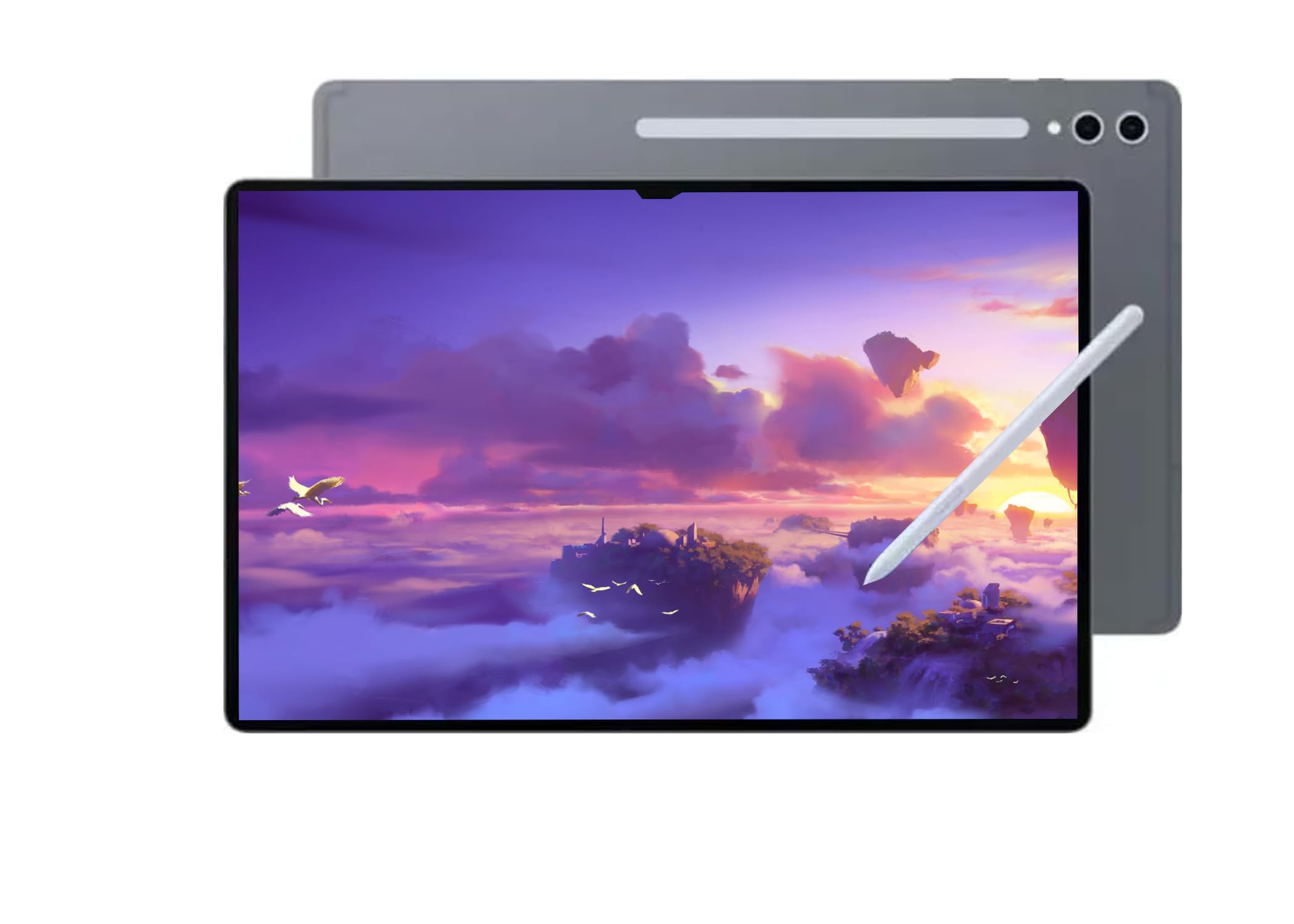
Samsung’s Galaxy Tab S11 Ultra is an absolute monster of a tablet, built for creators who need the largest, most vibrant canvas possible. The 14.6-inch Dynamic AMOLED 2X display with a 120Hz refresh rate and anti-reflective coating delivers an incredibly fluid, color-rich drawing experience. The MediaTek Dimensity 9400+ processor and 12GB of RAM ensure that even the most complex canvases with dozens of layers remain responsive.
The included S Pen is battery-free and pairs seamlessly with the device. Samsung’s ecosystem offers features like Handwriting Assist and Math Solver, which are genuinely useful for note-taking and studying, making this a versatile tool for students who also draw seriously. The 11,600mAh battery provides exceptional longevity, supporting marathon sessions without hunting for a charger. The 256GB storage option provides a solid base, expandable via microSD.
It is important to note that this model is a WiFi-only international version with no US warranty, so buyers should be comfortable with that. The display’s sheer size also makes it one of the heavier devices in this guide, but that size is unmatched for immersive, large-format illustration. For the artist who wants a massive, ultra-premium screen and top-tier performance without the professional stylus calibration of Wacom, the S11 Ultra is a compelling, powerful option.
Why it’s great
- Massive 14.6-inch 120Hz AMOLED display is stunning for color work.
- Battery-free S Pen offers a reliable, ready-to-draw experience out of the box.
- Exceptional battery life with 11,600mAh capacity for long creative sessions.
Good to know
- No US warranty; it’s an international WiFi-only model.
- Its large size and weight can make it less portable for quick sketching on the go.
3. Samsung Galaxy Tab S10 FE

The Galaxy Tab S10 FE hits the sweet spot for artists who want the reliability and ecosystem of a Samsung device at a more accessible price. It includes the same battery-free S Pen that makes it immediately ready for drawing, note-taking, and editing without any setup or charging anxiety. The 10.9-inch display with a 90Hz refresh rate provides a smooth canvas that feels responsive to pen input.
The Exynos 1580 processor and 8GB of RAM handle most drawing apps and multitasking with ease, though it won’t match the raw power of the S11 Ultra or a Snapdragon 8 series device for very large files. The 128GB storage is expandable via microSD up to 1TB, which is excellent for storing a large portfolio. IP68 water and dust resistance is a unique feature for a drawing tablet, providing peace of mind for use in varied environments, including outdoor sketching.
Samsung’s One UI brings useful AI features like Circle to Search and Handwriting Assist that integrate well with the S Pen. The 8,000mAh battery delivers reliable all-day battery life, easily lasting through a full day of classes or studio work. It is a well-rounded, polished tablet that serves as both a capable drawing tool and an excellent general-purpose device, making it the ideal choice for the artist who wants one tablet to do everything well.
Why it’s great
- Battery-free S Pen provides a premium, hassle-free drawing experience.
- IP68 water and dust resistance for worry-free use anywhere.
- Excellent balance of performance, features, and overall value for a mainstream brand.
Good to know
- The display is a standard TFT LCD, not AMOLED, so blacks are not as deep.
- Some users report the S Pen tip can feel loose over time and may require replacement.
4. XPPen Magic Drawing Pad

The XPPen Magic Drawing Pad is a purpose-built art tablet that punches far above its price point, primarily due to its industry-first 16,384 pressure sensitivity levels. The X3 Pro Slim stylus is battery-free, requires no pairing, and delivers an incredibly nuanced and responsive line that feels more like a brush than a digital tool. This level of granularity excels at hyper-detailed work and subtle shading where other pens might feel stepped.
The 12.2-inch AG-etched screen with a 3:2 aspect ratio and a resolution of 2160×1440 provides a spacious, paper-like surface. The aspect ratio is particularly good for portrait-oriented artwork and comic pages. The 8GB of RAM and 256GB of internal storage (expandable to 1TB) offer a solid foundation for large projects. Runners-up note that the matte screen resists fingerprints and oil effectively, maintaining a clean drawing surface over long sessions.
While the Android 14 operating system is not guaranteed to receive major version updates, it runs most creative applications smoothly, and the included three-month memberships for Clip Studio Paint and ibis Paint X are a nice bonus. The stylus holder is built into the protective case, keeping it secure during transport. For the artist who prioritizes the finest available pen resolution without paying a premium, the Magic Drawing Pad is an astonishingly good deal.
Why it’s great
- Industry-leading 16,384 pressure levels for unparalleled line expressiveness.
- Battery-free stylus removes charging anxiety and keeps the pen light and balanced.
- Spacious 12.2-inch matte screen feels like paper and resists glare and fingerprints.
Good to know
- Tilt support implementation, while present, is not as finely tuned as Wacom’s.
- Future Android OS updates are uncertain; it may not move beyond its current version.
5. Wacom MovinkPad 11

The Wacom MovinkPad 11 is a highly portable, dedicated drawing tablet that brings Wacom’s professional pen technology to a mobile Android form factor. Weighing just 1.3 pounds, it’s lighter than most laptops and designed to be thrown in a bag and used anywhere. The anti-glare etched glass screen provides excellent resistance to reflections and a satisfyingly tactile feel under the slim Pro Pen 3, which boasts 8,192 pressure levels and is completely battery-free.
The Quick Draw feature is a standout: a long press of the pen on the locked screen instantly opens Wacom Canvas, mimicking the experience of opening a sketchbook. The device runs a clean, distraction-free version of Android 14, focused on the creative process. The 8GB of RAM and 128GB of storage are sufficient for most artists, and the included two-year license for Clip Studio Paint Debut adds significant value for beginners and intermediates.
The 11.5-inch screen is a good size for mobility, though users tackling very large, detailed files may find the processor slower for advanced effects like liquefy or heavy textured brushes. The battery life is very strong, easily lasting a full day of active drawing. For the illustrator who wants the best-in-class pen feel in a truly mobile, grab-and-go package that prioritizes the pure drawing experience over raw processing power, the MovinkPad 11 is a fantastic choice.
Why it’s great
- Industry-leading Wacom Pro Pen 3 with 8192 levels and zero charging required.
- Extremely portable at 1.3 lbs with a durable build.
- Clean, focused Android interface and excellent Quick Draw feature for instant sketching.
Good to know
- Processor can struggle with intensive effects and large multi-layer files.
- Charging speed is slow; best charged overnight or during breaks.
6. UGEE Pad UT3 14.25″

The UGEE Pad UT3 is a massive 14.25-inch drawing tablet that provides an expansive, immersive workspace for artists who need real estate. The 2.4K (2400×1600) resolution on such a large screen ensures crisp details, and the nano-matte finish on the full-laminated display creates a paper-like texture that is pleasant for long drawing sessions. The 6.95mm thickness is remarkable for a screen this size, making it feel thinner than its footprint suggests.
The 4096-level stylus is comfortable and features 60-degree tilt recognition, though it is a rechargeable pen, which may be a downside for those preferring battery-free models. The 8GB of RAM and 256GB of storage handle most drawing apps well, and the 10,000mAh battery provides very impressive endurance. The U-Key feature allows quick switching between regular, ink paper, and color paper modes to suit different tasks and reduce eye strain.
The screen’s size makes it excellent for musicians viewing sheet music as well as artists. Some users note that the stylus tip alignment can feel slightly imprecise compared to more premium options, and the included case can be slippery on a desk. For the artist who values screen size above all else and wants a dedicated, large-format canvas without entering the ultra-premium price bracket, the UT3 delivers fantastic value-per-square-inch.
Why it’s great
- Enormous 14.25-inch matte screen provides a vast and immersive canvas.
- Great battery life from the 10,000mAh cell.
- Excellent price-to-size ratio for budget-conscious artists who need a large display.
Good to know
- The stylus requires charging, unlike the battery-free options from Wacom or XPPen.
- Stylus tip accuracy is slightly lower than the flagship competition.
7. TCL NXTPAPER 14

The TCL NXTPAPER 14 is a specialist device that prioritizes eye comfort and multi-functional use. Its 14.3-inch 2.4K display uses NXTPAPER 3.0 technology, which employs an anti-glare coating, blue light reduction, and DC dimming to create a paper-like viewing experience that dramatically reduces eye strain. The dedicated NXTPAPER Key lets you toggle between Regular, Ink Paper, and Color Paper modes, instantly adapting the screen for video, reading, or art creation.
This makes it an absolute standout for artists who also read extensively, musicians working with sheet music, or anyone who spends many hours daily in front of their screen. The included rechargeable T-PEN stylus offers 4096 pressure levels, adequate for sketching and note-taking. The MediaTek Helio G99 processor and 8GB of RAM (plus an additional 8GB of expandable RAM) provide solid, if not blazing, performance for most creative apps.
The 10,000mAh battery is a powerhouse, and the reverse charging is a useful feature for topping up earbuds or a phone. The device is also quite light for its size at 1.67 lbs, and the included flip case is a very welcome accessory that doubles as a stand. Lacks a microSD slot and a headphone jack, which some users may need. For the creator who values a strain-free viewing experience above all else, the NXTPAPER 14 is a uniquely compelling tool.
Why it’s great
- NXTPAPER technology genuinely reduces eye strain for long creative sessions.
- Three screen modes (Regular, Ink, Color) make it incredibly versatile.
- Large 14.3-inch screen and excellent 10,000mAh battery.
Good to know
- 60Hz refresh rate feels less fluid for fast-paced drawing than higher-refresh alternatives.
- No microSD expansion slot and no headphone jack.
8. Lenovo Idea Tab Pro

The Lenovo Idea Tab Pro is a compelling mid-range option that excels as a student-focused creative tool. It features a large 12.7-inch 3K (2944 x 1840) LCD display that is incredibly sharp and vibrant, supported by quad JBL speakers with Dolby Atmos for excellent media consumption. The included Lenovo Tab Pen Plus is a responsive, battery-free stylus that feels natural for note-taking and sketching right out of the box.
The MediaTek Dimensity 8300 processor is a smart choice for this price bracket, offering solid, efficient performance that handles multitasking, web browsing, and most drawing applications without noticeable lag. The 90Hz refresh rate ensures smooth scrolling, and the 360Hz touch sampling rate makes pen strokes feel responsive. The 8GB of RAM and 128GB of storage provide a comfortable baseline for most users, and the 10,200mAh battery delivers around 11 hours of video streaming.
The integration of Google Gemini and Circle to Search adds a layer of AI-powered productivity that is genuinely useful for research and studying. Some users point out that the tablet is slightly heavy and that it requires a specific Lenovo 45W smart charger to achieve the advertised fast charging speeds. For the student artist who needs a large, sharp, and fast display for both creative work and academic tasks, the Idea Tab Pro is a very strong and balanced contender.
Why it’s great
- Large 12.7-inch 3K display is superb for detailed work and media consumption.
- Powerful MediaTek Dimensity 8300 processor for smooth multitasking.
- Excellent value proposition with included battery-free stylus and folio case.
Good to know
- LCD panel lacks the deep blacks of an AMOLED or OLED screen.
- Fast charging requires a specific Lenovo 45W PD charger, sold separately.
9. XIAOMI Pad 7

The XIAOMI Pad 7 packs immense performance and a gorgeous display into a remarkably thin and light chassis. The 11.2-inch 3.2K resolution screen with a 144Hz refresh rate is one of the sharpest and smoothest in its class, providing an incredibly fluid canvas. When used with the optional Xiaomi Focus Pen, the screen can operate at up to 360Hz touch sampling for near-instant pen response. The Snapdragon 7+ Gen 3 chipset is a powerhouse that handles demanding games and complex drawing apps with equal ease.
The build quality is outstanding, with a sleek metalized finish and a thickness of only 6.18mm. The 8,850mAh battery provides excellent endurance, and the 45W turbo charging (adapter sold separately) gets it back to full capacity quickly. The quad-speaker setup delivers impressive sound for reviewing videos and animations. The 3:2 aspect ratio of the display is also a great fit for productivity and drawing, offering more vertical space for toolbars.
This is a WiFi-only global version with no support for calls or a SIM card, and it also lacks a microSD slot for storage expansion. While the included 128GB of storage is fine for most, artists who work with many large files may want to consider the 256GB variant. For the artist who demands the smoothest, highest-refresh-rate display for their work and wants the raw performance of a Snapdragon chip, the XIAOMI Pad 7 is an incredible value.
Why it’s great
- Stunning 144Hz 3.2K screen offers an incredibly fluid drawing and viewing experience.
- Snapdragon 7+ Gen 3 processor provides top-tier performance for the price.
- Very thin, light, and premium build quality.
Good to know
- No headphone jack, no cellular connectivity, and no microSD slot.
- The power adapter is sold separately, increasing the total investment.
10. HUION KAMVAS Slate 11

The HUION KAMVAS Slate 11 is a solid entry-level standalone drawing tablet that offers a well-rounded, modern feature set at a very attractive price. It features a 10.95-inch FHD+ display with a 90Hz refresh rate, making the canvas feel smooth and responsive. The screen is full-laminated with an anti-glare nano-etched matte finish, providing good parallax reduction and a comfortable, paper-like texture for the included H-Pencil stylus.
The H-Pencil offers 4096 pressure levels and 60-degree tilt recognition. While functional, some early users have reported needing to adjust their drawing pressure, and there have been isolated quality control concerns with the first batch of pens. The 8GB of RAM and 128GB of storage (expandable up to 1TB) provide a solid base, and the 8,000mAh battery delivers excellent longevity for all-day creative sessions. It runs Android 14 and comes pre-loaded with Clip Studio Paint and ibisPaint X, including memberships.
The build quality is decent, with an aluminum back that feels sturdy, though the included case is basic. Customer support from Huion has been noted as helpful in resolving issues with defective units. For the beginner or budget-conscious artist who wants a dedicated drawing device that doesn’t require a computer, the KAMVAS Slate 11 is a safe and capable starting point that leaves room to grow, offering strong core specs for its tier.
Why it’s great
- Great entry point for a standalone drawing tablet with modern specs.
- Full-laminated anti-glare screen provides a good paper-like feel.
- Solid battery life and expandable storage.
Good to know
- Some quality control issues reported with the stylus in initial batches.
- Build feels decent but not premium; the included case is mediocre.
11. UGEE Pad UT2
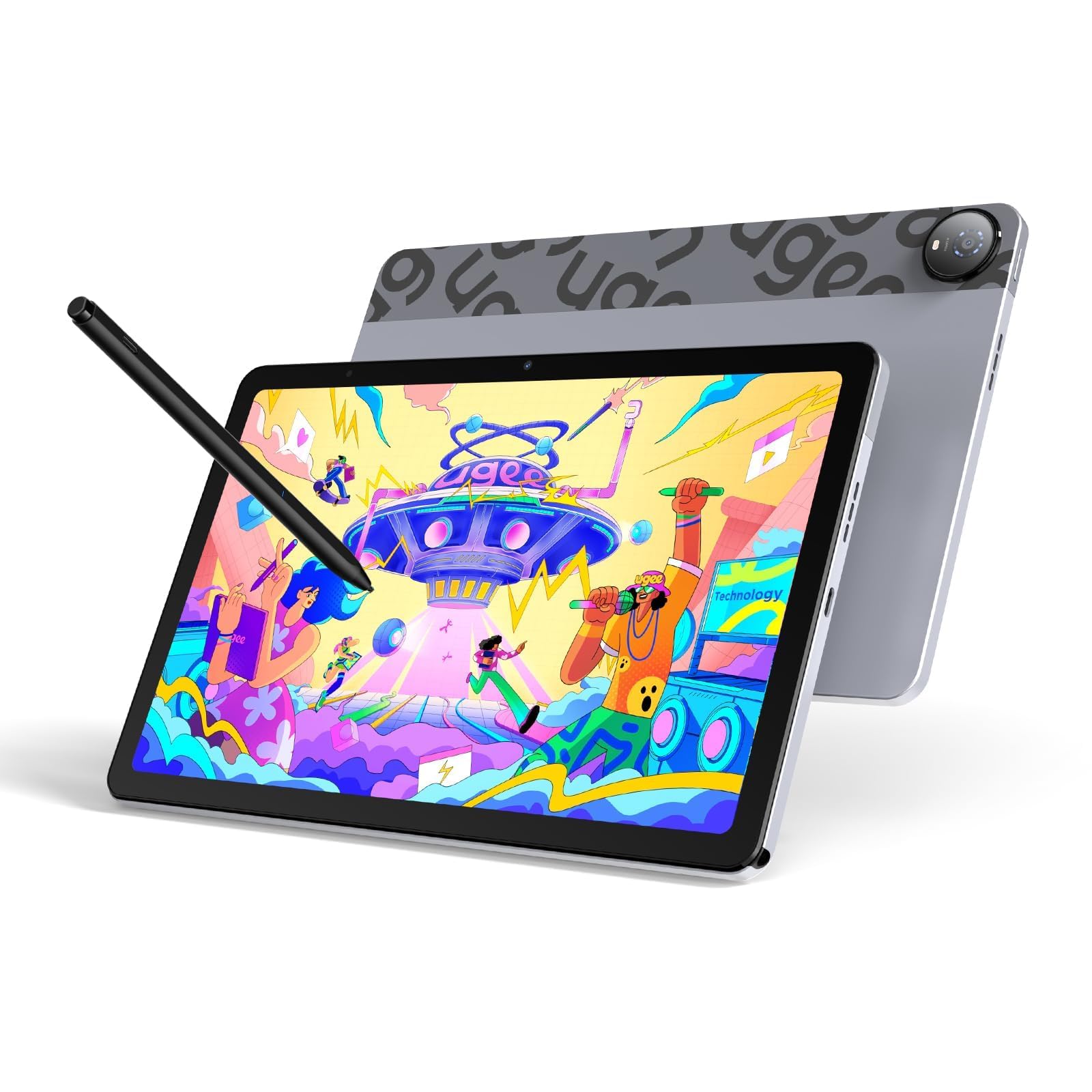
The UGEE Pad UT2 is the most budget-friendly standalone drawing tablet in this guide, but it manages to pack an impressive set of core features for its price. It offers a 10.36-inch 2K resolution screen with a full-laminated, nano-etched matte display, which delivers a sharp, vivid image and the all-important paper-like feel that artists crave. The 6.95mm thickness and 466g weight make it incredibly portable, thinner than most modern smartphones.
It runs on Android 14 and is powered by a MediaTek Helio G99 and 6GB of RAM. While this isn’t a flagship performer, it handles Krita and Clip Studio Paint Release quietly for most canvas sizes. The 4096-level stylus is ultra-light at 13g, helping to reduce hand fatigue during long sessions, though it requires charging and has a slightly unreliable eraser button. The 7,000mAh battery delivers over 9 hours of continuous drawing, and the 18W fast charging is a welcome feature at this tier.
The included multi-angle leather case is a surprisingly premium accessory, transforming the tablet into a portable studio. The screen’s 2K resolution at this size yields a high 277 PPI, meaning fine details are crisp and clear. For the absolute beginner, student, or casual artist who wants to explore digital art on a dedicated device without a significant financial commitment, the UGEE Pad UT2 is an exceptionally good starting point that doesn’t compromise on the most crucial spec: the drawing feel.
Why it’s great
- Exceptional value for a full-laminated 2K matte screen drawing tablet.
- Very thin, light, and portable with a surprisingly high-quality included case.
- Solid battery life and performance for its price tier.
Good to know
- Stylus requires charging and the eraser function is reported as unreliable by some users.
- Lower RAM (6GB) than most competitors in this guide.
FAQ
Is an Android tablet as good as an iPad for drawing?
What is the most important spec for a drawing tablet?
Do I need a computer to use a standalone drawing tablet?
How much RAM do I need for digital drawing on an Android tablet?
Final Thoughts: The Verdict
For most users, the android tablet for drawing winner is the Wacom MovinkPad Pro 14 because it combines a professional-grade, battery-free pen experience with a stunning 3K OLED display and ample power for any creative task. If you want a massive canvas and the highest pen resolution available, grab the XPPen Magic Drawing Pad with its industry-leading 16,384 pressure levels. And for the budget-conscious artist stepping into digital art for the first time, nothing beats the incredible value of the UGEE Pad UT2, which offers a premium drawing feel at an entry-level price.