
Our readers keep the lights on and the weekend projects moving. As an Amazon Associate, I earn from qualifying purchases.
Finding a tablet that survives sticky hands, floor-level drops, and still delivers smooth educational app performance is the real test. The goal is a screen that keeps kids engaged without constant charging or lag.
I’m Rikta — the co-founder and writer behind FitlyFast. I’ve spent many hours dissecting the processor speeds, battery specs, display resolutions, and case durability claims across the current kid-focused tablet market to separate the genuine workhorses from the risky picks.
Whether you need a travel companion for long road trips or a safe learning hub for homeschooling, choosing the right android tablet for kids comes down to matching raw specs like RAM and battery size with a truly durable design and effective parental controls.
How To Choose The Best Android Tablet for Kids
A kid-friendly tablet needs to balance three things: a processor fast enough to run educational apps without lag, a battery that lasts through a full day of use, and a case that can handle drops from a toddler’s hands. The display quality and parental control software are the final filters that separate a great pick from a problematic one.
Processor and RAM: The Real Engine
Quad-core processors are the baseline, but octa-core chips offer smoother multitasking when a child switches between a drawing app, a video, and a puzzle game. RAM of 3GB or more keeps the tablet responsive. Anything with 2GB RAM will struggle with modern apps, causing frustrating freezes that often lead to kids pounding the screen.
Battery Capacity and Charging Speed
A 5000mAh battery is the minimum for a full day of mixed use. Models with 6000mAh or larger can stretch past 8 hours of video playback, which matters for long car rides or plane trips. Fast charging via USB-C is a practical feature that reduces downtime. Lithium polymer batteries generally offer better long-term cycle life than standard lithium-ion cells.
Build Quality and the Protective Case
The included case is not an afterthought — it is the primary defense. Look for EVA foam or thick silicone bumper cases with raised edges and a built-in kickstand. Avoid cases that are thin plastic shells; they provide minimal drop protection. A case with a handle or stand adds versatility for hands-free viewing during meals or story time.
Parental Control Software
Google Kids Space is the gold standard for Android tablets, offering curated apps, age-based profiles, and content filtering. Some manufacturers layer their own parental control apps on top, which can be more restrictive but sometimes more buggy. A good system lets you set daily screen time limits, block specific apps, and disable in-app purchases without requiring constant manual monitoring.
Quick Comparison
On smaller screens, swipe sideways to see the full table.
| Model | Category | Best For | Key Spec | Amazon |
|---|---|---|---|---|
| Plimpton Kids Tablet 10 Inch | Premium | Overall Performance & Learning | 4GB RAM, 2.0GHz Octa-Core | Amazon |
| Amazon Fire HD 10 | Premium | Entertainment & Reading | 3GB RAM, 13-Hour Battery | Amazon |
| CFVOCUY 2026 Kids Tablet | Mid-Range | Durable Foam Protection | 8GB RAM, WiFi 6 | Amazon |
| URAO Kids Tablet | Mid-Range | Latest Android Version | 20GB RAM, Octa-Core 2.0GHz | Amazon |
| WXUNJA Android 15 Kids Tablet | Mid-Range | Dual-Band WiFi & Features | 3+18GB RAM, 6000mAh Battery | Amazon |
| EDDBNi Kids Tablet | Budget | Large Battery on a Budget | 6GB RAM, 6000mAh Battery | Amazon |
| Kids Tablet 10.1 Inches (Trayoo) | Budget | Entry-Level Starter Tablet | 2GB RAM, 64GB + 64GB TF Card | Amazon |
In‑Depth Reviews
1. Plimpton Kids Tablet 10 Inch

The Plimpton hits the sweet spot with its 2.0GHz octa-core processor and 4GB of RAM, providing enough headroom for educational apps, video streaming, and light gaming without the frustrating lag that plagues lower-spec tablets. The 10.1-inch HD IPS display with low blue light mode reduces eye strain during longer sessions, and the auto-brightness adjustment is a thoughtful touch for varying room lighting conditions.
The included EVA foam case is noticeably denser and more impact-resistant than the silicone cases bundled with most competitors. It features a 360-degree rotatable bracket that allows hands-free viewing in portrait or landscape mode, which is ideal for video calls with grandparents or following along with cooking tutorials. The case design also keeps precise port cutouts, so connecting a charger or headphones isn’t a wrestling match.
Google Kids Space comes pre-installed and integrates seamlessly with the parental control dashboard, making content filtering and screen time limits straightforward to manage. The 2-year warranty is a significant confidence booster, and several user reports highlight responsive customer service for replacement or refund requests.
Why it’s great
- Strong octa-core processor with 4GB RAM prevents app stutter
- Dense EVA foam case with 360-degree stand offers superior drop protection
- Google Kids Space integration simplifies safe content management
Good to know
- Some user reports note occasional screen lag after extended use
- Battery runtime averages around 8 hours, not industry-leading
2. Amazon Fire HD 10

The Fire HD 10 stands apart with its 1080p Full HD display, delivering noticeably sharper text and more vibrant colors than the 1280×800 panels found on most dedicated kids’ tablets. The 13-hour battery life is a class leader, easily covering a cross-country flight plus a full day of hotel use without needing a charger. The octa-core processor and 3GB of RAM provide smooth performance for streaming, reading, and light gaming.
Amazon’s ecosystem is the main trade-off. The tablet runs Fire OS, which is based on Android but heavily customized. The default app store is Amazon’s own, which has fewer educational apps compared to Google Play. Sideloading Google Play is possible via a known workaround, but it requires a few extra steps and isn’t officially supported. The device uses aluminosilicate glass and is rated as 2.7 times more durable than the Samsung Galaxy Tab A8 in tumble tests.
Parental controls through Amazon Kids are robust, allowing you to set bedtime limits, block web browsing, and create individual profiles. A subscription to Amazon Kids+ unlocks thousands of books, apps, and videos, but the core controls work without a subscription. The lock screen displays ads by default, which can be removed for an additional fee.
Why it’s great
- Full HD 1080p screen provides excellent visual clarity for reading and videos
- 13-hour battery life outlasts most competitors by several hours
- Strong aluminosilicate glass construction resists screen cracks
Good to know
- Limited to Amazon App Store unless Google Play is sideloaded
- Lock screen ads are included unless you pay to remove them
3. CFVOCUY 2026 Kids Tablet

The CFVOCUY tablet leans hard into durability with a soft ultra-light EVA case that users report surviving throws and bites from toddlers without damage. It supports WiFi 6, which provides faster and more stable connections in dense home networks, a feature rarely seen at this price point. The 1280×800 IPS HD display includes an eye-protection mode that reduces blue light, though it does not match the sharpness of a 1080p panel.
With 8GB of total RAM (3GB + 5GB virtual), performance is smooth for most kids’ apps and light multitasking. The 64GB internal storage is expandable up to 1TB via microSD, which is essential since the device ships without extra storage. The 5000mAh battery provides around 8 hours of mixed use, which is solid for a daily session but not enough for a full day of heavy video streaming.
Parental controls are present but are a layer on top of Android rather than Google Kids Space. This means you can set screen time limits and block apps, but the interface is less polished than Google’s own solution. The tablet is recommended for ages 3 and up, and user reviews consistently praise the case’s ability to survive rough handling.
Why it’s great
- WiFi 6 support ensures fast, stable home network connections
- Ultra-durable EVA foam case withstands rough toddler handling
- Smooth performance from 8GB RAM handles app multitasking well
Good to know
- Some users report touchscreen lag in certain apps
- No Google Kids Space, uses a less refined third-party parental control system
4. URAO Kids Tablet

The URAO tablet ships with Android 16, the latest operating system version available at this writing, which provides better security patches and ad-blocking capabilities compared to older Android builds. The claimed 20GB of RAM is partly virtual, but the octa-core 2.0GHz processor and 64GB of internal storage provide enough foundational power for smooth app switching and media playback. The 1280×800 IPS display includes a reading mode that reduces blue light and flicker.
The included food-grade silicone case is thicker than average and includes an adjustable bracket for hands-free viewing. It is slim and lightweight, making it easy for small hands to carry, though it may not be as impact-resistant as a bulkier EVA foam case. The 6000mAh battery supports fast charging via USB-C, reaching a full charge in approximately 1.5 hours, which minimizes downtime.
Parental controls allow profile creation with screen time limits and content filtering, but several user reviews note that the implementation is simple and effective for basic needs. The camera quality is adequate for video calls but not exceptional. The tablet is marketed for ages 6-12, making it less suitable for toddlers who need a more rugged case.
Why it’s great
- Latest Android 16 OS offers better security and ad-blocking
- Fast 1.5-hour charging via USB-C keeps downtime low
- Thick protective case with kickstand is lightweight for kids
Good to know
- 20GB RAM is partially virtual, not all physical memory
- Silicone case is less durable than EVA foam alternatives
5. WXUNJA Android 15 Kids Tablet

The WXUNJA tablet packs a surprising number of connectivity features into a mid-range package, including dual-band WiFi (2.4/5GHz), Bluetooth, GPS, FM radio, and wireless screen casting. The octa-core processor with 3GB + 18GB of combined RAM (some virtual) handles standard kids’ apps without noticeable lag. The 1280×800 IPS display includes a blue light filter for eye comfort, though it is not a high-resolution panel.
Battery life is solid with a 6000mAh cell that provides around 6 hours of continuous video playback, with PD fast charging via USB-C reducing recharge time. The included silicone case has a built-in stand and is sturdy enough for daily drops, though some user reports indicate the internal screen can crack from falls onto carpet despite the case. This is a rare but notable durability concern that potential buyers should weigh.
Google Kids Space is pre-installed, giving parents access to a curated library of educational content and straightforward screen time management. The tablet is compatible with a stylus (included), which adds value for drawing and note-taking apps. The 1-year warranty provides basic coverage, and customer support has received generally positive feedback for responsiveness.
Why it’s great
- Dual-band WiFi (2.4/5GHz) provides faster and more reliable connections
- Includes GPS, FM radio, and wireless screen casting for extra utility
- Google Kids Space pre-installed for easy parental control setup
Good to know
- Some users report screen cracking from falls despite the included case
- Battery life is average at 6 hours for video playback
6. EDDBNi Kids Tablet
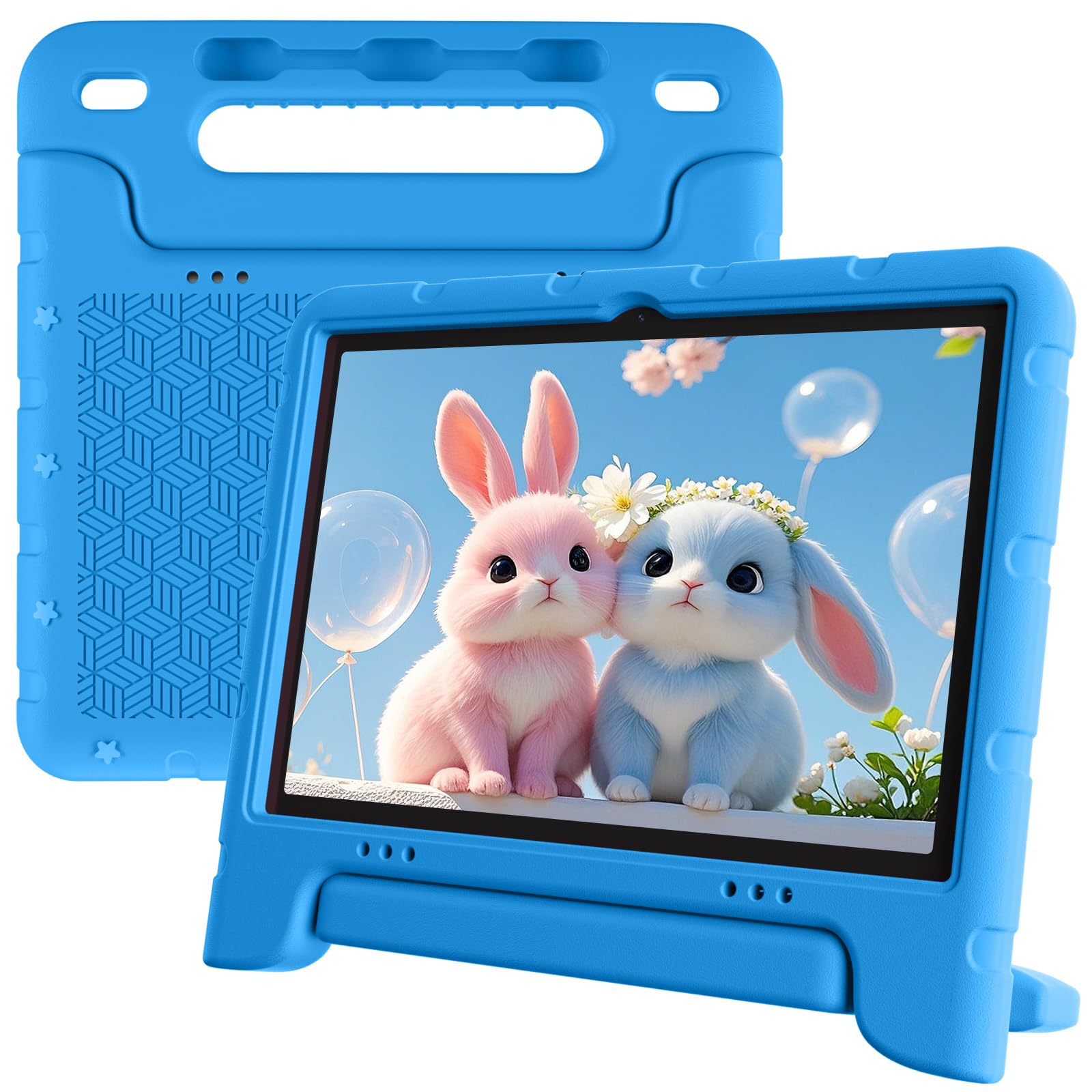
The EDDBNi tablet stands out in the budget segment for its large 6000mAh battery, which can deliver up to 10 hours of reading and video playback on a single charge. The Android 15 operating system is up-to-date, and the quad-core processor with 6GB of RAM provides adequate performance for basic learning apps and YouTube Kids. The 1280×800 IPS screen is bright and clear enough for indoor use, with auto-brightness to reduce eye strain.
The included bumper case is sturdy and includes an adjustable stand for hands-free viewing. The 5MP front camera and 8MP rear camera are serviceable for video calls and casual photography, though image quality is not impressive. The dual camera setup is a nice touch for a budget tablet. Storage is 64GB, expandable up to 1TB via microSD, which is standard for this price tier.
Parental controls allow custom profiles with app blocking and screen time limits, though the interface is not as polished as Google Kids Space. There are several user reports of tablets failing to charge or becoming unresponsive after a few months of use, which raises a durability red flag. The tablet is strictly a 2.4GHz WiFi device, which can feel slower in homes with many connected devices.
Why it’s great
- Large 6000mAh battery provides up to 10 hours of runtime
- Android 15 is current and receives security updates
- Included bumper case with stand adds drop protection
Good to know
- Several user reports of charging failure and devices dying after months
- Limited to 2.4GHz WiFi, which is slower than dual-band alternatives
7. Kids Tablet 10.1 Inches (Trayoo)

The Trayoo tablet is the most budget-friendly option in this lineup, built around a quad-core processor and 2GB of RAM. This setup handles basic educational apps and simple games, but it will stutter with more demanding titles or multitasking. The 1280×800 IPS display is adequate for video playback, and the 5000mAh battery provides around 6 hours of use, which is sufficient for short sessions but may require a mid-day charge.
The included kid-proof case has a hollow design meant for heat dissipation and includes a back bracket for hands-free tabletop use. The case covers ports and buttons adequately, though the plastic build feels less premium than foam alternatives. The tablet comes with the IWAWA app pre-installed, offering thousands of free child-focused games and educational content. Google Play access allows downloading of additional apps like YouTube Kids and ABC Mouse.
Parental control features are present and functional, letting you set screen time limits and filter content for individual child profiles. The 12-month warranty provides decent coverage for a budget device. A critical user review notes issues with the charging port becoming finicky and the tablet getting stuck on a blue screen after a few months, so this is a pick primarily for short-term or low-expectation use.
Why it’s great
- Very affordable entry point for a kids’ tablet with case
- IWAWA app pre-installed with thousands of free educational resources
- Kid-proof case with back bracket for hands-free viewing
Good to know
- 2GB RAM causes lag with modern apps and multitasking
- Some reports of charging port failure and screen issues after a few months
FAQ
Do I need Google Kids Space or are third-party parental controls enough?
What is the best battery capacity for a kids tablet?
Final Thoughts: The Verdict
For most users, the android tablet for kids winner is the Plimpton Kids Tablet 10 Inch because its 4GB RAM, octa-core processor, and dense EVA foam case offer the best balance of performance and durability for daily use. If you want a premium entertainment-focused screen for reading and streaming, grab the Amazon Fire HD 10. And for a budget-conscious choice with a large battery that lasts all day, nothing beats the EDDBNi Kids Tablet.