
Our readers keep the lights on and the weekend projects moving. As an Amazon Associate, I earn from qualifying purchases.
Staring at a frozen spreadsheet or waiting for a document to render while your battery drains before lunch is not a workflow—it’s a productivity tax. The gap between a tablet that feels like a toy and one that replaces a laptop comes down to one thing: the processor’s ability to handle split-screen multitasking without stuttering. You need a device that keeps up with cloud-based office suites, note-taking apps, and video calls simultaneously, all while lasting through a full shift.
I’m Rikta — the co-founder and writer behind FitlyFast. I’ve spent hundreds of hours analyzing tablet performance benchmarks, real-world battery drain tests, and user workflows to understand exactly which specs matter for a true work setup, not just casual media consumption.
This guide breaks down the top picks for a productive and portable office, focusing on display clarity, processing power, and accessory support to help you find the ideal android tablet for work.
How To Choose The Best Android Tablet for Work
A work tablet must bridge the gap between a smartphone and a laptop. The most critical factors are processing power for multitasking, screen real estate for document editing, and accessory support for typing. Battery endurance also determines whether the device can survive a full day of calls, note-taking, and research without hunting for an outlet.
Processor and RAM: The Multitasking Backbone
The processor dictates how smoothly your tablet handles switching between email, Chrome, a PDF reader, and a note-taking app. Look at least for a MediaTek Dimensity 8300 or a Snapdragon 8 Gen 2 if you push heavy workloads. RAM should be at least 8GB, though virtual memory expansion can help mid-range units run several apps without reloading.
Display and Stylus: Your Primary Interface
Screen size matters more for productivity than for media consumption. A 12.7-inch or larger display with a 4:3 or 3:2 aspect ratio makes viewing documents and spreadsheets far more comfortable. Additionally, a high-quality stylus (one with palm rejection and 4096 pressure levels) transforms a work tablet into an effective tool for signing contracts, annotating PDFs, and sketching diagrams.
Battery Capacity and Fast Charging
A work tablet should last at least 10 hours of mixed-use. Capacities in the 8,000mAh to 10,200mAh range are ideal. Fast charging at 30W or higher ensures you can top up during a short break. Watch out for tablets that require a specific charger to hit advertised speeds, as this impacts real-world convenience.
Quick Comparison
On smaller screens, swipe sideways to see the full table.
| Model | Category | Best For | Key Spec | Amazon |
|---|---|---|---|---|
| Samsung Galaxy Tab S9 | Premium | Professional productivity & creative work | 11″ Dynamic AMOLED 2X 120Hz | Amazon |
| Samsung Galaxy Tab S10 FE | Mid-Range | Student note-taking with S Pen | Exynos 1580 & 90Hz refresh | Amazon |
| Lenovo Idea Tab Pro | Mid-Range | Student study and media creation | 12.7″ 3K LCD & Dimensity 8300 | Amazon |
| OnePlus Pad Go 2 | Mid-Range | All-day battery and smooth streaming | 12.1″ 120Hz Dolby Vision display | Amazon |
| TCL NXTPAPER 14 | Mid-Range | Eye comfort for reading & sheet music | 14.3″ 2.4K Paper-Like Display | Amazon |
| TECLAST Artpadpro | Mid-Range | Content creation with a large canvas | 12.7″ 2176×1600 & 4096-level pen | Amazon |
| Samsung Galaxy Tab A9+ | Budget | Family sharing and light productivity | 11″ 90Hz display & quad speakers | Amazon |
| TABWEE T90 | Budget | Entry-level work with bundled accessories | 24GB RAM (8+16 virtual) & 8000mAh | Amazon |
In‑Depth Reviews
1. Samsung Galaxy Tab S9 (256GB)

The Samsung Galaxy Tab S9 stands at the summit of professional Android productivity. Its 11-inch Dynamic AMOLED 2X screen, with a 120Hz refresh rate and Vision Booster, makes spreadsheets, PDFs, and presentations look crisp even under harsh office lighting or outdoors. The Snapdragon 8 Gen 2 processor handles split-screen multitasking, heavy note-taking with the included S Pen, and even light photo editing without a hiccup.
The 256GB storage, IP68 water resistance, and Wi-Fi 7 support make this a future-proof investment for mobile professionals. The S Pen attaches magnetically and charges wirelessly, offering a seamless experience for annotating documents, signing forms, or sketching ideas. Samsung DeX mode transforms the entire interface into a desktop-like layout, which is essential for real work.
Battery life is rated at 15 hours, but real-world testing shows closer to 10-12 hours under mixed office use. The absence of a charger in the box is a notable drawback, as you’ll need a compatible Super Fast Charging brick. For those who demand top-tier performance and screen quality, the Tab S9 offers the most premium work experience available on Android.
Why it’s great
- Brilliant Dynamic AMOLED 2X display with adaptive vision booster
- IP68 water and dust resistance for worry-free carries
- Powerful multitasking with Snapdragon 8 Gen 2 and DeX mode
Good to know
- No charger included in the box
- Premium price point for a 2023 model
2. Samsung Galaxy Tab S10 FE

The Galaxy Tab S10 FE pulls most of the productivity tricks from the flagship S9 down to a mid-range price. The large, bright display with a 90Hz refresh rate makes document scrolling and web browsing feel smooth. The Exynos 1580 processor handles everyday office tasks—email, Chrome tabs, Google Docs—without hesitation, though it lags slightly behind in heavy gaming or 4K video editing.
The bundled S Pen is the highlight here. Samsung’s Handwriting Assist neatens messy notes, and Circle to Search with Google lets you highlight anything on screen for instant research. The IP68 rating also provides peace of mind for coffee shop workers or classroom use. Storage is expandable up to 1TB via microSD, which is crucial for storing offline files and presentations.
Battery life is rated at 20 hours, but heavy use with note-taking and video calls delivers around 12-14 hours. The interface is clean and Samsung promises several years of updates. While the screen is LCD, not AMOLED, the color accuracy and brightness are solid for document work. A smart, balanced pick for students and professionals on a budget.
Why it’s great
- Includes S Pen with handwriting assist and Circle to Search
- IP68 water resistance and expandable storage
- Excellent battery life and smooth 90Hz display
Good to know
- LCD panel lacks the deep blacks of AMOLED
- Charger not included in the box
3. Lenovo Idea Tab Pro

The Lenovo Idea Tab Pro is engineered for students and researchers who need a large, high-resolution canvas for reading and note-taking. The 12.7-inch 3K LCD display (2944 x 1840) with a 90Hz refresh rate renders textbooks, articles, and PDFs with exceptional clarity. The MediaTek Dimensity 8300 processor provides snappy performance for managing multiple Chrome tabs, note apps, and document editors simultaneously.
The included Tab Pen Plus supports 4096 levels of pressure and palm rejection, making it a capable tool for marginal annotations, diagram sketches, and math equations. Google Gemini integration allows you to circle text and images to search instantly, which accelerates research. The quad JBL speakers with Dolby Atmos deliver clear audio for video lectures and conference calls.
The 10,200mAh battery lasts about 11 hours of video streaming, slightly less under heavy Chrome use. The 45W fast charging is a plus, but the tablet demands a specific Lenovo power adapter to reach that speed—standard USB-C chargers will trickle charge slowly. The included folio case and pen make it a near-complete work package out of the box.
Why it’s great
- Sharp 3K resolution on a large 12.7-inch canvas
- Fast Dimensity 8300 processor with 360Hz touch sampling
- Bundled pen and folio case add value
Good to know
- Requires specific Lenovo charger for fast charging
- Heavier than some competitors due to large battery
4. OnePlus Pad Go 2
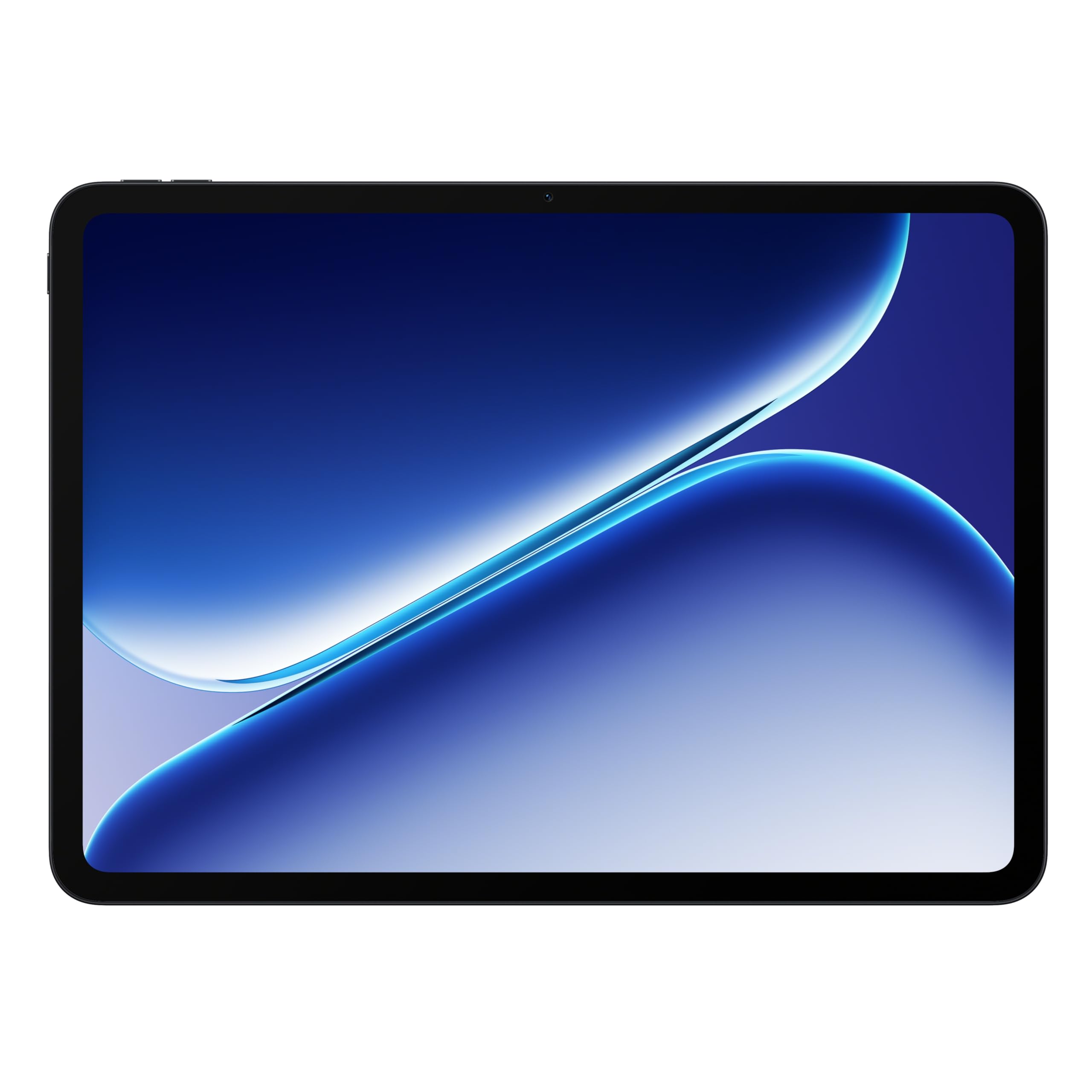
The OnePlus Pad Go 2 strikes a refined balance between style and stamina. The 12.1-inch Dolby Vision display with a 120Hz refresh rate makes video calls, spreadsheet scrolling, and note-taking feel exceptionally fluid. The MediaTek Dimensity 7300-Ultra is a capable mid-range processor that handles email, browsing, and Google Workspace apps without lag, though it is not suited for heavy video editing or 3D modeling.
The 10,050mAh battery is the star here, easily lasting through a full workday and into the evening. SUPERVOOC fast charging gets you back up quickly. OxygenOS provides a clean, near-stock Android experience optimized for large screens, which reduces bloatware frustrations common with other brands. The tablet is slim and lightweight, making it easy to carry between meeting rooms.
The primary downside for work use is the lack of a bundled stylus or keyboard—those are sold separately, which increases the total cost if you need to type extensively. The screen is bright enough for outdoor use, which is a plus for remote workers. A excellent option for professionals who prioritize battery longevity and a smooth display for reading.
Why it’s great
- Smooth 120Hz Dolby Vision display
- Excellent battery life with fast SUPERVOOC charging
- Clean, bloatware-free software experience
Good to know
- Keyboard and stylus sold separately
- Camera quality is basic for video calls
5. TCL NXTPAPER 14

The TCL NXTPAPER 14 is a niche specialist for professionals who spend long hours reading or reviewing documents. The 14.3-inch NXTPAPER display uses an anti-glare coating and DC dimming to mimic the texture of real paper, greatly reducing eye strain during extended reading sessions. It switches between vibrant, color paper, and ink paper modes via a dedicated physical button, making it versatile for everything from PDF review to watching training videos.
The Helio G99 processor and 8GB RAM (plus 8GB virtual expansion) handle office apps, note-taking, and sheet music apps smoothly. The 4096-level T-PEN included in the box is accurate for annotations and light sketching, but users have reported it needs charging separately via USB-C. The quad stereo speakers produce solid volume and clarity for conference calls or media playback.
The 10,000mAh battery lasts around 10 hours with mixed use. A key quirks is the lack of expandable storage—only the onboard 256GB is available. Also, the charger is not included. For professionals with heavy screen time who prioritize eye comfort above all else, this is a unique and compelling tool.
Why it’s great
- Paper-like anti-glare screen with DC dimming reduces eye strain
- Three display modes switchable via dedicated key
- Includes stylus with 4096 pressure levels
Good to know
- Charger not included; stylus charges separately
- No microSD card slot for storage expansion
6. TECLAST Artpadpro

The TECLAST Artpadpro targets creative professionals who need a large, pressure-sensitive canvas for drawing and note-taking. The 12.7-inch IPS display with 2176×1600 resolution and a 16:10 aspect ratio provides a generous workspace for sketching, mind maps, and document review. The 20GB of RAM (8GB physical + 12GB virtual expansion) keeps a dozen apps open without reloading, which is a rare spec at this price point.
The included T-Pen stylus delivers 4096 levels of pressure and palm rejection, making it adequate for detailed illustration and handwriting. Android 15 with the company’s ArtOS overlay offers floating windows, a global sidebar, and a dedicated Smart Button for quick mode switching—features that speed up workflow. The 10,000mAh battery and 30W fast charging keep you running through long creative sessions.
The quad speaker system, powered by Teclast’s Symphony Sound Chamber, produces impressive audio for a tablet at this level. Build quality is solid with a metal chassis. However, the physical RAM is 8GB—the 20GB claim includes virtual memory, a marketing gimmick some users find misleading. The bundled pen is functional but some reviewers note it can be skippy with light strokes.
Why it’s great
- Large, bright 2K display with high screen-to-body ratio
- Huge battery with fast charging
- Gestural UI improves multitasking efficiency
Good to know
- Stylus quality is inconsistent for precision art
- Physical RAM is 8GB; 20GB figure includes virtual expansion
7. Samsung Galaxy Tab A9+

The Samsung Galaxy Tab A9+ is the entry-level gateway to productivity for families and casual users. The 11-inch display with a 90Hz refresh rate offers a smoother scrolling experience than many budget tablets, making it viable for reading articles, checking email, managing calendars, and even light note-taking. The quad speakers with Dolby Atmos provide clear audio for video calls, which is a step above typical budget tablet speakers.
The upgraded chipset and 8GB RAM handle document editing, web browsing, and streaming without major slowdowns. The Multi Window feature allows you to run two apps side-by-side, which is helpful for research or managing a project. Samsung Kids app integration makes it easy to hand the tablet to children for educational apps when work is done, adding versatility for a shared home device.
Battery life is reliable, lasting through a full day of moderate use. The 128GB storage is sufficient for documents, though the microSD card slot offers expansion. The primary drawbacks are the camera quality, which is mediocre by any standard, and the lack of a bundled stylus or keyboard. It is a budget-conscious choice that delivers the core Samsung productivity experience without the premium price.
Why it’s great
- Smooth 90Hz refresh rate at an entry-level price
- Impressive quad-speaker audio for calls and media
- Multi Window support for basic multitasking
Good to know
- Cameras are underwhelming for video conferencing
- No stylus or keyboard included in the package
8. TABWEE T90 (2026)

The TABWEE T90 is an aggressive value proposition, bundling a keyboard, mouse, and stylus with a tablet that runs Android 16 and Gemini AI. The 11-inch FHD display with Widevine L1 support is decent for content consumption and basic office work. The 24GB RAM claim (8GB physical plus 16GB virtual expansion) helps the Unisoc T615 processor handle light multitasking without choking on a dozen Chrome tabs.
For entry-level productivity tasks—email, document editing, web research, and video calls—the T90 performs admirably. The 8,000mAh battery provides about 8 hours of mixed-use. The included accessories mean you can start using the tablet as a 2-in-1 workstation immediately, which is a significant advantage for those on a strict budget who cannot afford to buy peripherals separately.
The build quality and accessory sturdiness reflect the budget price point; the keyboard and mouse are functional but not premium. There is no SIM slot, so you are limited to Wi-Fi connectivity. The camera is adequate for document scanning, but the front camera is basic for calls. This is a strong choice for a student or a remote worker who needs a basic, all-in-one work kit for the lowest possible investment.
Why it’s great
- Complete bundle includes keyboard, mouse, and stylus
- Latest Android 16 with Gemini AI integration
- Generous virtual memory for smooth basic multitasking
Good to know
- Bundled accessories feel less durable than premium options
- No cellular connectivity; Wi-Fi only
FAQ
Can an Android tablet completely replace a laptop for work?
How much RAM do I actually need for professional work?
Does the stylus matter for productivity or just creative work?
Final Thoughts: The Verdict
For most users, the android tablet for work winner is the Samsung Galaxy Tab S9 because it combines a stunning AMOLED screen with a top-tier processor, full DeX mode, and IP68 durability—a true professional tool. If you want the best balance of features and price with a bundled S Pen, grab the Samsung Galaxy Tab S10 FE. And for the budget-conscious user needing a complete kit from day one, nothing beats the all-included TABWEE T90.