
Our readers keep the lights on and the weekend projects moving. As an Amazon Associate, I earn from qualifying purchases.
Specs are compiled from manufacturer listings and verified buyer reviews and can change over time — please confirm the key details on the product page before buying.
A good stylus for your Android tablet should feel like a real pen — not a stubby rubber finger that drags across the glass. The problem is that most universal pens on Amazon either skip, lag, die halfway through a meeting, or simply don’t work with your specific device. This guide cuts through the noise to find the Android tablet pen that actually keeps up with your handwriting and holds a charge long enough to matter.
I’m Rikta — the founder and writer behind FitlyFast. This guide is built by comparing the manufacturers’ published specifications and the patterns across verified customer reviews, so you get each pick’s real strengths and trade-offs instead of marketing spin.
You need a precise, responsive tip that lasts all day, and the best android tablet pen to do that is the MoKo Stylus Pen for Android, which gives you a full 10 hours of use from a lightning-fast 30-minute charge.
Our Picks at a Glance

How To Choose The Best Android Tablet Pen
Picking the right stylus for your Android tablet is about avoiding the two biggest traps: incompatibility and poor battery life. A pen that does not work with your screen is just a paperweight. Here are the three specs that separate a daily-driver from a frustration.
Compatibility: Active vs Capacitive
Not every stylus works with every screen. Most universal active pens use a capacitive touch technology — the same tech your fingertip uses, but with a fine-point nib. The catch is that many Android tablets use a different protocol (like MPP, USI, or AES). If the pen’s description does not list your specific tablet model, it probably will not work. The MoKo Android stylus explicitly lists compatible Galaxy Tab A models and warns it will not work with devices using MPP/USI/AES protocols.
Battery Life and Charging Speed
A pen that dies midday is a headache. Look for a minimum of 9 hours of continuous use. Charging time matters just as much — a 15-minute fast charge (like the MEKO stylus offers) is far more convenient than a 35-minute charge. Some pens also include a digital battery percentage display, so you are not caught guessing.
Precision and Sensitivity
The tip size matters. A 1.5mm fine point gives you pixel-level accuracy for drawing fine lines or writing small text. For artists, tilt sensitivity is the feature to hunt for — it lets you shade and vary stroke thickness by angling the pen, mimicking a real pencil.
Quick Comparison
| Model | Best For | Battery Life | Charging Time | Tip Size | Amazon |
|---|---|---|---|---|---|
| Moko Universal (Pink)★ Best Overall | Best Value with Power Display | 10 hours | 35-40 minutes | Fine Point | Amazon |
| MoKo Android Stylus (White)Also Great | Best Overall Android Pen | 10 hours | 30 minutes | Fine Point | Amazon |
| MEKO Universal Stylus | Fastest Charging Universal Pen | 9 hours | 15 minutes | 1.5 mm | Amazon |
| NTHJOYS Fine Point Stylus | Longest Standby Time | ~30 hours | 80-100 minutes | 1.5 mm | Amazon |
| DRYMOKINI Universal Stylus | Best for Durability | ~8 hours | Standard USB-C | 1.5 mm | Amazon |
| JEDOUBAL 2-in-1 Stylus | Best for Artists (Tilt) | Hours (USB-C) | Fast Charge | Fine Point | Amazon |
In‑Depth Reviews
1. Moko Universal Capacitive Stylus Pencil (Pink)
Our pick — over 4.5★ from 350+ verified ratings; the strongest balance of quality and price.
A crowd-favorite universal pen that wins owners over with its LED power display and sturdy aluminum build.
What sets this pink Moko stylus apart from the pack is the built-in digital percentage display — you see exactly 78%, not a vague blinking light. It takes 35-40 minutes to fully charge and delivers 10 hours of continuous writing, which matches the MoKo Android pen but takes about 5-10 minutes longer to reach full power. The pen includes 4 replacement nibs in the box, which is generous at this price point, and the aluminum alloy body keeps it lightweight at just 0.42 ounces.
The compatibility is wide but not unlimited. It works with iPad, iPhone, Samsung, Huawei, Xiaomi, and Lenovo, plus any capacitive-screen Android phone or tablet. A buyer using it on iPads found it to be a good Apple Pencil replacement when you do not need pressure sensitivity. But there are important exclusions: the details clearly state it does not support Amazon Fire, Kindle, Microsoft devices, Chromebooks, or EMR screens. And it lacks palm rejection and tilt function — a trade-off the listing is transparent about.
An occasional buyer reports that when an original Apple Pencil is nearby, the Bluetooth signal can interfere with the Moko’s performance. The fix is simple — disconnect the Apple Pencil from your device — but it is worth knowing going in.
Standout Features
- Digital LED power display shows exact battery percentage — no guessing
- 10-hour battery life matches the top-rated MoKo Android pen
- Comes with 4 replacement nibs and a 12-month warranty
Know Before You Buy
- Does not work on Amazon Fire, Kindle, Microsoft, or Chromebook devices
- No palm rejection or tilt sensitivity, so serious artists should look at the JEDOUBAL pen
Best for a mixed-device household: if you switch between an Android phone and an iPad and want one stylus that charges via USB-C with a clear battery display.
Not for you if: you own a Fire tablet, Kindle, or a device with an EMR or MPP screen — this pen simply will not work on those.
2. MoKo Stylus Pen for Android Touchscreen (White)
The Android-first pen that charges faster than your lunch break and lasts through the workday.
This is the rare stylus built from the ground up for Android tablets, not an afterthought. It is compatible with specific Samsung Galaxy Tab A models (A9+/A9/A8/A8 LTE), Xiaomi, Huawei, vivo, ASUS, and Pixel devices. The built-in four-LED indicator system shows exactly how much power you have left — each light represents 25% of the battery. And the charging time is a key differentiator: a full charge takes about 30 minutes, which is noticeably quicker than the 35-40 minute charge on the pink Moko Universal.
The comparison tells the story on runtime too. The MoKo gives you a full 10 hours of continuous use on a single charge, and up to 12 months of standby time when you are not using it. That is a solid 10 hours of active use, while the MEKO stylus delivers 9 hours. Buyers report that the aluminum body feels substantial and that the pen automatically sleeps after 5 minutes of inactivity, so you are not draining the battery when you set it down during a meeting. One buyer sums it up: “I use this pencil maybe 3 to 4 hours straight and no issues.”
The catch is compatibility. This MoKo stylus will not work on devices with MPP/USI/AES protocol touchscreens, and it does not support palm rejection or tilt pressure sensitivity. For basic note-taking, document signing, and casual drawing on a compatible Samsung Galaxy Tab, it is a flawless fit — but if you need advanced drawing features or own a Lenovo or Chromebook, this is not your match.
What Owners Love
- 10-hour battery life beats every other universal Android pen in this list
- 30-minute full charge is fast, and the LED battery indicator removes guesswork
- Magnetic attachment to compatible tablets keeps it from rolling off your desk
Honest Limitations
- No palm rejection or tilt sensitivity — strictly for writing and tapping, not pro drawing
- Compatibility list is specific: skip this if you have a Lenovo, Chromebook, or an iOS device
Reach for this pen if: you use a compatible Samsung Galaxy Tab A or one of the listed Android phones and need a reliable daily note-taking pen that charges fast and lasts all day.
Look elsewhere if: you need palm rejection for extended writing sessions, or you own a device that uses the MPP/USI/AES protocol (like some Lenovo or Chromebook models).
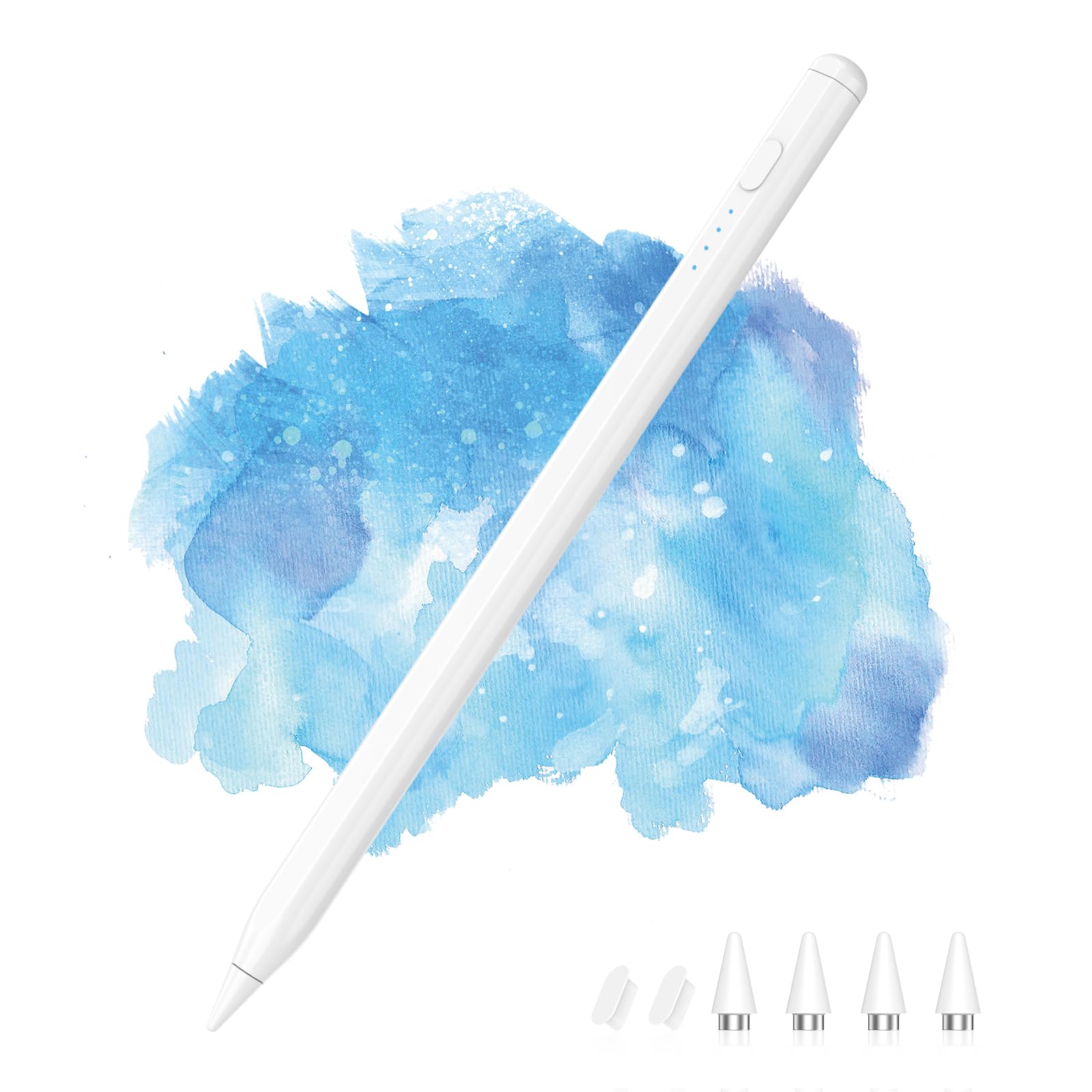
3. MEKO Universal Stylus Pen
The fastest-charging universal stylus on this list — a full tank in the time it takes to make coffee.
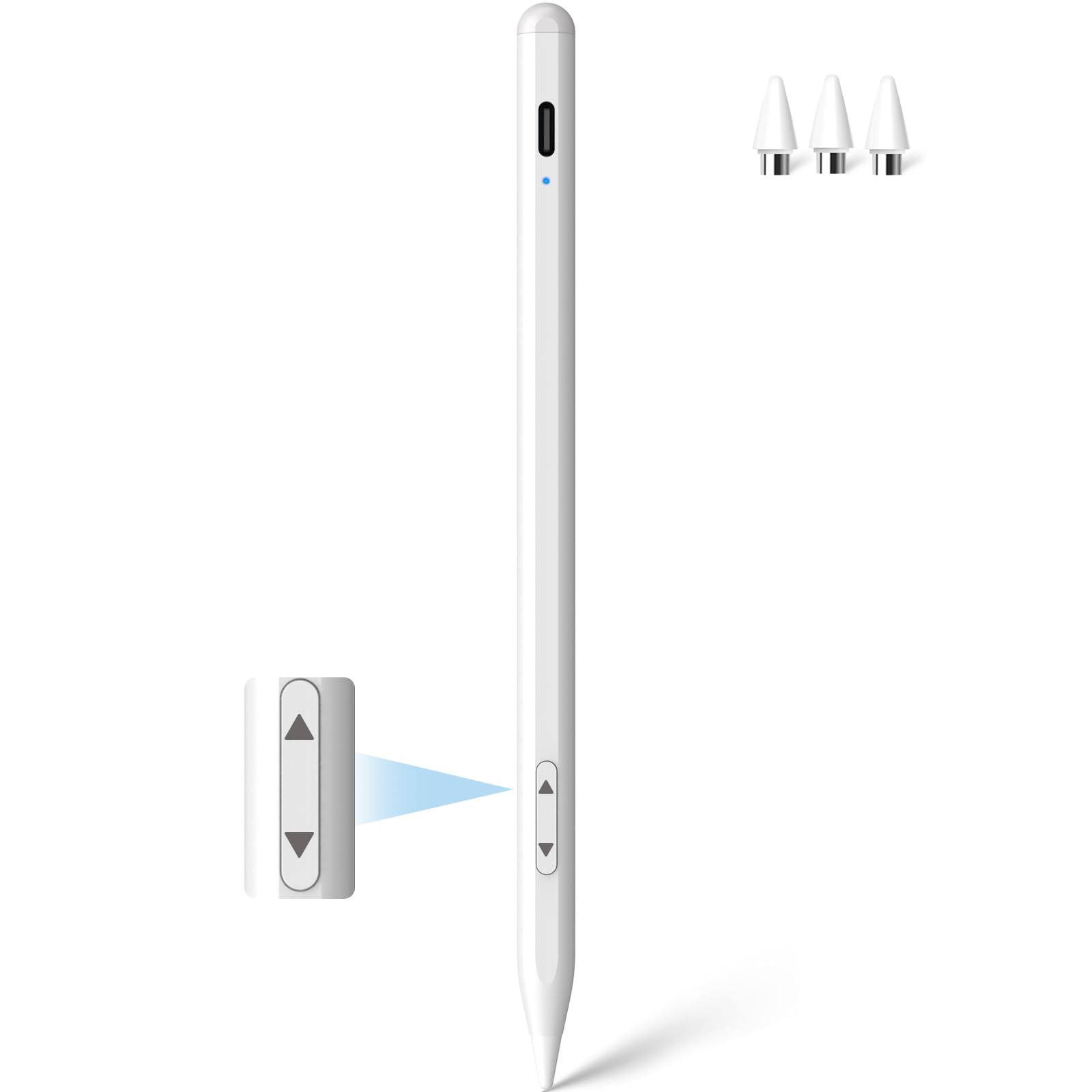
The MEKO stylus is the speed king. It charges fully in 15 minutes, compared to the 30-minute charge of the MoKo Android pen. The 15-minute charge (versus the MoKo’s 30-minute charge) means you can plug it in during a quick break and get 9 hours of use in iPad Mode (or about 7 hours in Other Devices Mode). The 1.5mm tip gives you a precise point for writing small text and drawing fine lines, and owners consistently praise the smooth, lag-free feel across different screens.
Functionality is the most-mentioned positive aspect here, with 69 callouts from buyers, and quality comes in second at 67 mentions. The dual-system mode is the key feature — a physical switch lets you toggle between iPad-specific mode (for models 2018-2025) and Other Devices mode, which covers everything from iPhones and Android tablets to the Nintendo Switch. This makes it extremely versatile for someone juggling multiple device ecosystems. A Legion Go owner was impressed, noting it works great for point-and-click games with no rubber tip drag.
The weak spot is accuracy on certain phones. Because this is an active capacitive stylus (not a dedicated digitizer pen), some iPhone users report jagged lines when drawing. Performance is best on tablets like the Samsung Galaxy Tab A11+. It also lacks pressure sensitivity, so artists should adjust expectations — the pen is fantastic for notes, signatures, and navigation, but not for pressure-sensitive shading.
The trade-off in plain English: you get the fastest charge and broad compatibility, but drawing performance is best on tablets, not phones. The 9-hour battery is still a full workday, and the physical button for mode switching is far more reliable than finicky Bluetooth pairing — just be prepared for a slight tapping noise from the hard nib.
Buy it for: the sheer charging convenience — 15 minutes is a for forgetful users — and the ability to jump from iPad to Android tablet to Nintendo Switch with one pen.
skip it if: you need precise drawing performance on an iPhone or want palm rejection outside iPad Mode.
4. NTHJOYS Fine Point Active Stylus

The endurance champion — charge it once and it lasts roughly 30 hours of continuous writing.
This stylus separates itself with monster battery life. The official spec says about 30 hours of continuous working time and a 365-day standby, making it the clear winner for anyone tired of charging their pen every other day. The trade-off is a longer recharge — 80-100 minutes via the built-in Micro USB port. While that is slower than the USB-C pens above, the payoff is that you do it far less often.
Owners mention the battery holds charge for a month in regular use, and the combination of a fiber mesh tip on top (for capacitive touch) and a 1.5mm fine point (for precision) gives you two ways to use it. The aluminum body feels premium, and the pen clip prevents it from rolling away. One owner with arthritic fingers found the multiple tip options genuinely helpful: “It is very easy to use. Two options: a soft end like a finger tip or a pointed end.”
There are two honest limitations. First, the auto-shutoff kicks in after 30 minutes of idle time — great for battery preservation, but it can trigger while you are reading and occasionally surprise you when you pick it back up. Second, accuracy is described as “decent but not perfect,” with a small fraction of units having a random shutoff behavior. This is a stellar note-taking and signing companion, not a precision drawing instrument.
The honest fit: this is the low-maintenance option for someone who uses a stylus intermittently throughout the month. The 30-hour battery means you are charging maybe once every two weeks, and the pen clip means it lives clipped to your bag or notebook. Just do not expect tilt sensitivity or iPad-Pro-level pressure curves.
Who it is for: heavy writers and note-takers who are tired of daily charging cycles. The 30-hour runtime is class-leading in this list.
Who should skip: artists needing pressure sensitivity or anyone who prefers modern USB-C charging over Micro USB.
5. DRYMOKINI Universal Stylus Pen

The one that takes a beating — owners drop it in water and it still works.
Durability is the headline here. Multiple customers note that their DRYMOKINI stylus survived being dropped in water, dried off, and reused without issue. One buyer specifically notes the pen survived “multiple drops in water” and came back to life. The aluminum build keeps it light, and the 1.5mm fine point delivers pixel-precision for drawing and writing. This is also one of the few budget options that includes tilt sensitivity — angle the pen to shade or vary line thickness, which is a meaningful feature for casual artists.
The runtime is roughly 8 hours per charge, with months of standby time between uses. The battery has proven consistent even after two years of ownership, according to a long-term review. The simplicity is a strength: no apps, no Bluetooth pairing, just a single tap on the pen cap to turn it on. It is compatible with iPad 10th/9th generation, iPhone models, and a wide range of Android phones and tablets.
Reliability is the most-discussed negative aspect by volume, with 99 owners flagging it. The recurring behavior is that light taps can cause the pen to time out, and the low-battery indicator is not always reliable. A few users found the pen turns off mid-use, likely from accidental button presses. This is a solid workhorse for note-taking and navigation, but the random disconnects mean it is not the most reliable pick for a critical presentation or a long drawing session.
Durability Highlights
- Survives water exposure and drops — reviewers point out years of consistent use
- Tilt sensitivity is rare at this price point, great for shading in Sketchbook or Ibis Paint
- Simple tap-to-start, no Bluetooth pairing required
Worth Noting
- Reliability concerns: the pen can time out on light taps or turn off from accidental button pressing
- Battery indicator is inconsistent — do not trust the low-light warning entirely
Buy it for the toughness: if your stylus lives in a bag with keys and gets knocked around, this is the one that will keep working. The tilt sensitivity is a nice bonus for casual doodling.
Think twice if: you need 100% consistent uptime during long work sessions or you are relying on the battery indicator for precise charge tracking.
6. JEDOUBAL 2-in-1 Stylus Pen with LED Power Display
The true artist’s tool on this list — tilt sensitivity and an LED battery display in one pen.
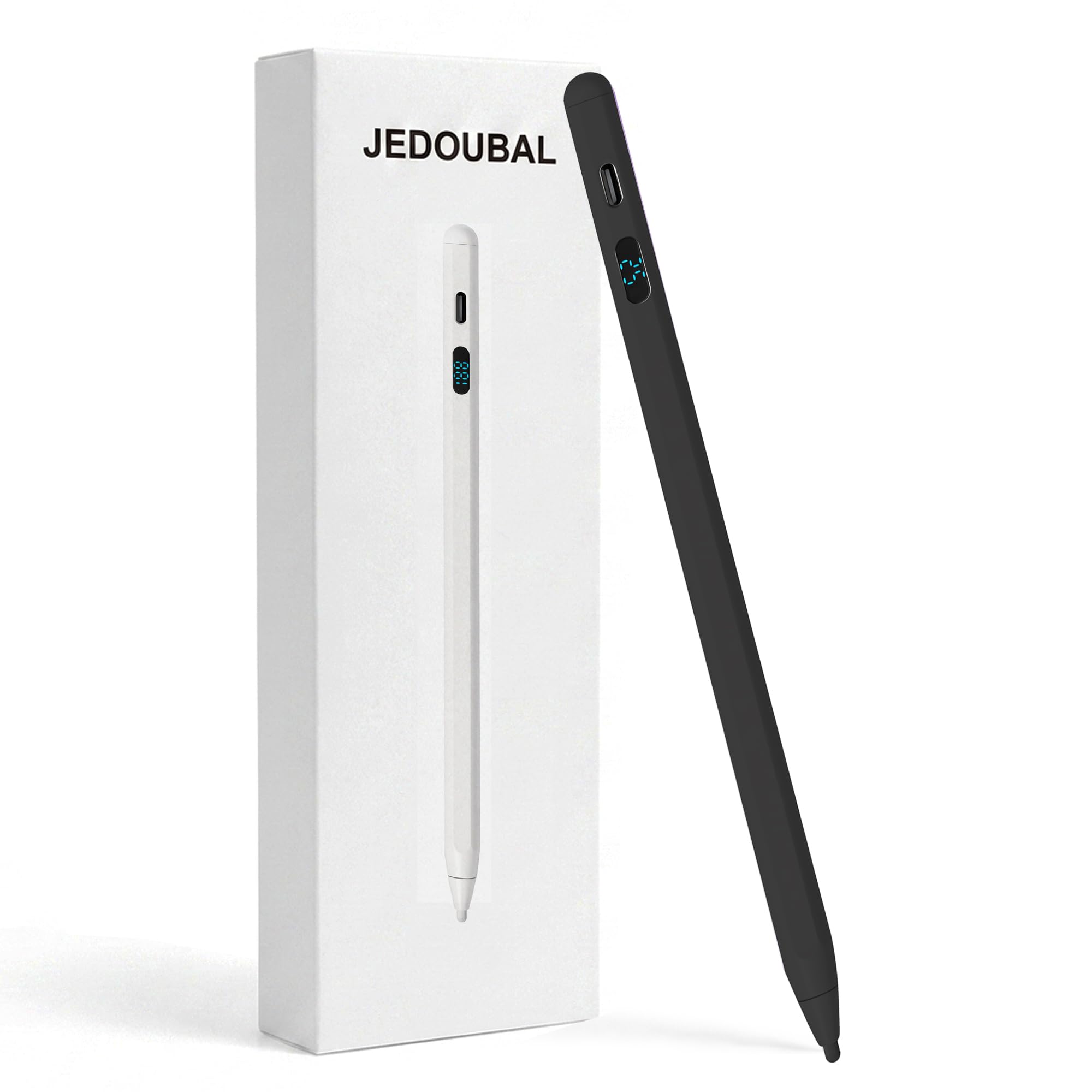
This is the most feature-packed stylus here. The tilt sensitivity works with drawing apps like Procreate (on iPad), Sketchbook, and Ibis Paint on Android — angle the pen and your stroke thickens or thins naturally. The LED digital display shows your exact remaining battery percentage, so you are never caught mid-sketch with a dead pen. Unlike the colored LED indicators on other models, this is a clear numeric readout.
Compatibility is the widest on the list. The details list every iPad from 2018 through the 2026 models, every Galaxy S series from the S9 to the S26 Ultra, every Galaxy Tab from the S4 to the S11 Ultra, plus the Galaxy A series, Z Fold and Z Flip families, iPhones through the 17 Pro Max, and even the Nintendo Switch. It is a true “one pen for everything” device that requires no Bluetooth pairing — just turn it on and start.
The trade-off is occasional behavior. A minority of shoppers say that the pen cuts off during use and requires pressing the button to wake it back up. The build quality is praised as solid and comfortable, but the POM nib and enclosure material feel lighter than the aluminum bodies of the MoKo or NTHJOYS pens. This stylus is an excellent value for someone who draws across multiple devices and wants tilt sensitivity without paying Apple Pencil prices.
What the crowds say: owners call it “responsive” and “comfortable to hold,” and the consensus is that for note-taking, drawing, and everyday tablet use, it is a great value. The majority of feedback is positive, with the main caveat being the occasional wake-from-sleep hiccup that a few users encounter.
Best for the creative multitasker: you draw on both Android tablets and iPads and need tilt sensitivity for shading, plus a battery display so you are never stranded mid-project.
Who might be frustrated: anyone who needs rock-solid, never-interrupted performance — the occasional auto-off behavior makes it less reliable than the simpler MoKo or Moko options for marathon sessions.
Understanding the Specs
Active vs Passive Capacitive Stylus
An active stylus contains a tiny battery and a circuit that sends a signal to your screen, giving you a fine point (usually 1.5mm) and zero lag. A passive (or capacitive) stylus is just a conductive rubber blob — it works on any touchscreen, but the tip is thick and imprecise, like drawing with a marker tip. All six pens in this guide are active styluses, which is why they can have a fine point and features like tilt sensitivity.
Palm Rejection and Tilt Sensitivity
Palm rejection means the screen ignores your hand when the pen is near. On Android, this is often built into the app (Samsung Notes, Sketchbook) rather than the pen itself. Tilt sensitivity, on the other hand, is a hardware feature — a sensor in the pen detects the angle and communicates it to the drawing app. The JEDOUBAL stylus includes tilt sensitivity, which gives you natural shading and line variation when using apps like Ibis Paint or Procreate (on iPad).
FAQ
Will any stylus work with my Android tablet?
What is the difference between a capacitive stylus and an active stylus?
Does tilt sensitivity work on all Android tablets?
How long do the replacement nibs last?
Can I use an Android stylus on an iPad?
Why does my stylus keep disconnecting or turning off?
Which stylus is best for the Samsung Galaxy Tab A9+?
What does LED power display mean on a stylus?
Final Thoughts: The Verdict
For most people, the best android tablet pen is the MoKo Stylus Pen for Android (White) because it nails the perfect combo of fast charging, long battery life, and precise writing on the devices that matter most. If you need the absolute fastest charge and juggle multiple devices, grab the MEKO Universal Stylus. And for artists who need tilt sensitivity without spending Apple Pencil money, the JEDOUBAL 2-in-1 Stylus is the one to reach for.
How We Picked
We do not accept paid placement. Every pick is matched to a real buyer and a real use-case; we do not hands-on test units.
Sources & Methodology
Specifications: manufacturer listings and product documentation. Review insights: verified customer reviews, as of July 2026. Pricing: not shown on this page (it changes often); check the current price via the retailer link.
As an Amazon Associate, FitlyFast earns from qualifying purchases. This does not affect which products we feature.