
Our readers keep the lights on and the weekend projects moving. As an Amazon Associate, I earn from qualifying purchases.
A streaming box that stutters on 4K HDR content or forces you into a clunky interface isn’t a smart upgrade — it’s a frustrating bottleneck. The right Android TV box delivers fluid navigation, crisp Dolby Vision playback, and the app flexibility that proprietary sticks often restrict.
I’m Rikta — the co-founder and writer behind FitlyFast. This guide is built on hundreds of hours comparing processor specs, RAM configurations, Dolby certification lists, and real-world Wi-Fi performance across the latest streaming hardware to separate genuinely capable boxes from outdated options.
Whether you’re cutting the cord or upgrading an older TV, the right device makes everything feel seamless. After thorough analysis, the best android tv box for streaming balances processing power, storage headroom, and advanced audio support without forcing you into a single ecosystem.
How To Choose The Best Android TV Box for Streaming
Choosing an Android TV box isn’t just about finding the cheapest option. The internal processor, RAM capacity, video codec support, and connectivity all determine whether your 4K stream plays smoothly or stutters. Focus on these key areas to match the right box to your TV and usage habits.
Processor and RAM — The Real Engine
The chipset dictates how fast the interface responds and whether high-bitrate 4K files play without dropping frames. Look for at least a quad-core Cortex-A55 or better. RAM below 2GB leads to app reloads and lag when switching between Netflix and YouTube. For consistent multitasking and future app demands, 3GB or 4GB is ideal.
Video and Audio Certification
Dolby Vision and HDR10+ support make a visible difference in color accuracy and contrast on compatible TVs. For audio, Dolby Atmos and DTS:X passthrough are essential if you use a soundbar or AV receiver. Without these certifications, the box may downmix surround formats to stereo.
Storage and Expandability
Internal storage fills quickly with apps, games, and system updates. At least 16GB is recommended, with 32GB or 64GB offering real breathing room. A USB 3.0 port allows you to connect external drives for local media playback or to expand storage for sideloaded content.
Quick Comparison
On smaller screens, swipe sideways to see the full table.
| Model | Category | Best For | Key Spec | Amazon |
|---|---|---|---|---|
| NVIDIA Shield TV Pro | Premium | AI Upscaling & Gaming | Tegra X1+, 3GB RAM | Amazon |
| RockTek G2 | Premium | High Storage & Wi-Fi 6 | Amlogic S905X4-K, 4GB/64GB | Amazon |
| Xiaomi TV Box S 3rd Gen | Mid-Range | Compact 4K with Wi-Fi 6 | 6nm chip, 2GB/8GB | Amazon |
| KP1 Android 11 TV Box | Mid-Range | Dual Ecosystem Access | 2GB/32GB, Android 11 | Amazon |
| Google Chromecast with Google TV | Mid-Range | Google Ecosystem & Casting | 4K HDR, Google TV UI | Amazon |
| Onn 4K Plus | Budget-Friendly | Wi-Fi 6 & Google TV Value | 2GB/16GB, Wi-Fi 6 | Amazon |
| Roku Streaming Stick 4K | Budget-Friendly | Simple Interface & Portability | 4K HDR, Long-Range Wi-Fi | Amazon |
In‑Depth Reviews
1. NVIDIA Shield TV Pro

The NVIDIA Shield TV Pro sits at the top of the streaming hierarchy thanks to its Tegra X1+ chip and dedicated AI upscaling engine. It converts 1080p and even 720p content into sharper 4K in real-time, which makes a visible difference on large screens. With 3GB of RAM and a robust software update track record, it remains the most future-proof option available.
Dolby Vision HDR and Dolby Atmos passthrough are fully supported, and the dual USB 3.0 ports allow you to connect external hard drives, USB DACs for high-res audio, or even a keyboard for sideloaded apps. The built-in Plex Media Server turns the Shield into a home network hub for local media libraries.
Gamers benefit from GeForce Now integration and emulation capabilities that no other streaming box can match. The included remote is backlit and features a locator function, though its button layout takes a short adjustment period. Higher storage would be welcome, but the USB ports make expansion straightforward.
Why it’s great
- Industry-leading AI upscaling enhances all content
- Full Dolby Vision and Atmos support with passthrough
- Plex Media Server built-in, dual USB 3.0 ports
Good to know
- Premium price reflects the top-tier hardware
- Only 16GB internal storage; expansion via USB required
2. RockTek G2

The RockTek G2 packs an Amlogic S905X4-K processor with 4GB DDR4 RAM and 64GB of eMMC storage — a configuration that leaves most competitors behind in raw multitasking capacity. App loading is snappy, and the ample storage means you won’t constantly manage space for updates or sideloaded apps.
Wi-Fi 6 connectivity via a Broadcom chip delivers wireless speeds up to 450Mbps, with gigabit Ethernet available for wired setups. Dolby Vision, HDR10+, Dolby Atmos, and DTS-HD are all certified, making this a strong choice for home theater enthusiasts who want every audio and video format covered.
The remote includes dedicated buttons for YouTube, Prime Video, and Google Assistant. Some users report a slightly longer initial setup compared to plug-and-play sticks, and the interface can stutter occasionally under heavy multitasking. Overall, it competes closely with the Shield at a lower price point, trading AI upscaling for more storage and RAM.
Why it’s great
- Generous 4GB RAM and 64GB storage for heavy users
- Wi-Fi 6 and gigabit Ethernet for fast streaming
- Complete Dolby Vision and Atmos certification
Good to know
- Setup process is less streamlined than some sticks
- Occasional minor interface lag during intense app switching
3. Xiaomi TV Box S 3rd Gen
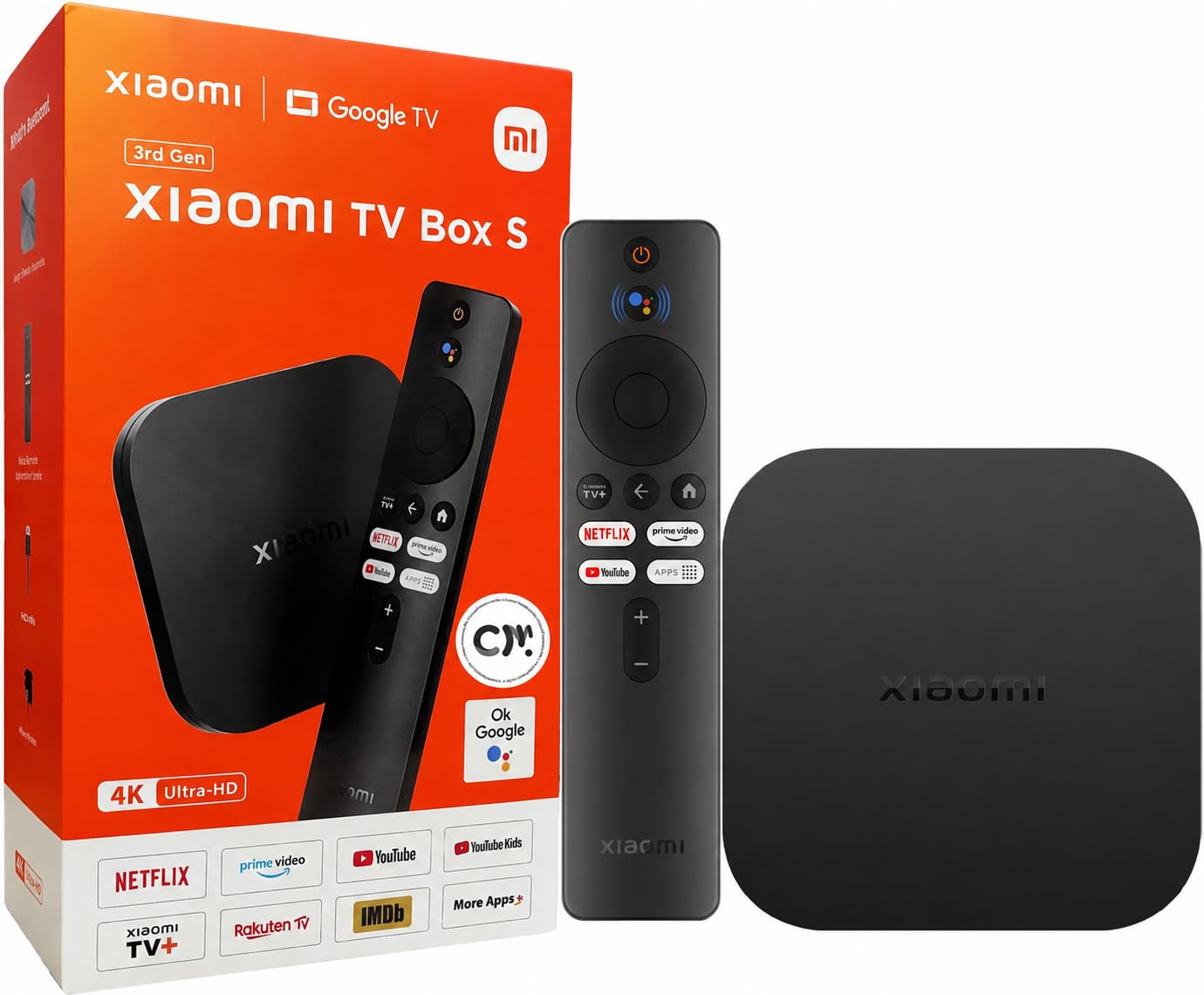
The third-generation Xiaomi TV Box S adopts a 6nm processor that balances power efficiency with smooth 4K UHD playback. It supports Dolby Vision and Dolby Atmos, along with DTS:X for immersive audio. The compact form factor, measuring just over half an inch tall, makes it easy to tuck behind any TV.
Wi-Fi 6 connectivity is included, which helps reduce buffering in congested network environments. The 360-degree Bluetooth remote uses voice control and pairs quickly. One limitation is the 8GB of internal storage — after the system partition, available space is tight for installing many apps or games.
Users report smooth playback of 4K files from USB drives using third-party apps like VLC or Kodi, as the native player doesn’t handle MKV containers with Dolby Vision metadata well. HDMI 2.1 support ensures compatibility with modern TVs, but the box is best for users who primarily stream from services rather than local media.
Why it’s great
- Efficient 6nm processor for smooth 4K streaming
- Wi-Fi 6 and HDMI 2.1 for modern setups
- Compact, discreet design with voice remote
Good to know
- Only 8GB storage, limited after system files
- Kodi or VLC required for MKV and Dolby Vision playback
4. KP1 Android 11 TV Box
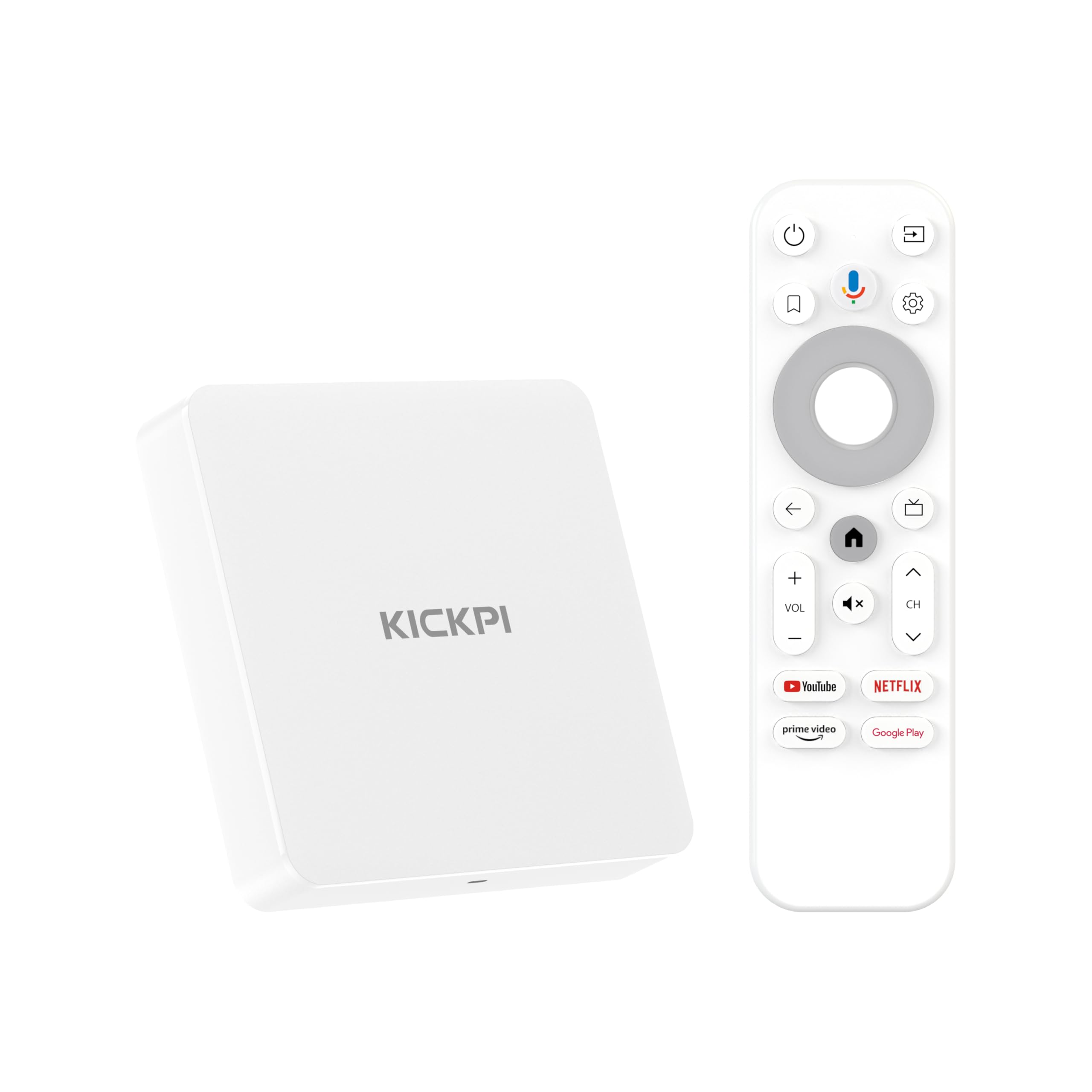
The KP1 runs Android 11 with Google certification, meaning you get the official Google TV interface, the Play Store, and Chromecast built-in without compatibility workarounds. Its 2GB RAM and 32GB storage provide enough headroom for moderate app usage and local downloads.
The included remote has dedicated buttons for YouTube and Prime Video, plus Google Assistant for voice search. Some users report a slight audio delay with certain streaming apps, though this is not universal and may be app-specific. The box supports Dolby Audio and 4K HDR output, though Dolby Vision is not explicitly certified.
Side-loading apps works well, and with an alternate launcher the KP1 can handle productivity tools like Google Keep and Gmail. The white compact design stands out from the usual black boxes. It’s a solid mid-range option for users who want Google TV without paying premium prices, though serious home theater enthusiasts may want certified Dolby Vision support.
Why it’s great
- Google certified with official Play Store access
- 32GB storage gives room for apps and updates
- Voice remote with dedicated streaming buttons
Good to know
- No official Dolby Vision certification
- Occasional audio delay reported on some apps
5. Google Chromecast with Google TV

The Google Chromecast with Google TV delivers the purest Google TV experience with a clean interface that aggregates content across subscriptions. It supports 4K HDR with Dolby Vision and includes Chromecast built-in for casting from mobile devices. Setup takes just a few minutes — plug into HDMI, connect to Wi-Fi, and sign in.
The remote features Google Assistant with voice search that can find shows by mood, genre, or actor. It also controls TV power and volume via IR. The device itself is a small dongle that hangs behind the TV, keeping the setup clean. A bundled pouch and cleaning cloth are included in this package.
Storage is limited, and the interface can feel sluggish compared to higher-end boxes like the Shield or RockTek G2. For users deeply embedded in Google’s ecosystem who mostly stream from major services, it’s a seamless choice. Power users who side-load apps or need fast local playback may want more RAM and storage.
Why it’s great
- Clean Google TV interface with personalized recommendations
- Simple plug-and-play setup with Chromecast built-in
- Dolby Vision and 4K HDR support
Good to know
- Limited storage and RAM for heavy app usage
- Interface can lag compared to premium boxes
6. Onn 4K Plus

The Onn 4K Plus punches above its price tier with 2GB RAM, 16GB storage, and Wi-Fi 6 support, making it one of the most feature-dense budget-friendly streaming boxes available. It runs the full Google TV platform, giving you access to over 10,000 apps including Netflix, Disney+, and YouTube, all in 4K UHD with Dolby Vision.
Dolby Atmos output is supported, and the voice remote includes Google Assistant for hands-free search and control. The box form factor is compact at 4 by 2.5 inches, and it connects via HDMI. Setup is straightforward, and users consistently report reliable performance with no major bugs.
The main catch is regional lock-in — this device is optimized for the US market, and some features may be tricky to activate outside the country. For US-based buyers, however, it delivers Wi-Fi 6 speeds and Dolby Vision at an entry-level price that few competitors match.
Why it’s great
- Wi-Fi 6 and Dolby Vision at a budget-friendly price
- Full Google TV interface with voice remote
- Reliable performance with 2GB RAM
Good to know
- US-only features may cause setup issues internationally
- 16GB storage is adequate but not generous
7. Roku Streaming Stick 4K

The Roku Streaming Stick 4K offers a dead-simple interface that prioritizes ease of use over customization. It supports 4K resolution with Dolby Vision and HDR10+, and its long-range Wi-Fi receiver is engineered for reliable streaming in rooms far from the router. The stick form factor plugs directly into an HDMI port and stays hidden behind the TV.
The voice remote controls TV power and volume, and includes dedicated buttons for major streaming services. Roku’s home screen aggregates apps without algorithmic bias, and the free live TV channel offers over 500 channels of news, sports, and entertainment without a subscription.
It is not an Android TV box, so you lose access to the Google Play Store, Chromecast, and sideloading capabilities. For users who want a stress-free streaming experience focused on major apps and free live TV, it’s a reliable choice. Power users who need Android-specific apps or advanced codec support should look at the Android-based options above.
Why it’s great
- Extremely simple setup and intuitive interface
- Long-range Wi-Fi for distant rooms
- Free live TV with 500+ channels included
Good to know
- Not an Android TV box — no Play Store or sideloading
- Limited customization and app selection vs Android boxes
FAQ
Can I install apps from the Google Play Store on any Android TV box?
Why does my 4K stream stutter on an older Android TV box?
Do Android TV boxes support VPN apps for IPTV services?
Final Thoughts: The Verdict
For most users, the best android tv box for streaming winner is the NVIDIA Shield TV Pro because it combines unmatched AI upscaling with full Dolby Vision and Atmos support, plus gaming and Plex server capabilities. If you want massive storage and Wi-Fi 6 at a lower price, grab the RockTek G2. And for a straightforward, family-friendly experience, nothing beats the simplicity of the Google Chromecast with Google TV.