
Our readers keep the lights on and the weekend projects moving. As an Amazon Associate, I earn from qualifying purchases.
The dream of a multi-monitor setup without a physical desk, without the cable clutter, and without the back strain of craning your neck between heavy displays is finally a plug-and-play reality. The latest generation of wearable displays has evolved past simple screen mirroring into true spatial computing, letting you pin multiple virtual windows around your actual environment. This guide cuts through the noise to find the glasses that genuinely replace your dual or triple monitor rig for serious productivity.
I’m Rikta — the co-founder and writer behind FitlyFast. I’ve spent countless hours analyzing the optical engines, chipset capabilities, and real-world software limitations of every major AR glasses platform to determine which models actually deliver a stable, usable multi-screen workspace instead of a gimmicky tech demo.
Whether you’re a developer needing a sprawling code canvas, a trader tracking multiple streams of data, or a designer comparing layout versions, this deep-dive analysis of the best ar glasses for multiple monitors will save you from investing in a product that promises the world but drifts, lags, or limits you to a single flickering window.
How To Choose The Best AR Glasses For Multiple Monitors
Not all AR glasses are built for productivity. Many are optimized solely for media consumption, offering a single large virtual screen that follows your head. For a true multi-monitor replacement, you need hardware and software that work together to create a stable spatial workspace. Here’s what to prioritize.
Native 3DoF vs. Phone-Processed Tracking
The single most important feature for multi-monitor use is native 3DoF. This means the glasses themselves have an internal chipset (like the X1 chip in XREAL models) that handles head tracking and locks your virtual screens in place. Without it, the screen follows your every head turn, which is nauseating for work. Glasses that rely on your phone’s processing for spatial tracking often suffer from drift and latency, making it impossible to position a window to your left and expect it to stay there.
Field of View (FOV) and Angular Resolution
FOV dictates how large the virtual display appears. A wider FOV (52° and above) creates a more immersive environment where your peripheral vision is filled, allowing for larger virtual monitors that don’t require constant head-tilting to see all the content. Equally important is pixel density, often measured in PPD (Pixels Per Degree). A higher PPD means text remains razor-sharp even when you resize a window to a small portion of the virtual screen. Models with 49 PPD or better are ideal for coding and reading dense spreadsheets.
Software Ecosystem: The Real Multi-Screen Enabler
The best hardware is useless without a capable spatial operating system. Look for models that offer a dedicated desktop app (like VITURE’s SpaceWalker or XREAL’s Nebula) that can extend your Windows or macOS desktop into multiple virtual displays. This is fundamentally different from screen mirroring. The software must allow you to resize, reposition, and anchor these windows in 3D space. A model that only “supports” multi-screen by mirroring your phone screen is a downgrade from your current setup.
Quick Comparison
On smaller screens, swipe sideways to see the full table.
| Model | Category | Best For | Key Spec | Amazon |
|---|---|---|---|---|
| XREAL One Pro | Premium Native 3DoF | Serious productivity & travel | 57° FOV / 171″ virtual screen | Amazon |
| VITURE Luma Ultra | Premium 6DoF Ready | Early spatial computing adopters | 6DoF / 1500 nits brightness | Amazon |
| XREAL 1S | Mid-Range Native 3DoF | Plug-and-play 3DoF clarity | 52° FOV / X1 Chip | Amazon |
| VITURE Luma Pro | Mid-Range Productivity | Multi-screen via SpaceWalker | 1200p / 52° FOV | Amazon |
| INAIR Pod + Glasses | Spatial Hub | 6 floating windows | 6 screens / Fan-cooled | Amazon |
| INAIR 2 Pro | Productivity Focused | Windows 4-screen expansion | 49 PPD edge clarity | Amazon |
| Rokid Max2 + Station2 | Standalone Spatial | Android multitasking with 3 apps | 3-screen mode / 600 nits | Amazon |
| TOZO VIZO Z1 | Value Display | Budget-friendly large screen | 6000 nits peak brightness | Amazon |
| Rokid Joy Pack 2 | Entertainment Bundle | Travel media & cloud gaming | 5000mAh Station battery | Amazon |
| RayNeo Air 4 Pro | HDR & Audio Focus | Cinematic viewing experience | HDR10 / Bang & Olufsen audio | Amazon |
| HUD Sports Glasses | Cycling HUD | Sports performance data | Real-time HUD display | Amazon |
In‑Depth Reviews
1. XREAL One Pro AR Glasses

The XREAL One Pro sets a new benchmark for productivity-focused AR glasses. Its self-developed X1 chip delivers native 3DoF tracking with an ultra-low 3ms motion-to-photon latency, ensuring your virtual windows stay perfectly anchored to the real world without any drift. The 57° field of view is best-in-class, projecting a massive 171-inch virtual screen that feels genuinely immersive for multi-window workflows.
Text clarity is exceptional thanks to the new X-Prism optics, which minimize glare and edge distortion. This makes it a viable tool for reading code or dense financial documents across multiple pinned windows. The dual IPD design (M and L sizes) ensures a comfortable fit for most users, and the custom nose pads prevent slippage during long work sessions.
The software ecosystem is mature, offering quick one-tap controls for brightness, display mode, and screen distance. While the sound from Bose is excellent for calls and casual listening, this unit is built primarily for visual productivity. It is the complete package for anyone wanting to leave their physical monitors behind.
Why it’s great
- Industry-leading 57° FOV for immersive multi-screen environments
- Native 3DoF with X1 chip eliminates screen drift and jitter
- Dual IPD sizes and comfortable zero-pressure nose pads
Good to know
- No built-in myopia adjustment; requires prescription inserts
- Premium-tier investment for the full system
2. VITURE Luma Ultra AR Glasses
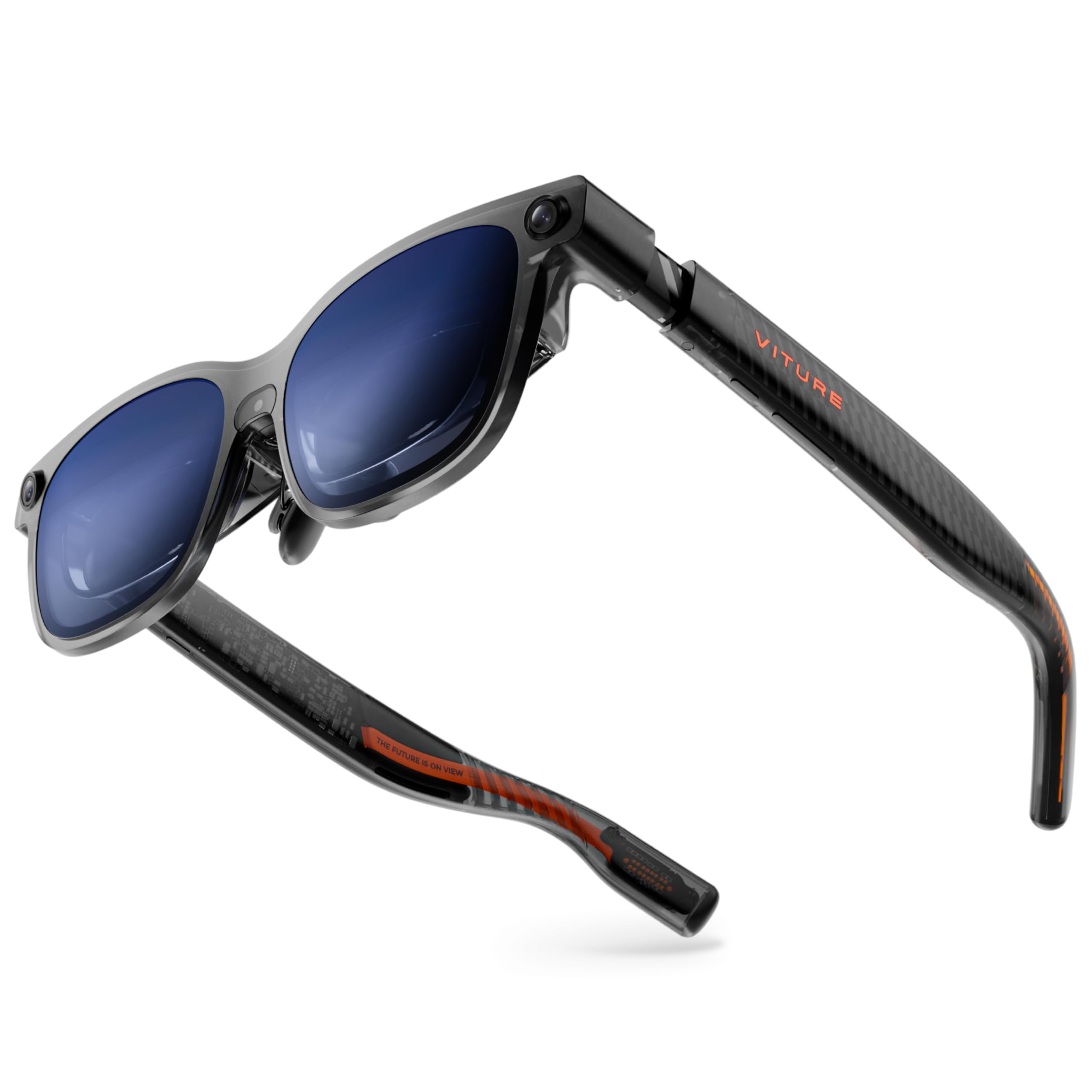
The VITURE Luma Ultra is a forward-looking device. Its headline feature is a full 6DoF tracking system powered by a front RGB camera and dual depth cameras, which enables functions like hand gesture recognition and spatial pinning of screens to your physical environment. The 1200p display is exceptionally sharp, and the peak brightness of 1500 nits makes it usable even in bright outdoor conditions.
For the multi-monitor use case, the SpaceWalker app is key, allowing you to set up to three virtual screens from your Mac or PC. The built-in myopia adjustment up to -4.0D is a welcome convenience that removes the need for prescription inserts. The Harman-tuned audio delivers a rich soundstage that pairs well with productivity tasks.
However, the full potential of its 6DoF and hand-tracking capabilities is best realized when paired with the VITURE Pro Neckband. As a standalone device for pure desktop extension, it is excellent, but you are paying for hardware that is future-proofed for more advanced spatial computing. It is a superb choice for early adopters who want the sharpest display and are ready for the evolving AR software landscape.
Why it’s great
- Full 6DoF tracking with hand gesture support (with Neckband)
- Sharpest 1200p display with 1500 nits peak brightness
- Built-in myopia adjustment up to -4.0D
Good to know
- Most advanced features require the Pro Neckband accessory
- Some users report software stability issues on Windows
3. XREAL 1S AR/XR Glasses

The XREAL 1S inherits the same X1 chip that makes the One Pro so capable, delivering rock-solid native 3DoF tracking without reliance on a phone app. This makes it a fantastic entry point for multi-screen productivity at a lower entry cost than its premium sibling. With a 52° FOV and a virtual screen up to 500 inches, there is ample real estate for multiple windows.
The 1S includes versatile spatial viewing modes, including Ultrawide Mode (32:9) which is perfect for mimicking a dual-monitor setup on a single plane. The OLED display runs at 120Hz in 3DoF mode for smooth scrolling and fluid window management. The sound, co-developed with Bose, offers clear and spacious audio for conference calls.
This unit strikes an excellent balance of cost and cutting-edge performance. While the FOV is slightly narrower than the One Pro, the core spatial computing experience is identical. It is the best option for users who need a reliable, plug-and-play 3DoF multi-screen rig without paying for the absolute top-tier optics.
Why it’s great
- Powerful X1 chip for native 3DoF stability
- Excellent software support with Ultrawide Mode (32:9)
- 120Hz refresh rate for smooth visual performance
Good to know
- 52° FOV is less immersive than the One Pro’s 57°
- Side light leakage from the wayfarer design can cause reflections
4. VITURE Luma Pro XR Glasses
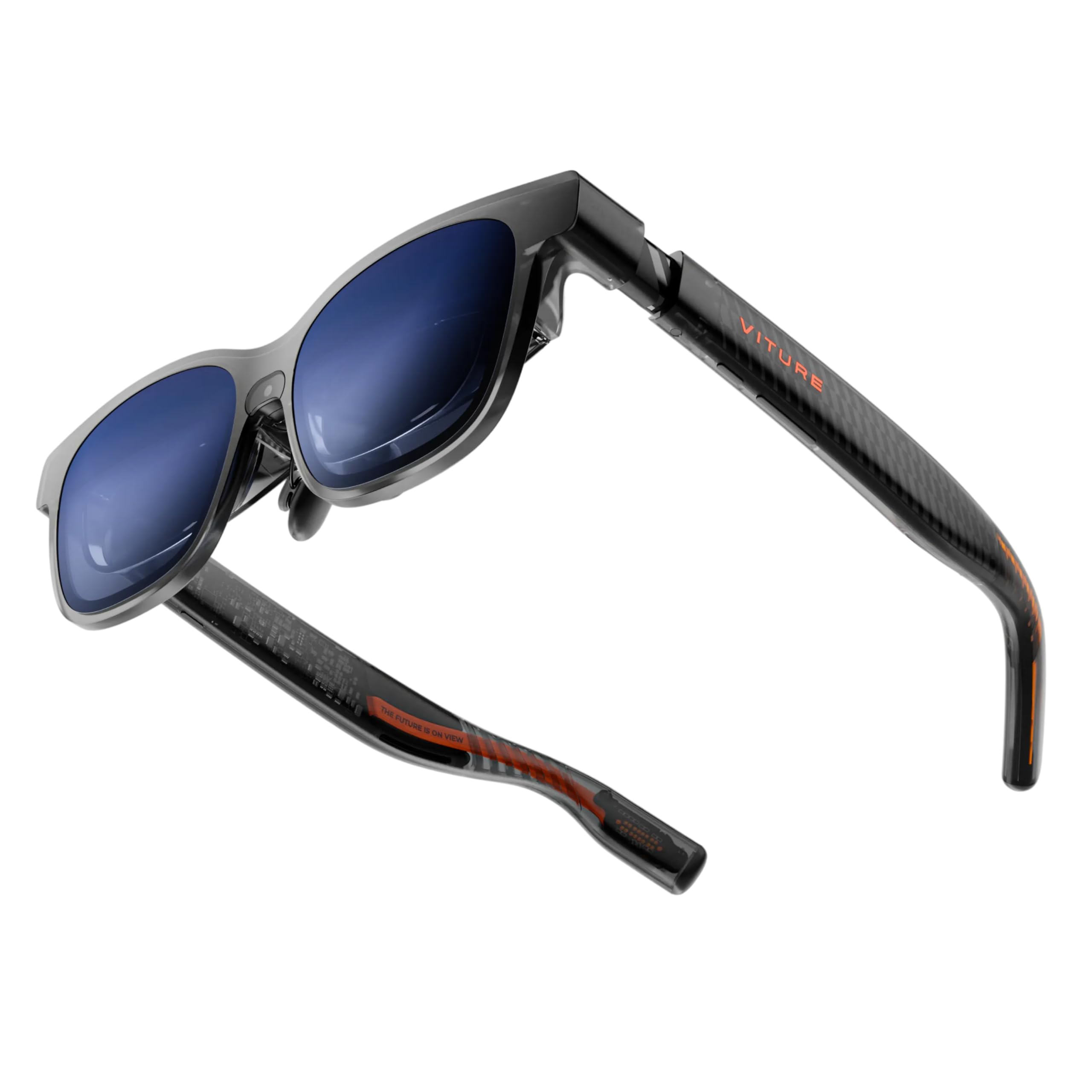
The VITURE Luma Pro is a strong mid-range contender that excels in text clarity. Its proprietary optical system delivers a razor-sharp 1200p image, which reviewers consistently note beats its predecessor and many competitors for reading small text. The 52° FOV and immersive 152-inch virtual screen create a productive environment.
The SpaceWalker software is a major strength, enabling up to three virtual screens from your Mac or PC in various layouts (horizontal, vertical, or code mode). The built-in myopia adjustment up to -4.0D and the electrochromic film allow for quick shifts between total immersion and awareness of your surroundings. The first-of-its-kind RGB lighting is a nice stylistic touch.
This model represents a solid mid-point. It provides the core multi-screen functionality via software that many competitors lack but does not have the native 3DoF chip of the XREAL models. It is excellent for desk-bound work where you are using the SpaceWalker app, but it may not be the best choice for spatially anchoring screens in a moving environment like a plane.
Why it’s great
- Exceptionally sharp 1200p display for crisp text
- SpaceWalker software with versatile multi-screen modes
- Electrochromic film and built-in myopia adjustment
Good to know
- No native 3DoF chip; relies on external device processing
- Corner softness and edge blur noted by some users
5. INAIR Pod (Fan Version)
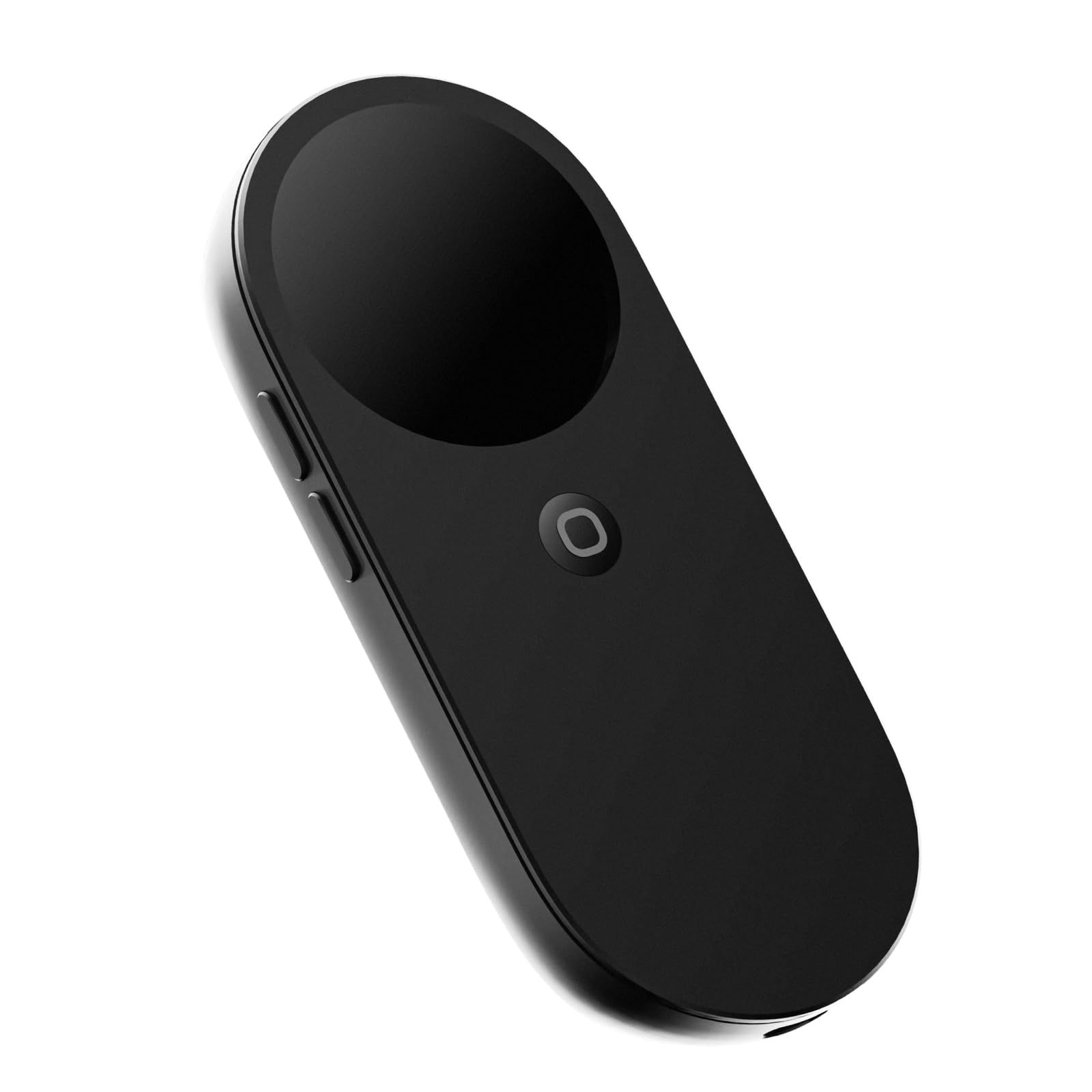
The INAIR Pod is not itself a pair of glasses, but a spatial computing hub that unlocks the full potential of compatible AR glasses. It is designed to be the missing link for multi-screen enthusiasts. It supports up to six floating windows in 3DoF Hover Mode, which can be resized and repositioned. Its broadband compatibility with major glasses like XREAL, VITURE, and RayNeo is a massive advantage.
This pod features a Qualcomm 7-series processor, 8GB of RAM, and 128GB of storage, effectively running an Android spatial OS. The fan-equipped version effectively handles the heat generated by running multiple apps simultaneously. It also supports wireless PC streaming, allowing you to bring your desktop environment into the virtual space.
While the INAIR Pod is a powerful tool for creating a multi-window workspace, it requires you to already own or purchase a separate pair of glasses. It is a specialist device for users who want absolute control over a floating-window environment and are willing to invest in a more complex ecosystem. The AI assistant is reportedly weak, but the core spatial functionality is unmatched.
Why it’s great
- Enables up to six floating spatial windows
- Broad compatibility with many AR glasses brands
- Built-in processing power with 8GB RAM and fan cooling
Good to know
- Requires separate AR glasses to function
- Software and UI can be unintuitive without tutorials
6. INAIR 2 PRO AR Glasses

The INAIR 2 Pro is designed specifically with the office worker in mind. Its standout feature is the INAIR Space software for Windows and Mac, which provides high-definition display expansion of up to four screens. The 49 PPD edge clarity ensures that even the smallest text in a terminal window or spreadsheet remains sharp from center to periphery.
The glasses use advanced electrochromic technology for immersive and transparent modes and weigh just 80 grams, with adjustable temple angles and nose pads for comfort during long workdays. The 120Hz refresh rate and 3840×1080 resolution make it a genuinely usable monitor replacement for desk work.
It is important to note that this unit requires a wired connection to your PC via a DP cable to unlock the multi-screen capabilities. While the hardware is excellent, some users have reported software compatibility issues with certain Windows 11 setups. It is best suited for users who primarily need to expand a single laptop screen in a static environment.
Why it’s great
- Dedicated INAIR Space software for up to 4 virtual screens
- High 49 PPD clarity for sharp text
- Lightweight design (80g) with a privacy mode
Good to know
- Some reported compatibility issues with specific Windows laptops
- No built-in myopia correction; requires custom inserts
7. Rokid AR Spatial Max2 + Station2

The Rokid Max2 glasses paired with the Station2 spatial computer offer a self-contained multi-tasking solution. The Station2 runs its own YodaOS-Master system and powers a unique 3-screen multitasking mode, allowing you to run three apps simultaneously on virtual displays. The 120Hz OLED panels are vibrant and sharp, and the glasses weigh just 75 grams.
The system supports 3DoF in Multi-Screen and Giant Screen modes, ensuring your workspace stays fixed in space. The 5000mAh battery in the Station2 provides a solid runtime. The glasses also feature diopter adjustment for myopia up to 600 degrees and auto IPD adjustment when used with the Station2.
The main limitation is the software ecosystem. The 3-screen mode is powerful but is currently restricted when connecting to iPhones, which only supports single-screen mirroring. For Android and the Rokid ecosystem, it is a very capable standalone machine, but its usability for a pure desktop extension for a Mac or PC is not as seamless as the XREAL or VITURE offerings.
Why it’s great
- Standalone Station2 unit requires no phone or PC for basic apps
- 3-screen multitasking mode for boosted productivity
- Lightweight glasses with diopter and IPD adjustments
Good to know
- 3-screen mode not supported on iPhones
- Some users report software bugs and green screen issues
8. TOZO VIZO Z1 AR Glasses
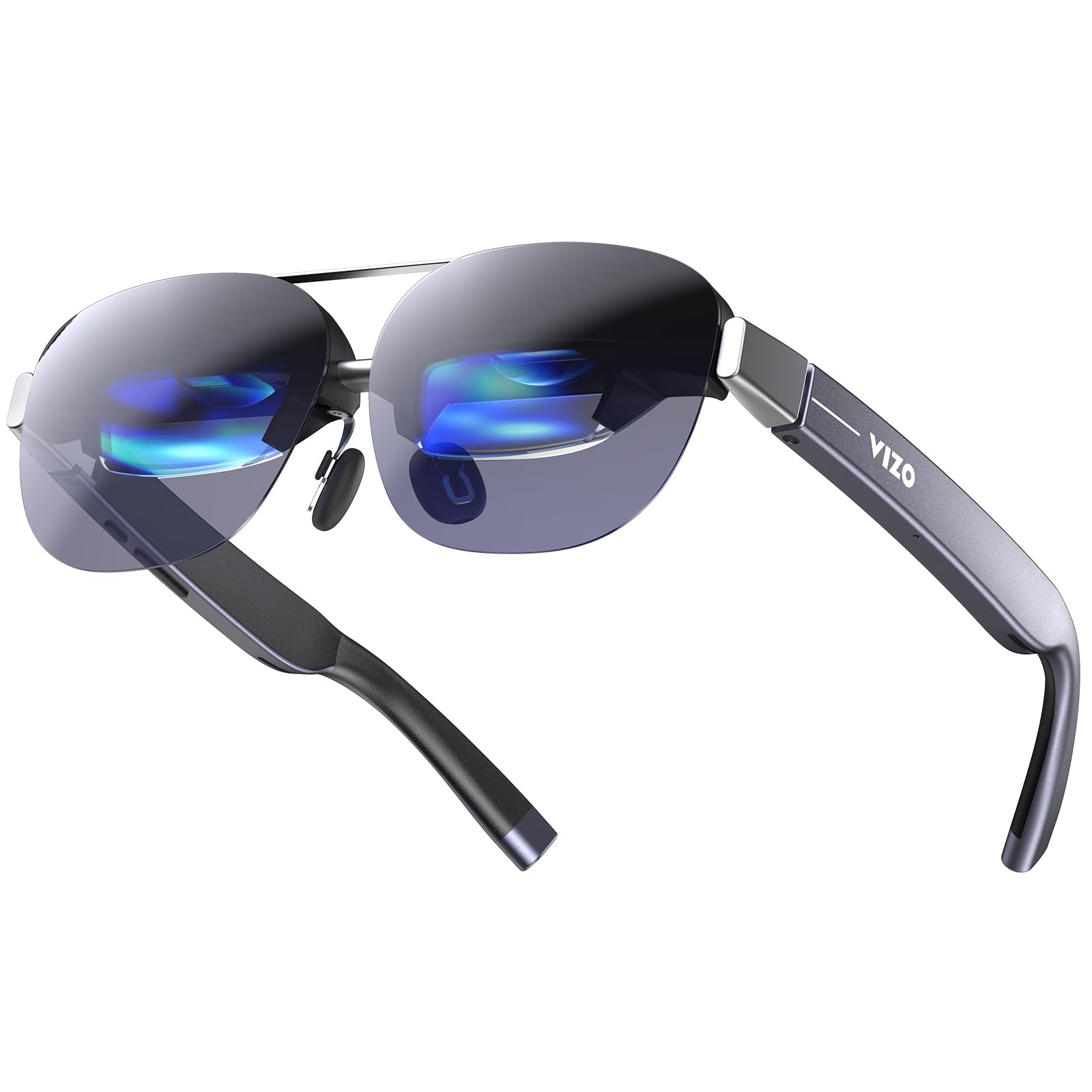
The TOZO VIZO Z1 offers a compelling value proposition for users wanting a large virtual screen without spending a premium. Its 160-inch virtual display with a 47.5° FOV is driven by a bright Micro-OLED panel that peaks at 6000 nits, making it highly legible in various lighting conditions. The 120Hz refresh rate ensures smooth motion clarity.
For lighter productivity tasks like reading and watching content, the Z1 is excellent. It is a true plug-and-play USB-C display. However, it lacks the native 3DoF processing and sophisticated multi-screen software that serious productivity users require. It functions best as a single large monitor replacement for travel or casual use.
Weighing only 63 grams with adjustable nose pads, it is comfortable for extended periods. It is not a comprehensive multi-monitor solution, but as a budget-friendly entry point into the world of wearable displays, it is an excellent choice for those whose main need is a large, private screen.
Why it’s great
- Excellent value for a crisp, large 160-inch virtual display
- Extremely bright 6000 nits peak brightness
- Ultra-lightweight at 63g for comfortable wear
Good to know
- No native 3DoF or multi-screen spatial software
- Lacks a lens cover and depth-of-field adjustments
9. Rokid AR Joy Pack 2
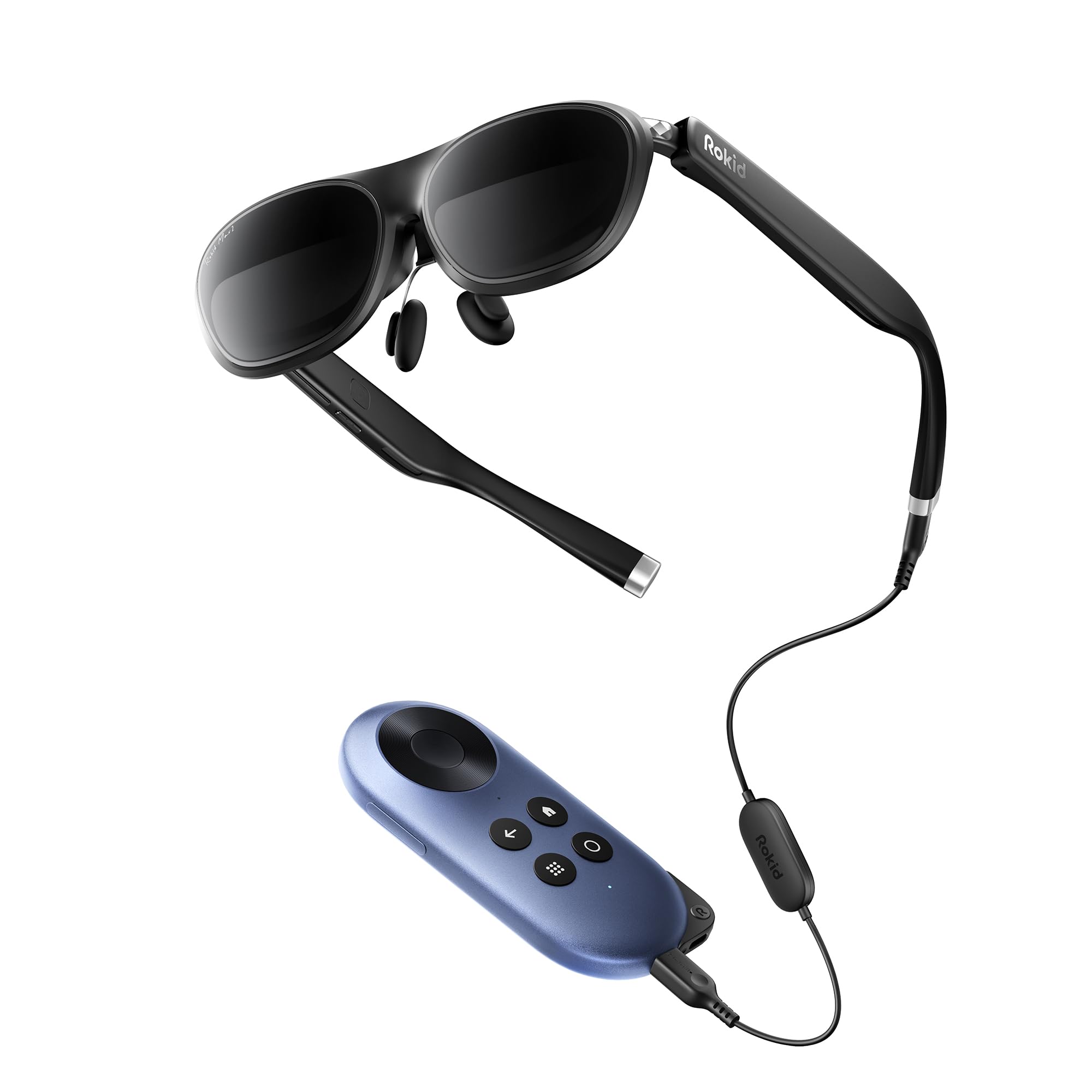
The Rokid Joy Pack 2 is a complete entertainment bundle designed for media consumption and cloud gaming. It includes the Max 2 glasses and a Station running a Google-certified Android TV OS, providing access to millions of movies and shows. The 215-inch virtual Micro-OLED screen with a 50° FOV and 120Hz refresh rate is fantastic for streaming.
For productivity, its utility is limited. While it offers a large screen for reading or light typing, it lacks the native 3DoF anchoring and multi-window software of dedicated productivity models. The diopter adjustment (up to 600°) is a nice inclusion for users who do not want to use prescription inserts.
This unit is best understood as a portable personal theater rather than a multi-monitor replacement. If your primary goal is to watch movies, play Android games, and stream content on a giant screen without needing a phone, this is the most convenient package available.
Why it’s great
- World’s first Google-certified Android TV AR system (Station)
- Excellent standalone media streaming device
- Built-in myopia adjustment and comfortable design
Good to know
- No true multi-monitor productivity software
- Screen mirroring quality reported as poor by some users
10. RayNeo Air 4 Pro (Chaos Edition)
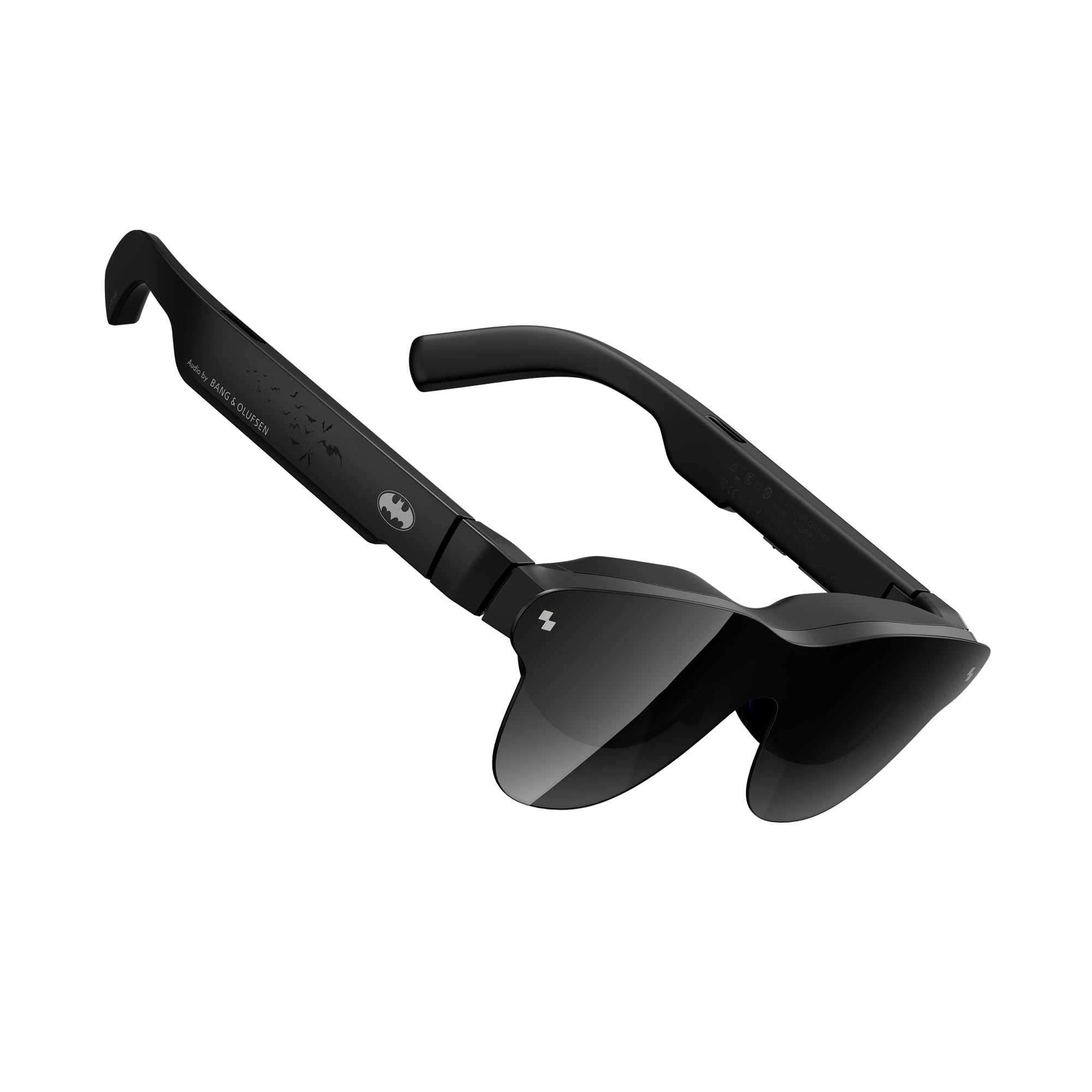
The RayNeo Air 4 Pro offers a unique value: an HDR10-certified display with AI-powered SDR-to-HDR conversion. This, coupled with a quad-speaker system tuned by Bang & Olufsen, makes it the best choice for users whose multi-monitor needs are primarily cinematic and media-focused. The lightest in its class at just 2.88 ounces, wearability is exceptional.
For productivity, the 201-inch video display is great for viewing documents and code, but the glasses do not offer native spatial anchoring for multiple windows. It works best as a high-quality, single-window display for applications like Samsung DEX. The collector-grade design is a fun bonus for enthusiasts.
It is not a native multi-monitor spatial computer. However, if your workflow involves consuming high-dynamic-range content and you want the absolute best visual and audio experience in a wearable form factor, this is a top-tier choice. Users with poor eyesight should be aware of potential blurriness at the edges.
Why it’s great
- Only display glasses with native HDR10 support
- Excellent audio system with Bang & Olufsen tuning
- Extremely lightweight and comfortable for long sessions
Good to know
- No native 3DoF or multi-screen software
- Edge blur can be problematic for users with poor eyesight
11. HUD Display Sports Glasses
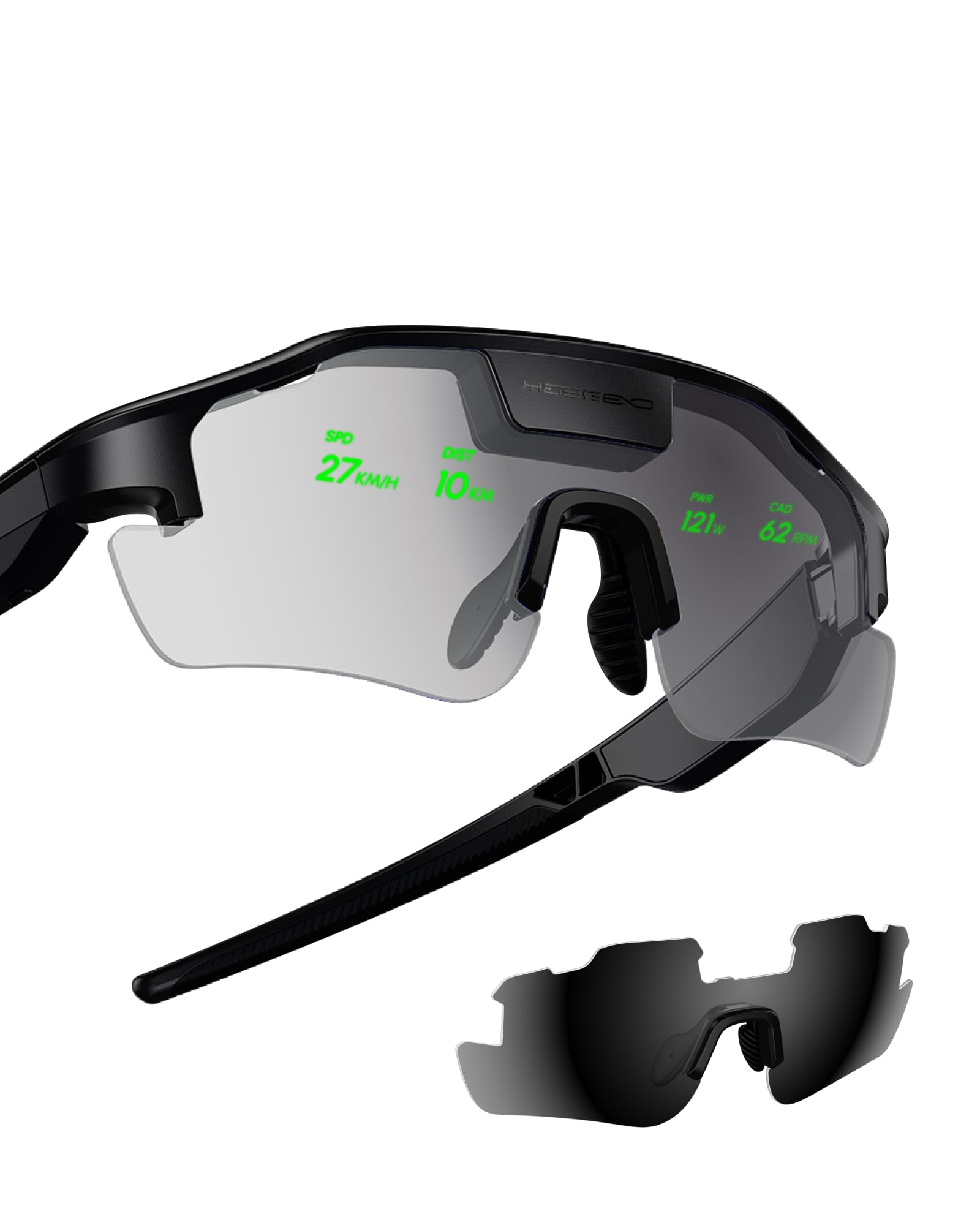
These HUD sports glasses are a specialist tool for a specific audience: cyclists and athletes. They overlay real-time performance data—speed, distance, heart rate, and navigation—directly into your field of vision. This is a massive safety upgrade, allowing you to keep your eyes on the road instead of glancing down at a bike computer.
The display is clear and bright, even outdoors, and the lightweight design is comfortable for long rides. It is an excellent hands-free display for a specific set of data points.
It is critical to understand that these are not AR glasses for multi-monitor work. They are a sports performance HUD. They cannot run apps, display a spreadsheet, or create a virtual desktop. For their intended use of enhancing athletic performance through data, they are excellent, but they are not a contender for a desktop replacement.
Why it’s great
- Provides critical performance data in your line of sight for safety
- Lightweight and comfortable for outdoor sports
- Includes proactive AI alerts for navigation
Good to know
- Not a multi-monitor or productivity tool
- Setup is reported as complicated by some users
FAQ
Can I really replace my dual 27-inch monitors with AR glasses?
Do I need a powerful PC to run multi-screen AR glasses?
Will these glasses work with my M1 or M2 MacBook Air?
Does the field of view (FOV) really matter for productivity?
Final Thoughts: The Verdict
For most users, the best ar glasses for multiple monitors winner is the XREAL One Pro because it combines the widest FOV (57°) with a powerful native 3DoF chip and mature software for a stable, jitter-free multi-screen workspace. If you want the sharpest possible text and are ready for a future-proof 6DoF system, grab the VITURE Luma Ultra. And for the best balance of cost and core spatial computing performance, nothing beats the XREAL 1S.