
Our readers keep the lights on and the weekend projects moving. As an Amazon Associate, I earn from qualifying purchases.
Struggling to read a prescription bottle, follow a recipe, or set a clock without squinting or frustration is a daily reality for millions. The right device can restore independence, turning a blurry world into one where text, time, and tasks are fully accessible again.
I’m Rikta — the co-founder and writer behind FitlyFast. I’ve spent countless hours analyzing the hardware specs, user feedback, and real-world performance of devices that bridge the gap between limited vision and daily life.
From hands-free magnifiers to talking clocks that announce the time aloud, the best assistive devices for vision impairment provide practical solutions that go beyond simple magnification to truly improve quality of life.
How To Choose The Best Assistive Devices For Vision Impairment
Choosing the right device depends heavily on how you plan to use it. A hands-free head magnifier serves a completely different purpose than a talking clock or a digital video magnifier. You need to match the tool to the task — reading fine print, identifying objects, telling time, or engaging in hobbies like sewing or crafting.
Magnification Power and Lens Quality
More magnification is not always better. Low powers (2x to 5x) offer wider fields of view, making them ideal for reading continuous text. Higher powers (10x and above) are best for inspecting tiny details but force you to work very close to the object. Glass lenses provide superior clarity and scratch resistance compared to acrylic, though acrylic is lighter and less expensive.
Lighting and Color Contrast
Built-in LED lighting dramatically improves readability by reducing shadows and glare. Look for devices with adjustable brightness and color temperature settings — warm light for reading, cool light for detailed work. For electronic magnifiers, multiple color modes (like white-on-black or yellow-on-blue) can help users with specific conditions like macular degeneration see text more clearly.
Quick Comparison
On smaller screens, swipe sideways to see the full table.
| Model | Category | Best For | Key Spec | Amazon |
|---|---|---|---|---|
| ORKA Talking Clock | Talking Clock | Custom voice reminders & alarms | Up to 8 recordable alarms, 90 dB | Amazon |
| Eyoyo Digital Magnifier | Video Magnifier | Portable reading on the go | 2x to 25x zoom, 8 color modes | Amazon |
| NEWYES AI Pen | Reading Pen | Text to speech & translation | 900 dpi scanner, 16GB storage | Amazon |
| 10x 30x Floor Magnifier | Floor Magnifier | Hands-free desk & hobby work | 6.2″ lens, 60 LED lights | Amazon |
| 7-inch Desk Magnifier | Desk Magnifier | Stable reading with flexible arm | 10x/30x, 5 color modes | Amazon |
| Top Life Talking Clock | Talking Clock | Simple time & date announcements | 85 dB loud, single-button operation | Amazon |
| Vision Aid Head Magnifier | Head Magnifier | Hands-free close-up work | 5 interchangeable lenses, LED light | Amazon |
In‑Depth Reviews
1. ORKA Talking Clock

The ORKA Talking Clock stands out as the most thoughtful device for users who need more than just the time. Its standout feature is the ability to record your own voice for up to 8 separate alarms — a game-changer for medication reminders and daily routines. The large, high-contrast display shows the day of the week in full words, eliminating confusion from abbreviations. The 90-decibel volume ensures announcements are heard clearly, even in noisy environments or for those with hearing loss alongside vision impairment.
Customization goes beyond alarms. A mute switch silences announcements without affecting visual alarms, and the sun or moon icon helps distinguish day from night. The clock spells out the time and date in six languages, making it accessible for multilingual households. The 30-minute loop system repeats reminders until the OK button is pressed, so nothing critical gets missed. The backup battery preserves all settings during power outages, though the main unit requires AC power to function.
Setup requires an initial read of the manual, but the large, tactile buttons make daily use intuitive. The recording quality is clear, and the sliders for volume and brightness allow fine-tuning without navigating menus. This is a premium device purpose-built for seniors with dementia, Alzheimer’s, or severe visual impairment, but its utility extends to anyone who needs reliable, audible reminders.
Why it’s great
- Record your own voice for personalized medication and activity reminders
- Extra-large 1.93-inch digits and full-word day display reduce confusion
- 90 dB volume ensures time and alarms are heard from across the room
Good to know
- Requires AC power; backup battery only retains settings, not run the clock
- Programming can take a few minutes for first-time users to learn
2. Eyoyo Digital Magnifier
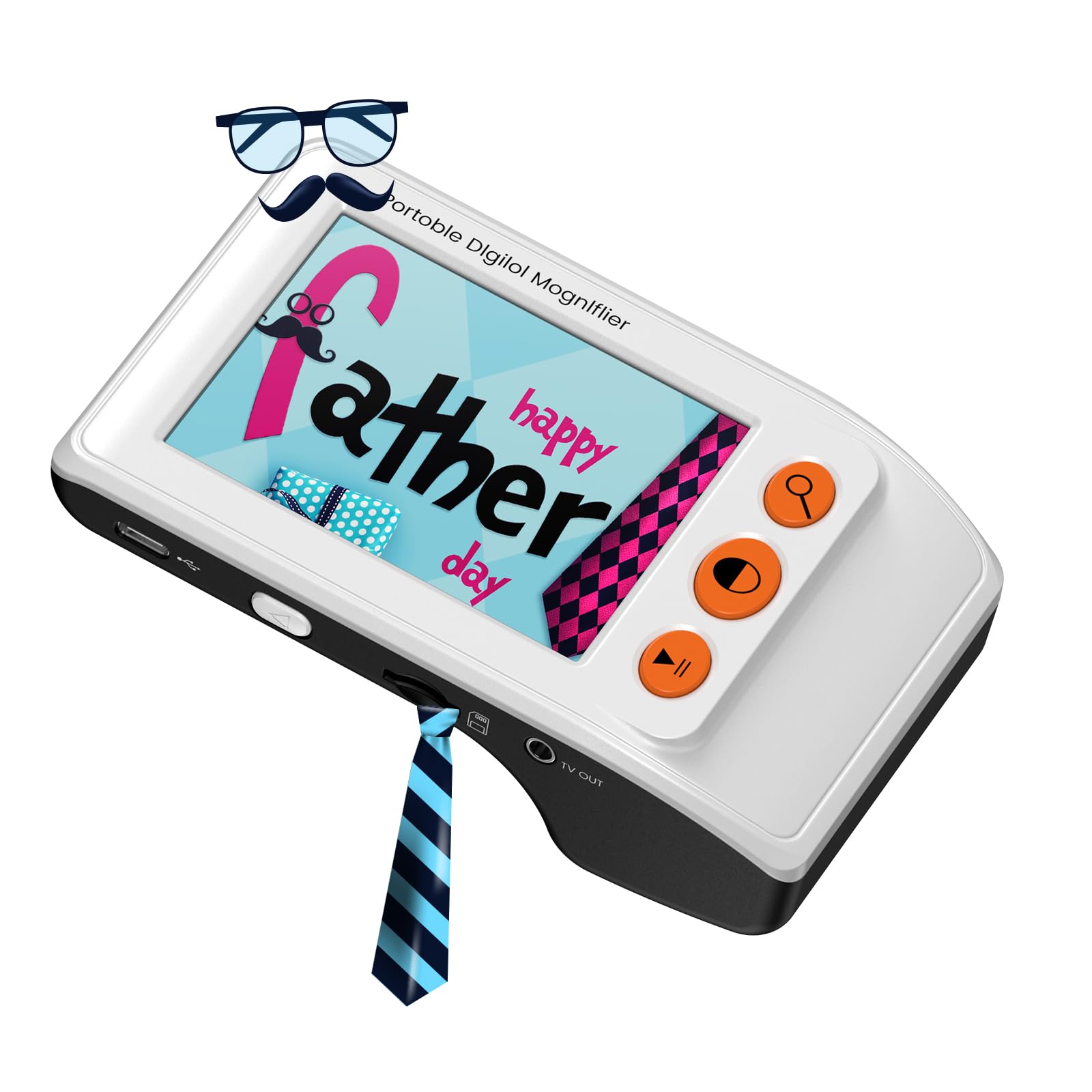
The Eyoyo Digital Magnifier is a compact electronic video magnifier that shines when portability matters most. Its 3.5-inch LCD screen and foldable bracket make it easy to slip into a bag and use on the go — at restaurants, pharmacies, or during travel. Magnification ranges from 2x up to 25x, with discrete zoom steps that let you jump between 2x, 8x, 16x, and 25x. The 8 adjustable color modes, including yellow-on-blue and white-on-black, are specifically designed to enhance contrast for users with conditions like macular degeneration or glaucoma.
A snapshot function lets you capture and save images to a TF card (up to 32GB), which is handy for preserving a page of text or a label for later reference. The screen freeze feature locks the current view, reducing the need for a perfectly steady hand when reading longer passages. It also includes an AV output that connects to a television, turning your TV into a large-format display for easier reading. The rechargeable battery provides solid run time for short sessions, and the included USB cable makes charging simple.
There is a learning curve to finding the right distance between the lens and the page — the device works best held about an eighth of an inch above the surface. The small screen size means you see only a few words at a time, which can be tiring for extended reading sessions. However, for scanning labels, menus, and short documents, this is an excellent mid-range tool that gives users independence from bulky desktop magnifiers.
Why it’s great
- Ultra-portable at only 4.8 ounces with a foldable stand for desk use
- Multiple high-contrast color modes reduce eye strain for various conditions
- Connect to a TV via AV output for a larger, easier-to-read display
Good to know
- Requires a steady hand or practice to hold at the correct distance from text
- Small screen shows limited text at a time, less ideal for reading books
3. NEWYES AI Pen
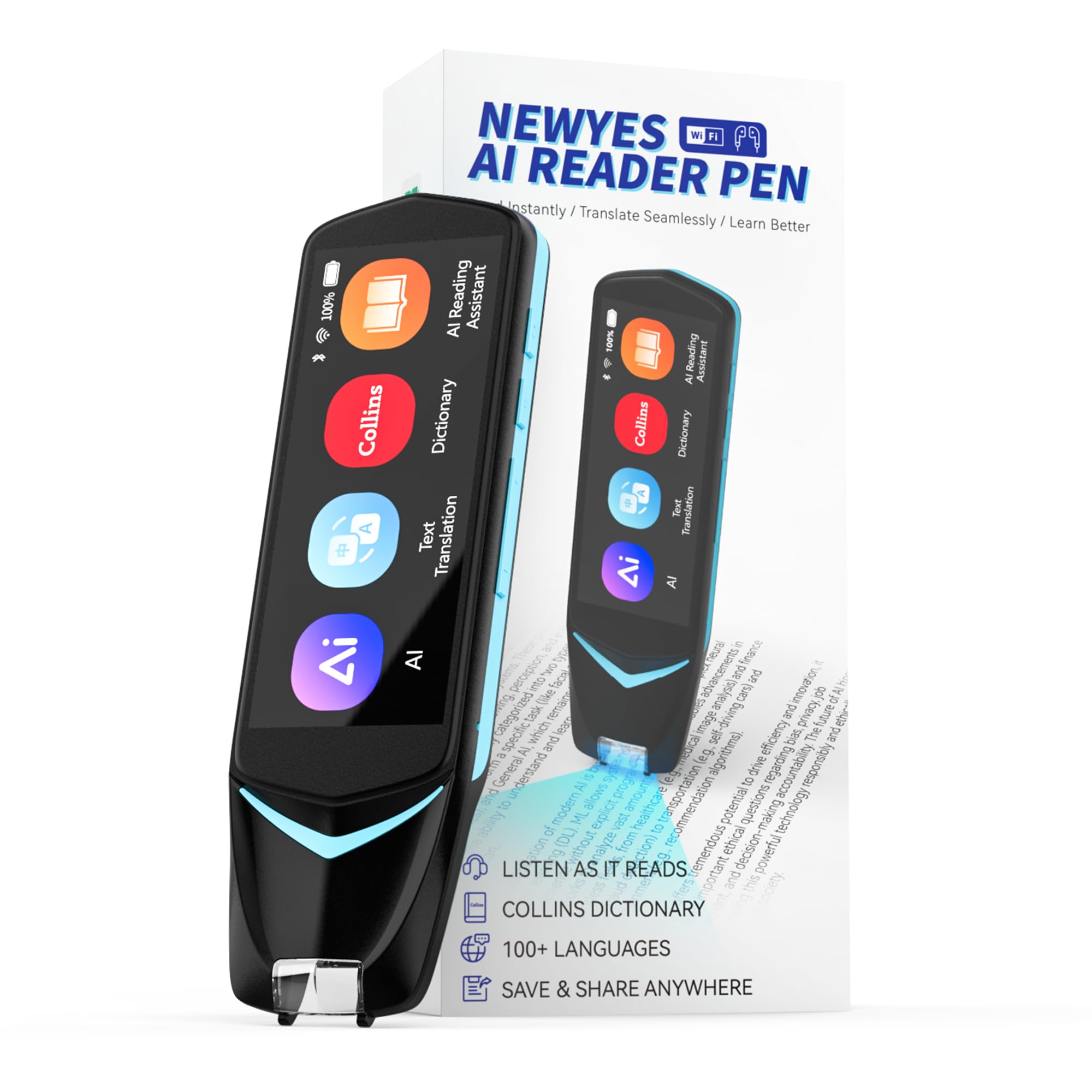
The NEWYES AI Pen is a powerful reading tool that goes beyond simple magnification by converting printed text into spoken words. It is specifically designed with dyslexia-friendly features, including adjustable reading speed, pause control, and the option to choose between British and American accents. The built-in 900 dpi scanner reads text off the page and reads it aloud through the speaker or connected Bluetooth headphones, making it an exceptional aid for those who struggle to visually process dense text.
It also functions as a full translation device, scanning and translating text between 112 languages in real time. This makes it useful not just for reading, but for language learners and travelers. The 5MP camera allows for photo translation and OCR capture, while the 16GB internal storage lets you save exported files in txt, doc, or pdf formats. The pen connects wirelessly to phones, tablets, or computers for easy data transfer. The artificial intelligence features include a homework checker and an AI chat function, adding educational value beyond accessibility.
Accuracy is excellent on clean, printed text, especially in English and major European languages. Some users report mixed results with complex fonts or Asian character sets, so verify compatibility if your primary need is non-Latin script. The pen requires a steady hand during scanning, and the interface takes a few tries to master. For students with dyslexia or anyone needing text-to-speech support, this device provides an independent, discreet, and highly capable solution.
Why it’s great
- Reads printed text aloud with adjustable speed for dyslexia and low vision
- Real-time translation in 112 languages expands usability globally
- 16GB storage and Bluetooth sync make data easy to export and share
Good to know
- Accuracy can drop with unusual fonts, tiny print, or some non-Latin scripts
- Requires practice to scan smoothly and consistently across a line of text
4. 10x 30x Floor Magnifier
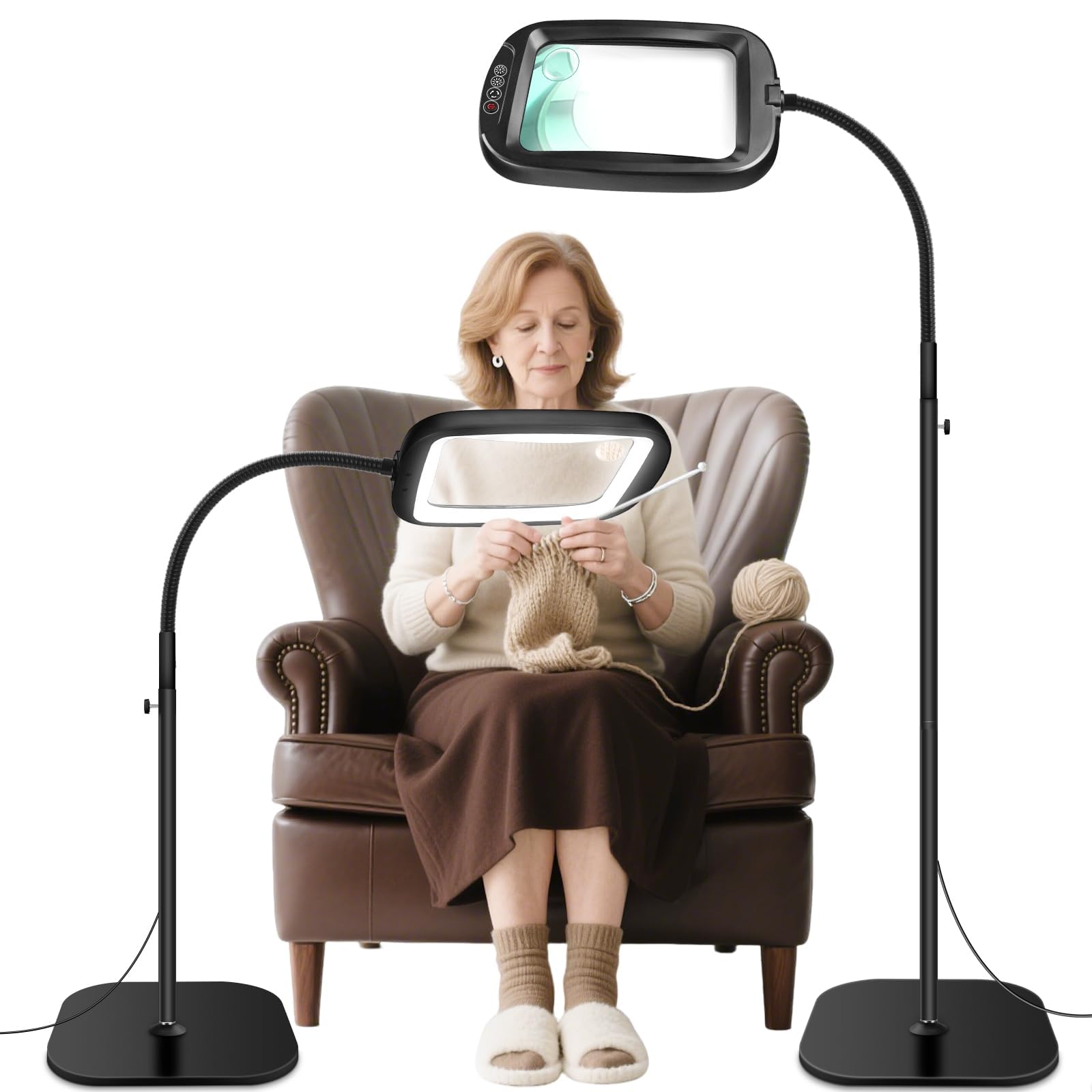
The 10x 30x Floor Magnifier provides a generous 6.2-inch viewing area that allows you to see larger sections of text or craft work without constantly moving the device. The 60 LED lights deliver bright, anti-glare illumination with 5 color temperatures and 4 brightness levels, significantly reducing eye fatigue during extended use. The flexible gooseneck arm, measuring 9.5 inches, stays firmly in position once bent, offering true hands-free operation for sewing, painting, electronics repair, or reading.
A unique 2-in-1 design lets you detach the magnifying head from the floor stand and use it separately on a tabletop. The height-adjustable stand accommodates different desk or chair heights, making it adaptable for various workstations. The heavy-duty metal base provides stability, though users note the base could be slightly wider for absolute rock-solid confidence. The USB power supply gives you placement flexibility near any computer or USB adapter.
The acrylic lens offers good clarity at 10x, but the 30x spot lens can show some edge distortion on the periphery. The main lens is large enough for reading books, newspapers, and magazines without constantly shifting the page. For those who spend hours on detailed hobbies or need sustained reading support, this floor magnifier delivers strong value with its combination of large optics, abundant lighting, and flexible positioning.
Why it’s great
- Large 6.2-inch viewing area reduces need for constant repositioning
- Flexible gooseneck stays in place for true hands-free use
- Detachable magnifier head works as a standalone tabletop unit
Good to know
- Acrylic lens can scratch if not handled carefully; spot lens has some edge distortion
- Base could be heavier to prevent tipping when the arm is fully extended
5. 7-inch Desk Magnifier

The 7-inch Desk Magnifier offers a large, crystal-clear acrylic lens with both 10x and 30x magnification, making it versatile for reading, crafting, and close inspection work. The 7-inch diagonal viewing area is large enough to see several lines of text or a full section of a circuit board at once, reducing the need for constant repositioning. The integrated LED ring light offers 5 color temperatures from warm to cool and 4 brightness levels, all controlled by a single multi-function button for quick adjustments without distraction.
The desk lamp design features a large, padded rectangular base that stays stable on any flat surface without sliding. A 360-degree flexible swing arm lets you position the magnifier exactly where you need it, and it holds that position without drifting or rebounding. The included AC adapter provides consistent power, so you never have to worry about changing batteries. Users consistently praise the clarity of the lens for reading books, newspapers, and for detailed hobbies like diamond painting and jewelry repair.
The primary limitation is the 7-inch diagonal size — while good for most tasks, some users find it slightly too small for reading full book pages without moving the stand. The acrylic lens, while lightweight, is more prone to scratching than glass. For dedicated desk use where you control the material being magnified, this is a well-built and highly functional mid-range option that balances large optics with a stable, easy-to-adjust frame.
Why it’s great
- Wide 7-inch viewing area provides good context without constant moving
- 360-degree flexible arm stays put for precise, hands-free positioning
- Multi-function button makes switching color and brightness effortless
Good to know
- Acrylic lens scratches more easily than glass; handle with care
- Some users find the 7-inch size slightly small for full-page reading
6. Top Life Talking Clock

The Top Life Talking Clock strips away complexity to focus on one essential function: telling you the time and date with a simple press of a single button. Designed specifically for seniors with visual impairment, dementia, or hearing loss, it announces the time at a loud 85 dB on the first press and the day and date on the second. This simplicity is its greatest strength — there are no confusing menus, no complex setup, just immediate, clear audio feedback in a neutral male voice.
The large high-contrast digital display is easy to read for those with some remaining vision, and the screen can be completely turned off at night to avoid light disturbance during sleep. The clock also features a wake-up chime and snooze function for those who want an alarm. Power comes from either an AC adapter or 3 AAA batteries (not included), and the device retains all settings if switched between power sources. The compact size fits easily on a bedside table, living room shelf, or kitchen counter.
The voice announcements are clear but can feel slightly verbose, saying “It is” before each time. The device lacks the advanced features of premium models like recordable alarms or multi-language support. For users who simply need a reliable, loud, and easy-to-use talking clock without any extra bells and whistles, this is the best budget-friendly choice available. It eliminates the frustration of reading small numerals on traditional clocks and provides instant audible confirmation of the time.
Why it’s great
- Extremely simple one-button operation for time and date
- 85 dB loud volume ensures clarity for the hard of hearing
- Screen-off night mode prevents light disturbance during sleep
Good to know
- Voice announcements are clear but include extra words like “It is”
- No option to record custom messages or set multiple personalized alarms
7. Vision Aid Head Magnifier

The Vision Aid Head Magnifier is an entry-level hands-free solution perfect for close-up tasks like jewelry making, model building, sewing, and diamond painting. It comes with 5 interchangeable glass lenses ranging from 1.0x to 3.5x, allowing you to choose the right balance between magnification and field of view. The included LED light runs on 3 AAA batteries (not included) and provides bright, shadow-free illumination exactly where you need it. It is designed to fit over prescription glasses, weighing only 3 ounces, which makes it comfortable for extended wear.
The storage case keeps all lenses and the unit organized and protected during travel. The flip-up lens feature lets you quickly switch between magnified and normal vision without removing the headband. Battery life is excellent, and since it uses standard AAA batteries, you never wait for recharging. This is a reliable backup during power outages when rechargeable alternatives are dead. Users praise the solid build quality and the clarity of the glass lenses.
The headband and temple arms can feel tight or uncomfortable after an hour of continuous use, which is a common trade-off with head-mounted magnifiers. The LED light, while bright, can create a shadow directly under the lens in some positions, which can make working on dark surfaces tricky. For short to moderate sessions of detailed handwork, this is an affordable and effective tool that frees both hands. It is not suitable for reading books or long-form text, as the narrow field of view makes extended reading impractical.
Why it’s great
- Five interchangeable glass lenses offer versatility for different tasks
- Wearable design over glasses with LED light stays on-task
- AAA battery operation provides long life and no charging downtime
Good to know
- Headband can become uncomfortable during sessions longer than one hour
- Light positioning can cast small shadows directly under the lens
FAQ
What magnification level is best for reading books with low vision?
Are talking clocks better than visual clocks for someone with vision impairment?
Final Thoughts: The Verdict
For most users, the assistive devices for vision impairment winner is the ORKA Talking Clock because it combines recordable voice reminders, an extra-large high-contrast display, and loud 90 dB audio into a purpose-built package for independence. If you need portable reading support, grab the Eyoyo Digital Magnifier. And for text-to-speech and multi-language translation on the go, nothing beats the NEWYES AI Pen.