
Our readers keep the lights on and the weekend projects moving. As an Amazon Associate, I earn from qualifying purchases.
Sticky notes, fridge magnets, and forgotten chalkboards — the classic analog family calendar often becomes a breeding ground for missed appointments and conflicting schedules. A dedicated digital display transforms your chaotic household workflow into a centralized, color-coded command center that updates itself, motivating kids and giving parents back their mental bandwidth.
I’m Rikta — the co-founder and writer behind FitlyFast. I’ve invested hundreds of hours analyzing the hardware specifications (screen resolution, memory capacity, and sync protocol compatibility) that separate a useful digital calendar from an overpriced picture frame.
Whether you’re wrangling school activities, coordinating work shifts, or teaching kids responsibility through chore rewards, finding the right at home digital calendar requires knowing which features matter most for your family’s specific rhythm.
How To Choose The Best At Home Digital Calendar
An at home digital calendar is a significant investment in your family’s daily organization. The wrong choice — a sluggish touchscreen or a model that doesn’t sync with your existing platforms — can create more friction than the paper planner it replaces. Focus your buying decision on three key areas.
Screen Size and Placement Flexibility
The physical footprint dictates whether the device sits on a kitchen counter, mounts on a wall, or stands on a desk. A 10.1-inch model (roughly the size of an iPad mini) works best for a nightstand or a small desk, but a 15.6-inch Full HD screen becomes readable from across the kitchen — essential for families who want to glance at the weekly view without walking up to the display. Check whether the unit includes a wall mount, a kickstand, or both, and confirm the orientation options (landscape versus portrait) match your intended location.
Calendar Sync Capabilities and App Ecosystem
A true digital calendar must offer two-way synchronization with Google Calendar, iCloud, and Outlook, updating changes made on your phone instantly on the display — and vice versa. Without deep sync integration, you end up manually entering events on two platforms, defeating the purpose. Some advanced models run a full Android operating system, allowing you to install apps like Google Keep or Todoist directly on the screen. Others rely on a proprietary companion app that handles syncing in the background.
Family-Friendly Features: Chore Charts, Meal Planning, and Rewards
The best models transform passive scheduling into active family engagement. Look for an interactive chore chart with a built-in reward system where kids earn stars or points for completing tasks, redeemable for pre-set rewards like extra screen time or a special outing. Meal planning modules that sync with a grocery list eliminate the nightly “what’s for dinner” question. A digital picture frame mode — showing family photos when the calendar is idle — adds emotional value and turns the device into a piece of living decor rather than just a utility screen.
Quick Comparison
On smaller screens, swipe sideways to see the full table.
| Model | Category | Best For | Key Spec | Amazon |
|---|---|---|---|---|
| Dragon Touch 15.6″ (TM15) | Premium | Full HD visibility & chore rewards | 15.6″ 1080p Touchscreen | Amazon |
| Airzeen DC01 | Premium | No-subscription full-feature hub | 15.6″ 1080p, Subscription-free | Amazon |
| Apolosign FA15 | Premium | Android apps & voice assistant | 15.6″, Google Gemini & Android Mode | Amazon |
| Anyuse DCF1601 | Mid-Range | Large screen on a mid-range budget | 16″ HD Touchscreen | Amazon |
| Dragon Touch TM10 | Mid-Range | Compact user-friendly family planner | 10.1″ Touchscreen, Chore Rewards | Amazon |
| akimart ZN-DP1002C | Budget | Compact picture frame with planning | 10.1″, 32GB Storage | Amazon |
| TIKVITO S101 | Budget | Entry-level family organizer | 10.1″ Touchscreen | Amazon |
In‑Depth Reviews
1. Dragon Touch 15.6″ Digital Calendar (TM15)

The Dragon Touch TM15 delivers the sweet spot of size and value. Its 15.6-inch Full HD touchscreen offers crisp visibility from across a kitchen, and the interactive chore chart with a star-based reward system (complete with an audible chime when kids complete tasks) actively engages children in household routines. The all-in-one design also includes meal planning, grocery lists, and a digital photo frame slideshow that runs during standby.
Setup takes under ten minutes: plug in, connect to Wi-Fi, and sync multiple personal calendars (Google, iCloud, Outlook) through the eCalendar companion app. Multiple family members can be assigned individual colors, making it easy to distinguish events at a glance. Family management from anywhere is possible via the mobile app, so you can assign chores or update appointments while you’re out.
The device ships with a wall mount and supports desk placement, though the 15.6-inch size is substantial — it demands a solid wall anchor or counter space. A few users note the absence of a built-in search function for past events, and the meal planner currently doesn’t integrate directly with grocery delivery services. Overall, it is the most balanced choice for families wanting a large screen without jumping to the highest price tier.
Why it’s great
- 15.6-inch 1080p screen makes the weekly view readable from across the room
- Star-reward chore chart with sound motivates children
- Wall mount and desk placement options included
Good to know
- No search function for past calendar events
- Meal planner requires manual entry, no grocery delivery API
2. Airzeen 15.6″ Digital Calendar (DC01)
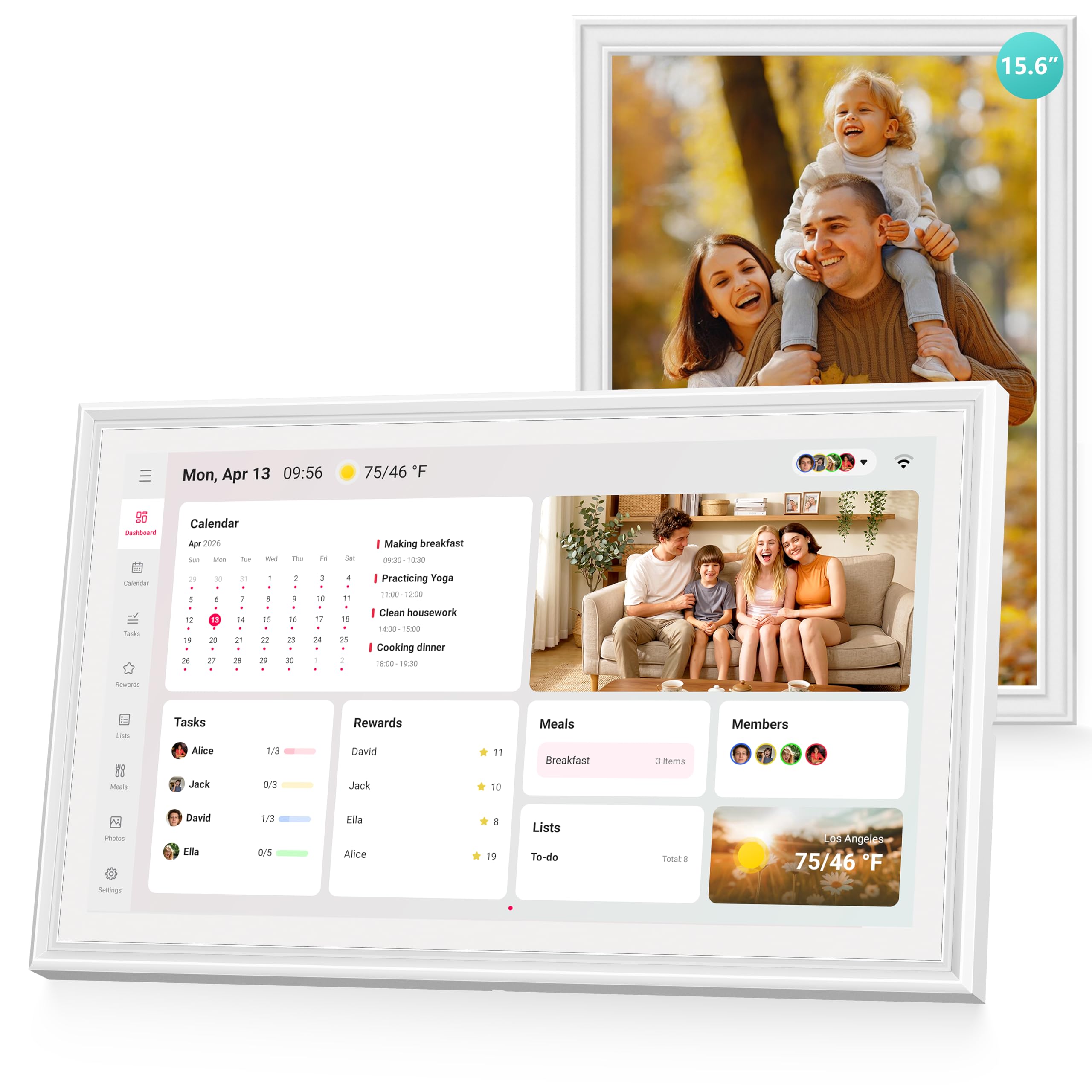
The Airzeen DC01 stands out by bundling every feature — tasks, family calendar, meal planning, rewards, weather, and photo frame — without a monthly subscription fee. Its 15.6-inch 1080p HD touchscreen is crisp, bright, and readable from multiple angles, making it an ideal command center for a high-traffic kitchen. The customizable dashboard lets you add widgets and create multi-page layouts tailored to your family’s daily flow.
Two-way sync with Google, iCloud, Outlook, Cozi, and Yahoo is plug-and-play: changes made on your phone appear on the display in seconds. The shared color-coded calendar supports smart reminders, and the task-and-reward system for kids is straightforward to set up — assign chores, set star values, and let children cash in for pre-arranged rewards. Meal planning integrates with a to-do list for grocery shopping, closing the loop from planning to purchasing.
Setup is beginner-friendly, and the included wall and desk mounts give you placement options. The screen features adjustable brightness and a sleep mode for nighttime comfort. A couple of users note that while the photo slideshow is beautiful, side-angle contrast drops slightly compared to premium tablets. For a family that wants maximum utility with zero recurring costs, this is the benchmark.
Why it’s great
- All features included with no subscription fee
- Two-way sync across Google, iCloud, Outlook, Cozi, and Yahoo
- Customizable dashboard with widget support
Good to know
- Side-angle viewing contrast is moderate
- Photo frame mode lacks advanced editing controls
3. Apolosign 15.6″ Digital Calendar (FA15)
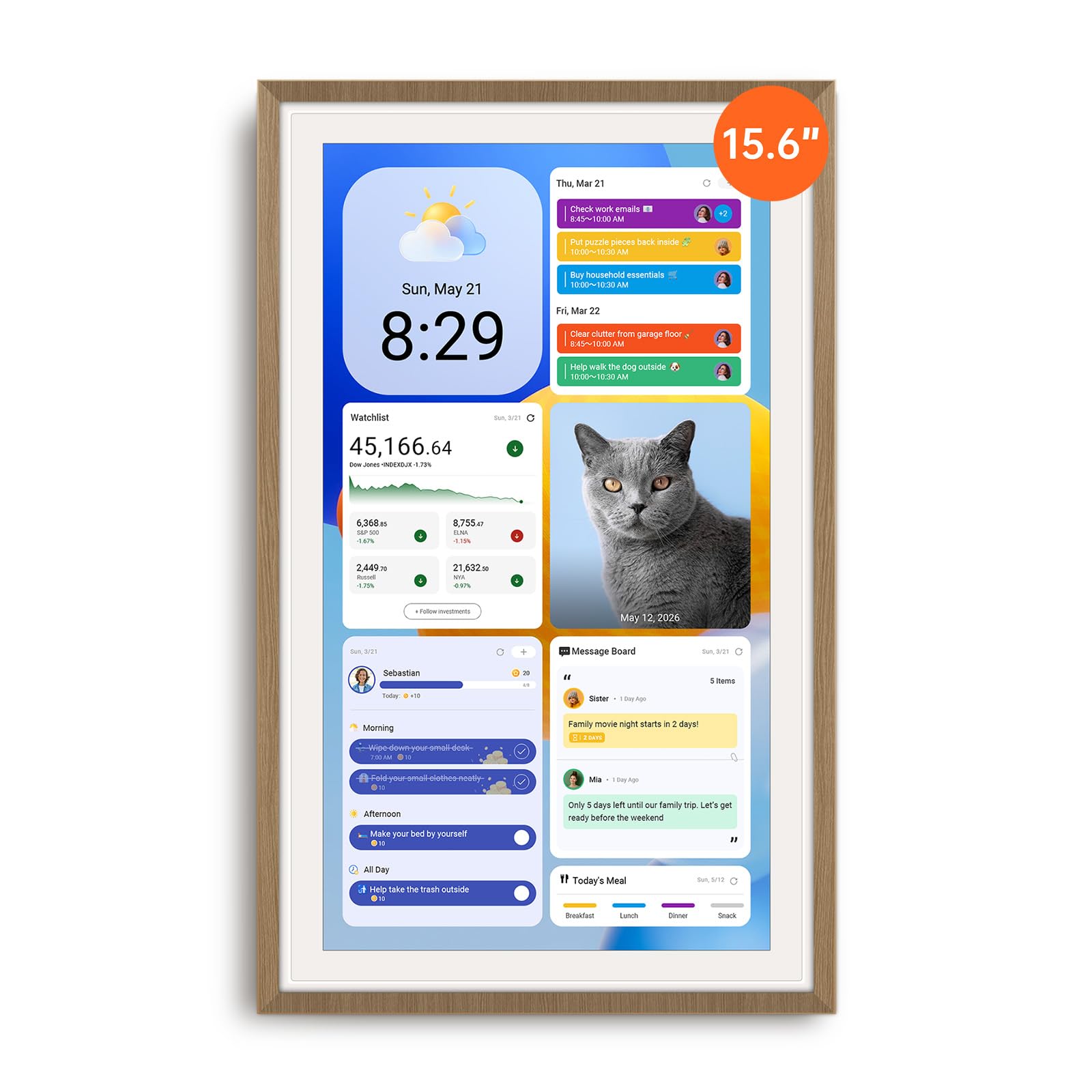
The Apolosign FA15 is the most versatile digital calendar in this list because it runs a full Android operating system underneath its Calendar Mode. With a single tap, you can switch to Android Mode and install apps from Google Play — YouTube, Netflix, Google Keep, smart home controls, and security camera viewers — effectively turning the device into a family tablet hub. The built-in Google Gemini voice assistant lets you check schedules, set reminders, and control compatible smart lights and doorbells hands-free.
Its 15.6-inch anti-glare HD touchscreen auto-adjusts brightness based on ambient light, and sleep mode ensures the display goes dark at night. Calendar sync is seamless across Google, iCloud, and Outlook, and the chore chart with a reward wheel (kids spin for a prize) adds a gamified layer missing from most competitors. The device ships with both a kickstand and a wall mount, giving immediate placement flexibility.
No subscription is required for any calendar or chore feature. The trade-off is that the device must remain plugged in — there is no internal battery for portability — and the sound from its built-in speaker is adequate but not high-fidelity. The included cable routing is limited to downward or left-side exit in portrait mode, which may complicate some wall installations. For a tech-savvy household wanting a smart dashboard plus a family calendar, this is the most expansive option.
Why it’s great
- Full Android mode opens access to Google Play apps
- Google Gemini voice assistant for hands-free control
- Reward wheel gamification keeps kids engaged
Good to know
- Must stay plugged in, no battery power
- Cable routing limited in portrait orientation
4. Anyuse 16″ Smart Digital Calendar (DCF1601)

The Anyuse DCF1601 offers the largest screen size in the mid-range category at 16 inches, with four placement modes — wall mount, desk stand, horizontal, or vertical orientation. Its HD touchscreen includes four adjustable font sizes and brightness levels, making it the most senior-friendly option in this lineup. The 2-way sync with Google, iCloud, Outlook, Cozi, Yahoo, and TeamSnap calendars is reliable, and you can filter events by family member or category using the bulk filter tool.
The chore and reward system allows you to assign age-appropriate tasks with color labels, deadlines, and star values. Kids redeem points for preset rewards like toys or outings, turning housework into a game. A built-in recipe library helps with meal planning, and you can attach cooking notes to specific meals. The Whale Framely app supports family photo and video sharing (up to 60-second clips) that runs as an auto-slideshow screensaver with a real-time weather overlay.
Virtual family members can be created for children without email addresses, and QR-code invitations keep access controlled. Some users mention that the photo adjustment options are limited — you cannot resize or reposition images easily — and the device relies on a corded power connection. For families who prioritize screen real estate and multi-user control at a mid-range budget, the Anyuse 16-inch model delivers substantial value.
Why it’s great
- 16-inch display is the largest in the mid-range tier
- Four adjustable font sizes and brightness levels benefit seniors and kids
- Two-way sync covers TeamSnap in addition to standard calendars
Good to know
- Photo size and position adjustments are limited
- No battery backup, must remain plugged in
5. Dragon Touch 10.1″ Digital Calendar (TM10)
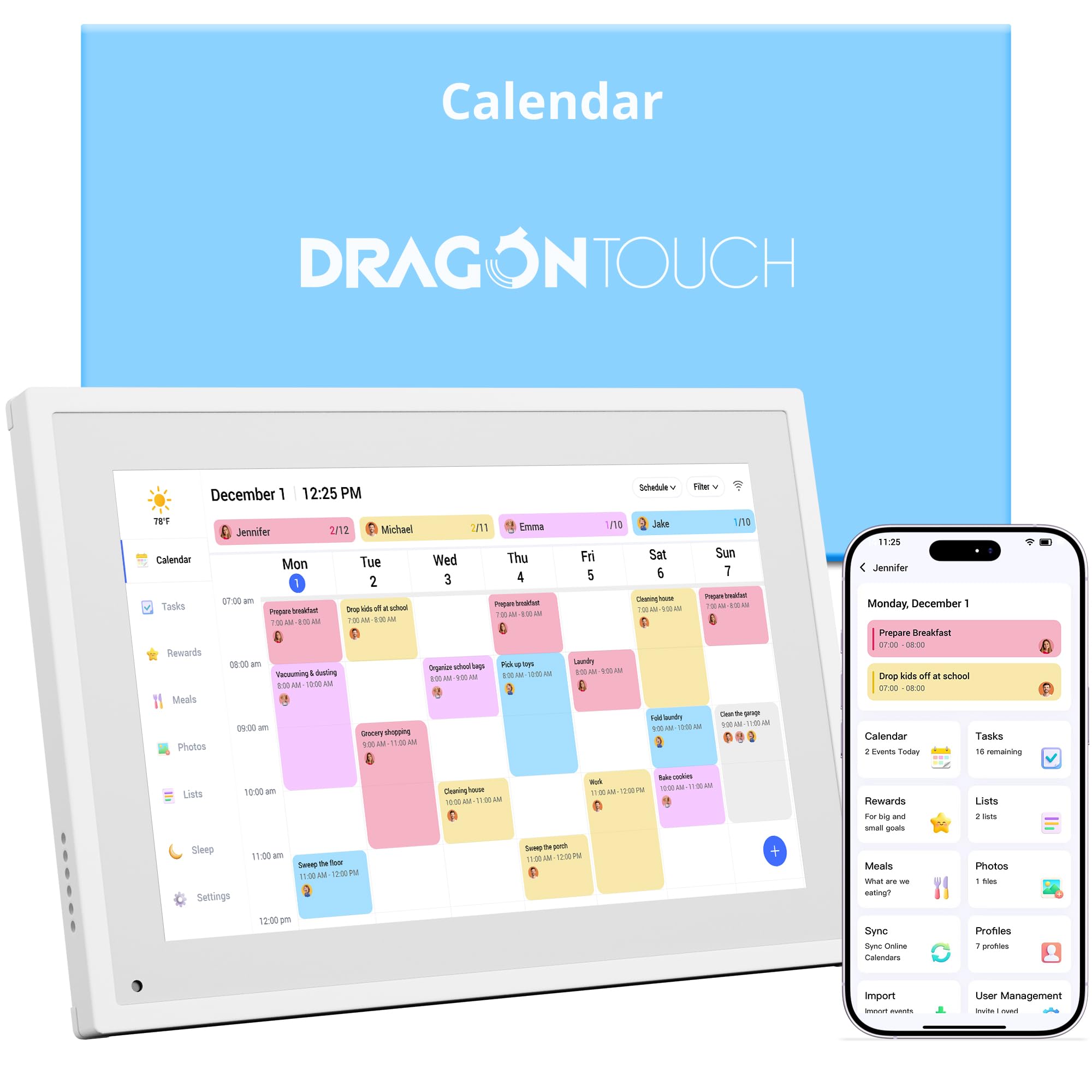
The Dragon Touch TM10 shrinks the same software experience from its larger sibling into a compact 10.1-inch touchscreen, making it a perfect fit for a nightstand, small desk, or narrow kitchen counter. The setup is identical — plug in, connect to Wi-Fi, sync calendars via the eCalendar app — and the chore chart with its star chime reward system remains intact, delighting younger children when they complete tasks.
The device supports color-coded family members, meal planning, and grocery lists, all managed remotely from a phone. When the calendar is idle, it switches to a digital picture frame that scrolls through uploaded family photos. The smaller screen is bright with good viewing angles, though text density on the weekly view is naturally tighter than on a 15.6-inch model.
Wall mounting is possible, but the 10.1-inch size is more at home on a desk or counter. Some users note the lack of an event search feature, and the meal planning module doesn’t connect to external grocery services. For a family that values a smaller footprint and wants the same Dragon Touch software platform, the TM10 is a smart, space-efficient choice.
Why it’s great
- Same robust software and chore system as the larger Dragon Touch model
- Compact 10.1″ size fits small spaces
- Bright screen with good viewing angles
Good to know
- Weekly view text density is tighter on the smaller screen
- No event search feature within the calendar
6. akimart 10.1″ Digital Calendar (ZN-DP1002C)
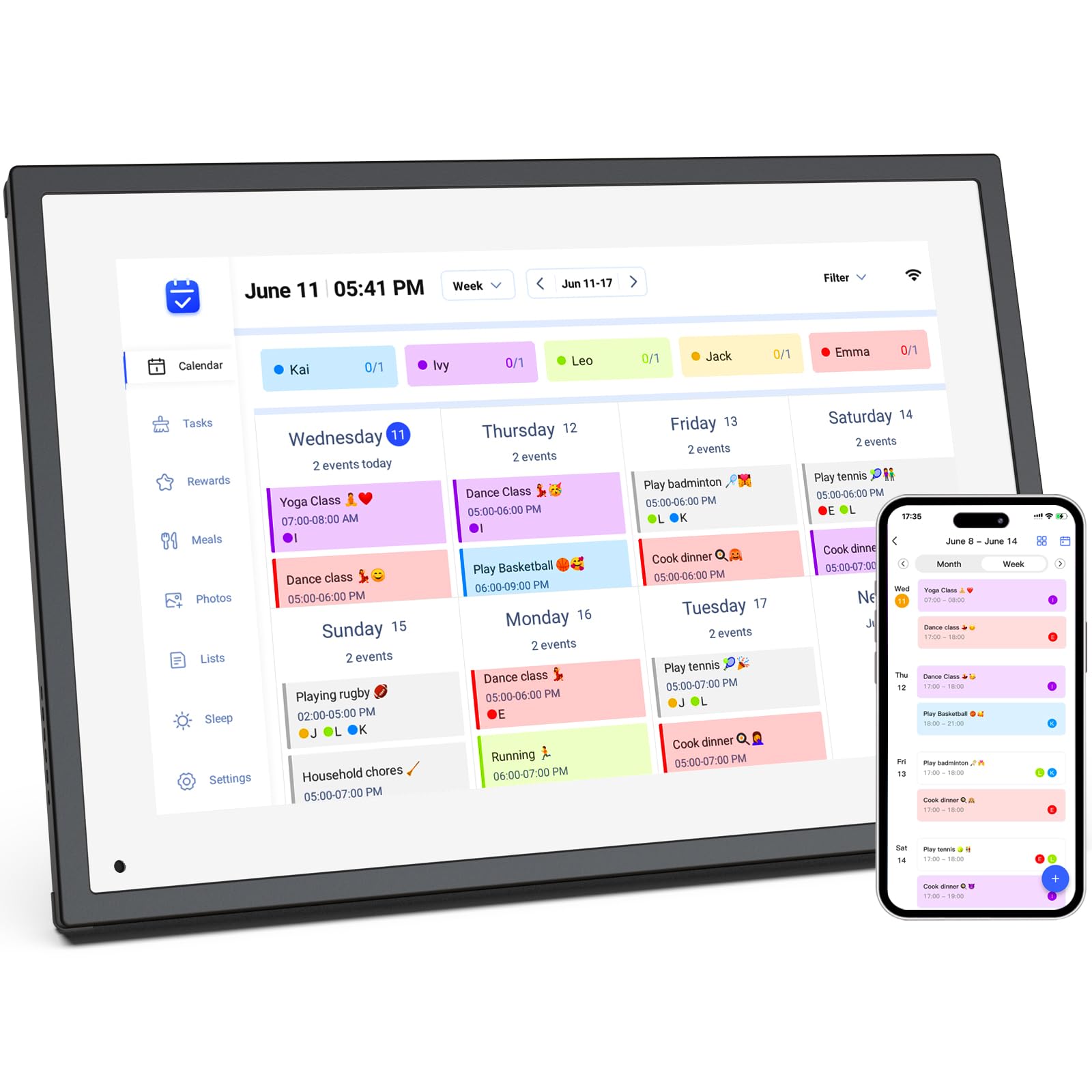
The akimart ZN-DP1002C functions primarily as a high-quality 10.1-inch digital picture frame with built-in calendar and chore chart capabilities. Its 32GB of internal storage is generous for this class, allowing you to load hundreds of photos and short videos that play as a screensaver slideshow. The 1080p resolution delivers sharp, vivid image quality that draws attention when the device is in standby mode.
Setup is straightforward: connect to Wi-Fi, sync your calendars (Google, iCloud, Outlook, Cozi, Yahoo), and the family dashboard populates automatically. The chore chart and meal planning modules are functional but less gamified than the Dragon Touch or Apolosign alternatives — there is no star chime or reward wheel. The device also offers smart home app access through its touchscreen, letting you control compatible lights and thermostats.
The device is designed for desk or nightstand use and cannot be wall-mounted. A few reviews mention that the frame casing feels relatively light, though the display quality is excellent for the price. The touch response has a slight delay (under half a second), and the power button is easy to bump accidentally. For a family that prioritizes photo display and wants a solid calendar assistant in a compact desktop package, the akimart is a strong entry-level contender.
Why it’s great
- 32GB internal storage for extensive photo libraries
- 1080p resolution produces excellent image quality
- Seamless calendar sync across major platforms
Good to know
- Cannot be wall-mounted, desk use only
- Touch response has a minor delay
7. TIKVITO 10.1″ Digital Calendar (S101)
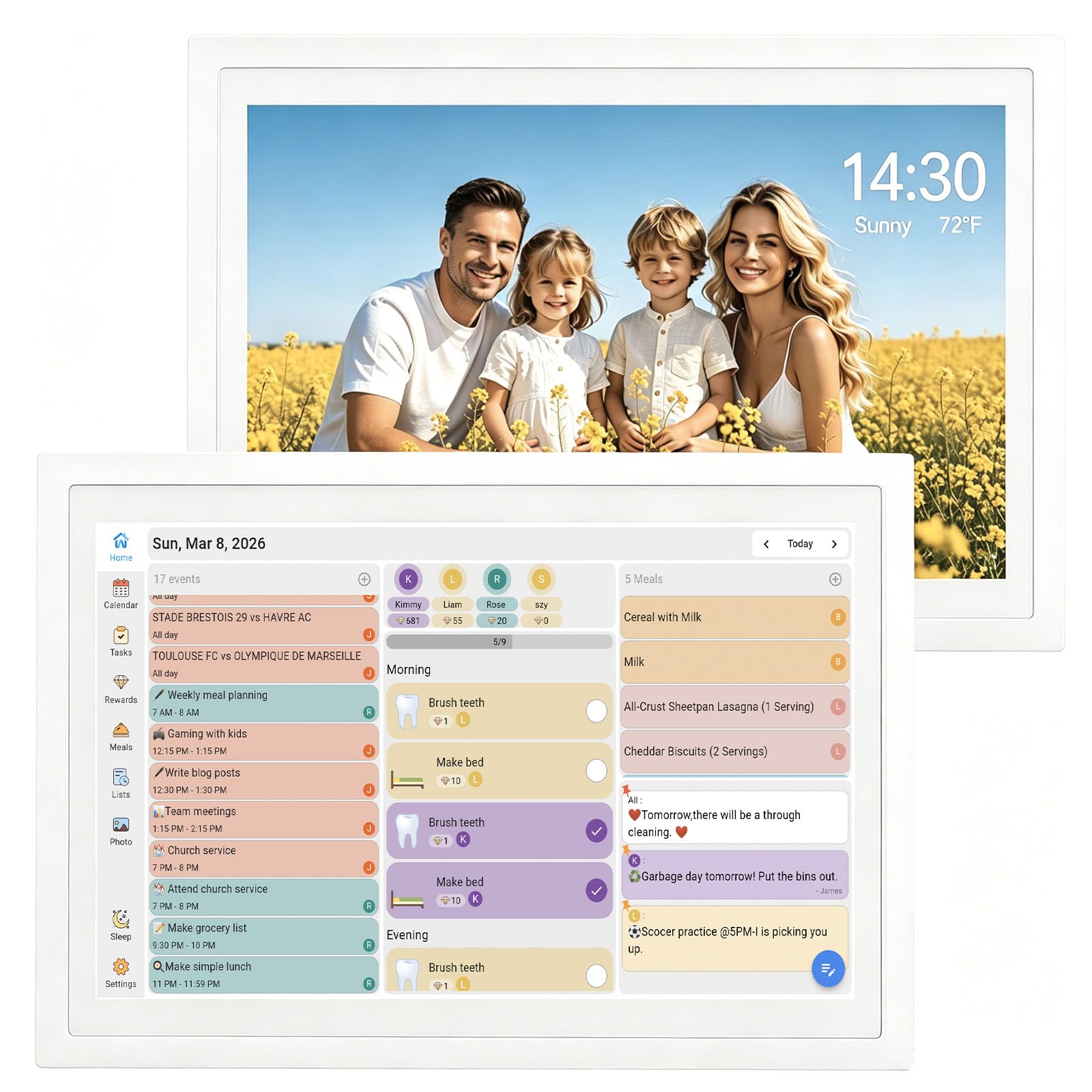
The TIKVITO S101 is the most accessible entry point into the world of digital family calendars. Its 10.1-inch touchscreen is bright enough to serve as a nightstand clock, and the built-in chore tracker with a point-based reward system lets you assign tasks to each family member and monitor progress from your phone. The device syncs with Google, iCloud, and Outlook, updating schedules in real time.
Meal planning is straightforward — you can plan weekly prep and compile a grocery list that syncs with all connected family members. When not in use, the display becomes a photo slideshow that cycles through images uploaded via the companion app. The screen is responsive, though some users note a sub-second touch delay that doesn’t interfere with daily use but is noticeable compared to premium tablets.
The construction is entirely plastic, and the 10.1-inch dimensions (10.6 x 7.5 inches) are comparable to an iPad mini. Setup takes a few minutes, and the warranty coverage is one year. For a family on a tight budget that wants to test whether a digital calendar fits their routine before investing in a larger or more feature-rich model, the TIKVITO S101 provides a functional, risk-free starting point.
Why it’s great
- Lowest-cost option for testing the digital calendar concept
- Chore tracker with reward points engages kids
- Real-time sync with Google, iCloud, and Outlook
Good to know
- Screen has a minor touch delay (under 0.5 seconds)
- Plastic construction and 1-year warranty only
FAQ
Do these digital calendars require a monthly subscription fee?
Can I add events to a digital calendar from my phone?
Is a 10.1-inch screen large enough for a family calendar?
Final Thoughts: The Verdict
For most users, the at home digital calendar winner is the Dragon Touch 15.6″ (TM15) because it provides a large Full HD display, an engaging chore reward system, and solid multi-platform sync at a balanced price. If you want zero recurring fees and a fully customizable dashboard, grab the Airzeen DC01. And for a tech-forward household that wants Android apps and voice assistant integration, nothing beats the Apolosign FA15.