
Our readers keep the lights on and the weekend projects moving. As an Amazon Associate, I earn from qualifying purchases.
That box of old mix tapes and family recordings sitting in your closet holds memories, but the magnetic tape inside is slowly degrading. An audio cassette to MP3 converter is the only reliable way to rescue those recordings before they’re lost forever, and finding one that delivers clean digital files without corrupting your originals is the real challenge.
I’m Rikta — the co-founder and writer behind FitlyFast. I’ve spent months analyzing the hardware specs, conversion software, and real-world performance data of every major cassette digitizer on the market to separate the few that work reliably from the many that don’t.
Whether you’re preserving a grandparent’s voice or rediscovering a lost playlist, this guide breaks down the top audio cassette to mp3 converter options based on conversion quality, ease of use, and build reliability.
How To Choose The Best Audio Cassette To MP3 Converter
Not all cassette converters are built the same. A cheap unit can eat your tape or produce distorted audio that’s worse than the original. Focus on three areas to find a unit that preserves your recordings.
Standalone vs. computer-tethered recording
Standalone converters let you record directly to an SD card or USB drive without a computer — no software, no drivers, no hassle. Computer-tethered units require a USB cable and recording software like Audacity. Standalone models are simpler for non-technical users, while tethered units offer more control over output levels and format.
Tape transport quality
The mechanism that spins the tape matters more than the electronics. A wobbly motor causes pitch drift. Cheap plastic gears can snap mid-playback. Look for units with a solid chassis and positive-feeling buttons. If the fast-forward or rewind feels sluggish, the transport is likely to drag and distort playback.
Output bitrate and format support
The converter should output at least 192 kbps MP3 or WAV for archival quality. WAV files retain the full audio spectrum but take more space. Some budget converters lock you into a low bitrate that sounds muffled. Check whether the device stores files at a readable bitrate — anything under 128 kbps is not worth keeping.
Quick Comparison
On smaller screens, swipe sideways to see the full table.
| Model | Category | Best For | Key Spec | Amazon |
|---|---|---|---|---|
| KLIM K7 | Standalone | No-computer digitizing | Records to 16GB SD card | Amazon |
| Gracioso 669W | Multifunction | USB/SD recording & playback | 3W speaker + 4Ω sub | Amazon |
| Reshow Cassette Recorder | Basic | Simple USB conversion | USB-C connection | Amazon |
| Reshow Basic Converter | Entry | Budget USB converter | 3.5mm + USB interface | Amazon |
| WIITHINK WTB-777 | Boombox | Radio + tape with Bluetooth | AM/FM Bluetooth built-in | Amazon |
| WIITHINK 795S | Boombox | Multi-band radio + conversion | AM/FM/SW + 10W speaker | Amazon |
| SEMIER Boombox | Boombox | USB flash drive conversion | 6W speaker + AM/FM | Amazon |
In‑Depth Reviews
1. KLIM K7 Cassette Tape Player
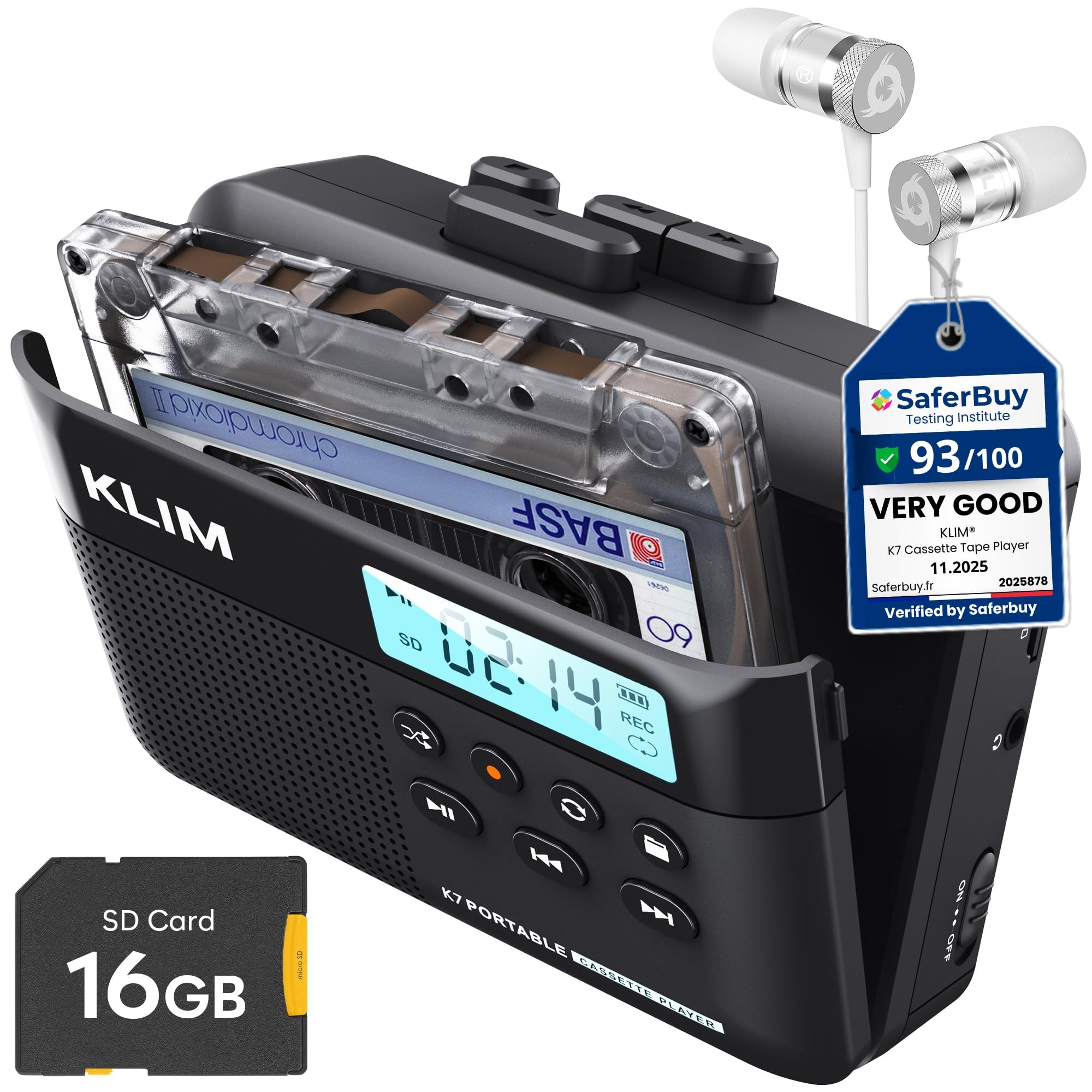
The KLIM K7 is the rare standalone converter that actually works without a computer. It records cassette audio directly onto the included 16GB SD card as individual MP3 files — no software, no drivers, no cables. Simply insert the SD card, press play and record, and the unit creates a file named TAPE001.MP3. The fixed recording level prevents clipping, which is a common issue with manual-gain converters.
The 1000mAh rechargeable battery lasts about two full cassettes and recharges in two hours via USB-C. The SD card reader included in the box means you can pop the card into any computer afterward to copy files. The build feels solid, and the included earbuds are decent enough for monitoring. It also functions as an SD card music player, adding versatility.
The only quirk is that the unit requires a 20W/3A charger to work reliably — standard lower-power USB ports may not trigger the charging circuit. The tape door also doesn’t sit perfectly flush, and there’s no external microphone input for recording. But for a self-contained digitizer that doesn’t rely on your laptop’s sound card, this is the most reliable option tested.
Why it’s great
- True standalone recording to SD card
- Rechargeable battery lasts two cassettes
- Fixed recording level prevents distortion
- Includes 16GB card, reader, and quality earbuds
Good to know
- Requires 20W/3A charger for reliable charging
- No external mic input
- Does not split tracks into separate files
2. Gracioso 669W Cassette Player Recorder Converter

The Gracioso 669W is a multi-format workhorse that records to USB flash drives, SD/TF cards, and cassette tapes. It also plays music from USB and SD cards, making it a full media station. The retractable handle and dual power supply (4 C batteries or USB-C) make it genuinely portable, and the 3W speaker with a 4Ω passive radiator delivers noticeably fuller sound than most small boomboxes — clean enough for spoken word and music alike.
Recording requires inserting a FAT32-formatted drive (a critical detail the manual buries in broken English). Files are saved as WAV or MP3, and the unit includes Audacity on a CD for users who want to edit on a computer. The 3.5mm headphone jack delivers crisp monitoring, and the built-in microphone can record directly to USB without a tape. The buttons feel sturdy and well-spaced, with positive click feedback.
The main reliability concern is file management — multiple user reports mention recorded files vanishing from the SD card without explanation. This appears to be a formatting issue (non-FAT32 media), but it’s frustrating to troubleshoot. For users comfortable with FAT32 formatting and basic file management, the 669W packs unparalleled flexibility. The 12-month warranty provides some peace of mind.
Why it’s great
- Records to USB, SD, or cassette tape
- Includes Audacity software CD
- Retractable handle for easy transport
- Dual power supply (battery or USB-C)
Good to know
- Manual omits FAT32 requirement
- File corruption reports with non-FAT32 media
- Single speaker limits stereo separation
3. Reshow Cassette Player Recorder (USB-C)

The Reshow portable recorder is the most pocket-friendly option in this review. It runs on 2 AA batteries or USB-C power, and its compact size (roughly the size of a cassette case) means it slips into a bag without effort. The built-in speaker delivers adequate sound for casual listening, though headphones are essential for monitoring conversion quality. The USB-C cable connects to any computer for direct MP3 recording via the included software.
The recording function captures from the built-in microphone or AUX input, so you can record external sources onto blank tapes. The conversion process is straightforward: connect to a computer, open Audacity (or the provided software), press play on the cassette, and record. The audio quality is clean when the tape itself is in good condition, but the play button can feel temperamental — some units require a firthan-normal press to engage the mechanism.
Battery life is excellent for a device this size, lasting roughly 8 hours of playback on a fresh set of AAs. The USB-C port also handles data transfer, so no separate cable is needed. For users who want a simple, portable converter that doesn’t take over their desk, this Reshow model strikes a practical balance between size and function. Just be prepared for the play button’s occasional stubbornness.
Why it’s great
- Ultra-compact and lightweight design
- USB-C for power and data
- Long battery life on 2 AA batteries
- AUX input for recording external sources
Good to know
- Play button can be stiff to engage
- Speaker quality is basic
- Requires computer for MP3 conversion
4. Reshow Basic Cassette Converter

This entry-level Reshow unit is the simplest way to get a cassette deck onto your desk. Connect it to a laptop via USB, insert the included software CD, and the converter digitizes tapes directly to MP3. The unit also functions as a standard portable cassette player with a 3.5mm headphone jack, so you can listen on earbuds or connect to a car stereo. The 5V DC USB power cord eliminates battery hassles during home use.
The audio clarity is decent for spoken word and music, provided the recording is done in a quiet room — the unit picks up ambient noise through its built-in microphone if the environment is lively. Users report that the included earbuds are poor quality, so using your own headphones is recommended. The fast-forward and rewind are noticeably slow compared to vintage Walkman units, which is typical for budget converters.
For the price, this is a functional digitizer that gets the job done for a handful of tape conversions. The auto-reverse feature plays both sides without flipping the cassette, which is a nice convenience. It won’t satisfy audiophiles, but for rescuing old voice recordings or casual mixtapes, it offers the lowest barrier to entry in this list. The software is basic but works on Windows and macOS without driver headaches.
Why it’s great
- Very affordable entry price
- Plug-and-play USB connection to PC
- Auto-reverse plays both tape sides
- Includes converter software and guide
Good to know
- Slow fast-forward and rewind
- Included earbuds are poor quality
- Background noise pickup in non-quiet rooms
5. WIITHINK WTB-777 Boombox
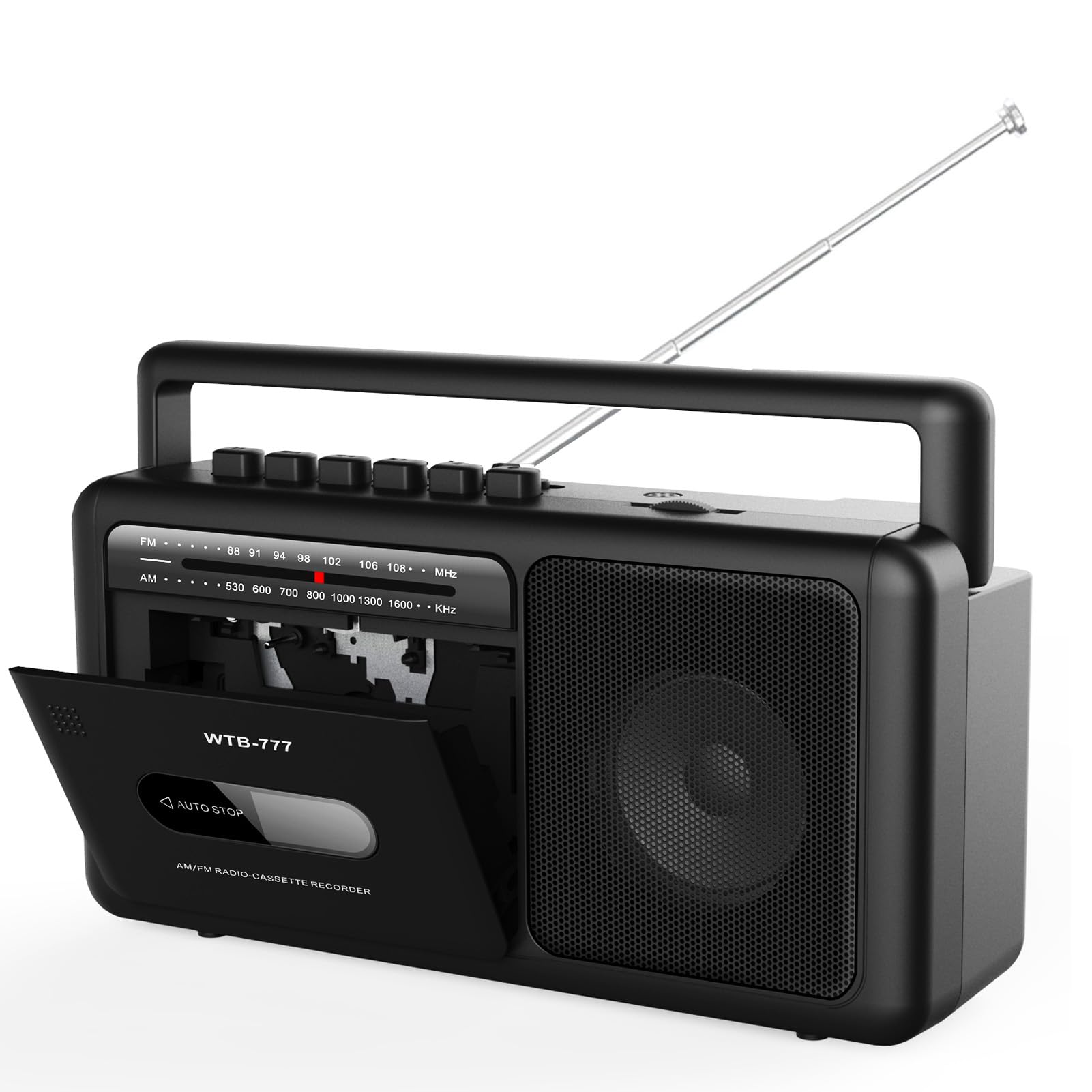
The WTB-777 is a compact boombox that adds Bluetooth streaming and USB playback to cassette conversion. At 9.8 x 3 x 5.1 inches, it’s smaller than a shoebox but loud enough to fill a room. The AM/FM radio reception is strong thanks to a long antenna and upgraded chip. The single speaker delivers mono sound, but the overall clarity is decent for a device at this size. It records from radio or external sources directly to USB or blank tapes.
The cassette mechanism includes auto-stop and plays both sides. The retro design is genuinely attractive, with dials that feel satisfying to turn. The Bluetooth functionality works reliably, allowing smartphone music streaming when you’re not digitizing tapes. The unit runs on 6 C batteries or AC power, making it usable anywhere. The headphone jack provides private monitoring.
The build quality is the main concern: multiple users report the play, fast-forward, and rewind buttons jamming in the down position, which renders the cassette player unusable. This appears to be a manufacturing defect that affects some units. If you get a working unit, it’s a charming and functional device. Given the reliability reports, buying with a warranty or from a seller with a good return policy is strongly advised.
Why it’s great
- Compact boombox with Bluetooth streaming
- Crisp AM/FM radio reception
- Records from radio to USB or tape
- Attractive retro design with dial controls
Good to know
- Button jamming defect reported on some units
- Mono sound from single speaker
- No tone adjustment for audio
6. WIITHINK 795S Boombox

The 795S is the upgraded version of the WTB-777, featuring dual 5W speakers for true stereo sound and an additional shortwave (SW) radio band. The 10W total output is noticeably louder and cleaner than the single-speaker model, with enough power for backyard or garage use. Like the 777, it supports Bluetooth streaming, USB/SD playback, and recording from radio or external sources to tape or digital media. The long telescopic antenna pulls in distant AM, FM, and shortwave stations with excellent clarity.
The cassette transport mechanism runs smoothly, and the one-click tape-to-MP3 conversion via USB is genuinely convenient — no computer needed. The unit also supports recording from digital audio sources back to tape, bridging old and new formats. The built-in microphone allows recording to USB or SD card without a cassette. The AC/DC dual power supply and a portable handle make it easy to move between rooms or take outdoors.
There are two recurring concerns. First, the cassette mechanism can fail after several weeks of use, producing slow, distorted sound. Second, the headphone jack introduces a low hum unless the volume is turned up, which limits private listening quality. The radio modes are mono — only USB and Bluetooth play in stereo. If you’re okay with these quirks, this boombox delivers exceptional radio performance and powerful sound for its size.
Why it’s great
- True stereo sound with dual 5W speakers
- AM/FM/SW radio with excellent reception
- Bluetooth streaming and USB/SD playback
- Records from digital sources back to tape
Good to know
- Cassette mechanism may fail after weeks of use
- Headphone jack has a low hum
- Radio is mono, only aux/Bluetooth is stereo
7. SEMIER Boombox MP3 Converter

The SEMIER boombox features a direct USB recording method: insert a USB flash drive, press play on the cassette, then press and hold the RecUSB button until the red light appears. The conversion happens without a computer, app, or any additional cables. The 6W speaker delivers clear, distortion-free sound for a unit of this size, and the AM/FM radio reception is reliable even in areas with weak signals. The large, clearly labeled buttons and tuning dial make it easy for all ages to operate.
The conversion quality varies depending on the source tape. Copies of CD recordings transfer near-perfectly, but older cassette originals from the 1980s may introduce a humming noise that’s embedded in the tape itself rather than the converter. Users who want archival-quality transfers should use Audacity with noise reduction filters rather than relying on the one-button method. The unit also records from the radio directly to USB, which is handy for preserving broadcasts.
The most serious concern: there are reports of the cassette player eating irreplaceable tapes, which is a catastrophic failure for archival use. The original warranty terms were unclear, though the manufacturer has reportedly replaced defective units promptly. The long-term reliability is unproven — some units show speaker degradation after three months of daily use. For occasional tape digitization, the SEMIER works well. For valuable or irreplaceable recordings, use a more reliable transport mechanism first.
Why it’s great
- Simple one-button USB conversion
- Large, easy-to-use buttons and dials
- Good AM/FM radio reception
- Runs on AC or 4 C batteries
Good to know
- Risk of cassette player eating tapes
- Humming noise on older original recordings
- Speaker degradation reported after months of daily use
FAQ
Will a cassette to MP3 converter damage my original tapes?
Can I convert cassettes to MP3 without a computer?
Why is the audio from my converted MP3 file so quiet or distorted?
What format should I use for archiving cassette recordings?
How many cassettes can I convert on a single battery charge?
Final Thoughts: The Verdict
For most users, the audio cassette to mp3 converter winner is the KLIM K7 because it handles the full conversion workflow without a computer, produces clean fixed-level recordings, and includes a 16GB SD card and reader in the box. If you want standalone USB recording and radio playback in a portable boombox, grab the WIITHINK 795S. And for the best balance of price and versatility with multiple recording modes, nothing beats the Gracioso 669W.