
Our readers keep the lights on and the weekend projects moving. As an Amazon Associate, I earn from qualifying purchases.
Specs are compiled from manufacturer listings and verified buyer reviews and can change over time — please confirm the key details on the product page before buying.
If you are drowning in a stack of old bills, tax documents, and junk mail, you already know the pain: standing there feeding paper sheet by sheet into a shredder that jams every three minutes. An auto feed paper shredder changes that by letting you load a whole stack and walk away while it chews through the pile itself. The key spec to watch is the auto-feed sheet capacity — this number tells you how many pages you can drop in the top tray at once so you do not have to babysit the machine.
I’m Rikta — the founder and writer behind FitlyFast. This guide is built by comparing the manufacturers’ published specifications and the patterns across verified customer reviews, so you get each pick’s real strengths and trade-offs instead of marketing spin.
You want a shredder that feeds itself so you can walk away while it works. The best auto feed paper shredder for your home or small office depends on how many sheets you shred at once, how small the pieces need to be, and how often you want to empty the bin.
Quick Picks
- BONSEN 300-Sheet Auto Feed Paper Shredder — Best Overall
- Amazon Basics 200-Sheet Auto Feed Cross-Cut Paper Shredder — Best Capacity
- Staples 150-Sheet Micro-Cut Paper Shredder — Quiet Performer
- Aurora High Security 120-Sheet Auto Feed Micro-Cut Shredder — Top Security
- Fellowes AutoMax 100MA 100-Sheet Micro-Cut Autofeed 2-in-1 Paper Shredder — Flexible 2-in-1
- Royal Sovereign 120 Sheet Auto-Feed, Cross-Cut Shredder (RAF-C120) — Budget Auto-Feed
How To Choose The Best Auto Feed Paper Shredder
An auto feed shredder is supposed to save you time, but picking the wrong one can leave you with a machine that jams or overheats before the job is done. Here is what to look for based on how you actually plan to use it.
Auto-feed sheet capacity — the real time-saver
This is the number of sheets you can stack in the top tray at once. A 100-sheet tray lets you load a small pile, while a 300-sheet tray handles a much bigger batch. If you are shredding a few envelopes a week, the smaller number is fine. If you are clearing out years of old files, the larger capacity keeps you from reloading constantly.
Security level — how small the pieces need to be
Security levels go from P-1 to P-7, with P-4 and P-5 being the most common for home and office use. P-4 cross-cut or micro-cut shreds paper into small confetti-like strips that would take a lot of work to reassemble. P-5 micro-cut makes even tinier pieces, ideal for highly sensitive documents like tax records or legal papers. Higher security usually means slower shredding, so balance your need for privacy against your need for speed.
Continuous run time and cool-down
Shredders overheat if you run them too long. The run time spec tells you how many minutes of continuous shredding you get before the motor needs a rest (the cool-down period). A 60-minute run time is great for large jobs, while a 7-minute run time is fine for occasional use. If you regularly shred more than the run time allows, you will be stuck waiting for the machine to cool down.
Bin capacity and ease of emptying
A bigger bin means fewer trips to the trash can. A 4.5-gallon bin fills up fast with micro-cut shreds, while an 8.5-gallon bin holds much more. Pull-out bins are easier to empty than lift-out bins, especially if the shredder is heavy. Look for a bin that matches the volume of paper you shred in a typical session.
Quick Comparison
| Model | Best For | Auto-Feed Capacity | Security Level | Bin Size | Amazon |
|---|---|---|---|---|---|
| BONSEN 300-Sheet | High-volume offices | 300 sheets | P-4 Micro-Cut | 8.1 gallons | Amazon |
| Amazon Basics 200-Sheet | Large home offices | 200 sheets | P-4 Cross-Cut | 8.5 gallons | Amazon |
| Staples 150-Sheet | Quiet office shredding | 150 sheets | P-4 Micro-Cut | 7.4 gallons | Amazon |
| Aurora High Security 120-Sheet | High-security document disposal | 120 sheets | P-5 Micro-Cut | 5 gallons | Amazon |
| Fellowes AutoMax 100MA | Small office / 2-in-1 flexibility | 100 sheets | P-4 Micro-Cut | 4.5 gallons | Amazon |
| Royal Sovereign RAF-C120 | Budget-friendly auto feed | 120 sheets | P-4 Cross-Cut | 6.6 gallons | Amazon |
In‑Depth Reviews
1. BONSEN 300-Sheet Auto Feed Paper Shredder
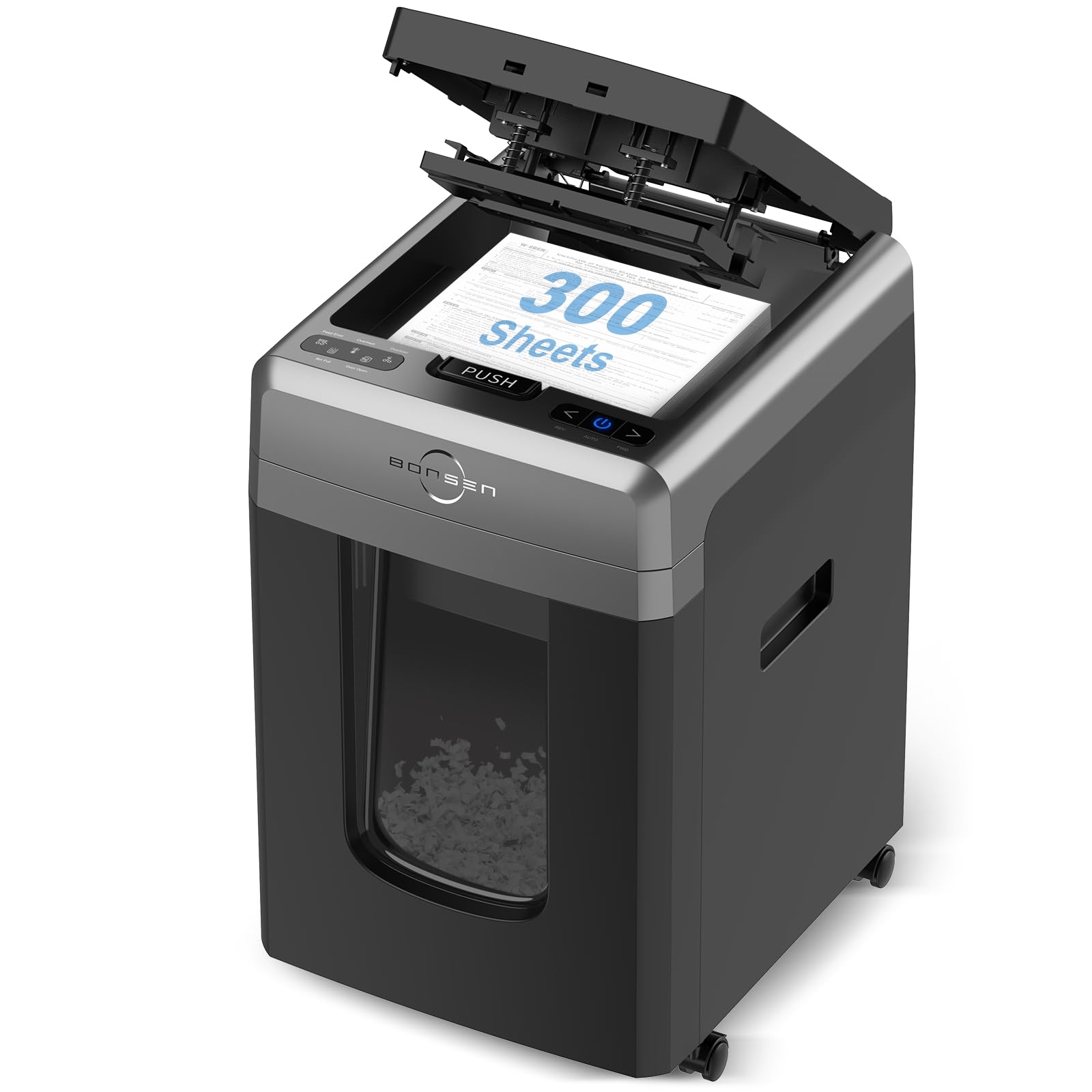
Load 300 pages and the machine does the rest while you work on something else.
The BONSEN is built for the kind of bulk shredding that makes other machines cry uncle. Its auto-feed tray holds 300 sheets of letter-size paper — more than any other pick here and notably higher than the 200-sheet tray on the Amazon Basics unit below. The micro-cut blades turn documents into 5/32″ x 15/32″ particles, hitting P-4 security level, so you get serious privacy without sacrificing throughput. It also runs 60 minutes straight in auto mode before needing a break, which means you can clear out a whole filing cabinet drawer in one go.
A real standout here is the noise level. At 58 decibels, it is super quiet — buyers in a 15-person office reported it does not disturb colleagues. The manual feed slot handles 12 sheets, credit cards, staples, and paper clips, so you are not stuck if you need to shred something the auto tray cannot take. The 8.1-gallon pull-out bin is generous, though not quite as large as the Amazon Basics’ 8.5-gallon bin. The smart LED indicators tell you if the bin is full, the door is open, or the machine is overheating, taking the guesswork out of operation.
Buyers report it does require removing staples before using the auto feed, and the 33.5-pound weight makes it a stationary piece rather than something you carry around. For a heavy-duty office setting where quiet, continuous shredding is the priority, this is the most capable machine on the list.
Benchmark runner: The 300-sheet auto-feed capacity leads the whole list, unloading a full tray in one cycle while the Staples 150-sheet requires a reload.
One nuance: The auto feed tray does not accept staples or paper clips — you have to use the manual slot for those, which slows you down if you forget to prep your stacks.
Who it fits: Anyone in a busy office who needs to shred large volumes of paper daily without noise complaints.
Who should pass: Occasional home users who do not need 300-sheet capacity and could save money on a smaller model.
2. Amazon Basics 200-Sheet Auto Feed Cross-Cut Paper Shredder

The biggest bin in the lineup means fewer trips to empty shredded confetti.
With an 8.5-gallon pull-out bin, the Amazon Basics has a larger basket than the Fellowes AutoMax 100MA’s 4.5-gallon bin — a meaningful difference if you are shredding several stacks at once. The auto-feed tray holds 200 sheets, and the cross-cut blades turn paper into 5/32 x 25/32 inch pieces, meeting P-4 security standards. That is enough to handle a big batch of junk mail or old bank statements without stopping to empty.
The run time is 60 minutes on the auto-feed tray, but only 10 minutes on the manual feed slot, after which you need a 45-minute cool-down. So if you primarily use the manual slot, you will hit that limit fast. The machine also has an energy-saving sleep mode that kicks in after a period of inactivity, which is a nice touch for a unit that might sit idle for days. Owners mention it handles 6 to 8 sheets plus credit cards in the manual slot without jamming, and several mention it has lasted years in home office use.
One dimension to note: the product dimensions are 18.35″D x 14.02″W x 22.83″H, versus the Royal Sovereign’s 10-inch depth. So you will need a sturdy desk or cart with enough depth to accommodate it. At 32.9 pounds, it is also one of the heavier units here, so plan to set it in one spot and leave it.
Bin capacity advantage
- 8.5-gallon pull-out bin is the largest in this comparison
- 200-sheet auto feed handles big stacks in one go
- Energy-saving sleep mode cuts power when idle
Limitations to consider
- Manual feed run time is only 10 minutes before a 45-minute cool-down
- Deep footprint (18.35 inches) needs a spacious desk or stand
- Will not cut through metallic credit cards
Best for: Home offices that shred in big batches but not every single day, where bin capacity and auto-feed volume matter most.
skip it if: You need a compact unit for a small desk or you plan to do all your shredding through the manual slot for extended periods.
3. Staples 150-Sheet Micro-Cut Paper Shredder
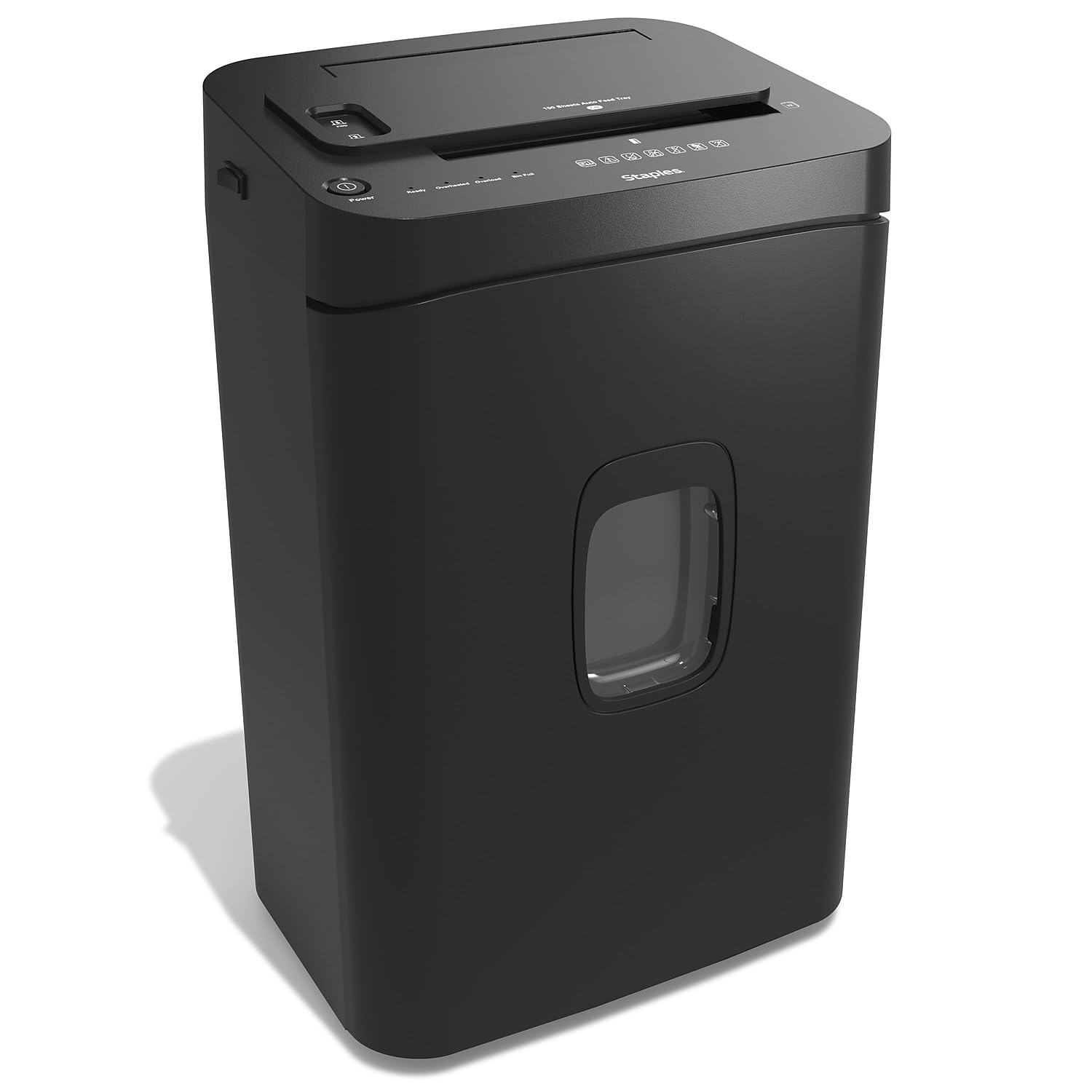
A quiet, sturdy office shredder that keeps noise down while chewing through 150 sheets at a go.
Operating at 65 decibels, the Staples is quieter than the Fellowes AutoMax, which runs at 75 decibels. That makes a real difference in a shared home office or a small team space where loud shredding noise can be a distraction. It is also heavy — 29.5 pounds compared to the Royal Sovereign’s 14 pounds — which adds to the feeling of a solid, office-grade machine that will not slide around on you.
The micro-cut P-4 blades shred paper into 4.3mm x 12mm pieces, and the top-load tray holds 150 sheets. It shreds about 7 feet of paper per minute, so a full tray clears quickly. The 7.4-gallon bin is a good middle-ground size. Safety features include auto start/stop, auto reverse to clear jams, overload protection, and LED indicators that tell you the bin status and readiness. Customers note it is fairly quiet compared to other shredders they have owned, and that it handles 10 sheets at a time easily through the manual slot.
One honest trade-off: some reviewers point out the machine can jam if you do not learn how to load the paper straight. As one reviewer noted, “the number of jams can be decreased once you get used to how to load the paper.” So there is a small learning curve. The unit measures 11″D x 25.19″W x 23″H, so it has a wide footprint but not a deep one, making it easier to fit on a shelf than the bulkier Amazon Basics.
Office-amenity pick: At 65 dB it runs quieter than the Fellowes at 75 dB and is noticeably more pleasant to run in a quiet room.
Its drawback: You have to be precise loading the paper to avoid jams, which takes some practice.
Reach for this if: You share a workspace and need a shredder that will not disrupt calls or concentration.
Look elsewhere if: You want a machine you can just toss paper into without any loading technique — this one rewards a careful hand.
4. Aurora High Security 120-Sheet Auto Feed Micro-Cut Shredder
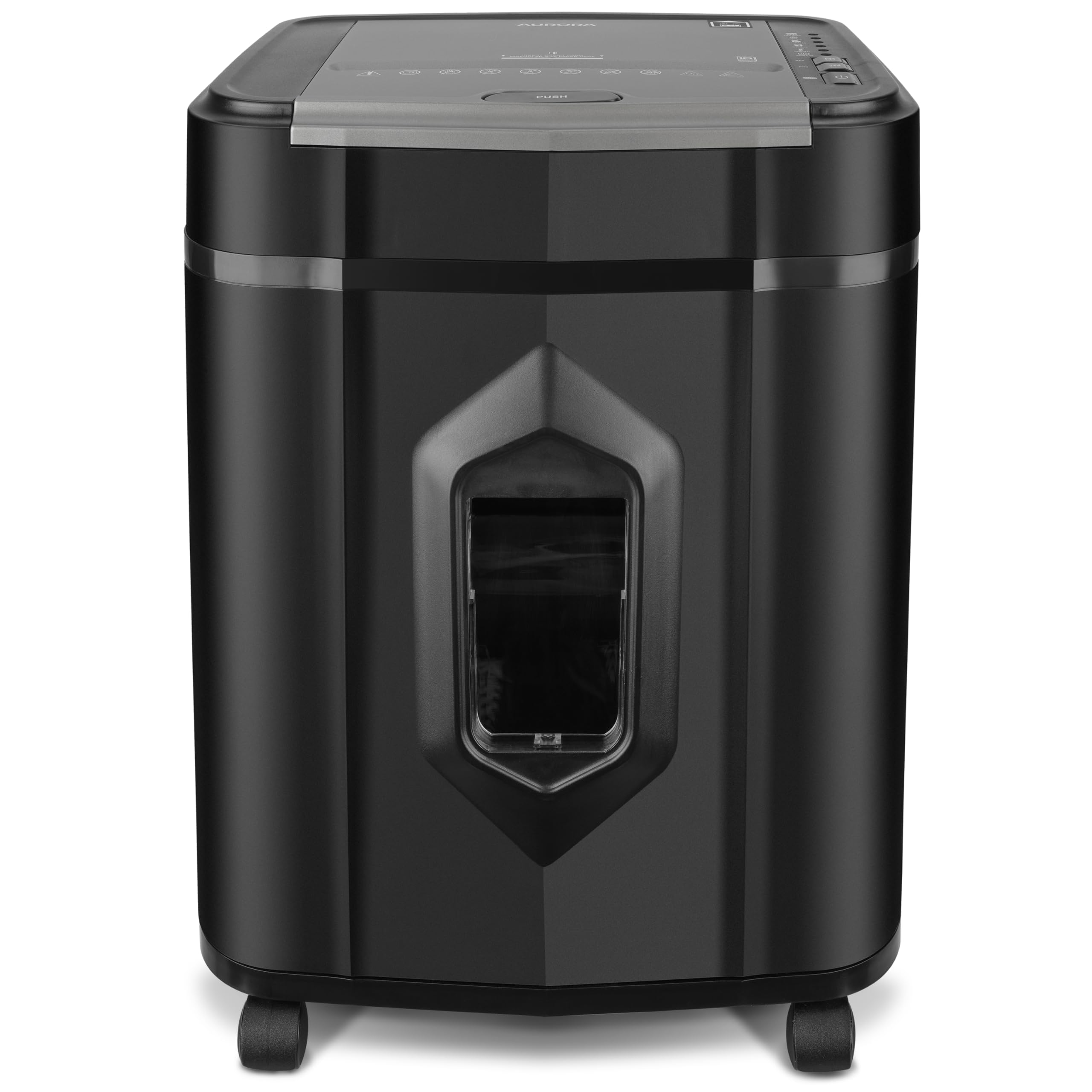
P-5 micro-cut security turns documents into specks too small to reassemble.
If you shred sensitive personal or financial documents and want the highest security among mid-range picks, the Aurora delivers. It uses P-5 micro-cut blades (the highest security level in this group) that reduce paper to 5/64 by 15/32 inch particles — noticeably smaller than the P-4 shreds (standard cross-cut) from the Staples or Amazon Basics. That means a single document becomes hundreds of tiny pieces, giving you serious confidence for medical records or tax returns.
The auto-feed tray handles 120 sheets, and the manual slot takes 10 sheets at a time. It runs continuously for 60 minutes before needing a rest, which is the same class as the high-end BONSEN and Amazon Basics. The machine is quiet in operation, and shoppers say running it over an hour without overheating. One buyer mentioned their unit kept working like a champ for four years straight, handling ATM cards and years of old paperwork without jamming. That kind of longevity speaks well to the build quality.
The 5-gallon pull-out bin is smaller than the 7.4-gallon bin on the Staples, so you will empty it more often. The unit weighs 28 pounds — heavy enough to stay put but not as cumbersome as the 33.5-pound BONSEN. One owner reported customer service replaced their unit when the motor failed after 10 months, without a return hassle, which is a positive sign for warranty support.
Security advantage
- P-5 micro-cut shreds pieces smaller than any P-4 unit in this list
- 60-minute continuous run time handles bulk jobs without stopping
- Quiet operation and wheels make it easy to move
Trade-offs
- 5-gallon bin fills fast with fine micro-cut particles
- Safety rocker mechanism at the top can be annoying to operate
- 120-sheet auto feed is less than the 200 or 300-sheet alternatives
Ideal for: Privacy-conscious users who need P-5-level shredding for sensitive documents and are okay with a smaller bin.
Not ideal if: You want to shred very large stacks without emptying the bin regularly — the 5-gallon basket fills up quickly.
5. Fellowes AutoMax 100MA 100-Sheet Micro-Cut Autofeed 2-in-1 Paper Shredder

A compact 2-in-1 that auto-feeds 100 sheets or shreds credit cards through the manual slot.
The Fellowes is the most versatile small-office shredder in this list. It is a 2-in-1 machine: the auto-feed tray handles 100 sheets (shredding the whole stack in about 5 minutes), and the manual feed slot handles credit cards, paper clips, and stapled documents. That flexibility means you do not have to separate your shredding pile into “auto-safe” and “manual-only” categories — just toss everything into whichever slot works for each item.
It runs up to 7 minutes in manual mode and 10 minutes in auto-feed mode before needing a rest, which is shorter than the 60-minute run times of the BONSEN, Amazon Basics, and Aurora units. So if you have a truly massive pile, you might hit the cool-down limit. But for typical weekly shredding, it gets the job done. The 4.5-gallon pull-out bin is smaller than the Staples’ 7.4-gallon bin, though the Fellowes is lighter at 8.8 kilograms (about 19.4 pounds) and easier to move around.
At 75 decibels, it is louder than the Staples’ 65 dB, but buyers report it is quiet enough for a small office and that it handles 3×100 sheets and credit cards without jamming. One owner noted the setup was tricky due to flimsy plastic parts and a bin that pops open easily. On the plus side, the removable basket on wheels makes emptying straightforward, which past owners of older Fellowes models said was a big upgrade.
2-in-1 versatility: Shred paper, credit cards, and clips through the manual slot while the auto tray churns through stacks — one machine for all your shredding needs.
Its catch: The 10-minute auto-feed run time is short compared to the 60-minute units, so plan your big shredding sessions accordingly.
Best for: A small office that needs a single machine for both bulk paper and odds-and-ends shredding (cards, clips, staples).
Consider another if: You regularly shred for more than 10 minutes at a stretch — the cool-down will interrupt your work flow.
6. Royal Sovereign 120 Sheet Auto-Feed, Cross-Cut Shredder (RAF-C120)

An entry-level auto feed shredder that gets you hands-free shredding at a lower price.
If you are curious about auto feed shredders but do not want to spend much, the Royal Sovereign is the budget-friendly way in. It has a 120-sheet auto-feed tray, a P-4 cross-cut mechanism that shreds particles to 4 x 28 mm, and runs for 60 minutes continuously. The 6.6-gallon bin sits between the small 4.5-gallon Fellowes bin and the bigger 7.4-gallon Staples bin. It includes casters for mobility, which is helpful since the machine is only 14 pounds — the lightest in this comparison, in fact, versus the 29.5-pound Staples.
There are honest performance limits to be aware of. Several owners mention the machine is underpowered for its claimed sheet counts: the manual front slot struggles with more than 5 sheets, and the auto-feed tray jams if you load too many pages at once. One buyer who owned a 12-year-old Royal Sovereign model said this newer unit “outperformed” the old one, but others found it wore out after 4 months of average use. The quiet operation under 65 dB is a genuine bright spot, though.
For someone shredding a moderate stack of mail and old bills once a week, the Royal Sovereign can work — especially if you keep your loads light and learn its limits. It is not built for heavy daily office use, but as an affordable entry point into the auto-feed category, it serves a purpose. The auto-reverse and overheat protection help manage the jams that do occur.
Entry-level value
- 120-sheet auto feed at a budget-friendly price point
- Runs 60 minutes continuously for long shredding sessions
- Lightweight (14 lbs) and on casters for easy movement
Know the limits
- Multiple customers note jams and overheating with moderate use
- Manual slot struggles with more than 5 sheets at a time
- Build quality concerns from owners who saw failure within months
Who it fits: Light-duty home users who want auto-feed convenience on a budget and are willing to work around some quirks.
Who it does not fit: Heavy office users who need reliable daily shredding — the jamming and power issues make it frustrating at higher volumes.
Understanding the Specs
Auto-feed vs manual sheet capacity
The auto-feed sheet capacity is the number of pages you can stack in the top tray for hands-free shredding. This is the spec that saves you time because you load once and walk away. The manual sheet capacity (usually lower, like 5 to 12 sheets) is what you feed through the front slot one handful at a time. Do not confuse the two — a shredder that auto-feeds 120 sheets might only handle 5 to 10 sheets manually, so use the right slot for the right job.
Security levels P-4 vs P-5
Security levels tell you how small the shredded pieces are. P-4 cross-cut or micro-cut shreds paper into particles roughly 4x20mm or smaller — about the size of confetti. P-5 micro-cut makes pieces even tinier (around 4x12mm or less), which is better for highly confidential documents. Higher levels (P-6, P-7) exist but are overkill for home or office use. The trade-off is that smaller particles mean slower shredding and a bin that fills up faster.
Continuous run time and cool-down
Every shredder motor has a duty cycle. The continuous run time (measured in minutes) tells you how long you can shred before the motor needs to cool down to avoid damage. A 60-minute run time is ideal for big jobs. A 10-minute run time is fine for small batches but means you will be waiting if you try to shred a whole filing cabinet at once. Always check the cool-down period too — some machines need 45 minutes of rest for every 10 minutes of shredding.
Bin capacity and noise level
Bin capacity is measured in gallons and tells you how much shredded paper the basket holds before you need to empty it. Micro-cut shreds take up more space than cross-cut shreds because the pieces are finer, so a 5-gallon bin fills faster with micro-cut paper. Noise level is measured in decibels (dB). For reference, 58dB is about as loud as a quiet conversation, while 75dB is closer to a vacuum cleaner. If you share a workspace, lower dB numbers matter.
FAQ
What is the difference between cross-cut and micro-cut shredders?
How many sheets can an auto feed paper shredder handle at once?
Can auto feed shredders handle credit cards and staples?
How long can I run an auto feed shredder continuously?
What does the P-4 security level mean on a shredder?
Why does my auto feed shredder keep jamming?
How do I maintain an auto feed paper shredder?
What size bin do I need for auto feed shredding?
Is a heavier shredder always better?
Final Thoughts: The Verdict
Across the board, the auto feed paper shredder winner is the BONSEN 300-Sheet because it combines the largest auto-feed capacity, quiet 58dB operation, and a 60-minute run time into one package that handles real office volumes without drama. If you want the biggest bin and a lower entry price, grab the Amazon Basics 200-Sheet. And if top-tier P-5 security is non-negotiable for your documents, the Aurora High Security 120-Sheet gives you the finest shreds in the lineup.
How We Picked
We do not accept paid placement. Every pick is matched to a real buyer and a real use-case; we do not hands-on test units.
Sources & Methodology
Specifications: manufacturer listings and product documentation. Review insights: verified customer reviews, as of July 2026. Pricing: not shown on this page (it changes often); check the current price via the retailer link.
As an Amazon Associate, FitlyFast earns from qualifying purchases. This does not affect which products we feature.