
Our readers keep the lights on and the weekend projects moving. As an Amazon Associate, I earn from qualifying purchases.
A shoebox of loose photos, a drawer of unsorted prints, decades of memories trapped in fading chemical paper — the auto feed photo scanner exists specifically to liberate you from this purgatory. Unlike flatbeds that demand one-by-one babysitting, a proper auto feeder pulls prints in batches, digitizing entire family archives in hours instead of weekends.
I’m Rikta — the co-founder and writer behind FitlyFast. Months of research into feed mechanisms, roller durability, and software auto-enhancement engines have gone into picking the units that handle delicate photo stock without jams or scratches.
Whether you face a stack of 300 Kodak prints or a mountain of mixed documents, you need the right tool built for the job. This guide breaks down the nine best auto feed scanner for photos models that actually deliver on speed, safety, and digital preservation quality.
How To Choose The Best Auto Feed Scanner For Photos
Not all auto feeders treat your photographs with equal care. Standard document scanners often grab paper aggressively, which can crease or scratch glossy photo surfaces. A true photo-capable feeder uses gentler rollers, carrier sleeves, or adjustable gap mechanisms to protect the print while still moving it through at speed. Understanding these differences saves you heartbreak and re-scanning.
Roller gentleness and carrier sleeves
Look for models that include dedicated photo carrier sheets — transparent sleeves that protect fragile or curled prints as they travel through the feed path. Without carriers, thin 4×6 prints can buckle between rollers, and Polaroid-style thick stock can get stuck. The best photo scanners combine soft-touch rollers with support for carrier-sheet scanning as a fallback.
DPI: The resolution reality check
For standard 4×6 prints, 300 DPI produces a solid 1800×1200 pixel file suitable for sharing and small prints. For archival purposes or enlargements, 600 DPI captures true emulsion grain. Anything above that — 1200 DPI and beyond — rarely improves visible quality on consumer photo paper and bloats file sizes unnecessarily. A scanner that claims 1200 DPI but forces you through poor software to get there is not worth the premium.
Batch capacity and duplex scanning
Batch size matters: a 36-photo feeder cuts your hands-on time by an order of magnitude compared to a 5-slot tray. Duplex scanning is critical for photos with handwritten dates or notes on the back — it captures both sides in one pass, preserving the full artifact. Document-only scanners often skip the back side or handle it poorly.
Software enhancement vs. raw capture
Faded photos benefit from auto color restoration and red-eye reduction, but only if the software lets you tweak or disable these features. Aggressive auto-correction can turn sepia tones into muddy browns. Look for scan software that saves a raw, unaltered version alongside the enhanced copy — or at minimum allows you to switch off all corrections for true archival capture.
Quick Comparison
On smaller screens, swipe sideways to see the full table.
| Model | Category | Best For | Key Spec | Amazon |
|---|---|---|---|---|
| Epson FastFoto FF-680W | Photo Specialist | Bulk photo archiving | 1 sec/photo at 300 DPI | Amazon |
| ScanSnap iX2500 Photo Edition | Hybrid Photo/Doc | Mixed photo + document batches | 3 carrier sheets included | Amazon |
| ScanSnap iX2500 | Premium Document | High-volume office + occasional photos | 45 ppm duplex, 100-sheet ADF | Amazon |
| ScanSnap iX2400 | Speed Document | Fast dual-sided document scanning | 45 ppm / 90 ipm duplex | Amazon |
| Epson ES-580W | Professional Doc | Business workflow with TWAIN | CCD sensor, 100-sheet ADF | Amazon |
| ScanSnap iX1300 | Compact Hybrid | Small desk + photo batches | Manual feeder for thick items | Amazon |
| Canon imageFORMULA R30 | Document Workhorse | Large document digitization | 60-sheet ADF, driverless setup | Amazon |
| Doxie Pro | Compact Duplex | Portable home office scanning | 20-sheet ADF, direct feed slot | Amazon |
| HP PS200 | Budget Mobile | Entry-level portable scanning | 25-sheet ADF, 1200 DPI claim | Amazon |
In‑Depth Reviews
1. Epson FastFoto FF-680W
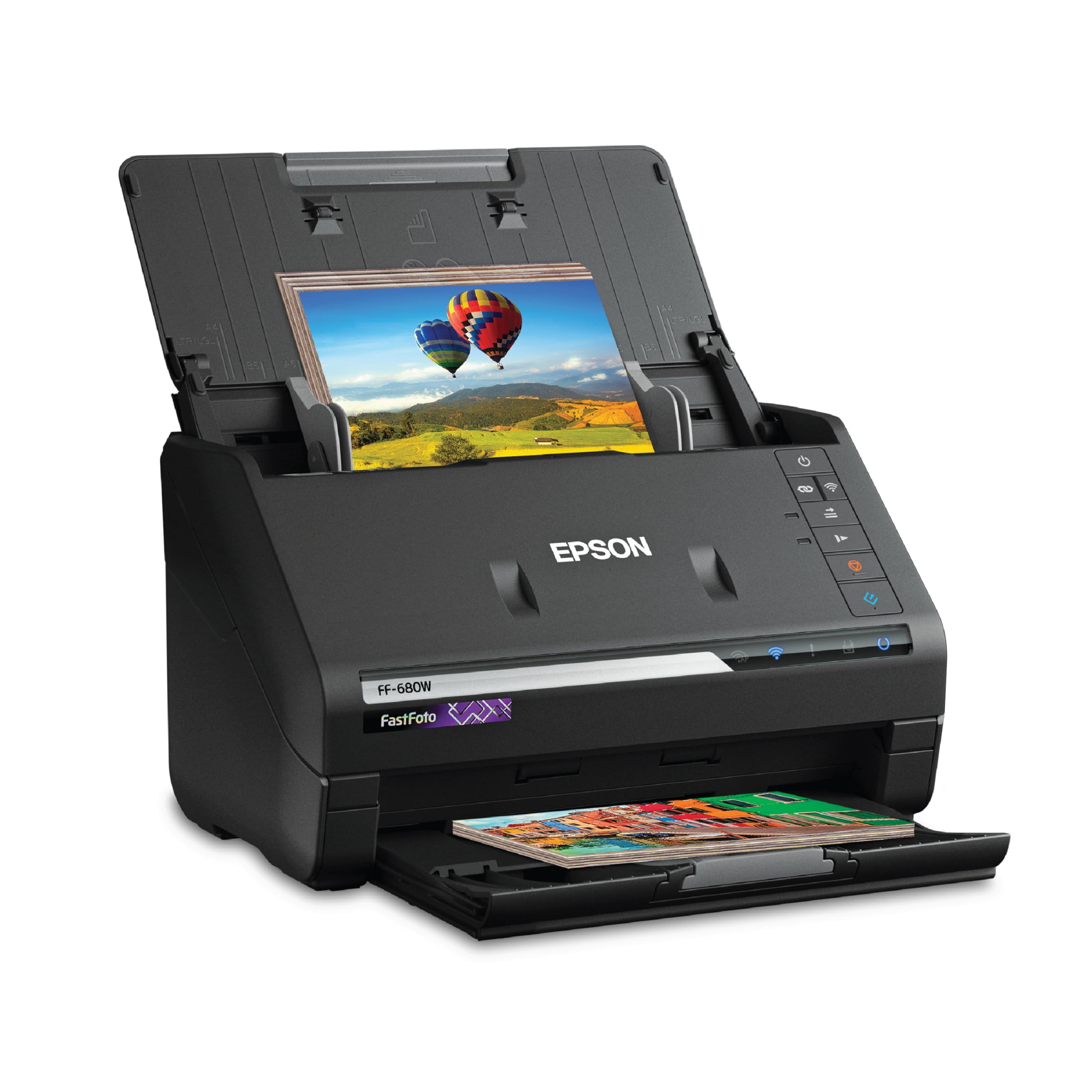
The Epson FastFoto FF-680W is the closest thing to a conveyor belt for your photo collection. It feeds up to 36 prints at once, scanning each side at one second per photo at 300 DPI. That translates to roughly 3,600 prints processed in a single day — a job that would take a flatbed scanner an entire week of non-stop manual labor. The carrier sheet handles delicate and irregularly shaped items like Polaroids and panoramas up to 8×10 inches.
Auto-enhancement includes color restoration, red-eye reduction, and de-skew, but the real value lies in the single-pass duplex capture: handwritten notes and dates on the back of each print are preserved alongside the image without any extra steps. At 600 DPI for archival TIFF files, the speed drops but still remains far faster than any flatbed alternative.
The main drawback is that aggressive auto-correction occasionally oversaturates or adds a grainy texture — the software doesn’t offer a true raw-only mode. Additionally, photos with glued corners or tape can jam, though clearing the path is straightforward. For pure, uncompromised bulk photo digitization, this is the gold standard.
Why it’s great
- 36-photo batch feeder — fastest consumer photo scanner available
- Duplex capture preserves back-side handwriting
- Carrier sheet protects fragile prints
Good to know
- Auto-enhancement cannot be fully disabled for raw output
- Premium price reflects dedicated photo engineering
2. ScanSnap iX2500 Photo Edition
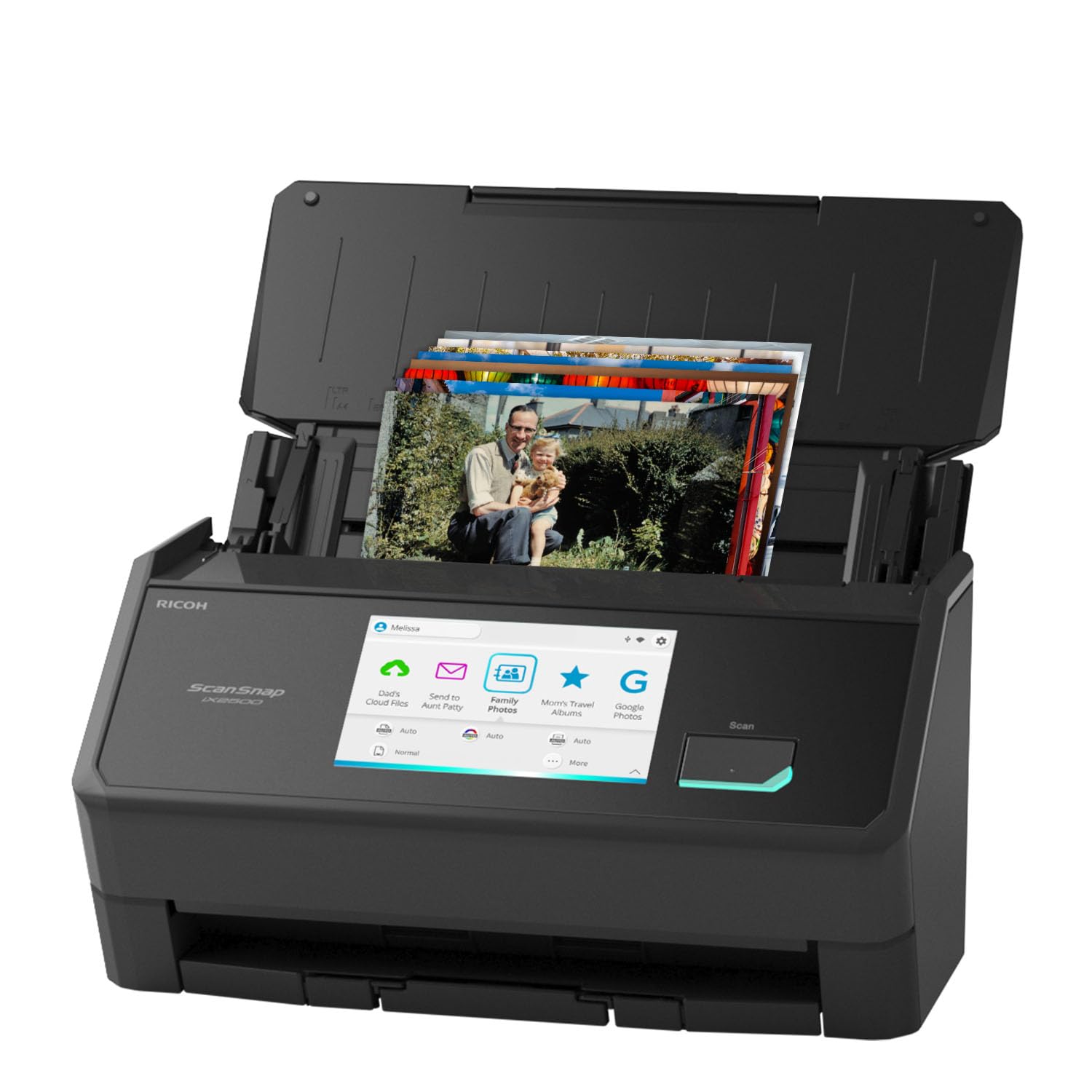
The iX2500 Photo Edition is essentially ScanSnap’s flagship iX2500 chassis tuned specifically for photo handling. It ships with three dedicated carrier sheets and pre-configured photo scanning profiles accessible from the large 5-inch color touchscreen. The 100-sheet ADF handles up to 36 photos per batch, and the brake roller system and multi-feed sensor dramatically reduce the risk of jams with glossy or curled prints.
Wi-Fi 6 connectivity allows cable-free operation, and the touchscreen lets you select personalized profiles to send scans directly to cloud services, a PC, or a Mac without needing to touch a keyboard. At 600 DPI the scan quality is sharp enough for 8×10 enlargements, and the automatic color optimization does a solid job with faded family prints without the heavy-handed oversaturation seen on some competitors.
The software, while powerful, buries file-naming and folder options several menus deep, and the auto-rotate feature occasionally misreads portrait-oriented photos. The Photo Edition is also significantly more expensive than the standard iX2500, so it’s only justified if your primary load is photographic rather than purely document-based.
Why it’s great
- Includes 3 carrier sheets and photo-optimized feed profiles
- Wi-Fi 6 + touchscreen for cable-free batch scanning
- Reliable brake roller system prevents photo jams
Good to know
- Software file-management UI is unintuitive
- Premium price over standard iX2500 for photo-specific features
3. ScanSnap iX2500
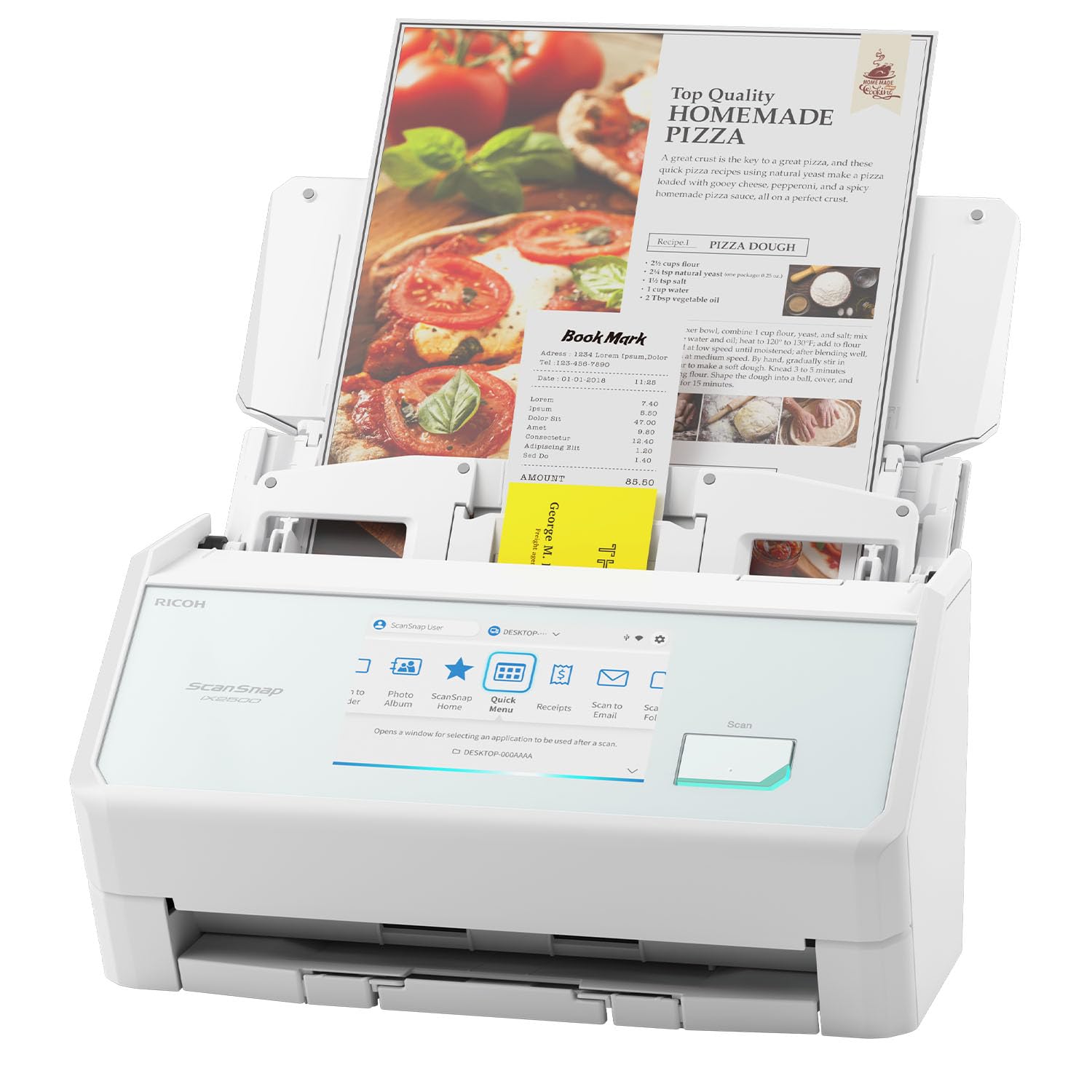
The standard ScanSnap iX2500 is a document-scanning powerhouse that handles occasional photo batches with ease. Its 100-sheet auto document feeder runs at 45 pages per minute duplex, and the 5-inch touchscreen makes profile selection near-instant. The dual-feed detection and skew correction are excellent at preventing paper jams even with stapled or slightly warped documents.
For photos, the iX2500 works best when you use the manual feed slot for single thick prints or carrier sheets — the ADF is optimized for standard paper weight and can scuff glossy photo stock if fed unprotected. ScanSnap Home software provides robust auto-naming, folder sorting, and searchable PDF creation, making it easy to organize mixed batches.
Because this model lacks the dedicated photo carrier sheets and photo-specific enhancement profiles of the Photo Edition, photo purists may find the output a touch flat compared to the Epson FF-680W. But for a mixed workflow — digitizing tax documents, receipts, and family photos in a single session — the iX2500 is unmatched in overall speed and reliability.
Why it’s great
- 45 ppm duplex speed clears a drawer of documents in minutes
- Touchscreen with customizable profiles simplifies multi-user workflows
- Reliable feed system handles mixed paper types without jams
Good to know
- No included photo carrier sheets
- Occasional upside-down scans in batch mode
4. ScanSnap iX2400

The iX2400 is essentially the iX2500’s wired sibling — it trades Wi-Fi and touchscreen for a lower cost and the same blistering 45 ppm duplex speed. With a 100-sheet ADF and one-touch button operation, it is built for users who need speed above all and don’t mind a tethered USB connection. Setup takes under 10 minutes, and the scanner delivers crisp 600 DPI output immediately.
For photo scanning, the iX2400 lacks carrier sheets and a photo-specific profile, so you will need to place prints in the ADF with care. The software’s auto-crop and de-skew work well on standard 4×6 and 5×7 prints, but glossy stock can pick up roller marks if the paper is even slightly curled. The blank page removal feature is a smart touch for scanning mixed batches of one-sided and two-sided material.
The biggest limitation is the lack of Wi-Fi — you are locked to a single workstation via USB. And the software, while fast, has a slightly dated interface that requires extra clicks to set file-naming conventions. For high-volume document digitization with occasional photo runs, this is a powerful, cost-effective choice.
Why it’s great
- 45 ppm duplex speed at a lower price point than the iX2500
- One-touch button for instant scanning
- Automatic blank page removal simplifies batch processing
Good to know
- No Wi-Fi or touchscreen interface
- Software UI requires extra clicks for file settings
5. Epson ES-580W

The Epson ES-580W is a professional-grade document scanner that sets itself apart with a CCD sensor — a feature rare in the consumer auto-feed space. CCD captures richer color depth and better shadow detail than CIS sensors, which matters when scanning aged photographic prints with subtle tonal gradations. The 100-sheet ADF, 4.3-inch color touchscreen, and wireless connectivity make it a serious office tool.
For photo work, the ES-580W handles prints through its ADF, but the feed path is optimized for standard office paper. Glossy 4×6 prints can stick together in the feeder, so carrier sheets or manual feeding are recommended for photos. Where it truly shines is as a hybrid device — scanning documents at 35 ppm duplex with TWAIN compatibility for integration into business software like Quicken or EMR systems.
The main downsides are its weight (over 8 pounds) and the absence of dedicated photo carrier sheets. It is not a photo-first scanner, but for users who need one device to handle high-volume document workflows and the occasional photo digitization, the CCD sensor and robust build quality justify its place.
Why it’s great
- CCD sensor offers superior color depth over CIS alternatives
- TWAIN driver integrates with professional software
- Touchscreen with direct cloud and email profiles
Good to know
- No photo carrier sheets; glossy prints can stick
- Heavier and bulkier than most consumer models
6. ScanSnap iX1300

The ScanSnap iX1300 is the space-saving champion of the lineup — folding down to a footprint that slips inside a desk drawer when not in use. Despite its compact size, it offers both an auto document feeder for up to 30 ppm duplex scanning and a dedicated manual feeder slot for thick items like plastic cards and individual photos. This dual-feed design is a genuine advantage for photo work.
Users have successfully scanned over 9,000 photos through the iX1300 without any mechanical failures, which speaks to the reliability of its feed mechanism. The software includes automatic color optimization, de-skew, and blank page removal, and the Quick Menu system lets you drag-and-drop scans directly into your most-used applications. Wi-Fi and USB connectivity provide flexibility for placement.
Where it falls short is the small 20-page ADF capacity — you will need to reload frequently for large photo batches. The relatively slower speed (30 ppm versus the 45 ppm of larger ScanSnaps) adds up over thousands of prints. But for a user with a modest collection and limited desk space, the iX1300 is a smart, reliable compromise.
Why it’s great
- Manual feed slot handles thick photos and cards separately
- Ultra-compact design folds into a drawer
- Wi-Fi + USB for flexible placement
Good to know
- Small 20-page ADF requires frequent reloading
- Slower scan speed than full-size ScanSnaps
7. Canon imageFORMULA R30

The Canon imageFORMULA R30 is a plug-and-play document scanner built for raw volume. It requires no driver installation — connect via USB and it appears as an external drive, letting you start scanning in seconds. The 60-sheet ADF runs at 25 ppm duplex, and the software auto-detects single versus double-sided pages, skipping blanks automatically. Users have scanned over 1,000 double-sided pages in an afternoon without a single jam.
For photos, the R30 is functional but not ideal. The feed path is designed for standard paper, and glossy prints may pick up roller marks or stick together in the ADF. Canon’s CaptureOnTouch software includes basic auto-crop and deskew, but lacks the sophisticated color restoration and fade-correction of photo-dedicated scanners. It also cannot scan bound books or items thicker than a credit card.
Driver stability is a known pain point — some users report that the scanner driver requires reinstallation every time the computer restarts, a frustrating quirk for an otherwise excellent piece of hardware. If your primary goal is document digitization and photos are a secondary concern, the R30 delivers spectacular value for its price.
Why it’s great
- Driverless USB setup — truly plug-and-scan
- 60-sheet ADF handles massive document batches
- Automatic blank page and orientation detection
Good to know
- No photo-specific enhancements or carrier sheets
- Driver may require reinstallation on some systems
8. Doxie Pro

The Doxie Pro occupies a unique niche: it combines a 20-sheet duplex ADF with a direct feed slot for thick or delicate items such as folded maps, torn receipts, and individual photos. The direct feed bypasses the main roller mechanism, which drastically reduces the risk of damaging fragile photo stock. The Doxie software is intuitive, offering real-time editing without forcing you to rescan corrected images.
Scan quality at 300 DPI is solid for documents and acceptable for photos, though the 600 DPI max resolution means true archival-grade capture is not available. The auto-crop and straightening features work reliably, and the software can export to JPG, PNG, PDF, and searchable OCR PDF. Users consistently report sub-5-minute setup times on both Mac and PC.
At 3 pounds and roughly the size of a small notebook, the Doxie Pro is genuinely portable, but that comes at the cost of batch capacity — the 20-page ADF will feel restrictive for users with large photo collections. Additionally, there is no SD card slot or external battery support, so it must remain tethered to a computer. For mobile professionals and small-batch scanning, it is a charmingly effective tool.
Why it’s great
- Direct feed slot protects fragile photos and thick items
- Intuitive software with real-time editing
- Lightweight and compact for desk or bag
Good to know
- 20-page ADF is small for bulk photo jobs
- No standalone operation — requires computer connection
9. HP PS200

The HP PS200 is the most budget-friendly entry in this guide, designed for users who need a portable scanner for occasional use. Weighing just over 3 pounds and measuring under 3 inches thick, it fits easily into a laptop bag. The 25-sheet ADF supports duplex scanning at 25 ppm, and the included HP WorkScan software provides basic editing, cropping, and file conversion.
Serious caveats separate this unit from the rest. Though the product claims 1200 DPI resolution, multiple verified user reports indicate the scanner is firmware-limited to 200 DPI in practice — a critical flaw for anyone hoping to archive photos at high resolution. The auto-cropping function has been reported to cut edges off photos unpredictably, and the two-sided scanning feature fails on a high percentage of attempts, with the unit throwing “ADF Bulb rear Error” messages.
Software support is another unresolved issue: HP does not list this product on its official website, and the required driver download links appear unreliable. For users with extremely modest needs and a willingness to troubleshoot, the PS200 may suffice for text documents, but it is not a recommended tool for photo preservation. The value proposition only works if you treat it as a disposable travel scanner with limited expectations.
Why it’s great
- Extremely lightweight and portable for travel scanning
- Low barrier to entry for occasional document use
Good to know
- Firmware limits resolution to 200 DPI despite 1200 DPI claim
- Auto-cropping and duplex reliability are inconsistent
- Unsupported by HP with no official driver page
FAQ
Can an auto feed scanner damage my original photos?
What is the best DPI to scan family photos for archiving?
Do I need special software for photo scanning?
Final Thoughts: The Verdict
For most users, the auto feed scanner for photos winner is the Epson FastFoto FF-680W because it combines blistering speed with true photo-specific engineering, including carrier sheets and duplex capture. If you want a hybrid device that handles documents and photos with equal authority, grab the ScanSnap iX2500 Photo Edition. And for compact desk space where photos are occasional but documents are daily, nothing beats the space-saving versatility of the ScanSnap iX1300.