
Our readers keep the lights on and the weekend projects moving. As an Amazon Associate, I earn from qualifying purchases.
Finding a laptop that delivers real performance without forcing you into a budget corner used to mean wading through confusing tech specs and marketing fluff. The difference between a smart buy and a regretful one often comes down to knowing which hardware combination unlocks the most speed for your dollar, especially when you need a machine for work, study, or creative projects.
I’m Rikta — the co-founder and writer behind FitlyFast. My buying guides are built on deep market research and hundreds of hours of spec analysis, comparing CPU generations, RAM configurations, storage types, and display quality to identify which laptops offer the strongest balance of performance and long-term value.
Whether you need a daily driver for multitasking or a portable workstation for creative work, this guide cuts through the noise to reveal the bang for your buck laptop options that actually earn their place in your bag.
How To Choose The Best Bang For Your Buck Laptop
A smart value-oriented laptop buy isn’t about the lowest price tag; it’s about the most capable hardware for your specific workload. Prioritizing the wrong spec — like a high-core-count CPU when you need RAM — can leave you with a machine that feels slow despite a shiny processor sticker.
RAM is the Real Bottleneck
An 8GB machine will struggle with a dozen browser tabs, Slack, and a document editor open simultaneously. 16GB is the baseline for smooth multitasking in 2024 and beyond. Laptops with 32GB of RAM at a mid-range price point are rare and represent exceptional value for power users.
Storage Type and Capacity
An SSD is non-negotiable for boot times and app loading. The minimum practical capacity is 512GB. 1TB is ideal for media files, and a spare M.2 slot allows future upgrades. Some budget laptops pair a smaller SSD with an eMMC drive, which is slower — prioritize a single large NVMe SSD for the best experience.
CPU Generation Over Core Count
A newer-gen i3 or Ryzen 5 can outpace an older i7 in single-threaded tasks. Focus on the processor generation (12th-gen Intel or newer, Ryzen 7000 or newer) rather than just the model number. The NPU (Neural Processing Unit) in newer chips is a bonus for future AI-based tasks, but not a current necessity for most buyers.
Quick Comparison
On smaller screens, swipe sideways to see the full table.
| Model | Category | Best For | Key Spec | Amazon |
|---|---|---|---|---|
| Dell 14 Plus | Premium Ultraportable | Creative professionals & power users | 32GB LPDDR5X RAM | Amazon |
| Acer Aspire 14 AI | AI Copilot+ PC | Future-proof productivity & multitasking | Intel Core Ultra 7 256V | Amazon |
| Microsoft Surface Laptop | Premium Ultraportable | All-day battery & premium design | Snapdragon X Plus (10 core) | Amazon |
| Lenovo IdeaPad Slim 3X | Copilot+ PC | AI-ready daily driver & media | Snapdragon X / 15hr battery | Amazon |
| NIMO 17.3″ | Large Screen Power | 4K editing & big-screen productivity | AMD Ryzen 7 8745HS | Amazon |
| HP Victus 15 | Budget Gaming | Entry-level gaming & creative work | RTX 2050 / 144Hz display | Amazon |
| Acer Nitro V | Gaming Standard | Mid-range gaming & multitasking | RTX 4050 / 144Hz display | Amazon |
| HP 15.6″ 2026 Edition | High-Capacity Workhorse | Students & home office | 32GB RAM / 1TB SSD | Amazon |
| ASUS Vivobook | Compact Value | Portable daily driver & school | i3-1215U / 16GB RAM | Amazon |
| Dell 15 DC15250 | Everyday Workhorse | Basic productivity & web tasks | Intel Core 3 100U / 120Hz | Amazon |
| Lenovo IdeaPad 1 | Budget Student | Entry-level school & streaming | 12GB RAM / 512GB+128GB | Amazon |
In‑Depth Reviews
1. Dell 14 Plus Laptop DB14250

The Dell 14 Plus DB14250 is a standout for power users who need a compact yet potent machine. The 2.5K (2560×1600) 16:10 display offers excellent clarity and vertical screen real estate for coding, document work, and creative projects. The Intel Core Ultra 7-258V processor, paired with Intel Arc Graphics, is built to handle AI-accelerated tasks and moderate creative workloads smoothly.
32GB of LPDDR5X RAM is the ceiling for most laptops in this size class, ensuring you can run dozens of browser tabs, virtual machines, or large datasets without breaking a sweat. The 1TB SSD provides ample storage, and the all-aluminum chassis feels rigid and premium. The backlit Copilot key is a subtle but useful addition for invoking AI helpers.
Battery life is solid for an Ultra 7 machine, lasting a full workday on mixed use. The lack of a dedicated GPU means it’s not a gaming machine, but the Intel Arc Graphics handle light photo editing and 1080p video playback effortlessly. This is the laptop to choose when your workload demands top-tier RAM and a gorgeous screen, and you value a lightweight, premium build.
Why it’s great
- 32GB RAM is future-proof for multitasking
- Sharp 2.5K 16:10 display with great color
- Premium aluminum build is lightweight and rigid
Good to know
- No dedicated GPU for gaming
- Limited port selection (no USB-A on some configs)
2. Acer Aspire 14 AI Copilot+ PC
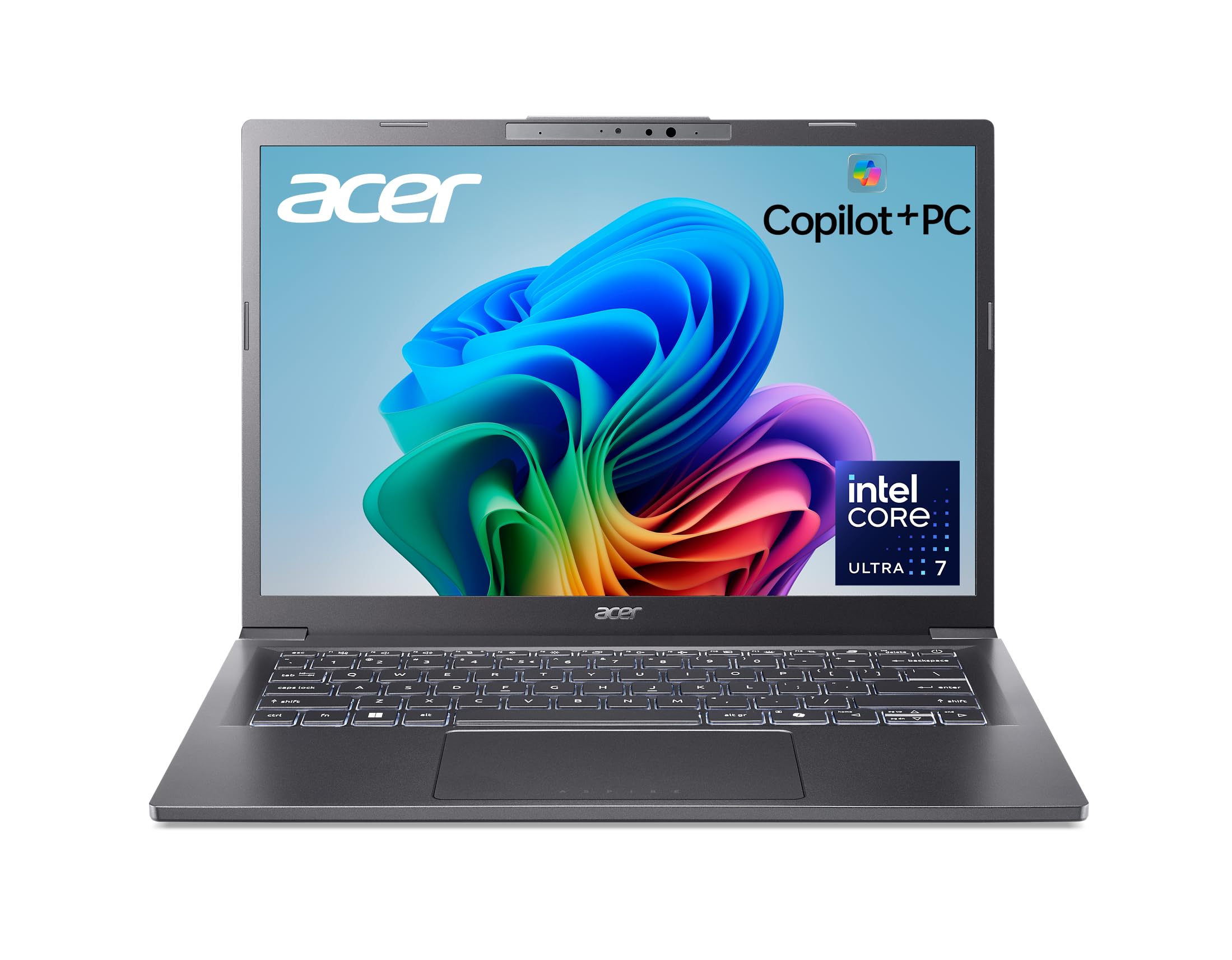
The Acer Aspire 14 AI is a forward-looking machine that blends Intel’s latest Core Ultra 7 processor (Series 2) with a dedicated NPU capable of 47 TOPS. This makes it ready for the coming wave of AI-enhanced applications, from real-time video effects to advanced search. The 14-inch WUXGA (1920×1200) display is bright and sharp, with a 16:10 aspect ratio that provides extra vertical space for productivity.
16GB of LPDDR5X RAM and a 1TB SSD provide a balanced spec sheet that can handle heavy multitasking and local file storage without complaint. The laptop is built with a sleek aluminum chassis that feels durable, and the 180-degree lie-flat hinge is useful for sharing your screen in collaborative settings. Battery life is rated at 22 hours, which, while optimistic under heavy load, easily lasts a full workday.
The integrated Intel Arc 140V graphics are capable of light gaming and video editing, but don’t expect high-fidelity gaming performance. The laptop comes with moderate bloatware, but a quick cleanup resolves that. For buyers who want a modern, AI-capable laptop with a premium feel and strong battery life, the Aspire 14 AI is a compelling choice in the mid-range tier.
Why it’s great
- Powerful NPU for future AI workloads
- Long battery life (22 hour rating)
- Slim, durable aluminum chassis
Good to know
- Some bloatware pre-installed
- Integrated graphics limit gaming performance
3. Microsoft Surface Laptop (2024)

The 2024 Surface Laptop marks a significant shift, adopting an ARM-based Snapdragon X Plus processor that delivers exceptional power efficiency. With a 10-core CPU and a dedicated NPU, this Copilot+ PC is incredibly fast for day-to-day tasks, outperforming even the MacBook Air M3 in sustained multi-threaded workloads. The 13.8-inch PixelSense touchscreen display is among the best in its class, with vibrant colors, high brightness, and a near-borderless design.
The laptop is incredibly light and thin, making it an ideal travel companion. The keyboard and haptic trackpad are best-in-class, offering a premium typing experience. Windows Hello facial recognition is instant and secure. Battery life is excellent, offering up to 20 hours of juice, meaning most users will only need to charge every few days. The build quality is flawless, with a magnesium-aluminum unibody that feels dense and expensive.
The primary caveat is ARM compatibility. While most modern apps run flawlessly, some legacy x64 software and games may have issues or require emulation, which can impact performance. The base model comes with 256GB storage, which is tight for a premium machine. As a daily driver for web-based work, creative work, and media consumption, the Surface Laptop is an incredible value if you’re comfortable with the ARM ecosystem.
Why it’s great
- Outstanding battery life (20 hours)
- Exceptional build quality and keyboard
- Fast Snapdragon X Plus performance
Good to know
- ARM architecture may limit legacy software
- Base 256GB storage is small for the price
4. Lenovo IdeaPad Slim 3X (2025)

The Lenovo IdeaPad Slim 3X is the perfect example of modern value engineering. By pairing a Snapdragon X processor with a Copilot+ PC platform, Lenovo offers a laptop that is fast, power-efficient, and AI-ready at a price that undercuts many Intel equivalents. The 15.3-inch WUXGA (16:10) display is bright and colorful, with a higher resolution than standard FHD, making it excellent for media consumption and productivity.
16GB of RAM ensures smooth multitasking for the average user, and the 512GB SSD offers ample space for files. The metal chassis, though plastic on the bottom, feels premium and has passed MIL-STD-810H durability tests. Battery life is a standout feature, easily lasting a full day and then some. The laptop is also lightweight and thin, making it highly portable.
Performance from the Snapdragon X is snappy for all everyday tasks — browsing, Office, streaming, and photo editing. It runs cool and nearly silent under load. The integrated Radeon graphics handle light gaming well. The only real downside is that ARM compatibility is not perfect, but for most users, this is not an issue. If you want a modern, efficient, and powerful daily driver without spending a fortune, the IdeaPad Slim 3X is a top contender.
Why it’s great
- Excellent price-to-performance ratio
- All-day battery life
- Lightweight and durable build
Good to know
- ARM-based processor limits legacy app compatibility
- Bottom chassis is plastic
5. NIMO 17.3″ Gaming Laptop

The NIMO 17.3-inch laptop is built for users who prioritize screen real estate and raw CPU power. The AMD Ryzen 7 8745HS is a potent 8-core processor that rivals desktop-class performance in multi-threaded tasks like video editing and 3D rendering. With 16GB of DDR5 RAM and a 1TB NVMe SSD, it handles heavy workloads without breaking a sweat.
The 17.3-inch display can be configured up to 4K, which is a rarity in this price bracket and a huge advantage for creative professionals who need precise detail. The 180-degree hinge is a great bonus for collaboration. The laptop is surprisingly portable for its size, weighing under 4.6 lbs. The inclusion of USB4 and HDMI 2.1 ports allows for use with external GPUs and high-resolution monitors.
The integrated Radeon 780M graphics are remarkably capable, handling many modern games at 1080p medium settings. Battery life is average for a large-screen laptop, around 3-4 hours on light use. The speakers are functional but not impressive. For a creator or power user who needs a big, sharp display and a processor that can chew through heavy tasks, the NIMO delivers exceptional value.
Why it’s great
- Powerful Ryzen 7 processor for heavy tasks
- Large 17.3-inch display with 4K option
- USB4 and HDMI 2.1 connectivity
Good to know
- Average battery life
- Built-in speakers are mediocre
6. HP Victus 15 Gaming Laptop

The HP Victus 15 is a competent entry-level gaming laptop that doesn’t scream “gamer” in its design. The silver chassis and subtle Victus branding mean it fits equally well in a dorm room or a coffee shop. The 15.6-inch FHD display with a 144Hz refresh rate provides smooth visuals for fast-paced games, and the AMD Ryzen 5 7535HS processor offers strong multi-core performance.
The NVIDIA GeForce RTX 2050 with 4GB of GDDR6 VRAM is the key value proposition. While not as powerful as an RTX 3050, it is capable of playing popular titles like CS2, Fortnite, and older AAA games at high settings with good frame rates. The 16GB of DDR5 RAM ensures smooth system operation, and the 512GB SSD provides adequate storage. The keyboard is comfortable with a numeric keypad, and the Bang & Olufsen speakers sound good.
Battery life is a significant weakness, lasting only 3-5 hours on light tasks, and the fans are always audible. The RTX 2050 is also limited to 4GB of VRAM, which will bottleneck newer games at higher textures. For the budget-conscious gamer who plays competitive titles or older AAA games, the HP Victus 15 hits a sweet spot of price and performance.
Why it’s great
- 144Hz display for smooth gaming
- Good performance for the price with RTX 2050
- Subtle, professional design
Good to know
- Short battery life
- Fans are always on and audible
7. Acer Nitro V (ANV15-51-51H9)

The Acer Nitro V is a step up in gaming performance thanks to the inclusion of the NVIDIA GeForce RTX 4050. This GPU supports DLSS 3, which can dramatically boost frame rates in supported games. Paired with the 13th-gen Intel Core i5-13420H and a 144Hz IPS display, this laptop is capable of playing modern AAA titles at high settings with solid framerates.
The 8GB of DDR5 RAM is the only limiting spec here — it is sufficient for gaming but may need an upgrade for heavy multitasking. The 512GB Gen 4 SSD is fast, and the design, while gamer-oriented with red accents, is more restrained than some competitors. The Nitro Sense software effectively controls fan curves and monitors system health. The dual fans and exhaust system keep temperatures in check during extended gaming sessions.
Battery life is poor, typical for gaming laptops, at around 3 hours on light use. The bloatware is excessive and requires time to clean. The screen, while 144Hz, has mediocre color accuracy out of the box, which may bother creative users. For the gamer who wants to play the latest titles without breaking the bank, the RTX 4050 in the Nitro V makes it a strong mid-range contender.
Why it’s great
- RTX 4050 with DLSS 3 support
- Fast 144Hz display
- Good cooling system
Good to know
- Only 8GB RAM (needs upgrade)
- Heavy bloatware
- Poor battery life
8. HP 15.6″ FHD Laptop 2026 Edition

The HP 15.6-inch 2026 Edition focuses on two specs that directly impact real-world multitasking: RAM and storage. With 32GB of DDR4 RAM and a 1TB SSD, this laptop is a workhorse for users who keep dozens of browser tabs open, run virtual machines, or store large media libraries locally. The Intel N100 processor is designed for efficiency, not raw performance, but it handles Office, streaming, and web apps smoothly.
The 15.6-inch anti-glare display is comfortable for extended use, and the full-size keyboard with numeric keypad is great for data entry. At just 3.64 lbs, it is lightweight for its size. The package includes lifetime Office for the web, adding value for students and home office users. Wi-Fi 6 and Bluetooth 5.3 ensure modern connectivity.
The Intel UHD integrated graphics are only suitable for light, casual gaming. The N100 processor will not satisfy power users who need to run heavy software. This laptop is a specialist in one area: offering massive memory at a budget-friendly price. It is ideal for the user who needs to keep everything open without slowdown, rather than needing CPU horsepower.
Why it’s great
- 32GB RAM is exceptional for multitasking
- 1TB SSD provides ample storage
- Lightweight and includes Office
Good to know
- Intel N100 processor is low-power
- Integrated graphics limit gaming/editing
9. ASUS Vivobook Laptop (X1404ZA)

The ASUS Vivobook X1404ZA is a compact 14-inch laptop that punches above its weight class. The 12th-gen Intel Core i3-1215U processor is a six-core chip with a turbo speed of 4.4 GHz, which is more than enough for daily productivity tasks like Office, browsing, and Zoom calls. The real value lies in the 16GB of RAM, which ensures smooth multitasking even with multiple applications open.
The FHD IPS-level display is anti-glare and comfortable for long sessions. The laptop is lightweight and highly portable, fitting easily on an airplane tray table. The keyboard is comfortable and includes a numeric keypad, a rare find on a 14-inch chassis. The Wi-Fi 6 and Bluetooth 5.0 connectivity is modern and reliable. The design is clean and professional, available in a nice earthy blue.
There is no dedicated GPU, so gaming is limited to integrated Intel UHD graphics. The touchpad can be slightly finicky with the default driver, but switching to the Microsoft driver resolves the issue. A very small number of units have been reported with defects. For the student or traveling professional who needs a reliable, capable, and affordable machine, the Vivobook is an excellent mid-range value.
Why it’s great
- 16GB RAM for smooth multitasking
- Compact and lightweight design
- Good value for the price
Good to know
- No dedicated GPU for gaming
- Touchpad may require driver adjustment
10. Dell 15 Laptop DC15250

The Dell 15 DC15250 is a no-nonsense everyday work laptop with a unique selling point: a 120Hz display at a budget price point. While 120Hz is typically a gaming feature, here it makes scrolling and general Windows navigation feel exceptionally smooth. The Intel Core 3 100U processor (a 12th-gen Alder Lake chip) provides solid performance for basic productivity tasks and light web surfing.
The 8GB of DDR4 RAM and 512GB SSD are sufficient for running Office, a few browser tabs, and email. The build quality feels decent for the price, and the lifted hinge provides an ergonomic typing angle and houses a decent speaker system. Dell includes their ComfortView software to reduce blue light, which is a thoughtful addition for long work sessions. The 1-year onsite service is a good peace of mind.
The 8GB RAM is a bottleneck for true multitasking, and the integrated Intel UHD graphics are only for basic media. Some users have reported the pre-installed software is excessive. For a student or basic office user who values a smooth display for reading and typing, and wants a reliable machine from a major brand with great support, the Dell 15 offers a good entry-level package.
Why it’s great
- Smooth 120Hz display for daily use
- Decent build quality for the price
- 1-year onsite support from Dell
Good to know
- 8GB RAM limits multitasking
- Integrated graphics only
11. Lenovo IdeaPad 1 Student Laptop
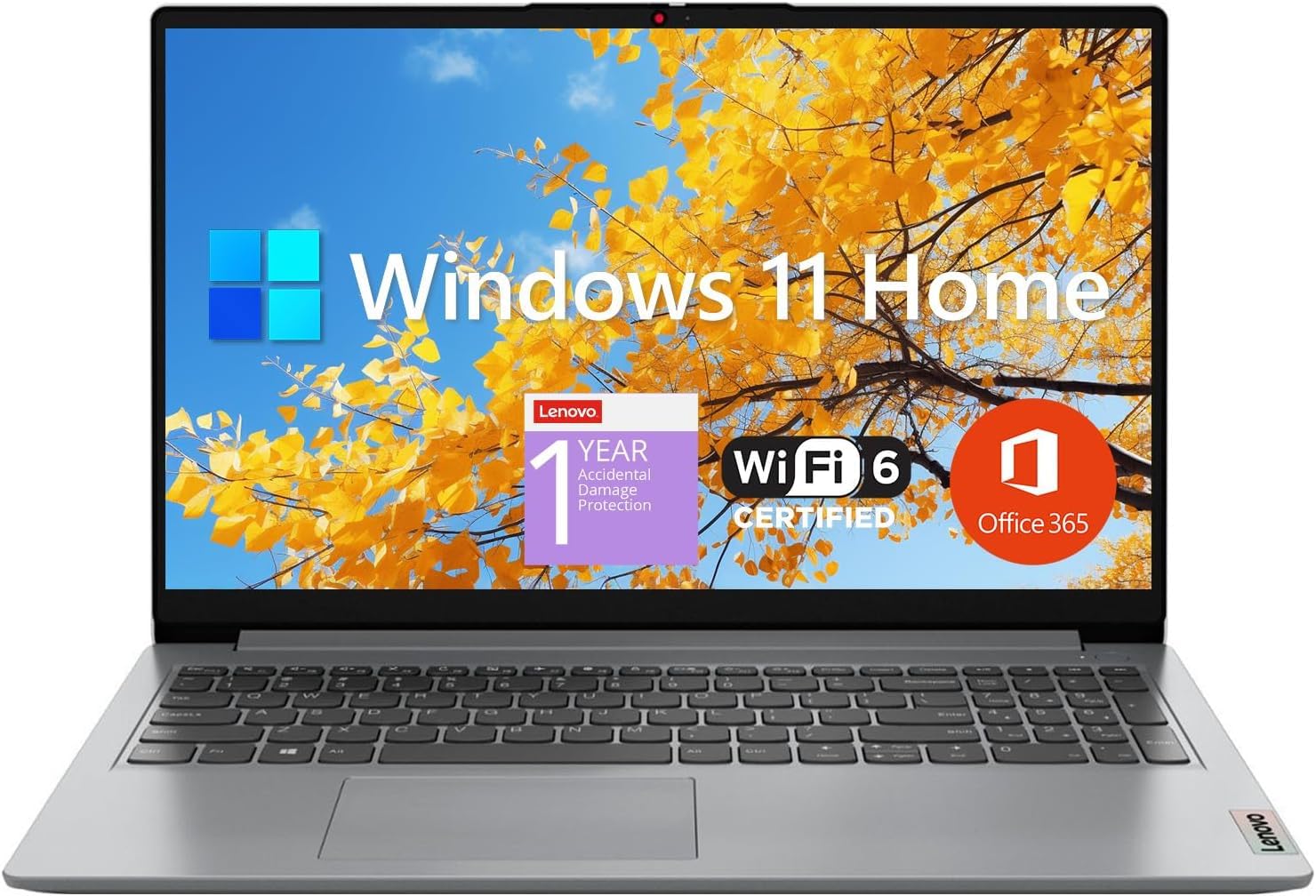
The Lenovo IdeaPad 1 is the quintessential budget student laptop. It offers a surprisingly generous 12GB of RAM for its price tier, which helps with basic multitasking like having a few tabs, Word, and a PDF reader open. The 15.6-inch FHD anti-glare display is decent for studying and streaming, and the inclusion of a 512GB SSD plus a 128GB eMMC drive provides a reasonable amount of storage.
The Intel Celeron N4500 processor is a dual-core chip that is its biggest weakness. It is perfectly adequate for web browsing, email, and streaming, but it will show its limitations with any heavy application or multiple demanding tasks. The laptop is lightweight and portable, making it easy to carry between classes. The inclusion of 1-year Office 365 is a nice bonus for students.
The build quality is all plastic, and the keyboard is serviceable but not premium. Some users have reported performance degradation after a year of use. The IdeaPad 1 is strictly for the user whose budget is the primary concern and who needs a basic machine for school or light home use. It is not a speed demon, but for its price, the RAM and storage combination offer decent value.
Why it’s great
- 12GB RAM is good for basic multitasking
- Includes 1-year Office 365
- Lightweight and portable
Good to know
- Dual-core Celeron processor is slow
- All-plastic build feels cheap
- May degrade in performance over time
FAQ
Is 8GB of RAM enough for a laptop in 2024?
Should I buy an ARM-based Windows laptop like the Surface Laptop?
What does an NPU do for a laptop?
Is a dedicated GPU necessary for creative work?
Final Thoughts: The Verdict
For most users, the ultimate bang for your buck laptop is the Lenovo IdeaPad Slim 3X because it combines a fast, efficient Snapdragon X processor with 16GB of RAM and all-day battery life at a price that undercuts the competition. If your focus is raw multitasking power and RAM, grab the HP 15.6″ 2026 Edition for its massive 32GB of memory. And for a premium, ultraportable experience with top-tier build quality and screen, nothing beats the Microsoft Surface Laptop (2024).