
Our readers keep the lights on and the weekend projects moving. As an Amazon Associate, I earn from qualifying purchases.
The biggest lie in digital photo frames is that they must be chained to a wall outlet to deliver a beautiful slideshow. A battery-powered digital photo frame changes everything—it lets you place your memories on a bookshelf, a nightstand, or even take them to a family gathering without hunting for an extension cord. The freedom to reposition the frame without rewiring your room is the single feature that transforms a static gadget into a living, breathing album.
I’m Rikta — the co-founder and writer behind FitlyFast. After spending countless hours analyzing specs, customer feedback, and real-world performance across dozens of models, I’ve zeroed in on the frames that actually deliver on their wireless promise: crisp displays, reliable app connections, and enough internal storage to hold thousands of moments.
Most so-called “portable” frames still rely on a constant power feed, but a true battery powered digital photo frame lets you display your favorite shots wherever a flat surface exists, not wherever an outlet happens to be.
How To Choose The Best Battery Powered Digital Photo Frame
Choosing a battery-powered frame isn’t just about picking the one with the biggest screen. The cordless factor introduces new priorities: battery endurance when unplugged, display clarity that justifies the freedom of placement, and a sharing system that doesn’t require a degree in IT. Below are the critical factors to weigh before you click buy.
Battery Life & Power Management
A frame that dies after two hours of slideshow defeats the purpose of being cordless. Look for units that offer at least six hours of continuous playback on a full charge. Many frames in this category remain plugged in most of the time but shine when you need to move them—say, to a kitchen counter for a dinner party or a bedroom for a morning wake-up. Some models include a sleep timer that automatically dims or shuts off the display to conserve battery during inactivity, which extends real-world runtime significantly.
Display Quality: Resolution & Viewing Angles
A battery-powered frame is often placed in unconventional spots—on a low coffee table, a high shelf, or even a windowsill. That makes IPS panel technology crucial because it maintains color accuracy and contrast when viewed from the side. Target 1280×800 resolution at minimum for a 10.1-inch screen; anything less will look pixelated when you’re close enough to touch it. The 16:9 or 16:10 aspect ratio is standard, but check that the frame auto-rotates between landscape and portrait so you’re not manually flipping every photo.
Wireless Connectivity & App Ecosystem
The battery is only half the wireless equation—the other half is how you get photos onto the frame. The best frames use a dedicated app (Frameo is the most common ecosystem) that lets anyone send images from anywhere via Wi-Fi. Skip models that require USB or SD card transfers for daily use; they negate the convenience of a connected frame. Also verify that the frame supports 2.4GHz Wi-Fi (most do) and that the app is actively maintained with regular updates.
Storage Capacity & Expandability
Internal storage determines how many photos you can load before the frame runs full. 16GB holds roughly 50,000 to 80,000 photos depending on resolution, which is overkill for most families. The real value lies in expandable storage via MicroSD card—this gives you the ability to swap out photo libraries for holidays, vacations, or seasonal themes without deleting your permanent collection. A frame with 32GB internal plus a card slot is the sweet spot for heavy users who upload frequently.
Quick Comparison
On smaller screens, swipe sideways to see the full table.
| Model | Category | Best For | Key Spec | Amazon |
|---|---|---|---|---|
| Jaokpo 10.1″ Frameo | Premium Frameo | Secure, private family sharing | 1280×800 IPS; 16GB+32GB card | Amazon |
| Youyu 10.1″ Frameo | Smart Home | High-security, multi-user sharing | 1280×800 IPS; 32GB built-in | Amazon |
| Dragon Touch 10.1″ | Touchscreen | Intuitive touch interface | 1280×800 IPS; 16GB built-in | Amazon |
| BWJBSW 10.1″ | Large Storage | Maximum onboard photo library | 1280×800 IPS; 32GB built-in | Amazon |
| Dragon Touch Standard | Value Touchscreen | Budget-friendly touchscreen | 1280×800 HD; 16GB built-in | Amazon |
| TEFTYMON 10.1″ | Remote Control | Simple USB/SD card operation | 1080p; remote control included | Amazon |
In‑Depth Reviews
1. Jaokpo 10.1″ WiFi Digital Picture Frame
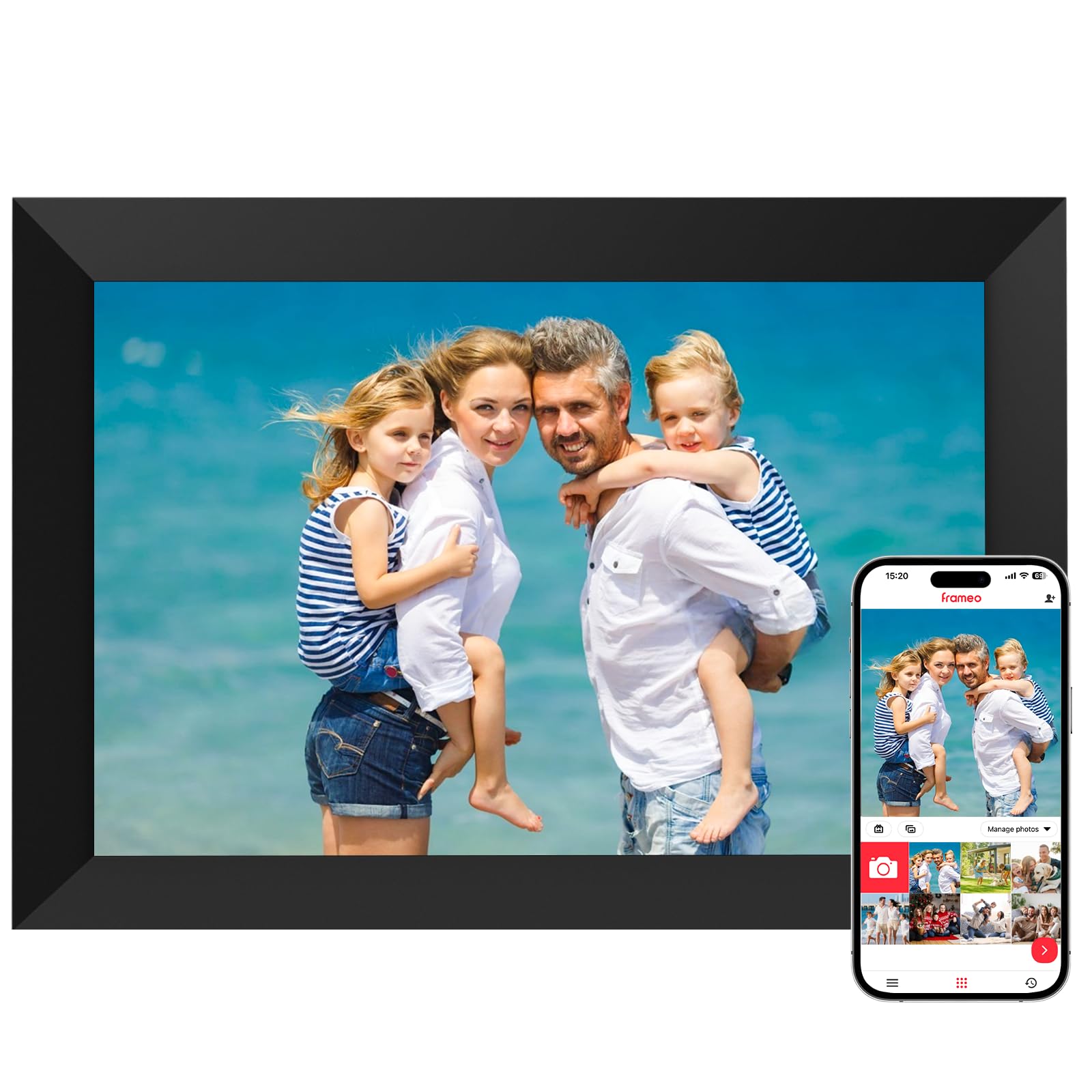
The Jaokpo frame runs the Frameo ecosystem, which is widely regarded as the most user-friendly platform for remote photo sharing. Its 10.1-inch IPS panel delivers the 1280×800 resolution needed for crisp images at normal viewing distance, and the auto-rotate sensor means you never have to manually adjust orientation when switching between portrait and landscape photos. The detachable stand lets you mount it on a wall when you want a permanent installation or prop it on a shelf when you need flexibility.
Storage starts at 16GB internal, with MicroSD expansion up to 32GB—enough room for over 50,000 photos before you even touch the card slot. The “Reply” feature, which lets recipients send emojis back to the sender, adds a layer of interactivity that makes it feel less like a display and more like a conversation. The 2.4GHz Wi-Fi connection is standard for this category, and the Frameo app handles both iOS and Android without hiccups.
What pushes this frame ahead is the two-year warranty and 24/7 support, which is double the coverage most competitors offer. The build quality feels solid, and the touchscreen response is snappy enough that navigating settings or deleting unwanted photos doesn’t become a chore. For families who want a frame that just works—and keeps working—this is the benchmark.
Why it’s great
- Frameo app is the gold standard for easy setup and remote sharing
- Two-year warranty outpaces nearly every competitor
- Detachable stand offers both tabletop and wall-mount options
Good to know
- Only supports 2.4GHz Wi-Fi, not 5GHz
- No internal battery for truly cordless operation—must be plugged in
2. Youyu 10.1″ Frameo Digital Picture Frame
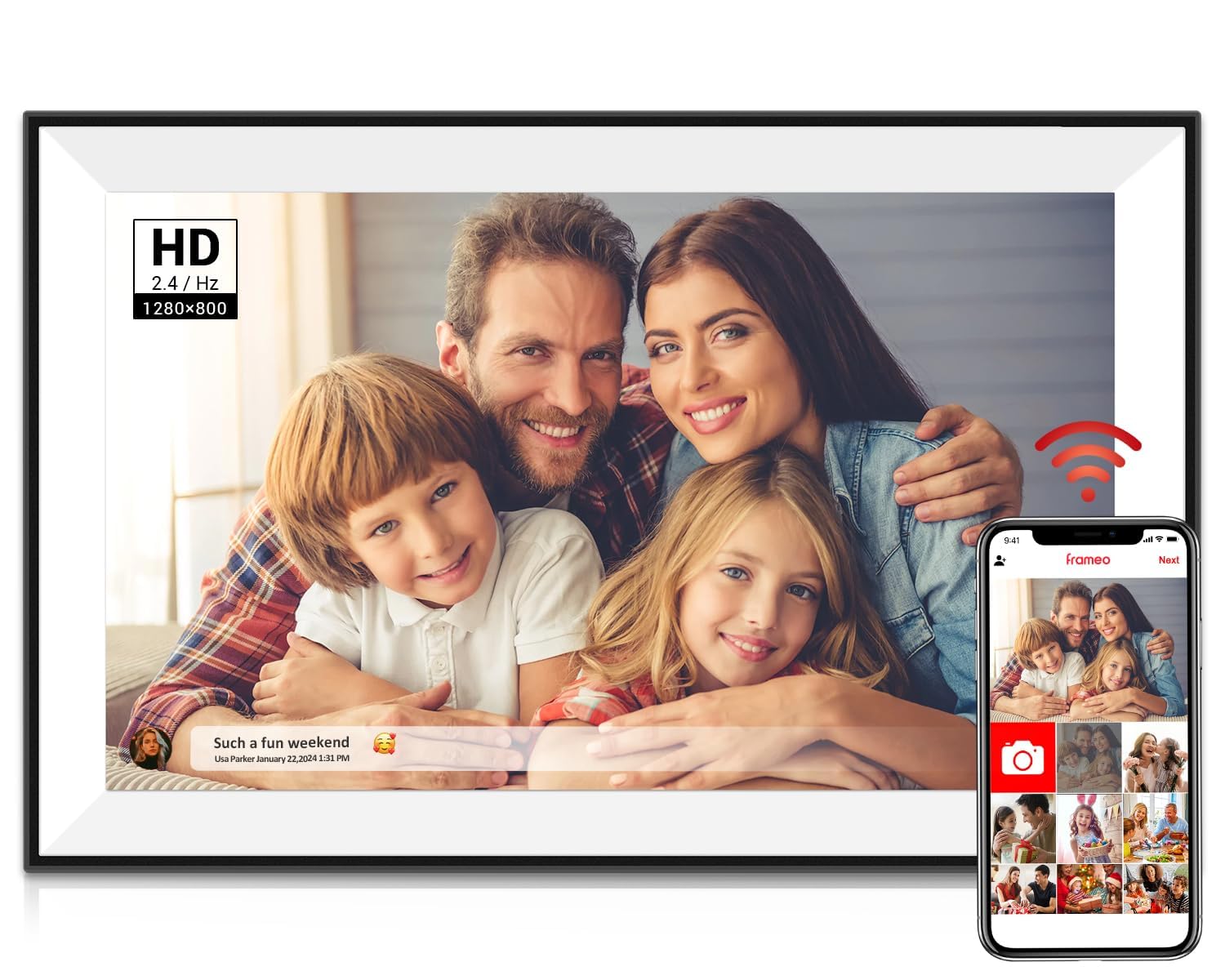
Youyu’s Frameo frame distinguishes itself with end-to-end encryption developed in Denmark—a detail that matters if you’re sharing sensitive family photos and don’t want third-party cloud storage handling your data. The 10.1-inch IPS touchscreen runs at 1280×800 resolution with 178-degree viewing angles, so the image stays vibrant even when the frame is placed off-center on a side table. At just 15.6mm thick, it’s slim enough to blend into a modern decor without looking like a bulky gadget.
The 32GB internal storage is double what many frames in this class offer, and the Frameo app allows unlimited family members to send photos and 15-second videos. Youyu claims each unit undergoes 12 quality checks, including dead-pixel testing and 10,000+ touchscreen taps, which explains the polished feel of the interface. The auto-rotate and caption customization features let you curate the story behind each image, not just display it.
Customer feedback highlights the “military-grade” privacy as a deciding factor for grandparents who are wary of sharing photos online. The frame also supports Google Photos and iCloud sync for those who already have digital libraries organized. The lack of a built-in battery means you still need a wall outlet, but the security layer and generous storage make this the smart choice for privacy-conscious families.
Why it’s great
- End-to-end encryption ensures your photos stay private
- 32GB internal storage holds a massive library without expansion
- Ultra-slim design at only 15.6mm thick
Good to know
- No built-in battery; requires constant AC power
- Frameo app must be used for setup—no local-only mode
3. Dragon Touch 10.1″ WiFi Digital Picture Frame

The Dragon Touch 10.1-inch frame prioritizes a responsive touchscreen interface that makes navigation feel like using a tablet. With 1280×800 resolution and a 16:9 aspect ratio, it handles both wide landscapes and vertical smartphone shots without cropping awkwardly. The sleep mode and auto-rotate settings are fully customizable, and the frame supports both USB and SD card inputs alongside the Wi-Fi app sharing.
Where this frame stands out is its storage claim: the 16GB internal memory can hold roughly 80,000 photos, and the VPhoto app (Dragon Touch’s proprietary platform) allows batch uploads of up to 50 images at a time. The interface is designed to be intuitive enough for elderly users—several customer reviews mention that grandparents figured out the setup within minutes. The matte finish on the bezel also reduces glare when the frame is placed near a window.
The main limitation is the single 2.4GHz Wi-Fi band, which can be slower for transferring large video files. Some users note that the VPhoto app lacks a full album management interface, so organizing photos requires a bit of patience. Still, for a mid-range touchscreen frame that balances ease of use with respectable specs, this is a solid contender.
Why it’s great
- Highly intuitive touchscreen suitable for all ages
- Batch upload 50 photos at once via VPhoto app
- Matte bezel reduces glare in bright rooms
Good to know
- Wi-Fi limited to 2.4GHz only
- Photo management on the app lacks bulk delete options
4. BWJBSW 10.1″ Digital Picture Frame

The BWJBSW frame is the only model in this lineup to support Wi-Fi 6, which gives it a noticeable speed advantage when transferring large batches of photos through the free companion app. Its 10.1-inch IPS screen runs at 1280×800 resolution, and the 32GB internal storage is the highest baseline in the mid-range tier, accommodating up to 80,000 images without needing a card. The gravity sensor automatically rotates photos to match the frame’s orientation, so you never see a sideways image.
One standout feature is the cloud privacy policy: uploaded data is automatically deleted from the cloud after 7 days, meaning your photos aren’t sitting on a remote server indefinitely. The water-transfer shell gives it a textured, sophisticated look that avoids the glossy plastic finish of cheaper frames. The RK3216C Quad-Core processor keeps the interface responsive during slideshow transitions.
A handful of users report that setup can be finicky—some encountered binding errors when pairing via the app. The lack of a shuffle option means slideshows play in upload order, which can feel repetitive. For buyers willing to work through an occasional setup hiccup, the 32GB storage and Wi-Fi 6 performance are compelling trade-offs.
Why it’s great
- Wi-Fi 6 support for fast photo transfers
- 32GB built-in storage holds up to 80,000 photos
- Auto-deleting cloud storage enhances privacy
Good to know
- No shuffle option—slideshows play in upload order
- Some users report app pairing issues during initial setup
5. Dragon Touch 10.1″ Digital Picture Frame (Standard)
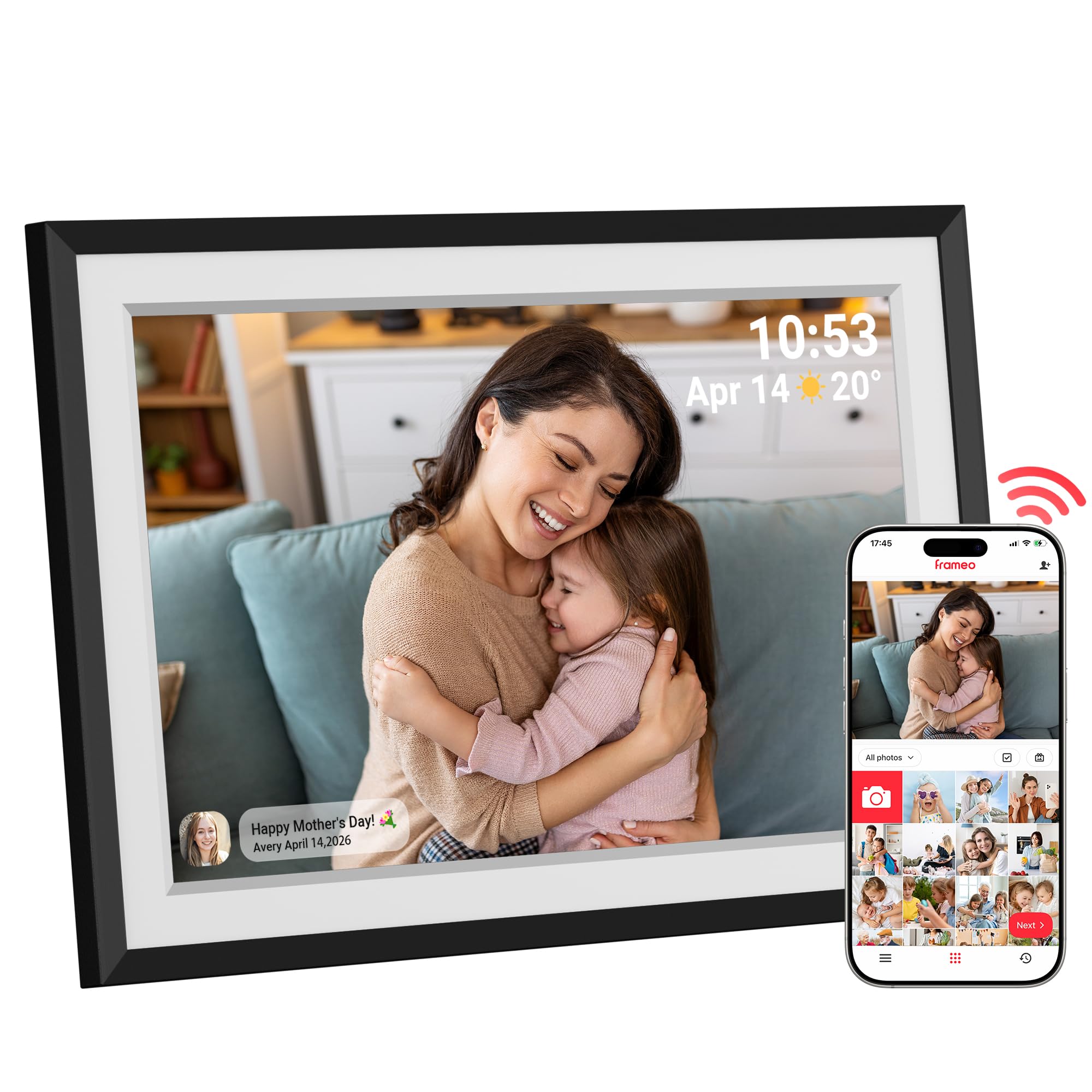
This Dragon Touch variant runs on the Frameo platform, giving it a slight edge over the company’s proprietary VPhoto system in terms of app reliability and multi-user sharing. The 10.1-inch 1280×800 HD touchscreen delivers the same crisp visuals as the premium options, and the auto-rotate sensor works seamlessly between portrait and landscape. It comes with 16GB internal storage that can be expanded to 32GB via MicroSD, which is sufficient for most family photo libraries.
The setup process is remarkably straightforward: plug in, connect to 2.4GHz Wi-Fi, generate a QR code from the app, and start sending photos. Customer reviews consistently mention that grandmothers and non-tech-savvy recipients had the frame running in under ten minutes. The customizable slideshow settings—speed, transitions, background music—give you control over the viewing experience without overwhelming the user.
The main compromise is the power cord; like all frames in this list, it requires a constant electrical connection. The build feels slightly lighter than the premium models, and the frame lacks the wall-mounting hardware that some competitors include. For the price, it’s a reliable entry point into the Frameo ecosystem with minimal friction.
Why it’s great
- Frameo app ensures reliable, multi-user photo sharing
- Very easy setup—ideal for elderly recipients
- Customizable slideshow with music support
Good to know
- No wall-mounting hardware included
- Build feels slightly less substantial than premium tiers
6. TEFTYMON 10.1″ Digital Picture Frame
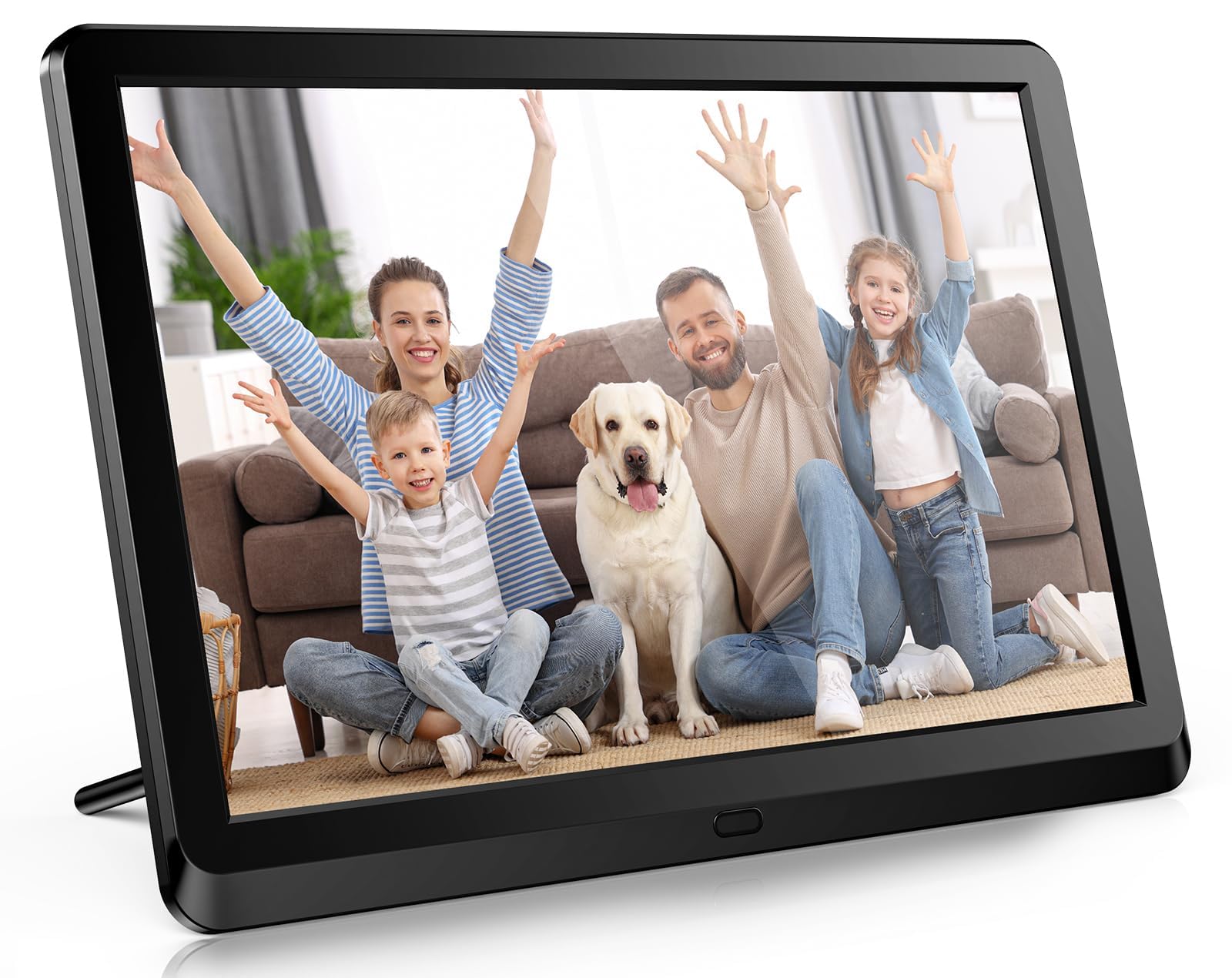
The TEFTYMON frame is a wired, no-frills option that relies on USB or SD card input rather than cloud app connectivity. Its 10.1-inch screen claims 1080p resolution, which translates to sharper text and finer details compared to the 1280×800 panels common at this price point. The included remote control lets you navigate menus from across the room, and the physical buttons on the frame provide a tactile alternative to touchscreens.
The slideshow features are surprisingly robust for the price: you can choose from multiple transition effects, set random or sequential playback, and even play music in the background while photos cycle. The timer function lets you schedule auto on/off times, which is useful for conserving power in a bedroom or office. It supports full-size SD cards and MicroSD via adapter, plus USB drives, so compatibility with older memory cards is not an issue.
The biggest drawback is the absence of Wi-Fi—every photo must be loaded manually via removable media. Several customers also report that the remote control stopped working after a short period. The display, while sharper on paper, lacks the wide viewing angles of an IPS panel, so colors shift when viewed from the side. It’s a functional choice for someone who prefers local storage and doesn’t need remote sharing, but it’s not a battery-powered or wireless frame in any practical sense.
Why it’s great
- Sharp 1080p display at a budget-friendly price
- Remote control for easy navigation from a distance
- Timer function for automatic on/off scheduling
Good to know
- No Wi-Fi or app connectivity—only USB/SD card input
- Remote control reliability is inconsistent per user reports
- Viewing angles are narrow compared to IPS panels
FAQ
Do battery powered digital photo frames actually hold a charge or are they just marketing?
Can I send photos to a Frameo frame if I don’t own the frame myself?
What is the practical difference between 1280×800 and 1080p resolution on a 10.1-inch screen?
How do I clean the touchscreen without damaging the display?
Why does my frame only work with 2.4GHz Wi-Fi and not 5GHz?
Final Thoughts: The Verdict
For most users, the battery powered digital photo frame winner is the Jaokpo 10.1″ Frameo because it combines the best app ecosystem, a two-year warranty, and reliable 1280×800 IPS display quality into a package that requires zero technical troubleshooting. If you prioritize privacy and want the highest security for shared family photos, grab the Youyu 10.1″ Frameo. And for a budget-friendly entry point that still delivers touchscreen convenience and the Frameo app, nothing beats the Dragon Touch Standard.