
Our readers keep the lights on and the weekend projects moving. As an Amazon Associate, I earn from qualifying purchases.
Buying your first 3D printer often feels like signing up for a second job in mechanical engineering. The reality is that a beginner machine should get out of your way — auto-leveling, pre-assembled hardware, and a smart app that handles the slicing guesswork. The wrong choice steals weekends with failed first layers and clogged nozzles.
I’m Rikta — the co-founder and writer behind FitlyFast. I’ve spent countless hours dissecting beginner 3D printers — comparing auto-leveling sensors, print bed adhesion surfaces, nozzle swap systems, and the quality of mobile apps that actually make the first print possible without a laptop.
This guide cuts through the marketing noise to deliver a brutally honest look at the best beginner 3d printer options that actually work for a new user who just wants to hit print and walk away.
How To Choose The Best Beginner 3D Printer
The market is flooded with cheap frames that require hours of manual bed leveling and proprietary filament. To pick a true beginner machine, focus on three things: how it handles the first layer, how easy it is to fix a jam, and whether the software actually works on a phone or tablet.
Auto-Leveling Is Not a Luxury — It’s a Requirement
A machine that forces you to manually adjust four bed springs with a piece of paper is a trap. Look for inductive or strain-sensor based auto-leveling (CR Touch, or built-in sensors on the print head). The best beginner printers do a full bed mesh in under two minutes and compensate for any warp automatically.
Build Plate Material Matters More Than You Think
Flexible PEI spring steel sheets are the gold standard. They grip hot filament during the print and release the model with a simple bend when cool. Avoid bare glass or cheap sticker beds — they require glue sticks, painter’s tape, or hairspray to get acceptable adhesion.
FDM vs. Resin for a Beginner
Fused Deposition Modeling (FDM) printers use spools of plastic filament and are far easier to manage for a first-timer. Resin printers like the ELEGOO Mars 5 produce incredible detail but require washing, curing, and handling liquid resin — a higher complexity layer that belongs to an enthusiast, not a true beginner.
Quick Comparison
On smaller screens, swipe sideways to see the full table.
| Model | Category | Best For | Key Spec | Amazon |
|---|---|---|---|---|
| Bambu Lab P1S Combo | Premium Enclosed | Multi-color without fuss | 500mm/s / 256mm³ build | Amazon |
| Bambu Lab A1 | Mid-Range Open | Silent all-in-one setup | ≤48 dB / 256mm³ build | Amazon |
| ELEGOO Centauri Carbon | Premium Enclosed | Out-of-box reliability | CoreXY / 320°C nozzle | Amazon |
| FLASHFORGE AD5X | Mid-Range Enclosed | Multi-color for hobbyists | 600mm/s / 4-color IFS | Amazon |
| Creality K2 SE | Mid-Range Enclosed | Fast prototyping | 600mm/s / CoreXY | Amazon |
| Creality Ender 3 V3 SE | Budget Open | Tinkerers on a budget | 250mm/s / CR Touch | Amazon |
| ELEGOO Mars 5 | Mid-Range Resin | High-detail miniatures | 4K Mono LCD / 5.65″x3.53″ | Amazon |
| Entina TINA2S | Budget Compact | Kids / STEM projects | 200mm/s / 3.9″x4.7″x3.9″ | Amazon |
| Entina Tina2C | Budget Compact | Fastest first print | AI app / 3.9″ cube build | Amazon |
In‑Depth Reviews
1. Bambu Lab P1S Combo

The P1S Combo is the closest thing to an appliance-grade 3D printer for a beginner — you unbox, connect the AMS unit, and the printer handles auto bed leveling, filament loading, and nozzle priming without any manual calibration. The 500mm/s print speed with 20,000 mm/s² acceleration means a Benchy in under 20 minutes, and the enclosed body keeps the environment stable for advanced materials like ABS and ASA without warping.
Reviewers consistently report a 95% success rate over hundreds of prints, with failures typically traced to user error in the slicer. The AMS automatically feeds up to four different filaments, enabling multi-color prints and dissolvable support material — a feature that normally requires an expensive separate unit. The fully enclosed design also reduces noise compared to open-frame printers.
At 48 pounds, this is a heavy desktop anchor, and the proprietary Bambu ecosystem (slicer, AMS, and filament spools) means you’re locked into their workflow. However, for a beginner who wants the absolute highest success rate with zero tinkering, the P1S Combo is the gold standard.
Why it’s great
- Fully enclosed CoreXY frame eliminates environmental drafts
- AMS supports up to 16 colors (combining four units)
- Auto bed leveling is accurate and fast — no paper trick needed
Good to know
- Proprietary AMS locks you into Bambu filament spools
- Very heavy at 48.2 pounds — not easy to move
- No built-in camera for remote monitoring
2. Bambu Lab A1

The Bambu Lab A1 strips away the enclosure to shave weight and reduce the price, but retains the same full-auto calibration suite that makes the brand a beginner favorite. It uses active motor noise canceling to stay below 48 dB — quiet enough to sit on a desk next to you during a work call. The 256mm³ build volume is the same as the P1S, so you lose nothing in print size.
The open frame does mean you are more susceptible to room-temperature drafts, which can cause warping on larger flat prints. But the 1-Clip quick swap nozzle system makes switching between 0.4mm and 0.2mm nozzles a 10-second job, and the Bambu Handy app lets you browse, slice, and send prints from your phone without ever touching a computer.
Multiple verified reviewers note that the learning curve is the shortest they have seen — one reviewer called it “THE printer to buy if you’re looking for one.” The A1 cannot natively do multi-color; you need to buy the separate AMS Lite unit for that, which clips on externally and adds another layer of complexity.
Why it’s great
- Very quiet — active noise cancellation keeps it under 48 dB
- Full-auto calibration (Z-offset, bed leveling, flow rate)
- Bambu Handy app makes printing from a phone seamless
Good to know
- Open frame — ambient drafts can affect large PLA prints
- Multi-color requires separate AMS Lite purchase
- No built-in enclosure for high-temp materials like ABS
3. ELEGOO Centauri Carbon

The Centauri Carbon arrives fully assembled with auto bed leveling already calibrated, so a beginner can unbox, load filament through the direct drive extruder, and have a print running inside 30 minutes. The rigid die-cast aluminum frame and CoreXY structure deliver 500mm/s print speeds without the ringing artifacts common on weaker frames.
A 320°C brass-hardened steel nozzle allows printing with carbon fiber reinforced filaments straight out of the box, a feature usually reserved for machines twice the price. The built-in chamber camera provides real-time monitoring and time-lapse recording, and the dual-sided build plate has a specific surface for PLA that minimizes warping even at lower bed temperatures.
Reviewers note that the first unit sometimes has QC issues — one user’s unit died after six days — but the replacement worked flawlessly for over 300 hours. The slicer software is WiFi-enabled and intuitive, though one reviewer reported it crashing on extremely complex STL files with an older laptop. At under 39 pounds, it is easier to position than the Bambu P1S.
Why it’s great
- 320°C hotend handles carbon fiber and polycarbonate filaments
- Built-in camera with dual LED lighting for remote monitoring
- Rigid die-cast frame minimizes high-speed vibrations
Good to know
- QC inconsistency — some users receive defective units initially
- No multi-color capability without an external add-on
- Tech support is Asia-based, adding time to warranty claims
4. FLASHFORGE AD5X

The 1-Click auto leveling uses a strain sensor on the nozzle to generate a precise bed mesh, and the 300°C direct drive extruder handles PLA, PETG, and TPU with no stringing issues.
Reviewers highlight that the Orca slicer fork (Flash Maker) is the weakest link — the phone app has poor ratings, and desktop workflows require some initial learning. However, the hardware is solid: the PEI spring steel plate provides excellent adhesion without glue, and the dual-channel cooling fan ensures crisp overhangs even at high speeds.
A note of caution — the IFS unit creates filament purge waste (the infamous “poop” pile) that can pile up quickly. One reviewer’s first unit arrived with a dead touchscreen and jammed 4-in-1 connector, suggesting QC is not as tight as Bambu. But the AD5X offers multi-color at a price point that undercuts the competition significantly.
Why it’s great
- Multi-color printing without the premium Bambu markup
- Interchangeable nozzles (0.25mm to 0.8mm) for detail or speed
- Vibration compensation system eliminates ringing on fast prints
Good to know
- Software stack is rough — Orcaslicer fork needs patience to learn
- Multi-color printing raises the noise level significantly
- QC is inconsistent — some units arrive with dead touchscreens
5. Creality K2 SE
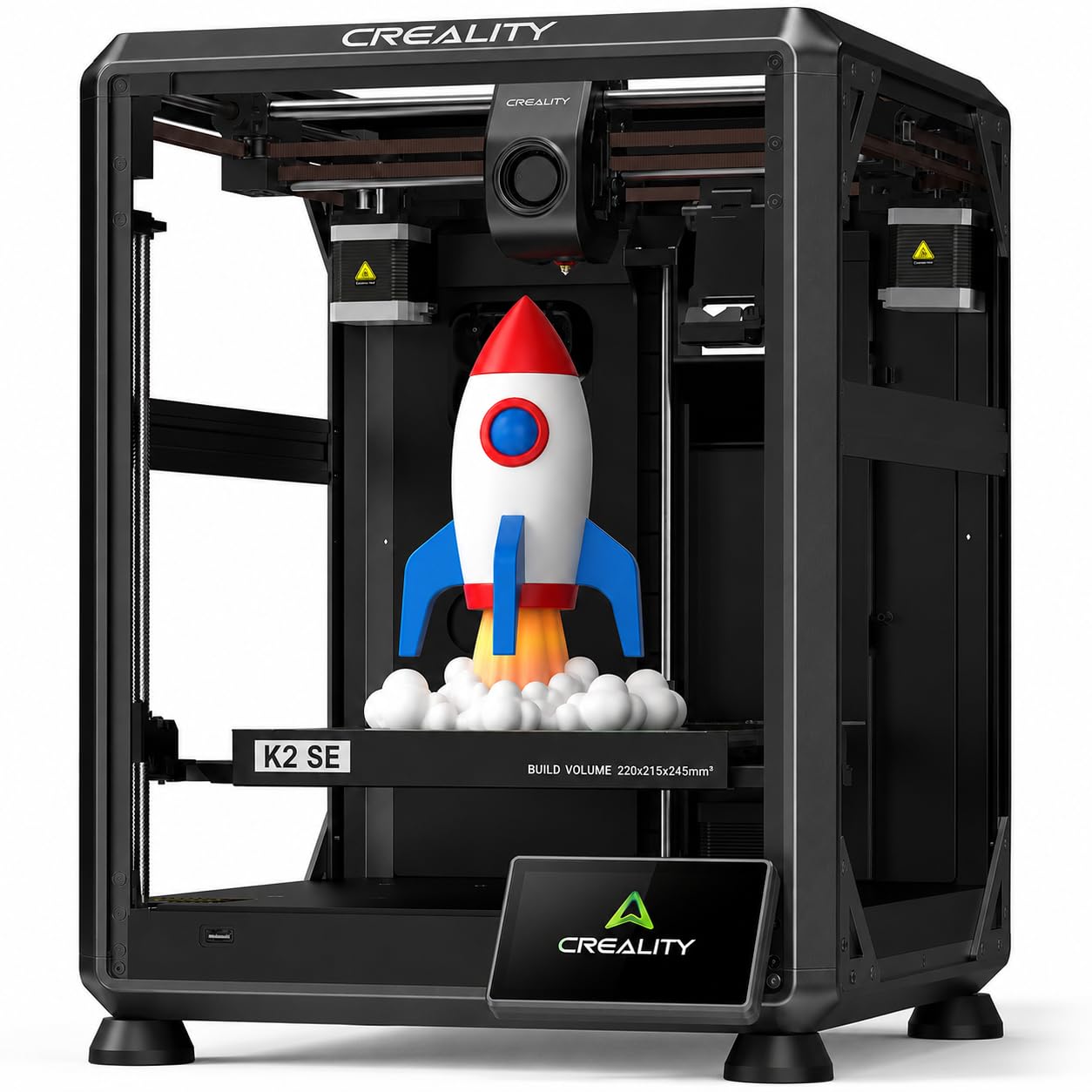
The K2 SE is a direct competitor to the Bambu A1 mini, offering 600mm/s travel speed and 20,000 mm/s² acceleration in a compact enclosed frame. It comes pre-assembled with a tri-metal hotend (steel, copper, titanium alloy heatbreak) that reaches 300°C in just 75 seconds, and the dual-gear direct drive extruder handles TPU and ABS without skipping.
Reviewers mention that the K2 SE prints great out of the box — one user ran it 24/7 for months with zero clogs — but the Creality Cloud app is clunkier than the Bambu Handy app. The unit also requires a glue stick as a release agent on the build plate, which adds a messy step that some beginners dislike. The control panel is basic and the slicer has a steep settings menu.
The 220x215x245mm build volume is smaller than the A1’s 256mm cube, but the enclosed chamber enables consistent ABS printing. Beginners should note the US/EU voltage switch on the back — one reviewer’s unit arrived set to 230V, causing a no-power panic that was resolved by flipping the switch.
Why it’s great
- Enclosed CoreXY frame enables reliable ABS and PETG printing
- Tri-metal hotend with quick-swap nozzle (75s to 300°C)
- Pre-installed damping pads and input shaping reduce vibration artifacts
Good to know
- Requires glue stick as release agent on the PEI plate
- Creality Cloud app is less intuitive than Bambu’s alternative
- Smaller build volume (220mm length) than competitors
6. Creality Ender 3 V3 SE

The Ender 3 V3 SE is the budget-friendly entry point that still manages to include CR Touch auto leveling and a Sprite direct drive extruder — a combination that dramatically improves first-layer success over the classic Ender 3. The 250mm/s print speed with 2,500 mm/s² acceleration is a solid step up from older models, and the dual Z-axis timing belt ensures the gantry stays square during long prints.
However, this is not a truly beginner-friendly machine. Assembly takes 30 minutes to an hour, and even then, you will likely need to calibrate the Z-offset manually with a piece of paper. The PC spring steel build plate is flexible, but many users upgrade to a glass bed within a few weeks to get flatter first layers. The community is massive, so troubleshooting guides are easy to find, but the tinkering requirement is real.
One negative reviewer described a year of pain with constant stringing and clogs, while a positive reviewer called it an amazing learning experience. This machine is best for someone who enjoys the process of dialing in a printer — not for a buyer who wants to print immediately.
Why it’s great
- CR Touch auto leveling saves time on the first layer
- Proven Sprite direct extruder handles flexible filaments well
- Huge online community for troubleshooting and upgrades
Good to know
- Assembly required — not truly ready out of the box
- Bed leveling still needs manual Z-offset fine-tuning
- Stock build plate surface is mediocre; many upgrade immediately
7. ELEGOO Mars 5
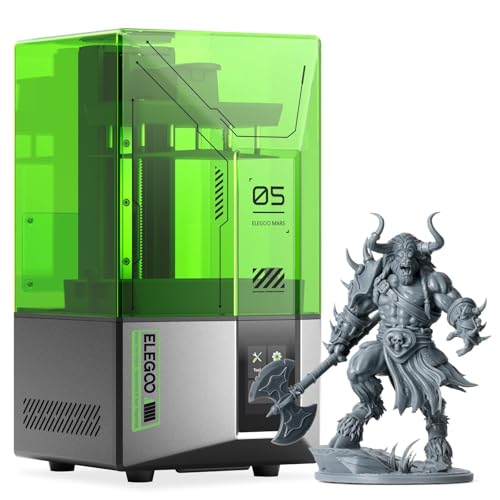
The Mars 5 is a resin printer that produces exceptional detail — think miniatures, rings, and dental models — with a 4K mono LCD that delivers crisp layer lines. The one-click automatic leveling uses a mechanical sensor to find the zero point, eliminating the manual leveling nightmare of older resin printers. The residue detection feature prevents failed prints from damaging the LCD screen.
Resin printing introduces complexities that FDM avoids: you need to handle liquid resin (gloves, ventilation), post-process prints with isopropyl alcohol, and cure them under UV light. The build volume is also very small at 5.65×3.53×5.91 inches, limiting you to figurine-sized objects. The Vat FEP replacement is a notoriously difficult maintenance task that requires precise tension.
Beginners considering a resin printer should be aware that one reviewer warned of stripped vat screws, and another reported a dead screen on the first unit (replaced under warranty). The Mars 5 is excellent for a hobbyist who wants tiny, detailed models, but it is not a general-purpose beginner machine.
Why it’s great
- 4K mono LCD produces stunning detail on miniature models
- One-click automatic leveling removes resin-leveling hassle
- Residue detection and overheat protection protect the screen
Good to know
- Requires washing, curing, and handling liquid resin — not simple
- Vat FEP replacement is difficult and easy to mess up
- Very small build volume — only suitable for figurine-sized objects
8. Entina TINA2S
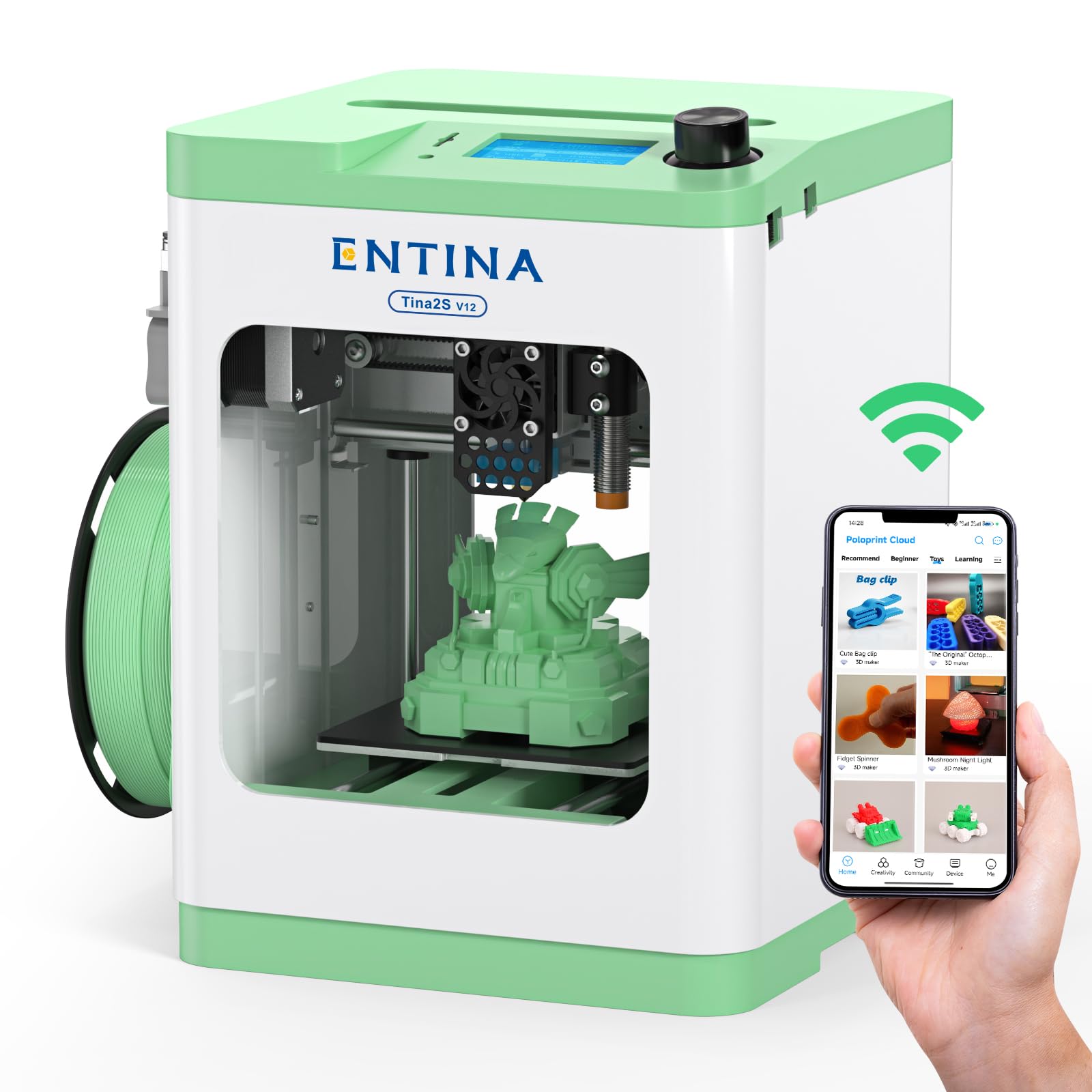
The TINA2S is a compact, fully assembled printer aimed squarely at kids and first-time owners. There is no assembly — you unbox it, plug in the TF card loaded with pre-sliced models, and hit print. The Poloprint Cloud app gives access to over 1,500 models, and the Creative Hub includes simple DIY design tools for STEM learning.
The print volume is tiny at 3.9×4.7×3.9 inches, limiting you to keychains, small toys, and figurines. The 200mm/s print speed is good for the size, and the auto bed leveling works reliably. The flexible spring steel build plate makes model removal easy, and the low-noise motherboard keeps operation quiet enough for a bedroom or classroom.
The app suffered a server overload on Christmas day, causing temporary crashes, but the issue resolved quickly. Some users report nozzle clogs on longer prints, and the open frame can cause slight warping on thin flat pieces. For a parent buying for a 10-year-old who wants immediate gratification, the TINA2S delivers with zero frustration.
Why it’s great
- Fully assembled — no setup or calibration required
- 1,500+ preloaded models accessible via Poloprint app
- Quiet operation suitable for bedrooms and classrooms
Good to know
- Very small build volume — limits project size significantly
- App server overload can cause temporary disruptions
- Open-frame design can cause warp on thin flat prints
9. Entina Tina2C

The Tina2C is an even more app-centric sibling of the TINA2S, promising a first print in just 8 minutes via the Poloprint Cloud app. The AI-powered search and photo-to-print feature lets you snap a picture of a toy and generate a printable model within seconds — a gimmick that actually works for basic shapes. The 20+ STEM learning modules include pre-designed projects that teach geometry and design thinking.
The self-cleaning nozzle design is a thoughtful touch — the printer performs a quick purge cycle after each print that clears residual filament from the hotend, reducing clogs. The auto leveling and power-loss recovery improve the success rate, though the 3.9-inch cube build volume is identical to the TINA2S and equally limiting.
Reviewers consistently rate it 5 stars for ease of use, noting that a 10-year-old can operate it independently from a phone. The Chromebook compatibility is a strong differentiator for schools. The main trade-off is the print quality — small layer lines are visible, and the machine cannot produce the smooth surfaces of a CoreXY printer. But for a budget entry point to teach kids the basics, the Tina2C is hard to beat.
Why it’s great
- Guided app setup — first print possible in under 8 minutes
- AI photo-to-print feature turns phone pictures into 3D models
- Self-cleaning nozzle reduces clog frequency for beginners
Good to know
- 3.9-inch cube build volume heavily restricts project size
- Print quality shows visible layer lines — not smooth surfaces
- App-based controls may frustrate users without a smartphone
FAQ
Do I need a fully enclosed printer as a beginner?
How much build volume do I need for my first printer?
What is the difference between Bowden and direct drive extruders?
Can I print multi-color models with a beginner printer?
Final Thoughts: The Verdict
For most users, the best beginner 3d printer winner is the Bambu Lab P1S Combo because it combines a fully enclosed frame, automatic bed leveling, and the AMS multi-color system in a package that prints reliably without tinkering. If you want a quieter, open-frame machine that works seamlessly from a phone, grab the Bambu Lab A1. And for a budget-friendly entry point to teach a child the basics of 3D printing, nothing beats the simplicity of the Entina TINA2S.