
Our readers keep the lights on and the weekend projects moving. As an Amazon Associate, I earn from qualifying purchases.
Jumping into multicolor 3D printing used to mean accepting a steep learning curve, constant calibration headaches, and far more failed prints than successful ones. The latest generation of beginner-friendly models has changed that entirely, bringing automated leveling, AI-driven monitoring, and true plug-and-play color swapping to your desktop. Whether you are printing articulated dragons, custom tabletop miniatures, or functional household parts, the right machine lets you focus on creating, not troubleshooting.
I’m Rikta — the co-founder and writer behind FitlyFast. I’ve spent hundreds of hours analyzing the specifications, real user feedback, and ecosystem compatibility of the current multicolor 3D printer market to help first-time buyers skip the trial-and-error phase.
This guide covers nine models purpose-built for newcomers, comparing auto-leveling systems, print speeds, color handling, and overall ease of use so you can confidently choose a beginner multicolor 3d printer that will grow with your skills.
How To Choose The Best Beginner Multicolor 3D Printer
Multicolor printing adds a layer of complexity that a basic single-extruder machine does not require. When you are starting out, the difference between a frustrating experience and a smooth introduction often comes down to a handful of critical features.
Auto-Leveling and First Layer Reliability
A printer that requires manual bed leveling before every print is the fastest way to kill a beginner’s enthusiasm. Look for fully automated leveling systems with at least 16 probing points. Models using strain-sensor or inductive probes that map the bed and compensate for small variances will deliver a flawless first layer without any tweaking from you.
Multicolor System Design and Waste
Not all color-changing systems are created equal. The key metric is purge waste — the amount of filament flushed when switching colors. Systems with a shortened filament-change path, like the ACE Gen 2, can reduce waste by over 80% compared to older designs. If you plan to print small, colorful objects frequently, a low-waste system saves both money and frustration.
Print Speed vs. Print Quality Balance
Speeds of 500mm/s and above sound impressive on a spec sheet, but raw speed without vibration compensation produces ringing artifacts and poor surface finish. A printer with active flow rate compensation and accelerometer-based input shaping will maintain detail even at high speeds. Beginners should prioritize consistent quality over peak velocity.
Ecosystem and Slicer Compatibility
Some manufacturers lock their printers to proprietary slicers and apps, limiting your ability to use alternative software like Orca Slicer or PrusaSlicer. A beginner-friendly machine offers solid default profiles in its own app while also supporting open-source slicer exports. Check whether the printer handles common file formats like G-code and 3MF without forcing you into a closed workflow.
Quick Comparison
On smaller screens, swipe sideways to see the full table.
| Model | Category | Best For | Key Spec | Amazon |
|---|---|---|---|---|
| Creality K2 | Mid-Range | Ultra-quiet overnight prints | 260mm³ build volume | Amazon |
| Bambu Lab P1S Combo | Premium | Multi-material & up to 16 colors | 500mm/s / 20k mm/s² | Amazon |
| Anycubic Kobra S1 Combo | Premium | PETG and engineering materials | Integrated ACE Pro dryer | Amazon |
| ELEGOO Centauri Carbon 2 | Premium | Automated, walk-away printing | 350°C nozzle temp | Amazon |
| Bambu Lab A1 Combo | Mid-Range | Easy multicolor on a budget | Active motor noise cancel | Amazon |
| Creality SPARKX i7 Combo | Mid-Range | AI photo-to-3D for gifts | 5-min unbox to print | Amazon |
| FLASHFORGE AD5X | Mid-Range | Fast CoreXY with 4-color | 600mm/s / 20k mm/s² | Amazon |
| ANYCUBIC Kobra X | Budget | Print farm / bulk production | 81.25% less purge waste | Amazon |
| AOSEED X-Maker Joy AI+ | Budget | Kids and family STEM projects | 0.05mm precision | Amazon |
In‑Depth Reviews
1. Creality K2 3D Printer
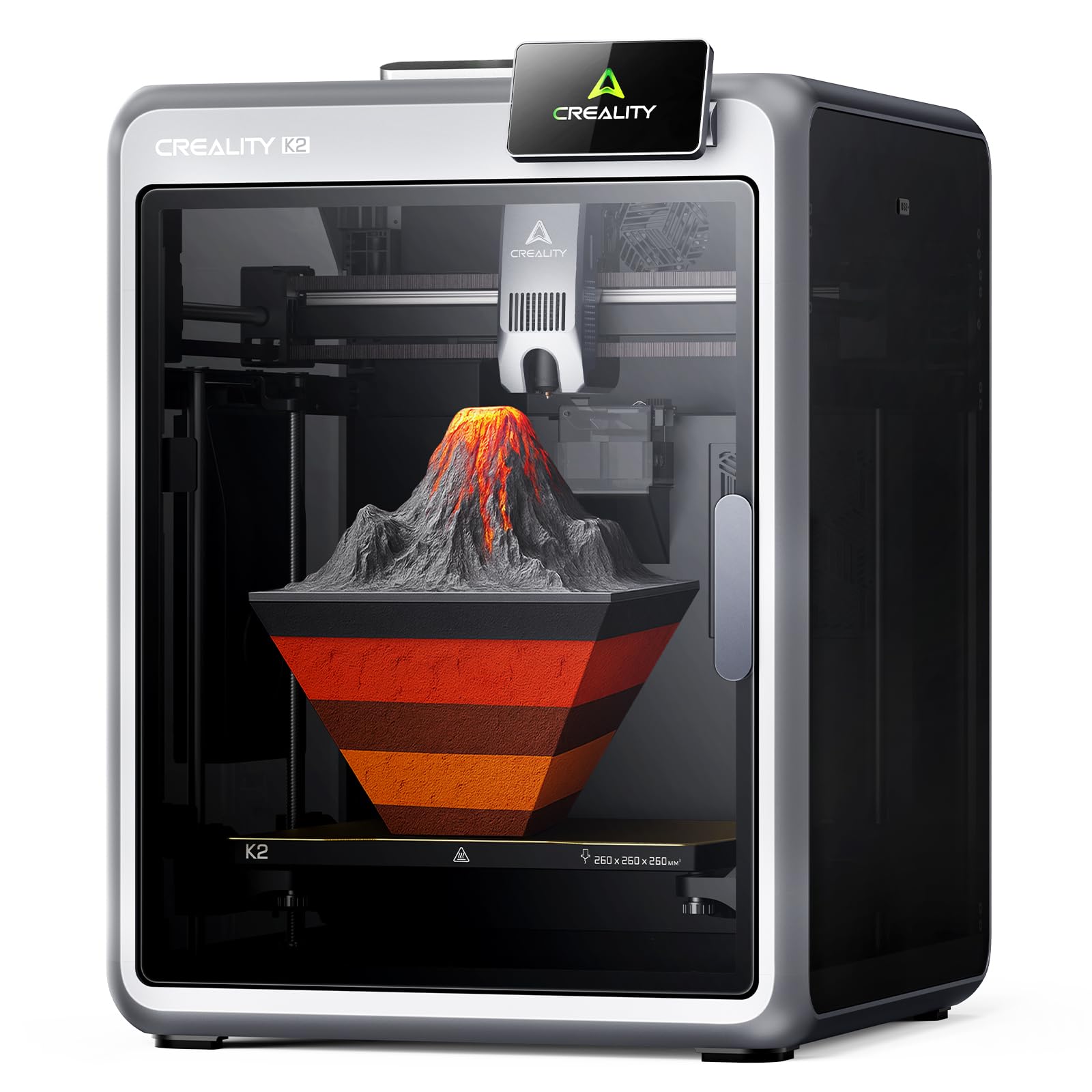
The Creality K2 strikes the ideal balance for a beginner wanting true multicolor capability without moving into enthusiast territory. Its step-servo motors dynamically adjust torque in under a millisecond, meaning you get whisper-quiet operation at just the sound of typing. The 260mm³ build volume covers the vast majority of projects, from full-size helmet sections to multi-part mechanical assemblies, and the CFS system supports up to 16 colors when you connect four units.
Auto-leveling is faster than typical 49-point systems because the sensor only probes the area directly relevant to your print bed, cutting calibration time significantly. The AI camera watches for spaghetti failures and idle prints in real time, which is a genuine safety net when you are still learning what settings work. Users consistently report excellent first layers right out of the box, with minimal adhesion issues even on complex multicolor parts.
The K2 arrives 95% pre-assembled — you install the touchscreen and spool holder, and you are printing within the hour. The one catch for beginners is that the CFS does not accept standard spools without a printed adapter, so plan for an extra evening printing those adapters before you load your third-party filament. Otherwise, this machine delivers premium performance at a mid-range investment.
Why it’s great
- Near-silent printing with step-servo motor system
- Fast, targeted auto-leveling saves setup time
- Excellent print quality on multicolor parts
Good to know
- CFS requires printed spool adapters for non-Creality filament
- AI camera occasionally misses adhesion-related failures
2. Bambu Lab P1S Combo

The Bambu Lab P1S Combo is the machine many hobbyists graduate into after outgrowing their first printer, but its ease of use makes it a viable starting point for a serious beginner. The enclosed CoreXY design handles advanced filaments like ABS, ASA, and PC right out of the box, while the AMS enables up to 16 colors when you link multiple units. At 500mm/s with 20,000 mm/s² acceleration, it is genuinely fast without sacrificing surface quality thanks to automatic input shaping.
Setup takes roughly 15 minutes, and the auto bed leveling is as hands-off as it gets — you press start and it handles the rest. Users report a success rate above 95% across hundreds of prints, with the rare failures usually traced to user error rather than hardware inconsistency. The AMS system reads RFID tags on Bambu spools for automatic filament detection, but it also accepts third-party spools with simple adapters.
Noise levels are moderate — quieter than a bed slinger but not silent — and the enclosed chamber maintains stable temperatures for warp-prone materials. The ecosystem is somewhat closed; you will get the best results using Bambu Studio or the Handy app, but Orca Slicer profiles are available. For a beginner who wants a machine that will not feel limiting a year from now, the P1S Combo is a sound investment.
Why it’s great
- Fully enclosed for advanced material printing
- Consistent auto-leveling with minimal failure rate
- Expandable to 16 colors via additional AMS units
Good to know
- Proprietary ecosystem limits slicer flexibility
- Moderate noise level; louder than step-servo designs
3. Anycubic Kobra S1 Combo

The Kobra S1 Combo offers the fastest stock print speed in this roundup at 600mm/s with 20,000 mm/s² acceleration, but its standout feature is the integrated ACE Pro filament dryer. Dual PTC heating combined with 360° hot air circulation keeps filaments like PETG and nylon in optimal condition during long prints, dramatically reducing moisture-related defects. This is a genuine advantage for beginners who may not yet own a separate filament dryer.
Setup takes about 30 minutes, and the auto-leveling system paired with flow compensation delivers consistently smooth surfaces across the 250mm³ build area. Users who upgraded from earlier Anycubic models report a noticeable jump in reliability, with many logging hundreds of hours without a single clog. The ACE Pro also supports expansion to an eight-color setup if you add a second unit later.
The Anycubic app allows one-click remote printing and multi-plate file parsing, which simplifies batch projects. Some early units experienced plastic sensor tabs that were later upgraded to metal, and Anycubic support has been responsive with replacements. If you print a lot of PETG or live in a humid environment, the built-in dryer makes the S1 Combo a uniquely practical choice.
Why it’s great
- Integrated ACE Pro filament dryer for moisture-sensitive materials
- Fast 600mm/s printing with consistent surface quality
- Expandable to 8 colors
Good to know
- Initial units needed hardware revisions for reliability
- WiFi connectivity issues reported on some units
4. ELEGOO Centauri Carbon 2 Combo

The Centauri Carbon 2 is engineered for maximum automation, deploying 31 sensors to manage everything from filament tangle detection to active vibration compensation. Its CANVAS system handles four-color switching with instant color changes and smart filament detection, and the 350°C all-metal hot end opens the door to engineering-grade materials like polycarbonate. The CoreXY frame and 500mm/s speed keep print times reasonable even on dense multicolor parts.
Full-auto calibration means you truly can load a file, tap print, and walk away — the machine checks bed level, nozzle height, and flow rate before laying down the first layer. Users consistently praise the print quality, noting smooth top surfaces and crisp detail on miniatures. The 256mm³ build volume is slightly smaller than some competitors but still ample for most functional prints.
The trade-off is a relatively closed ecosystem. The CANVAS slicer works well but does not yet support third-party alternatives like Klipper or Orca Slicer, and LAN-only monitoring is not documented in the manual. A few early adopters experienced firmware update failures and the dreaded blob of death, though ELEGOO appears to be addressing these through revisions. For a beginner who values set-and-forget simplicity, this machine delivers broadly.
Why it’s great
- Heavily automated with 31 sensors for reliability
- High-temp 350°C nozzle for engineering filaments
- Active vibration compensation for sharp detail
Good to know
- Closed ecosystem limits slicer and firmware choices
- Some firmware update issues reported with early units
5. Bambu Lab A1 Combo + LED Lamp Kit

The Bambu Lab A1 Combo brings genuine multicolor capability to a more accessible price point without cutting corners on automation. Its full-auto calibration handles Z-offset, bed leveling, and flow rate compensation without any manual input, and the active motor noise cancellation keeps operation quiet enough for a shared workspace. The included LED Lamp Kit is a thoughtful addition that lets you print illuminated models right away, turning functional prints into decorative projects.
The AMS Lite system supports four colors and works reliably with most PLA brands, though larger spools require printed adapters. Users who bought the A1 as their first printer report printing successfully on day one, with the Handy app providing thousands of free designs. The 1-Clip quick-swap nozzle makes switching between 0.4mm and 0.2mm nozzles simple for detail work.
The A1 is a bed-slinger design, so it takes up more desk space than a CoreXY machine and operates best with PLA and PETG rather than high-temp materials. The phone app includes a camera for remote monitoring and automatic time-lapse creation. For a budget-conscious beginner who wants a mature, heavily tested ecosystem, the A1 Combo is the smartest entry point into multicolor printing.
Why it’s great
- Full-auto calibration with zero manual adjustment needed
- Active noise cancellation for quiet operation
- Large ecosystem of free designs via Handy app
Good to know
- Bed-slinger design requires more desk space
- Limited to PLA and PETG for best results
6. Creality SPARKX i7 Combo
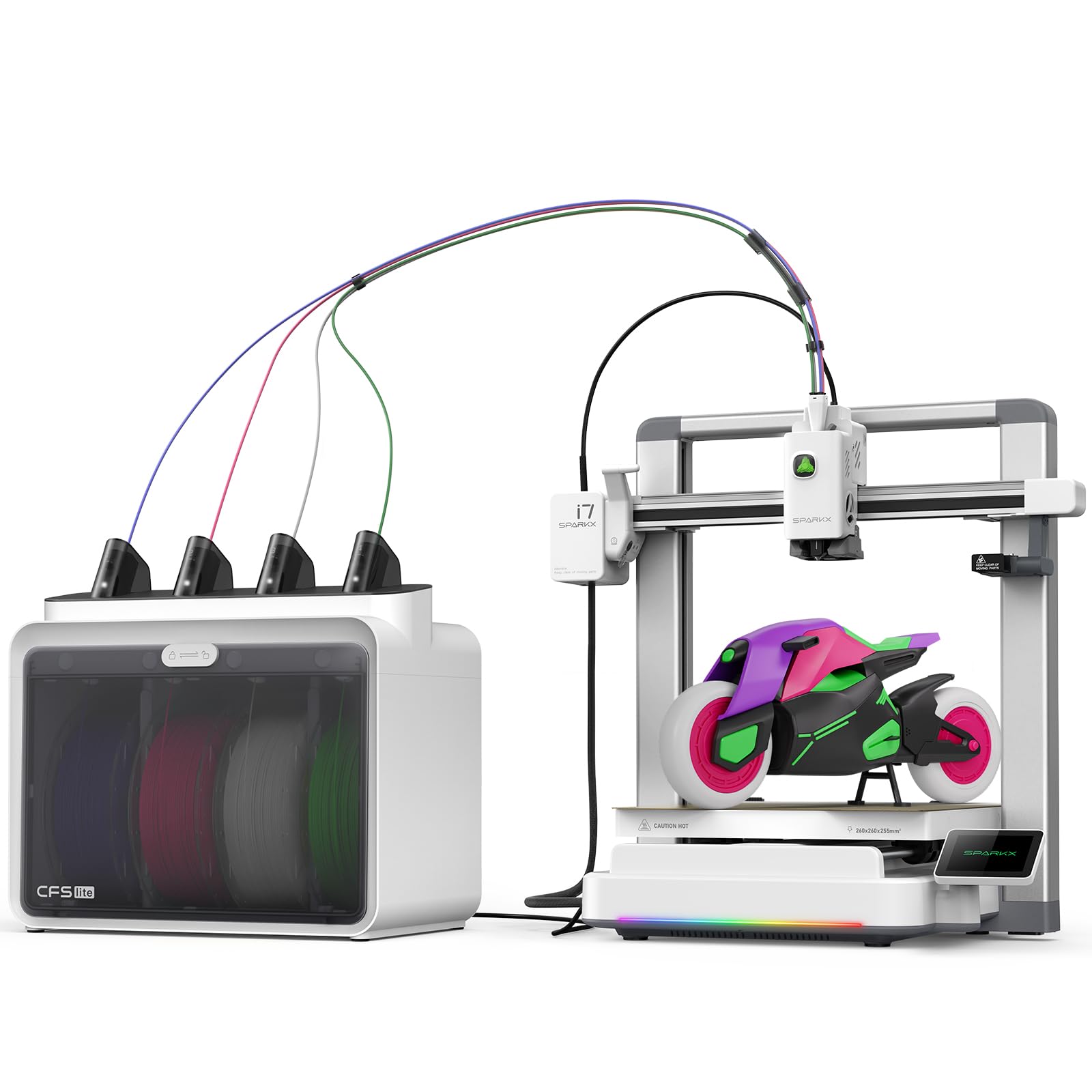
The SPARKX i7 is built around Creality’s CubeMe AI, which turns a simple portrait photo into a 3D model in seconds. This is a genuinely unique feature for beginners who want to print personalized figurines, custom gifts, or character models without learning CAD software. The machine arrives 95% pre-assembled and can go from box to first print in about five minutes — the fastest unboxing experience in this comparison.
Its CFS Lite multicolor system cuts waste by roughly 50% compared to traditional designs, and the AI camera detects spaghetti failures, air printing, and filament tangles in real time. The 260mm³ build volume at 255mm height accommodates full-size airless basketballs and large cosplay props. Night Mode drops noise to near-silent levels for overnight prints without light pollution.
The SPARKX i7 has received mixed feedback regarding customer support responsiveness and slicer quality. Some users report that default profiles need tuning for optimal surface finish, and the reliance on the proprietary Creality Print slicer can be limiting. If the AI photo-to-3D feature aligns with your creative goals, it is a compelling tool; for pure print reliability, other options in this list are more consistent.
Why it’s great
- AI photo-to-3D conversion for instant personalized models
- Ultra-fast 5-minute unbox to first print
- Night mode for quiet overnight operation
Good to know
- Mixed customer support experience reported
- Default slicer profiles may need manual tuning
7. FLASHFORGE AD5X Multi-Color 3D Printer

The AD5X delivers exceptional value for a CoreXY multicolor machine at this price level. It prints at 600mm/s with 20,000mm/s² acceleration, completing a Benchy in well under 20 minutes while maintaining sharp detail thanks to a dual-channel cooling fan and vibration compensation system. The 300°C direct-drive extruder handles a broad range of filaments, and the support for four nozzle sizes — from 0.25mm for miniatures up to 0.8mm for rapid large prints — gives beginners room to experiment without buying a second printer.
One-click auto-leveling is reliable, and the PEI-coated build plate provides strong adhesion for PLA and PETG. Users who compared the AD5X to the Bambu Lab P1S in side-by-side tests found print quality nearly identical for the majority of models, with the main difference being noise level — the AD5X is louder, especially during multicolor filament purges. The Flash Maker mobile app allows remote monitoring and control, though the phone app interface has been described as rough.
The 4-in-1 filament connector has been a point of failure for some users, with reports of jams that support videos could not resolve. Rewinder tension issues and inconsistent first-layer quality on early units suggest that quality control is not yet as consistent as Bambu or Prusa. For a beginner willing to work through occasional quirks in exchange for high speed and low cost, the AD5X is a strong contender.
Why it’s great
- Incredible speed-to-price ratio for CoreXY multicolor
- Four nozzle size options for detail or speed
- Strong PEI bed adhesion out of the box
Good to know
- Louder than competition during multicolor purges
- 4-in-1 filament connector can jam on some units
8. ANYCUBIC Kobra X Fast 3D Printer
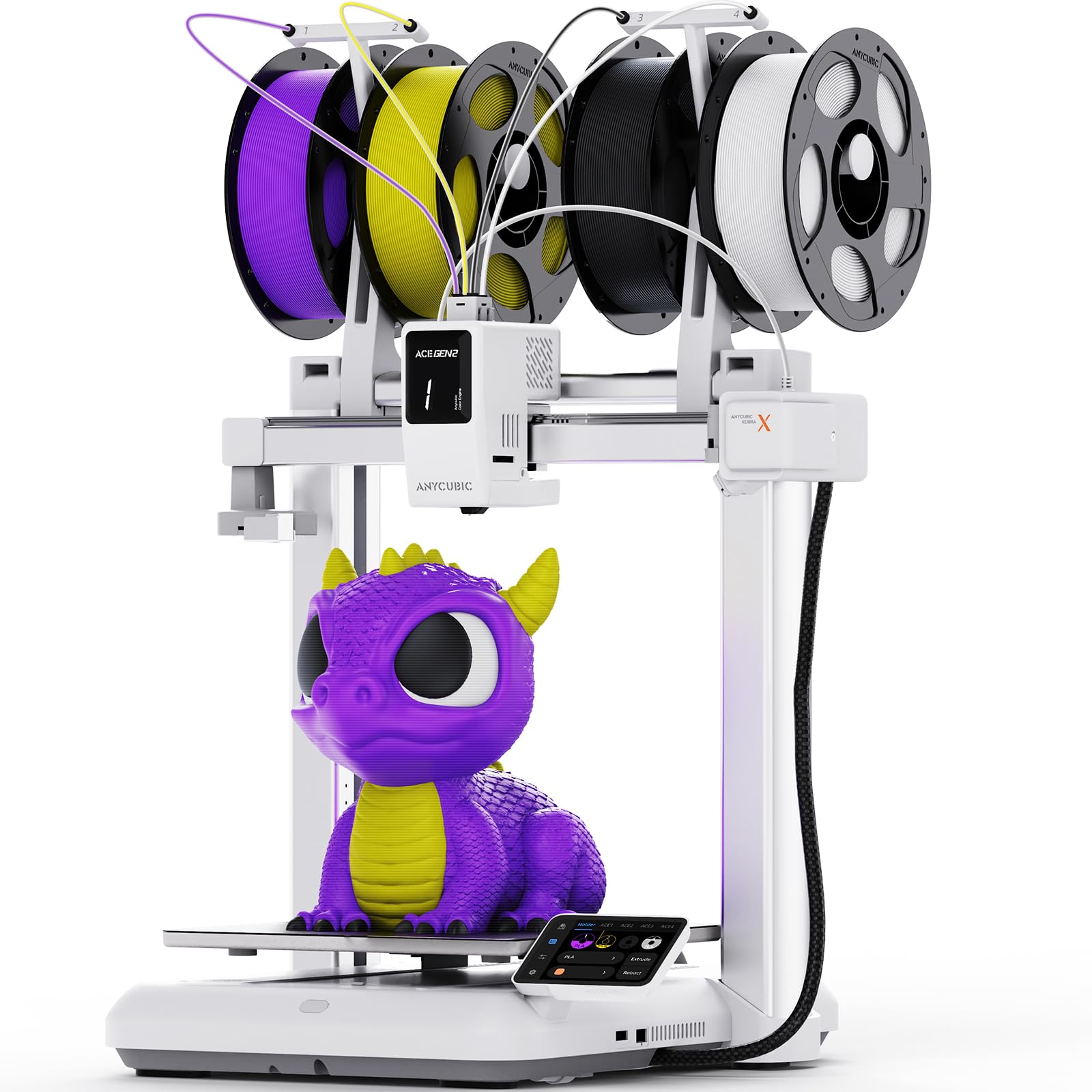
The Kobra X is engineered for efficiency, with a redesigned filament change path that produces 81.25% less purge waste than traditional multicolor systems. This matters enormously for beginners on a budget — you get more usable prints per spool and lower ongoing costs. The 260mm³ build volume is generous for the price class, and the LeviQ 3.0 system uses 49-point auto-leveling mesh to eliminate bed variances without any manual compensation.
The top-mount spool holder reduces footprint compared to side-box designs, making it easier to fit multiple units on a single workbench. The AI camera monitors for spaghetti failures and filament runout, and the Anycubic app supports object skipping so a failed part does not ruin an entire batch. Users with experience report that the Kobra X produces consistent quality comparable to machines costing significantly more.
The machine is not enclosed, so advanced materials like ABS or ASA will require an external enclosure. Some users noted that the printer does not accept LAN passwords containing spaces, which is a minor network setup annoyance. For a beginner focused on multicolor printing with minimal waste and a clear upgrade path to additional units, the Kobra X delivers exceptional value.
Why it’s great
- Industry-leading 81% reduction in multicolor purge waste
- 49-point auto-leveling for reliable first layers
- Compact top-mount design saves desk space
Good to know
- Open frame requires enclosure for ABS/ASA
- Network password limitations with spaces
9. AOSEED X-Maker Joy AI+ 3D Printer

The X-Maker Joy AI+ is purpose-built for young beginners, with a fully enclosed pinch-resistant design, TÜV Rheinland ISO 16000-tested PLA, and a leveling-free platform that eliminates the most common frustration point. Its AI Doodle feature lets kids create 3D models using voice, text, or image prompts — no design software needed. The printer comes with eight rolls of PLA filament, essential tools, a magnetic build plate, and DIY stickers, making it a true all-in-one creative kit.
Built-in Wi-Fi and voice control plus compatibility with iOS, Android, and Windows ensure the whole family can participate. The built-in camera supports real-time monitoring and automatic time-lapse creation, which adds a layer of safety for parents. Access to over 8,000 digital models and 17 themed design modules means there is always fresh inspiration without searching the internet.
Print speeds reach 400mm/s peak, and small toys can complete in about 20 minutes. However, some users report that finished parts can be fragile, especially thin fidget toys that break under normal use. Print quality is serviceable for a children’s machine but does not match the precision of CoreXY alternatives. For a family wanting a safe, all-inclusive introduction to 3D printing for kids, the X-Maker Joy AI+ is the most thoughtful package available.
Why it’s great
- Enclosed, pinch-resistant design with safe PLA filament
- AI voice/text-to-3D for zero-learning-curve creation
- Includes 8 filaments and full toolkit out of the box
Good to know
- Printed parts can be fragile for active play
- Print quality modest compared to CoreXY machines
FAQ
How many colors can a beginner multicolor 3D printer handle?
Do I need a dedicated filament dryer for multicolor printing?
What is the difference between CoreXY and bed-slinger for a beginner?
My multicolor prints keep failing — is it the printer or my settings?
Final Thoughts: The Verdict
For most users, the beginner multicolor 3d printer winner is the Creality K2 because its step-servor quiet operation, fast targeted auto-leveling, and generous 260mm³ build volume deliver professional-grade multicolor printing at a mid-range investment with minimal frustration. If you prioritize pure automation and high-temperature materials, grab the ELEGOO Centauri Carbon 2 Combo. And for the most future-proof enclosed machine that grows with your skills, nothing beats the Bambu Lab P1S Combo.