
Our readers keep the lights on and the weekend projects moving. As an Amazon Associate, I earn from qualifying purchases.
Stepping into resin 3D printing for the first time feels like learning a new language — vat cleaning, exposure times, layer heights, and support structures can overwhelm anyone. The right machine, however, makes the learning curve gentle by automating the fussy parts so you can focus on creating, not calibrating.
I’m Rikta — the co-founder and writer behind FitlyFast. I spent months comparing print resolutions, light source uniformity, and build plate leveling systems to separate machines that teach from those that frustrate.
This guide breaks down the essential specs and hands-on quirks of the best beginner resin 3d printer options available today, helping you choose a model that grows with your skills.
How To Choose The Best Beginner Resin 3D Printer
Not all resin printers are created equal for newcomers. The most beginner-friendly machines prioritize automatic leveling, a stable light source, and a user-friendly slicing workflow. Jumping straight to a manual-leveling pro unit often leads to failed prints and frustration before you even finish a single model.
Leveling System: Manual vs Automatic
Manual leveling requires you to loosen screws, slide paper under the build plate, and tighten while holding tension — a process that can take 10 minutes and needs repeating after every removed print. Automatic leveling, found on printers like the ELEGOO Mars 5, uses a sensor and spring to self-calibrate at the push of a button. For a beginner, automatic leveling saves hours and dramatically reduces first-print failures.
Light Source: Uniformity Matters More Than Wattage
A uniform light source prevents over-cured edges and under-cured centers on your model. Machines using a COB (Chip-on-Board) light source, like the ELEGOO Mars 5 Ultra, deliver over 92% light uniformity, resulting in sharper details and fewer layer lines. Cheaper matrix arrays can leave hot spots that cause dimensional inaccuracy on your first few prints.
Post-Processing Workflow
Printing a resin model is only half the journey. You’ll need to wash off uncured resin in isopropyl alcohol and cure the model under UV light. Some printers come bundled with a wash and cure station, like the ANYCUBIC Photon Mono 4 bundle, which simplifies this into a single device. Without one, you’ll need separate containers, a UV lamp, and more handling of wet toxic resin — not ideal for a beginner setting up a home workspace.
Quick Comparison
On smaller screens, swipe sideways to see the full table.
| Model | Category | Best For | Key Spec | Amazon |
|---|---|---|---|---|
| ELEGOO Mars 5 Ultra 9K | Resin MSLA | Speed and monitoring | 150mm/h print speed | Amazon |
| Phrozen Sonic Mini 8K S | Resin MSLA | Ultra-fine miniature detail | 22µm XY resolution | Amazon |
| ANYCUBIC Photon Mono 4 & Wash Bundle | Resin MSLA | All-in-one starter package | 7″ 10K LCD screen | Amazon |
| ELEGOO Mars 5 | Resin MSLA | Automatic leveling at a great value | Intelligent auto leveling | Amazon |
| ANYCUBIC Photon Mono 4 | Resin MSLA | Reliable standalone resin printer | 17µm XY pixel size | Amazon |
| Geeetech M1 (WiFi + App) | FDM | Smart FDM alternative for families | 250mm/s max speed | Amazon |
| Geeetech M1 (Direct Drive) | FDM | Budget FDM for learning basics | 16-point auto leveling | Amazon |
| Entina TINA2S | FDM | Kid-friendly enclosed FDM | 200mm/s, 0.04mm precision | Amazon |
| HEPHi3D TINA2C | FDM | Low-cost FDM for kids and schools | Fully assembled, 5-min setup | Amazon |
In‑Depth Reviews
1. ELEGOO Mars 5 Ultra 9K

The ELEGOO Mars 5 Ultra 9K sits at the top of the beginner-friendly resin printer list because it removes every friction point a new user faces. Its Tilt Release innovation cuts Z-axis movement time, pushing print speeds to 150mm/h — roughly double the speed of entry-level resin printers — while maintaining full detail at 18µm XY resolution. The built-in AI camera gives you real-time monitoring and time-lapse recording, so you can walk away from your first 15-hour print and check progress remotely.
WiFi cluster printing means you can send files wirelessly and even manage multiple printers on the same LAN, a feature you won’t find on budget resin units. The COB light source delivers 92% light uniformity, ensuring every layer cures evenly across the 7-inch 9K LCD. The automatic leveling sensor with the spring-loaded build plate means absolutely zero manual calibration — just power on, pour resin, and start your first print.
On the downside, some users report that LCD panels can crack under heavy use, though ELEGOO’s customer support is responsive with replacements. The Chitubox slicing software has a moderate learning curve, and the printer requires resin and build plate to be warmed above 67°F for reliable first layers. Use a space heater or a warm water bath for the resin bottle if your workspace runs cool.
Why it’s great
- Automatic leveling removes the hardest part of first-time setup
- AI camera and WiFi enable remote monitoring and wireless file transfers
- High 18µm XY resolution produces crisp miniatures and jewelry details
Good to know
- Resin and build plate need preheating in cold rooms for consistent adhesion
- Light support structures may fail without dense manual supports
- LCD replacement is expensive if damaged
2. Phrozen Sonic Mini 8K S

If your primary goal is printing tabletop miniatures with visible chainmail links or action figures with clean facial features, the Phrozen Sonic Mini 8K S delivers the best native XY resolution in its segment at 22 microns. The 8K monochrome LCD gives you a printing volume of 6.5 x 2.8 x 6.7 inches, which is enough for multiple 28mm miniatures per plate or a single large bust.
What makes this a strong beginner option is its open-source software support — it works with Lychee Slicer, Chitubox, and Tango right out of the box, so you’re not locked into a proprietary ecosystem. The precise Z-axis calibration and sturdy 22-pound frame keep vibrations low, reducing layer shift on tall prints. Phrozen’s customer support is consistently praised in user reviews for resolving issues quickly.
The catch is that the Sonic Mini 8K S requires you to use a USB drive to transfer files — there is no WiFi module onboard, which feels dated compared to the Mars 5 Ultra. Some users also note that the included build plate scraper can damage the plate if used aggressively. This printer excels for detail-first creators but lacks the convenience features that make a truly zero-fuss first experience.
Why it’s great
- Industry-leading 22µm XY resolution for ultra-fine details on miniatures
- Fully open-source slicer compatibility
- Sturdy build quality with low vibration for tall, complex models
Good to know
- No WiFi or app control — only USB file transfer
- Build plate can scratch easily if scraper is used roughly
- Print volume is slightly smaller than comparable mid-range models
3. ANYCUBIC Photon Mono 4 & Wash Bundle
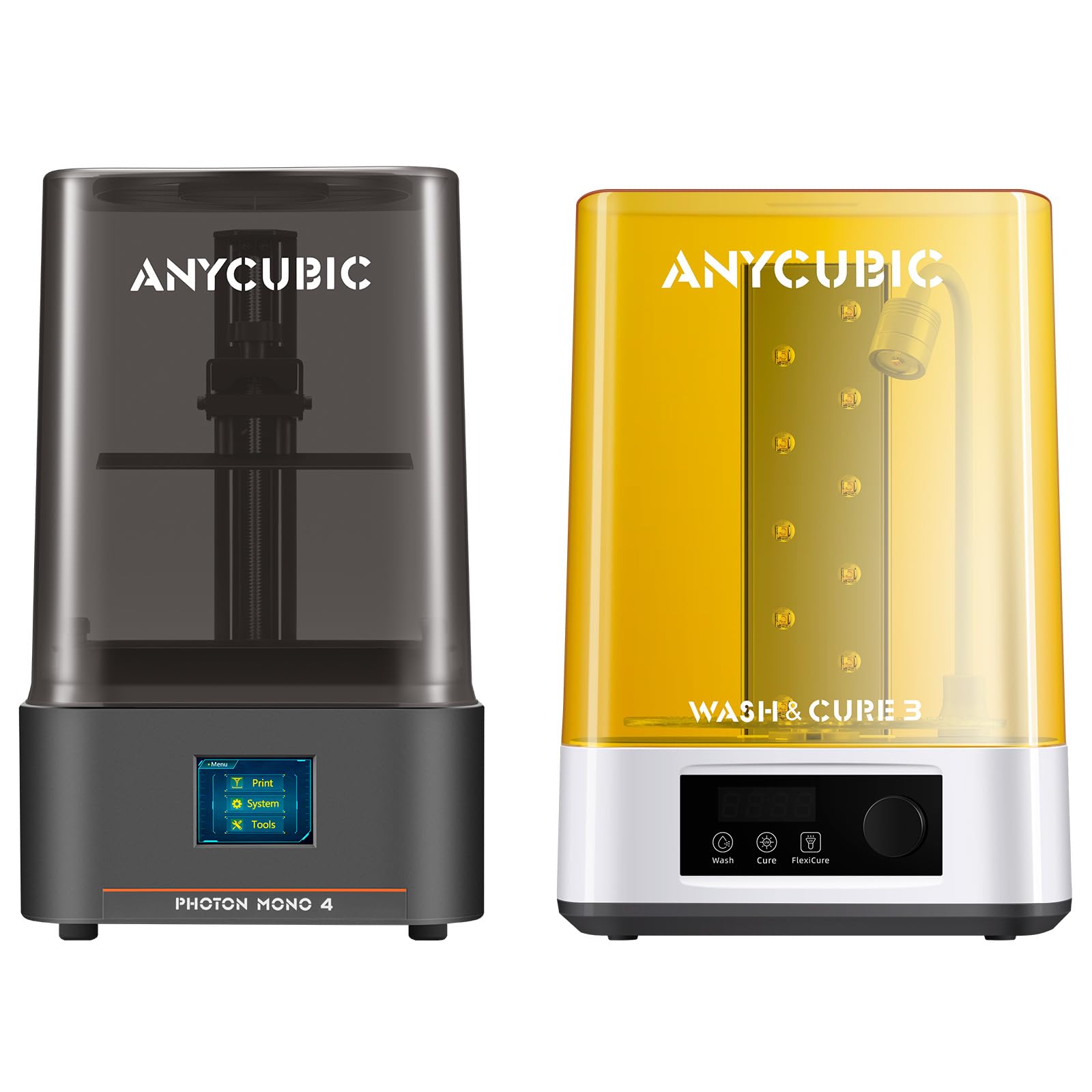
The ANYCUBIC Photon Mono 4 paired with the Wash & Cure 3.0 station is the best “everything you need” bundle for a beginner who wants to go from unboxing to a finished, hardened model in one afternoon. The printer itself features a 7-inch 10K monochrome LCD with 17µm pixel size — technically sharper than the 22µm Phrozen — and ANYCUBIC’s LighTurbo matrix light source that reduces visible layer lines on organic shapes like figurine faces and alien armor.
The Wash & Cure 3.0 station is the real value-add here. It offers a 42% larger cleaning basket than its predecessor, accommodating models up to 7.3 inches, and the gooseneck UV light delivers an intense 30,000 uW/cm² curing energy for deep crevices that stationary lights miss. Separately, a quality wash and cure station would cost about half the price of a new resin printer, so bundling them saves money and workspace clutter.
On the printer side, you get the 4-point leveling method that many beginners find idiot-proof — once set, it rarely needs re-leveling. The power-resume function saves you from throwing away a whole print after a brief outage. The main downside is that ANYCUBIC’s Photon Workshop slicer has a buggy reputation, and many users end up switching to Lychee or Chitubox anyway. Also, the printer body is mostly plastic, which feels less premium than metal-framed competitors.
Why it’s great
- Bundle includes wash and cure station for a complete post-processing workflow
- 17µm pixel resolution produces exceptionally smooth surfaces
- 4-point leveling stays calibrated for weeks of continuous printing
Good to know
- Proprietary FEP film is expensive and scratches easily
- Photon Workshop slicer can be buggy — you may prefer third-party software
- Build quality uses more plastic than some metal-framed alternatives
4. ELEGOO Mars 5

The standard ELEGOO Mars 5 strips away the Ultra’s AI camera and faster tilt release but keeps the same brilliant auto-leveling sensor and COB light source at a lower entry cost. You still get the same 92% light uniformity and 70mm/h print speed that produces crisp 35µm XY resolution models — more than enough for 28mm tabletop miniatures and detailed jewelry blanks.
Where the Mars 5 shines for beginners is the intelligent mechanical sensor package. It detects low resin levels, foreign objects in the vat, overheating, and even alerts you when it’s time to replace the release film. This feedback loop teaches you proper maintenance without letting you damage the printer. The build plate locks with one touch, and the resin tank has dual pouring spouts for mess-free resin changes.
The standard 4K LCD (4098x2560px) is a step down from the 9K on the Ultra, but for the first 50 to 100 prints of a beginner, the difference is marginal — you’ll see layer lines on 1-inch-tall models only under magnification. The included Chitubox or Lychee slicing software has a learning curve, but excellent community tutorials exist. Note that the LCD can crack under thermal or pressure stress, and replacement runs about — budget for that possibility.
Why it’s great
- Automatic leveling with intelligent sensor prevents beginner mistakes
- COB light source gives uniform curing across the entire build area
- Low resin and overheating alerts protect the printer during long prints
Good to know
- 4K resolution shows visible layer lines on highly detailed 10mm-scale models
- LCD panel is fragile and may crack from resin spills or pressure
- Manual is vague about optimal slicer settings for different resins
5. ANYCUBIC Photon Mono 4

The ANYCUBIC Photon Mono 4 is the standalone version of the bundle reviewed above, offering the same 7-inch 10K LCD and 17µm XY pixel resolution without the wash and cure station. It’s a better choice for someone who already owns a curing setup or wants to buy those components separately over time. The print volume of 6.04 x 3.42 x 6.49 inches handles most tabletop miniatures and practical parts like keycaps and connectors.
The LighTurbo matrix light source produces genuinely smooth surfaces — user reviews consistently mention that layer lines are nearly invisible at normal viewing distances, even without post-processing sanding. The laser-engraved build plate provides strong adhesion without needing a raft for every model, and the 4-point leveling system stays true for weeks after the initial setup. The power-resume function saved several users from wasted prints during brief power flickers.
There are two real drawbacks. First, the resin vat uses a proprietary FEP film that is expensive to replace and scratches far more easily than standard replacement films — a scratch often means immediate print failures. Second, the Photon Workshop slicer that comes in the box has known bugs, and some users report needing to install two different slicing applications to get reliable g-code output. Learning Lychee or Chitubox from day one is the recommended workaround.
Why it’s great
- 10K LCD with 17µm pixels delivers professional-grade detail at a beginner price
- Laser-engraved build plate grips well without needing heavy rafts
- 4-point leveling rarely needs re-adjustment after the first manual calibration
Good to know
- Proprietary FEP vat film scratches easily and is expensive to replace
- Included Photon Workshop slicer can be unreliable
- Mostly plastic frame may feel less durable than metal-framed printers
6. Geeetech M1 (WiFi + App)
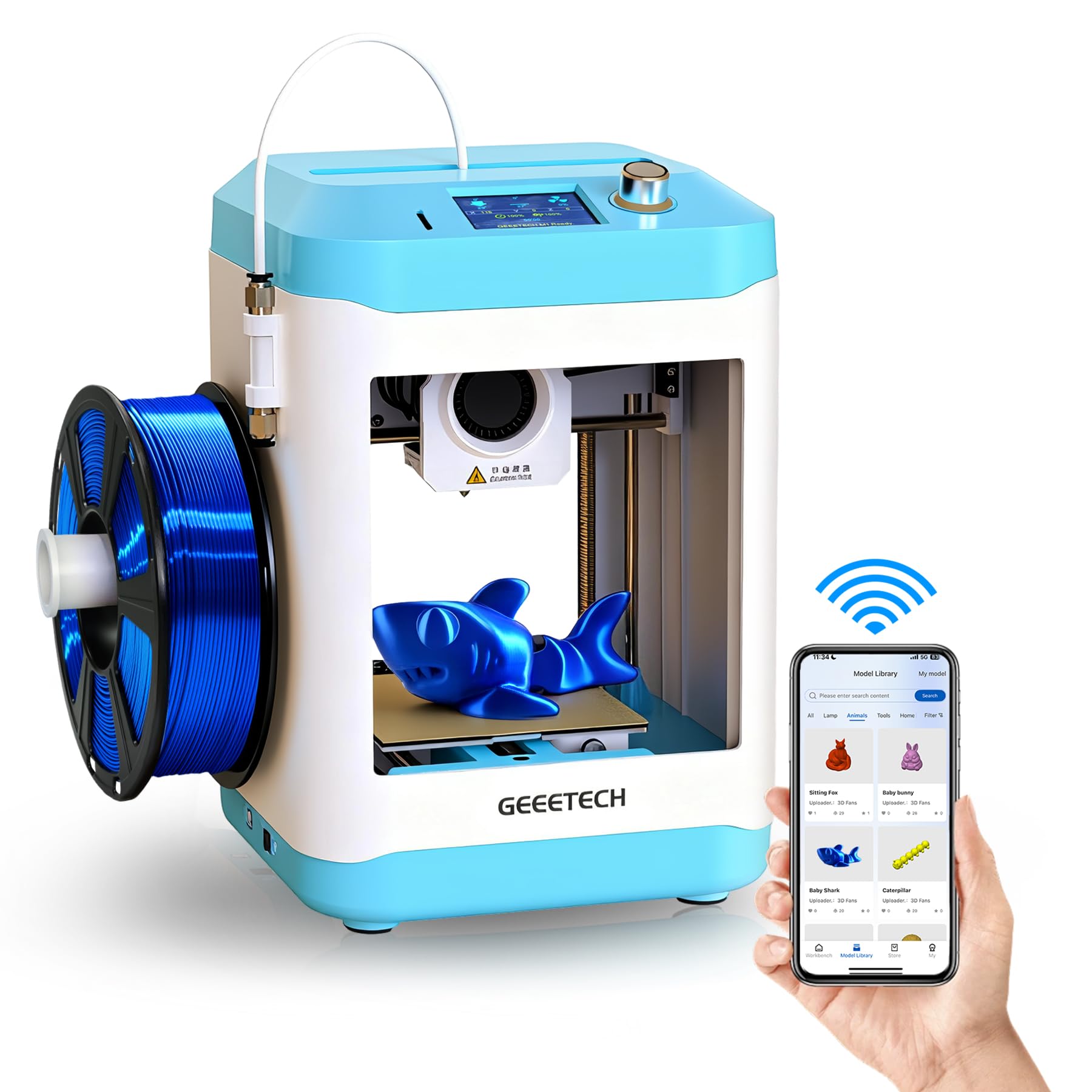
While this guide focuses on resin printing, the Geeetech M1 with WiFi and app control deserves mention as the best FDM alternative for families who want a no-mess introduction to 3D printing. It arrives fully assembled and uses a 16-point auto-leveling system that eliminates bed-tramming frustration. The dual-drive metal gear extruder handles PLA and TPU up to 250mm/s, and the 2.4-inch color touchscreen with knob control is simple enough for a 9-year-old to navigate.
The Geeetech app offers a library of pre-loaded designs that can be printed with one tap, and the printer also accepts custom g-code from Cura or Orca Slicer. The heated flexible magnetic build plate makes model removal as easy as bending the plate — no scraping needed. The print volume is small at 3.94 x 4.33 x 3.94 inches, but that’s enough for small toys, figurines, and educational STEM projects.
The biggest limitation is that the included 500g filament spools are the only size that fits natively inside the compact enclosure — 1kg spools require a separate printed filament holder that you must create first. Some users also report that the fan is noisy during operation. For absolute beginners who are put off by resin’s toxicity and post-processing, this FDM machine provides a clean, safe gateway.
Why it’s great
- Completely assembled with auto-leveling and app-based one-tap printing
- Flexible magnetic PEI plate makes model removal effortless
- Quiet enough for a bedroom or classroom environment
Good to know
- 1kg filament spools require a printed adapter holder
- Fan noise is higher than competing mini FDM printers
- Small 100mm build volume limits projects to palm-sized objects
7. Geeetech M1 (Direct Drive)
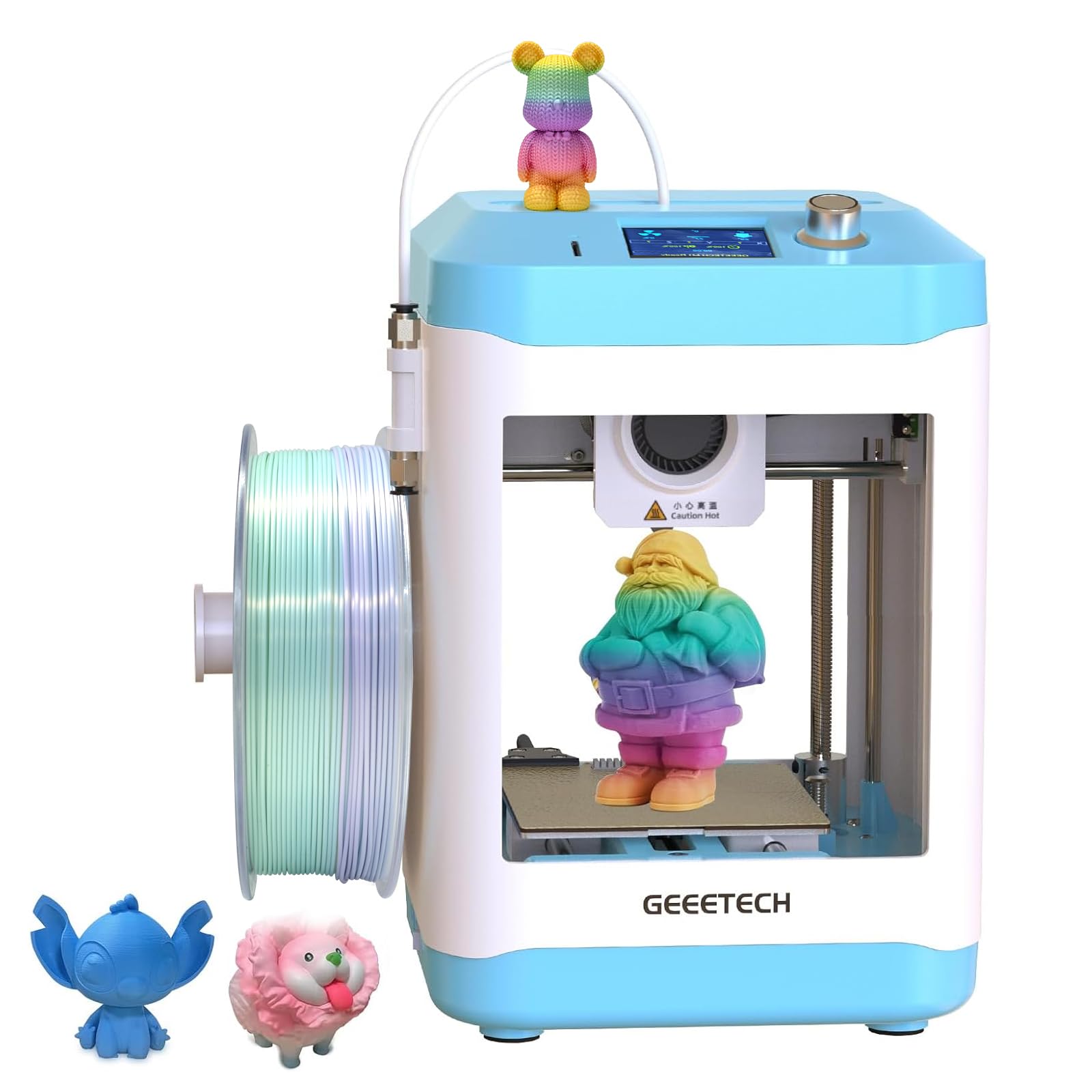
The standard Geeetech M1 (without WiFi) offers the same core hardware — direct drive extruder with a 1:5 gear ratio and 16-point auto leveling — at a lower price point, making it one of the cheapest fully assembled FDM printers that actually works reliably. The direct drive system provides excellent extrusion force for flexible filaments like TPU, and the 50W hot-end heats quickly for PLA prints at up to 250mm/s.
What sets this model apart for a complete beginner is that it forces you to learn the slicing workflow. There’s no app-based one-tap printing — you must slice models in Cura or Orca Slicer, save to a TF card, and insert it into the printer. This educational friction is actually beneficial for someone who wants to eventually move to more advanced machines, as you’re practicing the same workflow used on professional printers.
The small print volume and the need for a printed adapter to use 1kg spools are shared limitations with the WiFi version. Additionally, the printer lacks a filament runout sensor and power-resume function, meaning a tangle or power outage will ruin your print. The noise level is moderate, and the open-frame design means curious children should be supervised near the 230°C nozzle.
Why it’s great
- Direct drive extruder with 1:5 gear ratio handles flexible TPU easily
- Fully assembled with auto-leveling for immediate first print
- Teaches the standard slicing-to-SD card workflow used on professional printers
Good to know
- No filament runout sensor or power-resume functionality
- Requires a printed adapter for standard 1kg filament spools
- No WiFi or app control — TF card transfer only
8. Entina TINA2S
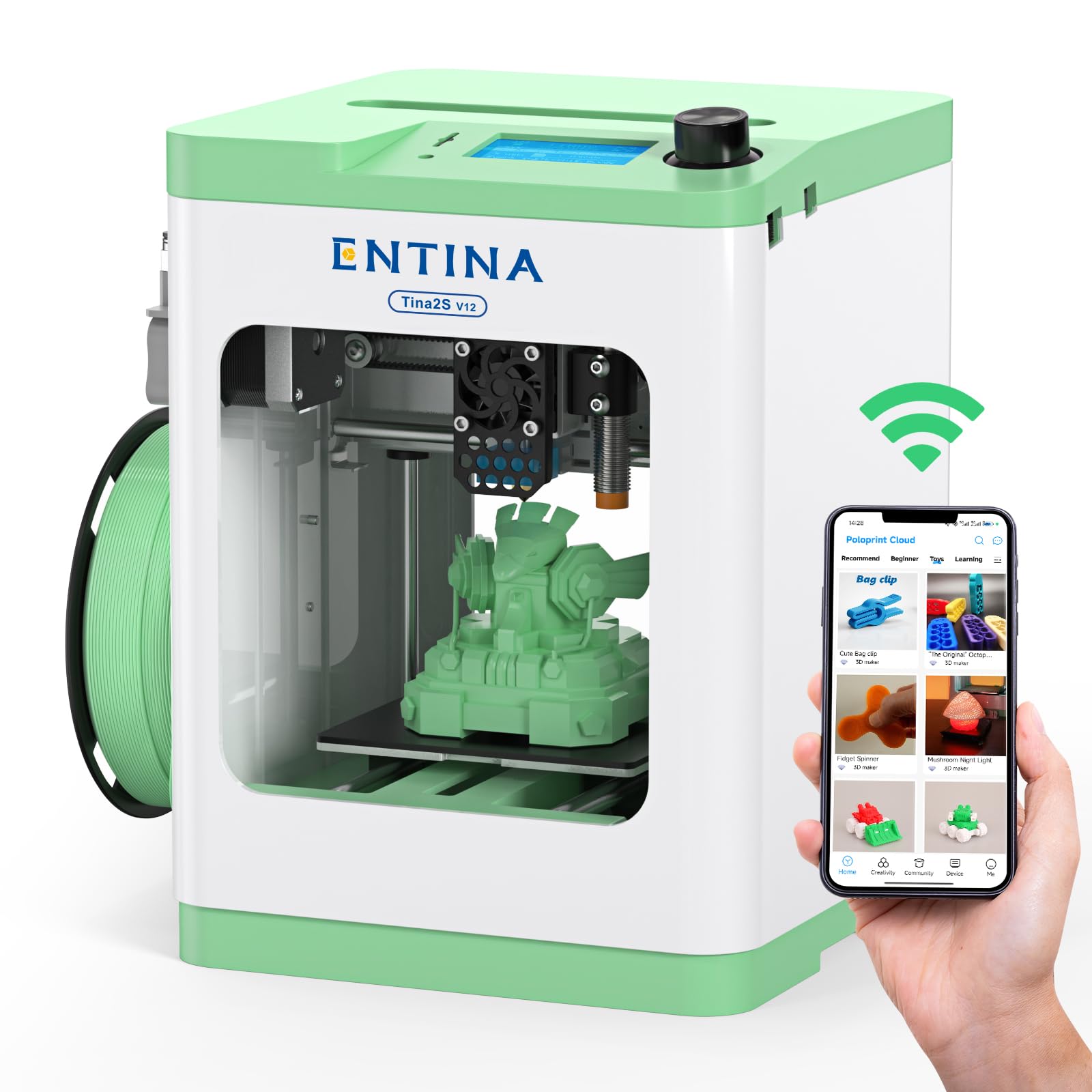
The Entina TINA2S is purpose-built for families with children, and the key differentiator is its fully enclosed frame. Unlike open-frame FDM printers that expose the hot nozzle and moving parts, the TINA2S encloses everything behind a transparent panel, dramatically reducing burn risk and preventing curious fingers from interrupting a print. The automatic bed leveling and flexible spring steel build plate make first-layer success nearly guaranteed.
The printer prints at up to 200mm/s with 0.04mm precision, and the Poloprint Cloud app gives access to over 1,500 ready-to-print models with weekly updates. Children as young as 12 can independently navigate the app and start prints without slicing knowledge. The dual Z-axis structure improves stability for taller prints, and the quiet motherboard keeps noise low enough for a shared bedroom.
The biggest complaint from user reviews is that the TINA2S can be finicky with consistency — some users report frequent nozzle clogs and spotty prints after the first 20 hours of use. The enclosed design also limits build volume to 3.9 x 4.7 x 3.9 inches, which is small even by mini printer standards. Customer support responsiveness is mixed, with some users unable to get help for persistent clogs.
Why it’s great
- Fully enclosed design protects children from burns and moving parts
- 1500+ free pre-loaded models in the app — no slicing required
- Dual Z-axis improves print stability for taller objects
Good to know
- Some units develop frequent nozzle clogs after initial use
- Small 100mm build volume limits project size
- Customer support can be slow to respond to hardware issues
9. HEPHi3D TINA2C
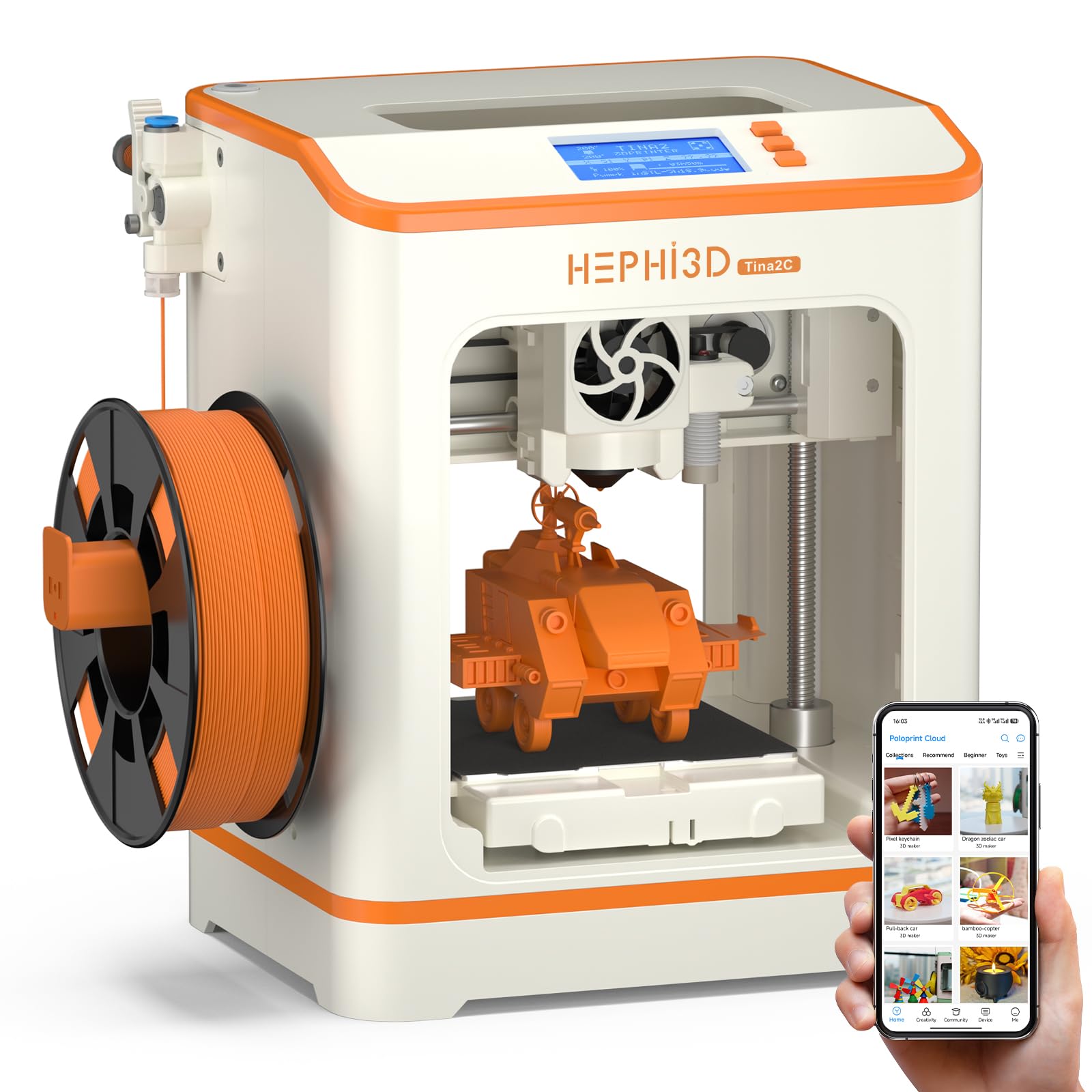
The HEPHi3D TINA2C is the most affordable fully-assembled FDM printer in this list, and it targets the absolute beginner who wants to test 3D printing without making a significant financial commitment. It ships with auto-leveling factory-preset, a starter PLA filament spool, essential tools, and a TF card with pre-loaded g-code — you can unbox and start your first print in about five minutes.
The printer connects via WiFi to the Wiibuilder app, which provides over 3,000 online models that update weekly, as well as AIGC and photo-generate functions that turn your photos into 3D models. The 3-second fast-release hotend makes nozzle changes simple, and the resume-printing function protects against power interruptions. STEM education modules within the app make it a viable tool for classroom demonstrations.
The trade-offs for the low entry cost are noticeable. The print volume is very small at roughly 4 x 4 x 4 inches, and the build quality is plastic-heavy and less durable than pricier alternatives. The app and slicing workflow can be confusing for children under 13, according to some user reviews, and the instruction manual lacks clarity on advanced settings. If your goal is merely to see if 3D printing appeals to you before investing in a serious machine, this is a low-risk starting point.
Why it’s great
- Out-of-the-box setup in under five minutes for instant gratification
- 3000+ free models in the app with photo-to-3D conversion
- Fast-release hotend makes nozzle swaps tool-free
Good to know
- Small build volume limits projects to keychain-sized objects
- App and slicing workflow can be confusing for children under 13
- Build quality feels less durable than mid-range alternatives
FAQ
Do I need a wash and cure station for my first resin printer?
How dangerous is resin printing in a home with kids or pets?
Can I use water-washable resin in any resin printer?
What is the difference between FDM and resin printing for beginners?
Final Thoughts: The Verdict
For most users, the beginner resin 3d printer winner is the ELEGOO Mars 5 Ultra 9K because it packs automatic leveling, WiFi, an AI camera, and 150mm/h speed into a single machine that removes all beginner friction. If you want the ultimate miniature detail without paying for WiFi features, grab the Phrozen Sonic Mini 8K S. And for the safest all-in-one resin starter experience including post-processing, nothing beats the ANYCUBIC Photon Mono 4 & Wash & Cure 3.0 Bundle.