
Our readers keep the lights on and the weekend projects moving. As an Amazon Associate, I earn from qualifying purchases.
A shaky hand, a puff of acrid smoke, a lifted circuit pad — the wrong soldering iron turns a simple electronics project into a frustrating disaster. Beginners need an iron that heats fast, holds a stable temperature, and comes with the right accessories to make those first joints smooth and reliable. This guide cuts through the noise to find the tool that builds skill, not frustration.
I’m Rikta — the co-founder and writer behind FitlyFast. I’ve logged countless hours cross-referencing temperature stability ratings, ceramic heating element specs, included tip assortments, and real-world hobbyist feedback to ensure you start with the right foundation.
Whether you’re fixing a gaming controller, building a guitar pedal, or learning through a college circuit project, finding the right best beginner soldering iron means prioritizing fast heat-up, digital temperature control, and a complete kit that removes the guesswork from your first joint.
How To Choose The Best Beginner Soldering Iron
For a new solderer, the iron itself is only half the equation. The real success factor is a station that delivers steady tip temperature, heats up quickly, and includes the accessories you’d otherwise have to hunt down individually. Here is what to look for.
Digital Temperature Control
A fixed-wattage iron without a dial is a gamble. Digital control lets you dial in the exact temperature needed for the job — around 350°C for most through-hole joints — and a PID controller keeps it from wandering. This prevents cold joints and lifted pads, the two most common beginner mistakes.
Ceramic Heating Element
Cheaper irons use nichrome wire wrapped around a core, which heats unevenly and cools down when you touch a large joint. A ceramic heating element transfers heat more efficiently and recovers temperature faster, giving you consistent results on everything from a tiny resistor leg to a heavy ground lug on a guitar switch.
Sleep Mode and Auto Shut-Off
A hot iron left idle is a fire hazard and wears out tips fast. Sleep mode drops the temperature to a safe idle level after a set period, and auto shut-off turns the station off entirely if you forget. This is not a luxury feature — it is a basic safety essential for any beginner working at a home desk.
Quick Comparison
On smaller screens, swipe sideways to see the full table.
| Model | Category | Best For | Key Spec | Amazon |
|---|---|---|---|---|
| Hakko FX888DX-010BY | Station | Serious hobbyist investment | 70W, ceramic heater, °C/°F LCD | Amazon |
| Weller WE1010EDU | Education Kit | Learning with pro-grade tools | 70W, digital station, 2 tips | Amazon |
| Plusivo S578 Station | Station | Total beginner all-in-one kit | 60W, digital, multimeter included | Amazon |
| Crtsweker 938-Green | Station | Budget-friendly digital station | 100W, LED display, helping hands | Amazon |
| WEP 926LED V3 | Station | Compact desk-friendly station | 130W max, PID temp control | Amazon |
| Weller WLIRK6012A | Iron Kit | Simple portable iron with LED ring | 60W, ceramic, 360° LED halo | Amazon |
| YIHUA 947-V Kit | Kit | Ultra-portable case kit | 60W, ceramic, 3 LED lights | Amazon |
In‑Depth Reviews
1. Hakko FX888DX-010BY
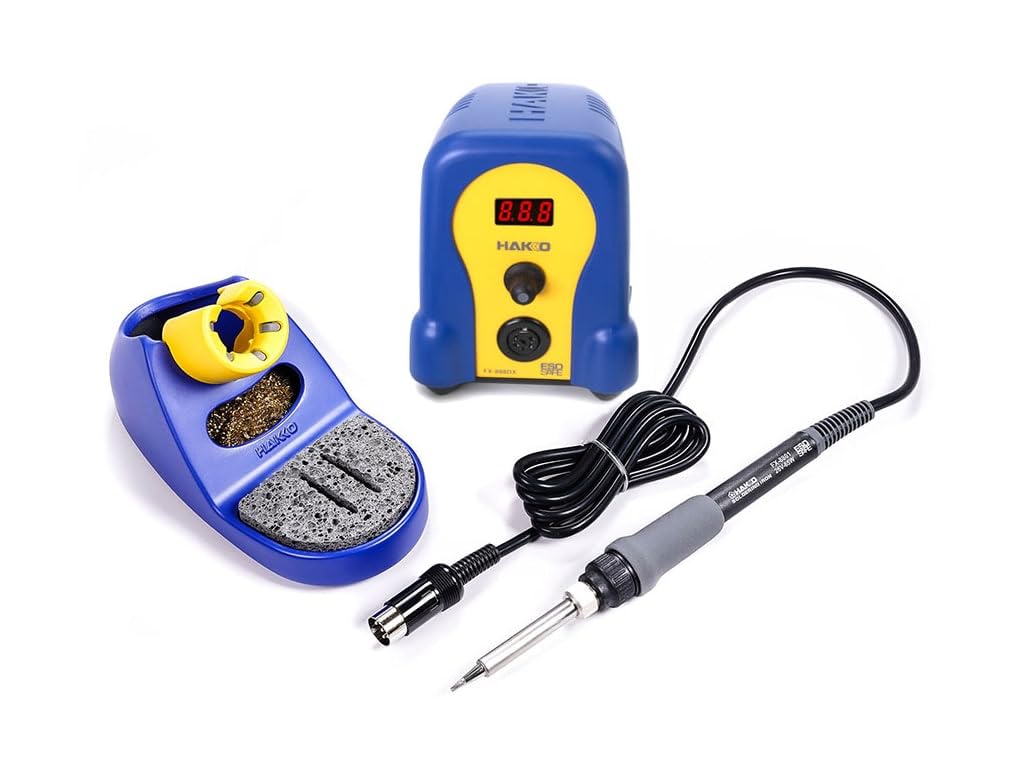
The Hakko FX888DX is the station you see on every guitar repair bench and electronics lab counter for one reason: it simply works without drama. The 70W ceramic heater brings the T18-D16 chisel tip to temperature in under 30 seconds, and the rotary encoder dial lets you flick through temperature presets or fine-tune by single degrees. The blue and yellow housing is not just for looks — the silicone iron cord stays flexible and out of the way, and the robust rubber feet keep the station planted during tip changes.
What makes this the top pick for beginners who intend to keep soldering is the temperature stability. The LCD readout matches real tip temperature closely, and the iron recovers heat instantly when you hit a large ground plane. The included tip cleaner has both a sponge tray and brass wool cup, a detail that shows Hakko understands how working solderers actually use their tools. The handle is narrow and comfortable for precision work, unlike the fat grips on budget knockoffs.
This station does not have an automatic sleep mode, so you will need to form the habit of turning it off or dialing the temperature down when stepping away. The T18 tip system is proprietary, though Hakko offers a huge range of tip shapes and sizes that are readily available. For anyone serious about learning to solder well, this is the station to buy once and never upgrade.
Why it’s great
- Industry-standard build quality and component support
- Heats up fast and holds temperature accurately
- Comfortable ergonomic handle for extended use
Good to know
- No automatic sleep mode — manual shut-off required
- Higher upfront cost than entry-level stations
2. Weller WE1010EDU

Weller’s soldering education kit packages the WE1010NA station with the high-performance WEP70 iron, a set of two ET tips, a spool of lead-free solder, and a shear cutter. The station features a digital display and a rotary control that gives you a precise readout from 150°C to 450°C. The temperature lock function lets you set a specific temperature and cap it, so you or a student cannot accidentally crank the dial and damage sensitive components.
The 70W iron recovers heat quickly on heavy joints, and the PH70 safety rest includes a sponge tray and brass wool cleaner. The low-profile shear cutter is a nice addition for trimming component leads without a separate tool. The whole package fits in a compact footprint that leaves room on a crowded workbench, making it ideal for a college lab or a home learning environment.
Where this kit falls short compared to the Hakko is the included tip selection — only two tips come in the box, and the ET series is not quite as extensive as Hakko’s T18 line. The station also lacks an automatic sleep mode, so like the Hakko, you will need to remember to turn it off. For a student or beginner who wants a name-brand station with genuine support and a curated learning kit, this is a strong investment.
Why it’s great
- Temperature lock prevents accidental overheating
- Includes shear cutter and solder wire for immediate use
- Compact footprint saves bench space
Good to know
- Only two tips included, limiting variety
- No auto shut-off or sleep mode
3. Plusivo S578 Soldering Station

The Plusivo S578 is the definition of a complete starter package. The station itself delivers 60W of power through a ceramic heating element, with a temperature range up to 500°C and a stability of ±2°C. The digital controls let you lock the temperature, switch between °C and °F, and set a standby timer that drops the iron to a safe idle temperature. The included digital multimeter is a genuine bonus — it lets you measure continuity and voltage as you test your joints, turning this station into a mini electronics workshop.
Beyond the station, the kit includes five soldering tips, a spool of solder wire, solder paste, a desoldering pump, tweezers, a wire stripper, heat shrink tubing, and even a mini PCB for practice. The soldering iron holder is integrated into the station body, which keeps the workspace tidy. The LCD screen is clear and easy to read, and the temperature knob turns smoothly with tactile feedback.
The iron handle is a bit thicker than premium stations, which might feel less precise for fine surface-mount work, but for through-hole soldering and general repair it is perfectly comfortable. The included multimeter is basic — fine for continuity and voltage checks, not for high-precision measurements. For a beginner who wants everything in one box, this kit offers tremendous value without sacrificing the essential digital temperature control.
Why it’s great
- Extensive accessory set including multimeter and practice PCB
- Temperature lock and standby mode add safety
- Fast heat-up with stable temperature control
Good to know
- Handle is a bit thick for fine detail work
- Multimeter is basic, not laboratory-grade
4. WEP 926LED V3

The WEP 926LED V3 packs a surprising amount of technology into a very small footprint. The station body integrates the soldering iron holder directly, saving valuable desk space, while the 130W power supply gives the ceramic heater plenty of headroom to recover tip temperature quickly on larger connections. The PID microcontroller adjusts power in real time to hold the set temperature steady, which directly translates to fewer cold joints and less frustration for a beginner.
The digital display reads real-time tip temperature from 200°C to 480°C, and the control knob lets you make adjustments on the fly. The sleep mode kicks in after 10 minutes of inactivity, dropping the iron to a low idle temperature that extends tip life and reduces burn risk. The kit includes five extra tips, a small spool of solder, a desoldering pump, tweezers, and a tip cleaner — enough to get started on most small projects without buying anything else.
The iron cord is a little stiff out of the box, though it loosens up with use. The included solder is functional but not great — you will get better joints by picking up a roll of quality 63/37 leaded solder. For hobbyists who move between soldering sessions and want a station that tucks away easily, the WEP 926LED V3 is a well-engineered mid-range option.
Why it’s great
- Integrated iron holder saves bench space
- PID controller delivers very stable tip temperature
- Automatic sleep mode reduces tip wear
Good to know
- Included solder is low-quality
- Iron cord feels stiff initially
5. Crtsweker 938-Green
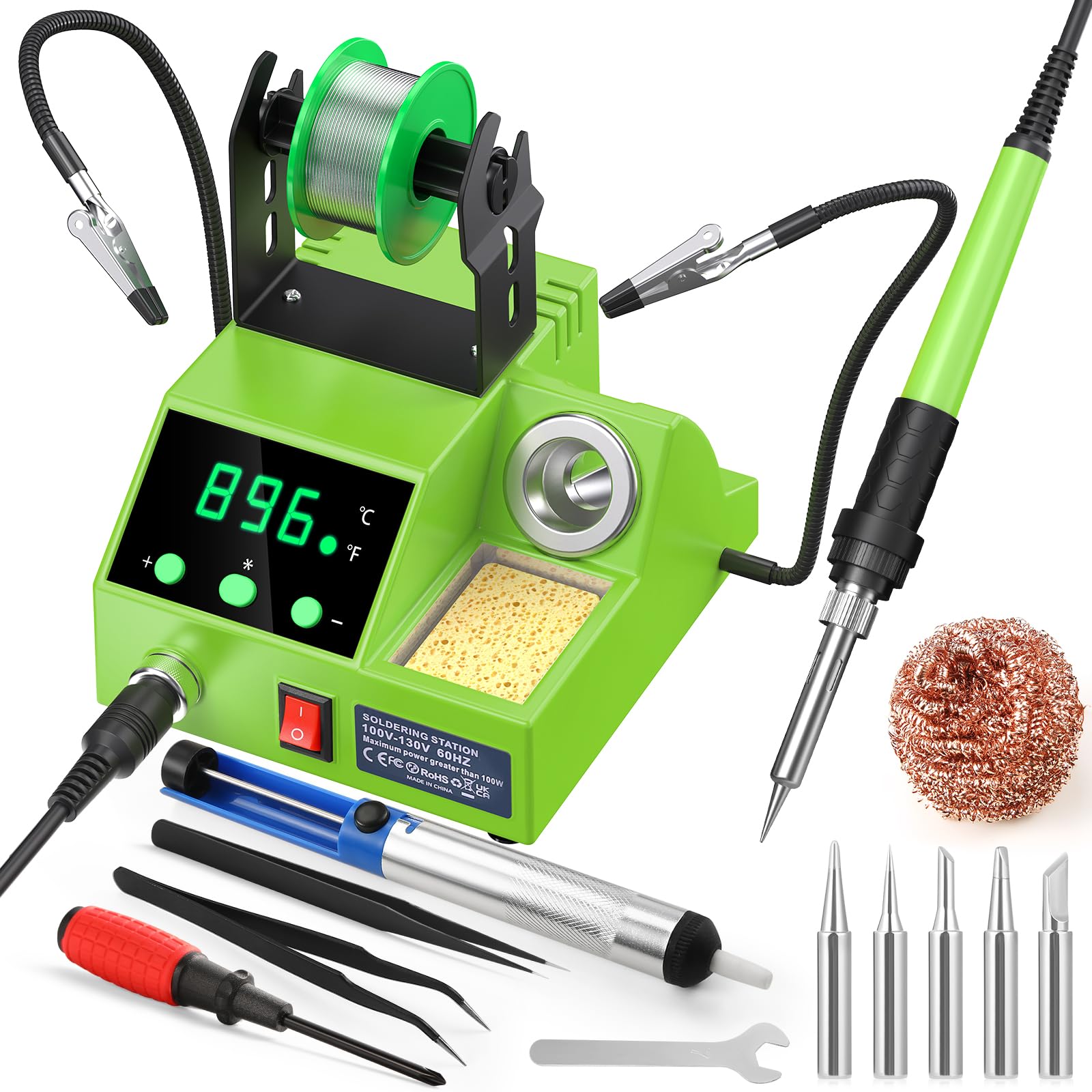
The Crtsweker 938-Green digital soldering station delivers impressive power for its price. The 100W rating gives it plenty of thermal overhead, and the LED temperature display shows readings from 180°C to 480°C with the ability to toggle between Celsius and Fahrenheit. The included helping hands with sturdy alligator clips are a practical addition — they hold a circuit board steady while you work, which is exactly what a beginner needs to develop steady technique.
The auto hibernate feature is adjustable from 0 to 600 seconds, letting you set the idle time before the iron drops to a low temperature. This protects the heating element and tips from unnecessary wear. The kit also includes five tips, a desoldering pump, tweezers, a screwdriver, and a mini wrench. The iron handle has a silicone sheath that stays cool during extended use, and the upgraded steel pipe with four cooling vents helps the iron cool down faster when paused.
The included solder wire has drawn mixed reviews — many users recommend replacing it immediately with a quality 63/37 eutectic solder for better flow and stronger joints. The station layout is also slightly left-handed skewed, with the iron holder on the left side. For a tight budget, the Crtsweker provides a functional digital station with helping hands that make it easier to learn on.
Why it’s great
- High 100W wattage for fast heat recovery
- Adjustable auto hibernate saves energy and tips
- Includes helping hands for stable board work
Good to know
- Included solder quality is poor
- Layout is more natural for left-handed users
6. Weller WLIRK6012A

The Weller WLIRK6012A is a straightforward 60W pencil iron with a clever design twist — the integrated LED halo ring casts 360-degree illumination directly onto the work area. For a beginner soldering in a dimly lit corner of a desk or garage, that ring light eliminates the shadows that can make you miss a joint or bridge two pads. The ergonomic molded pencil grip is comfortable and offers good control for intricate work.
The kit includes three tips: a conical 0.8mm, a chisel 6.4mm, and a screwdriver 2.4mm, giving you versatility for both fine-pitch components and larger lugs. The ceramic heating element warms the iron quickly, and the 60W rating handles light to moderate work well. The integrated safety rest keeps the iron upright and reduces the risk of rolling off the bench, a smart safety feature for scattered workspaces.
The LED ring is genuinely useful in low-light conditions but adds nothing in a well-lit room. The included stand is basic and feels flimsy compared to the iron itself. The cord is long and flexible, which prevents the iron from being pulled around when you move the station. For a beginner who wants a simple, reliable iron with added illumination and the Weller name, this is a solid choice.
Why it’s great
- 360-degree LED reduces shadows on the work area
- Comfortable pencil grip for precise control
- Three included tips cover common tasks
Good to know
- Stand feels underbuilt for the price point
- LED is unnecessary in bright environments
7. YIHUA 947-V Kit
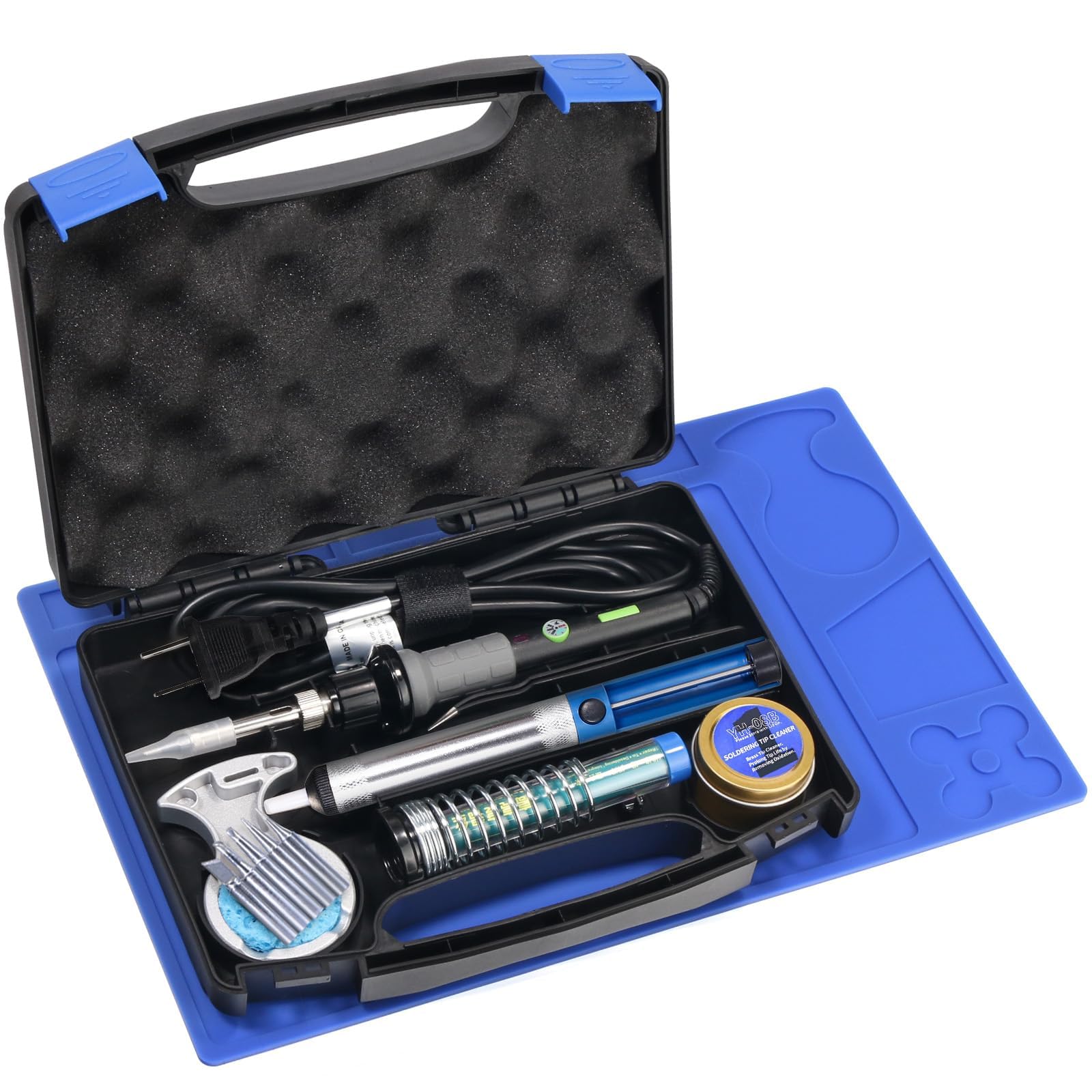
The YIHUA 947-V is a complete soldering kit built into a portable carrying case with an ingenious inner design that keeps every component locked in its own slot. The 60W iron features three bright LED lights positioned around the tip, which illuminate the joint from three different angles. This design is surprisingly helpful when you are soldering inside a tight enclosure or on a circuit board with densely packed components where a desk lamp casts awkward shadows.
The kit includes five extra tips, a roll of solder wire, a desoldering pump, a cleaning sponge and brass tip cleaner, a pair of ESD-safe tweezers, and a silicone soldering mat. Having a dedicated workspace mat in the kit is a nice touch — it protects your desk and keeps small components from rolling away. The master switch on the handle lets you turn the iron on and off without reaching for a wall plug, promoting safety and reducing tip wear.
The iron itself feels a bit plastic-heavy compared to dedicated stations, and the tip temperature is less stable than a PID-controlled station. Several users noted the tip sides get hotter than the tip end, which can make placement awkward. For a beginner who needs a portable kit to take to a maker space or work on projects in different rooms, the YIHUA 947-V delivers convenience and decent performance in a compact case.
Why it’s great
- Portable hard case with organized tool slots
- Handle master switch improves safety
- Includes silicone soldering mat for desk protection
Good to know
- Plastic handle feels less durable than metal-bodied stations
- Tip heat distribution is uneven, requiring careful positioning
FAQ
What temperature should I set my beginner soldering iron to?
Is a soldering station better than a basic pencil iron for beginners?
Does wattage matter for a beginner soldering iron?
Final Thoughts: The Verdict
For most users, the best beginner soldering iron winner is the Hakko FX888DX-010BY because its combination of built quality, temperature stability, and future-proof design means you will never outgrow it. If you want the most comprehensive accessory package for your money, grab the Plusivo S578. And for a portable kit you can take to a maker space or work across different rooms, nothing beats the YIHUA 947-V Kit.