
Our readers keep the lights on and the weekend projects moving. As an Amazon Associate, I earn from qualifying purchases.
Choosing a biometric access control system means deciding exactly how your door recognizes you—and how fast you get inside. The market now spans fingerprint readers, palm vein scanners, facial recognition cameras, and PIN keypads, each with its own trade-offs in speed, security, and privacy. A bad pick leaves you fumbling at your own front door or paying for features that never get used.
I’m Rikta — the co-founder and writer behind FitlyFast. This guide comes from analyzing hundreds of spec sheets, user capacity ratings, sensor types, and connectivity protocols to separate the daily-driver designs from the ones that overpromise.
Every lock reviewed here was evaluated on its biometric accuracy, failover options, and installation complexity so you can confidently choose the best biometric access control system for your home.
How To Choose The Best Biometric Access Control System
Biometric locks eliminate physical keys, but the sensor type and connectivity model matter more than brand reputation. A capacitive fingerprint sensor works well for clean, dry hands, while palm vein or 3D infrared facial recognition handles wet or dirty fingers and low light without false rejects. Look for local encrypted storage of biometric templates — cloud-only systems create privacy risk and dependency on subscription services. Offline access codes are essential for guests or service workers when your internet drops. Check ANSI grades: Grade 3 is baseline, Grade 1 is the top residential security standard. Battery type also matters — rechargeable lithium packs (4-6 months per charge) beat disposable AA batteries (1-3 months under heavy use) for long-term cost and convenience.
Sensor Technology and Accuracy
Optical fingerprint sensors (common on budget locks) are vulnerable to dirt, moisture, and worn prints. Capacitive sensors (found on mid-range models) read the electrical ridges of your finger and work better in varied conditions. Palm vein and 3D infrared facial sensors represent the premium tier — they measure subcutaneous vein patterns or facial depth maps, making them extremely hard to spoof and highly reliable even with wet, oily, or gloved hands. Response time matters: a 0.2-second fingerprint read feels instant, while 1-second palm or face scans can slow down daily use if the lock doesn’t pre-warm.
Connectivity and Remote Management
Built-in Wi-Fi locks eliminate the need for a separate hub, letting you manage codes, check the activity log, and get push notifications directly from your phone. Bluetooth-only locks save on battery but require proximity to unlock — you cannot share virtual keys remotely without an additional Wi-Fi bridge. Matter-compatible units integrate with Apple HomeKit, Google Home, and Alexa simultaneously, though camera streams are often excluded from Matter due to bandwidth limits. If you manage a vacation rental or frequently host guests, prioritize locks with unlimited one-time codes and time-limited access so you never have to change a physical key.
User Capacity and Code Management
The number of stored fingerprints and access codes determines scalability. Most locks store 20-50 fingerprints, enough for a family of four plus frequent visitors. Premium units hold up to 99 fingerprints and 100+ PIN codes. Some systems let you assign recurring schedules — useful for a weekly house cleaner or dog walker. For multi-unit landlords, look for locks that allow user suspension (pausing a code without deleting it) and an admin-only app interface. Avoid any lock that requires a subscription for basic access history or remote code management.
Quick Comparison
On smaller screens, swipe sideways to see the full table.
| Model | Category | Best For | Key Spec | Amazon |
|---|---|---|---|---|
| Lockin Venoris Pro | Premium Smart Lock | All-in-one security with camera | Palm Vein + 2K Camera + 32GB | Amazon |
| eufy FamiLock S3 Max | Premium Smart Lock | Palm vein with rear video screen | Palm Vein + 2K HDR + 16GB | Amazon |
| Lockly Visage Zeno | Premium Smart Lock | Facial recognition with Apple Home Key | 3D Face + Apple Home Key + Wi-Fi | Amazon |
| Lockly Secure Pro | Premium Smart Lock | Highest security (ANSI Grade 1) | Fingerprint + PIN Genie + Grade 1 | Amazon |
| Lockin Venoris Plus | Mid-Range Smart Lock | Contactless palm vein entry | Palm Vein + 2K Camera + 8GB | Amazon |
| myQ Secure View | Mid-Range Smart Lock | Face access + video doorbell | Face + Fingerprint + 2K HDR | Amazon |
| Yale Assure Lock 2 Touch | Mid-Range Smart Lock | Reliable fingerprint with Bluetooth | Fingerprint + Bluetooth + DoorSense | Amazon |
| Philips Wi-Fi Smart Lock | Mid-Range Smart Lock | Built-in Wi-Fi with no hub | Fingerprint + Built-in Wi-Fi + Alexa | Amazon |
| Veise VE017G-H | Budget Smart Lock | Affordable 8-in-1 flexibility | Fingerprint + Wi-Fi + IC Cards | Amazon |
In‑Depth Reviews
1. Lockin Venoris Pro Smart Deadbolt Lock
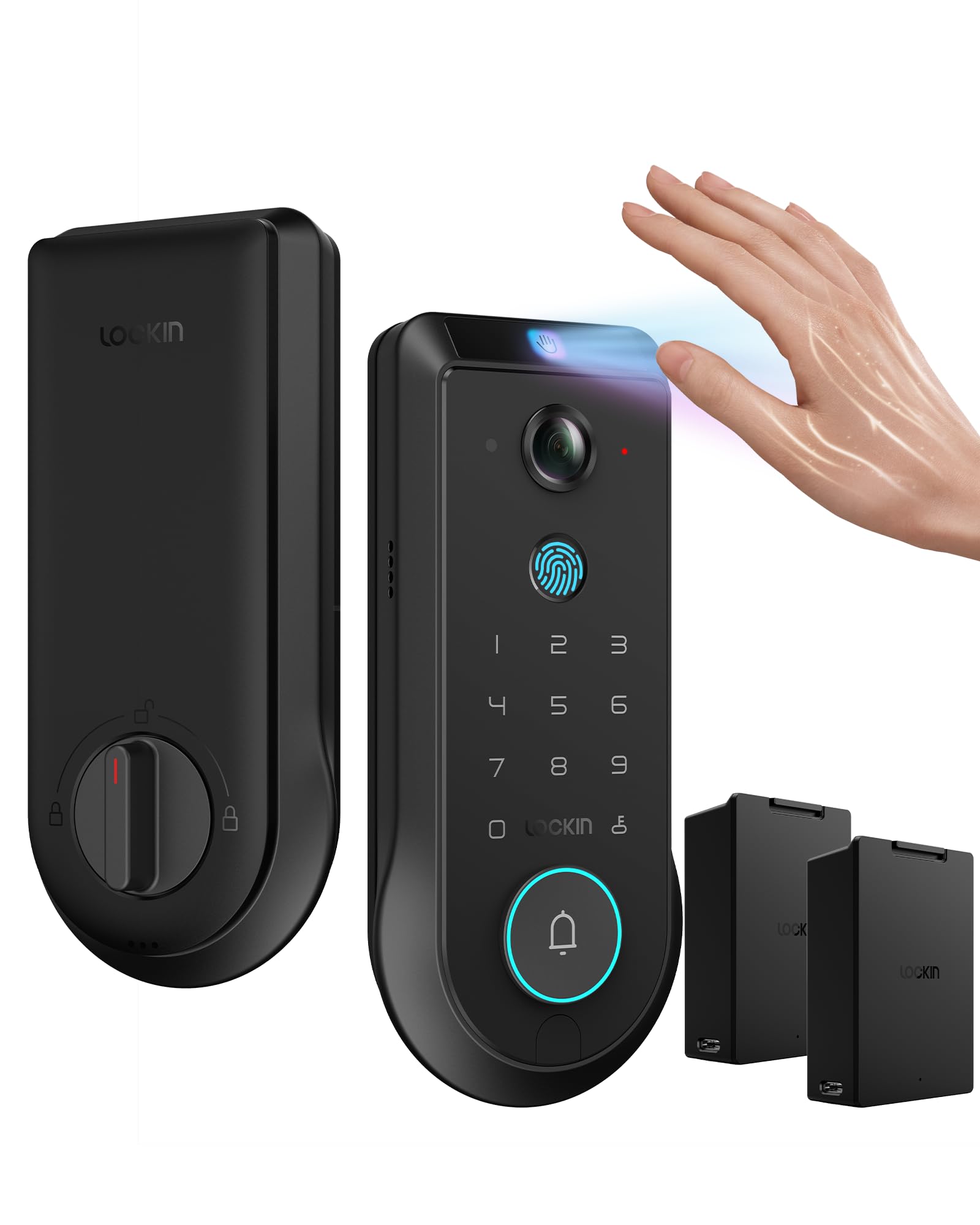
The Lockin Venoris Pro combines a palm vein scanner, 180° panoramic 2K camera, and dual rechargeable batteries in a single deadbolt. The palm sensor works in 0.17 seconds with 99% accuracy, making it one of the fastest contactless options. The built-in camera captures 180-degree video with minimal blind spots and infrared fill light for night vision, while the 32GB of encrypted local storage eliminates any subscription fees.
The 4-in-1 system integrates a smart lock, AI hub, doorbell, and security camera — useful if you want consolidated front-door security without separate devices. Two swappable lithium batteries deliver up to 6 months of operation, so you can swap one pack while the other charges and never experience downtime. The lock supports Bluetooth, Wi-Fi, and Matter connectivity, with compatibility across Apple HomeKit, Google Home, Alexa, and SmartThings.
User reviews highlight the fast and reliable palm/vein unlock even with wet or worn hands, though the doorbell only rings locally to a built-in chime rather than sending push notifications. The app interface feels less intuitive than competitors, and some users report battery life closer to 5 months with heavy camera usage. Still, for a premium all-in-one solution with no ongoing costs, this is the most feature-dense option on the market.
Why it’s great
- Fast palm vein recognition works with wet/dirty hands
- 32GB local storage with no subscription
- Dual swappable batteries for uninterrupted power
- Matter-compatible with all major smart home platforms
Good to know
- Doorbell only chimes locally — no phone notification
- App interface could be more intuitive
- Price point is the highest in this guide
2. eufy Security Smart Lock FamiLock S3 Max

The eufy FamiLock S3 Max brings palm vein recognition to the front door with a 2K HDR camera and a unique rear video screen that lets anyone inside see the visitor without a smartphone. The palm sensor achieves 99.9% accuracy in 0.6 seconds, storing vein data locally on the device for privacy. The 150° head-to-toe wide-angle camera eliminates blind spots, making it easy to monitor packages or small children near the door.
What sets this lock apart is the rear lock video screen — a small display on the interior handle that shows who’s at the door with a single tap. Elderly family members or kids who don’t carry phones can check visitors without opening the door. The DualPower system pairs a rechargeable battery (up to 4 months) with four AAA backup batteries for an extra month of essential functionality during power outages. Matter compatibility ensures seamless integration with Apple Home, Google Home, Alexa, and SmartThings.
Reviews praise the fast, accurate palm scanner that works consistently in varied lighting and temperatures. The lock withstands northeast weather well, though pollen residue can accumulate on the sensor. Battery charging is slow, and some users report initial difficulty registering their palm (solved by raising the hand at the same angle each time). The camera notifications effectively distinguish motion from humans, with adjustable sensitivity.
Why it’s great
- Rear video screen ideal for kids and elderly
- Fogery-proof palm vein with local storage
- DualPower with rechargeable and backup AAA
- Excellent weather resistance
Good to know
- Palm registration can be finicky initially
- Slow charging time
- No charging cable included in the box
3. Lockly Visage Zeno Series Smart Lock
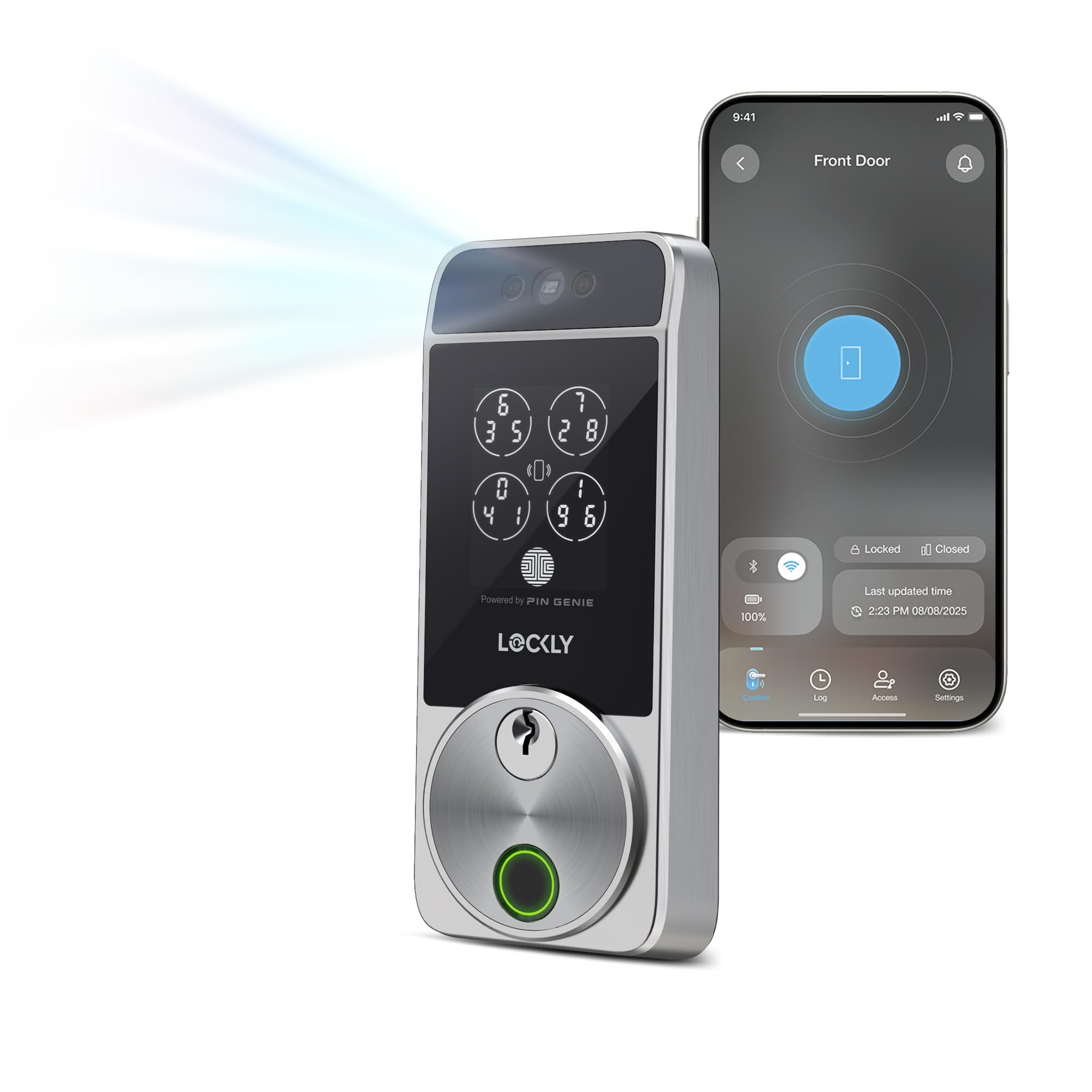
The Lockly Visage Zeno uses 3D infrared facial recognition with dual sensors that work in complete darkness. Walk up and the lock detects your face automatically, unlocking in 1-2 seconds without touching anything. Facial data is encrypted and stored on-device. It also supports Apple Home Key, letting you tap your iPhone or Apple Watch to unlock even when the device battery is dead.
Six unlock methods give flexibility: facial recognition, self-learning AI fingerprint (0.2 seconds, up to 99 prints), PIN Genie scrambled keypad, physical key, Apple Watch, and Alexa/Google voice. Built-in Wi-Fi eliminates the need for a bridge. Two 10,000mAh rechargeable batteries last up to 6 months. The lock fits standard 1-3/8″ to 2″ doors and installs in about 15-20 minutes.
User reviews consistently rate this as the best smart lock they’ve owned. Families love that the facial recognition works instantly for everyone, including children and elderly. The battery life is exceptional — one user reported 9+ months with 28% remaining. A minority experienced unstable Wi-Fi connections that required an engineering-level firmware update to resolve. Once stable, the lock performs flawlessly with zero connectivity issues.
Why it’s great
- Instant hands-free facial unlock in any light
- Apple Home Key with power reserve support
- Long battery life (up to 6 months per charge)
- Self-learning AI fingerprint improves over time
Good to know
- Some units experienced Wi-Fi instability initially
- Premium price point
- No backup camera functionality
4. Lockly Secure Pro Smart Deadbolt Lock
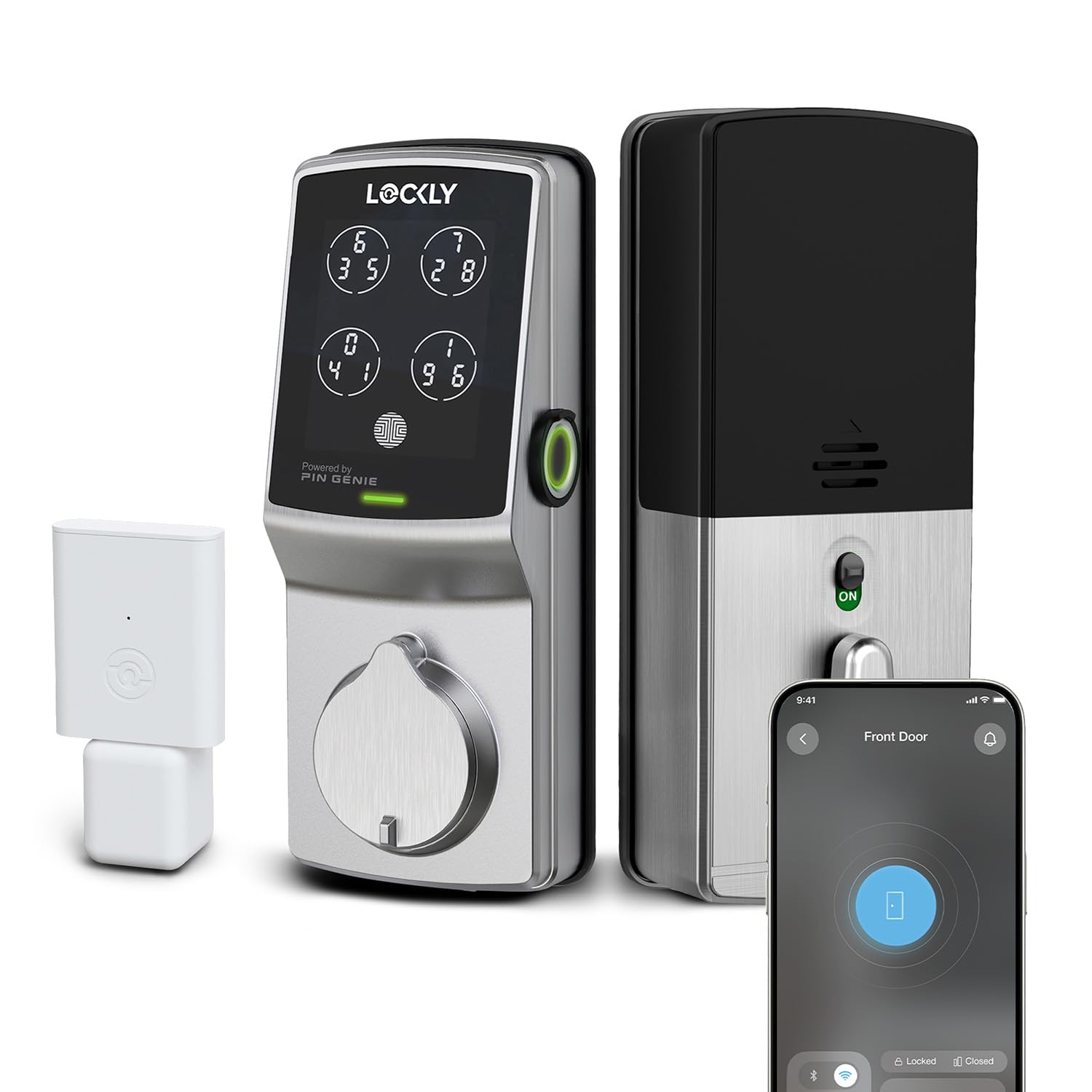
The Lockly Secure Pro is one of the few smart locks with an ANSI Grade 1 rating — the highest residential security standard. Most competitors max out at Grade 3. This lock also features the patented PIN Genie keypad that shuffles digits every use, so even if someone watches you enter your code, the sequence is useless next time. The F1 fingerprint sensor reads in 0.3 seconds and stores up to 99 fingerprints locally.
The Secure Link Wi-Fi Hub is included in the box, so you get remote access, voice control with Alexa and Google, and activity tracking without buying extra hardware. Offline access codes are stored directly on the lock, making them available even when your internet goes down — perfect for guests and service workers. The lock handles 33 access codes (including one-time and recurring) and a 6-pin rekeyable cylinder you can rekey yourself.
Customer reviews emphasize the fast fingerprint reader and the peace of mind from the PIN Genie shuffling. Battery life is excellent — one user reported changing batteries only twice in 7 years. Temporary codes work reliably for rental management. The Lockly app offers remote access and a complete access log. Some users note that the app occasionally loses connection, requiring a re-pair, and that the physical keys are large and somewhat cumbersome.
Why it’s great
- ANSI Grade 1 deadbolt — highest residential rating
- PIN Genie shuffles digits after each use
- 99 fingerprints locally stored
- Offline access codes for internet outages
Good to know
- App connectivity can drop intermittently
- Physical keys are large
- Requires included Wi-Fi bridge, not built-in
5. Lockin Venoris Plus Smart Lock
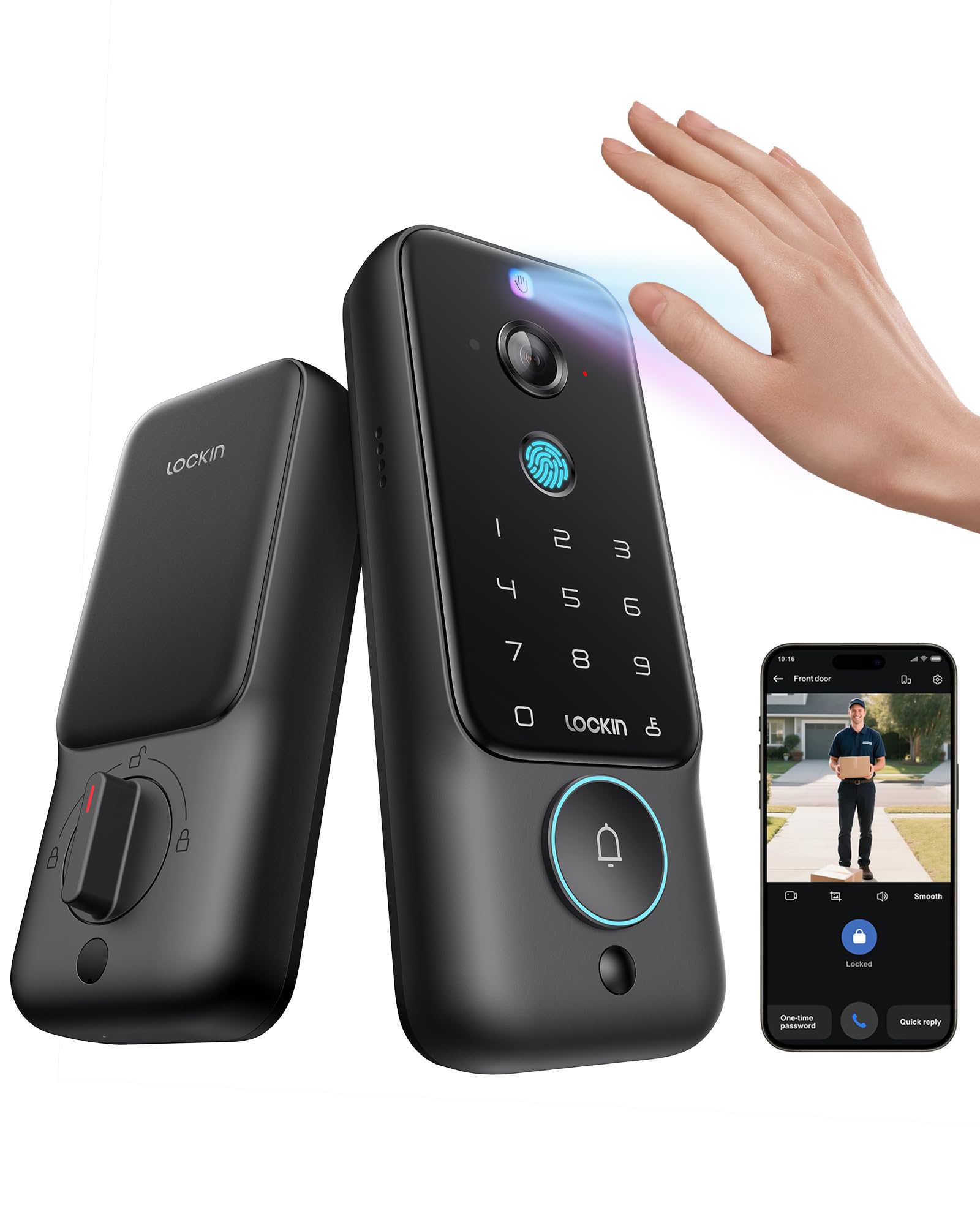
The Lockin Venoris Plus delivers palm vein and fingerprint recognition at a mid-range price, making contactless entry more accessible. The palm sensor unlocks in 0.17 seconds with 99% accuracy and works with wet or worn hands. The 2K ultra-wide camera provides a 180° panoramic view with IR night vision and smart motion alerts, all stored on 8GB of encrypted local storage with no monthly fees.
This 4-in-1 system combines a smart lock, camera, doorbell, and built-in Wi-Fi gateway into a single unit. The lock supports Bluetooth, Wi-Fi, Matter, and Thread connectivity, and works with Amazon Alexa, Apple HomeKit, Google Assistant, and SmartThings. A rechargeable battery lasts 4-5 months with normal use, and the lock includes key backup for emergencies.
User reviews consistently praise the lightning-fast palm recognition — one reviewer noted it works “100% of the time, even with wet/dirty hands.” The 180° camera provides excellent front-door visibility, and the AI motion detection effectively distinguishes people from passing cars. Some users report that the lithium battery needs more frequent recharging than the premium Venoris Pro, and the installation instructions could be clearer. Overall, a strong value proposition for contactless biometric entry.
Why it’s great
- Fast palm vein recognition works in all conditions
- 2K 180° camera with IR night vision
- 8GB local storage with no subscription
- Matter-compatible with major smart home platforms
Good to know
- Battery may need recharging more often than claimed
- Installation instructions can be unclear
- Doorbell notification reliability varies
6. myQ Secure View 3-in-1 Smart Lock
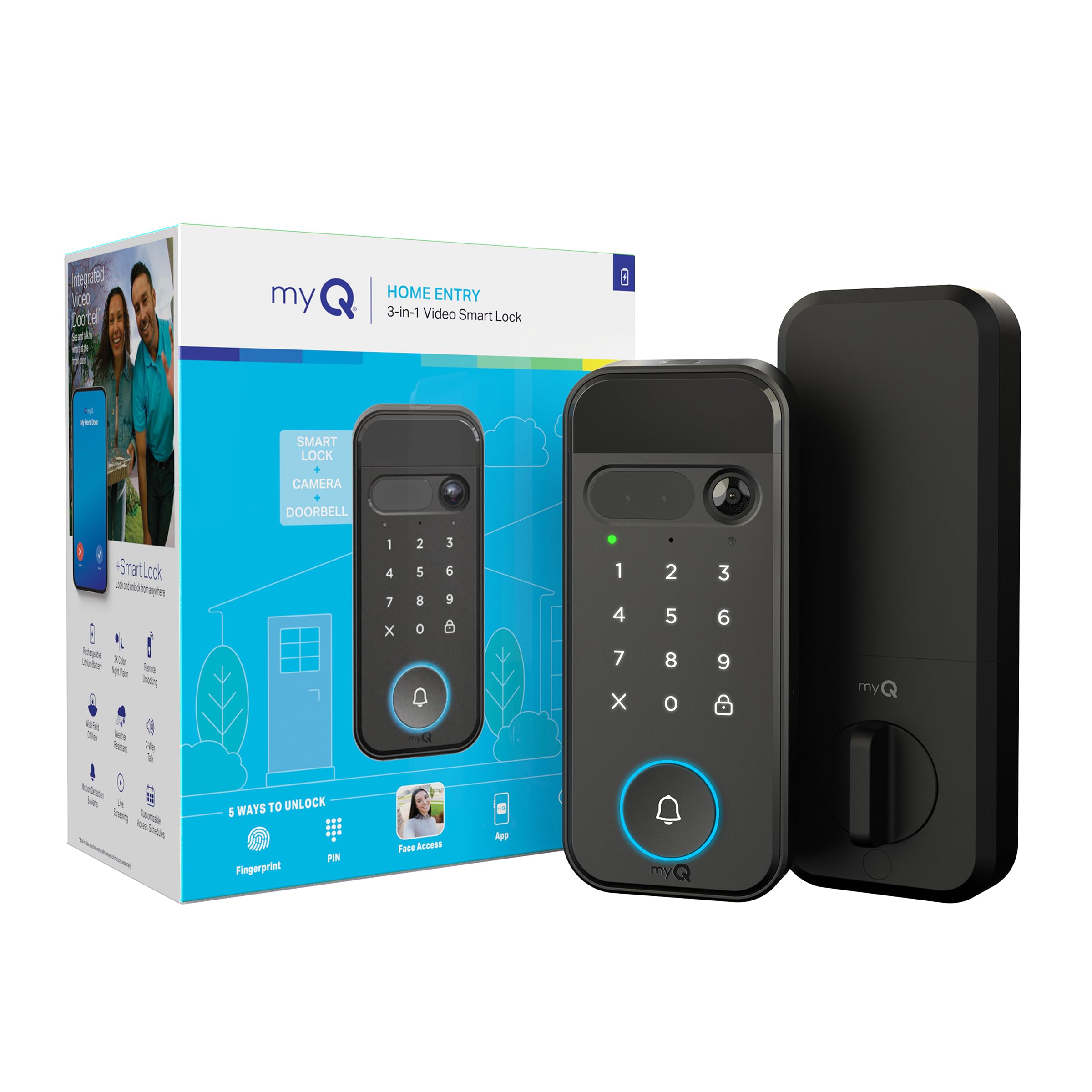
The myQ Secure View packs a smart deadbolt, 2K HDR video doorbell, and facial recognition into a single weather-resistant unit. The face access feature unlocks the door automatically when you approach — no hands, keys, or phone required. The 2K HDR camera with color night vision captures crisp, detailed footage day or night through a wide-angle lens. Five entry methods include face access, fingerprint, PIN, app control, and physical key.
The rechargeable battery lasts 4-6 months, and an optional spare battery lets you swap without downtime. The myQ app provides remote lock/unlock, real-time alerts, and activity tracking. AI-powered smart detection (subscription required) adds people, package, and vehicle alerts with custom detection zones. The lock pairs with a myQ Chime for in-home audio alerts.
Reviews highlight the excellent video quality, straightforward installation, and seamless myQ app integration. Fingerprint scanning and facial recognition work well for most users. However, a critical limitation exists: fingerprint and facial recognition are currently disabled in the state of Texas due to local biometric privacy laws — this is not disclosed on the Amazon listing. Buyers in Texas will be limited to PIN and app entry only. The subscription for AI detection features is also a drawback for privacy-conscious users.
Why it’s great
- Seamless face access for hands-free entry
- Excellent 2K HDR video with color night vision
- 5 ways to unlock for flexibility
- Easy DIY installation
Good to know
- Biometric features disabled in Texas
- AI smart detection requires subscription
- Battery charging requires removing and using cable
7. Yale Assure Lock 2 Touch Deadbolt
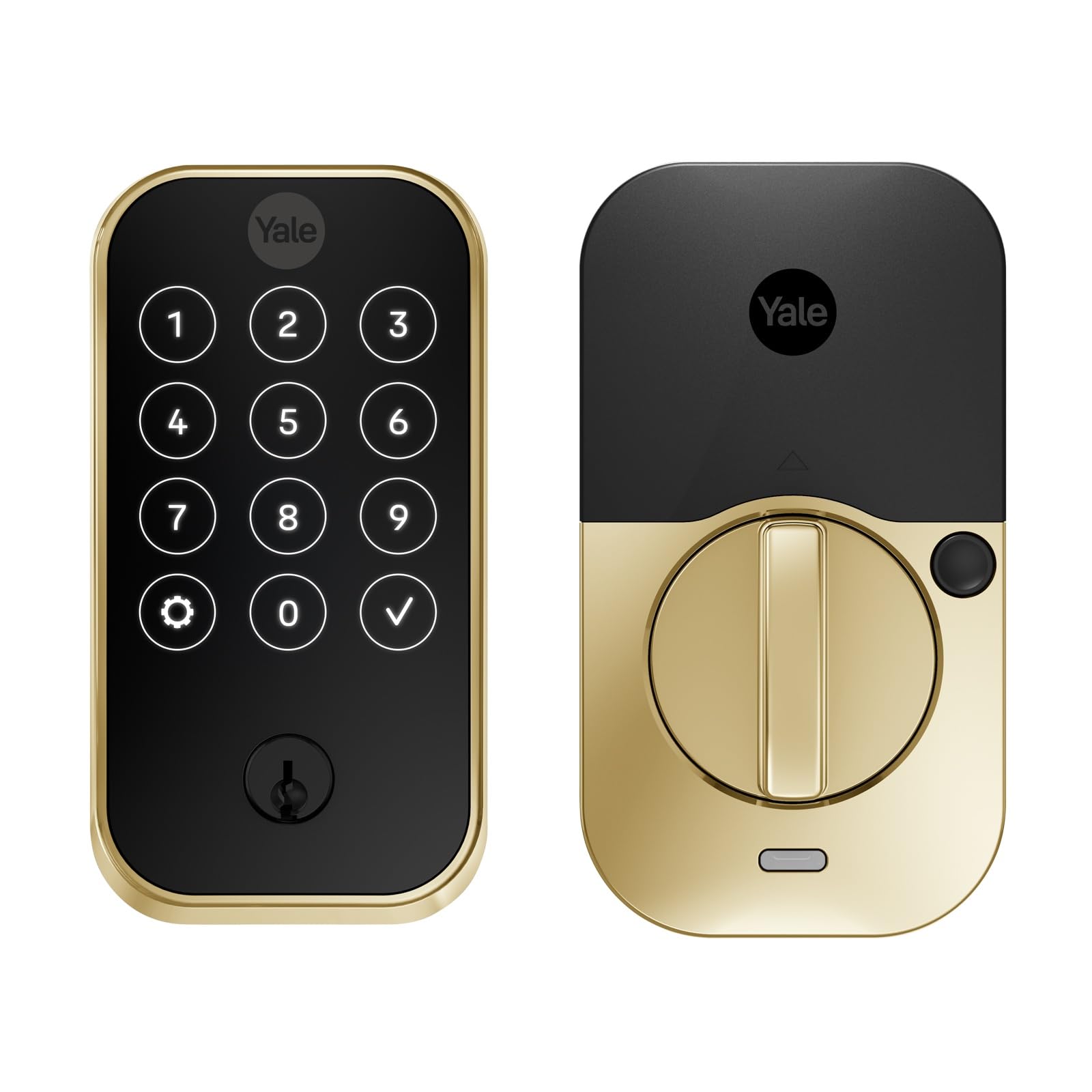
The Yale Assure Lock 2 Touch focuses on a simple, reliable fingerprint experience without the complexity of Wi-Fi or hubs. The capacitive fingerprint scanner achieves 99% accuracy with a recognition time under 0.5 seconds, and it stores biometric data locally. The backlit keypad and physical key provide backup access. Bluetooth connectivity through the Yale Access App lets you share virtual keys and view the activity feed, but remote access requires a separate Wi-Fi bridge (sold separately).
DoorSense technology detects whether the door is fully closed before auto-locking, preventing the lock from engaging improperly. The lock uses four AA batteries that last approximately one year with typical use — significantly better than many competitors. The touchscreen keypad resists fingerprint residue, and the Lifetime Brass finish holds up well against weather. Installation is straightforward, though the door sensor may require drilling into the door frame.
User feedback is generally positive — the fingerprint reader works flawlessly after initial setup, and the auto-unlock via Bluetooth proximity is convenient. However, some users report that the lock drains batteries faster than advertised (2-3 months under heavy Wi-Fi bridge usage) and that the lock can lose connection periodically. A few critical reviews mention replacing the lock multiple times due to reliability issues. The Bluetooth-only design limits remote code management unless you buy the separate bridge.
Why it’s great
- Fast capacitive fingerprint sensor
- DoorSense ensures door is closed before auto-lock
- Excellent battery life (~1 year without bridge)
- Classic, reliable Yale build quality
Good to know
- No built-in Wi-Fi — needs separate bridge for remote access
- Some reports of battery drain with bridge
- App setup can be confusing
8. Philips Wi-Fi Smart Lock with Handles
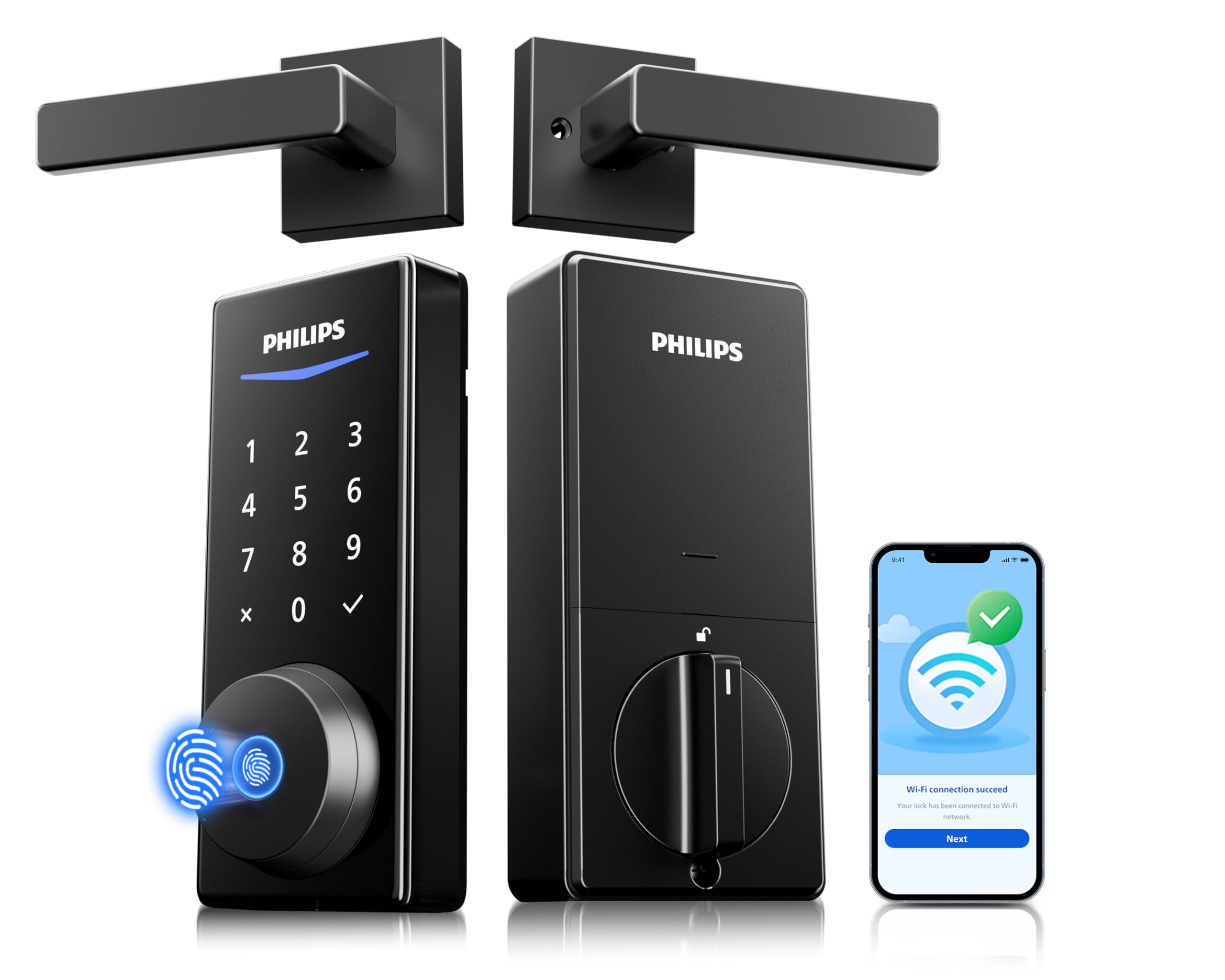
The Philips Wi-Fi Smart Lock combines a fingerprint reader, PIN keypad, and built-in Wi-Fi into a complete handleset package — you get both lever handles and the lock in one box. The fingerprint sensor stores up to 50 prints and unlocks instantly. Built-in Wi-Fi (2.4GHz) connects directly to your router, so no hub or bridge is needed for remote access, voice control via Alexa/Google, and real-time notifications.
The lock supports unlimited one-time PIN codes and 100 user PINs. When combined with a Philips Wi-Fi Gateway (sold separately), you can share timed and recurring codes. The auto-lock timer engages after a set delay, though the lock lacks a door-close sensor, so it will attempt to lock even if the door is ajar. Eight AA batteries power the lock, lasting about 2 months with frequent use — shorter than some competitors but acceptable for the built-in Wi-Fi convenience.
User reviews consistently praise the value-for-price ratio, with the sleek matte black design and accurate app notifications receiving positive mentions. The fingerprint reader works on the first try every time, and the lever handles make for a seamless front-door upgrade. The auto-lock timer is reliable but lacks geofencing capabilities. Some users note that the strike plate may not fit steel doors perfectly, requiring a separate purchase.
Why it’s great
- Built-in Wi-Fi — no hub required
- Complete handleset included
- Unlimited one-time PIN codes
- Sleek design and reliable fingerprint reader
Good to know
- No door-close sensor for auto-lock
- Battery life ~2 months with frequent use
- Some compatibility issues with steel doors
9. Veise VE017G-H Wi-Fi Smart Fingerprint Lock
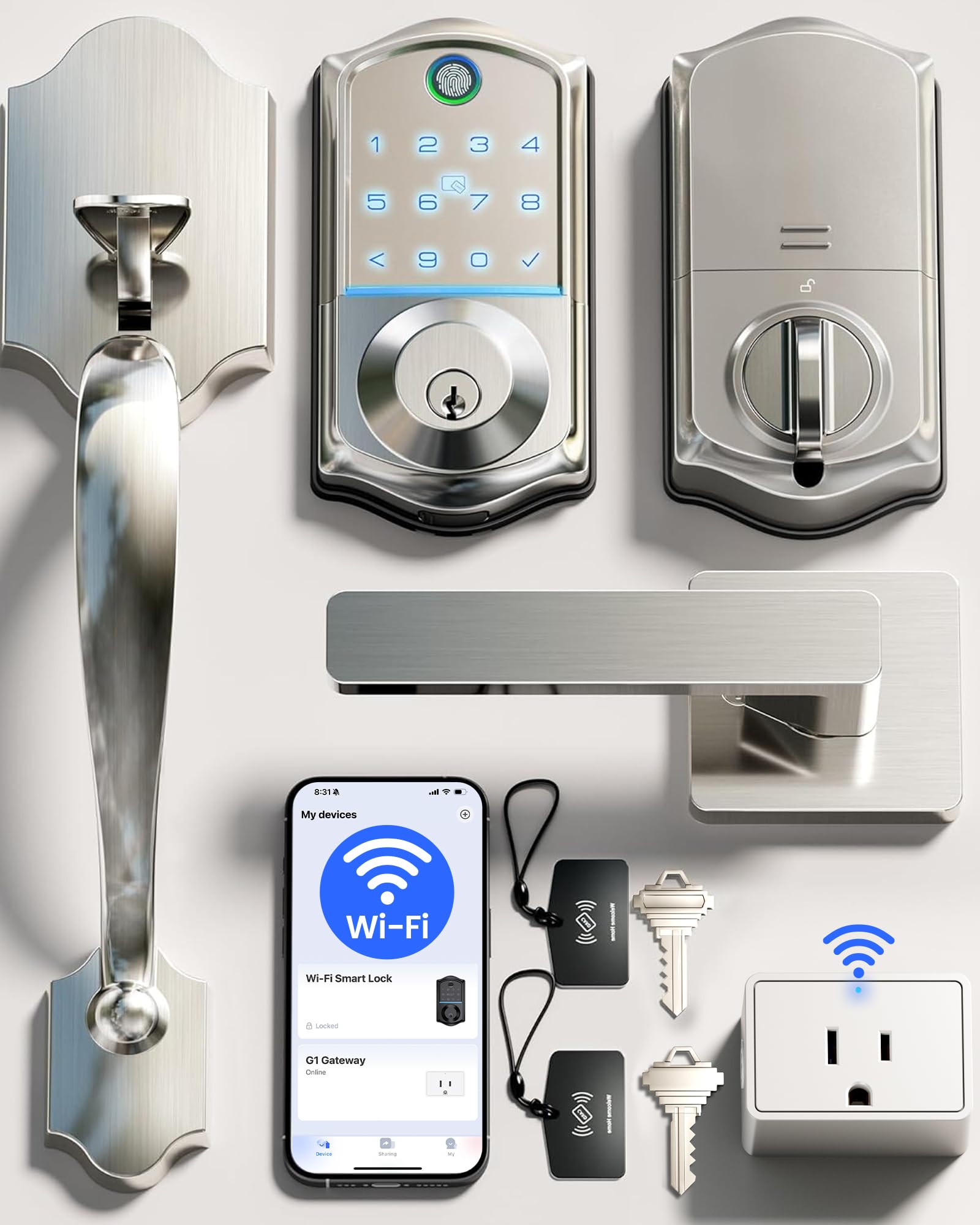
The Veise VE017G-H delivers eight access methods — voice, fingerprint, app, codes, IC cards, backup key, user authorization, and code sharing — at an entry-level price point. The self-learning AI fingerprint sensor unlocks in 0.2 seconds with 99.99% accuracy and stores 20+ fingerprints. The built-in Wi-Fi gateway provides remote access through the KK Home App, including real-time notifications, lock status, and activity logs.
The lock supports unlimited one-time codes and over 100 customized permanent, duration, and recurring codes. Anti-peeping codes let you add random digits before your actual PIN for extra security. An auto-lock timer (0-180 seconds) ensures the door secures itself. The deadbolt is constructed from premium aluminum and zinc alloy, tested to ANSI Grade 3, and IP55 weatherproof for outdoor use. Four AA batteries deliver up to 300+ days of runtime.
User reviews highlight the straightforward installation (under 1 hour), reliable auto-lock feature, and seamless app integration with Alexa and Google. The included IC cards offer an extra access method not commonly found at this level. Some users reported black coating chipping on the interior handle during installation, though the seller resolved the issue with prompt replacements. The lack of a door-close sensor means the auto-lock can engage even if the door isn’t fully shut.
Why it’s great
- 8 access methods including IC cards
- Budget-friendly price with Wi-Fi built in
- Self-learning AI fingerprint sensor
- US-based lifetime support and 2-year warranty
Good to know
- Finish can chip during installation
- No door-close sensor for auto-lock
- App design feels less polished than competitors
FAQ
Are palm vein scanners more secure than fingerprint readers?
Will biometric access control work in freezing temperatures or direct sunlight?
Can I use a biometric lock if I have worn or damaged fingerprints?
What happens if the biometric lock runs out of battery?
Do biometric locks require a monthly subscription?
Final Thoughts: The Verdict
For most users, the best biometric access control system winner is the Lockly Visage Zeno because it combines instant 3D facial recognition with Apple Home Key support and exceptional battery life, all without requiring a hub. If you want contactless entry that works with wet or dirty hands, grab the eufy FamiLock S3 Max for its palm vein scanner and the unique rear video screen. And for maximum physical security with ANSI Grade 1 certification and privacy-protecting PIN Genie keypad, nothing beats the Lockly Secure Pro.