
Our readers keep the lights on and the weekend projects moving. As an Amazon Associate, I earn from qualifying purchases.
Your laptop’s sleek chassis sacrificed the optical bay years ago, leaving a stack of Blu‑ray movies, archived photo discs, and software installers gathering dust. An external drive bridges that gap—but the real pain isn’t compatibility; it’s the silent killer of buying a drive that can’t read Blu‑ray discs at all, or one that demands expensive software before you see a single frame. Sorting the capable readers from the paperweights requires looking past the marketing and straight at the cache size, USB 3.0 throughput, and region‑code limits.
I’m Rikta — the co-founder and writer behind FitlyFast. I’ve spent dozens of hours analyzing the optical‑drive market, comparing read/write speeds, interface standards (USB 3.0 vs. Type‑C), bundled accessories, and real‑world Blu‑ray playback behavior on Windows, Mac, and Linux systems to separate drives that genuinely deliver from those that frustrate.
Whether you need a portable burner for media backup or a reliable reader for movie nights, this guide targets the best blu ray external drive across multiple price tiers and use cases.
How To Choose The Best Blu Ray External Drive
Blu‑ray external drives look similar on the outside, but the internal laser assembly, interface chipset, and software ecosystem determine whether you get smooth 1080p playback or a constant “no disc” error. Focus on these three areas before adding a drive to your cart.
Read & Write Speeds
Blu‑ray reads top out at 6X for most portable drives, which is sufficient for movie playback (data rate ~36 MB/s). DVD reads at 8X and CD at 24X are standard. If you plan to burn Blu‑ray discs, look for write speeds of 6X BD-R; for DVD burning, 8X DVD-R is the baseline. Higher write speeds reduce burn time but require compatible media.
Interface & Power Delivery
USB 3.0 (5 Gbps) is the de facto standard for external optical drives. Type‑C connectors offer convenience but not inherently faster data transfer—the internal chipset is still USB 3.0. Some drives include a separate power cord for stable burning; bus‑powered models are portable but may fail during high‑speed writes on older USB ports.
Software & Region Code Restrictions
No Blu‑ray external drive includes playback software out of the box. You’ll need third‑party apps like PowerDVD, Leawo, or free alternatives like VLC (with manual AACS key installation). Region coding limits how many times you can change the DVD/Blu‑ray region (usually five), so international movie collectors should check compatibility before buying.
Quick Comparison
On smaller screens, swipe sideways to see the full table.
| Model | Category | Best For | Key Spec | Amazon |
|---|---|---|---|---|
| ASUS SBW-06D2X-U | Premium | BDXL burning & vertical placement | 6X BD-R write, BDXL (128 GB) | Amazon |
| GODBPNYMU 8‑in‑1 | Mid‑Range | USB hub + carrying case bundle | 6X BD read, slim 0.35″ height | Amazon |
| BUNUD 5‑in‑1 | Mid‑Range | MacBook Pro/Air compatibility | 5 in 1 hub, 2 MB cache | Amazon |
| Taopjwr 7‑in‑1 | Mid‑Range | 100G disc read/write + 3D | 100 GB capacity, 5 Gbps USB | Amazon |
| LLMHHKYK 2‑in‑1 | Budget | Simple CD/DVD burning + Blu‑ray read | 8X DVD read, 6X BD read | Amazon |
| Wbacon 5‑in‑1 | Budget | Extension cable + SD/TF reader | 5 Gbps data transfer | Amazon |
In‑Depth Reviews
1. ASUS SBW-06D2X-U
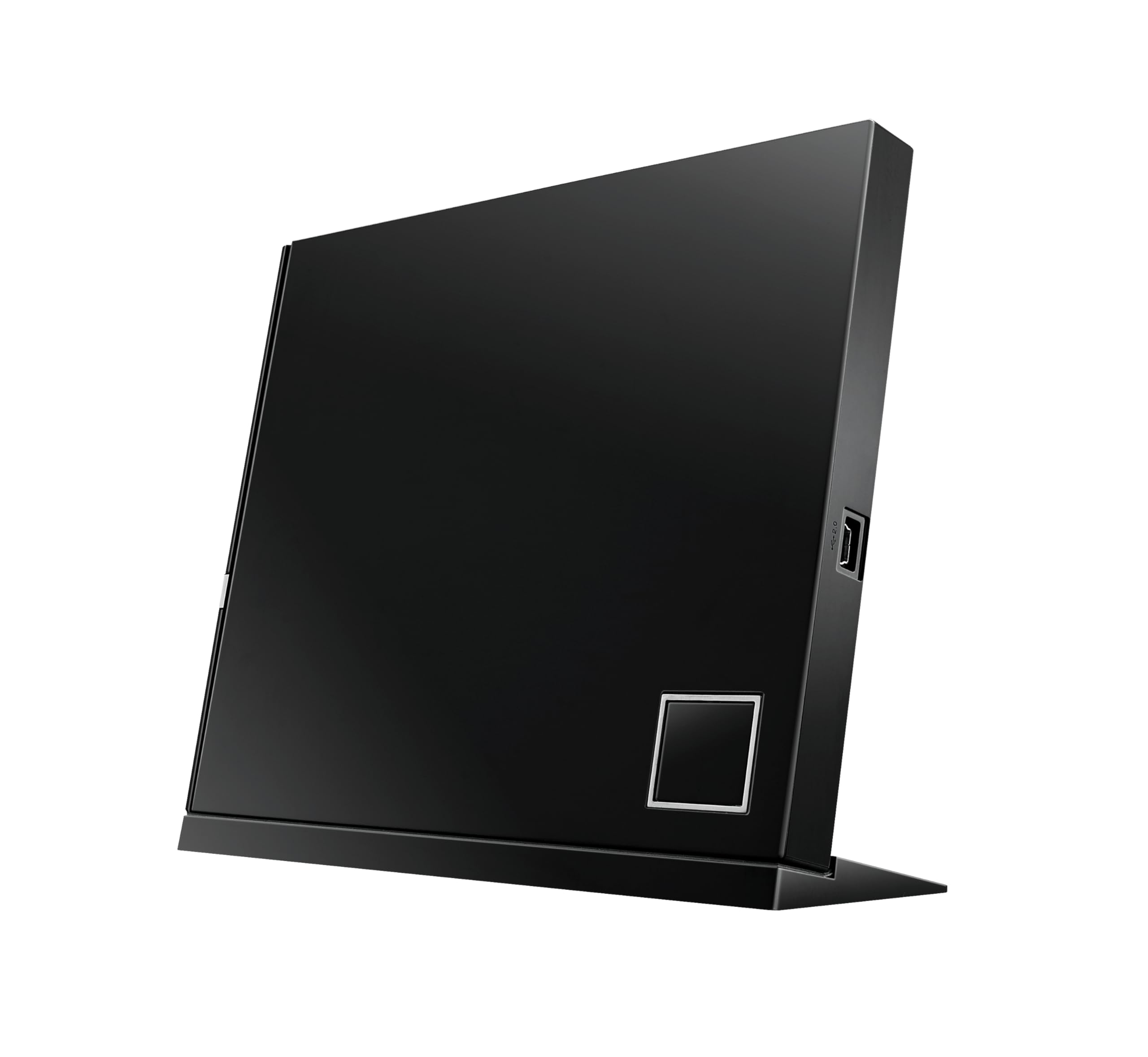
The ASUS SBW-06D2X-U is the only premium drive in this roundup that supports BDXL format—allowing read/write on triple‑layer and quadruple‑layer discs up to 128 GB. Its 6X BD-R write speed and 2 MB cache provide enough headroom for reliable burning of large media archives, something most portable drives simply cannot do. The architecture‑inspired design (vertical or horizontal placement) saves desk space without compromising stability.
On Windows 7 and Mac OS X, the drive works plug‑and‑play for basic reading, but Blu‑ray playback still requires third‑party software. Some users reported that Windows 8.1 support was patchy—ASUS tech support acknowledged the limitation, so factor that in if you run an older OS. The dual USB cable ensures adequate power during burning, though the 18‑inch cord length may feel short for some setups.
For users who demand BDXL capability, a proven brand, and the flexibility to place the drive vertically, the ASUS is the clear choice. It’s heavier and pricier than plastic budget drives, but the build quality and optical performance justify the investment for serious collectors and media archivers.
Why it’s great
- BDXL support for 128 GB discs
- Vertical/horizontal placement saves space
- Reliable 6X BD-R write speed
Good to know
- Short 18‑inch USB cable
- Setup may require patch on some Windows versions
- No native Blu‑ray playback software included
2. GODBPNYMU 8‑in‑1
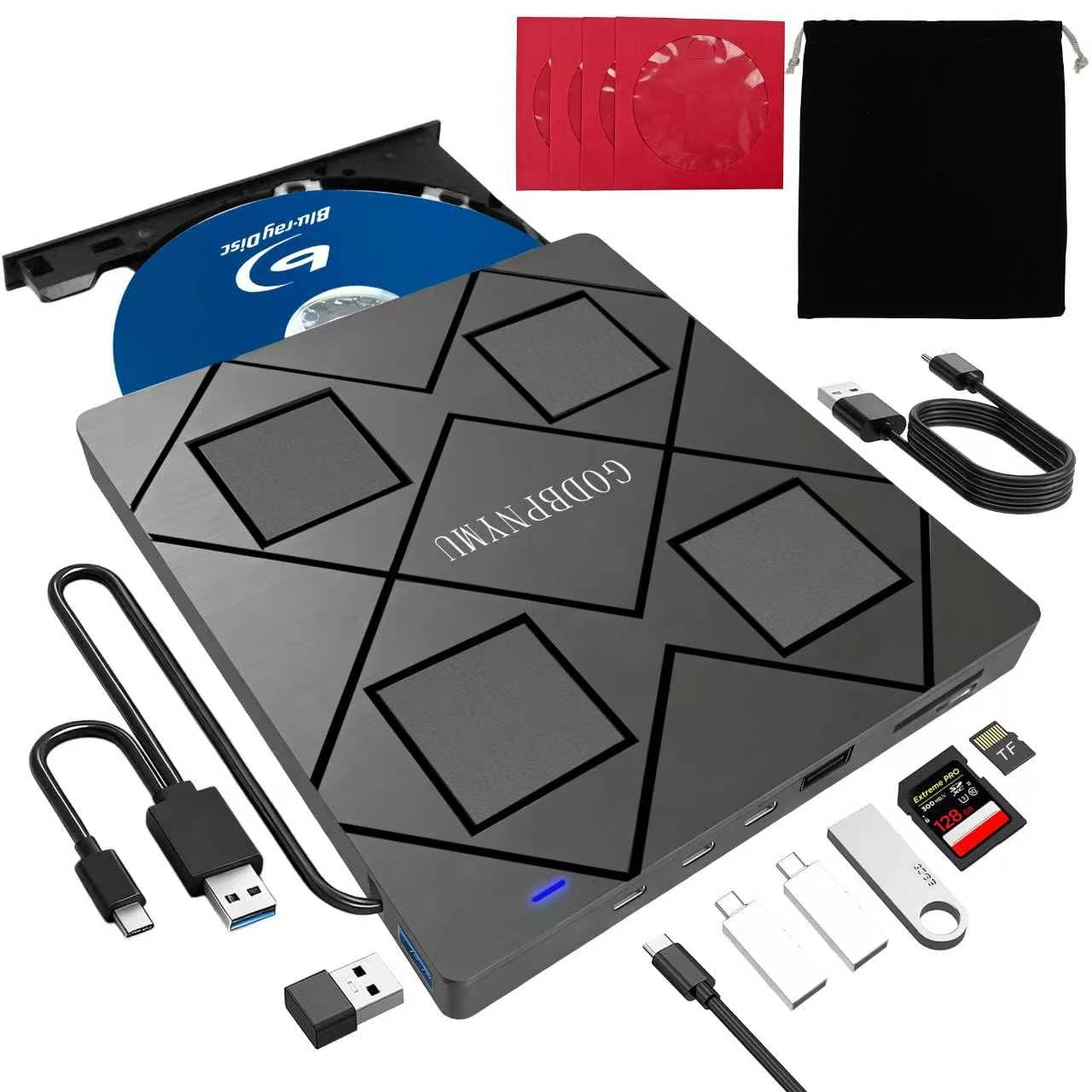
At 0.59 inches thick and weighing 300 grams, the GODBPNYMU 8‑in‑1 is the most travel‑friendly Blu‑ray external drive in this list. It pulls double duty as a USB hub (2x USB‑C, 1x USB 3.0, 1x USB 2.0) and an SD/TF card reader—perfect for laptop users who sacrificed both the optical drive and the hub ports. The package includes a padded carrying case and four CD sleeves, which adds genuine value for travelers.
Read speed hits 6X for BD, 8X for DVD, and 24X for CD, which is on par with mid‑range drives. Write speeds for BD-R reach 6X and DVD±R at 8X. The built‑in USB‑A and USB‑C cables store neatly in the base, solving the “lost cable” problem that plagues budget drives. Note that it does not support 4K UHD playback, and Blu‑ray requires third‑party software like PowerDVD or Leawo.
Where this drive excels is versatility—it’s a burn‑and‑hub combo for nearly any laptop. Some users found the enclosure material (ABS plastic) less premium than metal builds, but for the bundled accessories and multi‑port utility, it’s a strong mid‑range contender that out‑specs most budget options.
Why it’s great
- Ultra‑slim 0.35″ height fits any bag
- Includes carrying case and CD sleeves
- USB hub with 4 extra ports + card reader
Good to know
- Requires 5V/2A power cable for stable burning
- No 4K UHD disc support
- ABS plastic enclosure feels less robust
3. BUNUD 5‑in‑1

The BUNUD 5‑in‑1 drive is tailored for MacBook Pro and Air users who need Blu‑ray reading without extra dongles. Its built‑in USB‑A and USB‑C cables eliminate the need for an adapter, and the slim grey chassis pairs unobtrusively with aluminum laptops. The 2 MB cache memory helps smooth out video playback and reduces buffer underruns during DVD burning—a spec often absent in budget drives.
Read speeds are standard (6X BD, 8X DVD, 24X CD), with write speeds hitting 8X for DVD±R and 24X for CD-R. Some users reported that the second required cable was hidden underneath the device, causing initial confusion. After setup, the drive operated quietly with a smooth tray mechanism—a durability marker that cheap plastic trays often skip.
For Mac‑first buyers who want a trustworthy Blu‑ray reader that includes SD and TF slots plus two extra USB ports, the BUNUD delivers reliable performance. The embedded cable design prevents loss, and the 1‑year warranty provides peace of mind. Just confirm your macOS version supports plug‑and‑play; most recent releases do.
Why it’s great
- Built‑in USB‑A and USB‑C cables
- 2 MB cache improves burn stability
- Quiet operation with smooth tray
Good to know
- Extra cable hidden under drive on arrival
- No 4K UHD playback
- Mac plug‑and‑play may need driver on older OS
4. Taopjwr 7‑in‑1
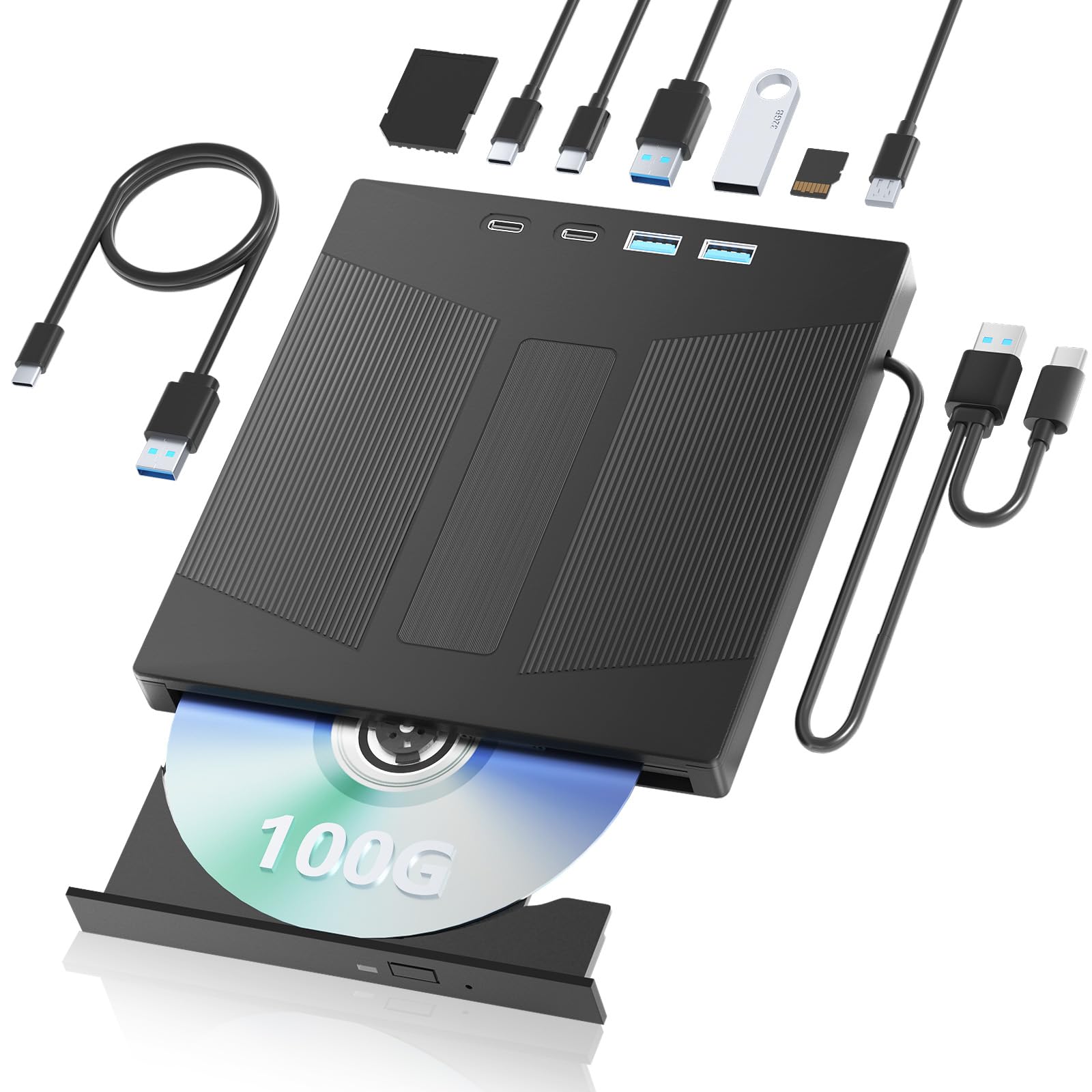
The Taopjwr 7‑in‑1 stands out by supporting 100 GB read/write capacity—enough for triple‑layer BD‑XL discs—and true 1080p 3D playback. For users with a collection of 3D Blu‑rays, this drive avoids the “3D not supported” error that plagues many external drives. The 7‑port count includes SD card, TF card, two Type‑C, one USB 3.0, one USB 2.0, and a dedicated power port.
Internally, it uses a 2016 Panasonic laptop drive in a generic enclosure, according to one user’s teardown. This means read/write reliability is good for standard Blu‑rays, but 4K UHD discs are not supported. The drive ships without any playback software; PowerDVD or VLC (with AACS key) is required. Dual transfer cable (USB + Type‑C) attaches to the burner, reducing cable clutter.
If you need a drive that can handle both 3D Blu‑ray discs and act as a USB hub for multiple peripherals, the Taopjwr offers a rare combination. The internal drive lottery (you may get different batch drives) introduces some risk, but the feature set at this mid‑range price point is hard to beat for 3D enthusiasts.
Why it’s great
- 100 GB disc read/write with BDXL
- True 1080p 3D playback support
- 7‑port hub reduces desk clutter
Good to know
- Internal drive may be older Panasonic model
- No playback software included
- Does not support 4K UHD discs
5. LLMHHKYK 2‑in‑1

The LLMHHKYK 2‑in‑1 is the simplest entry in this list—a pure Blu‑ray reader with CD/DVD burning capability, no extra hub ports or card readers. Its brushed texture shell feels more premium than the glossy plastic of budget alternatives, and the embedded cable design prevents the “lost in a bag” frustration. Read speeds of 6X BD, 8X DVD, and 24X CD are standard for the price tier.
Plug‑and‑play works on Windows, Mac, and Linux for CD and DVD. Blu‑ray playback requires free software from the Microsoft store or open‑source tools like VLC with manual AACS key. Some users reported that the embedded USB cord is very short—fine for laptops but may need an extender for desktop towers. The drive is quiet during playback but produces a slight hum during burning.
For buyers who want a no‑frills, reliable external Blu‑ray drive without paying for hub features they won’t use, the LLMHHKYK is a smart budget option. The short cord is the main compromise, but for laptop users with nearby USB ports, it won’t be an issue.
Why it’s great
- Brushed texture shell looks premium
- Embedded cable stays attached
- Quiet operation during movie playback
Good to know
- Short USB cord may need extender
- No SD/TF card reader or USB hub
- Blu‑ray playback requires separate software
6. Wbacon 5‑in‑1
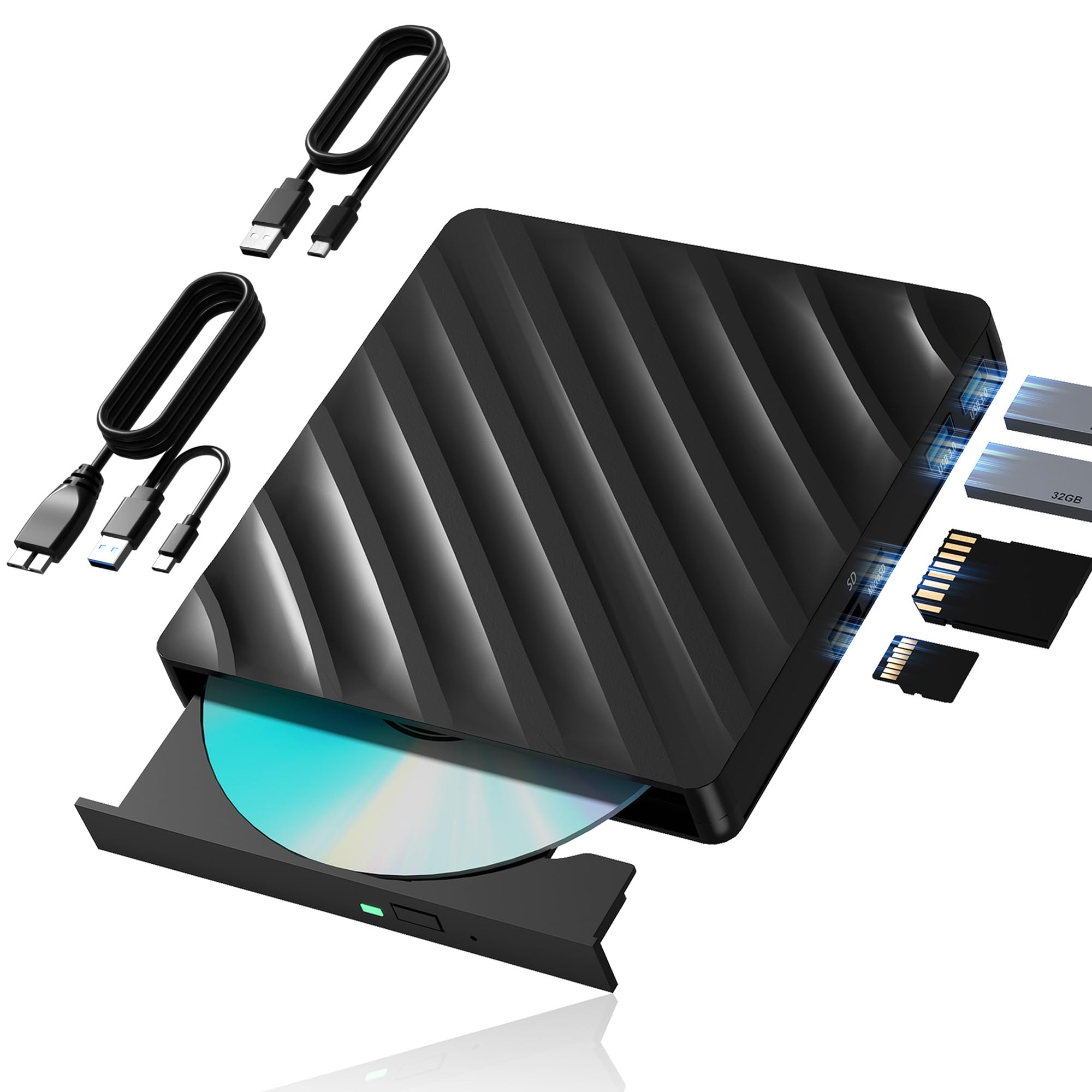
The Wbacon 5‑in‑1 addresses a common pain point—short cables—by including an extension data cable with both USB 3.0 and Type‑C connectors. This makes it usable even when your PC tower is under the desk or the USB port is awkwardly placed. Beyond the drive, it functions as a media hub with one SD card slot, one TF card slot, and two USB 3.0 ports.
Data transfer speed reaches 5 Gbps over USB 3.0, and Blu‑ray read speed is 6X. Some users reported intermittent dismounting and system crashes with certain older CD formats, though standard Blu‑ray movies played fine. The drive is compatible with Windows (7 to 11) and Linux, but not with iPads, TVs, or Chromebooks. Region code can be changed five times, which is typical for external drives.
The Wbacon is best suited for users who need the extra reach of a detachable cable and want to offload SD/TF card transfers without buying a separate reader. Build quality is adequate for occasional use. If you burn discs frequently, the reliability concerns reported with older media are worth noting.
Why it’s great
- Extension cable reaches under‑desk PCs
- SD and TF card slots for photo transfers
- Two USB 3.0 ports for peripherals
Good to know
- Intermittent dismounting reported on older discs
- Not compatible with iPads, TVs, or Chromebooks
- Region code limited to 5 changes
FAQ
Can I play Blu‑ray discs on my Mac with an external drive?
Why do some drives require a separate power cable?
What does “region code” mean for a Blu‑ray player?
Can an external Blu‑ray drive read 4K Ultra HD discs?
Final Thoughts: The Verdict
For most users, the best blu ray external drive winner is the ASUS SBW-06D2X-U because it combines BDXL support, reliable 6X burning, and a proven track record for serious archivers. If you want a portable hub that travels light, grab the GODBPNYMU 8‑in‑1. And for 3D movie enthusiasts on a mid‑range budget, nothing beats the Taopjwr 7‑in‑1.