
Our readers keep the lights on and the weekend projects moving. As an Amazon Associate, I earn from qualifying purchases.
Specs are compiled from manufacturer listings and verified buyer reviews and can change over time — please confirm the key details on the product page before buying.
A Bluetooth mouse should be the simplest tool you own — pair it once and never think about it again. But between battery anxiety, finicky connections, and shapes that cramp your hand after an hour, most miss the mark. This guide cuts through the noise to find the mice that actually fit your workflow, your bag, and your budget.
I’m Rikta — the founder and writer behind FitlyFast. This guide is built by comparing the manufacturers’ published specifications and the patterns across verified customer reviews, so you get each pick’s real strengths and trade-offs instead of marketing spin.
You want a bt mouse that stays connected, lasts months on a charge, and fits your hand comfortably for hours. The best ones balance all three without breaking your budget.
Our Picks at a Glance

How To Choose The Best BT Mouse
A good Bluetooth mouse is invisible — it connects instantly, tracks smoothly, and stays out of your way until you need it. A bad one drops signal mid-scroll, dies at 2 PM, or lives in a drawer. Here is a quick field guide to what actually matters.
Connectivity: Bluetooth Only or Dual Mode
A pure Bluetooth mouse saves your USB ports and works with tablets and phones. Dual-mode models add a 2.4GHz receiver (a small USB dongle) for a more stable, lower-lag connection on a PC or laptop. You want a dual-mode mouse if you game or work on a desktop with a nearby USB port. You want Bluetooth-only for travel or if you switch between a laptop, tablet, and phone.
Battery Life: Disposable vs. Rechargeable
Many mice use a single AA or AAA battery and claim 12 to 36 months of life — you swap the battery every year or two. Others are rechargeable via USB-C and last weeks to months between charges. Disposables never leave you tethered to a cable mid-workday, but rechargeable mice save money on batteries long-term. The trade-off is whether you prefer swapping a battery or plugging in a cable every few weeks.
Shape and Size: Hand Fit is Everything
A mouse that is too small forces a claw grip — your hand will ache after an hour. A vertical mouse rotates your forearm into a handshake position, which many find relieves wrist strain. The listed dimensions (length, width, height) tell you if a mouse will fill your palm or leave your fingers dragging. Small-to-medium hands are safer with compact shapes; larger hands need longer, wider bodies.
DPI and Precision: When It Actually Matters
DPI (dots per inch) is how far the cursor moves when you nudge the mouse — higher DPI means the cursor scoots farther with less hand movement. A DPI around 1200 to 1600 works for most daily tasks. Graphic designers and gamers sometimes want up to 4000 or 8000 DPI for pixel-level precision. The key is adjustability: a button on the mouse lets you toggle between speeds for browsing versus detailed work.
Quick Comparison
| Model | Best For | DPI Range | Connection | Battery | Amazon |
|---|---|---|---|---|---|
| Uineer Tri-Mode★ Best Overall | Best Overall Value | 800 – 2400 | BT + 2.4G | Rechargeable | Amazon |
| Lenovo 350Battery King | Longest Battery Life | 1000 – 2400 | BT 5.3 | 1x AA (36 mo.) | Amazon |
| KYSONA VerticalWrist Saver | Wrist Relief | 800 – 4000 | BT + 2.4G | 2x AAA (12 mo.) | Amazon |
| Uineer Ergo Vertical | Quiet Rechargeable Ergo | 800 – 2400 | BT + 2.4G | 500mAh Rechargeable | Amazon |
| Arc Foldable Mouse | Ultra Portable | 1200 | BT Only | 2x AAA | Amazon |
| HP 400 Quiet | Silent Office Work | Up to 6000 | BT + 2.4G | 1x AA (24 mo.) | Amazon |
| Dell MS700 Travel | Travel Twist Design | Up to 4000 | BT 5.0 | 2x AAA (24 mo.) | Amazon |
| Logitech MX Anywhere 2S | Premium Traveler | Up to 4000 | BT + RF | Rechargeable (2 mo.) | Amazon |
| Logitech MX Master 3S | Pro Power User | Up to 8000 | BT Only | Rechargeable (70 days) | Amazon |
In‑Depth Reviews
1. Uineer Bluetooth Mouse, Tri-Mode Wireless, Rechargeable, 3-Device Switch
Our pick — over 4.5★ from 3,500+ verified ratings; the strongest balance of quality and price.
The crowd-favorite that quietly does everything well—and still leaves change in your pocket.
At a glance, this is a straightforward 6-button mouse with four DPI levels (800, 1200, 1600, 2400) and a dual-mode connection that covers Bluetooth 4.0, Bluetooth 5.0, and 2.4GHz. But what makes it stand out is how owners actually live with it. The rechargeable battery is the star: as buyers report, “Battery lasts months (charged 1-2x in 5+ months).” That means you can stop hunting for AAAs and plug it in maybe twice a year. At 3.53 ounces and 4.65 x 3.22 inches, it is substantial enough for medium hands but still slides easily into a laptop bag.
The ergonomic shape draws the most praise — owners consistently say it fits the hand well and allows a relaxed rest, which matters when you are logging back-to-back work sessions. The forward and back side buttons add real browsing efficiency, and the matte finish avoids that greasy plastic feel. The only recurring head-scratcher is the sleep mode: it kicks in after 8 minutes of stillness, which can feel aggressive if you pause mid-thought, and a click (not a jiggle) is the only way to wake it.
Given its 4.6-star consensus across a massive owner base, this is the safest, most balanced pick in the list. It beats the Lenovo below on rechargeability and beats the Logitech offerings on price by a wide margin while still delivering a near-perfect daily driver experience.
What Owners Love
- Triple connectivity (BT 4.0, BT 5.0, 2.4G) covers any device
- Rechargeable battery that earns “months” between charges
- Four adjustable DPI levels for browsing vs. detail work
- Includes forward/back side buttons and a visible battery indicator
The One Trade-Off
- Sleep mode triggers after 8 minutes and needs a click to wake (shaking does not work)
Reach for this if: you want one mouse that handles everything — office, home, travel — without a premium price tag.
Look elsewhere if: an aggressive auto-sleep that requires a click to wake would annoy you mid-workday.
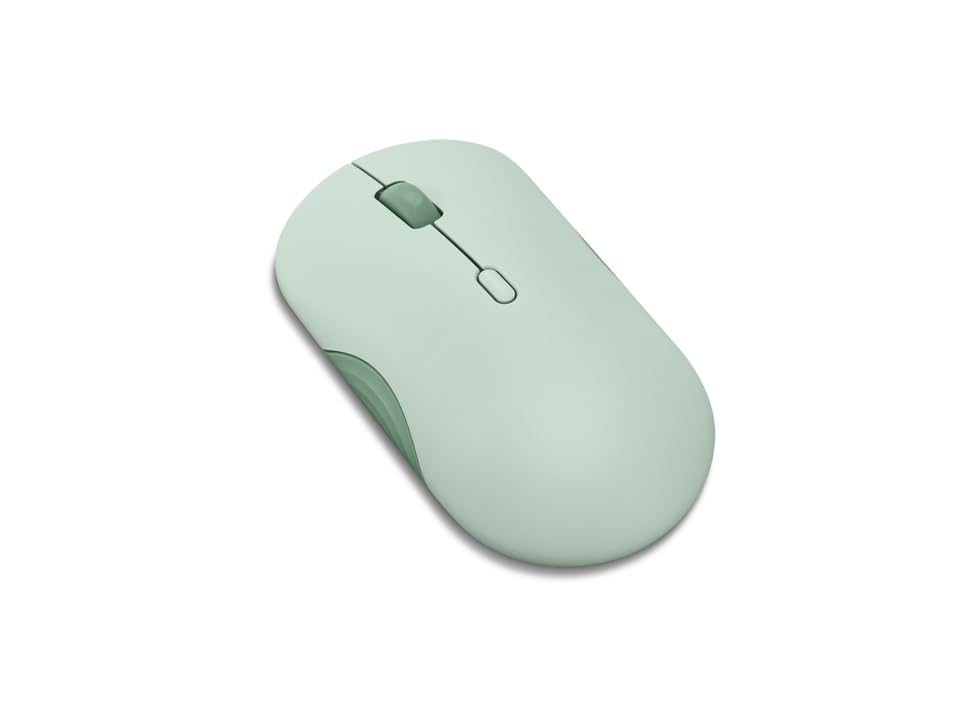
2. Lenovo 350 Wireless Bluetooth Mouse, Silent Click, 3 Level DPI (1000, 1600, 2400), 36 Month Battery Life, 2 Device Pairing, Breeze Moss
The set-and-forget option that will still be clicking when your next laptop arrives.
Lenovo quotes a 36-month battery life from a single AA battery, which is the longest endurance in this roundup by a clear margin. The HP 400 manages 24 months on a single AA, so the Lenovo gives you a full extra year of use before the next battery swap. At only 58 grams (roughly 2 ounces), it is featherlight — notably lighter than the Uineer above (3.53 oz) — and ambidextrous, so lefties can use it without twisting their hand.
It has three DPI levels (1000, 1600, 2400) accessible via a dedicated button, and Bluetooth 5.3 is the newest version on this list for the fastest, most power-efficient pairing. The silent clicks are a real perk for shared workspaces or late-night sessions. Owners call it “quiet, comfy mouse that just works and rarely needs a battery change” — the sort of low-maintenance praise that suggests you will install the battery and forget about it. The Breeze Moss color is a welcome departure from the usual black or white, and the dual-device pairing (switch between two machines with a button) is handy.
The catch is subtle: this mouse runs on a single AA, not a rechargeable cell, so when the 36 months are up you are buying a battery rather than plugging in a cable. Owners also note the plastic feels solid but not premium — it is a tool, not a desk ornament. If you want the absolute longest battery life on the shelf and a no-fuss shape, this is the one.
Best for: the “install and ignore” buyer who wants Bluetooth 5.3, silent clicks, and a three-year single-battery commitment.
Grab this if: the thought of charging a mouse feels like a chore and you value 36-month endurance over rechargeability.
Think twice if: you prefer USB-C charging or want DPI above 2400 for precision work.
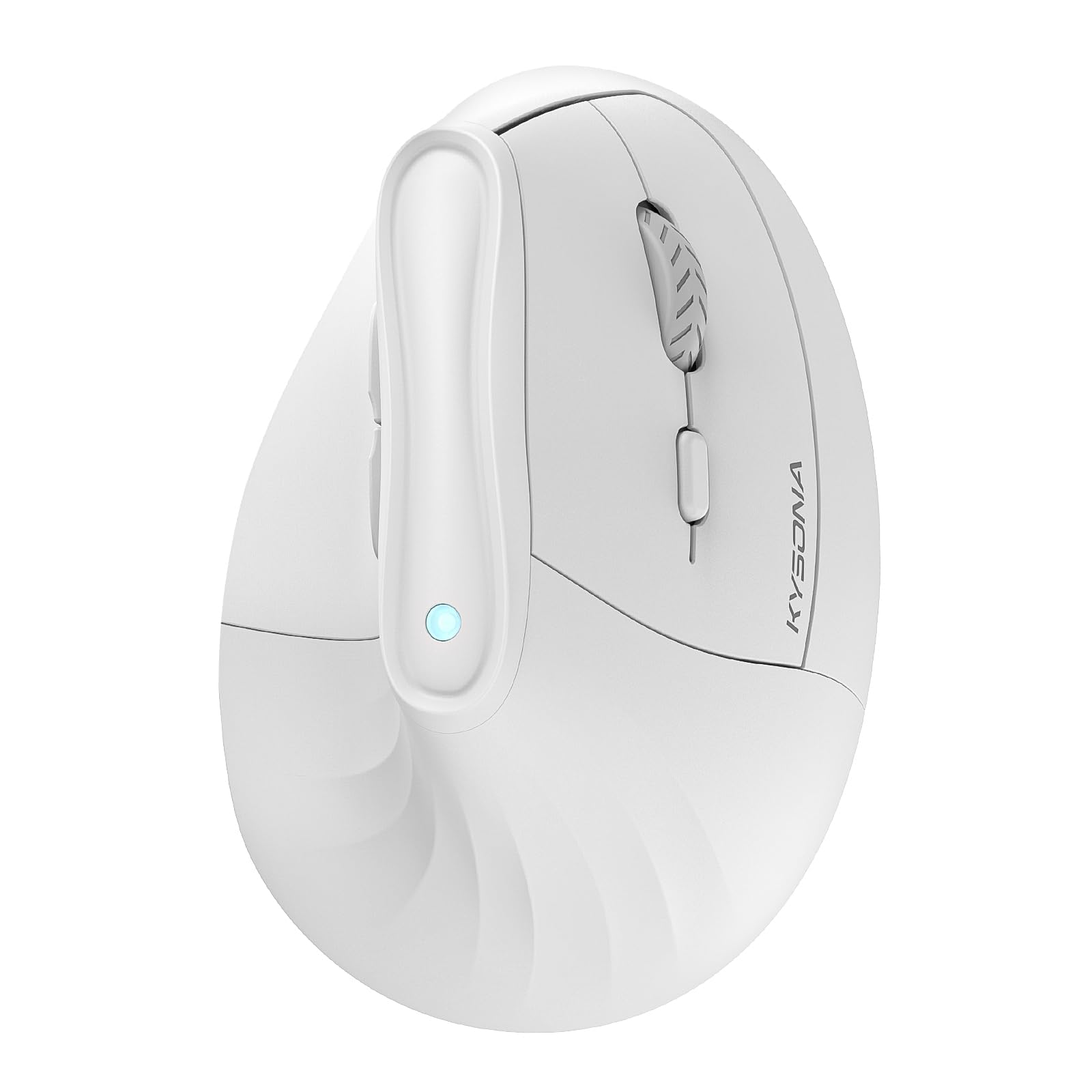
3. KYSONA Ergonomic Mouse Wireless, Bluetooth Vertical Mouse, 5-Level Adjustable DPI, 2.4G Silent Switch Mice
A 57-degree tilt that turns your mouse hand from a claw into a handshake.
Vertical mice convert users slowly, but once the wrist pain stops, few go back. The KYSONA uses a 57° ergonomic angle to keep your forearm in a natural handshake position, which is the feature that earns the most praise among owners — 66 call out the ergonomics and 52 mention comfort specifically. It offers five DPI settings (800, 1200, 1600, 2400, 4000), giving it a top-end sensitivity that beats the Uineer and Lenovo, useful for graphic design or fine detail work.
At 4.2 inches long and 2.9 inches wide, it is noticeably smaller than the Uineer (4.65 x 3.22 inches). The manufacturer openly recommends this for small to medium hands. The dual-mode connection (Bluetooth 3.0/5.0 and 2.4G) keeps your options open, and the silent switches mean no clicking distractions in a quiet room. Battery life is claimed at up to 12 months, though it needs 2 AAA batteries (not included). Owners consistently report less wrist strain after switching — one called it “game-changing comfort for your wrist.” The mixed area is reliability: some units have connectivity dropouts over time, so buy from a seller with easy returns.
Compared to the Uineer vertical below, this one is smaller, has a wider DPI range (4000 vs 2400), and uses disposable batteries instead of a rechargeable cell. If you want the fullest DPI range and you have small-to-medium hands, this is the vertical to try first.
What Wins People Over
- 57° vertical angle reduces wrist strain for long sessions
- Five DPI levels up to 4000 — best in class for precision
- Silent switches keep the office quiet
- Dual-mode Bluetooth and 2.4G for flexible pairing
Know Before Buying
- Designed for small to medium hands — larger hands will feel cramped
- Runs on 2 AAA batteries (not included) rather than a rechargeable cell
Best for: anyone with small-to-medium hands whose wrist aches after a standard mouse — the ergonomics payoff here is substantial.
Skip if: you have large hands or prefer a rechargeable battery over swapping AAAs.
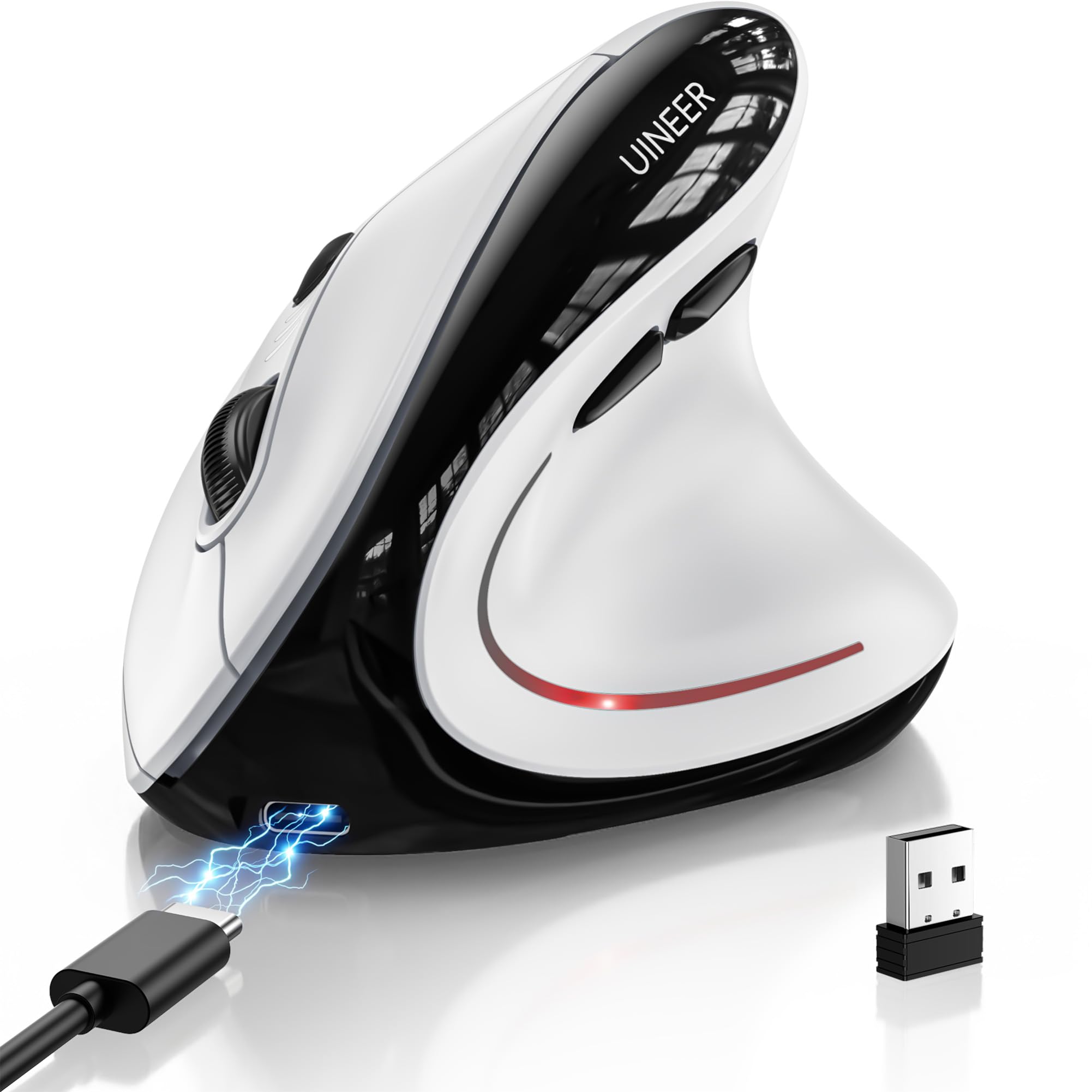
4. Uineer Ergonomic Wireless Vertical Mouse, 3-Mode Bluetooth 5.0/4.0 & 2.4GHz, Rechargeable, Silent Computer Mouse, 4 DPI Levels
The vertical that ditches disposable batteries for a USB-C rechargeable cell and some RGB flair.
Unlike the KYSONA above, this Uineer vertical packs a 500mAh rechargeable battery that owners say lasts about a month with daily use — a nice upgrade if you hate hunting for AAAs. It has 4 DPI levels (800, 1200, 1600, 2400), silent left and right buttons, and a side scroll wheel for horizontal navigation through spreadsheets or timelines. The three-device switching means you can hop between a work PC, a laptop, and a tablet with one button press.
Owners give it high marks for quality and ergonomics, with several noting that wrist fatigue vanishes after the 1-2 week adaptation period. The 7-color LED lighting adds a desk-accessory vibe without being garish. At 105 grams (3.7 ounces), it is heavier than the KYSONA, which gives it a planted feel. The mixed feedback is on wake-up time — the smart sleep mode can have a small lag when you reach for it after a break.
Compared to the Uineer Tri-Mode (product 1), this one swaps the standard shape for a vertical, upright grip. If your wrist is already complaining and you want a rechargeable vertical, this is the one.
The right pick if: you need a vertical shape to relieve wrist pain but refuse to deal with disposable batteries — the 500mAh rechargeable cell handles that neatly.
Reach for this if: wrist fatigue is a daily problem and you want a rechargeable vertical with RGB and side-scroll.
Consider the KYSONA instead if: you need 4000 DPI for fine design work or have larger hands that need more room.
5. Bluetooth Arc Mouse Foldable Slim and Portable Mini Wireless Computer Travel Mouse Folding Optical Touch Mice

A folding shape that goes from pocket to palm in one snap — but build quality is a gamble.
The defining a neat extra here is the power switch: snap the mouse into its curved position to turn it on, snap it flat to turn it off and slide it into a back pocket or bag sleeve. At 60 grams and practically zero thickness when flat, it is the most travel-friendly shape on this list. The touch bar replaces a traditional scroll wheel, and pairing happens by holding the left and right buttons for 6 seconds until the blue light flashes.
Owners who come from the Microsoft Arc mouse see this as a budget alternative that works equally well for basic travel needs. One traveler says it “solves pocket storage issue” and appreciates the haptic feedback when the mouse clicks into the curved position. But the build quality is the hard split — some units arrive working fine, others stop folding or pairing within a month. The battery compartment cover has been flagged for not closing flush, and the center double-tap function sometimes fails. At 1200 DPI fixed sensitivity, it is strictly for casual use, not precision work.
Why It Travels Well
- Slim folding design that slips into a back pocket or bag sleeve
- Touch bar replaces the scroll wheel for a flat profile
- Easy Bluetooth pairing with no USB dongle needed
The Build Gamble
- Reports of the folding mechanism failing or the battery door not closing flush
- Fixed 1200 DPI — not adjustable for detail work
Best for: the ultralight traveler who needs a backup or secondary mouse that literally vanishes in a pocket.
Skip if: you need a durable daily driver or adjustable DPI — this is a travel-only companion, not a workhorse.
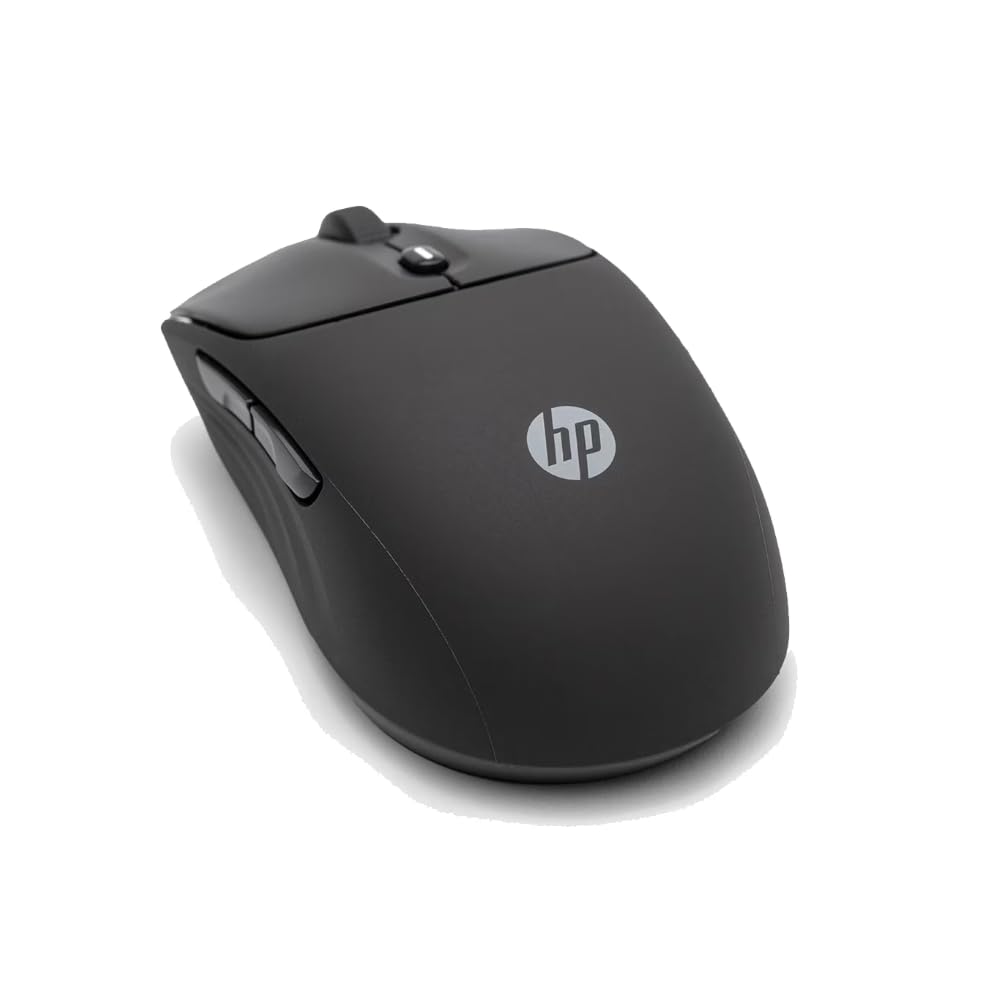
6. HP 400 Quiet Wireless Mouse, Dual Bluetooth & 2.4GHz, Soft Silicone, Quiet Clicks, 24-Month Battery, 6000 DPI
A soft-touch silicone body with 6000 DPI tracking that rivals the Logitech MX Anywhere 2S at a lower price.
HP surprised everyone here. This ambidextrous mouse has a soft silicone rubber enclosure (not the usual hard plastic) that owners describe as “tacky” and comfortable — it gives a grip that does not get slick during long sessions. The DPI maxes out at 6000, which is higher than the Uineer’s 2400 and the Lenovo’s 2400 and even the KYSONA’s 4000, giving you pixel-level sensitivity for large monitors or design work. It runs on a single AA battery with a claimed 24-month life, which is second only to the Lenovo’s 36 months.
The quiet clicks and the Microsoft Wheel setting (shortcuts via the center button) make this a strong candidate for shared office environments. Owners rave about how fast it connects — “immediate connection” and “great Bluetooth” appear consistently. The ambidextrous shape works for both hands, and the 40% post-consumer recycled materials in the construction are a nice eco-touch. Compared to the Logitech MX Anywhere 2S below, this HP is heavier on features per dollar and offers a higher DPI ceiling, though it lacks the Logitech’s Darkfield glass tracking.
A premium-feel mouse for less: the silicone grip and 6000 DPI make this feel like a mid-range office mouse that costs twice as much.
Pick this if: you want a quiet, high-DPI mouse with a soft-touch body and a dual-mode connection — and you want to spend closer to mid-range money than premium.
Choose the Logitech MX Anywhere 2S if: you absolutely need tracking on glass surfaces and USB-C rechargeability.
7. Dell Wireless Gaming Mouse MS700, 4000 DPI, Bluetooth 5.0, Touch Scroll, 24 Month Runtime, 3 Year Advanced Exchange, Misty Blue
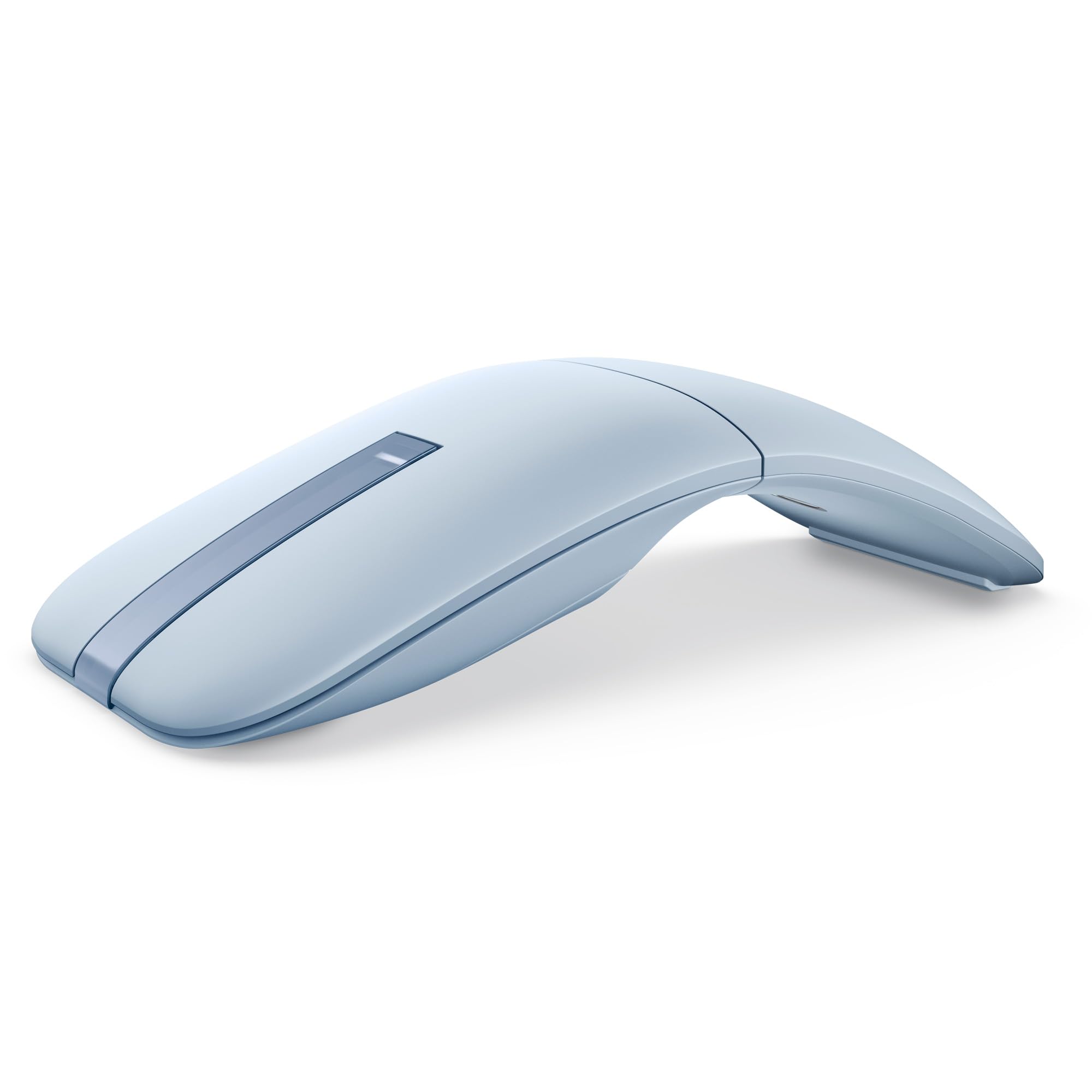
A twist of the body turns it off and makes it thin enough for the tightest bag pocket.
The Dell MS700 takes the folding idea in a different direction: you twist the body between flat (off, storage) and curved (on, ready to use). At just 56.9 grams, it is the lightest full-featured mouse on this list — lighter even than the Lenovo 350 (58g). The touch scroll strip replaces a physical wheel, and the 4000 DPI adjustable sensor covers virtually any surface except glass. Bluetooth 5.0 lets you pair with up to 3 devices, and the dedicated switch button moves between them instantly.
Owners consistently call it the “perfect travel mouse” thanks to the slim twist design and the reliable Bluetooth. The 24-month battery life on 2 AAA batteries is strong, and the 3-year Advanced Exchange warranty from Dell means a replacement ships to you before you send the faulty one back — essentially zero downtime. The downsides are the scroll strip (it takes some training, and it does not act as a third mouse button) and the fact that it does not track on glass. At this price point, the Lenovo 350 gives you longer battery life and silent clicks, but the Dell wins on portability design and warranty support.
Travel Superpowers
- Twist design for instant on/off and a flat storage shape
- Weighs only 56.9g — among the lightest on the list
- 3-year Advanced Exchange warranty is top-tier
Things to Know
- Touch scroll strip takes practice and does not function as a middle click
- Will not track on glass surfaces
Reach for this if: you are a road warrior who needs a super-light, twistable travel mouse with a warranty that covers years.
Look elsewhere if: you need glass tracking or want a physical scroll wheel with a tactile middle click.
8. Logitech MX Anywhere 2S Bluetooth Edition Compact Wireless Mouse, Darkfield Tracking, Hyper-fast Scrolling, Rechargeable

Small enough for a pocket, smart enough to track on glass, and loyal enough to be a decade-long daily driver.
The MX Anywhere 2S earns its following because its Darkfield sensor (a laser that works on any surface, even glass) tracks where most mice fail — a trick only Logitech’s premium line pulls off. The hyper-fast scroll wheel lets you flick through long documents at a blur or click into ratchet mode for line-by-line precision. It has 7 buttons (including forward/back and a gesture button), connects up to 3 devices, and the rechargeable battery lasts about 2 months per charge. Owners note its most dated feature in 2025: it still uses micro USB, not USB-C. skip it if you want a modern charging port; pick it if you need glass tracking and multi-device switching in a compact travel shape.
Owners who have used it for 8-9 years call it the “best mouse on planet Earth” and praise its durability across Mac and Windows. It is smaller than the MX Master 3S, making it genuinely pocket-friendly, and the Logi Options+ software open up app-specific button customization. The main friction point: the mechanical ratchet feedback on older MX Anywhere models was removed, so the wheel now spins freely, which some find harder to use for precise text selection. If you want the same Logitech quality but larger and with more buttons, the MX Master 3S is the step up.
The travel reference point: it tracks on glass, fits in a pocket, and has a community of owners who have used one daily for nearly a decade.
Pick this if: you need a compact premium mouse that works on any surface (glass countertops, coffee shop tables) and you value multi-device switching.
Consider the MX Master 3S if: your hand is larger and you want a fuller palm grip and an 8000 DPI sensor.
9. Logitech MX Master 3S Bluetooth Wireless Mouse, 8K DPI, Quiet Clicks, Magspeed Scrolling, Ergonomic Design

The gold standard for power users who want a mouse that feels like an extension of their hand.
The MX Master 3S is the most capable mouse here by the numbers: 8000 DPI (double the Dell’s 4000 and triple the Uineer’s 2400), MagSpeed scrolling and quiet clicks. The ergonomic silhouette is designed for a natural wrist posture with thumb controls placed for gesture navigation. It runs on a rechargeable battery that lasts 70 days and connects to up to 3 devices via Bluetooth — though this Bluetooth-only version ships without a USB receiver, so make sure your PC has Bluetooth built in. It is sharper at night than the Uineer because its 8000 DPI sensor tracks finer movements for CAD or graphics work, but for general office use the Uineer delivers 80% of the experience for much less.
Owners rave about the build quality, comfort, and the Logi Options+ customization that lets you reassign every button. The scroll wheel is the standout: it auto-shifts between free-spin and ratchet mode based on how fast you scroll, making long documents feel easy. The mixed feedback centers on reliability — some units develop issues after a few days — and the value question: does an 8000 DPI sensor matter if you mainly browse the web and write emails? For heavy CAD or graphics work, yes. For general office use, the Uineer or HP 400 deliver 80% of the experience for much less.
Why It’s the Flagship
- 8000 DPI sensor with Darkfield tracking on glass and any surface
- MagSpeed scroll wheel: fast and precise, near silent
- Quiet Clicks cut click noise substantially
- Deep Logi Options+ customization with per-app profiles
The Premium Compromise
- No USB receiver included — Bluetooth only (may need a separate adapter for some PCs)
- Premium price that most buyers will not need for daily office tasks
Best for: the creative professional or multi-computer power user who wants the absolute best ergonomics, precision, and customization — and is willing to pay for it.
Overkill if: you primarily browse, email, and do light office work — the Uineer Tri-Mode or HP 400 will serve you just as well for a fraction of the cost.
Understanding the Specs
DPI and Sensitivity
DPI (dots per inch) controls how fast the cursor moves on screen. A setting around 1200 to 1600 DPI is the default for most users — enough to cross a standard monitor without flinging the cursor off the edge. Designers and gamers often bump to 2400 or higher for pixel-level precision. The best mice let you adjust DPI on the fly with a dedicated button so you can switch between fast browsing and slow, controlled selection without entering settings menus.
Connection: Bluetooth vs. 2.4GHz vs. Tri-Mode
Bluetooth is the easiest — no dongle to lose, works with phones and tablets. But Bluetooth can have a tiny lag, which matters for gaming. A 2.4GHz connection uses a tiny USB receiver for a more stable, lower-latency signal, ideal for desktop use. Tri-mode mice let you pick Bluetooth (5.0 or 4.0) or the 2.4GHz dongle, and often switch between multiple paired devices with a button. If you use one mouse with a work PC, a personal laptop, and an iPad, tri-mode is the top pick.
Battery: Rechargeable vs. Disposable
Rechargeable mice use a built-in lithium battery that you charge via USB-C every few weeks to months. They save you from buying AA/AAA batteries and are more eco-friendly. Disposable-battery mice can last 12 to 36 months on a single cell, so you never worry about plugging in mid-work. The trade-off: you must keep spare batteries on hand. If you hate cables on your desk, a long-life disposable mouse (like the Lenovo 350 at 36 months) is the set-and-forget solution.
Ergonomic vs. Standard Shape
Standard mice are flat and symmetrical — they work ambidextrously but keep your wrist twisted. Vertical mice tilt your hand into a handshake-like position (typically 57°), which can reduce wrist and forearm strain during long sessions. Vertical models require an adaptation period of 1-2 weeks. If you already have wrist fatigue or carpal tunnel symptoms, a vertical shape is worth trying. If not, a standard shape with good palm support (like the Uineer Tri-Mode or HP 400) is perfectly fine for daily use.
FAQ
Will a Bluetooth mouse work with my iPad or iPhone?
How big of a difference does the DPI setting actually make?
Can I use a Bluetooth mouse on a glass desk or a mirrored surface?
Is a vertical mouse really better for wrist pain?
How do I switch between multiple devices with a Bluetooth mouse?
Which mouse is best for small hands?
How long do the rechargeable batteries in these mice actually last?
Is it worth paying more for the Logitech MX Master 3S over the budget options?
Final Thoughts: The Verdict
Across the board, the winner among bt mouse options is the Uineer Tri-Mode because it nails the core demands — reliable connectivity, a rechargeable battery that lasts months, and four DPI levels — at a price that leaves room in your budget. If you want the absolute longest battery life and silent clicks for a shared workspace, the Lenovo 350 with its 36-month AA battery is a smart choice. For wrist relief and precision up to 4000 DPI, the KYSONA vertical is the right pick. And for the creative professional who needs Darkfield glass tracking and deep software customization, the Logitech MX Master 3S is the gold standard.
How We Picked
We do not accept paid placement. Every pick is matched to a real buyer and a real use-case; we do not hands-on test units.
Sources & Methodology
Specifications: manufacturer listings and product documentation. Review insights: verified customer reviews, as of July 2026. Pricing: not shown on this page (it changes often); check the current price via the retailer link.
As an Amazon Associate, FitlyFast earns from qualifying purchases. This does not affect which products we feature.