
Our readers keep the lights on and the weekend projects moving. As an Amazon Associate, I earn from qualifying purchases.
Specs are compiled from manufacturer listings and verified buyer reviews and can change over time — please confirm the key details on the product page before buying.
Hunting for a smooth, tear-free gaming experience without emptying your wallet feels like a contradiction — but the market has quietly closed that gap. A refresh rate of 144Hz (the number of times the screen redraws per second) was once a premium feature, but several capable monitors now deliver it alongside solid color and build quality at entry-level prices. The trick is knowing which ones cut the right corners and which ones cut the ones that matter. This guide walks through nine budget-friendly 144Hz monitors that actually deliver on the promise of fluid motion, covering what you gain and what you trade at each step.
I’m Rikta — the founder and writer behind FitlyFast. This guide is built by comparing the manufacturers’ published specifications and the patterns across verified customer reviews, so you get each pick’s real strengths and trade-offs instead of marketing spin.
We have focused purely on monitors that maintain a 144Hz refresh rate (or higher) without inflating the price with unnecessary extras, helping you find the best budget 144hz monitor for your setup and your style of play.
Our Picks at a Glance
How To Choose The Best Budget 144Hz Monitor
The biggest trap in this category is assuming any 144Hz screen will look the same. The monitor’s panel type, its Adaptive Sync compatibility, and the number of ports all change how it actually performs in your hands. Here is what to look for.
Refresh Rate vs Response Time — the real dynamic duo
A 144Hz refresh rate means the image updates 144 times every second, which makes motion look dramatically smoother than a standard 60Hz screen. Response time (often listed as 1ms) measures how fast a pixel can change color — a lower number means less ghosting behind fast-moving objects. Both numbers need to be real, not marketing-tune. In this price bracket, a 1ms MPRT (Moving Picture Response Time) is a strong sign the monitor handles fast action well.
Adaptive Sync — FreeSync, G-Sync Compatible, and what they do
Screen tearing happens when your graphics card sends frames at a rate the monitor cannot match. Adaptive Sync technologies — AMD FreeSync and NVIDIA G-Sync Compatible — synchronize the monitor’s refresh rate to the GPU’s frame output, eliminating that horizontal split. FreeSync is the most common on budget monitors because it does not require a proprietary hardware module. G-Sync Compatible means the monitor has passed NVIDIA’s validation, but it is still using the FreeSync standard underneath. Either one is a must-have for any gaming monitor.
Panel Types — IPS, VA, and the budget trade-offs
IPS panels (In-Plane Switching) offer the best color accuracy and wide 178-degree viewing angles but typically have slightly lower contrast ratios. VA panels deliver deeper blacks and higher contrast but can suffer from slower response times and color shift when viewed from an angle. TN panels are fast and cheap but look washed out next to an IPS. At the budget 144Hz level, modern Fast IPS technology has become the balance — it gives you the color and viewing angles of IPS with response times that rival TN.
Quick Comparison
| Model | Best For | Screen Size | Refresh Rate | Panel Type | Amazon |
|---|---|---|---|---|---|
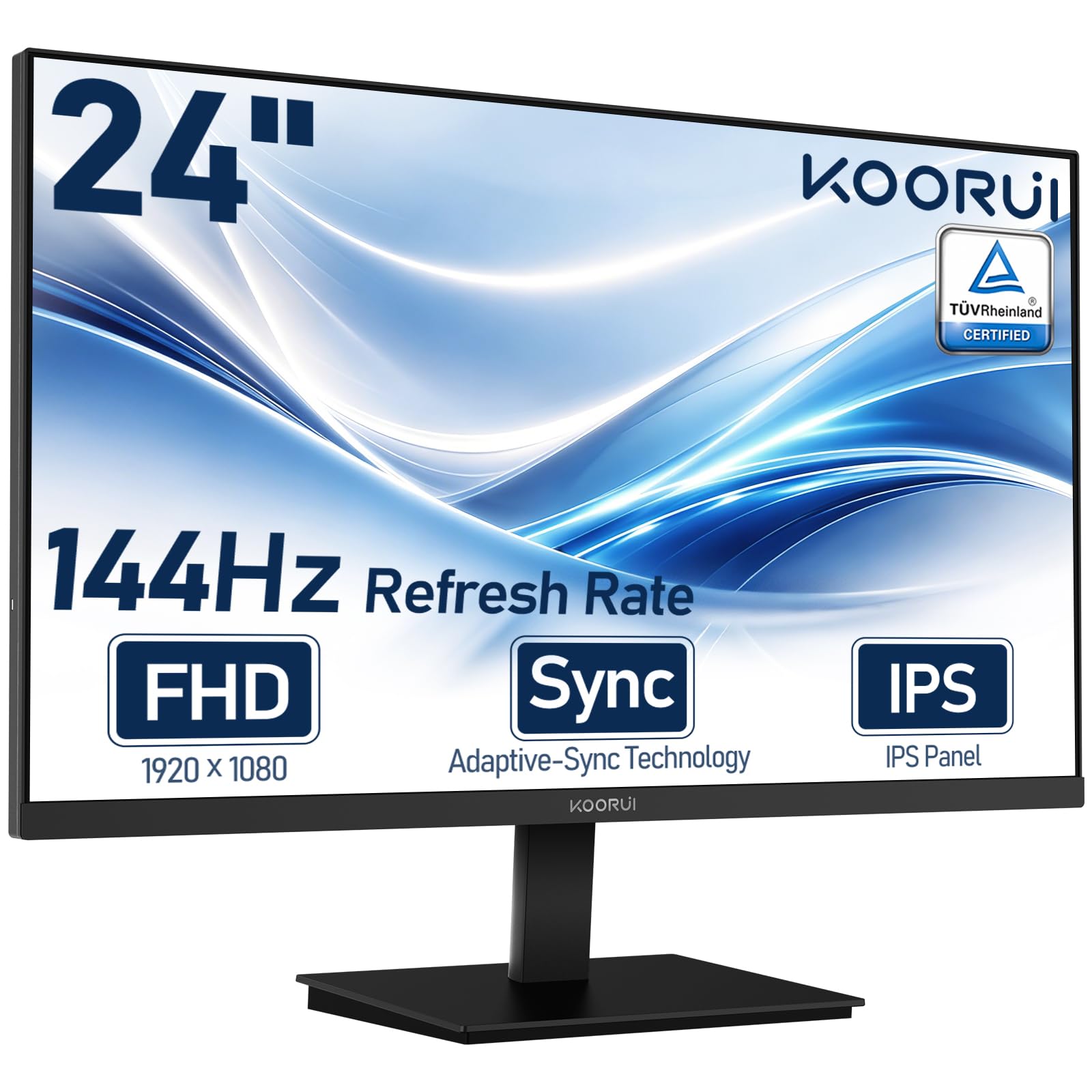
| KOORUI 24″ FHD IPS★ Best Overall | Best Overall Budget Pick | 24″ | 144Hz | IPS | Amazon |
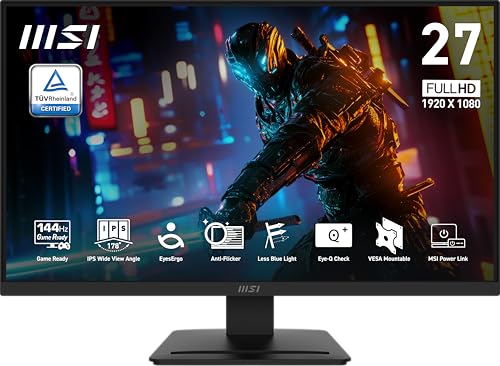
| MSI PRO MP273L E14Best Value 27″ | Best Value 27-Inch | 27″ | 144Hz | IPS | Amazon |
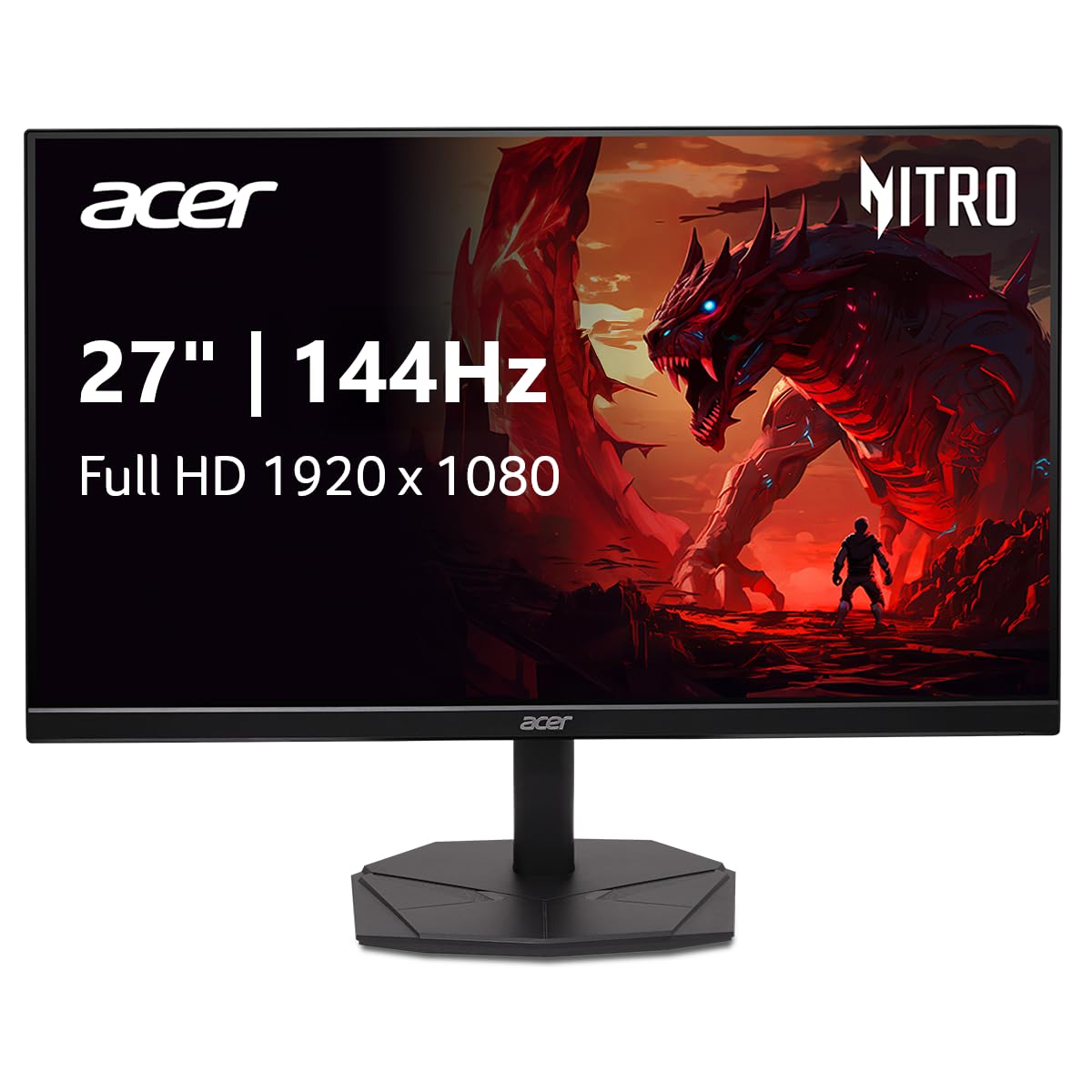
| Acer Nitro KG271Dual-Monitor Star | Budget 27-Inch Dual Monitor | 27″ | 144Hz | IPS | Amazon |
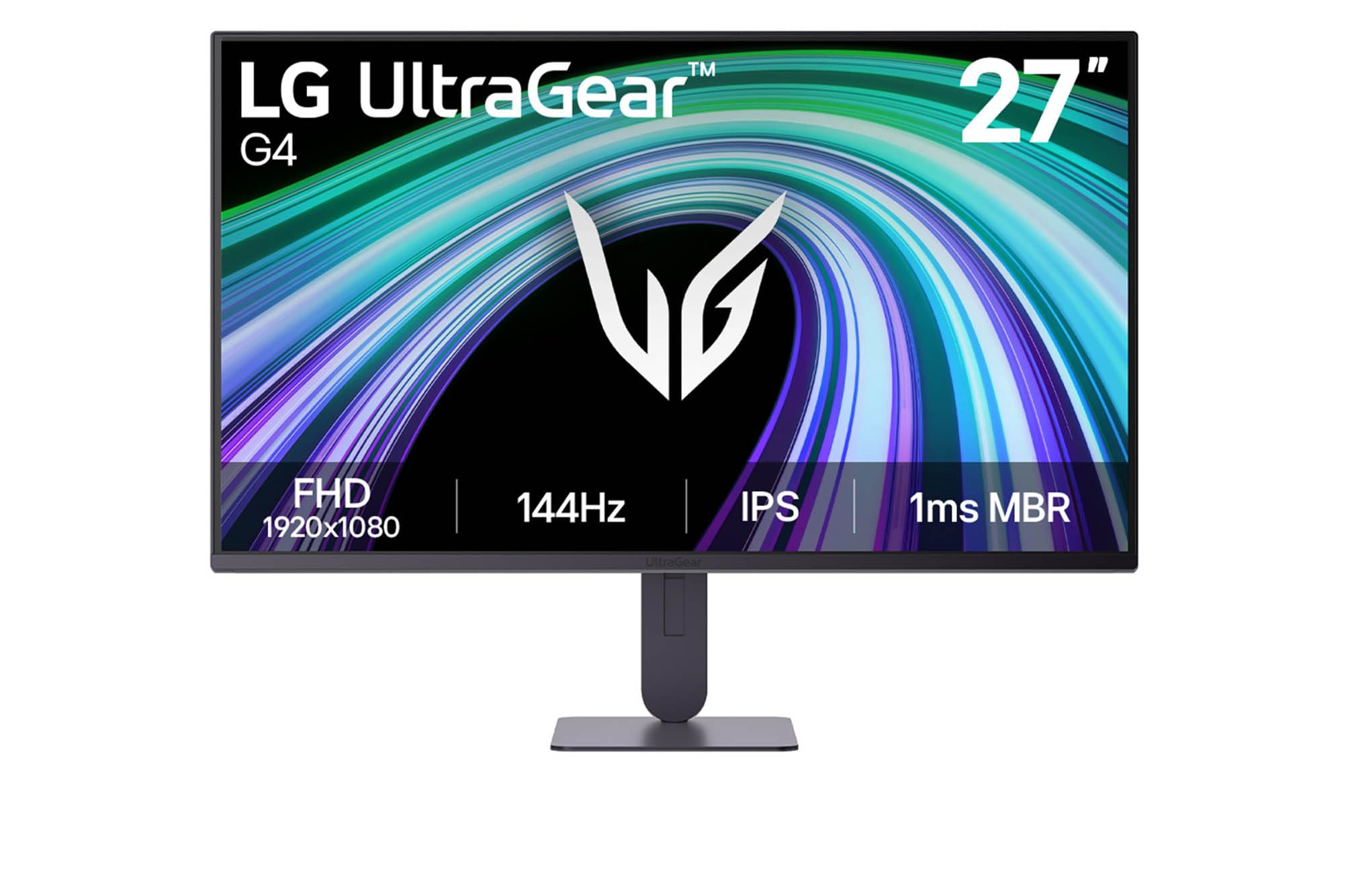
| LG UltraGear 27G414B | G-Sync Compatible Pick | 27″ | 144Hz | IPS | Amazon |
| ASUS TUF 25″ VG259Q3A | Compact Gamer Pick | 25″ (24.5″ viewable) | 180Hz | Fast IPS | Amazon |
| Dell 27 240Hz SE2726HG | Highest Refresh Rate | 27″ | 240Hz | IPS | Amazon |
| Dell 27 Plus S2725HSM | Office + Gaming Combo | 27″ | 144Hz | LCD | Amazon |
| ASUS TUF 24″ VG247Q1A | Well-Rounded 24-Inch | 24″ | 165Hz | LCD | Amazon |
In‑Depth Reviews
1. KOORUI 24″ FHD IPS PC Monitor
A proven workhorse that earned its spot in thousands of setups through sheer reliability.
This KOORUI pairs a 24-inch IPS panel with 144Hz and Adaptive Sync (FreeSync to match your GPU’s frame output and eliminate screen tearing) for a buttery-smooth experience whether you are gaming or just scrolling through documents. The 3000:1 contrast ratio is a standout at this price — it delivers noticeably deeper blacks than the 1500:1 typical of many budget IPS monitors, so dark scenes in games and movies look richer without washing out.
The TÜV Rheinland certification for flicker-free and low blue light means you can work through a full day without eye fatigue. Connectivity covers HDMI and VGA, which keeps older laptops and secondary PCs in the mix. The 23.8-inch size and slim tilt-adjustable stand fit dorm desks and cramped apartments without dominating the surface. That said, the 250 candela brightness is adequate for indoor use but will struggle in a very bright room.
Pixel density is naturally looser than on smaller screens, and a tiny number of units arrive with a dead pixel — though most buyers report the defect is invisible during normal use. The trade-off for the crowd-pleasing contrast is that the panel is technically VA-based rather than pure IPS, meaning color accuracy is excellent but viewing angles are slightly narrower than a standard IPS. Still, for a monitor that blends work and casual gaming so easily, this is the one most buyers will be happiest with.
The Crowd-Pleasers
- Strong 3000:1 contrast ratio gives dark scenes real depth
- Proven reliability — thousands of owners mention years of trouble-free use
- TÜV Rheinland eye comfort certification for long sessions
The Honest Trade-Offs
- 250 cd/m² brightness can feel dim in sunlit rooms
- Occasional dead pixel on arrival, though usually not noticeable day-to-day
- VA-like panel means viewing angles are good but not class-leading
Your move if: you want the safest bet in budget 144Hz — a monitor that has been vetted by tens of thousands of owners and holds up over years of daily use.
Think twice if: you need a bright screen for a sun-drenched office or you insist on pure IPS viewing angles for color-critical work.
2. MSI PRO MP273L E14 27″ IPS Gaming Office Monitor
A 27-inch 144Hz IPS panel that undercuts the competition while delivering genuine color accuracy.
MSI’s PRO MP273L brings a 27-inch Full HD IPS display with a 1500:1 contrast ratio, 102% sRGB color gamut coverage, and a 1ms MPRT response time — a set of specs that usually belong to monitors costing significantly more. Buyers unanimously call it an absolute steal, noting the color accuracy is strong enough for video editing and music production, not just gaming. The 178-degree viewing angles on the IPS panel mean the image remains accurate even when you are sharing the screen or leaning back, unlike cheaper TN panels that wash out off-axis.
MSI includes TÜV Rheinland Flicker Free and Low Blue Light certifications to protect your eyes during long sessions. The 4-side slim bezel makes this monitor look clean in a dual-screen setup, and the VESA 100x100mm mount compatibility lets you attach it to an arm or wall bracket. FreeSync dynamically matches the 144Hz refresh rate to your GPU’s output, eliminating tearing across both AMD and G-Sync Compatible NVIDIA cards. The only catch is a minor one: a few owners mention the stand feels slightly shaky if your desk gets bumped, but the excellent picture quality and incredible price more than compensate.
Where It Shines
- Wide 102% sRGB color gamut beats most budget monitors for color accuracy
- 27-inch IPS with 1500:1 contrast for rich, rich visuals
- TÜV eye care certified with Flicker Free and Low Blue Light
The Fine Print
- Stand is functional but slightly wobbly on an unstable desk
- Out-of-box color may need minor calibration for critical photo work
Best for: anyone who wants a large 27-inch 144Hz IPS panel without paying a premium — especially if you do color-sensitive work alongside gaming.
skip it if: a rock-solid stand is non-negotiable or you prefer a smaller 24-inch screen for higher pixel density.
3. Acer Nitro 27″ KG271P6bip Gaming Monitor
A thin-bezel 27-inch 144Hz IPS monitor that owners buy in pairs because the look and performance match so well.
The Acer Nitro KG271 offers a 27-inch Full HD IPS panel with a 144Hz refresh rate, 1ms VRB (Visual Response Boost) for blur reduction, and AMD FreeSync to kill screen tearing. The ZeroFrame design with thin bezels is the headline feature here — it boost usable screen area and makes dual-monitor setups look smooth. More than one owner mentions buying a second unit immediately after the first arrived, calling the thin bezels a huge advantage for side-by-side productivity and gaming. The 99% sRGB color gamut delivers accurate colors for photo editing as well.
The stand takes up very little desk space, which helps when squeezing two monitors onto a standard desk. Connectivity includes DisplayPort 1.2 and HDMI 1.4, though the HDMI port is limited to lower refresh rates — you will want the DisplayPort for full 144Hz. A few customers note the built-in speakers are underwhelming and recommend using external ones, and the tilt-only stand means you cannot raise the screen height without a VESA arm. But at this price for a 27-inch IPS with a 144Hz panel, the Acer Nitro is hard to fault.
For someone building a multi-monitor battle station on a budget, especially a teenager or a competitive gamer on a 1080p build, this monitor checks every practical box.
True dual-monitor weapon: the ultra-thin bezels and compact stand make this the cleanest 27-inch pair you can assemble without spending premium money. The 1ms VRB keeps fast shooters crisp, and the 99% sRGB ensures your work screen does not look dull next to your gaming one.
4. LG UltraGear 27G414B-B 27″ Gaming Monitor
The rare budget 144Hz monitor that packs both G-Sync Compatibility and a fully adjustable stand.
LG’s 27-inch UltraGear is a dark horse contender: it delivers a 144Hz IPS panel with 1ms MBR (Motion Blur Reduction), HDR10 support, and 99% sRGB color coverage — but its real standout feature is the combination of NVIDIA G-Sync Compatibility and AMD FreeSync in one monitor. This means it works with both GPU ecosystems without any compromise. The height-adjustable and tilt-adjustable stand is a genuine luxury at this price tier, letting you raise the screen 1 to 4.25 inches off the desk for proper ergonomics without buying a separate VESA arm.
An ultra-slim bezel keeps the focus on the screen, and the headphone-out jack with built-in stereo speakers means you can jump between speakers and a gaming headset smoothly. Dynamic Action Sync reduces input lag, and Black Stabilizer lifts shadows in dark game scenes so you can spot opponents before they see you. The main catch is the smaller review base compared to the top sellers, and the HDR10 support is entry-level — it accepts the HDR signal but the 250 cd/m² brightness cannot deliver the punch of a true HDR display. Still, for the gamer who values ergonomics and GPU flexibility above all else, this is the smartest value on the list.
what separates it
- NVIDIA G-Sync Compatible + AMD FreeSync in one monitor — works with any modern GPU
- Height and tilt adjustable stand from the start
- 1ms Motion Blur Reduction keeps fast action crisp
Know Before You Buy
- HDR10 support is entry-level — limited brightness holds it back
- Smaller review sample means less long-term data compared to top sellers
Ideal for: the gamer who swaps between an NVIDIA desktop and an AMD laptop, or anyone who values a height-adjustable stand at no extra cost.
Not for: buyers who want proven long-term crowd consensus — the KOORUI or Dell options have more owner history.
5. ASUS TUF Gaming 25″ VG259Q3A

A 24.5-inch 180Hz Fast IPS monitor that packs pro-level motion clarity into a compact, space-saving frame.
The 24.5-inch VG259Q3A is the smaller sibling of the VG279Q3A, and many competitive gamers actually prefer this size for the tighter pixel density — at Full HD, a smaller screen means sharper individual pixels and less eye movement across the field of view. The 180Hz refresh rate and 1ms GTG (Gray-to-Gray) response time, combined with ASUS ELMB technology, produce incredibly clean motion. Owners rave about the crisp image and good refresh rate, with several noting it works great with PS5 consoles. The 180Hz ceiling is a noticeable jump from standard 144Hz, especially in fast-paced shooters and racing games.
Built-in 1.5W x 2 stereo speakers are functional for casual use, though most owners recommend small external speakers for daily gaming. The power consumption is impressively low at under 18W, which means less heat and lower electricity bills. The Shadow Boost feature brightens dark game areas without washing out bright spots, giving you an edge in competitive play. The biggest caveat is a quirk when using headphones — the internal speakers continue playing sound alongside the headphone output, which requires a workaround via an HDMI audio extractor. But for a compact, fast, and well-built 180Hz monitor, the VG259Q3A is a favorite among owners who prioritize motion clarity over screen real estate.
Built for Speed
- 180Hz Fast IPS with 1ms GTG — motion clarity is exceptional for the price
- Low power consumption (<18W) keeps the setup cool and efficient
- Compact size and sturdy build feel great on a desk or VESA arm
The Quirks
- Headphone jack does not mute internal speakers — workaround needed
- DisplayPort cable required for 180Hz; HDMI maxes out lower
Pick this if: you favor motion clarity over screen size or play competitive FPS games where every millisecond of response and clarity matters more than an extra 2.5 inches.
Pass if: you need a large screen for rich single-player games or you find the headphone-speaker issue too annoying to work around.
6. Dell 27 240Hz Gaming Monitor SE2726HG

A 240Hz IPS monitor at a price that makes 144Hz screens look like poor value.
Dell’s SE2726HG jumps the refresh rate to 240Hz with a 0.5ms response time, and it does not sacrifice color quality to get there — the 99% sRGB coverage and 300 cd/m² brightness deliver vibrant, sharp visuals that owners describe as “stunning picture quality that’s crisp.” The 27-inch IPS panel with 1000:1 contrast ratio provides solid depth for games and movies. FreeSync Premium and HDMI VRR eliminate tearing on both PC and console, making this monitor a genuine all-rounder for competitive and casual players alike.
Build quality is solid for the price, with dual HDMI 2.0 ports and DisplayPort 1.4 for smooth 240Hz operation. The TÜV Rheinland 3-star certification protects your eyes during extended sessions. The biggest trade-off is the lack of built-in speakers — you will need external ones or a headset. The height adjustment on the stand has mixed feedback, with some owners finding it less smooth than expected. It is a crowd favorite with a very high owner satisfaction rate.
The Speed Advantage
- 240Hz + 0.5ms response time — the smoothest motion in this price class
- Dual HDMI 2.0 and DisplayPort 1.4 for wide device compatibility
- Vibrant colors and strong brightness at 300 cd/m²
What to Note
- No built-in speakers — external audio is mandatory
- Height adjustment mechanism feels less premium than the monitor’s other specs
Go for this if: you want the absolute highest refresh rate your budget can buy — 240Hz is a genuine competitive advantage in fast shooters and racing games.
Skip if: you need built-in speakers or you prefer the rich contrast of a VA panel over the speed of IPS.
7. Dell 27 Plus Monitor S2725HSM

A 27-inch 144Hz monitor that treats office productivity and casual gaming as equals.
The Dell S2725HSM hits a different note from the gaming-first options: its 27-inch FHD panel with a 1500:1 contrast ratio delivers deep blacks and crisp text that make spreadsheets, documents, and video calls look fantastic, while still offering 144Hz and 1ms MPRT for smooth casual gaming. The integrated dual 3W speakers are a genuine step up from the tinny audio on most budget monitors — owners note they deliver a wider range of frequencies, good enough for YouTube, streaming shows, and relaxed gaming without external speakers. The Ash White color option is a refreshing alternative to the sea of black gaming monitors.
The ergonomic stand offers height, tilt, pivot, and swivel adjustments, which is rare at this price — you can find a comfortable viewing position whether standing or sitting, portrait or landscape. The 4-star TÜV certification means blue light reduction does not wash out colors, so your eyes stay comfortable during 8-hour workdays. The only real limitation is connectivity: you get HDMI ports but no DisplayPort, and the 144Hz refresh rate works fine over HDMI, but you lose the flexibility of a DP connection for higher bandwidth. For the hybrid worker-gamer who needs one monitor to handle everything, this Dell is a beautifully balanced choice.
Best hybrid of the list: the full ergonomic stand (height, pivot, swivel) and capable built-in speakers make this the monitor you can use all day for work and then game on at night without changing anything. The trade-off is HDMI-only connectivity.
8. ASUS TUF Gaming 24″ VG247Q1A

A 24-inch 165Hz monitor that delivers the full ASUS TUF experience without the premium price tag.
The ASUS TUF VG247Q1A wraps a 24-inch Full HD panel with a 165Hz refresh rate (which also supports 144Hz natively) and 1ms MPRT response time into a package that owners consistently call “an amazing buy.” The FreeSync Premium certification eliminates screen tearing across a wider refresh range than standard FreeSync, and it works with G-Sync Compatible NVIDIA cards too. Buyers praise the excellent colors, contrast, and motion clarity, with many noting it is their first monitor and they are blown away by the quality for the price. The 350 cd/m² brightness is the highest on this list, which makes a real difference in a bright room.
Shadow Boost lifts dark areas in games without washing out highlights, and the slim bezels give a clean appearance on any desk. Built-in speakers are decent for casual use, and the included HDMI and DisplayPort cables mean you can hit full 165Hz right from the start. The only downsides are that the stand lacks height adjustment (you will need a VESA arm to raise it), and a small number of shoppers say flickering in specific refresh rate ranges. But for a well-rounded 24-inch monitor that outperforms pricier rivals, this ASUS TUF is a crowd favorite for good reason.
Why Owners Love It
- 165Hz at 350 cd/m² brightness — brighter and faster than most 144Hz competitors
- FreeSync Premium with G-Sync Compatible support for tear-free gaming on any GPU
- Includes both HDMI and DisplayPort cables — no extra purchase needed
One Thing to Know
- Stand does not adjust for height — plan for a VESA arm or a stack of books
- Very rare flickering reports in specific refresh ranges, though most owners never encounter it
Ideal for: the first-time 144Hz+ buyer who wants a bright, fast, and reliable 24-inch monitor with the confidence of the ASUS TUF ecosystem.
Not for: anyone who needs height adjustment built into the stand — budget for a separate monitor arm if ergonomics are critical.
Understanding the Specs
Refresh Rate and Response Time
Refresh rate, measured in Hertz (Hz), tells you how many times per second the monitor redraws the entire image. A 144Hz monitor updates 144 times a second, which makes motion look far smoother than a standard 60Hz screen — cursor movement, scrolling, and in-game camera pans all feel fluid and responsive. Response time (1ms, 5ms) measures how quickly a pixel can change from one color to another. A lower number means less blur behind fast-moving objects. At the budget 144Hz level, aim for 1ms MPRT or GTG — anything above 5ms can introduce visible ghosting in fast shooters.
Adaptive Sync — FreeSync, G-Sync, and VRR
Variable Refresh Rate (VRR) technologies like AMD FreeSync and NVIDIA G-Sync Compatible synchronize the monitor’s refresh rate to your graphics card’s frame output, eliminating screen tearing and stuttering. FreeSync is the most common standard on budget monitors and works over HDMI and DisplayPort. G-Sync Compatible means the monitor has passed NVIDIA’s validation tests, but it uses the same underlying VRR standard. Either one is essential for a tearing-free experience — if a budget 144Hz monitor lacks Adaptive Sync, the smooth motion advantage of 144Hz is partially wasted.
Panel Technology — IPS vs VA vs TN
IPS (In-Plane Switching) panels offer the widest viewing angles (typically 178 degrees) and the most accurate colors, making them ideal for both gaming and productivity. VA (Vertical Alignment) panels deliver deeper blacks and higher contrast ratios but can have slower response times and color shift when viewed from an angle. TN (Twisted Nematic) panels are the fastest and cheapest but suffer from poor viewing angles and washed-out colors. At the budget 144Hz level, modern Fast IPS panels are the balance — they combine the color and viewing angles of IPS with response times that rival TN.
Color Gamut and Brightness
Color gamut, usually stated as a percentage of the sRGB color space (99% sRGB, 125% sRGB), tells you how many colors the monitor can display. A 99% sRGB rating means the monitor can reproduce almost every color in the standard sRGB spectrum, which is adequate for gaming and office work. Higher numbers (125% sRGB or more) mean more saturated, vivid colors. Brightness, measured in candelas per square meter (cd/m²) or nits, determines how well the screen performs in brightly lit rooms. 250 cd/m² is fine for indoor use, but 300 cd/m² or higher makes a noticeable difference in rooms with windows or overhead lights.
FAQ
Will a budget 144Hz monitor work with my PS5 or Xbox?
Can I use a 144Hz monitor for office work and programming?
Do I need a special cable for 144Hz?
Is a 27-inch 1080p monitor too pixelated for gaming?
What is the difference between FreeSync and G-Sync?
How long should a budget 144Hz monitor last?
Can I mount these monitors on a VESA arm?
Is a 1ms response time real on budget monitors?
Do I need a powerful graphics card to use a 144Hz monitor?
What is the difference between 144Hz and 165Hz or 240Hz?
Final Thoughts: The Verdict
Across the board, the best budget 144hz monitor winner is the KOORUI 24-inch because it has the strongest combination of quality, value, and proven reliability across tens of thousands of owners. If you want a larger 27-inch screen with excellent color accuracy for creative work alongside gaming, grab the MSI PRO MP273L. And for the absolute highest refresh rate your money can buy — 240Hz — the Dell SE2726HG is the one to reach for.
How We Picked
We do not accept paid placement. Every pick is matched to a real buyer and a real use-case; we do not hands-on test units.
Sources & Methodology
Specifications: manufacturer listings and product documentation. Review insights: verified customer reviews, as of July 2026. Pricing: not shown on this page (it changes often); check the current price via the retailer link.
As an Amazon Associate, FitlyFast earns from qualifying purchases. This does not affect which products we feature.