
Our readers keep the lights on and the weekend projects moving. As an Amazon Associate, I earn from qualifying purchases.
Specs are compiled from manufacturer listings and verified buyer reviews and can change over time — please confirm the key details on the product page before buying.
Picking a 2TB SSD without overspending depends on one decision: how fast do you actually need the drive to be? SATA drives (the ones that use a standard data cable like an old hard drive) are plenty for a gaming console or an older laptop, while a Gen4 NVMe model (a newer, much faster stick that plugs directly into the motherboard) open up the full potential of a modern PC or PS5. This guide cuts through the spec noise to find the drives that deliver real speed where it counts — without paying for a brand name you don’t need.
I’m Rikta — the founder and writer behind FitlyFast. This guide is built by comparing the manufacturers’ published specifications and the patterns across verified customer reviews, so you get each pick’s real strengths and trade-offs instead of marketing spin.
Whether you are reviving a ten-year-old desktop or outfitting a new gaming rig, the right budget 2tb ssd is the single upgrade that changes everything about how your computer feels to use every day.
Quick Picks
- Crucial BX500 2TB — Best Overall
- SABRENT Rocket 4 2TB — Gen4 Power
- KingSpec OneBoom 2TB — Console First
- Silicon Power A55 2TB — Slim & Swift
- TEAMGROUP T-Force Vulcan Z 2TB — Gaming NVMe
- Samsung 990 PRO 2TB — Peak Gen4
- WD_Black SN7100 2TB — Mid-Range NVMe
How To Choose The Best Budget 2TB SSD
The price tag on a 2TB SSD tells only part of the story. Your computer’s connection slot decides which drives will even work. Before shopping, confirm whether your motherboard uses the older SATA interface (the one with a separate data and power cable) or the newer M.2 NVMe slot (a small, direct slot on the board). Mixing them up is the most common mistake.
SATA vs NVMe: It is Not Just About Speed
A SATA III drive (the common 2.5-inch rectangle) hits about 550 MB/s (megabytes per second, a measure of how fast data moves). That is a huge leap from an old mechanical hard drive, and it is all your PS4 or an older laptop can use. An NVMe Gen4 drive (a small stick that slots directly into the motherboard) runs over ten times faster — think 7,000+ MB/s. It is essential for a PS5 or a modern gaming PC, but it is wasted money inside an older system that lacks the slot.
NAND Flash and Endurance
Every SSD uses NAND flash memory (the chips that store your data even when the power is off). The technology matters for how long the drive lasts. 3D NAND stacks memory cells vertically, which gives higher density and better endurance. A drive’s TBW (Total Bytes Written) rating tells you how many terabytes of data you can write over its life. Higher is better for anyone who edits video, runs databases, or constantly downloads and moves large games.
Form Factor and Fit
Most budget 2TB SATA drives use a 2.5-inch case that fits standard drive bays. They are about 7 mm thick, which slides into most laptops. NVMe drives use the M.2 2280 form factor (22 mm wide, 80 mm long) and plug directly into the motherboard. Check your device’s manual to see which slot you have — and remember that a PS5 requires a Gen4 NVMe with a heatsink for proper cooling.
Quick Comparison
| Model | Best For | Interface | Read Speed | Form Factor | Amazon |
|---|---|---|---|---|---|
| KingSpec OneBoom 2TB | Console & PC Revival | SATA III | 550 MB/s | 2.5-inch | Amazon |
| Silicon Power A55 2TB | Ultra-Slim Laptops | SATA III | 500 MB/s | 2.5-inch | Amazon |
| TEAMGROUP T-Force Vulcan Z 2TB | Gaming Upgrades | SATA III | 500 MB/s | 2.5-inch | Amazon |
| Crucial BX500 2TB | Everyday System Drive | SATA III | 540 MB/s | 2.5-inch | Amazon |
| WD_Black SN7100 2TB | High-End Gaming | PCIe Gen4 NVMe | 7,250 MB/s | M.2 2280 | Amazon |
| SABRENT Rocket 4 2TB | PS5 & Creator Workloads | PCIe Gen4 NVMe | 7,450 MB/s | M.2 2280 | Amazon |
| Samsung 990 PRO 2TB | Heavy-Duty Workstations | PCIe Gen4 NVMe | 7,450 MB/s | M.2 2280 | Amazon |
In‑Depth Reviews
1. Crucial BX500 2TB

The trusted brand that wakes a slow PC up without waking your wallet.
This is the drive to grab when you want a name you recognize, a reliable controller, and speeds that transform an old laptop without doubling the price tag. Crucial backs reality with their 3-year limited warranty, and the BX500 hits up to 540 MB/s read speeds using Micron’s 3D NAND flash (memory cells stacked vertically for higher density and better life) — the same memory technology Micron has been refining for 40 years. Buyers report boot times dropping so fast that one owner said their startup went from “time to go make a coffee” to “wait, it’s already on?” in under 15 seconds.
Compared to the KingSpec OneBoom above, the Crucial trades 10 MB/s of top-end read speed for the confidence that comes from a household storage brand. One experienced reviewer noted the BX500 is a “solid budget-tier SSD from a well known and trusted brand” but warned that write speeds slow down noticeably during large file transfers — making it better as a media or game storage drive than a constant-write boot drive (like a work PC that saves files all day). If you mostly read data (launching games, opening files, watching media), this is the SATA pick to beat.
Its 45x better energy efficiency than a typical hard drive also stretches laptop battery life, a point many buyers don’t consider until after the swap. For a first-time SSD buyer who wants zero surprises, this is the right call.
Why It Earns the Top Spot
- Reputable brand with Micron-made 3D NAND and a 3-year warranty
- 540 MB/s read speed turns any system into a snappy daily driver
- 45x more energy efficient than a traditional HDD, helping laptops run cooler longer
One Real Limitation
- Write speeds drop noticeably during large or numerous file copies — best as a read-focused drive
Grab it when: you want a known brand, a simple install, and the biggest day-one performance leap for an older PC or laptop.
Think twice if: you do constant large video exports or database writes — the slower write speed becomes a bottleneck.
2. SABRENT Rocket 4 2TB

Gen4 speed that rivals the flagship models without the flagship price.
This drive delivers up to 7,450 MB/s sequential reads (how fast it reads one long continuous file) and 6,400 MB/s writes — numbers that match or beat the Samsung 990 PRO on paper, but in a single-sided M.2 2280 design (22mm wide, 80mm long, with chips on only one side) that slides into tight spaces like a laptop or a PS5. The copper-colored label is not just for looks; Sabrent built this with a focus on lower thermal output, so it holds its speed under sustained loads without throttling (slowing down to prevent overheating) as early as some competitors. Reviewers consistently call it fast and reliable, with one buyer noting it runs “slightly cooler than others with nothing extra needed.”
Unlike the more expensive WD_Black SN7100 below, the Rocket 4 goes toe-to-toe on raw sequential speed (7,450 MB/s vs 7,250 MB/s) but its write figure falls slightly behind at 6,400 MB/s vs 6,900 MB/s. Both are Gen4 drives, but the Sabrent offers a copper enclosure material that doubles as passive cooling (it uses the metal itself to pull heat away) — a real advantage inside a PS5 or a compact mini-ITX build where airflow is tight. One buyer summed it up plainly: “fast. Got in on sale in this crazy market so it wasn’t marked up too much. stay thrifty.”
The single-sided design means no clearance issues on motherboards where the M.2 slot sits under a GPU backplate (the metal piece under the graphics card). For a performance rig where every dollar counts, this is the NVMe that punches the hardest in its price bracket.
Standout Strengths
- 7,450 MB/s read speed matches top-tier Gen4 drives at a lower cost
- Single-sided M.2 design fits tight spaces and PS5 without worrying about clearance
- Copper heatsink helps keep temperatures down during heavy use
The Trade-Off
- Write speed (6,400 MB/s) trails the class leaders — noticeable only in constant large writes
Best suited for: builders who want genuine Gen4 speed for gaming and creative work but refuse to pay the Samsung tax.
Look elsewhere if: you write massive video files all day and need every MB/s of write speed the interface offers.
3. KingSpec OneBoom 2TB
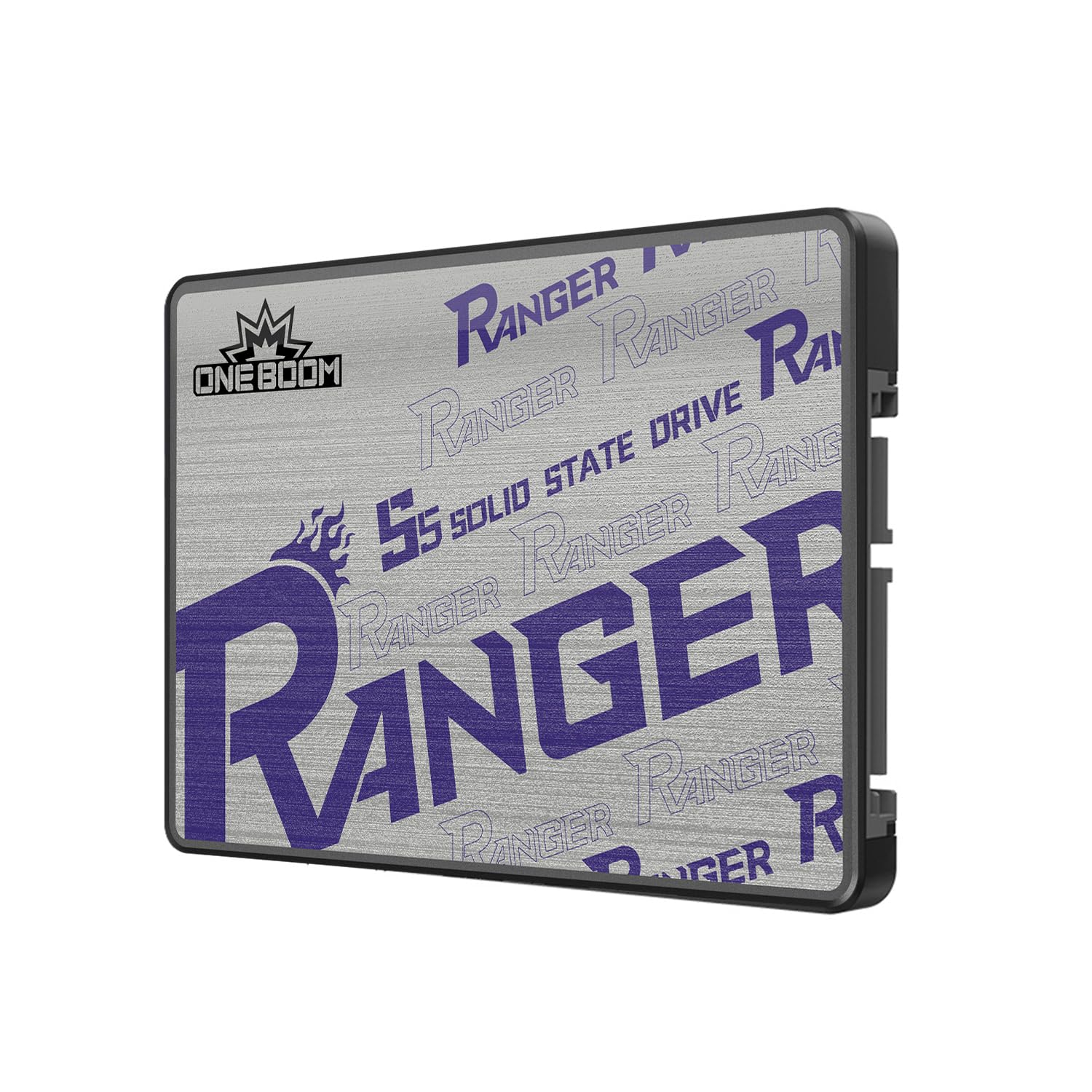
The SATA drive that moves at 550 MB/s and treats drops like nothing.
This is the fastest-read SATA III drive in the list, hitting a full 550 MB/s read and 520 MB/s write — a 10% lead over the Silicon Power A55 which clocks in at 500 MB/s. That edge matters when you are loading open-world games on a PS4 Pro or an Xbox One X. One reviewer noted that after installing it into an Xbox One X, “boot-up and games load faster than the OEM drive” and they had “zero issues since installation.” The shockproof design (no moving parts, no spinning platters) means a dropped laptop or a bumped console won’t corrupt your data.
KingSpec calls this a “budget SSD” and reviewer feedback matches the label — one buyer simply wrote “works as advertised” and another called it a “great SSD upgrade (larger)” that breathed new life into an aging desktop. It is not a top-shelf brand, but owners consistently report that the drive performs exactly as rated from the start. The 3D NAND technology and a 3-year warranty add some safety net, though the brand does not have the same long track record as Crucial or Samsung.
If you are upgrading a PS4, an older laptop, or a desktop that only has SATA ports, the KingSpec delivers the highest read speed in this SATA group. Just know that long-term reliability stories are thinner here than with more established brands.
What Makes It Stand Out
- Fastest SATA read speed in this lineup at 550 MB/s
- Shockproof build with no moving parts — survives drops a hard drive cannot
- Simple 10-minute install; fits desktops, laptops, and PS4
The Catch
- Less-established brand with fewer long-term reliability data points than Crucial or Samsung
Best for: console owners and budget builders who need the absolute fastest SATA III read speed for the lowest outlay.
skip it if: you want a drive for a primary work PC where uptime and a well-known warranty track record matter most.
4. Silicon Power A55 2TB
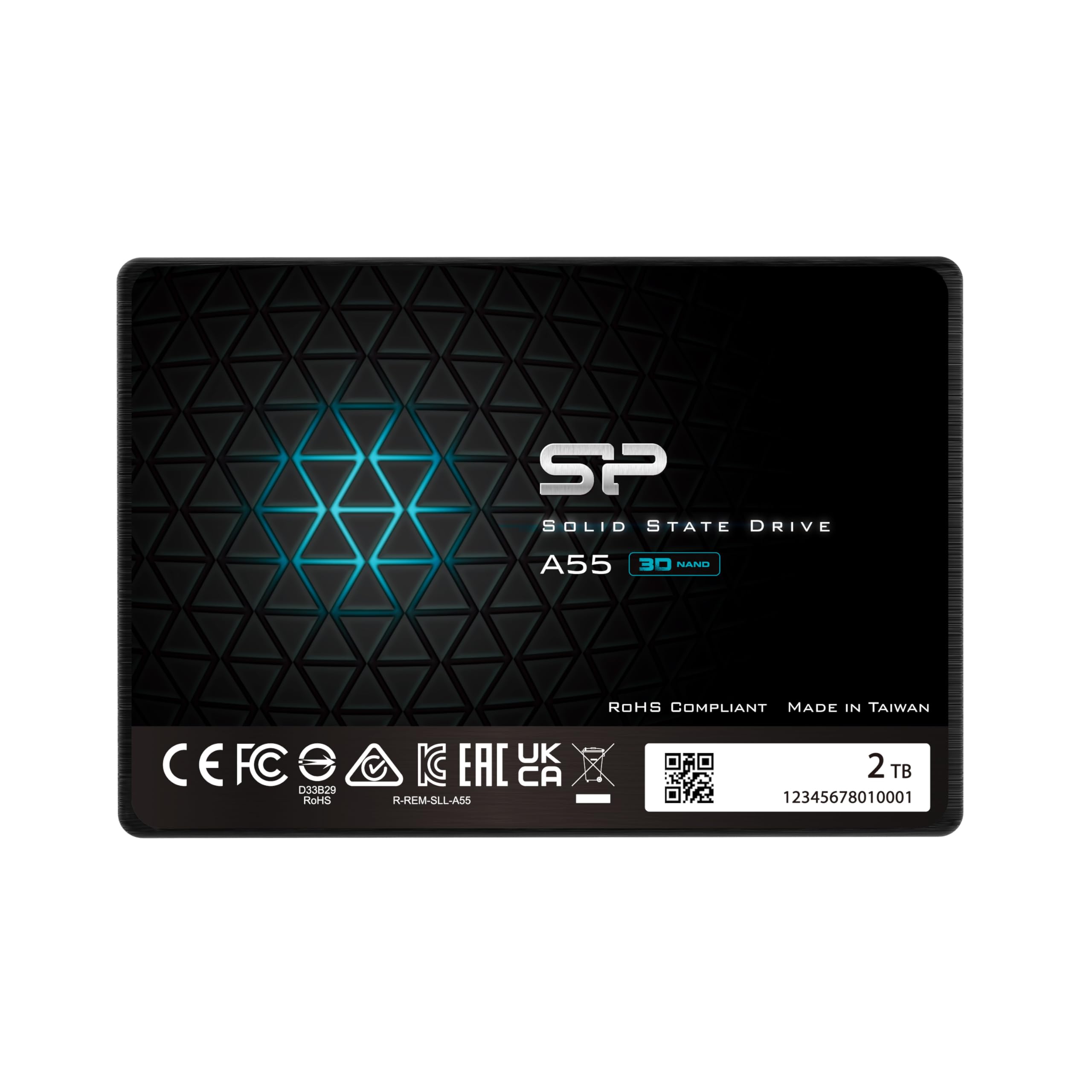
The 7 mm slimline that slides into Ultrabooks where thicker drives cannot fit.
Silicon Power has been making reliable storage for years, and the A55 carries that reputation into a 7 mm-thin 2.5-inch case that fits Ultrabooks and slim notebooks where clearance is measured in millimeters. The SLC Cache Technology (a small portion of the NAND that runs in single-level-cell mode for fast burst writes) gives a performance boost during normal use while extending the drive’s overall lifespan. One long-term buyer said they “bought one of these years ago in 1TB form to expand from the 256 GB SSD one I originally started with in 2016, and I have not been disappointed in its performance.” Another used it to revive a friend’s Dell All-In-One, calling the difference “amazing.”
At 500 MB/s data transfer rate, it is 10% slower on reads than the KingSpec OneBoom above and matches the TEAMGROUP T-Force Vulcan Z at the same sequential speed. Where it wins is physical fit and brand trust — veteran PC builders know Silicon Power’s track record. The 3-year limited warranty requires a quick product registration on SP’s website, a step several first-time buyers missed in reviews.
For anyone upgrading a paper-thin laptop or a compact desktop where every millimeter of drive bay space is already tight, the A55 is the safe, proven choice in the value tier.
Why It Fits the Bill
- Ultra-slim 7 mm design fits the thinnest laptop drive bays
- SLC Cache improves burst performance and extends usable life
- Established brand with consistent long-term positive owner feedback
One Drawback
- 500 MB/s read speed trails the fastest SATA drives in this list
Pick this for: a slim laptop upgrade where physical fit is the first concern and you want a brand with years of verified owner reports.
Skip it for: a console upgrade where the KingSpec’s higher read speed would load games faster.
5. TEAMGROUP T-Force Vulcan Z 2TB

Gaming-grade endurance with a metal case that runs cooler under pressure.
TEAMGROUP built the T-Force Vulcan Z around a metal casing for better heat dissipation — a small detail that matters when a drive sits inside a gaming laptop running long sessions. The SLC Cache and 3D NAND QLC (Quad-Level Cell, storing 4 bits per cell for lower cost) configuration delivers read and write speeds up to 550/470 MB/s, and the TB-level 2TB capacity means you can keep a full game library installed without juggling uninstalls. A verified buyer said the SSD delivered “fast performance, reliable everyday use, and plenty of storage, making it an excellent value for anyone looking to improve load times.”
Priced slightly above the basic SATA value picks, the Vulcan Z positions itself as the premium SATA gaming drive. A reviewer upgrading from a 500 GB drive called it “great quality” with “fast boot great spies when running applications.” However, one 1-star review flagged “poor chip quality” and alleged misleading advertised speeds — a reminder that QLC NAND can slow down more than TLC (Triple-Level Cell, storing 3 bits per cell for better speed) during sustained writes. The official website note says to check the latest version online if there are discrepancies, which is worth doing before purchase.
If you want a SATA SSD that looks and feels a cut above the all-plastic budget options, the Vulcan Z delivers the game-focused cache and build quality that justify its mid-range price.
What Works
- Metal casing helps with heat management during long gaming sessions
- 550/470 MB/s read/write with SLC Cache for burst performance
- Compatible with PS5 as external storage via a USB enclosure
What to Watch
- QLC NAND can slow under sustained heavy writes — not ideal as a scratch disk
- At least one buyer mentioned a chip quality concern; read recent reviews
Reach for this if: you want a good-looking, cooler-running SATA drive for a gaming laptop or desktop where heat builds up.
Think twice if: you plan to use it as a boot drive with constant OS writes — TLC or MLC drives handle that better.
6. Samsung 990 PRO 2TB

The benchmark SSD that redefines what a Gen4 drive can do — at a premium.
This is the drive everything else gets measured against. The Samsung 990 PRO hits sequential reads up to 7,450 MB/s and writes up to 6,900 MB/s, with a 55% improvement in random performance (IOPS — Input/Output Operations Per Second, how fast it handles many small files like opening apps) over the already-fast 980 PRO. Random performance is what makes your OS feel instant — opening apps, loading game levels, searching files. It is why one reviewer called it “the ultimate upgrade for speed and reliability,” and another running it in a TrueNAS box used two of them as a “high-performance NVME pool for storing apps, containers, VMs, and databases.”
Compared to the SABRENT Rocket 4, the 990 PRO has a 500 MB/s write-speed advantage (6,900 vs 6,400 MB/s) and Samsung’s Magician software for monitoring drive health and updating firmware — a genuine ecosystem advantage for owners who tinker. However, the Samsung costs significantly more. The question is whether that extra write speed and the software suite justify the price jump for your specific workflow. One honest reviewer noted that while it is the “fastest for Gen4,” current pricing made them reluctant to comment on value.
Runs cool for a high-speed Gen4 drive — reviewers mention a motherboard heatsink is still a good idea during heavy 3D rendering — but the 990 PRO is as close to a “low-maintenance” premium component as the NVMe market offers today.
Why It Leads the Premium Tier
- 7,450/6,900 MB/s read/write — the ceiling of Gen4 performance
- 55% random performance improvement over the 980 PRO for daily snappiness
- Samsung Magician software for drive monitoring, firmware updates, and health checks
The Honest Downside
- Premium price that has fluctuated upward with market conditions — be price-conscious when buying
Perfect for: workstation users and serious gamers who want the fastest possible Gen4 performance and the software ecosystem to manage it.
Overkill if: you only game and store media — the extra random performance matters most under heavy multitasking and database workloads.
7. WD_Black SN7100 2TB

Gen4 speed tuned for handheld gaming and laptops where power efficiency matters.
The WD_Black SN7100 is built around a different priority than the raw-speed leaders above: the brand claims up to 100% more power efficiency than the previous generation. For a handheld gaming PC (like the ROG Ally or Steam Deck) or a thin laptop, that translates directly into longer battery life during gaming sessions. Read speeds of 7,250 MB/s and writes of 6,900 MB/s put it right alongside the Samsung 990 PRO on paper, though its sequential write matches Samsung’s while reading 200 MB/s slower. The next-gen TLC 3D NAND from Sandisk keeps endurance strong.
A reviewer running two of these in a NAS (Network Attached Storage, a box that stores files for multiple devices) under 24/7 continuous Linux use called them “excellent” for reliability, saying they saw “no failures, crashes, or data loss, even under heavy workloads.” Another CrystalDiskMark user measured around 7,000 MB/s reads — close to the advertised spec — but noted throttling down to 4,500 MB/s when the drive hit 59°C (about 138°F) during a lengthy 64 GB write test. That thermal behavior is note if you plan to hammer the drive with sustained transfers in a poorly ventilated case.
For portable gaming rigs where every watt counts, the SN7100’s efficiency edge makes it a smarter pick than the more power-hungry 990 PRO. If raw speed without compromise is the goal, the Samsung or SABRENT still win on paper.
Why It Stands Out
- The brand claims up to 100% better power efficiency than last gen — ideal for handheld gaming PCs
- 7,250 MB/s reads and 6,900 MB/s writes put it near the top of the Gen4 class
- WD_BLACK Dashboard software for monitoring and optimization (Windows only)
What to Consider
- Thermal throttling can drop speed to 4,500 MB/s under sustained heavy writes without good airflow
- Read speed trails the 990 PRO and Rocket 4 by a small margin
Best for: anyone who games on a laptop or handheld and wants max performance without draining the battery twice as fast.
Not ideal if: your build has poor airflow and you plan to do hours of continuous large-file transfers.
Understanding the Specs
Interface and Form Factor
The interface is the physical connector and the language the drive uses to talk to your computer. SATA III uses a 2.5-inch rectangular case with two connectors (data and power) and tops out around 550 MB/s. NVMe uses the M.2 slot — a tiny connector directly on the motherboard — and PCIe lanes to reach speeds over 7,000 MB/s. Check your motherboard or device manual before buying: a SATA drive cannot fit an M.2 slot, and an NVMe drive cannot plug into a SATA port. The form factor of an M.2 drive is typically 2280, meaning 22 mm wide and 80 mm long, the most common size for modern laptops and desktops.
Read and Write Speeds
Sequential read speed (measured in MB/s) tells you how fast the drive can read one long continuous file, like a movie or a game level. Sequential write speed is the same for saving files. Random read/write speed (measured in IOPS — Input/Output Operations Per Second) matters more for everyday use: opening apps, booting Windows, loading game textures. A Gen4 NVMe drive can be 10-15x faster than a SATA drive on sequential reads, but only about 2-3x faster on random reads. That is why upgrading from a hard drive to any SSD feels huge, while SATA-to-NVMe is a smaller real-world jump for basic tasks.
NAND Type and TBW
NAND flash memory stores your data in cells. QLC (Quad-Level Cell) stores 4 bits per cell, making it cheaper but slower under sustained writes and less durable. TLC (Triple-Level Cell) stores 3 bits per cell, offering a good balance of speed, cost, and endurance. MLC (Multi-Level Cell) stores 2 bits and is more durable but more expensive. TBW (Total Bytes Written) is the manufacturer’s rating for how many terabytes you can write over the drive’s lifetime. A higher TBW means the drive will last longer in a heavy-write workload like video editing or running a database server.
Cache and Controller
An SSD controller is the tiny processor that manages data flow between your computer and the NAND flash. SLC Cache is a feature where the controller treats a portion of the NAND as faster single-level cells during writes, giving a burst of speed for everyday tasks before slowing to the drive’s native write speed. Some drives use DRAM (a small amount of fast memory on the drive) to store a map of where data is located. DRAM-less drives use your computer’s system memory instead, which can slightly reduce performance in heavy multi-tasking. For a budget drive used as a game or media drive, DRAM-less is usually fine.
FAQ
Will a SATA SSD work in my PS5?
How do I know if my laptop supports an NVMe drive?
What does TBW mean and why does it matter?
Can I use a 2TB SSD as an external drive?
How long does a 2TB SSD typically last?
Should I get a SATA or NVMe SSD for gaming?
What is the difference between TLC and QLC NAND?
Do I need a heatsink for my NVMe SSD?
Can I clone my old hard drive to a new SSD?
How do I install a 2.5-inch SSD in my desktop?
Final Thoughts: The Verdict
For the majority of shoppers, the budget 2tb ssd winner is the Crucial BX500 because it combines a trusted brand, genuine speed, and the energy efficiency that wakes up any older system without costing a premium. If you need Gen4 NVMe speed for a modern rig, grab the SABRENT Rocket 4. And for a console upgrade or a tight laptop bay, the standout is the value of the KingSpec OneBoom.
How We Picked
We do not accept paid placement. Every pick is matched to a real buyer and a real use-case; we do not hands-on test units.
Sources & Methodology
Specifications: manufacturer listings and product documentation. Review insights: verified customer reviews, as of July 2026. Pricing: not shown on this page (it changes often); check the current price via the retailer link.
As an Amazon Associate, FitlyFast earns from qualifying purchases. This does not affect which products we feature.