
Our readers keep the lights on and the weekend projects moving. As an Amazon Associate, I earn from qualifying purchases.
Specs are compiled from manufacturer listings and verified buyer reviews and can change over time — please confirm the key details on the product page before buying.
The hardest part of buying a 65-inch television on a budget is not finding a good one — it’s ignoring the dozens of marketing gimmicks that try to convince you a TV is worthless. That is simply not true. A handful of 4K sets at this price deliver crisp images, vibrant color, and smooth motion that would have cost three times as much just a few years ago. The trick is knowing which features actually matter and which ones only look good on the box.
I’m Rikta — the founder and writer behind FitlyFast. This guide is built by comparing the manufacturers’ published specifications and the patterns across verified customer reviews, so you get each pick’s real strengths and trade-offs instead of marketing spin.
Whether you are outfitting a living room, a gaming den, or a guest space, finding the right budget 65 inch tv means picking the one that nails your specific priorities — picture quality, smart platform speed, or gaming features — without paying for extras you will never use.
Our Picks at a Glance

How To Choose The Best Budget 65 Inch TV
A big screen on a small budget means every dollar has to work hard. The first thing to decide is what you will watch most. If it is cable news and streaming dramas, a standard 60Hz LED panel with basic HDR is plenty. If you plan to hook up a PlayStation 5 or Xbox Series X, you will want a higher refresh rate and HDMI 2.1 features. If your room is bright, look for a panel that handles glare better — sometimes a matte finish matters more than a few extra nits of brightness.
Smart Platform — Your Daily Driver
The operating system is the part you touch every single time you turn on the TV. Roku is widely considered the most straightforward and responsive. Fire TV (on the Hisense, Toshiba, and Panasonic models) is powerful but can feel sluggish on lower-end hardware. Google TV on the Sony is clean and integrates well with Android phones. If you dislike clutter and unnecessary account sign-ins, a Roku-based TV is often the safest call.
Panel Type and HDR
Standard LED is what most budget sets use — it is reliable and bright enough. QLED (Quantum Dot LED) adds a layer of nanoparticles that produce more vibrant, lasting colors without washing out at high brightness. It is a genuine upgrade you can see in a brightly lit room. HDR10+ and Dolby Vision are competing HDR formats that dynamically adjust brightness and contrast scene by scene. Dolby Vision is more common in movies and streaming, so a TV that supports it gives you a better picture on a wider library of content.
Refresh Rate and Gaming Features
Almost every budget 65-inch TV runs at a native 60Hz, which is perfectly fine for TV shows, movies, and casual gaming. If you play fast competitive games (first-person shooters, racing sims), a 120Hz or 144Hz panel makes motion significantly smoother. Features like Variable Refresh Rate (VRR) and Auto Low Latency Mode (ALLM) reduce screen tearing and input lag — they matter if gaming is a primary use case.
Quick Comparison
| Model | Best For | Panel Type | Refresh Rate | Smart Platform | Amazon |
|---|---|---|---|---|---|
| Samsung 65U8000H★ Best Overall | Overall value & ease | LED | 60Hz | Samsung Tizen | Amazon |
| Roku Select SeriesBest Value | Simple, fast interface | QLED | 60Hz | Roku | Amazon |
| Hisense 65E6QFFeature King | Feature-rich budget pick | Hi-QLED | 60Hz | Fire TV | Amazon |
| Westinghouse Xumo TV | Rock-bottom price | LED | 60Hz | Xumo | Amazon |
| Panasonic 65W70BP | Trusted brand on a budget | LED | 60Hz | Fire TV | Amazon |
| LG 65NU85BPUA | Smart home integration | LED | 60Hz | webOS | Amazon |
| LG 65QNED73BUA | Mini-LED contrast | Mini-LED | 60Hz | webOS | Amazon |
| Sony BRAVIA 2 II | PS5 gaming & color | LED | 60Hz | Google TV | Amazon |
| Samsung QN65Q70C | High-refresh gaming | QLED | 120Hz | Samsung Tizen | Amazon |
| Toshiba Z670R | Premium budget performance | Mini-LED QLED | 144Hz | Fire TV | Amazon |
In‑Depth Reviews
1. Samsung 65-Inch Class Crystal UHD U8000H Series (65U8000H)
The no-fuss big screen that gets the fundamentals right without demanding a premium.
The Samsung U8000H is the dictionary definition of a solid, well-rounded buy. The Crystal Processor 4K sharpens details and enhances color for a vibrant image, while 4K upscaling improves lower-resolution content so your old DVDs and standard cable channels look better than they have any right to. The Motion Xcelerator technology estimates and adjusts frame transitions in real time, keeping fast-moving sports and action movies clear at up to 4K 60Hz.
What stands out in feedback is how easy the TV is to live with day to day. Owners praise the picture for being “phenomenal” and the software for being fast and intuitive. The built-in sound gets a surprising amount of love too — described as “superb” and “impressive” — which means you might not need a soundbar right away. The TV also comes with access to 2,700+ free streaming options through Samsung TV Plus, so there is plenty to watch the moment you unbox it.
The setup process is the main friction point — it pushes you to create accounts and connect to the internet, which can be annoying if you just want to plug in an antenna and watch over-the-air channels. Some owners found the minimalist remote a bit small and unclear. But once you are past the initial setup, the daily experience is smooth. The Roku Select Series below has a simpler interface, but the Samsung holds a higher score from a large owner community and feels more like a traditional TV that just works.
What wins people over
- Excellent picture quality with vibrant colors and sharp detail at a friendly price
- Motion Xcelerator delivers smooth, blur-free visuals for sports and gaming
- Impressive built-in sound saves you from buying a soundbar immediately
What to know going in
- Setup is naggy — requires internet and account creation, which frustrates OTA users
- Minimalist remote is small and can be hard for some people to use comfortably
Reach for this if: you want the safest, most crowd-pleasing 65-inch option that balances picture, sound, and ease of use — no second-guessing required.
Think twice if: you absolutely hate being asked to sign in during setup, or you want a blazing-fast interface like Roku.
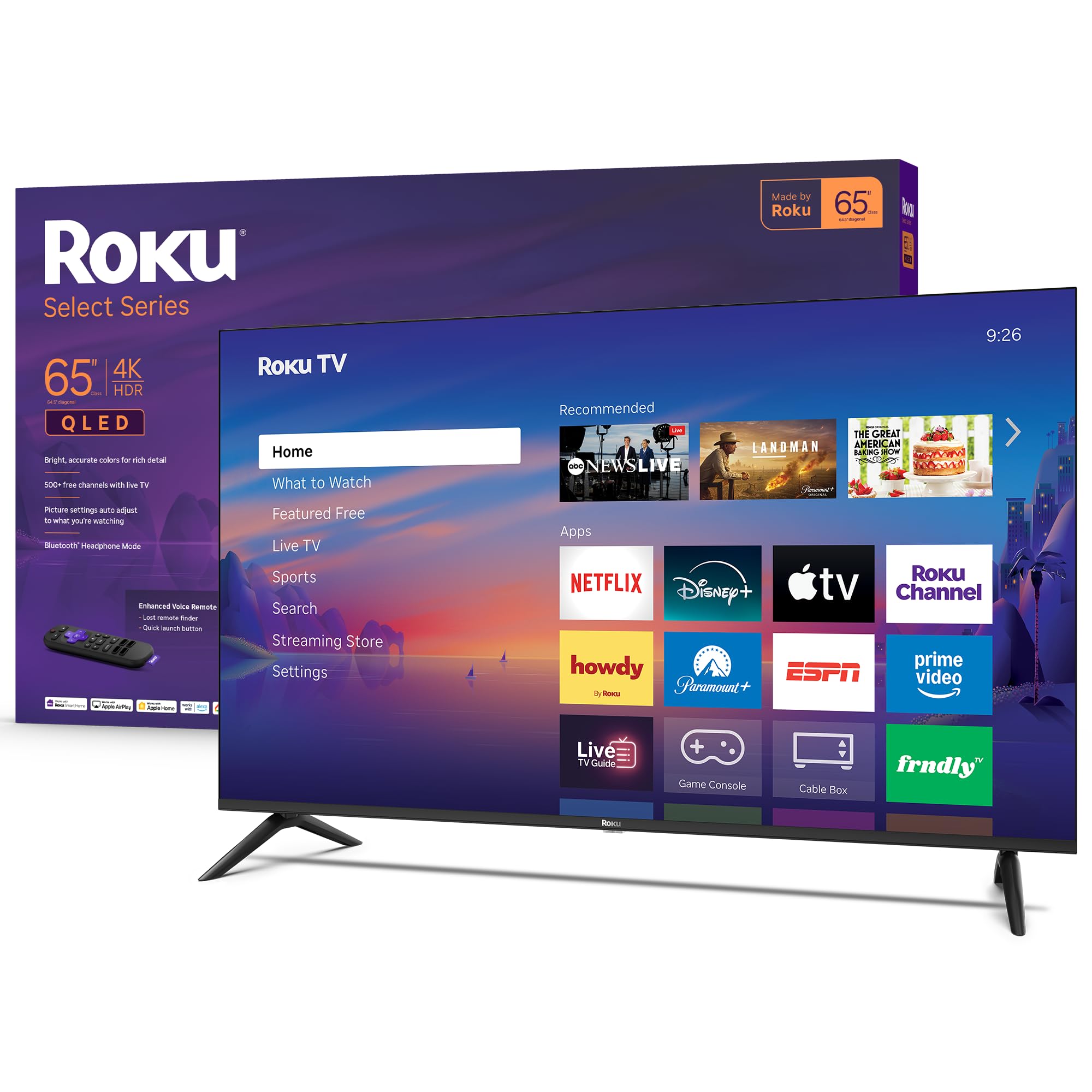
2. Roku 65-Inch Select Series 4K QLED TV (2026)
The crowd favorite for its dead-simple interface and a QLED panel that looks far more expensive than it is.
The Roku Select Series is the TV that owners consistently describe as outperforming its price tag. The secret is a QLED screen combined with HDR10 support, which produces rich, accurate colors and excellent contrast. People specifically mention “vibrant colors, sharp, no glare in a bright room” — that anti-glare performance is a genuine relief if your living room gets a lot of daytime sun. The 4K panel cleans up incoming signals using Roku Smart Picture to tune the picture mode automatically.
Roku’s operating system is famously intuitive and fast. Apps launch quickly, the home screen is customizable, and you get 500+ free TV channels through Roku’s own service. The setup is famously easy — people describe it as “plug-and-play.” The included voice remote makes searching by title or actor painless, and the Bluetooth headphone mode is a thoughtful addition for late-night viewing without disturbing anyone else in the house.
The trade-off is that this is a 60Hz panel, so it is not designed for high-refresh-rate competitive gaming. But if your main use is streaming, sports, and movies, the picture quality here is genuinely impressive for the money. The Roku platform is widely considered the least annoying smart TV experience available, and that simplicity is a huge part of why this model enjoys such high satisfaction.
What wins people over
- QLED panel delivers bright, accurate colors with minimal glare in daytime rooms
- Fast, intuitive Roku platform with easy setup and a voice remote
- Bluetooth headphone mode for private listening without a separate device
What to know going in
- 60Hz panel limits smoothness for fast-paced competitive gaming
- Picture quality is strong but may not match higher-end sets in very dark scenes
Grab this for: anyone who prioritizes a frustration-free, fast interface and a colorful screen that handles bright rooms well — especially older adults or first-time smart TV users.
Look elsewhere if: you need 120Hz motion for PS5 or Xbox Series X gaming and want the buttery-smooth frame rates that come with it.
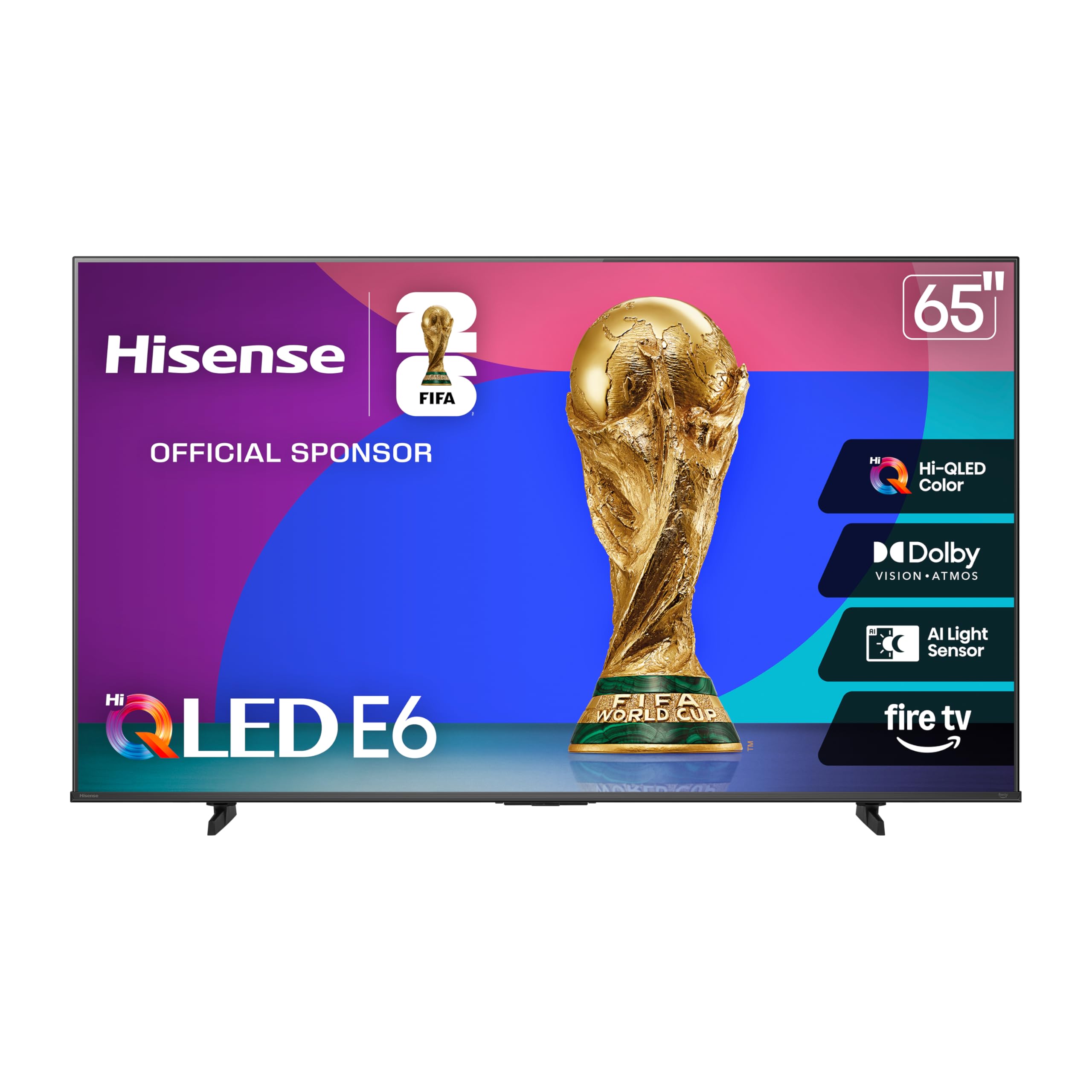
3. Hisense 65″ E6 Cinema Series Hi-QLED 4K UHD Smart Fire TV (65E6QF)
A spec sheet that reads like a premium TV at a price that makes you double-check.
Hisense has been on a tear packing genuinely useful technology into affordable TVs, and the 65E6QF is a textbook example. The Hi-QLED panel delivers vibrant, true-to-life color, and the Total HDR Solution supports every major HDR format — Dolby Vision, HDR10+, HDR10, and HLG — so no matter what you watch, the TV tune the brightness and contrast for the scene. The AI 4K Upscaler uses machine learning to enhance lower-resolution content to near-4K quality, which means older YouTube videos and standard cable broadcasts look noticeably sharper.
Motion handling is handled by AI Smooth Motion with MEMC (Motion Estimation, Motion Compensation), which inserts extra frames to keep fast action blur-free. This is paired with a Fire TV operating system and a voice remote with Alexa built in. The inclusion of Wi-Fi 6 is a genuinely forward-thinking feature — it keeps streaming stable even in homes with many connected devices. An AI Light Sensor automatically adjusts screen brightness to match the room, saving electricity while keeping the picture comfortable to watch at any time of day.
The catch here is reliability. While many buyers report a sharp, vibrant picture and clear sound that is “great value for the price,” there are recurring reports of units developing glitches — apps crashing, random shut-offs, and sluggish interface performance. Some of this seems tied to the Fire OS software load on this hardware tier. The picture quality per dollar is tough to top, but you are taking a slightly higher risk on the software experience compared to the simpler Roku-based TVs.
What wins people over
- Hi-QLED panel with support for Dolby Vision, HDR10+, and an AI upscaler
- Wi-Fi 6 connectivity for stable streaming in busy homes
- AI Light Sensor and AI Smooth Motion for adaptive, blur-free viewing
What to know going in
- Fire TV interface can feel sluggish and occasionally glitchy on this model
- Reliability feedback is mixed — some owners mention random shutdowns and app issues
Choose this for: tech-savvy buyers who want the richest feature set for the money and are willing to tolerate some software quirks.
skip it if: you want the most reliable, no-headache TV experience and prefer a simpler operating system like Roku.
4. Westinghouse 65-inch 4K UHD Xumo Smart TV
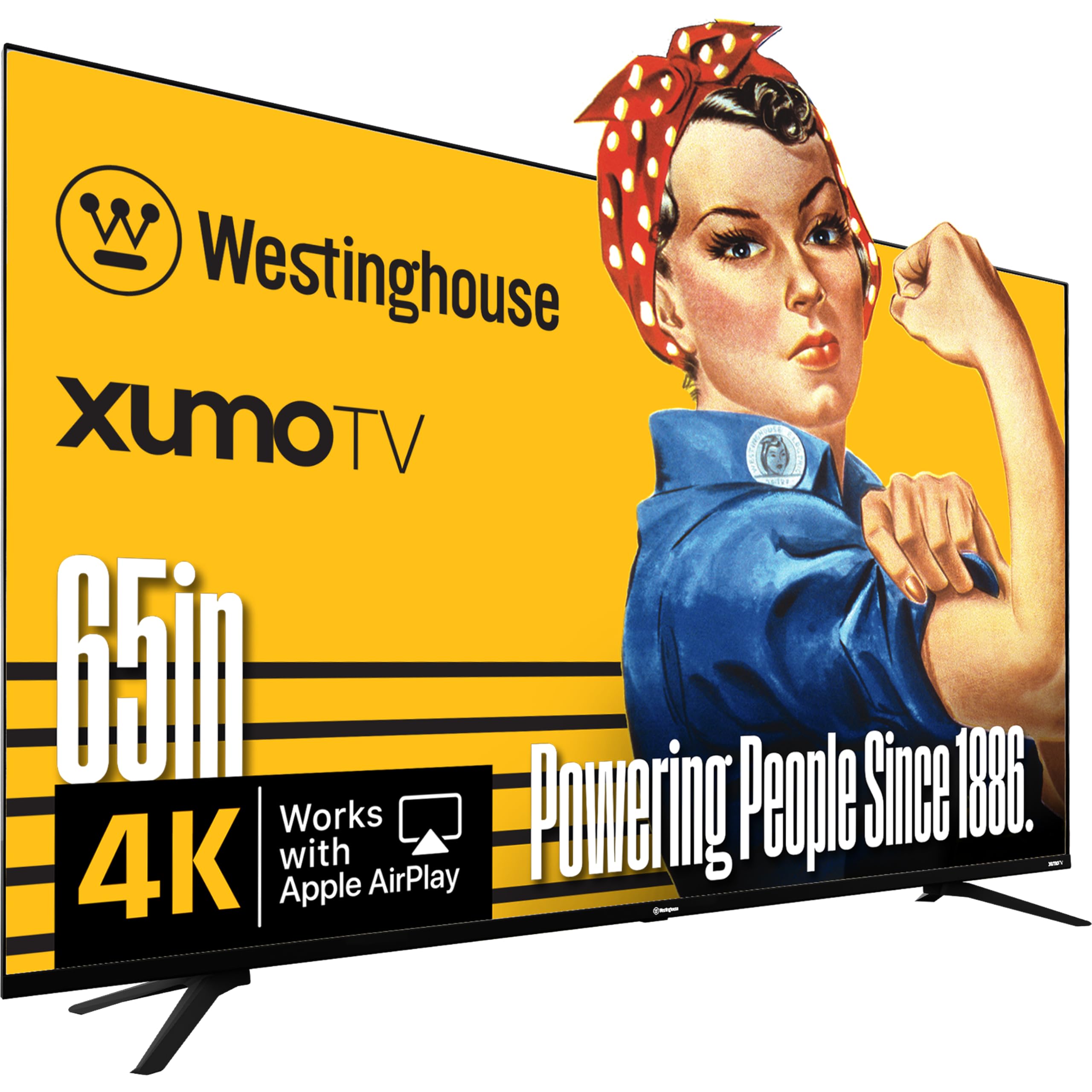
The entry-level giant that proves a 65-inch 4K screen can cost less than a night out.
The Westinghouse Xumo TV strips away everything non-essential and puts a big 4K UHD screen with Dolby Vision and HDR10 support in your living room for a remarkably low entry price. The 65-inch panel delivers 4x the resolution of standard HD, and with a 6000:1 contrast ratio, you get deeper blacks and more detail in darker scenes than you would expect at this price tier. It is an “edgeless” design, meaning the bezel is minimal, so the screen feels even larger when mounted on a wall.
Connectivity is one of its practical strengths. You get three HDMI inputs, a USB port, composite video input, and an optical digital audio output — enough to plug in a game console, a streaming stick (though the built-in Xumo platform covers most apps), and a soundbar. The Xumo Play app provides 350+ free live channels and 70,000+ on-demand movies and shows, which is genuinely useful if you want to cut the cord without signing up for anything. Bluetooth 5.1 lets you connect wireless headphones or speakers easily.
The picture quality earns positive remarks from owners — “good picture nice and sharp” is the general sentiment. But the Xumo smart platform is the weak link: it is slower than Roku or Fire TV at launching apps, and some voice remote functions do not work as advertised. A few buyers also received units with cracked screens in shipping, which is a risk with thin, large panels in budget packaging. This is the right pick only if the absolute lowest price is your single priority and you are comfortable with a slower, less polished smart interface.
Best budget gamble: The panel itself is surprisingly good for the money — Dolby Vision and HDR10 at this price is rare — but the Xumo platform is a downgrade from Roku or Fire TV. Buy this for the screen, and plan to pair it with an external streaming stick if the built-in OS frustrates you.
5. Panasonic W70 Series (2025) 65″ LED 4K Ultra HD Smart Fire TV (65W70BP)

Panasonic’s return to the US TV market brings a familiar name to a competitive budget landscape.
The Panasonic W70 Series marks the brand’s renewed push into affordable televisions, and it arrives with a solid spec list. The HDR Bright Panel is powered by a 4K Studio Color Engine, supporting HDR10+, HDR10, and HLG for a wide range of high-dynamic-range content. The processor uses MEMC technology to ensure smooth motion, which helps during fast-paced sports and action scenes. You get four HDMI ports including one HDMI 2.1 port, which means future-proofing for newer gaming consoles and devices that benefit from higher bandwidth.
The built-in Fire TV platform with Alexa voice control works well for finding shows and controlling smart home devices. Owners praise the picture as “super clear” and “really amazing,” and the sound quality gets described as “amazing” by some buyers. The metal stands give it a sturdier feel than some all-plastic competitors at this price, and Apple AirPlay support means iPhone users can mirror content easily.
The downside is that screen reliability is the most common source of concern. Several customers note units failing after a month, with the bottom portion of the screen going dark. The sound quality also draws mixed feedback — some find it decent, others describe it as poor. Panasonic’s customer support in the US has been flagged as unhelpful by a few buyers. This is a decent bet if you value the Panasonic brand and get a unit that works, but it carries a higher defect risk than the more established picks in this list.
Strong points
- HDR10+ and HDMI 2.1 provide better color and connectivity than many budget rivals
- Clear, vibrant picture quality praised by owners for daily TV and streaming
Risks to consider
- Screen reliability is the top concern — reports of failures within the first month
- Sound quality is hit-or-miss; some owners find it lacking compared to competitors
Consider this if: you trust the Panasonic reputation and want HDMI 2.1 plus HDR10+ support at a budget price — the picture is genuinely great when it works.
Be cautious if: reliability is your top concern; the Samsung or Roku options above have a stronger track record in owner feedback.
6. LG 65-Inch Class Nano AI 4K NU85 Series Smart TV (65NU850BPUA, 2026)
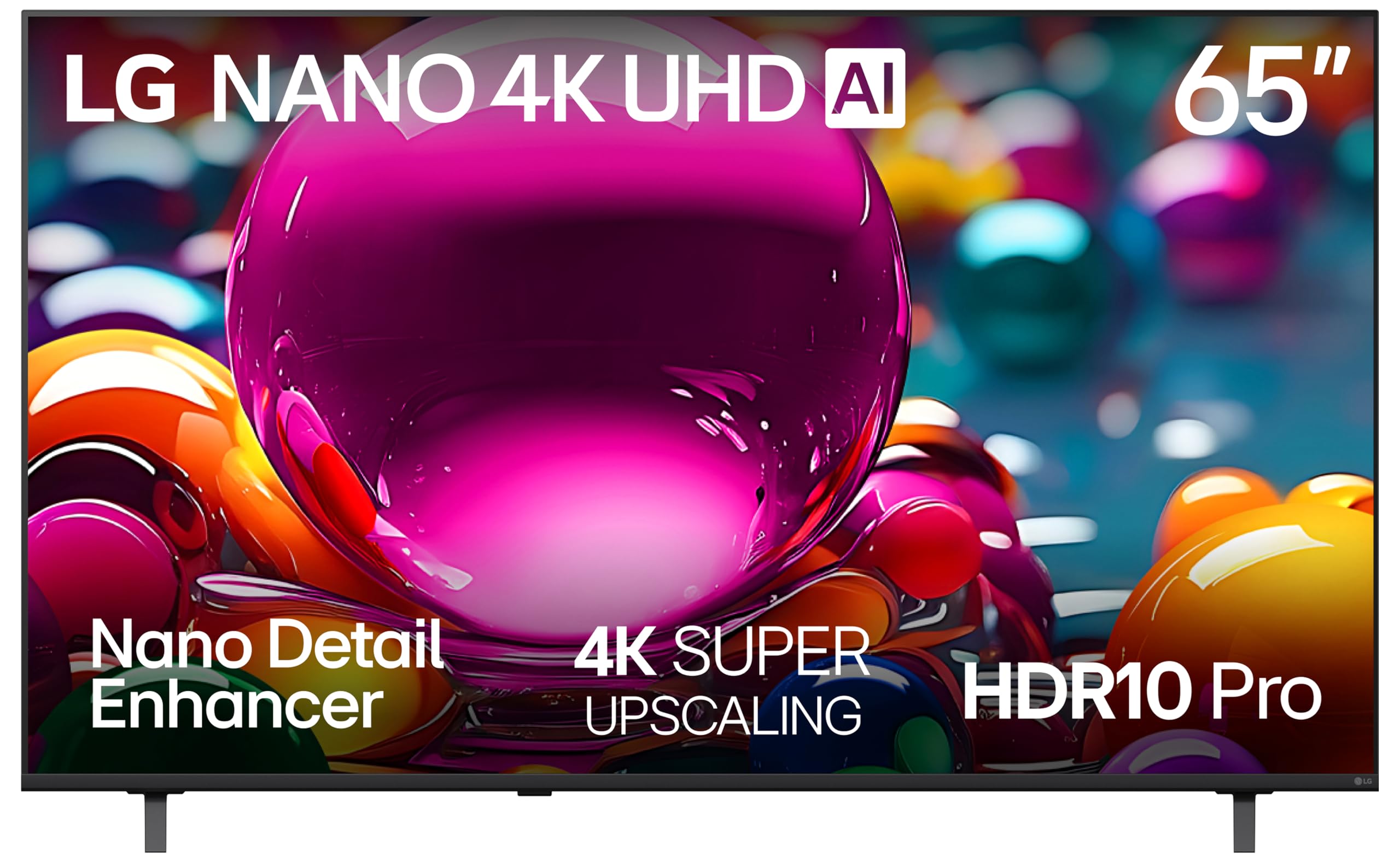
LG’s AI-powered entry-level option for buyers who care about intelligent picture processing.
The LG NU85 is built around the a7 AI Processor 4K Gen9, which uses a feature called Nano Detail Enhancer to analyze each scene and fine-tune textures, sharpen edges, and boost contrast. The result is a picture that looks more refined than the raw panel specs might suggest. The AI Super Upscaling technology takes lower-resolution content and pushes it toward near-4K clarity, which is helpful for streaming older shows or cable broadcasts. HDR10 Pro dynamically adjusts brightness to preserve detail in both bright and dark scenes.
This model includes Filmmaker Mode, which automatically disables motion smoothing and preserves the original aspect ratio, frame rate, and color so you watch movies the way the director intended. The webOS platform is LG’s own smart interface, and it comes with LG Channels — over 400 free channels and 10,000+ on-demand movies and shows. For gamers, AMD FreeSync Premium and Auto Low Latency Mode (ALLM) improve the gaming experience by reducing screen tearing and input lag.
The feedback is mixed on value. Some owners call the picture “amazing” and praise the easy setup and large size. But build quality concerns appear — “very light and flimsy build” is a noted complaint, and some received damaged units in shipping. The built-in speakers are considered weak enough that several owners recommend a separate soundbar. The LG NU85 is a reasonable choice if you want LG’s processor-driven picture tuning and webOS ecosystem, but it does not offer the same value as the Samsung or Roku options ahead of it.
Processor-first approach: The Alpha 7 AI does a nice job improving picture detail, but the panel itself and the build quality feel like a cost-cutting compromise. Best for LG loyalists who want that brand’s software and channel ecosystem.
7. LG Amazon Exclusive 65-Inch Class QNED AI 4K QNED73 Series Mini LED Smart TV (65QNED73BUA, 2026)
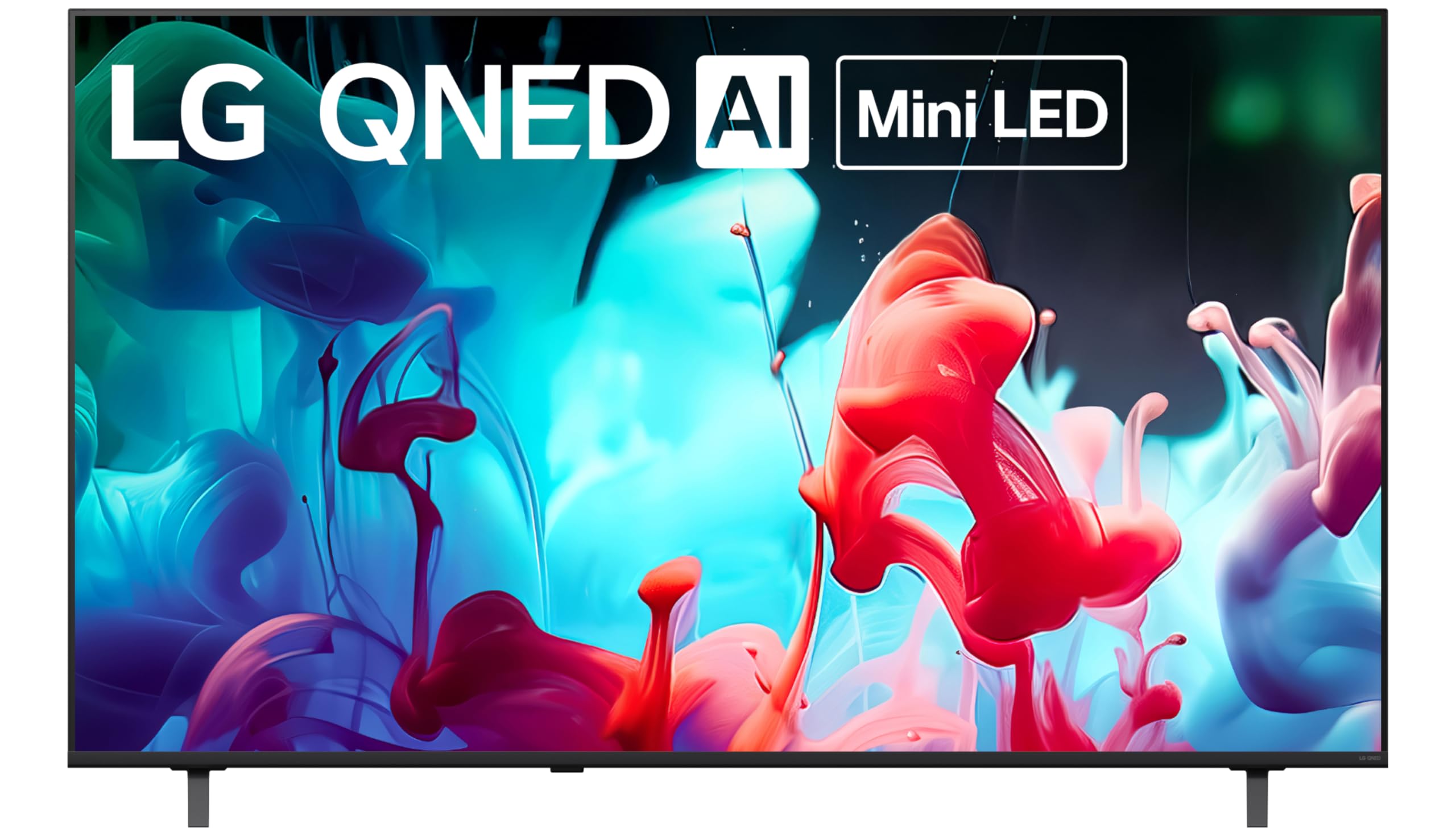
Mini-LED backlighting brings genuine contrast upgrades to the sub- price bracket.
This LG QNED73 is an Amazon-exclusive model that upgrades the panel technology significantly over standard LED sets. Mini-LED backlighting uses far smaller, more numerous LEDs behind the screen, which allows for precise local dimming. That means blacks are deeper and highlights are brighter without the “halo” glow that can plague regular LED TVs. The TV is certified for 100% Color Volume, meaning the colors stay accurate and vibrant even at peak brightness — a genuine advantage in a bright room.
The webOS platform includes access to LG Channels (400+ free channels) and Gallery Plus, which turns the screen into a display for artwork when you are not watching. The a7 AI processor handles upscaling well, and the TV includes Chromecast built-in for easy mobile casting. Owners praise the “beautiful picture” and note that the build quality feels solid — “quality of the product is great” is a common sentiment.
The catch is the sound. “Poor built-in sound” appears repeatedly in feedback — one owner flatly recommends buying a soundbar immediately. The remote is also a point of friction: it lacks voice control (you use a phone app for that), and setup requires an LG account. A few owners received units with screen damage in transit. If you are willing to budget for a separate soundbar, the Mini-LED contrast here is a legitimate step up from any standard LED set in this price range.
Panel upgrade worth noting
- Mini-LED backlighting delivers superior black levels and brightness control for the price
- 100% Color Volume ensures colors stay accurate at any brightness level
Compromises
- Built-in sound is weak — most owners strongly recommend pairing with a soundbar
- Remote lacks voice control and setup pushes you to create an LG account
Best for: image quality purists on a budget who value deep blacks and high contrast and are willing to add a soundbar to the cart.
Not ideal if: you want great sound straight from the start or dislike setting up account logins on a new TV.
8. Sony 65 Inch BRAVIA 2 II LED 4K HDR Smart Google TV (K-65S20M2)

Sony’s legendary color science and PS5 integration make this the one for serious viewers and gamers.
The Sony BRAVIA 2 II uses the 4K Processor X1 with 4K X-Reality PRO, which is Sony’s proprietary upscaling engine that does an exceptional job of bringing lower-resolution content to life. The combination of Triluminos Pro display technology and the X1 processor delivers natural, precise color and dynamic contrast that owners describe as “beautiful” and “the best TV in the house.” Motionflow XR keeps fast-moving action blur-free, which is a clear benefit for sports and action movies.
This TV is specifically designed with PlayStation 5 owners in mind. Exclusive features like Auto HDR Tone Mapping and Auto Genre Picture Mode automatically tune the picture when you connect a PS5, so you get the best possible settings without fiddling with menus. The Game Menu puts all gaming picture settings in one place. For general streaming, Google TV integrates all your apps on one home screen, and you get Apple AirPlay 2 and Google Cast for easy mirroring. The Sony Pictures Core app even includes free movies.
The price is higher than other entries here, which places it at the upper edge of a “budget” list. Some owners find the Google TV interface “too smart” and needed younger help to set up. A few isolated reports of freezing and WiFi drops exist, but the overall feedback is overwhelmingly positive — “great Sony picture that they’re known for — great color, balance, and accuracy” sums up the consensus. This is the right pick if picture processing quality and PS5 gaming matter more than absolute lowest price.
Sony’s edge
- 4K Processor X1 with X-Reality PRO delivers superb upscaling and natural color
- Exclusive PS5 features auto-tune HDR and picture mode for gaming
The trade-off
- Premium price stretches the “budget” label — you are paying for Sony’s processing expertise
- Google TV interface can feel complex for less tech-comfortable users
Get this for: PS5 owners and anyone who prioritizes accurate, lifelike color and superior upscaling over raw panel specs.
Reconsider if: your total budget is capped and you would rather save the difference for a soundbar or wall mount — the Roku and Samsung offer 90% of the experience for less.
9. Samsung 65-Inch Class QLED 4K Q70C Series (QN65Q70C, 2023 Model)

The 120Hz QLED that punches above its weight for gamers who demand smooth motion.
The Samsung Q70C is a 2023 model that remains a top contender because it refuses to compromise on motion performance. Motion Xcelerator Turbo+ delivers a native 120Hz refresh rate at 4K resolution, which is a major leap over the 60Hz panels found in most budget TVs. This means fast-moving games and sports look significantly smoother, with no motion blur or stuttering. AMD FreeSync Premium Pro combines HDR visuals with tear-free, steady gaming performance — a real benefit for console and PC gamers.
The panel uses Quantum Dot technology to achieve 100% Color Volume, meaning the billion-plus shades remain accurate and vivid at any brightness level. Dual LED backlighting uses separate warm and cool LED sets to produce stronger, more accurate contrast. Quantum HDR goes beyond standard HDR to create deep blacks and impressive contrast that is analyzed and refined scene by scene. Samsung Gaming Hub brings console games and streaming games together in one interface, making it easy to jump into titles without a separate console.
Owners consistently praise the picture as “excellent” and “beautiful,” even after two years of use. However, the smart interface draws real criticism: it forces the Samsung TV Plus app on startup, the system slows down over time and requires hard restarts, and some owners find it less intuitive than Roku or Fire TV. The solar-powered remote is a nice touch but does not fix the software quirks. This is a TV you buy for its phenomenal panel and gaming features, accepting that you may want an external streaming device for the best smart experience.
Gaming-first performance
- Native 120Hz refresh rate and FreeSync Premium Pro for smooth, tear-free gaming
- Quantum Dot and Dual LED deliver outstanding color volume and contrast
Software reality
- Interface slows down weekly — apps do not close properly, requiring a hard reboot
- Forces Samsung TV Plus on startup with no way to disable it
Buy this for: gamers and sports fans who want a 120Hz QLED panel with premium contrast — the panel quality is genuinely top-tier for the price.
Avoid if: a fast, clean smart platform matters to you — the Roku or even the Toshiba below deliver a far better daily interface experience.
10. Toshiba 65″ Class Z670R Series Mini-LED 4K UHD Smart Fire TV (65Z670R, 2026)

The Mini-LED, 144Hz wildcard that challenges TVs costing hundreds more.
The Toshiba Z670R is the surprise contender that packs premium-tier specs into a surprisingly accessible package. The Mini-LED panel with Full Array Local Dimming delivers the kind of contrast — deep blacks next to bright highlights — that usually costs significantly more. The REGZA Engine ZRi Gen3, fine-tuned by Toshiba engineers in Japan, uses AI to tune clarity, contrast, and audio performance scene by scene. QLED technology adds over a billion shades of vibrant, realistic color that stays accurate at any brightness.
The native 144Hz refresh rate is the standout spec here — it is faster than the 120Hz Samsung Q70C above, and dramatically smoother than the 60Hz panels everywhere else in this list. Game Mode Pro includes AMD FreeSync Premium, VRR 144Hz, and ALLM for tear-free, low-latency gaming. The REGZA Power Audio Pro system includes a dedicated bass woofer and dual clear direct speakers, producing sound that owners describe as “balanced” and “clear” — even impressive enough that some say it outperforms their expectations. Dolby Vision IQ and HDR10+ Adaptive adjust the picture based on room lighting, so daytime and nighttime viewing both look correct.
Owners are remarkably consistent in their praise: the “picture quality is excellent,” “setup was easy,” and the anti-glare matte finish works well in bright rooms. The Fire TV boots in about two seconds, and the adjustable legs (36″ or 70″ wide) fit smaller TV stands. This is the complete package — excellent panel, high refresh rate, good sound, and fast software — at a price that justifies stretching the budget a little. The main question is whether Toshiba’s long-term reliability matches the first-year performance. Early signs are strong, but it is a newer model with a smaller data set than the Samsung.
Specs that surprise
- Native 144Hz Mini-LED panel with QLED and Full Array Local Dimming — class-leading for the price
- REGZA Engine ZRi with Dolby Vision IQ and HDR10+ Adaptive for scene-by-scene optimization
- Built-in sound with a dedicated woofer that owners genuinely praise
Small caveats
- Newer model with a smaller owner community — long-term reliability data is still building
- Anti-glare matte finish may not suit every decor preference
This is the one for: the buyer who wants the absolute best panel and gaming specs this side of serious money — the 144Hz Mini-LED combo here is genuinely unusual at this price.
Hesitate if: you prefer a TV with an established multi-year track record; the Samsung Q70C has more long-term owner feedback.
Understanding the Specs
Panel Technology: LED vs QLED vs Mini-LED
Standard LED is the baseline — a grid of LEDs behind the screen provides backlighting. It is bright, reliable, and perfectly fine for most rooms. QLED adds a layer of quantum dot nanoparticles between the LED backlight and the screen, which produces more vibrant, accurate colors that do not wash out at high brightness. If your room gets direct sunlight, a QLED panel is a noticeable upgrade. Mini-LED uses much smaller, more numerous LEDs for the backlight, which allows the TV to dim specific zones of the screen independently. This gives you much deeper blacks and higher contrast because dark areas can go very dark while bright areas stay bright. Mini-LED is the middle ground between standard LED and the far more expensive OLED technology.
Refresh Rate: 60Hz vs 120Hz vs 144Hz
The refresh rate is how many times per second the TV updates the image. A 60Hz panel (most budget TVs) refreshes 60 times per second, which is perfectly smooth for TV shows, movies, and casual gaming. A 120Hz panel doubles that, making fast motion in sports and action games look significantly smoother and more fluid. The 144Hz panels push even further and are designed for serious PC gamers who want the absolute smoothest experience. If you only watch Netflix and cable news, 60Hz is all you need. If you play fast-paced shooters or racing games on a PlayStation 5 or Xbox Series X, 120Hz or 144Hz makes a real difference you can see and feel.
FAQ
What is the actual difference between Dolby Vision and HDR10+?
Does a 60Hz TV look bad for gaming?
Is a QLED or Mini-LED TV worth the extra money for a budget buyer?
How important is a dedicated gaming mode on a 65-inch TV?
How long should a budget 65-inch TV last?
Will a 65-inch TV fit on my current TV stand?
What does VESA mount mean and why does it matter?
Will a budget 65-inch TV work well with a soundbar?
Is Samsung Tizen, Roku, Google TV, or Fire TV the best smart platform?
Do I need to buy a separate streaming stick if the TV has a smart platform?
Final Thoughts: The Verdict
For most budget 65 inch TV buyers, the winner is the Samsung 65U8000H because it delivers excellent picture quality, good sound, and a smooth experience at a genuinely accessible price — it is the safest, most complete pick for the widest range of people. If you want a faster, simpler interface and a QLED panel that handles bright rooms beautifully, grab the Roku Select Series. And for the gamer or performance seeker who is willing to stretch the budget, the Toshiba Z670R is the one to reach for — its native 144Hz Mini-LED panel and impressive built-in sound make it the best value in premium features.
How We Picked
We do not accept paid placement. Every pick is matched to a real buyer and a real use-case; we do not hands-on test units.
Sources & Methodology
Specifications: manufacturer listings and product documentation. Review insights: verified customer reviews, as of July 2026. Pricing: not shown on this page (it changes often); check the current price via the retailer link.
As an Amazon Associate, FitlyFast earns from qualifying purchases. This does not affect which products we feature.