
Our readers keep the lights on and the weekend projects moving. As an Amazon Associate, I earn from qualifying purchases.
Specs are compiled from manufacturer listings and verified buyer reviews and can change over time — please confirm the key details on the product page before buying.
You want a huge screen without a huge bill, and today’s budget 4K TVs deliver that. The real question is which big panel gives you the most for your money without quietly skimping on picture quality, sound, and reliability. This guide cuts through the spec-sheet noise to find the budget 70 inch tv that genuinely feels like a steal.
I’m Rikta — the founder and writer behind FitlyFast. This guide is built by comparing the manufacturers’ published specifications and the patterns across verified customer reviews, so you get each pick’s real strengths and trade-offs instead of marketing spin.
One honest note before the list: the exact 70-inch size is rarely sold these days, so every pick below is the nearest available size — almost always the 75-inch class. That’s the closest match and the standard workaround for this screen category, so you know exactly what you’re getting.
Our Picks at a Glance


How To Choose The Best Budget 70 Inch TV
When you’re spending several hundred dollars on a screen this size, a few specs matter far more than others. Here’s what separates a great budget big-screen from a regret.
Screen technology: LED, QLED, or Mini-LED
Standard LED is the budget baseline — fine for most living rooms but with limited contrast. QLED (quantum-dot LED) upgrades color vibrancy using tiny crystal particles. Mini-LED takes it further by shrinking the backlight into hundreds of precise zones, giving you much deeper blacks and brighter highlights — the closest thing to premium OLED without the premium price.
Refresh rate: the number that makes motion smooth
Measured in hertz (Hz), this tells you how many times the screen redraws per second. A 60Hz panel is fine for casual drama, but at 144Hz, fast sports, action movies, and console gaming stay crisp with far less blur. If you game on a PS5 or Xbox, push for the higher number.
Smart platform: your daily interface
This is the software you’ll live in every day. Fire TV (Amazon) and Google TV are the two big players here. Fire TV bundles free channels and tight Alexa integration, while Google TV offers a clean, snappy interface with easy casting from phones. Pick the one whose ecosystem you already use.
Quick Comparison
| Model | Best For | Refresh Rate | Backlight Tech | Smart OS | Amazon |
|---|---|---|---|---|---|
| INSIGNIA 85″ F50★ Best Overall | Maximum screen per dollar | 60Hz | LED | Fire TV | Amazon |
| Samsung 75″ U8000HBest Value | Vibrant upscaled color | 60Hz | LED | Samsung Tizen | Amazon |
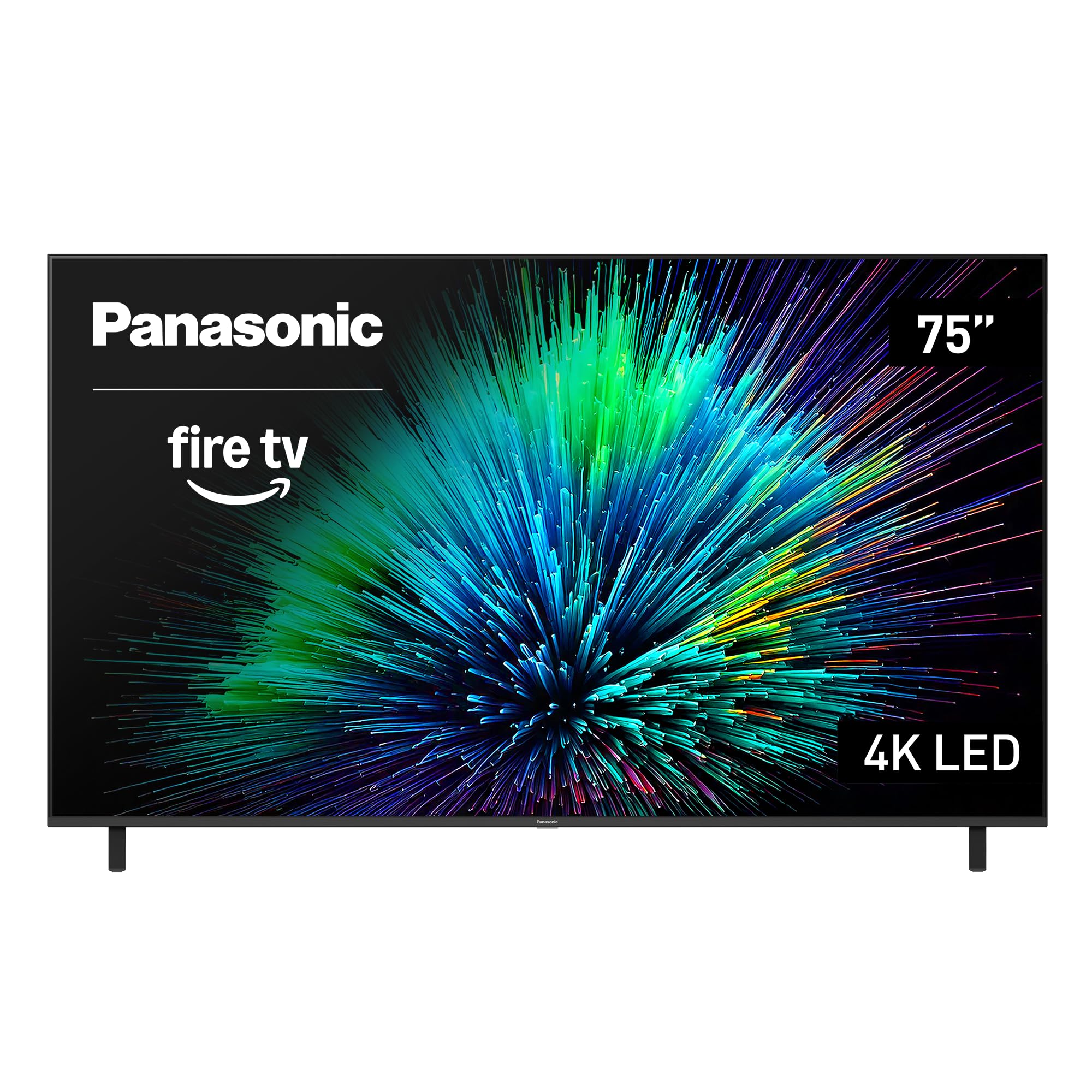
| Panasonic 75″ W70Most Flexible | Flexible ports & AirPlay | 60Hz | LED | Fire TV | Amazon |
| Samsung 75″ M70H | Mini-LED color depth | 60Hz (DLG 120Hz) | Mini-LED | Samsung Tizen | Amazon |
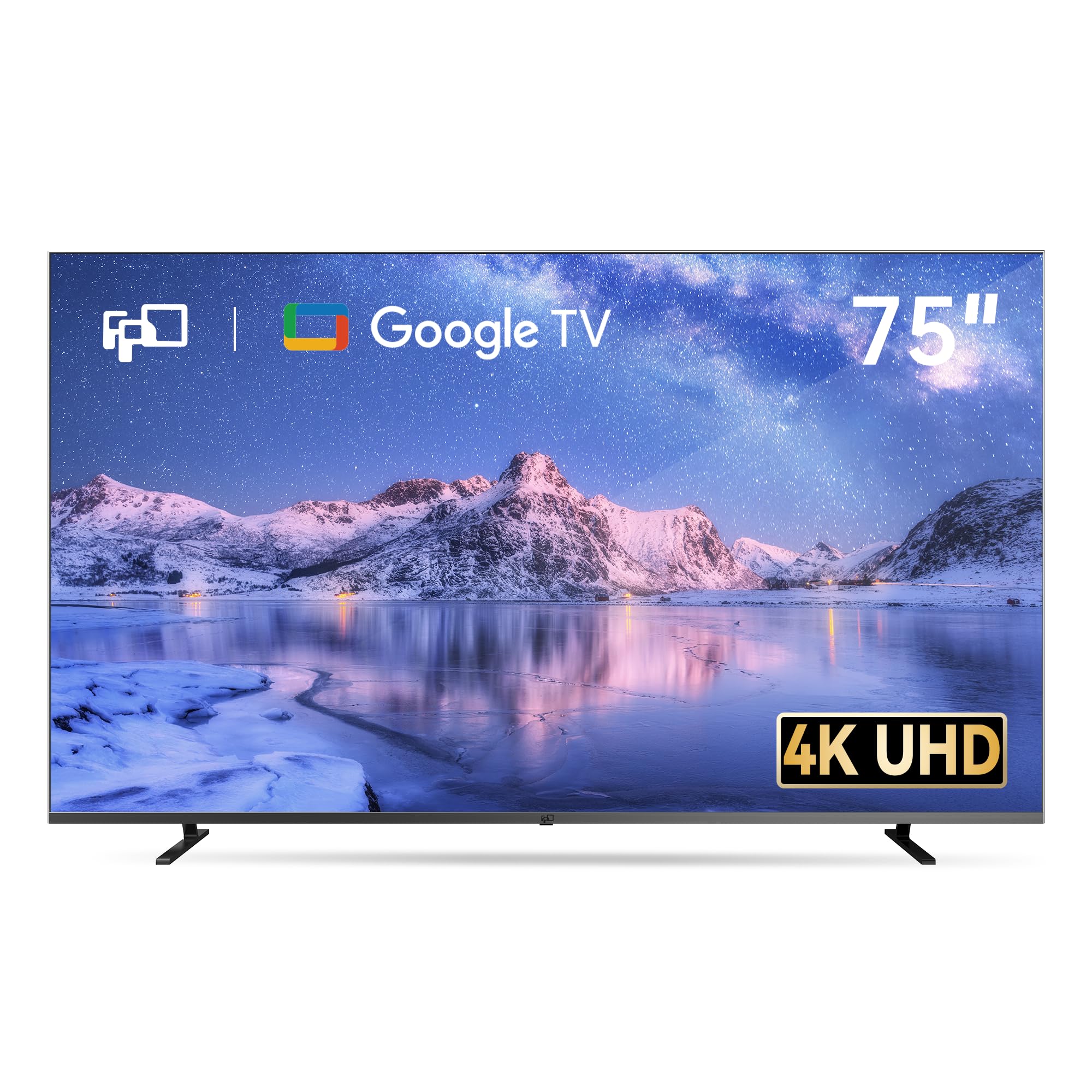
| FPD 75″ Google TV | Simple Google UI & casting | 60Hz | LED | Google TV | Amazon |
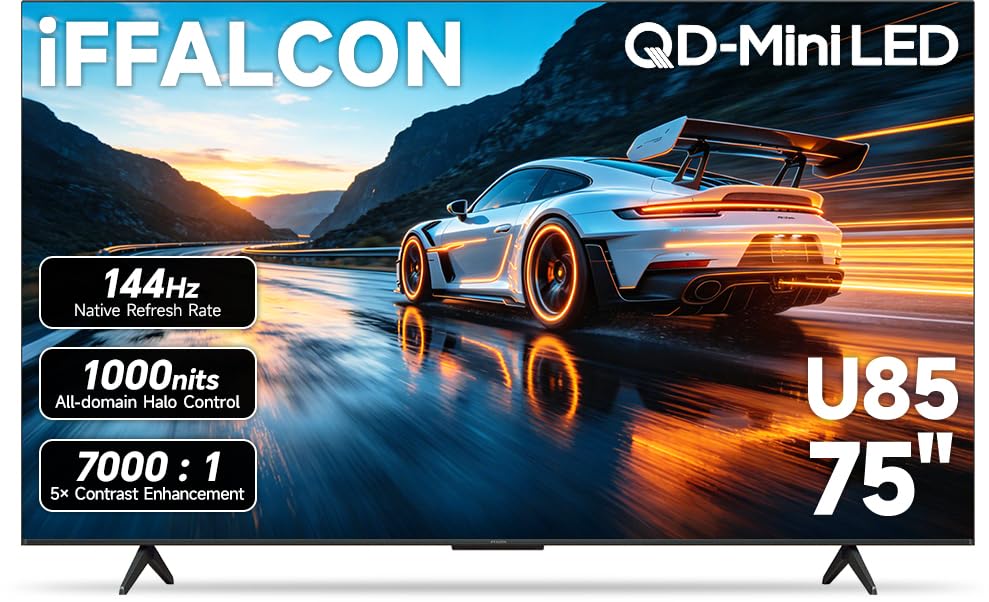
| iFFALCON 75″ MiniLED | Serious gaming on a budget | 144Hz (up to 288Hz) | Mini-LED | Google TV | Amazon |
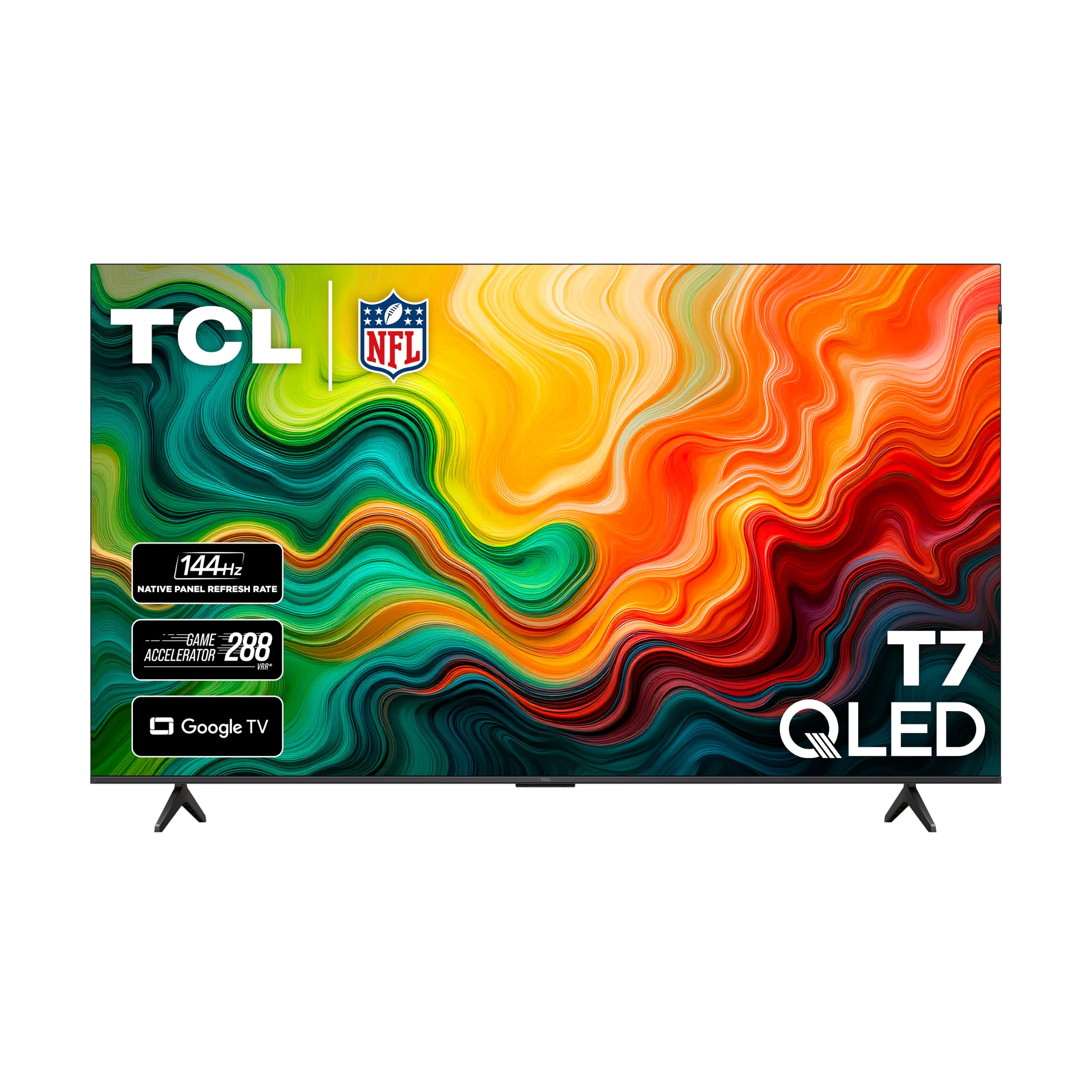
| TCL 75″ T7 QLED | Balanced QLED & gaming | 144Hz | QLED | Google TV | Amazon |
| Hisense 75″ U6 Pro | Glare-free bright rooms | 144Hz | Mini-LED | Fire TV | Amazon |
| Hisense 75″ E7 Cinema | Movie-night immersion | 144Hz | Mini-LED | Fire TV | Amazon |
| Sony 75″ BRAVIA 3 | PlayStation 5 pairing | 60Hz | LED | Google TV | Amazon |
| TCL 75″ QM64L | High brightness & long life | 144Hz | Mini-LED | Fire TV | Amazon |
In‑Depth Reviews
1. INSIGNIA 85″ Class F50 Series LED 4K UHD Smart Fire TV
The budget king that trades a few specs to hand you 85 inches of 4K for a price that feels like a typo.
Start with the sheer size: at 85 inches, this screen gives you a 13% larger viewing area than the 75-inch Samsung U8000H in this list, for less money. It’s a 4K Ultra HD panel (2160p resolution) that runs HDR10, so your movies get a wide range of color detail and sharper contrast from the brightest whites to the deepest blacks. The Fire TV software built in gives you over 1.8 million movies and TV episodes across apps like Prime Video, Netflix, and Disney+, plus over 1 million free titles on ad-supported services like Tubi and Pluto TV.
Setup is genuinely simple — owners consistently report easy connections and straightforward menus. The DTS Studio Sound (a premium audio suite that expands the sense of space from just two speakers) means you won’t immediately need a soundbar. It’s also a smart home hub: pair it with compatible devices and you can see live camera feeds, control lighting, and use Apple AirPlay. Connections include 3 HDMI ports, a digital optical output, USB, an Ethernet port, and Wi-Fi.
The catch is reliability — the single biggest factor here is trust, and that’s where the reviews split. While quality is praised most often, with 952 owners calling it out as solid value, there’s a vocal group reporting freezing and stability issues, including an occasional unit that arrives with the screen not working. This is the risk you accept for the rock-bottom price. For a family room where you want maximum cinema feel per dollar and can tolerate some app lag, it’s the crowd favorite — the 4.3-star rating comes from over 11,000 owners, and as buyers report: “The intense amount of quality for the absolutely ridiculously low price is wildly good.”
Where it wins
- 85-inch screen — the biggest panel here for the lowest price
- HDR10 with upscaling of old content to near-4K
- Free content: over 1 million ad-supported movies and episodes built in
- Easy setup with Alexa voice remote from the start
Where to be careful
- Reliability is the most-discussed trade-off — some units freeze or stop working
- 60Hz refresh means fast sports can show slight blur
- Screen quality gets the most negative mentions of any aspect
Reach for this if: you want the absolute biggest, most wallet-friendly 4K screen possible and you’re comfortable with a small reliability gamble.
Look elsewhere if: you need a rock-solid set for daily gaming or you can’t risk a panel issue during the return window.
2. Samsung 75-Inch Class U8000H Series Crystal UHD 4K Smart TV
The name-brand pick that brings Samsung’s signature vibrant color to a 75-inch canvas at a friendlier price.
If brand trust matters to you, this is your anchor. The Samsung U8000H leans on the Crystal Processor 4K — a dedicated chip that enhances colors and sharpens details in real time, plus upscales lower-quality sources toward crisp 4K clarity. The Motion Xcelerator (technology that estimates and adjusts frame transitions on the fly) keeps fast scenes smooth during games and sports at up to 4K 60Hz. Color Booster then pushes reds and blues to be more intense, which is what owners rave about most — picture quality is the top praised aspect here.
Setup is famously fast, with owners reporting it done in under five minutes and noting you can even bypass the Samsung account creation if you prefer. The 2,700+ free streaming options on Samsung TV Plus, including 750+ subscription-free channels, mean you won’t run out of things to watch without paying. It connects via Wi-Fi, Ethernet, Bluetooth 5.3, HDMI, and USB, so a Fire Stick or game console slots right in.
Where does it fall short? Sound quality and the remote are the two recurring complaints — several owners find the audio deeply disappointing and many report a remote that scrolls awkwardly with few buttons. Owners mention: “The TV is nice, the box had a hole in it and the foam liner looked damaged, but there was no damage to the TV.” The 4.3-star score across 600+ owners shows most are happy, though the remote may prompt a universal replacement.
Smart-buyer read: This is the safe, recognizable choice for a living room that wants dependable Samsung color and a fast setup, with the understanding you may want a soundbar and a better remote later.
3. Panasonic W70 Series 75″ LED 4K Ultra HD Smart Fire TV
The connector’s dream — four HDMI ports including HDMI 2.1, all wrapped in a Fire TV experience.
This Panasonic earns its place with pure versatility. It’s one of the few budget sets with four HDMI ports, including one HDMI 2.1 (the latest standard that handles high-bandwidth signals from consoles and PCs smoothly). That alone makes it the easy pick if you have multiple devices to plug in. The HDR Bright Panel, powered by the 4K Studio Color Engine, delivers 4K UHD resolution with HDR10+, HDR10, and HLG formats, plus MEMC (motion estimation and motion compensation) technology to keep fast action smooth.
Smart features mirror the INSIGNIA experience: Fire TV built-in with Press and Ask Alexa on the voice remote, Apple AirPlay for casting from iPhone, and Bluetooth 5 support for pairing wireless speakers or headphones for private listening. Annual energy consumption runs 365 kilowatt hours per year, which is worth knowing if you’re energy-conscious. Owners call the picture crisp and clear with great color, and it works smoothly with a Fire Stick remote if you already have one.
The honest caveat is screen reliability — a minority of customers note the bottom 25% of the screen failing or other defects. It’s not the majority story, but it’s the risk to weigh. At 4.1 stars across 410 owners, it’s the lowest-rated pick here, though many buyers describe it as “amazing for the price” and a great gift for the picture quality alone.
Choose this for: the port flexibility and AirPlay support — few budget panels give you this many clean connection options.
Think twice if: you want maximum confidence on panel reliability, since a small share of units do arrive with screen problems.
4. Samsung 75-Inch Class M70H Series Mini LED 4K Smart TV

Samsung’s Mini-LED step-up that trades the standard panel for dramatically deeper blacks.
This is the panel upgrade path within Samsung’s own lineup. Where the U8000H uses standard LED, the M70H moves to Mini-LED with the Mini LED Processor 4K, which delivers brighter highlights and deeper blacks. Pair that with Pure Color Spectrum claims one billion true-to-life colors. — and you get the richest image of any Samsung here. Supreme Mini LED Dimming adds precise local contrast control, so dark scenes hold detail without the gray haze common on cheaper LEDs.
Motion Xcelerator + DLG 120Hz (a technology that analyzes and tune the refresh rate) keeps sports and games fluid, though the panel’s native rate is 60Hz. The Samsung Gaming Hub pulls together your console, cloud, and app games into one place with personalized recommendations. Soccer Mode tune settings for 40% clearer motion and 30% more vibrant greens on turf, per the brand.
The recurring gripe, unmissable in the reviews, is the remote — 19 owners flag it as a negative, calling it tiny, minimalist, and frustrating, with volume that only toggles. It also has just 3 HDMI ports, and one owner notes the lack of optical or RCA jacks limits older-device connections. But for the 4.2-star rating across 373 owners, the picture quality is what wins people over — bright, sharp, with deep blacks that owners describe as crisp.
What stands out
- Mini-LED delivers deeper blacks and brighter highlights than standard LED
- One billion colors with Pure Color Spectrum
- Gaming Hub consolidates console and cloud games
What gets in the way
- Remote is the most-mentioned negative — small and awkward to use
- Only 3 HDMI ports, no optical or RCA jacks
- Native 60Hz panel despite the DLG 120Hz marketing
The honest take: If you want Samsung’s best color depth without jumping to OLED, this is the pick — just budget for a replacement remote and be ready to work around limited ports.
5. FPD 75 Inch Smart TV 4K UHD LED Google TV
The Google TV purist’s choice that makes phone-to-TV casting feel easy and native.
If you live inside Google’s ecosystem — Android phone, Chromecast habits, Google Assistant — this FPD panel speaks your language fluently. It runs Google TV with Google Play built in, so beyond preloaded Netflix and YouTube, you can pull games, movies, and music straight from the store. The 4K UHD resolution with HDR 10 support (a format that enhances contrast and color accuracy) keeps the picture clean and detailed, and MEMC technology (motion estimation and motion compensation) reduces the blur in fast-moving action.
Audio is a genuine highlight here: it ships with Dolby Vision (exceptional HDR performance for brighter, more detailed visuals) and Dolby Atmos (a surround-sound effect that pulls you into the action), backed by dual 12W box speakers. Owners describe the sound as good enough that a soundbar isn’t urgent, and multiple family profiles make it easy for everyone in the house to get their own recommendations. The voice remote makes searching hands-free. Chromecast is built in, so casting from your phone needs no extra hardware.
What owners weigh is reliability — while most love it initially, some report freezes after about 4 hours of continuous use, and a few mention cracked screens in transit. At 4.2 stars across 514 owners, quality is the most-praised aspect at 43 mentions, but durability is the recurring worry. It’s also noticeably light at roughly 30-35 lbs, which makes it easy for one person to wall-mount — the trade-off is a less hefty build.
Grab this if: you’re all-in on Google TV and want Dolby Vision and Atmos without paying for a big brand name.
Pass it up if: you plan to run the TV for hours on end daily — the long-session freeze reports make reliability a genuine question mark.
6. iFFALCON 75″ 4K MiniLED Smart TV
The sleep hit of the list — a 144Hz Mini-LED gaming monster that quietly outperforms sets costing far more.
Here’s the standout spec that defines this entire pick: a native 144Hz panel with Variable Refresh Rate (VRR) up to 288Hz. In plain terms, that means fast action — whether it’s a PS5 shooter or a soccer match — stays sharp with zero screen-tearing and lower input lag. It’s paired with up to 1000 nits of bright HDR luminance (a measure of how bright the screen gets, important for vivid highlights), local dimming, and a 7000:1 contrast ratio. Dolby Vision IQ reads your room’s light and adjusts the picture automatically; IMAX Enhanced certification brings director-approved visuals to compatible titles.
Gamers will love the connectivity: 4 × HDMI 2.1 ports, with two running 4K@144Hz for next-gen consoles and PCs and two more handling 4K@60Hz for streaming boxes and Blu-ray players. Auto Low Latency Mode (ALLM) switches the TV into game mode the instant you power on a console. Built-in audio is a 2.1-channel system — 2×15W tweeters plus a 20W woofer — with Dolby Atmos passthrough and DTS Virtual:X, so many owners say no soundbar is needed. There’s even a built-in hotel mode with IP/IR control, a rare feature for consumer TVs that makes it ideal for Airbnb or office installs.
Everything here is Google TV with Alexa and Google Assistant, AirPlay 2, and Chromecast built in. At 4.4 stars across just 164 owners, the consensus is strong and specific: owners call the picture “the best they’ve seen at this price,” with vivid colors, very dark blacks, and a smooth, fast interface. TCL’s subsidiary, the panel is described as delivering TCL QM5K-level specs for roughly less.
Why gamers will grin
- Native 144Hz with VRR up to 288Hz — the smoothest motion in this price band
- 4 × HDMI 2.1 for PS5, Xbox, PC, and soundbar all at once
- 50W built-in audio with subwoofer beats most budget speakers
The few trade-offs
- Higher price than the entry-tier picks
- Fewer total reviews than the bigger names, so long-term reliability is less proven
The verdict: For gamers on a budget who want console-ready smoothness, this is the sharpest value on the entire list — the 144Hz spec alone justifies the cost over any 60Hz panel.
7. TCL 75″ T7 4K QLED Google TV with 144Hz Gaming
The balanced bruiser that pairs QLED color richness with a 144Hz panel for both movies and multiplayer.
TCL’s T7 is the all-rounder that refuses to force a choice between picture and motion. QLED (quantum dot technology) delivers rich, vibrant colors covering nearly the entire DCI-P3 color space — the Hollywood standard for color — while the 144Hz panel refresh rate keeps action-packed movies and fast-paced games free of motion blur. The TCL AIPQ Pro Processor intelligently tune color, contrast, and clarity in real time, so lower-quality streams still look their best. HDR PRO+ supports Dolby Vision, HDR10+, HDR10, and HLG — the full gamut of high dynamic range formats.
The design is a genuine differentiator: a FullView 360 metal bezel-less build with width-adjustable feet, so you can size the stand to your TV furniture or fit a soundbar underneath. Four HDMI inputs include one with eARC (enhanced audio return channel) for sending lossless sound to a receiver. Motion Rate 480 with MEMC frame insertion combines multiple motion enhancement technologies for what TCL calls top-tier motion clarity. Voice control works with Amazon Alexa, Google Assistant, and Apple HomeKit.
Owners consistently praise the picture as stunning, bright, and colorful, with smooth performance for gaming and sports, plus a responsive Google TV interface. The 4.4-star rating comes from over 600 owners. The few caveats: built-in sound is described as “solid” but occasionally weak — one owner paired it with a Bose soundbar — and there’s slight glare in bright rooms. The Google UI also takes a session to get used to if you’re coming from Roku or Fire TV.
Balanced verdict: If you can’t decide between gaming smoothness and movie color, this TCL delivers both without a real weakness — the safest all-purpose premium pick on this list.
8. Hisense 75″ U6 Pro Series Mini-LED ULED 4K UHD Smart Fire TV
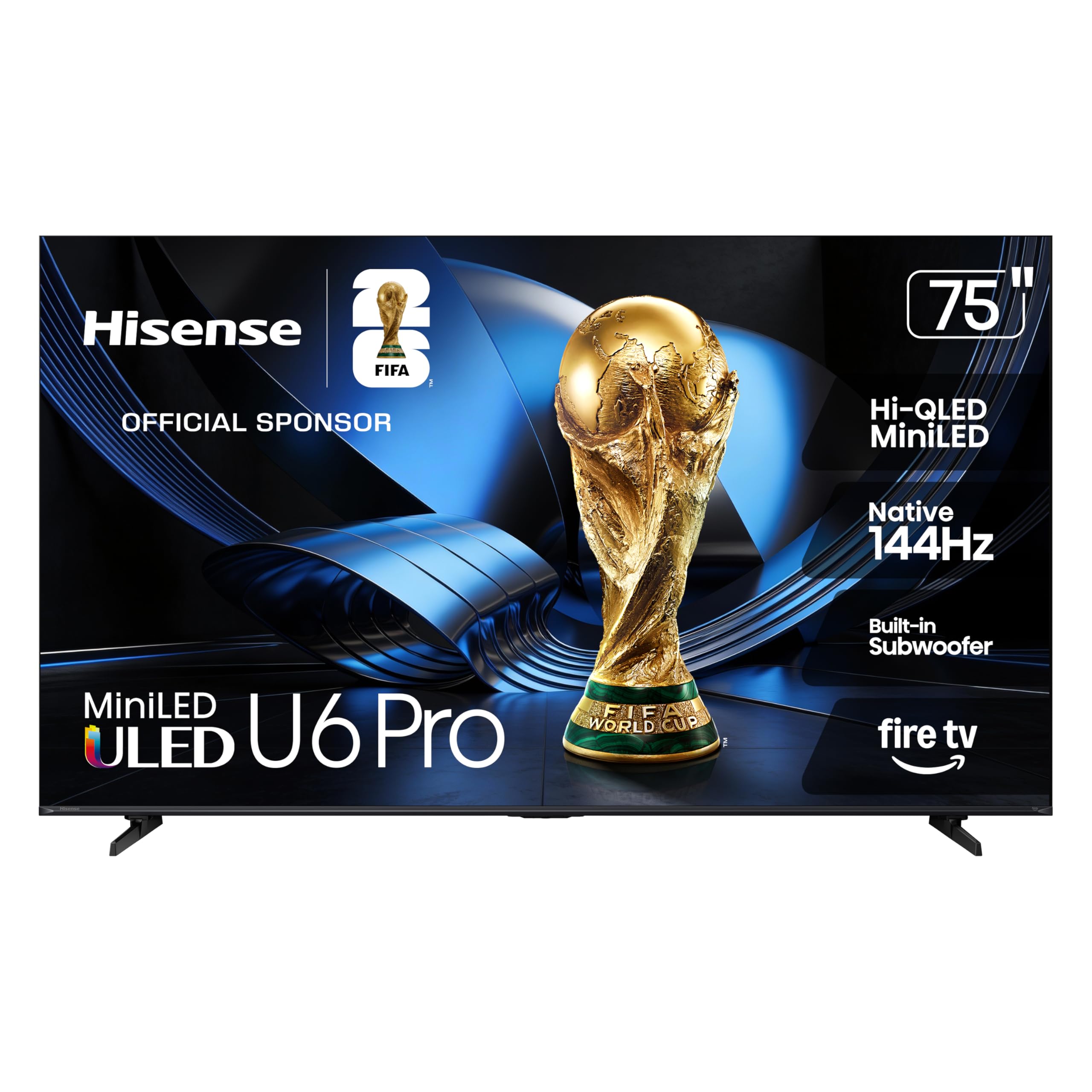
The bright-room specialist with anti-glare tech and a built-in subwoofer for day-lit living rooms.
This Hisense is built for the room where sunlight pours in. The anti-reflection and glare-free display keeps your view clean and distraction-free even in bright conditions — owners confirm it works well near windows. Underneath, it’s a Hi-QLED Mini-LED panel using hundreds of precise light zones to enhance contrast, paired with Hi-QLED color that’s PANTONE Validated for realistic accuracy. The Hi-View AI Engine continuously adapts the picture to whatever you’re watching, so movies, sports, and games each get tune settings automatically.
Gamers get a native 144Hz refresh rate (keeping fast breaks and high-speed chases crisp), while Dolby Vision IQ and HDR10+ Adaptive provide the full HDR experience. The headline audio feature is a built-in subwoofer — owners describe the rumble of explosions and the thump of music as genuinely rich, with several noting no soundbar was needed for most content. Fire TV with Alexa+ built in handles the smart side, and IMAX Enhanced certification brings cinema-grade picture and DTS-powered audio to compatible titles.
At 4.4 stars across 200 owners, the consensus is glowing — “stunning” picture quality with incredible brightness, vivid colors, and deep blacks. One owner installed it as a 100-inch dorm TV for group viewing. The few notes: it’s heavy enough to need extra hands for installation, delivery was rescheduled multiple times for some, and the viewing angle is somewhat narrow from the side. If your living room is bright and you hate glare, this is your panel.
Why it shines
- Anti-reflection and glare-free screen for sunlit rooms
- Built-in subwoofer delivers bass most budget TVs lack
- Native 144Hz plus Dolby Vision IQ and HDR10+ Adaptive
Keep in mind
- Narrow viewing angle from off-center seats
- Requires extra hands for mounting
The read: Best-in-category for a bright, window-heavy room — the glare-free screen and built-in bass solve the two biggest budget-TV pain points at once.
9. Hisense 75″ E7 Cinema Series Hi-QLED Mini-LED 4K Smart Fire TV
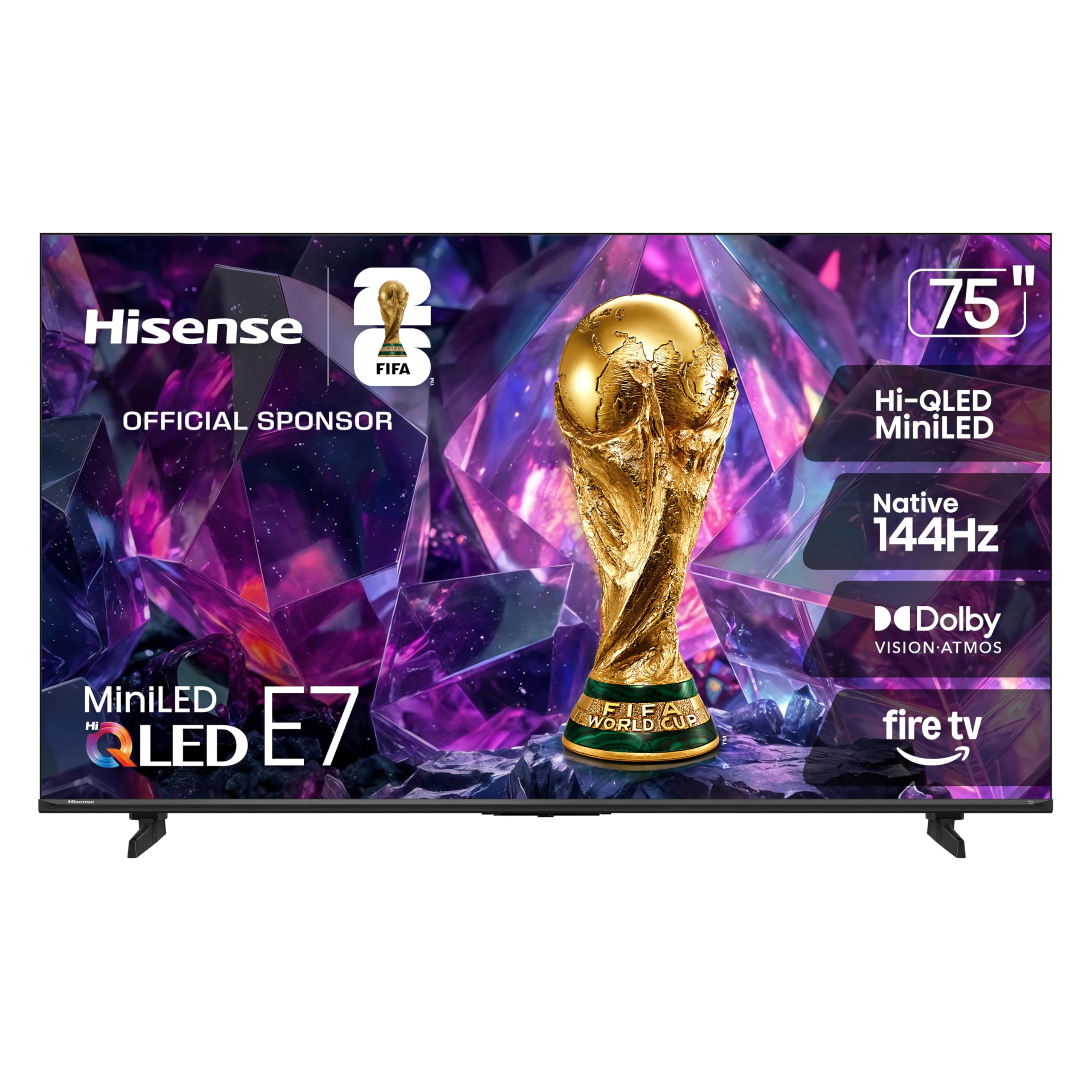
The cinema-first pick with Filmmaker Mode that lets you watch exactly as the director intended.
This Hisense is the one for people who treat movie night as an event. The Hi-QLED Mini-LED panel uses thousands of precise light zones to reveal deeper shadows and brighter highlights, so a dimly lit thriller holds its detail while a sunny landscape pops. Filmmaker Mode preserves the original aspect ratio, color, frame rate, and sound — meaning no motion smoothing or color shifting, just the director’s vision. The Total HDR Solution supports Dolby Vision IQ, HDR10+ Adaptive, HDR10, and HLG.
The AI suite does the adjusting for you. AI Picture analyzes content scene by scene and tune brightness, contrast, and color in real time, so you don’t need to fiddle with settings. AI Smooth Motion with MEMC reduces blur in fast scenes, and an AI Light Sensor detects ambient light and adjusts the backlight automatically for comfortable viewing at any time of day. AI Sports Mode instantly recognizes sports content and boosts crowd audio plus motion clarity to recreate the stadium feeling. Native 144Hz Game Mode keeps gaming fluid with low blur.
Owners love that it doubles as a secondary monitor for a Mac or PC, praising the fantastic refresh rate and rich colors. The Alexa voice remote is highlighted as excellent for vision-impaired users — the blue button is easy to find. At 4.4 stars across 227 owners, the picture is called crisp with deep blacks and high detail. The minority complaint is quality control: a few owners hit constant Wi-Fi drops, remote pairing failures, or black-screen crashes that require a factory reset. Also note the 2.88-inch base depth means the stand isn’t tiny.
Ideal for: dedicated movie fans and PC users who want a big panel that also works as a crisp second monitor.
Be aware: a small share of units arrive with software or Wi-Fi glitches — buy from a seller with easy returns if that keeps you up at night.
10. Sony 75 Inch BRAVIA 3 LED 4K HDR Smart Google TV

The Sony that hands PlayStation 5 owners exclusive picture tuning, wrapped in a trusted brand name.
If you own a PS5, this BRAVIA 3 has features no other brand offers. Exclusive PlayStation 5 modes — Auto HDR Tone Mapping and Auto Genre Picture Mode — tune picture quality for gaming and streaming automatically, so your console looks its best without manual adjustment. The Game Menu puts all gaming picture settings and assist features in one place. Under the hood, the 4K HDR Processor X1 enhances every scene in real time, boosting color, contrast, and clarity, while Triluminos Pro reproduces over a billion accurate colors for lifelike picture quality.
The bonus here is actual content: 5 credits to redeem on latest-release movies and 12 months of subscription on hundreds of classics through the Sony Pictures CORE app. Motionflow XR keeps fast-moving sports and movies blur-free, and the X-Balanced Speaker plus Dolby Atmos support delivers clear natural sound. Setup is straightforward overall, though a few owners note it can be complex for seniors and may need a tech-savvy hand. It’s Google TV with Google Assistant, plus AirPlay 2 and Chromecast built in.
What owners praise most is picture quality — 185 owners single it out, calling it life-like on high-def channels with deep blacks that don’t crush shadow detail. The 4.3-star rating from over 1,500 owners is a solid proof point. The mixed notes: some reviewers point out needing to adjust picture settings per input, and sound quality splits opinion between superb and merely adequate (a soundbar was a common pairing). It’s a 60Hz panel, so it’s less about competitive gaming smoothness and more about cinematic accuracy.
Final word: The go-to for PS5 owners who want console-specific tuning and Sony’s trusted processing; casual viewers should weigh whether the brand premium is worth it over the 144Hz gaming sets.
11. TCL 75 Inch Class QM64L Series Mini LED QLED 4K HDR Smart Fire TV
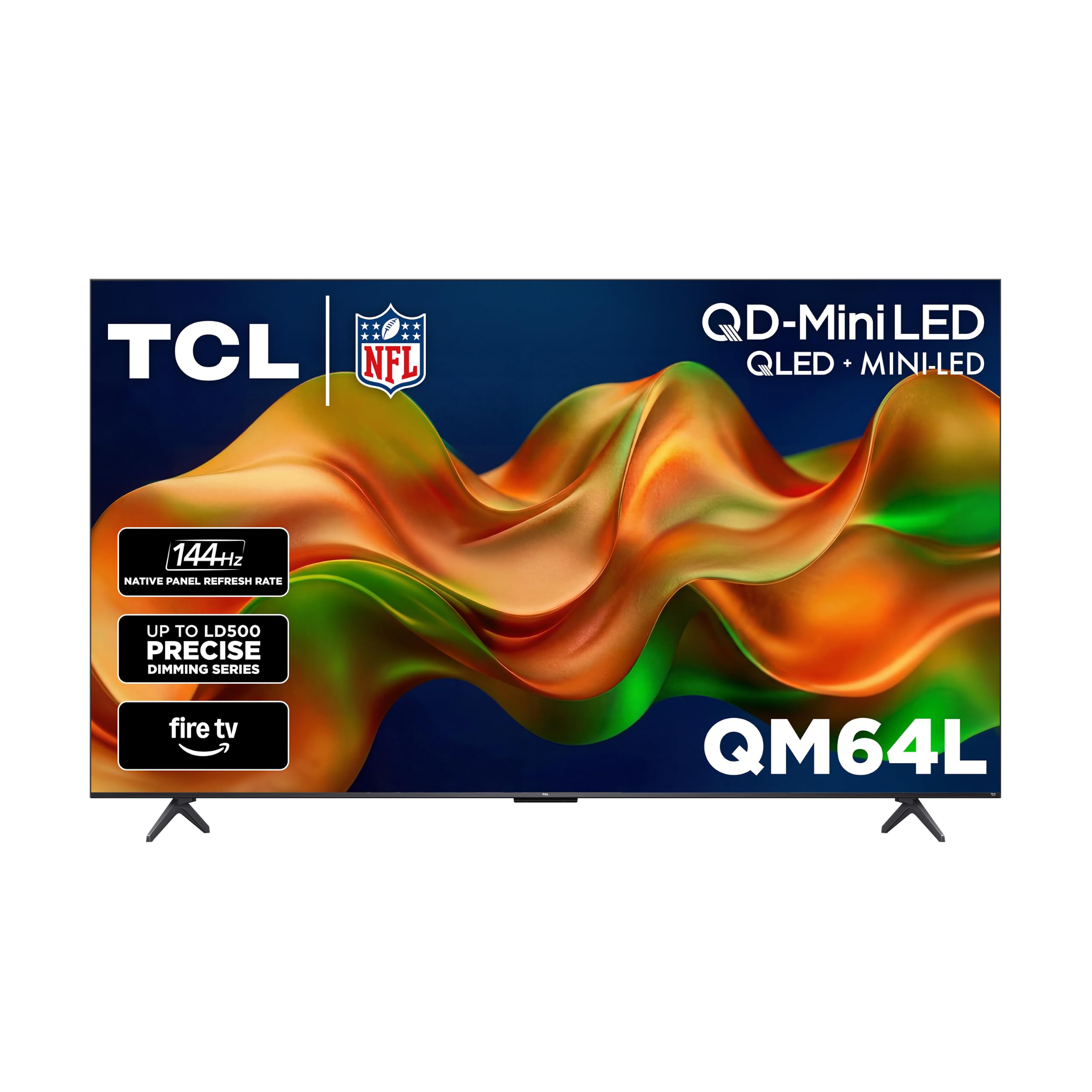
The high-brightness flagship that stays vivid even next to a sunny pool — with a 100,000-hour panel life.
The QM64L is TCL’s step-up that targets one thing above all: brightness that survives any room. High Brightness Pro provides a great picture in virtually any lighting environment — one owner set it up next to a pool under umbrellas and found it bright enough for outdoor daytime viewing. The QD-Mini LED panel uses TCL’s Halo Control System, an advanced tech suite with a super high-energy LED microchip, condensed micro lens, and dynamic light algorithm for “halo-free” images. Enhanced QLED uses more vibrant quantum crystals, reproducing nearly all the DCI-P3 color space.
The panel is rated for 100,000 hours of use, a durability spec that stands out in this price range. A 144Hz refresh rate keeps sports and games smooth, with Local Dimming Pro dynamically adapting to content for deep blacks. Dolby Vision and Dolby Atmos provide the cinematic HDR and audio pairing, and it’s Fire TV with Alexa+ remote, meaning the over 1.8 million movies and TV episodes from Prime Video, Netflix, Disney+, and more are one click away. It also has an Ambient Light Sensor and wide viewing angle.
Owners describe the picture as “WOW” — superb clarity, good viewing angles, and easy setup in under 30 minutes. At 4.4 stars across 178 owners, quality is praised most (51 mentions), with brightness and color close behind. The trade-off: the Fire TV software itself draws the recurring criticism, with owners calling it slow, with a remote that needs precise aiming and occasional responsiveness issues. Several owners solved this by adding an external streaming stick. The glass is also glass — an occasional unit ships damaged.
Why it stands out
- High Brightness Pro holds up in sunny outdoor spaces
- 100,000-hour rated panel life
- Enhanced QLED covers nearly all DCI-P3 color space
Where it stumbles
- Fire TV interface is the recurring complaint — slow with occasional responsiveness issues
- Remote needs precise aiming to work well
The bottom line: The pick for bright, open spaces where lesser panels wash out — just plan on using an external streaming device to get around the sluggish Fire TV software.
Understanding the Specs
Backlight Technology: LED vs QLED vs Mini-LED
The backlight is what lights your screen from behind. Standard LED is the budget baseline — fine for most rooms but with limited contrast between bright and dark areas. QLED (quantum-dot LED) adds a layer of tiny crystals that make colors richer and more vibrant. Mini-LED takes that further by shrinking the lights into hundreds or thousands of precise zones, so dark parts of the screen can go truly dark while bright parts stay bright — the closest thing to premium OLED without the premium price.
Refresh Rate: the smoothness number
Measured in hertz (Hz), this is how many times the screen redraws the image each second. A 60Hz panel is fine for dramas and news, but in fast sports or games, motion can look slightly blurry or stutter. A 144Hz panel redraws more than twice as often, so fast action stays sharp and fluid. Some sets advertise “DLG 120Hz” or “Motion Rate 480” — these are motion-enhancement technologies that estimate extra frames, not true native refresh, so check the native hertz for accurate comparison.
HDR Formats: what “better picture” really means
HDR (high dynamic range) expands the range between the brightest whites and deepest blacks your screen can show. Dolby Vision IQ, HDR10+, and HDR10 are the common formats, and which ones a TV supports decides how good HDR content looks. Dolby Vision IQ and HDR10+ Adaptive go a step further, adjusting the picture based on your room’s lighting. A Total HDR Solution TV that supports multiple formats is more future-proof for whatever you stream.
Smart OS: Fire TV vs Google TV vs Tizen
This is the software you’ll navigate every single day. Fire TV (Amazon) bundles free channels via Fire TV Channels and tight Alexa voice integration. Google TV offers a clean, fast interface with easy casting from Android and iPhone. Samsung’s Tizen is reliable with Samsung TV Plus free channels. Your choice here shapes your daily experience more than any single picture spec, so pick the ecosystem you already live in.
FAQ
Why is a 70 inch TV so hard to find these days?
Is 144Hz worth paying extra for on a budget TV?
What’s the difference between Mini-LED and QLED?
How many HDMI ports do I really need for a 75 inch TV?
Is a built-in subwoofer good enough, or do I still need a soundbar?
Can one person mount a 75 inch TV alone?
What’s the difference between Fire TV and Google TV for a big screen?
Are cracked screens a common problem with large budget TVs?
Should I buy a budget 75 inch TV or a smaller premium 65 inch?
What does native refresh rate mean versus Motion Rate or DLG 120Hz?
Will a 75 inch TV fit in my room?
Which HDMI port standard matters for next-gen consoles?
Final Thoughts: The Verdict
For most buyers, the budget 70 inch tv winner is the INSIGNIA 85″ F50 because it delivers the biggest screen possible at a price that feels impossible — 85 inches of 4K HDR10 with Fire TV built in, backed by over 11,000 owners approving at 4.3 stars. If you want the smoothest gaming performance on a budget, grab the iFFALCON 75 with its native 144Hz and four HDMI 2.1 ports. And for a bright, sunlit living room where glare kills most budget sets, the Hisense U6 Pro with its anti-reflection screen and built-in subwoofer is the one to reach for. Whatever you choose, prioritize Mini-LED over standard LED for contrast, check the native refresh rate in hertz for motion smoothness, and pick the smart platform — Fire TV or Google TV — that already matches your daily habits.
How We Picked
We do not accept paid placement. Every pick is matched to a real buyer and a real use-case; we do not hands-on test units.
Sources & Methodology
Specifications: manufacturer listings and product documentation. Review insights: verified customer reviews, as of August 2026. Pricing: not shown on this page (it changes often); check the current price via the retailer link.
As an Amazon Associate, FitlyFast earns from qualifying purchases. This does not affect which products we feature.