
Our readers keep the lights on and the weekend projects moving. As an Amazon Associate, I earn from qualifying purchases.
Specs are compiled from manufacturer listings and verified buyer reviews and can change over time — please confirm the key details on the product page before buying.
A 75% keyboard keeps the arrow keys and function row you actually use, then trims everything else so your mouse gets the whole desk. That shift from a full-size slab to a compact 80-ish-key board is the single biggest upgrade you can make to a cramped setup, and it does not have to cost a fortune. The real question is which one delivers a satisfying feel without exceeding your budget.
I’m Rikta — the founder and writer behind FitlyFast. This guide is built by comparing the manufacturers’ published specifications and the patterns across verified customer reviews, so you get each pick’s real strengths and trade-offs instead of marketing spin.
The best budget 75% keyboard balances a creamy typing sound, a hot-swappable board for future mods, and dependable wireless that lasts your whole workweek.
Our Picks at a Glance


How To Choose The Best Budget 75% Keyboard
If you game and type in the same spot, a 75% keyboard gives you the arrow keys and F-row you need while dropping the numpad, so your mouse has room to move. The layout is the same across most boards, so your real choice depends on a few features that affect how it feels every day.
Sound and feel: gasket mount vs. tray mount
A gasket mount cushions the plate between layers of soft material, which soaks up the hollow “ping” you hear on cheaper boards. It gives you that deep, muted “thock” sound that keyboard enthusiasts chase. Tray-mounted boards screw the plate directly to the case, which feels firmer but tends to sound clackier and more hollow.
Hot-swappable switches: your keyboard’s future-proofing
Hot-swappable means the switches just pull out, letting you trade a linear switch for a clicky or tactile one in seconds — no soldering iron involved. This is the feature that lets a budget board grow with you. Its sockets accept 3-pin and 5-pin switches, covering nearly every switch on the market, so you can customize the feel and sound down the road.
Wired, wireless, or both: the battery question
Wired boards are simple and lag-free, but a wireless board with a large battery frees your desk from cables entirely. Look at the mAh rating to estimate real runtime: a 4000mAh battery tends to last a full workweek, while an 8000mAh unit can stretch for weeks. If you game competitively, you will likely use the 2.4GHz dongle mode for its stable, low-latency connection.
Quick Comparison
| Model | Best For | Connection | Battery | Switches | Amazon |
|---|---|---|---|---|---|
| Fogruaden Wired 75%★ Best Overall | Pure budget wired value | USB-A Wired | — | Red Linear | Amazon |
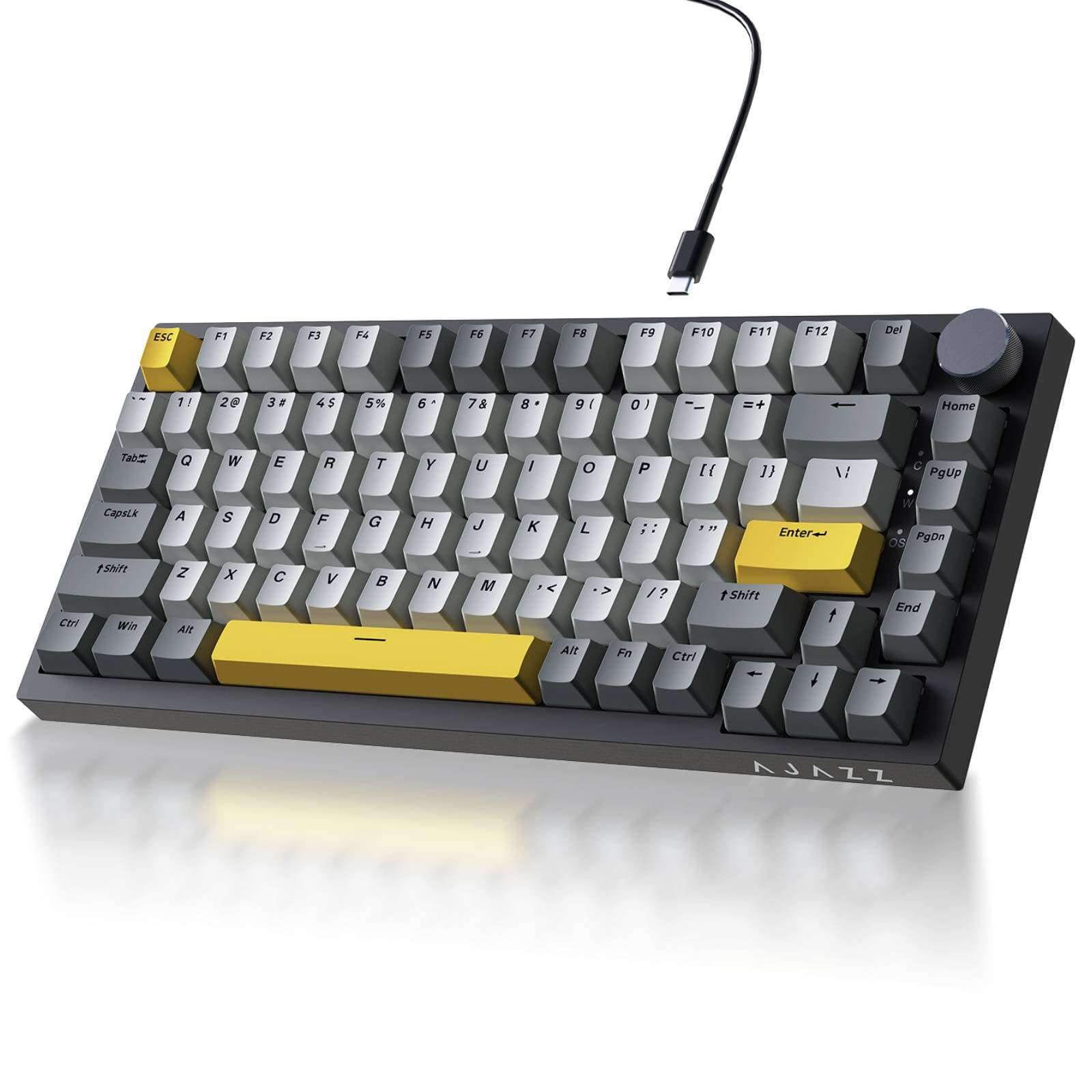
| Ajazz AK820Best Value | Creamy sound on a budget | Wired | — | Pre-lubed Linear | Amazon |
| Fogruaden MatchaQuiet Pick | Quiet office typing | USB-A Wired | — | Red Linear | Amazon |
| SOLAKAKA A75 | Tri-mode wireless value | 2.4GHz / BT5.0 / USB-C | 4000mAh | LEOBOG Reaper | Amazon |
| RK Royal Kludge R75 | Pro-grade software tuning | BT5.1 / 2.4GHz / USB-C | 4000mAh | Cream Linear | Amazon |
| EPOMAKER EA75 Max | On-board screen & silent keys | 2.4GHz / BT5.0 / Type-C | 5000mAh | Silent Lubed | Amazon |
| AULA S75 Pro | Custom GIF screen & thock | BT5.0 / 2.4GHz / USB-C | — | Pre-lubed Linear | Amazon |
| Womier WD75 V2 | Wooden style & huge battery | BT 3.0/5.0 / 2.4GHz / USB-C | 8000mAh | POM Linear | Amazon |
In‑Depth Reviews
1. Fogruaden Wired 75% Mechanical Keyboard
The wired pick that gives you a genuinely quiet board without a single cable of wireless complexity.
If you want a quiet, dependable board without worrying about charging, this one fits. Its linear red switches (a type that presses smoothly with little resistance) and the PC positioning plate plus a bottom silent sponge muffle the noise, so buyers report it fits right into an office or a quiet room. Multiple owners describe the experience as “extremely smooth and silent,” a rare compliment at this price.
With 82 keys, the compact layout leaves plenty of room for mouse movement during gaming — one owner put it plainly: “It is perfect for gaming to have more space for a big mousepad.” The N-key rollover (a feature that lets you press many keys at once without conflicts) keeps every input registered, whether you are gaming, typing, programming, or writing. It connects over USB-A and works with Windows 7, 8, 10 or later, and also supports Mac.
You get 18 RGB backlight modes plus 8 monochrome modes stored right on the board, so no software is required. The volume roller adds a tactile way to adjust audio, and the hot-swappable sockets accept both 3-pin and 5-pin switches, meaning you can upgrade the feel later without soldering. The flip side is that the RGB is preset-only; a few owners mention there is no software for individual per-key lighting control, so if you want to program every key’s color, this is not the board for that.
What wins people over
- Gaming performance and value for money are the two most-praised traits, each called out by a dozen-plus owners
- Genuinely quiet linear red switches with a thick, sturdy keycap set
- Hot-swappable 3-pin and 5-pin sockets for easy future mods
- NCrew RGB modes need no driver software
Where it comes up short
- No software for per-key RGB control, only presets and solid colors
- The stock switches feel a bit “tinny” to some ears compared to more expensive boards
- Occasional reports of the lights stopping; a quick FN+Space reset usually revives them
Bottom line: This is the best value wired 75% board for a gamer or typist who wants quiet and dependable, with the option to mod switches later.
Think twice if: You need per-key RGB software control or a wireless connection — this board is preset-only and strictly wired.
2. Ajazz AK820 TKL 75% Keyboard
A creamy, thocky sound and a metal volume knob make this the budget board that feels far above its tier.
The standout feature here is the sound. The gasket mount structure is layered with Poron sandwich cotton and high-density foam, which kills the hollow echo and delivers that deep “creamy, thocky” tone that keyboard enthusiasts hunt for. One buyer compared the quiet switches to the sound of “bubble wrap” — satisfying without being obnoxious, which makes it work for both gaming and office use.
The flex-cut PCB uses a single-key slotted design that boosts typing stability, and the pre-lubed sea salt moonlight linear switches are smooth and quiet right from the start. The south-facing RGB LEDs shine through the double-shot PBT keycaps, which resist oil and keep their legends from fading. You can cycle through 20 default lighting modes or open up full customization through the driver software, including music-rhythm effects.
At 11.86 inches long, it stays compact while keeping all the function keys you need. The non-slip metal volume knob lets you adjust or mute audio instantly, and the hot-swap PCB (a board that lets you pull out switches without soldering) accepts both 3-pin and 5-pin switches for easy DIY upgrades. As one owner summed it up: “Love the lights; sounds good and great if you are a gamer also great for office usage.” The recurring caution is long-term reliability — a few customers note key failure after about two months, so treat the switches gently.
Creamy by design: The gasket mount and foam layers make this one of the best-sounding budget boards, with quality and sound being the two most-praised aspects by far.
Watch the longevity: A minority of reports mention keys failing after a couple months, so this suits someone who wants great feel now rather than guaranteed years of abuse.
3. Fogruaden 75% Matcha Keyboard
A cushioned gasket mount and a silent sponge underneath make this the office-friendly quiet board that still sounds satisfying.
The defining trait here is the cushioned feel. Unlike the standard tray-mount design, the gasket mount places soft material between the plate and the housing on both top and bottom, so the plate is not touching other components directly. That gives a slightly softer typing experience and cuts unwanted noise without changing the tactile response. Combined with the linear red switches and a bottom silent sponge, this is a keyboard explicitly designed for quiet environments.
Owners consistently praise the sound and feel, with one calling the keys “like butter” and another noting the “deeper, less clacky sound” compared to older boards. The 82-key layout with 18 RGB modes and 8 backlight colors gives you visual flair without needing software. It is plug-and-play over USB-A and works with Windows 7, 8, 10 or later as well as Mac, and it also connects to gaming consoles. The included keycap puller and hot-swap sockets make it a great starting point for someone who wants to try modding later.
The Matcha colorway is a big part of the appeal — the appearance is among the most-mentioned positives. The honest caveat is reliability: a handful of buyers had units that completely stopped working, so a little luck is involved, though the majority find it a solid starter board.
Reach for this if: You want a cushioned, quiet typing feel in a distinctive color that turns heads on a shared desk.
Look elsewhere if: You demand flawless long-term reliability in every unit — the occasional dead board shows up in the complaints.
4. SOLAKAKA A75 Wireless Keyboard
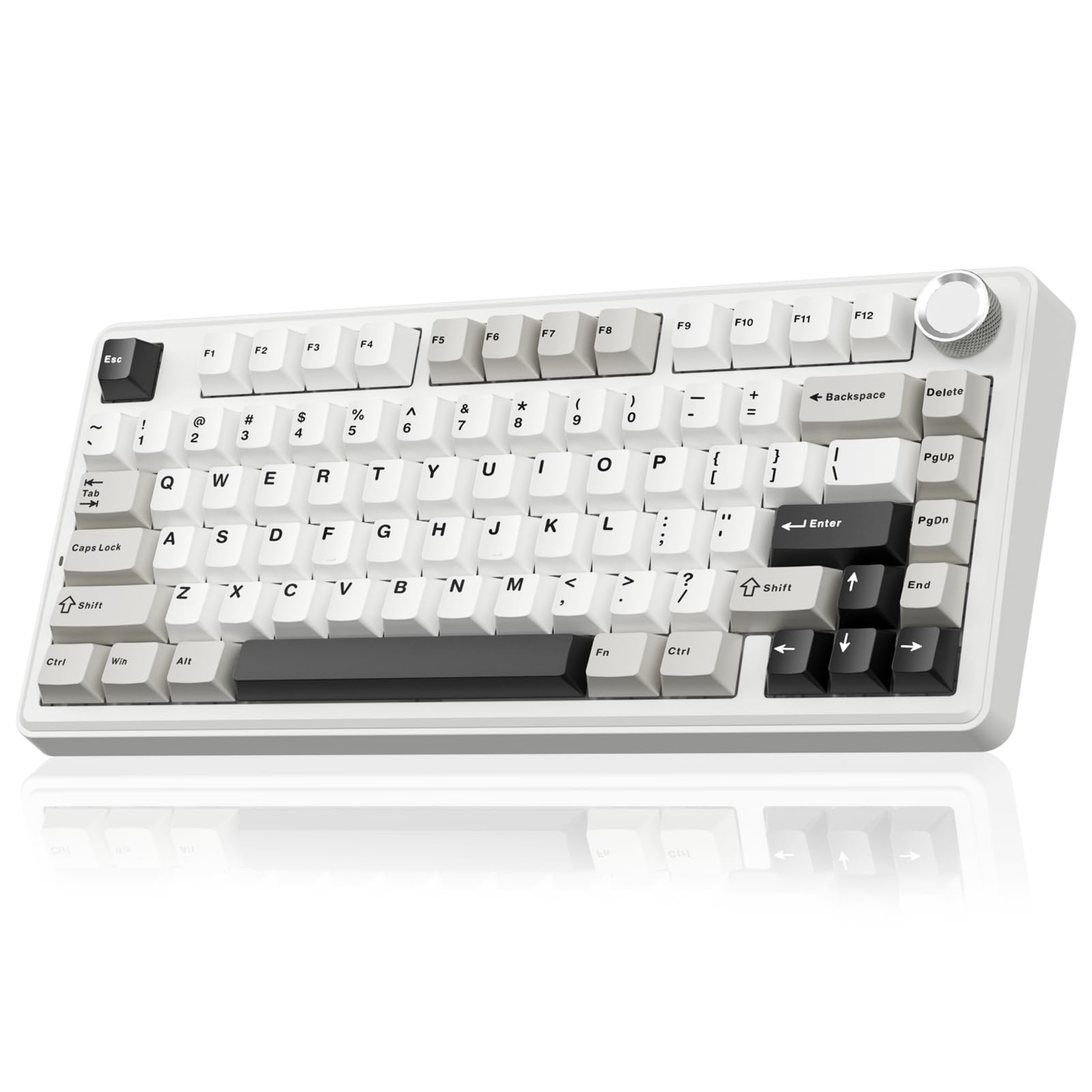
A tri-mode wireless board with a creamy sound and a 4000mAh battery that makes the cable optional.
This is the wireless pick that nails the feel of a much pricier board. It connects three ways — 2.4GHz wireless, Bluetooth 5.0, and USB-C wired — and can pair with up to five devices at once. The gasket mount structure layers IXPE shaft bottom padding, a PET voice actor pad, silicone base mat, and sound-absorbing cotton to kill cavity noise, producing that creamy keystroke sound with a soft hand feel. Owners call the sound “thocky” and “buttery,” with one declaring it the most satisfying sounding keyboard they have ever owned.
The 81-key layout keeps the essential arrow keys while saving desk space, and the multifunctional metal knob switches between gaming and office modes. In gaming mode, a short press cycles lighting patterns; in office mode, it mutes audio. The pre-lubricated LEOBOG reaper switches and stabilizers deliver precise, smooth keystrokes, and the full hot-swap supports both 3-pin and 5-pin switches for easy DIY. The double-shot PBT keycaps are sweat-resistant and fade-proof.
The 4000mAh battery is the practical highlight — several reviewers point out “amazingly long” battery life, and the board supports 17 lighting modes plus 10 driver-powered music-sync effects. It works with Windows, Mac, and iOS, and you can switch systems with simple Fn shortcuts. The one thing to know: the programmable software only runs on Windows and works in wired mode, so Mac-only users miss out on customization.
Sound-first wireless: Sound quality is the most-praised trait with over 20 owners calling it out, closely followed by the build quality — this is a genuinely solid, weighty board.
A Windows app caveat: The full driver customization is Windows-only and wired-only, so it is best for PC users who want the software flexibility.
5. RK Royal Kludge R75
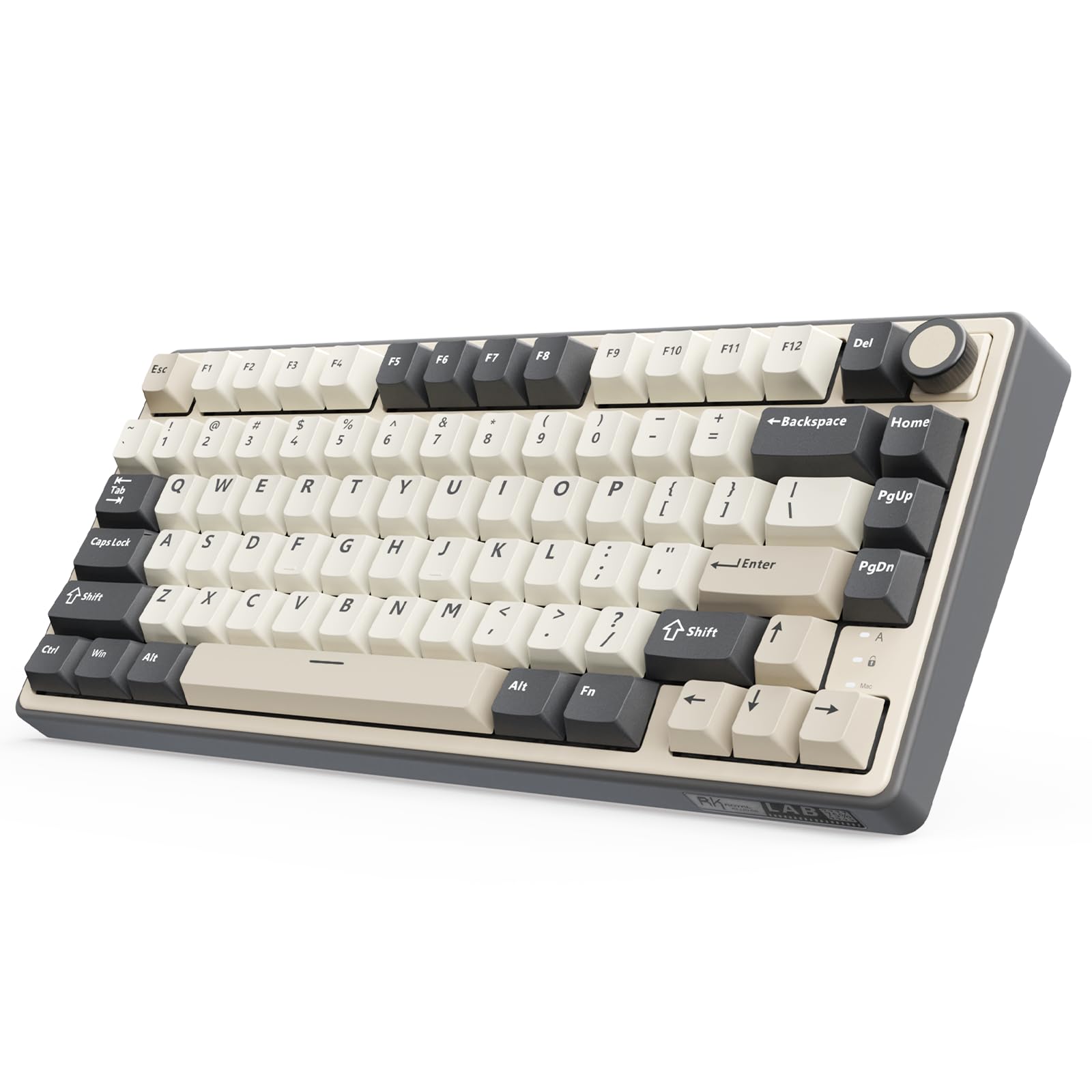
The tinkerer’s budget board, with QMK/VIA remapping and a hot-swappable metal knob that takes any switch.
This is the pick for people who want to make their keyboard truly their own. Beyond the standard features, the R75 supports QMK/VIA — open-source software that lets you remap every key and record macros on macOS, Windows, or Linux. That is a level of customization usually reserved for boards twice the price. The hot-swap PCB accepts 3-pin and 5-pin switches, and even the CNC metal volume knob is replaceable with one of the included cream switches if you want a custom key there instead.
The typing experience is anchored by the pre-lubed cream switches, known for a smooth, creamy sound that stays quiet enough for late-night sessions. The gasket mount uses five layers of sound-absorbing material with Poron cotton cushioning between the PCB and casing, cutting key noise and vibration. A 1.2mm single-key slotted PCB registers each press with accuracy and stability. Owners praise the satisfying sound and the easy-to-understand switch for off, Bluetooth, and wired modes.
The 4000mAh battery (a unit of battery capacity) delivers at least 7 days of use, and longer if you turn the RGB off. With over 20 built-in backlight modes, you get plenty of visual variety. The 80-key layout with dedicated arrows fits comfortably under your hands. The catch is reliability over time — the most-discussed negative is keys stopping after about 6 months in a minority of units, so this is best for someone who enjoys tweaking and is comfortable with a small longevity risk.
The case for it
- QMK/VIA support for deep remapping on any OS
- Hot-swappable 3/5-pin PCB and even a swappable knob
- Over 20 RGB modes with a 4000mAh battery rated for 7+ days
- Five-layer gasket damping for a creamy, quiet sound
The honest trade-offs
- Functionality is the most mixed aspect, with some keys failing after months of use
- Learning curve to master the modes, hotkeys, and charging routine
6. EPOMAKER EA75 Max
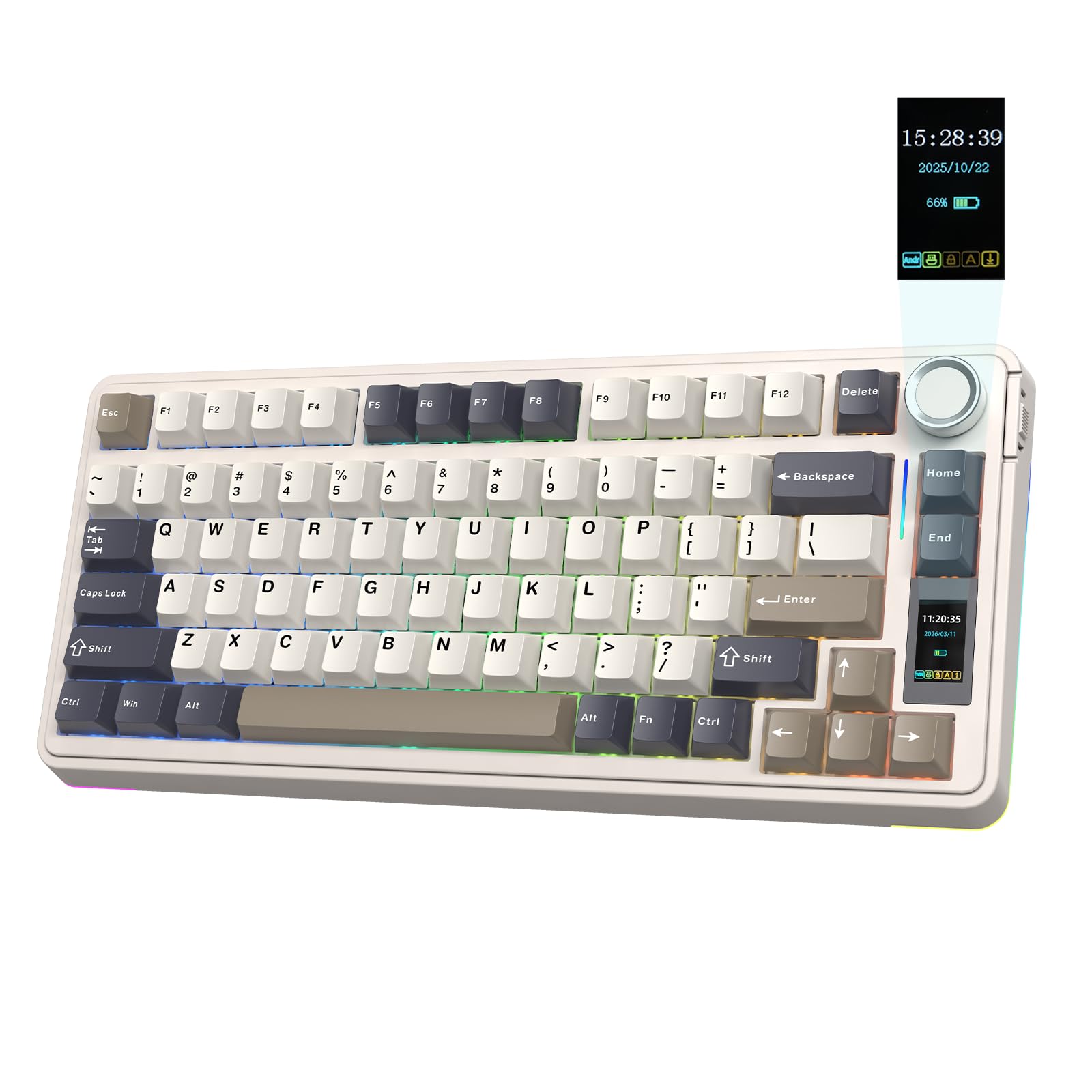
A TFT screen and silent Cotton Candy switches push this wireless board squarely into premium territory.
The EA75 Max earns its premium spot with a brilliant TFT screen that does far more than look pretty. It displays your favorite GIFs, monitors battery life, shows connectivity status and operating modes, and gives you real-time feedback as you twist the multifunction knob to adjust RGB or volume. This is the rare budget-adjacent board where the screen is genuinely useful, not just a gimmick. It runs on a 5000mAh battery, which shoppers say lasts about a week of regular use.
The typing experience is defined by the factory-lubed silent Cotton Candy switches. Multiple owners call the operation “silent” and “crazy fast,” with one even joking that the quiet keys saved their marriage. The 5-layer dampened gasket structure cushions every bottom-out for a soft, flexible feel, and the cherry-profile keycaps in gradient height match the natural movement of your fingers. The 80-key layout keeps dedicated arrows while freeing up desk space.
It connects via 2.4GHz, BT5.0, or a Type-C cable, and works with Windows, Mac, and Android. The double-shot injection-molded PBT keycaps lock the legends inside so they never fade, and the MX-style keycaps plus 5-pin switches are swappable with the included 2-in-1 tools. A 2-stage adjustable kickstand lets you dial in your typing angle. The main note: the software customization runs only on Windows in wired mode, and Mac modifier keycaps are not included.
Choose this if: You want the most feature-dense board here — a real screen, silent switches, and a week-long battery in one package.
skip it if: You need full macro software on a Mac, since the driver is Windows-only and wired-only.
7. AULA S75 Pro

A crisp LCD screen, a tactile knob, and a deep thocky sound make this the community’s favorite screen board.
The S75 Pro is the board that keyboard enthusiasts keep recommending to each other. Its LCD screen shows battery status, date and time, operating system, and GIF images, all controlled through a multifunction knob with a satisfying tactile bump. The sound is the other star: owners describe it as “thocky,” sitting right between creamy and clacky, with a soft feel that comes from five layers of filling silencer and a PCB with single-key slotting. One owner reported typing at 120-135 words per minute on it with ease.
Connectivity is fully tri-mode with BT5.0, 2.4GHz wireless, and USB-C, and it can save up to five devices. It works across Windows, Mac, iOS, and Android, pairing easily with PCs, laptops, tablets, smartphones, PS, and Xbox. The 80-key layout keeps the arrow cluster intact, and the side-printed PBT keycaps use a double injection molding and heat sublimation process so they resist fading and sweat. South-facing LEDs illuminate each key through the font for accurate typing in the dark.
The RGB system offers 19 lighting effects with over 16.8 million colors, all switchable through the knob, software, or shortcuts. Every key supports macro customization through the S75 Pro driver. A few honest notes: the screen only calibrates its date and time on Windows in wired mode, the RGB is standard rather than shine-through, and battery life runs roughly 20 hours with full RGB or up to a week with sleep enabled. Quality and sound quality are far and away the most-praised traits here.
The crowd favorite: Quality and sound quality top the charts with over 70 and 60 mentions respectively, and the screen feature earns its own devoted praise.
Two setup quirks: The driver is Windows-only in wired mode, and the RGB does not shine through the keycap legends — check that before you buy.
8. Womier WD75 V2
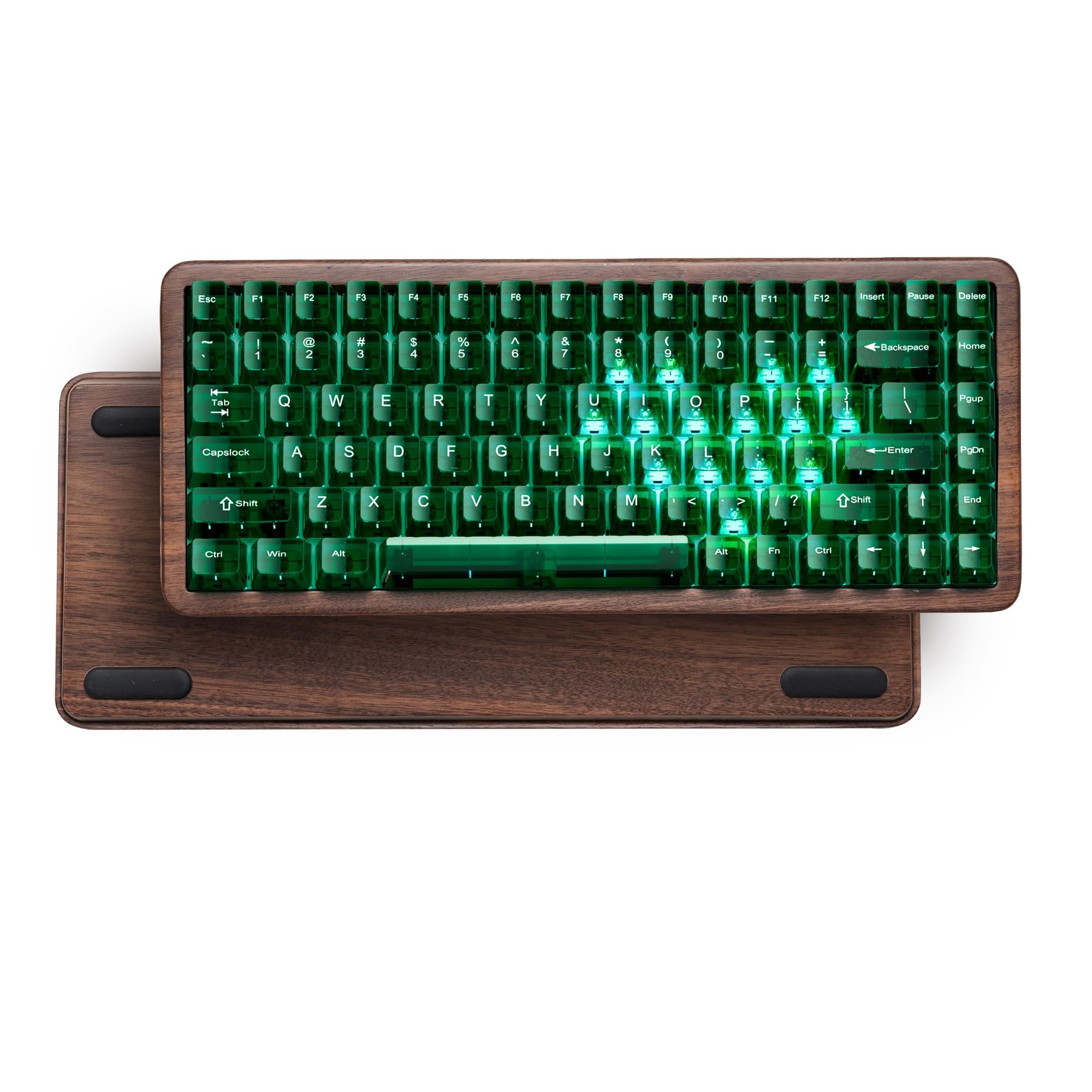
A real walnut wood shell and an 8000mAh battery make this the most distinctive board on the list.
This is the keyboard that breaks the plastic mold. The WD75 V2 wraps itself in a polished walnut wood shell, a material so unusual that owners say it “stands out from typical plastic keyboards” and improve the whole desk. The wood is surprisingly practical too — one owner found it lighter than aluminum while feeling dense and premium, and called the build quality better than any Razer, Logitech, or Dell board they had used. The dark brown finish pairs with a green translucent keycap set for a look that is genuinely unique.
The battery is the other headline: a massive 8000mAh cell that buyers report lasting days on heavy use, with one noting it held about 90% charge after several days of 10-hour daily typing. It connects via USB-C wired, Bluetooth 3.0/5.0, or 2.4GHz wireless, pairing up to three devices. The full POM linear switches offer a 55 gf actuation force with 2.0mm pre-travel, giving instant response while still preventing accidental keystrokes. Five layers of sound-absorbing fillings deliver a soft, cushioned feel with a delightful sound.
The south-facing RGB LEDs and MDA-profile keycaps spread light evenly across the board. As a QMK/VIA board, you can remap every key on macOS, Windows, or Linux — though remapping happens in wired mode. Two honest caveats: the stock keycaps are not shine-through, which is tough in dark rooms, and several owners recommend upgrading them for both looks and sound. VIA setup documentation is also sparse, so expect a small learning curve.
Pick this if: You want a conversation-piece keyboard with a real wood shell and the longest battery life of the entire list.
Pass on it if: You type in the dark with the stock caps, or you want a plug-and-play board with zero setup tinkering.
Understanding the Specs
Gasket Mount
A gasket mount suspends the plate on soft material between the plate and the case, isolating it from the hard shell. This cushions each keystroke and absorbs the hollow echo that cheap keyboards produce, giving you a deeper, softer sound. If you want a quiet, premium feel, look for a board with a multi-layer gasket structure and sound-dampening foam.
Hot-Swappable Sockets
Hot-swappable means the switches pull straight out with a tool, no soldering needed. This lets you change from a linear to a tactile or clicky switch in seconds, completely reshaping how the board feels. Most modern boards accept both 3-pin and 5-pin switches, which covers virtually every switch on the market.
mAh and Battery Life
Milliamp-hours (mAh) measures the battery’s capacity. A 4000mAh battery typically powers a wireless board through a full workweek of use, while an 8000mAh unit can stretch for weeks. Turning off the RGB backlight extends runtime dramatically, so decide if you want constant color or maximum battery endurance.
PBT vs ABS Keycaps
PBT keycaps resist oil and shine far better than ABS, keeping their texture and legends for years. Double-shot injection molding locks the lettering inside the plastic, so it never fades from heavy typing. If you spend hours at the keyboard, PBT is the material that holds up to daily abuse.
FAQ
What does a 75% keyboard give up compared to a full-size one?
Is a 75% keyboard good for gaming?
What is the difference between linear, tactile, and clicky switches?
How long does a wireless 75% keyboard battery last?
What does hot-swappable actually mean for me?
Do these keyboards work with Mac?
What is QMK/VIA and why should I care?
Are PBT keycaps worth looking for?
Can I swap the keycaps to change the look later?
Is a wired or wireless 75% keyboard better for competitive gaming?
Final Thoughts: The Verdict
For most people, the budget 75% keyboard winner is the Fogruaden Wired 75% because it delivers a genuinely quiet, dependable typing experience at an entry-level price with hot-swappable sockets for future upgrades. If you want a creamy, thocky sound with a metal volume knob, grab the Ajazz AK820. And for a wireless board with a huge battery and a wood shell that turns heads, the Womier WD75 V2 is the one to reach for.
How We Picked
We do not accept paid placement. Every pick is matched to a real buyer and a real use-case; we do not hands-on test units.
Sources & Methodology
Specifications: manufacturer listings and product documentation. Review insights: verified customer reviews, as of August 2026. Pricing: not shown on this page (it changes often); check the current price via the retailer link.
As an Amazon Associate, FitlyFast earns from qualifying purchases. This does not affect which products we feature.