
Our readers keep the lights on and the weekend projects moving. As an Amazon Associate, I earn from qualifying purchases.
Specs are compiled from manufacturer listings and verified buyer reviews and can change over time — please confirm the key details on the product page before buying.
There is a wide gap between how much performance you can buy for your money and how much a single fan maker charges you for a single fan. If you are building a PC on a tight budget, that gap is where the smart picks live. You want addressable RGB lighting and reliable cooling without spending more on fans than on your CPU cooler itself, and the options in this guide deliver exactly that — they prove you do not need the most expensive name to get a quiet, bright, and efficient setup.
I’m Rikta — the founder and writer behind FitlyFast. This guide is built by comparing the manufacturers’ published specifications and the patterns across verified customer reviews, so you get each pick’s real strengths and trade-offs instead of marketing spin.
Here is the bottom line up front: a handful of fan packs under thirty dollars now match or beat the airflow and noise specs of models costing twice as much, and this review covers the eight best budget ARGB case fans on Amazon right now — with specific numbers for speed, airflow, and noise so you know exactly what you are buying.
Our Picks at a Glance


How To Choose The Best Budget ARGB Case Fans
Picking the right budget fan pack depends on matching your specific build needs — radiator cooling, case airflow, or pure RGB show — with the specs that matter. Here are the three key factors to look at.
Choose your RPM and your noise ceiling
Maximum fan speed, measured in rotations per minute (RPM), determines how much air moves — but higher speed almost always means more noise, measured in decibels (dBA). A fan spinning at 1,500 RPM is often quiet enough to be a daily driver (under 26 dBA is whisper-level). Pushing past 2,000 RPM gets you more cooling but typically crosses into the low hum you will hear through your case. A PWM (pulse-width modulation) connector, the standard 4-pin header, lets your motherboard automatically adjust speed so the fans only spin fast under load.
Airflow versus static pressure
Two numbers describe a fan’s cooling power: airflow, measured in cubic feet per minute (CFM), and static pressure, measured in millimeters of water column (mm-H₂O). High static pressure pushes air through tight spaces like radiator fins or dust filters. High CFM is best for unrestricted case intake and exhaust. A budget fan that delivers at least 60 CFM and 1.5 mm-H₂O is a good all-rounder; below those numbers, it may struggle on a radiator or a mesh front panel.
Bearing type and long-term quiet
Budget fans use either sleeve bearings, hydraulic bearings, or fluid dynamic bearings (FDB). FDB and hydraulic bearings use a lubricant film that reduces friction and keeps the fan quiet for thousands of hours. Sleeve bearings are cheaper but dry out faster and get noisy over time. If you want fans that stay silent after a year of daily use, look for FDB or hydraulic bearing fans in the specs.
Quick Comparison
| Model | Best For | Max RPM | Airflow (CFM) | Noise (dBA) | Amazon |
|---|---|---|---|---|---|
| Thermalright TL-C12CW-S 5-Pack★ Best Overall | Value & quiet balance | 1,550 | 66.17 | 25.6 | Amazon |
| ARCTIC P12 Pro A-RGB 3-PackHigh Static Pressure | High static pressure for radiators | 3,000 | 77 | — | Amazon |
| LTC CF-121D 3-PackDaisy-Chain King | Easy daisy-chain setup | 1,800 | 70.23 | 30.4 | Amazon |
| Cooler Master MF120 Halo² | Dual-loop RGB lighting | 2,050 | — | 27 | Amazon |
| ID-COOLING XF-12025-ARGB-TRIO 3-Pack | Silent operation at idle | 1,500 | 62 | 26.4 | Amazon |
| Galaxy 120mm 3-Pack | Lian-Li style looks on a budget | 2,000 | 62.36 | 29 | Amazon |
| Thermaltake LE120 ARGB 3-Pack | Brand-name reliability at a budget price | 1,500 | 66.1 | 25.2 | Amazon |
| Corsair RS120-R ARGB 3-Pack | Reverse-blade intake with visible RGB | 2,100 | 65.8 | 34.6 | Amazon |
In‑Depth Reviews
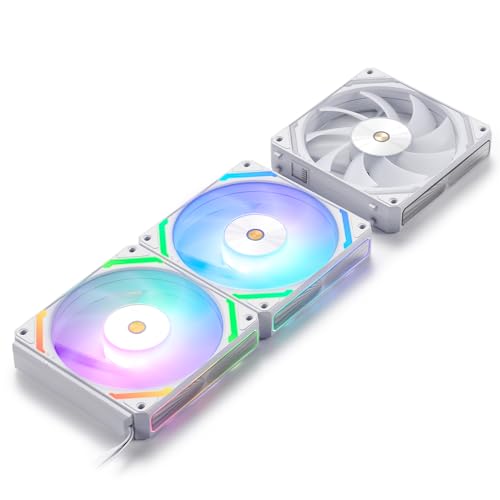
1. Thermalright 5 Pack TL-C12CW-S (White)
The five-pack that makes spending more per fan feel like a bad decision.
It is rare to find a fan pack that ticks every box at this price, but this Thermalright set does exactly that. You get five 120mm fans with a maximum speed of 1,550 RPM and an airflow rating of 66.17 CFM — enough to keep a mid-tower build cool without turning your desk into a wind tunnel. At just 25.6 dBA, the noise stays lower than the LTC fans (30.4 dBA) and well within the quiet range for any room.
The build uses S-FDB bearings, a type of fluid dynamic bearing that extends the fan’s lifespan and keeps the blades from shaking during lift mode, according to the manufacturer. Each fan comes with a 55 cm PWM cable for daisy-chaining, so you can run multiple fans off one motherboard header without a hub. The ARGB lighting supports up to 17 modes, and the frosted blades diffuse the glow evenly. What wins people over here is pure value — 91 buyers call out the value for money, making it the most-discussed aspect by a wide margin. As buyers report, “These could fail in three years and they’d still be worth the price.” The recurring theme in reviews is that the noise stays impressively low even at full speed, and the daisy-chain wiring keeps the build clean.
The only real trade-off? These are white fans. If your build is all-black, the aesthetic mismatch is something to consider. But for anyone building in a white or neutral case, this is the pick that sets the standard for what a budget fan pack should deliver.
What owners love
- Five fans for the price of one or two premium units — insane value per fan
- Daisy-chain PWM and ARGB cables included; no separate hub needed
- Quiet operation at 25.6 dBA with solid 66.17 CFM airflow
- S-FDB bearing for longer life and reduced blade shake
One honest note
- White color scheme only; may not suit all-black builds
The smart buy: Ideal if you want five fans with quiet operation, solid airflow, and ARGB lighting — all without needing a separate hub.
Think twice if: You have a strict all-black aesthetic and cannot tolerate white fans in your case.
2. ARCTIC P12 Pro A-RGB 3-Pack
The radiator specialist that spins at 3,000 RPM when you need maximum push.
If your build includes a thick radiator or a dense mesh front panel, raw airflow is only half the story — you need static pressure to force air through the resistance. This ARCTIC P12 Pro delivers exactly that, with a confirmed static pressure around 7 mm-H₂O (buyers measured it themselves), far beyond the typical budget fan. The weight difference tells the story too: at 185 g, this pack feels substantially more sturdy than the 100 g Thermalright set.
The fan uses a fluid dynamic bearing (FDB) that self-lubricates for quieter, longer operation. At less than 5% PWM signal, the fan stops completely — zero RPM mode for near-silent idle. The redesign of the rotor blades balances high-speed performance with low noise, though owners mention that above 70% speed the fan becomes audible (normal for any fan at this RPM). The ARGB lighting is handled via a standard 5V 3-pin connector, and owners confirm it works with open-control software like FanControl and SignalRGB — no proprietary app required. The crowd favorite takeaway is that this
The catch is the 3-pack limitation — you get only three fans, compared to five from the Thermalright. If you need to fill a large tower case, you may need a second pack, which changes the value equation. Short cables are another note from some buyers, who recommend picking up simple PWM extension cables.
What gives it an edge
- Extremely high static pressure (~7 mm-H₂O) confirmed by owners — excellent for radiators
- Variable speed from 0 to 3,000 RPM via 4-pin PWM; complete stop below 5% PWM for silent idle
- Fluid dynamic bearing for self-lubricating, long-life quiet operation
- Redesigned blades balance performance with lower noise at low speeds
The practical trade-off
- Only 3 fans in the pack — a full-tower build may need two sets
- Cables are on the shorter side; some buyers add extensions
Reach for this if: You are cooling a dense radiator or mesh case and need high static pressure that beats almost every other budget fan at this price.
Look elsewhere if: You need more than three fans and prefer to keep wiring simple without adding extension cables.
3. LTC CF-121D 120mm 3-Pack
A three-pack that prioritizes simple cabling and bright, even lighting.
Some budget fan packs cut corners on connectors, leaving you with a rat’s nest of cables. The LTC CF-121D solves that with a slide-in, PIN-to-PIN daisy-chain mechanism — each cluster of fans uses just one cable for both power and ARGB, which keeps the back of your case tidy without aftermarket cable combs. The fans spin up to 1,800 RPM and push 70.23 CFM of air with 2.23 mm-H₂O of static pressure, a solid middle ground that handles both case intake and radiator duty reasonably well. The noise rating of 30.4 dBA is higher than the Thermalright’s 25.6 dBA — but still within acceptable range for a case that sits under a desk.
The ARGB implementation uses a central lighting zone plus side-strip illumination, which customers note is bright and matches other RGB gear well. Builders who value easy installation repeatedly praise the quick cable system. After a year of daily use, reviewers point out the fans run 8+ hours a day with no issues. The rubber corner pads reduce vibration transfer, and the HDB bearings (a type of hydraulic bearing) aim for low-friction longevity. One buyer’s candid line sums it up: “Easy install, quite, and look awesome.”
The honest downside: a few owners mention that after extended use, individual fans developed noise — suggesting the bearing consistency may not match the top-tier packs. The build quality receives mixed feedback, with some calling it “a little cheap in build quality” while still praising the overall value. For a first build or a non-PC-primary-use system, these are a smart pick.
The big strength
- Truly simple daisy-chain: one cable per fan cluster for clean cable management
- Solid airflow at 70.23 CFM and 2.23 mm-H₂O static pressure
- Bright ARGB with central and side lighting zones
- Rubber vibration pads on each corner
The honest caveat
- Noise at 30.4 dBA is louder than the quietest budget picks
- Occasional bearing noise after extended use reported by a few owners
Best for: Anyone who prioritizes quick, clean cable management and wants bright ARGB lighting without a complicated setup process.
skip it if: You are noise-sensitive and need fans that stay below 27 dBA at medium speeds.
4. Cooler Master MF120 Halo²
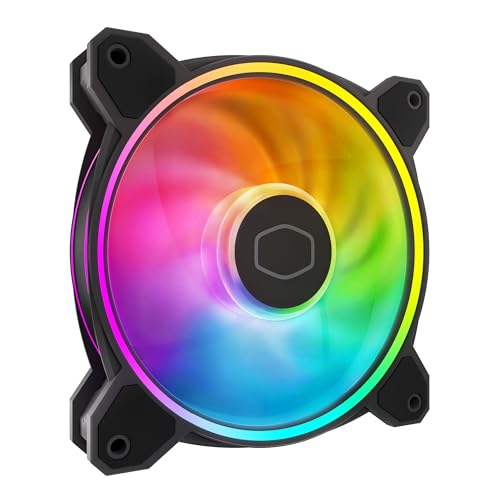
Dual-loop ARGB rings that are 50% brighter than standard single-ring designs.
The MF120 Halo² is the fan you pick when the lighting matters as much as the cooling. Cooler Master’s dual-loop addressable RGB design uses frosted blades to diffuse the light evenly, and owners consistently call the illumination “stunning” — it is noticeably more vivid than single-loop competitors. The 2,050 RPM maximum speed is paired with a noise rating of 27 dBA, keeping the sound profile reasonable even at full speed. The fan uses a hybrid frame design that improves stability while simplifying installation, and the PWM 4-pin header allows adjustment from 0 to 2,050 RPM to balance acoustic and thermal needs.
One important compatibility note: the included RGB controller uses a proprietary connector, and a few buyers mention it does not work directly with Asus AURA headers without an adapter. Most owners bypass the hub and daisy-chain the fans to the motherboard’s standard 5V 3-pin ARGB header, then use third-party software like SignalRGB for control. The fan blades are 10% larger than the previous generation, which helps maintain airflow even at lower speeds.
The main trade-off is the single-fan package — this is one fan, not a pack. If you need three or five, the cost multiplies quickly. Builders on a strict budget should weigh whether the lighting quality justifies buying three separate units versus grabbing the 5-pack Thermalright for similar total cost.
Best lighting per dollar: The dual-loop ARGB design delivers noticeably brighter and more even illumination than standard budget fans, and the 2050 RPM PWM control keeps it quiet at idle.
The budget math: Sold individually, so outfitting a whole case gets expensive fast — consider this for a single high-visibility exhaust slot rather than a full-set purchase.
Reach for this if: You have a glass-panel case and want the most striking ARGB effect from a single visible fan position.
Look elsewhere if: You need to populate three or more fan slots and must keep total spend low.
5. ID-COOLING XF-12025-ARGB-TRIO 3-Pack
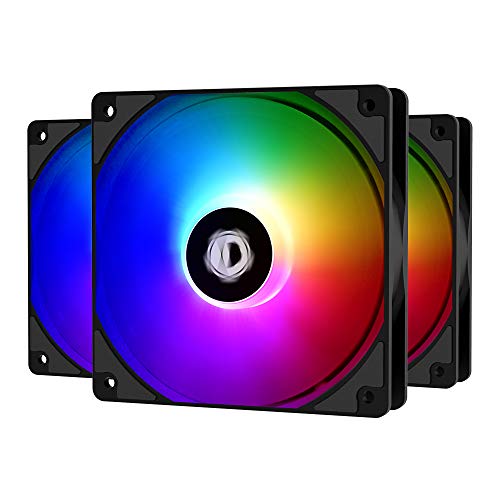
A nearly silent three-pack that prioritizes low noise over raw top-end speed.
If your PC sits on the desk next to you during work calls or late-night gaming, noise is the spec that matters most. The ID-COOLING XF-12025-ARGB-TRIO caps out at 1,500 RPM and 26.4 dBA, which is barely louder than a whisper. That noise level is the most-praised aspect of this fan, with 41 separate buyers highlighting it. At 62 CFM, the airflow is lower than the higher-RPM picks, but it is still enough for a standard tower case with moderate components. The static pressure is adequate for light radiator use, but this fan shines best as a case intake or exhaust where unrestricted airflow is the goal.
The build quality also earns strong marks — 30 owners mention it positively. The blades and frame use an even light diffuser that creates smooth color transitions without hotspots. Installation is straightforward with standard 120x120x25mm sizing and included rubber mounts. The fluid dynamic bearings keep operation smooth at idle, and the fans are quieter than some higher-priced competitors at the same speed (buyers specifically note they are quieter than Corsair fans they replaced).
The biggest downsides are the slightly chunky ARGB plugs, which can be awkward to fit in tight spaces, and an occasional bearing noise that appears on individual units. The instructions are minimal, which beginners may find frustrating. For a quiet daytime build, this is one of the best-balanced picks.
Silent strength
- Extremely quiet operation at 26.4 dBA — the standout feature mentioned by 41 owners
- Solid build quality with even ARGB light diffusion across the blade surface
- Fluid dynamic bearings for low noise and longer lifespan
- Includes rubber mounts to reduce vibration transfer
The compromises
- 62 CFM airflow is lower than higher-RPM options — best for case intake rather than radiator duty
- Chunky ARGB connectors can be tough to manage in tight spaces
- Minimal documentation; new builders may need to find guides online
Best for: The quiet-seeker who wants a desktop-friendly noise level and does not push extreme overclocks that need max airflow.
Think twice if: You need to push through a thick radiator or dense mesh — the lower static pressure may leave performance on the table.
6. Galaxy 120mm PC Case Fan 3-Pack (Jungle Leopard)
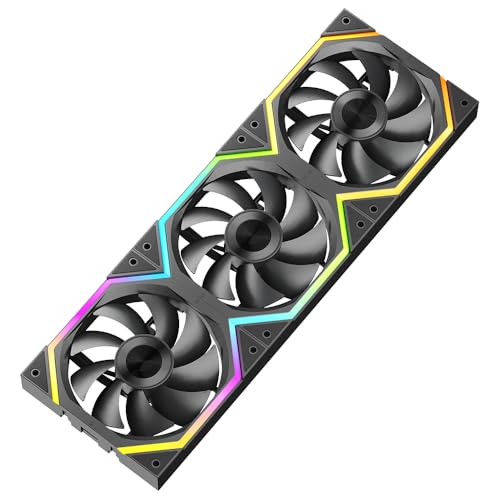
The budget fan that mimics a premium Lian-Li aesthetic .
These Galaxy 120 fans from Jungle Leopard target builders who want the look of a dual-ring CD-pattern module design . The fans use an axle-core double ring design with a central ARGB zone, and buyers describe them as “the best Lian Li knock-offs” they have owned. The maximum speed reaches 2,000 RPM, and airflow measures 62.36 CFM — adequate for a standard gaming build. At 29 dBA, the noise sits in the middle of the pack, noticeable but not intrusive under typical load. The daisy-chain connection system uses a slide-in interlocking mechanism similar to the LTC fans, keeping cable clutter low.
The 8 damping pads on the frame corners aim to reduce resonance and extra wear noise, a solid design choice for a budget fan. The PWM intelligent temperature control adjusts speed between 800 and 2,000 RPM based on CPU temperature. The ARGB sync works with all major motherboard 5V 3-pin headers, so you can control 16.8 million colors through your motherboard’s software. Owners consistently praise the quiet operation and the balanced brightness — the lights are “pretty bright” without being blinding — and the solid connection quality of the included cables.
The trade-off: the pack includes more cables than you typically need for a standard build, leaving some unused extras in the box. A few shoppers say the included connectors may not all be necessary, which adds mild clutter to the accessory bag. For the price, this is a strong visual option if the dual-ring style fits your build theme.
The look for less: The dual-ring CD-pattern design clearly takes inspiration from premium Lian-Li fans, and buyers confirm it delivers the same visual effect .
What you give up: The 62.36 CFM airflow and 29 dBA noise fall slightly short of the top performers in this list, so prioritize aesthetic value over raw cooling numbers.
Best for: The builder chasing a specific premium visual look without the premium price tag — the dual-ring ARGB effect is the real draw here.
pass on it if: Raw cooling performance or the lowest possible noise level is your primary concern.
7. Thermaltake LE120 ARGB PWM 3-Pack
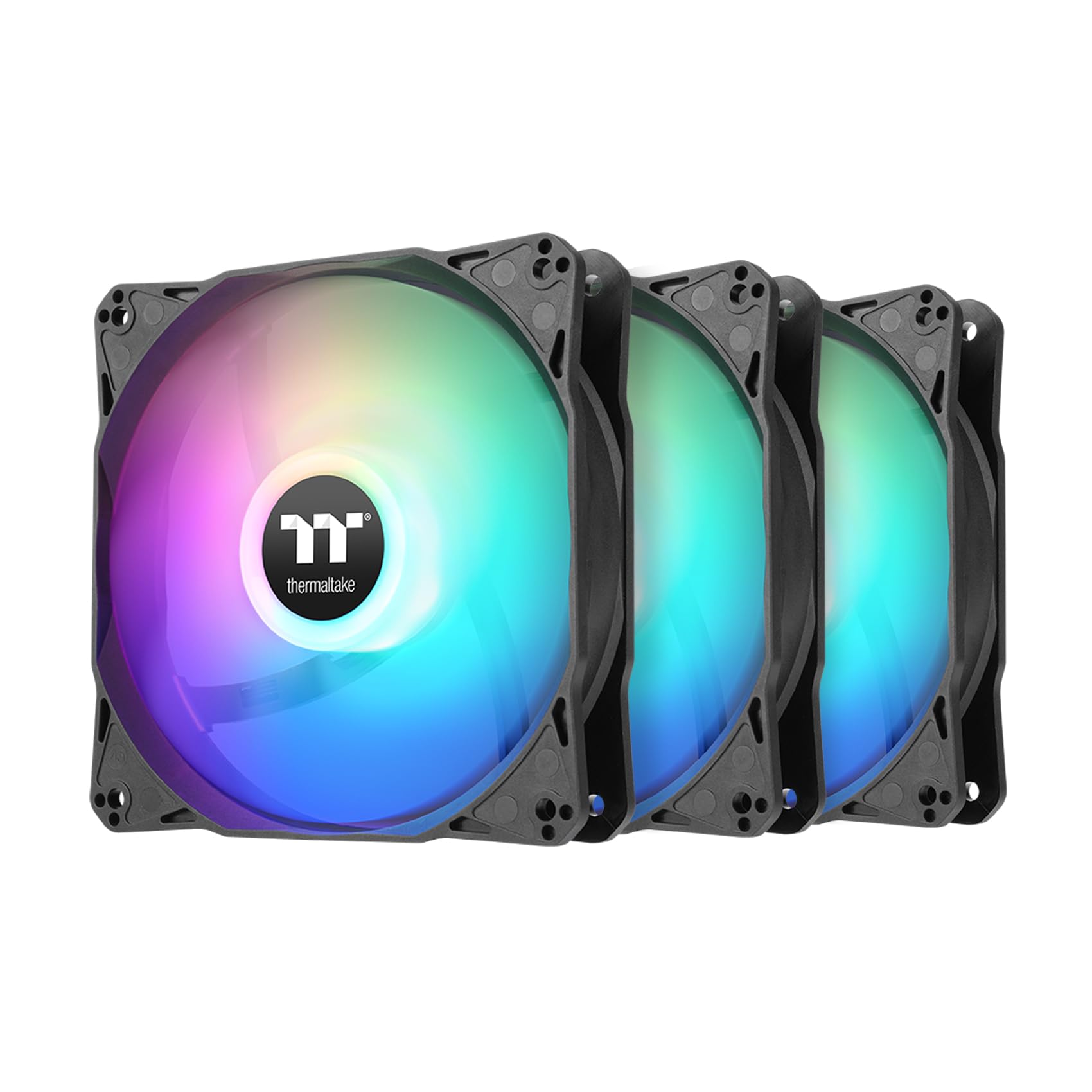
Thermaltake’s entry into the budget space keeps the brand name without the brand tax.
Thermaltake is a well-known name in PC cooling, and the LE120 pack brings their reputation to a more accessible price point. Each fan spins up to 1,500 RPM and delivers 66.1 CFM with a low noise floor of 25.2 dBA — the quietest noise rating in this entire comparison, matching the Thermalright at a similar speed. The nine LED addressable RGB setup uses a standard 5V 3-pin connector, and the daisy-chain ARGB cables make wiring simple. A 3-way PWM splitter is included for connecting all three fans to a single motherboard header.
The value for money is the most frequently praised aspect, cited by 12 different buyers. Owners say the fans are “affordable top quality” and work well with quality RGB controllers from Thermaltake or third-party options like Corsair Commander. The 9-blade design generates 1.41 mm-H₂O static pressure, which is modest but fine for standard case cooling or light radiator use. The hydraulic bearing is a step up from basic sleeve bearings, offering better long-term reliability.
The catch is the modest review count — only 72 ratings at the time of writing, making this a newer entry with less long-term owner data. Early reports are very positive, but the sample size is smaller than the Thermalright or ARCTIC options. For builders who want a recognizable brand with proven customer service and a quieter noise profile, this is a smart choice.
Brand advantage
- Thermaltake brand reliability and customer service at a budget-friendly price
- Low noise at 25.2 dBA — tied for quietest in this guide
- Daisy-chain ARGB cables plus included 3-way PWM splitter for easy setup
- 9 LEDs per fan for vibrant addressable lighting
Newer entry
- Limited owner history — only 72 ratings compared to hundreds for the top picks
- Static pressure of 1.41 mm-H₂O is modest; not ideal for thick radiators
Best for: The brand-conscious buyer who wants Thermaltake’s support ecosystem and the quietest noise profile in this budget roundup.
Consider carefully if: You prefer a fan pack with thousands of long-term reviews confirming reliability over years of use.
8. Corsair RS120-R ARGB Reverse 3-Pack
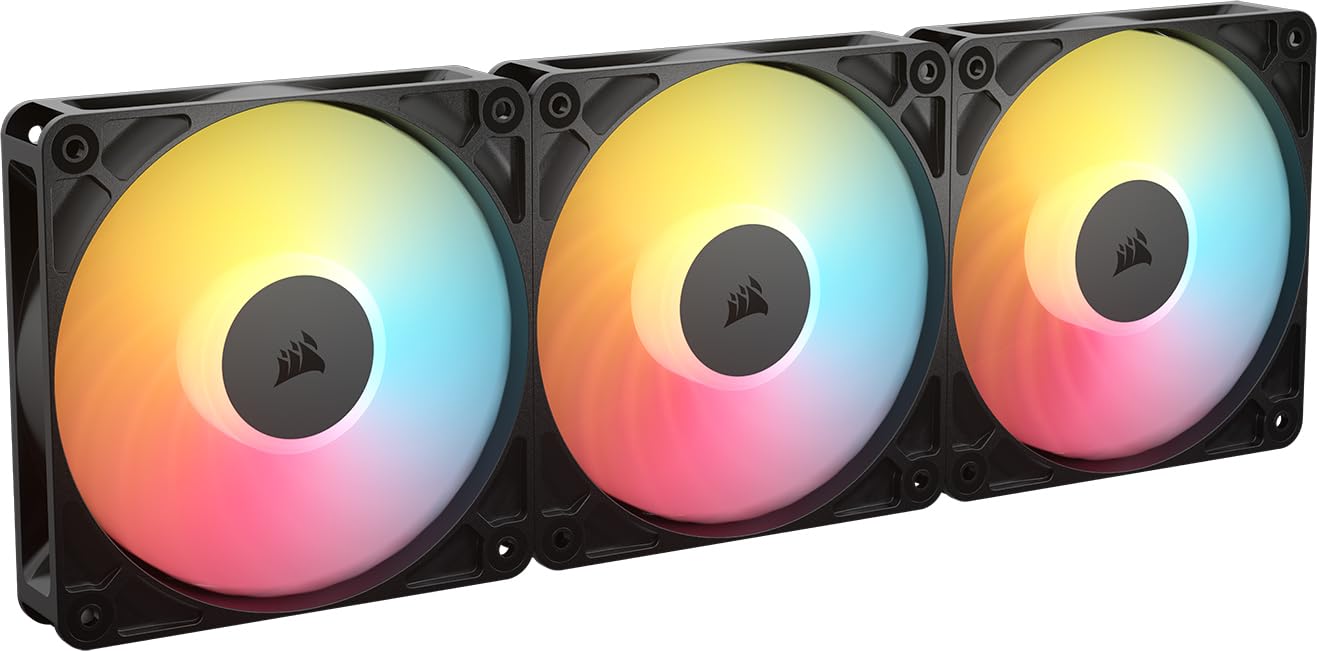
The reverse-rotor design lets you mount these as intake without hiding the RGB face.
Standard case fans show their best RGB side only when acting as exhaust (spinning inward). The Corsair RS120-R solves that problem with a reverse rotor design — the blades spin in the opposite direction so you can mount them as intake fans while the RGB ring faces outward into your case. This is a niche but genuinely useful feature for builders who want a clean, lit intake side. The fans reach 2,100 RPM and push 65.8 CFM with a static pressure of 2.81 mm-H₂O, making them genuinely capable for radiator cooling despite being a visual-first product. The maximum noise of 34.6 dBA is the loudest in this guide, but owners say they are quiet under normal operation and only become audible under extreme load.
The build quality receives consistent praise — 9 buyers mention it as the standout aspect, and owners describe the fans as “solid sturdy” with a metal and plastic construction. The eight LEDs per fan produce bright, customizable lighting controlled through your motherboard’s built-in ARGB header. The magnetic dome bearing is a premium touch that reduces friction and supports the zero RPM mode (complete stop at low PWM). One owner notes the fans handled a 14900K with temps significantly lower than their previous cooler, confirming the performance is real despite the stylish design.
The noise level is the most mixed aspect — 9 buyers mention it, and the opinions split between “very quiet” and “audible.” The 34.6 dBA rating is the highest in this list, so noise-sensitive builders should temper expectations at full speed. The price is also the highest in this roundup, making this a specialty pick rather than a general recommendation.
Unique advantage
- Reverse rotor design means intake fans show full RGB lighting — no more hidden LEDs
- High static pressure of 2.81 mm-H₂O for effective radiator cooling
- Premium magnetic dome bearing and solid metal/plastic build quality
- Daisy-chain compatible with zero RPM mode for silent idle
The cost of style
- 34.6 dBA noise at full speed is the loudest in this guide
- Highest price in the lineup — the specialty design carries a markup
Best for: The builder who cares deeply about visible intake-side RGB and is willing to pay extra and accept a higher noise ceiling for that look.
it’s not for you if: You are on a strict budget, noise-sensitive, or do not care which side of the fan faces into your case.
Understanding the Specs
Airflow (CFM) vs Static Pressure (mm-H₂O)
These are the two main numbers that tell you how much air a fan moves and how hard it pushes. Airflow, measured in cubic feet per minute (CFM), tells you the raw volume of air moved — higher is better for unrestricted intake and exhaust slots. Static pressure, measured in millimeters of water column (mm-H₂O), tells you how well the fan pushes air through resistance like radiator fins, dust filters, or tight mesh panels. A fan with high CFM but low static pressure will struggle on a radiator. A fan with high static pressure but low CFM may run louder than necessary for simple case cooling. Most budget all-rounders land around 60-70 CFM and 1.5-2.5 mm-H₂O.
PWM Control and Noise (dBA)
PWM stands for pulse-width modulation, which is the 4-pin connector standard that lets your motherboard automatically adjust fan speed based on temperature. A PWM fan can run at very low speeds (or stop completely) at idle and ramp up only when needed — this is the quietest way to cool your PC. Noise is measured in decibels (dBA), and every 10 dBA increase is perceived as roughly twice as loud. Budget fans that stay under 27 dBA at medium speed are considered quiet for a desktop. Fans over 30 dBA are noticeable in a quiet room, though they may still be acceptable under a desk.
ARGB (Addressable RGB) and Motherboard Sync
ARGB stands for addressable red-green-blue lighting, which means each LED on the fan can be set to a different color independently, allowing effects like rainbow waves and color cycling. Fans typically use a 5V 3-pin ARGB connector — this is different from the older 12V 4-pin RGB standard. Make sure your motherboard has a 5V 3-pin ARGB header (often labeled ADD_HEADER or JRAINBOW) before buying. Most budget fans sync with your motherboard’s software (like ASUS Aura, MSI Mystic Light, or Gigabyte RGB Fusion) to unify all lighting in your build.
Daisy-Chain vs Hub vs Splitter
Daisy-chain means each fan has male and female connectors so you can link them together in a chain, using just one cable for the whole group. This is the cleanest cabling method and common on budget packs. A hub is a separate board that powers multiple fans from a single SATA power connection — useful when your motherboard lacks enough headers. A simple PWM splitter (often included with the Thermalright and Thermaltake packs) lets one motherboard header control several fans but sends the same speed signal to all of them. For a regular build, daisy-chain is usually enough; for seven or more fans, add a hub.
FAQ
Can I use a 3-pin ARGB fan on a 4-pin motherboard header?
How many budget ARGB fans can I connect to one motherboard header?
Do I need a separate controller for budget ARGB fans?
How long do budget ARGB case fans typically last?
Are budget ARGB fans loud when running at full speed?
Can I mix budget ARGB fans from different brands in one build?
What does reverse rotor mean and who needs it?
Are budget ARGB fans worth it for a radiator or liquid cooling setup?
How do I know which way the air flows on a case fan?
Do I need to worry about static pressure if I use dust filters on my case?
Final Thoughts: The Verdict
For most buyers, the best budget argb case fans winner is the Thermalright 5 Pack TL-C12CW-S because it delivers five quiet, well-built fans with solid airflow and bright ARGB lighting for a price that undercuts single-fan alternatives — and the value-for-money verdict from nearly a thousand owners backs that up. If you need high static pressure for a radiator, grab the ARCTIC P12 Pro A-RGB 3-Pack, which spins up to 3,000 RPM with confirmed heavy pressure. And for a quiet daytime system that prioritizes near-silent operation over all else, the ID-COOLING XF-12025-ARGB-TRIO 3-Pack is the one to reach for.
How We Picked
We do not accept paid placement. Every pick is matched to a real buyer and a real use-case; we do not hands-on test units.
Sources & Methodology
Specifications: manufacturer listings and product documentation. Review insights: verified customer reviews, as of July 2026. Pricing: not shown on this page (it changes often); check the current price via the retailer link.
As an Amazon Associate, FitlyFast earns from qualifying purchases. This does not affect which products we feature.