
Our readers keep the lights on and the weekend projects moving. As an Amazon Associate, I earn from qualifying purchases.
Specs are compiled from manufacturer listings and verified buyer reviews and can change over time — please confirm the key details on the product page before buying.
A budget Bluetooth mouse used to mean a flimsy puck with a laggy cursor and a battery that died mid-presentation. That trade-off is gone.. The mice here pair in seconds, hold a charge for weeks, and click quietly enough for a library — all without crossing into premium pricing. The real challenge is picking the one that fits your hand and workflow, not settling for “good enough.”
I’m Rikta — the founder and writer behind FitlyFast. This guide is built by comparing the manufacturers’ published specifications and the patterns across verified customer reviews, so you get each pick’s real strengths and trade-offs instead of marketing spin.
You want a budget bluetooth mouse that won’t lag, won’t die mid-task, and won’t break the bank. This roundup, from featherweight to full-size, is built on what real owners say after months of use, so you can pick the one that fits your grip and your daily routine.
Our Picks at a Glance


How To Choose The Best Budget Bluetooth Mouse
Before you click “add to cart,” think about where this mouse will live. Will it sit on a desk for eight hours a day, or get tossed into a laptop bag for coffee shops? That one answer narrows your options faster than any spec sheet. A full-size mouse with a sculpted grip feels great on a desk but heavy in a bag, while a tiny travel mouse disappears into a pocket but can cramp your hand during a long workday.
Sizing: Small, Medium, and Full Grip
Most budget mice are designed for small to medium hands. If you have larger hands, check the dimensions and look for the word “full size” in the listing. A too-small mouse forces a pinch grip that tires your hand fast.. A too-large mouse makes precise clicks feel clumsy.. The right fit lets your palm rest naturally without stretching your fingers..
Connectivity: Bluetooth, Receiver, or Both
Bluetooth-only mice pair directly with laptops, tablets, and phones — no dongle needed. That is perfect for devices with limited USB ports. A 2.4GHz receiver (a small USB plug) offers a rock-solid connection that many users find more reliable on older computers. Tri-mode mice let you do both, which is the most flexible option for toggling between a work laptop and a personal tablet.
The Battery Question: Rechargeable vs. Disposable
Rechargeable mice save you from buying AA batteries and typically charge via USB-C in a couple of hours. The trade-off is that you must remember to charge them, and some only last a few weeks per charge. Disposable-battery mice can run for months or even years on a single cell, making them truly “set and forget.” Consider whether you prefer plugging in a cable occasionally or swapping a battery rarely.
Quick Comparison
| Model | Best For | Max DPI | Connection Modes | Battery Type | Amazon |
|---|---|---|---|---|---|
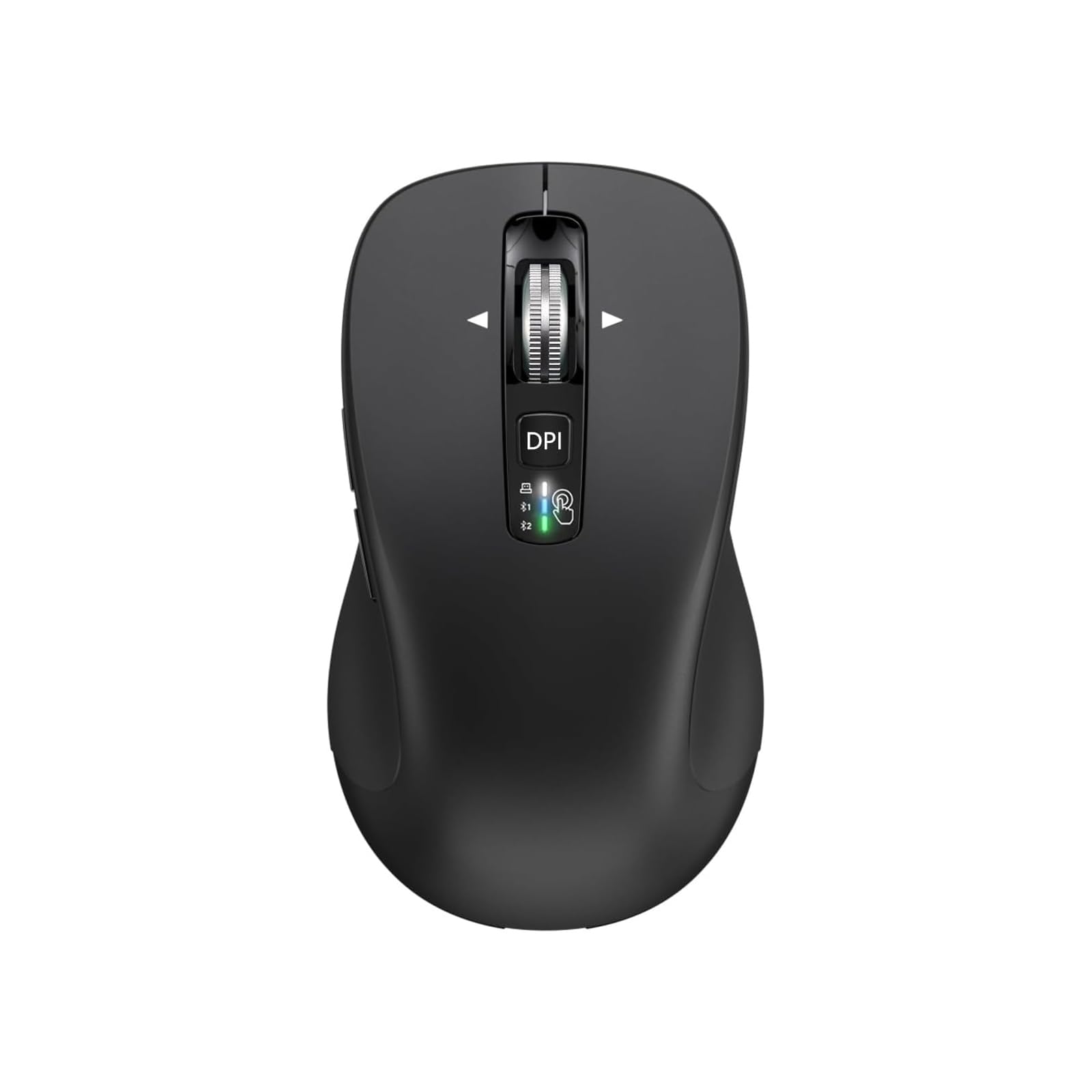
| TECKNET Wireless Mouse★ Best Overall | Multi-device power users | 4800 | Bluetooth + USB Receiver | Rechargeable | Amazon |
| CITLLA Wireless MouseFull-Size Pick | Full-size ergonomic comfort | 3000 | Bluetooth + USB Receiver | 2 AA Batteries | Amazon |
| Logitech M350s Pebble 2Style Pick | Small hands and style | — | Bluetooth | AA Battery (included) | Amazon |
| Logitech Pebble (Blueberry) | Portable everyday use | — | Bluetooth + USB Receiver | AA Battery (included) | Amazon |
| XBG B15Pro | Battery status visibility | 2400 | Bluetooth + USB Receiver | Rechargeable (500mAh) | Amazon |
| Uineer Vertical Ergonomic | Wrist strain relief | 2400 | Bluetooth + USB Receiver | Rechargeable | Amazon |
| Lenovo WL300 | Simple, durable Bluetooth | 1600 | Bluetooth | AA Battery | Amazon |
| hunart H6 | Featherweight daily driver | 1600 | Bluetooth + USB Receiver | Rechargeable (500mAh) | Amazon |
| Uiosmuph Mini | Pocket-sized travel | 1600 | Bluetooth + USB Receiver | Rechargeable | Amazon |
In‑Depth Reviews
1. TECKNET Wireless Mouse
The rechargeable multi-device workhorse that out-specs mice twice its price.
This is the crowd favorite — a 4.6-star performer backed by 13,000+ owners, and it earns the top spot by giving you the most control per dollar. The headline is its speed range: 4800 max DPI (dots per inch, the cursor’s sensitivity) across 6 adjustable levels, versus the Uiosmuph’s 1600 DPI. You get six presets (4800/3200/2400/1600/1200/800) versus that mouse’s three, so you can dial in a lightning-fast sweep for a big monitor or a slow, precise crawl for detailed design work.
You will not have to worry about cursor stutter with this one — reviewers keep using the phrase “no lag.” It pairs two devices at once via Bluetooth (3.0 or 5.0, a short-range wireless standard) or a USB-A dongle (a small plug-in receiver), and you flip between them with a switch on the body. Buyers report it pairs easily with both a MacBook and a Windows dongle, and the 6-button layout (including side buttons) covers forward and back navigation. One honest note: those side buttons don’t work on macOS, so Mac users lose that shortcut.
The rechargeable battery is the other standout. A full charge takes 1.5 to 2 hours and delivers roughly 3 months of use at 2 hours a day — owners running it 8 hours a day report about a month between charges. It is built for small to medium hands, with a matte plastic finish that owners mention feels solid and grippy rather than cheap. The main trade-off is the shape: if you have larger hands, this compact body may feel small, though several big-handed owners say they liked it anyway.
What wins people over
- 6 adjustable DPI levels up to 4800 for precise or fast tracking
- Rechargeable via USB-C, lasting about 3 months per charge at typical use
- Dual-device switching between Bluetooth and a USB dongle
- Quiet, tactile buttons that suit shared or silent spaces
Where it asks a compromise
- Compact shape is best for small to medium hands
- Side buttons are not functional on macOS
Reach for this if: you juggle a laptop and a desktop and want one quiet, rechargeable mouse that switches between them without re-pairing.
Think twice if: you have large hands and need a full-size palm-filling shape — this one runs compact.
2. CITLLA Wireless Bluetooth Mouse
A full-size silent mouse whose scroll wheel does the work of four.
If the TECKNET above feels too small, this is the largest option in the budget tier — a full-size 4.6 x 2.6-inch body with a rubber, sweat-proof side grip that owners with bigger hands gravitate toward. Its signature feature is the 4-way scrolling wheel: it spins vertically for normal page movement and tilts sideways for horizontal navigation, so you can sweep across wide spreadsheets or timelines without touching the scroll bar. Reviewers describe “free-spinning” momentum that lets the wheel glide through whole pages.
This one feels sturdier than its price suggests — it is constructed from a mix of metal and plastic that customers note “does not feel cheap at all.” It connects three ways (dual Bluetooth plus a 2.4G USB receiver, a wireless dongle) with a switch on top to hop between devices, and it works across Windows, iOS, macOS, Android, Linux, and Chrome OS. The 10-button layout includes forward and reverse buttons that work instantly on Windows.
The battery story is the quiet marvel here: it runs on 2 included AA batteries with a claimed life of up to 3 years and 4 months, thanks to an energy-efficient power system. That means you can essentially install the batteries and forget they exist. The DPI adjusts through 4 levels (1000/1600/2400/3000). Two honest caveats: it is noticeably larger than listings suggest, so if you wanted a small-to-medium mouse, this overshoots, and on macOS the side buttons act as an app switcher rather than browser navigation.
Built for the long haul: a rare budget mouse where the battery outlasts your interest in it — install two AAs and you are done for over three years, per the maker.
Best for: daily desktop users with medium-to-large hands who want a solid, full-size mouse without ever thinking about charging.
Look elsewhere if: you need a compact travel mouse or rely on macOS side-button shortcuts.
3. Logitech M350s Pebble 2
The slim, color-forward mouse that makes near-silent clicking feel like a statement.
Logitech’s Pebble 2 keeps your clicks quiet — the brand’s Silent Touch Technology removes 90% of click noise, a figure owners confirm, describing the clicks as “truly silent.” The flat, rounded pebble shape is unmistakable, and it holds Bluetooth links to 3 devices (Windows, macOS, iPadOS, Android, Chrome OS) and lets you hop between them with the Easy-Switch button on the underside, no re-pairing required.
If you have small hands, this is among the most comfortable options in the roundup. Owners with petite hands say it reduces shoulder strain during long Mac sessions, and the low profile makes it easy to slide into a bag. The middle button is customizable through the Logi Options+ app — you can map it to launch WhatsApp, Spotify, or any shortcut you like. One buyer’s favorite use: scrolling through a phone in bed without holding the device.
The battery runs on a single included AA cell rated for up to 2 years of life, with auto-sleep to stretch it further, and the plastic body uses minimum 58% certified post-consumer recycled plastic. The trade-offs are honest ones: the flat shape is not ideal for all-day palm support, and the sensor can lose tracking if you lift it more than about 1mm off the surface. It is a style-forward, quiet companion for light-to-moderate daily use rather than an ergonomic desk anchor.
Why it wins fans
- Silent Touch Technology cuts 90% of click noise for genuinely quiet work
- Connects to 3 devices with one-button switching
- Customizable middle button via Logi Options+ app
- Up to 2 years of battery life from one included AA cell
The catches
- Flat profile lacks palm support for marathon desk sessions
- Only 3 buttons — no side forward/back keys
Grab it if: you want a compact, color-matched companion for a MacBook or iPad that clicks almost silently.
skip it if: you need side buttons for navigation or a sculpted grip for all-day comfort.
4. XBG B15Pro Tri-Mode

The only budget mouse that tells you its battery percentage right on the body.
You will never have to guess when the battery will die — this one has a built-in LED screen that shows your real-time battery percentage, your current DPI level (800/1000/1200/1600/2400, a measure of cursor sensitivity), and which connection mode you are in. Owners love never having to wonder — the screen is the most-cited feature in reviews, praised for making settings visible at a glance. It pairs via Bluetooth 5.0/4.0 or a 2.4G dongle and switches between devices in 0.8 seconds, which reviewers describe as smooth when hopping between a laptop on the dongle and an iPad Pro on Bluetooth.
Build quality is the trait reviewers praise most, followed closely by battery life. Inside is a 500mAh rechargeable cell (75g total weight) that owners say lasts up to two weeks per charge, with auto-sleep kicking in after 5 minutes of inactivity. The Type-C charging port means you can top it up with the same cable you use for your phone. The 6-button layout includes contoured thumb rest and arched palm support that reviewers point out fits comfortably for 8-hour workdays, and the matte finish resists fingerprints.
What stands out beyond the spec sheet is the premium feel. Owners describe “surprising premium packaging” and a solid, non-creaky build that punches above its price tier. DPI tops out at 2400, which is enough for multi-monitor setups — reviewers confirm 1600 DPI handles a multi-monitor desk without issue. The only real unknown is long-term durability, since it is a newer model, and the ambidextrous shape leans neutral rather than ergonomic extremes.
Control at your fingertips: the LED readout removes the two biggest budget-mouse annoyances — dead batteries and guessing your cursor speed.
Choose this if: you want a rechargeable, multi-device mouse and hate being surprised by a dead battery mid-task.
Pass if: you prefer a dedicated ergonomic grip or need a full-size palm-resting shape.
5. Uineer Vertical Ergonomic Mouse

The handshake-grip mouse that puts your wrist on standby instead of overdrive.
If wrist strain is your daily enemy, this vertical mouse changes the geometry of your hand. Instead of the flat, palm-down position of a standard mouse, it holds your hand in a natural handshake posture that keeps the wrist straight and the forearm relaxed. Owners logging 8-hour desk days report the vertical grip eases wrist strain., and Ergonomic comfort is the top-cited praise across verified reviews.. Measure your hand first — shoppers say it fits small to medium hands, not large ones..
It connects to 3 devices at once through dual Bluetooth (5.0/4.0) plus a 2.4G receiver, switching without re-pairing. Owners use two Bluetooth connections for work and home laptops plus the dongle for a third machine, and report no dropouts. The 4-level DPI (800/1200/1600/2400) covers documents, design, and light gaming, and the responsive clicks have a crisp feel. Battery life runs at least a week on a charge — reviewers report no charge needed after 2 weeks of light use — with auto-sleep after 10-30 minutes and a low-battery LED alert.
The 71g body is featherlight, which is a double-edged sword: it is easy to move but owners who like weighted mice for gaming note it feels extremely light. The signature 7-color ambient light strip adds personality, though one owner notes the thumb-rest lighting does not fully illuminate. It ships with a 45-day no-reason refund and 24-month replacement policy. The honest fit note: this is a right-hand-only ergonomic shape, so lefties need to look elsewhere.
What owners rave about
- Vertical handshake grip relieves wrist strain during long workdays
- Connects to 3 devices via dual Bluetooth and 2.4G without re-pairing
- Rechargeable with auto-sleep and low-battery LED alert
- 4 DPI levels for documents through casual gaming
The honest downsides
- Best for small-medium hands; large hands may feel cramped
- Right-hand only, not ambidextrous
- Very light 71g build lacks weighty feel some prefer
Reach for this if: you spend all day at a desk and want a vertical grip that eases wrist tension without a premium price tag.
pass on it if: you are left-handed, have large hands, or want a heavier mouse for gaming.
6. Logitech Pebble (Blueberry)

The original Pebble that pairs Bluetooth convenience with a receiver’s reliability.
Before the Pebble 2, there was the Pebble — and this Blueberry version is still a favorite because it does something the newer model does not: it includes both Bluetooth and a 2.4GHz receiver. That dual connectivity is the flexibility king, because the USB receiver slots into the mouse body for storage when you travel, and you can switch between a Bluetooth laptop and a desktop dongle without re-pairing. Quality is the trait owners praise most, with reliability a close second, and reviewers report tracks “instantly when needed.”
The low-profile pebble shape is slim and easy to scoop into a bag, and the wide rubber scroll wheel gives a tactile, controlled glide. It runs on a single AA battery rated for 18 months of life, so it is very much a low-maintenance option — no charging cables to remember. The left and right clicks are engineered to be quiet, and reviewers describe them as “very quiet” and pleasant to use. It pairs easily with laptops and iPads, and owners note it slips easily into laptop bags.
This is the pick for buyers who want the Pebble’s portability but also want the option of a rock-solid receiver connection on older machines. The honest trade-offs: it is small for large hands, has no extra side buttons, and runs on a disposable AA rather than a rechargeable cell. One owner did report intermittent Bluetooth drops on Windows, though they traced that to a known Windows Wi-Fi conflict rather than the mouse itself — the receiver mode sidesteps that entirely. It is the no-fuss, dependable choice in the roundup.
A dependable leap from “budget” to “daily driver”: the dual connectivity plus 18 months of battery life make it a low-drama travel companion.
Pick this if: you want a portable mouse that works with both Bluetooth and a USB receiver for maximum compatibility.
Move on if: you need side buttons, a rechargeable battery, or a larger ergonomic shape.
7. hunart H6
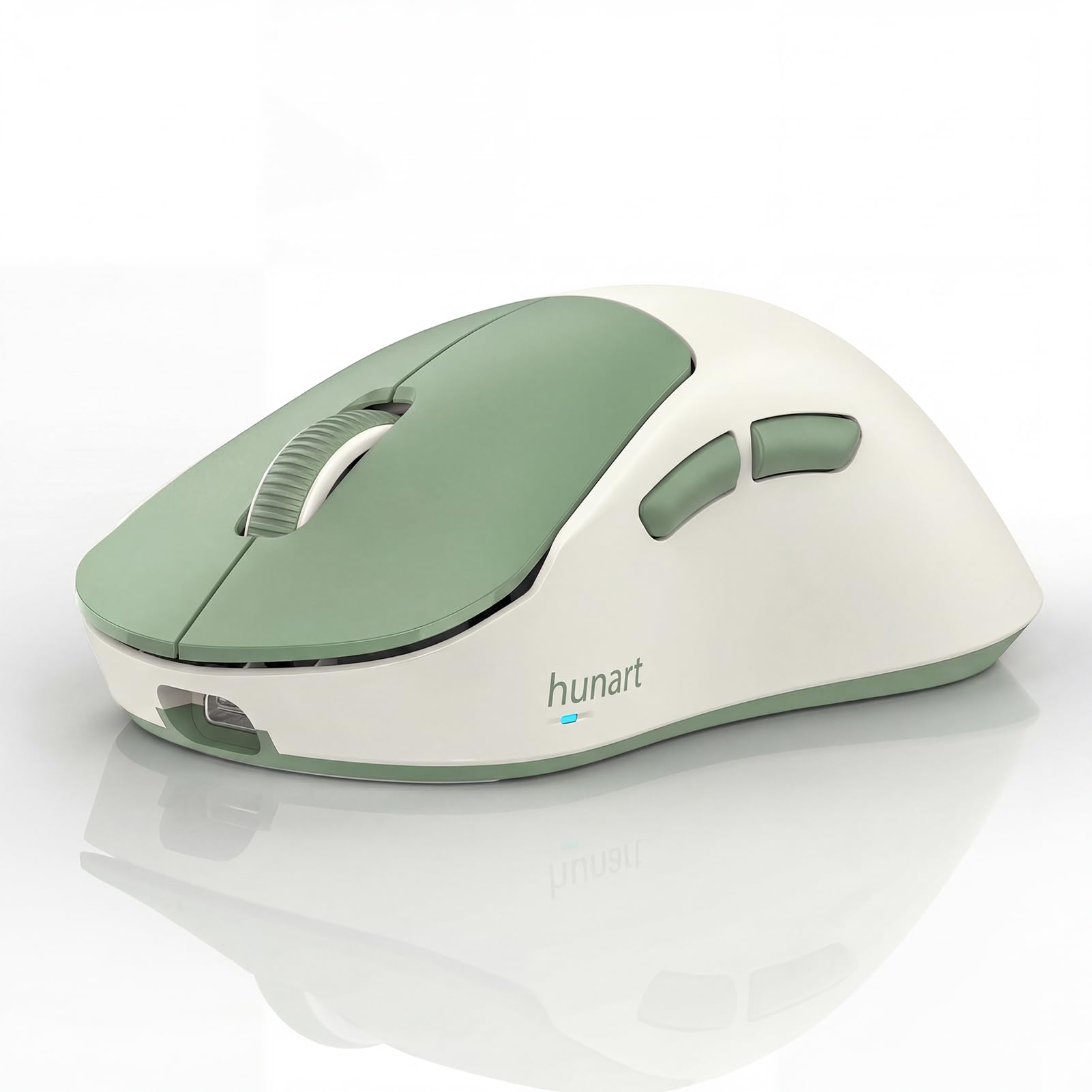
A 49-gram featherweight that disappears into a bag and glides like it weighs nothing.
At just 49 grams — lighter than a tennis ball — the H6 is the lightest mouse in this lineup, and that weight is the thing every reviewer notices first. The lightness is its defining trait and its most-praised feature, tied with its compact size. It slips into a laptop bag and you forget it is there, and on the desk it glides with minimal effort. Owners describe it as “lightweight, comfortable to hold, and glides smoothly,” making it a great pick for work, study, and daily browsing.
It connects through dual modes — Bluetooth and a 2.4GHz receiver — so you have a fallback if one connection type misbehaves. The built-in 500mAh polymer lithium battery charges via USB-C, and buyers report the charge lasts a long time between top-ups. Silent click buttons reduce noise in shared spaces, and you can adjust between 3 DPI levels (800/1200/1600). The right-hand ergonomic shape uses a natural grip, though the 2.64 x 4.29 x 1.57-inch body is ideal for small to medium hands, not large ones.
The color options are part of the charm — the light green and pink versions get called out for standing out on a desk. Owners praise the “solid build quality” and the quick, low-maintenance pairing. The only minor complaint in the data is a rare connection quirk on one unit, which is not a pattern. If you want the lightest possible everyday mouse that still feels solid, this is the one.
What makes it special
- Ultra-light 49g body that is easy to carry and easy to move
- Bluetooth and 2.4GHz dual-mode connection for flexibility
- Rechargeable 500mAh battery with USB-C charging
- Silent click buttons for quiet spaces
Keep in mind
- Compact shape best for small to medium hands
- Right-hand ergonomic design, not ambidextrous
- 3 DPI levels cap at 1600, less than TECKNET’s 4800
Reach for this if: you want the lightest possible mouse for travel and everyday desk work without the weight of a full-size unit.
Consider another if: you need a higher max DPI for large monitors or have large hands.
8. Lenovo WL300
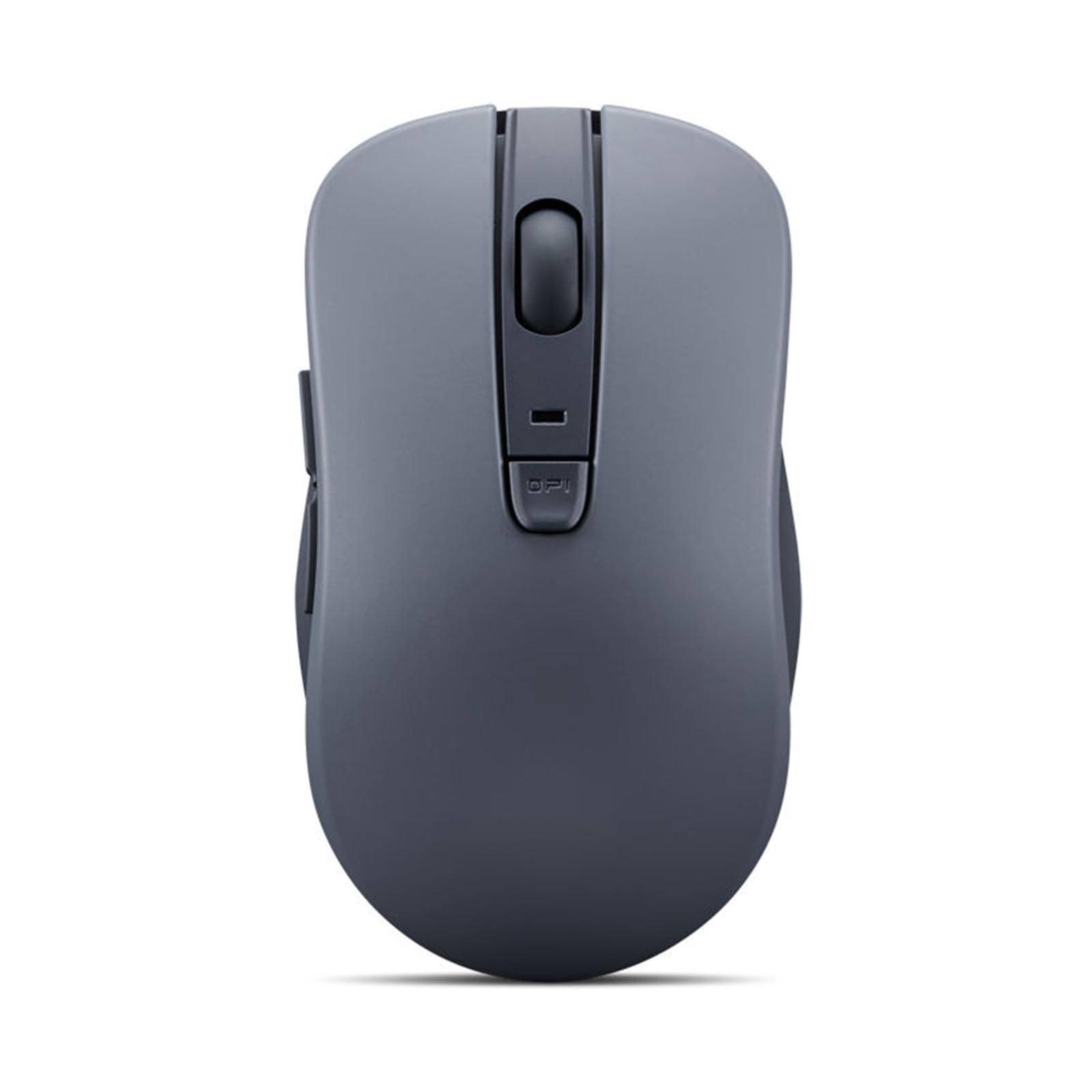
A sculp-ted-grip Bluetooth mouse built to outlast a million clicks.
Lenovo brings engineering-minded durability to the budget tier with the WL300. The left and right buttons are rated to survive up to 3 million clicks, and the scroll wheel is built for 300,000 cycles — numbers that signal this is not a throwaway gadget. The sculpted grip conforms to your hand’s natural contours, and owners say it remains comfortable for hours, with the build quality getting consistent positive feedback. It is compact and lightweight, powered by a single AA battery, and free from cables.
Setup is genuinely easy: it uses Bluetooth 5.0 with Microsoft Swift Pair, so Windows machines recognize it almost instantly with no drivers to install. The 5-button layout adds forward and backward buttons plus a scroll click, and an anti-slip scroll wheel keeps your thumb steady. The precise optical sensor offers 3-level DPI adjustment (800/1200/1600) and works on wood, leather, fabric, paper, and resin surfaces — so you are not tied to a mousepad. Owners confirm it is responsive across many surfaces and the clicks are “almost inaudible,” ideal for shared offices.
The battery story is simple and strong: one AA cell lasts about 6 months, and a power switch on the underside extends that further when you are not using it. The ambidextrous shape means lefties can use it comfortably, which is rare in this price range. The recurring nitpick from owners is that it can occasionally disconnect and immediately try to reconnect, requiring a manual re-pair — a nuisance, though owners mention “when it works it works.” For a no-frills, dependable Bluetooth-only mouse that prioritizes durability, this is a sound pick.
Why it holds up
- Buttons rated for up to 3 million clicks and wheel for 300,000 cycles
- Microsoft Swift Pair for instant Windows setup with no drivers
- Works on wood, leather, fabric, paper, and resin surfaces
- Ambidextrous shape for left- or right-hand use
The trade-offs
- Bluetooth only, no 2.4GHz receiver option
- Occasional disconnect and re-pair cycle reported by some owners
Choose this if: you want a durable, driver-free Bluetooth mouse with a comfortable sculpted grip and month-long battery life.
Pass if: you need a USB receiver for older machines or a rechargeable battery.
9. Uiosmuph Mini Wireless Mouse

The pocket-size traveler that fits in a purse and pairs in seconds.
Size is the entire story here — and for the right buyer, it is everything. At 3.07 x 1.89 x 1.06 inches, this mouse is smaller than a standard mouse, and owners consistently describe it as pocket-fit, purse-ready, and smaller than a credit card. It is the single most-praised trait, with portability close behind. As customers note: “It is the perfect little travel mouse! I keep it in my laptop bag so it’s ready to go.” It tucks into a laptop sleeve, a carry-on, or an airline personal item with room to spare.
Despite the tiny footprint, it packs tri-mode connectivity: dual Bluetooth (5.1/5.0) plus a 2.4G USB receiver, so you can switch between three devices by clicking a button on the bottom. A Type-C adapter is included, letting you plug the receiver into either a USB-A or USB-C port. It is USB-C rechargeable — no batteries to swap — and owners note it is extremely light precisely because there is no AA cell inside. It pairs instantly with Android devices and works with iPad iOS 13 and above, and reviewers point out the cursor moves smoothly.
The honest limits matter here. At this size, you grip with your fingers rather than resting your palm, so it is not built for all-day desktop ergonomics — owners call it ideal for a phone, tablet, or quick laptop session rather than a 9-to-5 workhorse. The side buttons are decorative only, and the maximum DPI is 1600 across 3 levels, which is a 3.0x gap behind the TECKNET’s 4800 top speed. But for the traveler who wants a mouse that vanishes into a bag and is always ready, this is the one.
Why travelers love it
- True pocket size, smaller than a credit card
- Tri-mode: dual Bluetooth plus 2.4G receiver with Type-C adapter
- USB-C rechargeable, no batteries to carry
- Auto-sleep conserves battery between uses
Know before you buy
- Finger-grip size, not for all-day palm support
- Side buttons are decorative only
- 3 DPI levels cap at 1600
Grab this if: you need a mouse that lives in a laptop bag for trips, flights, and coffee-shop sessions.
it’s not for you if: you want a full-size daily driver — this is a travel specialist, not a desk anchor.
Understanding the Specs
DPI and Adjustable Levels
DPI (dots per inch) measures how far the cursor moves for each inch you slide the mouse. A higher DPI, like 4800 on the TECKNET, means the cursor rockets across a large or multi-monitor setup with a small hand movement. A lower DPI, like 800, gives you fine control for detailed design work. Adjustable levels let you switch between these on the fly — the TECKNET offers 6 presets, while many budget mice offer 3.
Connection Modes
Bluetooth pairs directly with laptops, tablets, and phones without a USB port. A 2.4GHz receiver (a small USB dongle) provides a dedicated connection that can be more stable on older computers. Tri-mode mice — like the Uiosmuph and XBG — offer both, plus the ability to switch between multiple devices by pressing a button. If you juggle a work laptop and a personal device, multi-device switching saves you from constant re-pairing.
FAQ
How long does a budget Bluetooth mouse battery last?
Will a budget Bluetooth mouse work with my iPad or tablet?
What is the difference between Bluetooth and 2.4GHz receiver mice?
Are silent click mice actually quiet?
Which budget mouse is best for small hands?
Do budget Bluetooth mice work with macOS and MacBook?
What does DPI mean and how much do I need?
Are rechargeable mice better than ones that use AA batteries?
Final Thoughts: The Verdict
Across the board, the best budget bluetooth mouse winner is the TECKNET Wireless Mouse because it delivers the most control — 4800 DPI across 6 levels — plus a rechargeable battery and dual-device switching, all backed by a 4.6-star track record from over 13,000 owners. If you want a full-size mouse with a 4-way scrolling wheel and a multi-year battery, grab the CITLLA. And for a pocket-sized travel companion that is ready whenever you are, the Uiosmuph Mini is the one to reach for.
How We Picked
We do not accept paid placement. Every pick is matched to a real buyer and a real use-case; we do not hands-on test units.
Sources & Methodology
Specifications: manufacturer listings and product documentation. Review insights: verified customer reviews, as of August 2026. Pricing: not shown on this page (it changes often); check the current price via the retailer link.
As an Amazon Associate, FitlyFast earns from qualifying purchases. This does not affect which products we feature.